
Table of Content
You're evaluating digital signage companies, and by your fourth or fifth demo, the feature lists have all started to blend together. Every vendor promises easy deployment, remote management, and "enterprise-ready" features.
But what they don't always tell you is the hurdles you'll encounter when trying to scale from 5 screens to a 100+ location chain, especially where different teams need to manage their own screens, tailor content to individual locations, automate campaigns, measure audience engagement, and integrate signage with the rest of your business systems. Most affordable tools, and even some free ones, were never built for that.
And then there's data security. If you work in banking, healthcare, or the public sector, your deployment options and compliance requirements can narrow your choices considerably.
All that to say, the right digital signage company depends entirely on what you're trying to do today and where you need to be in five or ten years without switching vendors.
We reviewed the leading digital signage providers by pricing, deployment model, hardware compatibility, integrations, scalability, ease of use, analytics, support, and best-fit use cases to help you make the right decision.
Below is a practical guide to the best digital signage software companies in 2026.
Quick Comparison: Best Digital Signage Companies
How to Choose the Best Digital Signage Company
Before comparing vendors, define what you actually need your digital signage system to do. A restaurant chain, a university, and a corporate office may all use digital signage, but their software requirements are very different.
1. Cloud, on-premise, or hybrid deployment
Most businesses end up going with a cloud-based solution because it's easier to manage. You can make changes directly from your browser, push updates to screens remotely, and leave all the server-side maintenance to the vendor. What you're trading for that convenience is control over your infrastructure and data.
On-premise keeps everything on your own servers, managed by your IT team, which matters a lot if you're in government, healthcare, or finance where data residency and compliance requirements aren't flexible.
Hybrid sits between the two. It offers companies the ease of cloud management while allowing them to keep some systems, data, or playback infrastructure under local control.
2. Scalability
Once you start managing dozens or hundreds of screens, you'll quickly realize that updating them one by one isn't realistic. That's why it's worth looking at how the platform lets you organize and manage displays at scale. Can you group screens by location or department? Can you tag them by audience or orientation? Those features make it much easier to roll out the same campaign across hundreds of displays or target specific locations without affecting the rest of your network.
Another thing to check is how the platform handles user permissions. As your network grows, you probably won't want every user to have access to every screen. Role-Based Access Control lets store or regional managers update the displays they're responsible for without affecting the rest of the network.
Zero-touch provisioning is also a great addition where your technicians can simply plug in a new player and it automatically downloads the correct configuration from the cloud instead of requiring manual setup.
3. Offline playback
Screens shouldn’t just go dark when the internet fails. The best digital signage software keeps a local copy of the content on the media player. This way, your scheduled playlists continue to run smoothly, even during brief network issues.
It is important for industries like transportation, healthcare, retail, quick-service restaurants, manufacturing, and any customer-facing business where even a moment of downtime can damage trust and hurt revenue.
4. Integrations
Digital signage really shines when it links up with the systems your business is already using. Some popular integrations are Google Workspace, Microsoft 365, Canva, YouTube, Power BI, Tableau, social media platforms, weather updates, calendars, POS systems, booking tools, CRMs, APIs, and Zapier.
For restaurants and retail, POS integration is especially valuable because it can automatically update menu boards, prices, product availability, and promotions.
5. Emergency alerts and mass notifications
For schools, corporate campuses, healthcare facilities, government buildings, and large public venues, digital signage can play a crucial role in a mass notification system. When choosing a system, make sure to look for emergency override features, CAP support, alert integrations, and the capability to quickly replace scheduled content on all screens.
6. Ease of use
Ease of use has a direct impact on employee adoption, training costs and the speed at which your team can deploy content. If a digital signage platform is overly technical or has a steep learning curve, users will resist using it, resulting in outdated screens and wasted software investments.
User-friendly digital signage software have a few things in common: built-in design templates, integrated stock asset libraries, and automated content widgets (like live weather or social feeds), which make it much easier to create and publish professional-looking content without a design background or technical training.
7. Analytics and proof of play
If you're only displaying internal announcements, you may never think about proof of play. It's a different story if you're selling ad space or managing dozens of franchise locations. At that point, clients and stakeholders will eventually ask the same question: Did our campaign actually run? That's exactly what proof-of-play reports answer by recording what content was displayed, where it appeared, and when it was displayed.
Some platforms even go a step further by helping you understand how people interact with your content. Depending on the hardware you use, that can include audience measurement, dwell time, foot traffic, campaign performance, and other insights that help you decide what deserves more screen time and what should be replaced.
Top Digital Signage Companies
1. Look Digital Signage — Best Overall Digital Signage Software
Look Digital Signage is the best overall choice for businesses looking for a platform that works just as well for 10 screens as it does for 1,000. You won't need to switch software as your deployment grows. It combines cloud-based content management, on-premise deployment options, flexible hardware support, advanced analytics, templates, apps, integrations, and remote screen management in one platform.
The platform works well for retail chains, restaurants, corporate offices, healthcare facilities, schools, agencies, and enterprises that need reliable content delivery across multiple locations.
Look supports Android, Windows, Fire OS, macOS, Linux, webOS, Raspberry Pi, and compatible media players. Businesses can use their own hardware or choose Look’s plug-and-play media players for faster deployment.
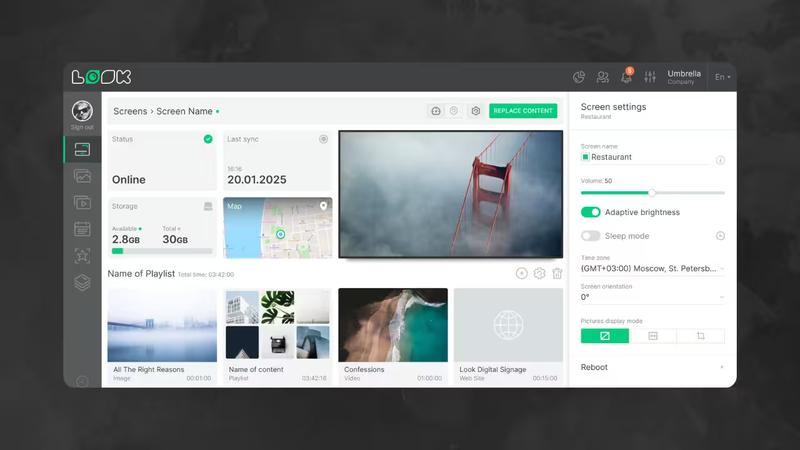
Key features:
- Deploy in the cloud or on-premise
- Monitor and manage screens remotely
- Verify playback with built-in reporting
- Organize displays by groups and tags
- Assign different permission levels to each user
- 300+ professional templates
- Built-in apps and content widgets
- Zapier and API integrations
- Content scheduling and dayparting
- Interactive layouts and touch screen support
Best for: Businesses that don't want to compromise between ease of use and enterprise functionality.
Why choose Look: Look is especially useful for teams that want to avoid the difficulties of traditional enterprise signage software while still having access to professional features. The interface is easy to use for marketers, operations teams, and local managers. Additionally, the platform offers centralized control, analytics, and large-scale deployment.
Potential limitation: Some advanced workflows may require time to configure, especially for teams custom integrations or complex multi-location permissions.
2. ScreenCloud — Best for App Integrations
ScreenCloud is a cloud-based digital signage company known for its strong app marketplace and integrations. It is a good fit for businesses that want to display content from many sources, including Google Workspace, Microsoft 365, social media, dashboards, weather, calendars, and business tools.
ScreenCloud works across many hardware types, including Android, Fire OS, Windows, macOS, ChromeOS, LG webOS, Samsung Tizen, and Sony Bravia SoC displays.
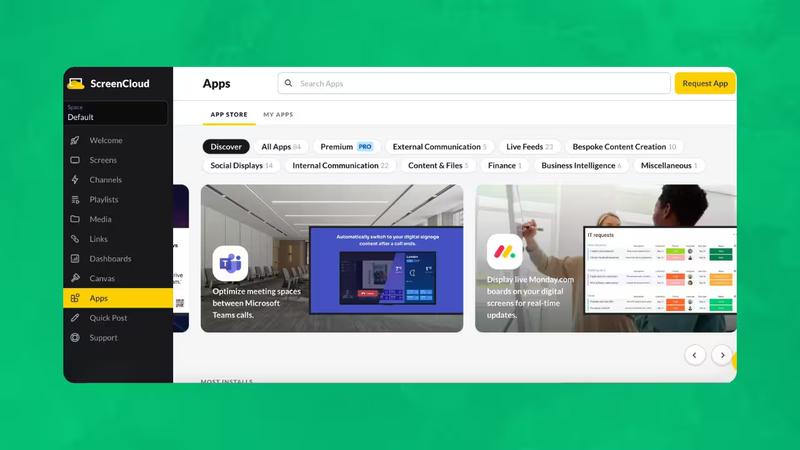
Key features:
- 80+ apps and 150+ templates
- Hardware-agnostic deployment
- Remote device management
- Channels for playlist organization
- Canvas editor
- Google Workspace and Microsoft 365 integrations
- Multi-location support
- Custom data integrations through Playgrounds
Best for: Businesses looking to automate content updates from existing business systems.
Why choose ScreenCloud: It is a strong option for teams that already use business apps and want to turn existing content into screen-ready displays.
Potential limitation: Pricing can become expensive for larger networks compared with lower-cost alternatives.
3. Yodeck — Best Budget-Friendly Digital Signage Company
Yodeck is a popular choice for small businesses and startups because it offers a free plan for one screen and affordable paid plans. It is cloud-based and supports Raspberry Pi, Android, Fire TV, Windows, ChromeOS, BrightSign, Samsung Tizen, and LG webOS.
Out of the box, Yodeck gives you everything you need to build and manage a signage network, including ready-made templates, scheduling tools, playlists, remote device monitoring, and support for interactive displays.
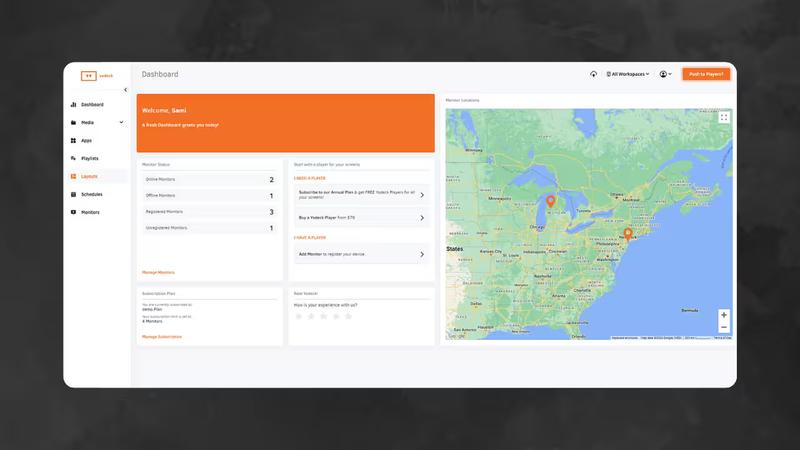
Key features:
- Free plan for one screen
- Paid plans start at around $8 per screen/month
- Library of more than 500 templates
- 80+ app integrations
- Layout editor
- Scheduling and playlists
- Remote screen monitoring
- Raspberry Pi-based player option
Best for: Small businesses testing digital signage for the first time.
Why choose Yodeck: It lowers the barrier to entry and gives small teams an affordable way to launch digital signage.
Potential limitation: Larger or more complex deployments may eventually need more advanced enterprise controls, support, or analytics.
4. OptiSigns — Best for SMB Integrations
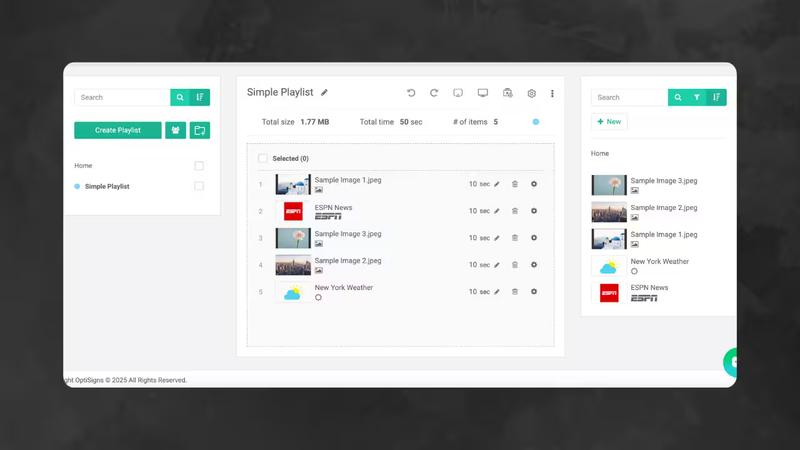
OptiSigns is a flexible digital signage solution popular with small and medium-sized businesses. One of its biggest strengths is how easily it connects with the tools many businesses already use, including Canva, Google Workspace, YouTube, Tableau, and popular social media platforms.
OptiSigns is a good choice for businesses that want affordable digital signage with a large template library and many app integrations.
Key features:
- 100+ apps and integrations
- Thousands of templates
- Canva and Google Workspace support
- Separate users into dedicated workspaces with custom roles.
- Enable SAML-based single sign-on on higher-tier plans.
- Monitor and manage screens remotely.
- Send emergency alerts to connected displays.
Best for: Businesses looking for strong integrations and team collaboration without enterprise-level pricing.
Why choose OptiSigns: It is particularly useful for teams that already create content in Canva or Google tools and want a simple way to publish it to screens.
Potential limitation: Some enterprise-scale use cases may require more advanced governance and support.
5. NoviSign — Best for Small and Medium Businesses
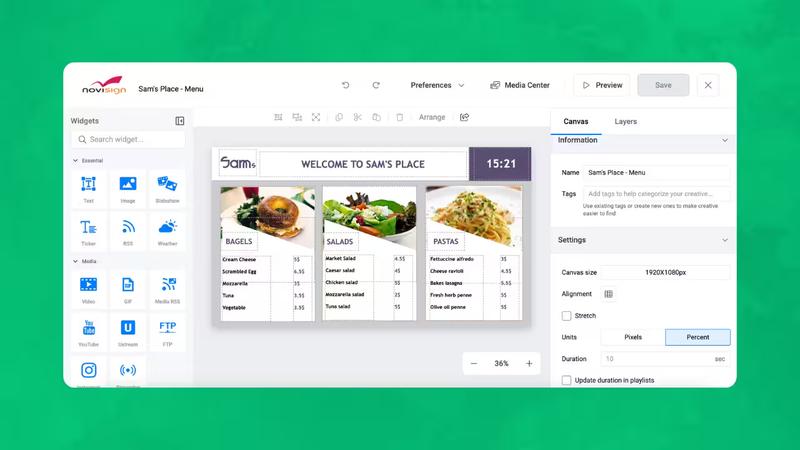
NoviSign is a simple platform for businesses that need easy content creation. It provides templates, widgets, and remote screen management. You don't need extensive training to use it.
It is often used by small and medium businesses in retail, education, hospitality, healthcare, and corporate environments.
Key features:
- Drag-and-drop content studio
- 50+ widgets and apps
- 500+ templates
- Multi-zone layouts
- User permissions
- Content approval workflows
- Reports and monitoring
- API and integrations
- AI-assisted image creation
Best for: Any business looking for an uncomplicated platform for managing screens across one or more locations.
Why choose NoviSign: It offers a good mix of simplicity, templates, and business-friendly features.
Potential limitation: The interface may feel basic for teams that need highly advanced design control or complex enterprise workflows.
6. Scala — Best for Large Enterprise Deployments
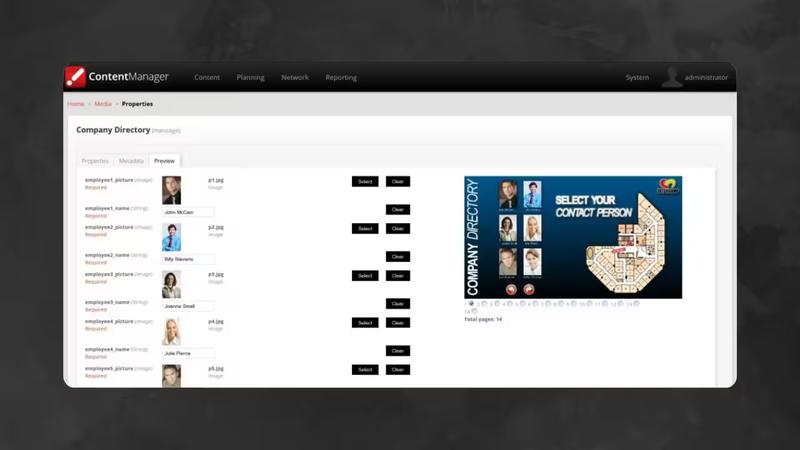
Scala is one of the most established names in enterprise digital signage. It is built for organizations that need high reliability, strong security, complex scheduling, and centralized management across large screen networks.
Scala is frequently used by large companies, government agencies, transportation systems, banks, healthcare groups, and global brands.
Key features:
- Enterprise-grade CMS
- Cloud, on-premise, and hybrid deployment
- Multi-location management
- Advanced scheduling
- Strong security controls
- Role-based access
- Reliable playback technology
- Enterprise support
Best for: Global companies that need a heavy-duty platform to run massive screen networks, complex video walls, and data-driven marketing campaigns.
Why choose Scala: It is a proven enterprise platform for mission-critical deployments.
Potential limitation: Pricing is custom, and the sales and implementation process can be more complex than SMB-focused platforms.
7. Poppulo — Best for Enterprise Employee Communications
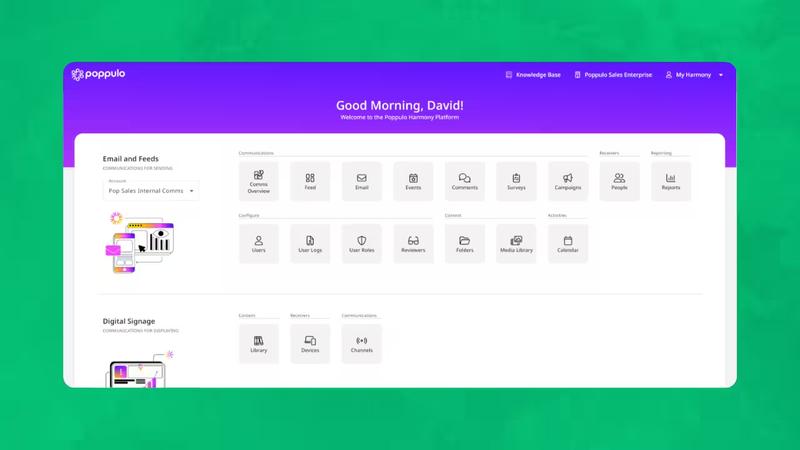
Poppulo combines digital signage with broader employee communications tools. It is designed for large organizations that need to manage internal communications across screens, email, mobile apps, Microsoft 365, and other enterprise channels.
It is especially useful for companies that want to centralize employee messaging while giving departments or locations controlled publishing access.
Key features:
- Digital signage CMS
- Employee communications tools
- AI-assisted content creation
- Automatic translation
- Advanced analytics
- Enterprise permissions
- Microsoft 365 integrations
- Customer-facing and employee-facing signage support
Best for: Enterprises that need both digital signage and internal communications in one ecosystem.
Why choose Poppulo: It goes beyond screen management and supports multi-channel workforce communication.
Potential limitation: It may be more complex than necessary for businesses that only need simple screen content management.
8. Navori Labs — Best for API-First Enterprise CMS and AI Analytics
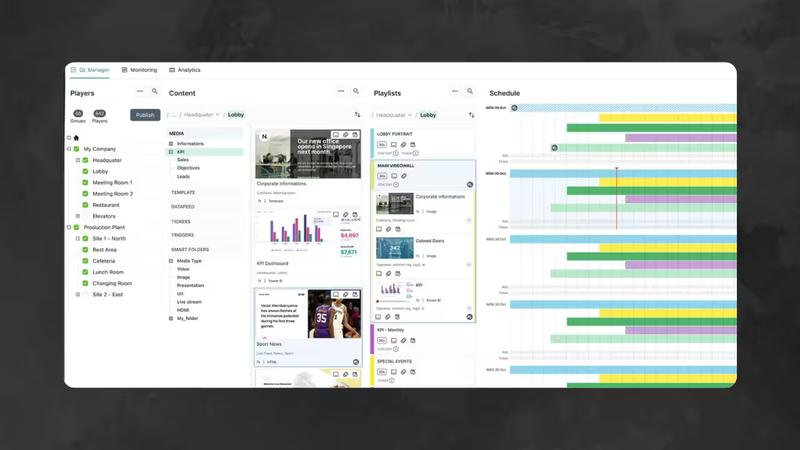
Navori Labs is an enterprise digital signage solution with a strong CMS, advanced data integrations, AI-powered analytics, and broad hardware compatibility. It supports Windows, Android, ChromeOS, Linux, BrightSign, Samsung Tizen, LG webOS, Philips, Sony, Elo, and other platforms.
Navori is a good option for businesses that require flexible content automation, rule-based playback, audience analytics, and API-driven workflows.
Key features:
- API-first CMS architecture
- AI-powered audience analytics
- Footfall and dwell time tracking
- Rule-based content playback
- Real-time data integrations
- POS, CRM, and social media integrations
- 4K and 8K support
- Cloud and on-premise options
Best for: Mid-sized and enterprise organizations that need analytics, automation, and flexible integrations.
Why choose Navori Labs: It is strong for data-driven signage networks where content changes based on business rules, audiences, or live data.
Potential limitation: Advanced functionality may require more setup and technical planning than simpler cloud platforms.
9. Signagelive — Best for Channel and Reseller-Led Deployments
Signagelive is a long-established digital signage CMS company with a strong presence in the reseller and system integrator channel. It is widely used for professional deployments where partners manage signage networks for end customers.
After joining Navori Labs Group, Signagelive continues to be important for organizations that need reliable CMS technology, worldwide channel support, and flexible signage management.
Key features:
- Cloud-based digital signage CMS
- Multi-user and multi-location management
- Support for professional signage hardware
- Remote content publishing
- Partner and reseller-friendly model
- Enterprise deployment experience
- Integrations and APIs
Best for: Resellers, integrators, and organizations that want a proven CMS backed by a global signage group.
Why choose Signagelive: It's well suited to businesses managing digital signage across multiple locations, especially if you're working with an IT partner or reseller to handle deployment.
Potential limitation: Pricing isn't publicly available, and the final cost will depend on your deployment and the reseller you purchase through.
10. TelemetryTV — Best for Corporate Dashboards and KPI Displays
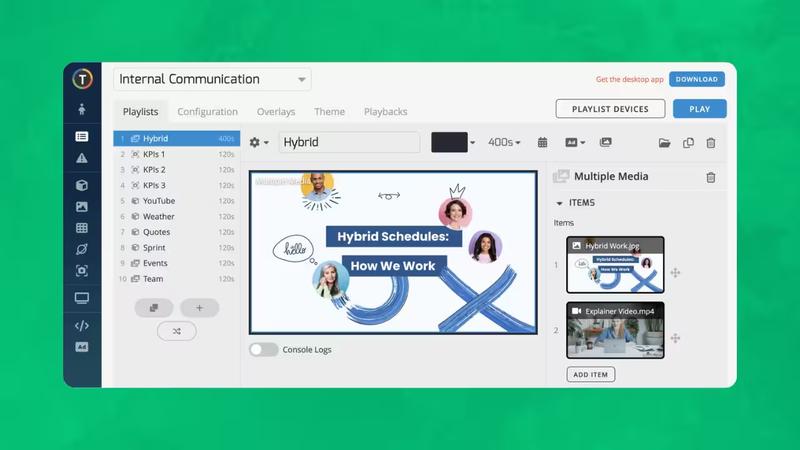
TelemetryTV is built for organizations that want to show dashboards, KPIs, company announcements, internal communications, and live data on screens. It is popular in corporate offices, warehouses, universities, and operational environments.
The platform is compatible with Android, Windows, Linux, ChromeOS, FireOS, Intel devices, Raspberry Pi, and Fire TV. It also supports playback of progressive web apps.
Key features:
- Dashboard and KPI display tools
- Web screenshots for secure dashboard sharing
- 70+ integrations
- Proof-of-play and device logs
- Emergency overrides
- API access
- Remote device management
- Playlist embedding
Best for: Businesses that use digital signage to share live operational and performance data.
Why choose TelemetryTV: It is strong when digital signage is used as an operational dashboard rather than just a marketing display.
Potential limitation: Some users may need technical support when configuring complex integrations.
11. Rise Vision — Best Digital Signage Software for Education
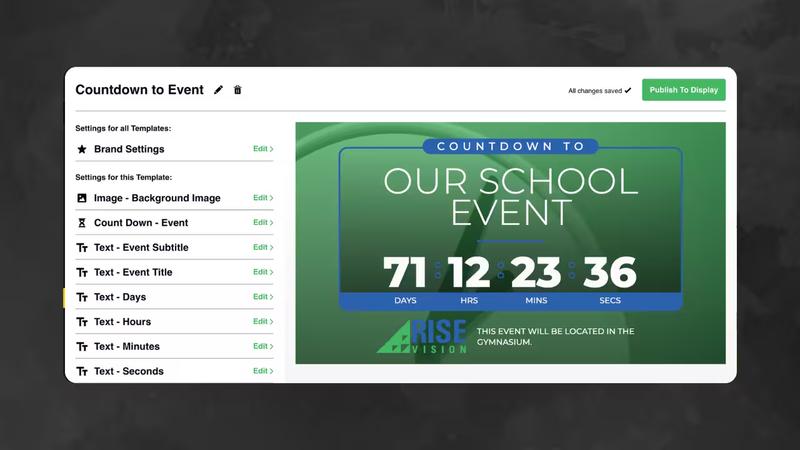
Rise Vision is built specifically for schools, districts, colleges, and universities. It provides education-focused templates, Google Workspace and Microsoft 365 integrations, cafeteria menu boards, school announcements, and emergency alerts.
It is effective for education teams that want professional signage without relying on designers or complicated IT processes.
Key features:
- 600+ education templates
- Google Workspace and Microsoft 365 integrations
- CAP emergency alerts
- District-level account management
- Cafeteria menu boards
- Cloud hosting
- Screen sharing
- Education-focused support
Best for: Schools looking for a better way to share announcements, event schedules, and emergency alerts.
Why choose Rise Vision: Unlike general-purpose signage platforms, Rise Vision includes templates and workflows designed specifically for schools.
Potential limitation: Businesses outside education may find other platforms more flexible for commercial use cases.
12. Displai — Best for Restaurants, Retail, and POS-Connected Menu Boards
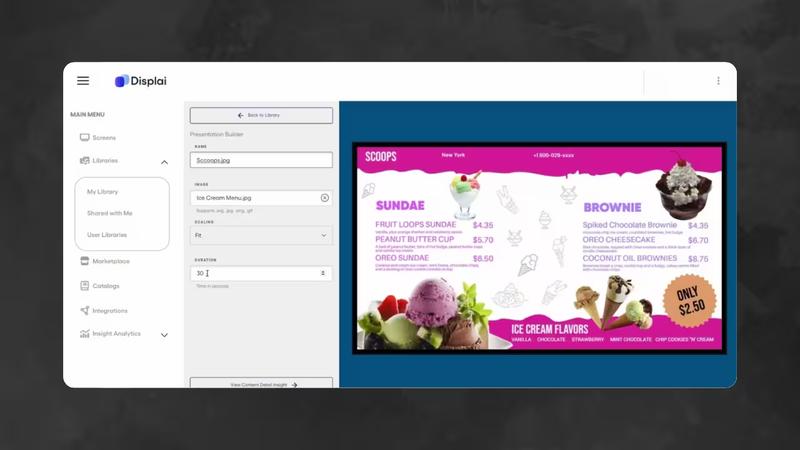
Displai is a digital signage platform aimed primarily at restaurants and retailers. Alongside standard signage features, it includes POS integrations, self-service kiosks, and analytics. That makes it particularly useful for businesses where menu boards or promotional displays need to stay in sync with what's happening at the checkout.
The POS integration is the main selling point here. Once you connect your POS system, Displai automatically updates menu boards with changes to pricing, inventory, and item availability.
Key features:
- Digital menu boards
- POS integrations with Toast, Square, and Lightspeed
- Real-time menu and pricing updates
- Self-service kiosk support
- Drive-thru display support
- Dayparting
- Customer analytics
- Multi-location management
Best for: Restaurants and retailers that want menu boards to stay in sync with their POS system.
Why choose Displai: Its POS integration automatically updates menu boards when prices, inventory, or menu items change, reducing the need for manual edits.
Potential limitation: Businesses that only need basic digital signage may end up paying for features they won't use.
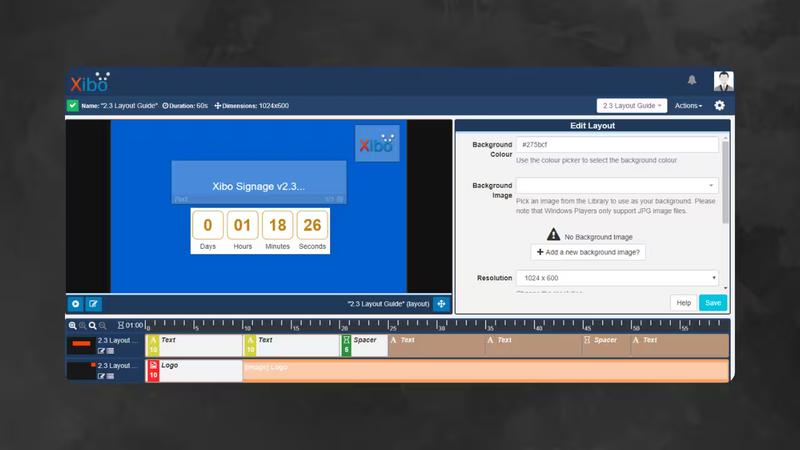
13. Xibo — Best Open-Source Digital Signage Software
Xibo is an open-source digital signage platform that gives businesses more control over hosting, customization, and deployment. Organizations can self-host the CMS or use Xibo’s cloud hosting.
It is popular with technical teams, developers, universities, public-sector organizations, and DOOH networks that want flexibility without being limited to a specific vendor.
Key features:
- Open-source CMS
- Self-hosted and cloud options
- Windows, Android, Linux, webOS, and Tizen players
- Canva integration
- DOOH monetization through SSP connectors
- Audience reporting connector
- Developer-friendly ecosystem
Best for: Organizations with an in-house IT team and want to self-host their software solution.
Why choose Xibo: It provides flexibility and control at a low software cost.
Potential limitation: Setup and maintenance can be harder for non-technical teams.
14. BrightSign — Best for Reliable Digital Signage Hardware
BrightSign is best known for its purpose-built digital signage media players. It is not just a software company; it is a hardware and platform ecosystem built for reliable, always-on deployments.
BrightSign players are widely used in retail, transportation, QSR, museums, stadiums, corporate environments, and high-traffic public spaces.
Key features:
- Purpose-built signage media players
- BrightSignOS
- BSN.Cloud remote management
- Secure boot and reliable playback
- 24/7 operation
- Strong hardware lifecycle
- Proof-of-play support
Best for: Companies that want an all-in-one digital signage solution with dedicated hardware.
Why choose BrightSign: It is one of the most trusted hardware ecosystems in professional digital signage.
Potential limitation: It is less hardware-agnostic than software-only platforms and requires BrightSign devices.
15. Samsung VXT — Best for Samsung Display Networks
Samsung VXT is Samsung’s cloud-based content management platform for businesses using Samsung smart signage displays. It is designed to make content creation, scheduling, and device management easier inside the Samsung ecosystem.
It works especially well for businesses that already use Samsung commercial displays or want to standardize around them.
Key features:
- Cloud CMS for Samsung displays
- VXT Canvas content editor
- Templates and stock assets
- Samsung Tizen support
- Remote device management
- POS-related solutions through Samsung partners
- Advertising and retail display support
Best for: Businesses using Samsung smart signage displays.
Why choose Samsung VXT: It is convenient for organizations already committed to Samsung hardware.
Potential limitation: It is less flexible for businesses using mixed hardware brands.
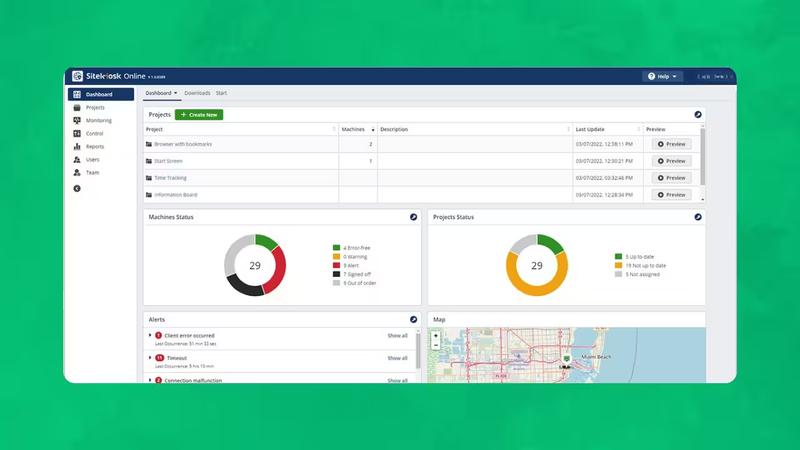
16. SiteKiosk Online — Best for Interactive Kiosks
SiteKiosk Online is built for interactive kiosks, public terminals, touchscreen displays, visitor check-in systems, wayfinding, and secure browser environments.
Its main strength is lockdown security. It prevents users from leaving the kiosk environment, accessing the operating system, or browsing unauthorized content.
Key features:
- Interactive kiosk mode
- Secure browser
- Device lockdown
- Whitelist controls
- Remote monitoring
- Automatic reboot and recovery
- Touchscreen support
- Cloud and self-hosted options
- User behavior analytics
Best for: Public-facing kiosks, healthcare check-in, hotel lobbies, wayfinding, and self-service terminals.
Why choose SiteKiosk: It is one of the strongest options for secure interactive kiosk deployments.
Potential limitation: It is more kiosk-focused than traditional digital signage platforms.
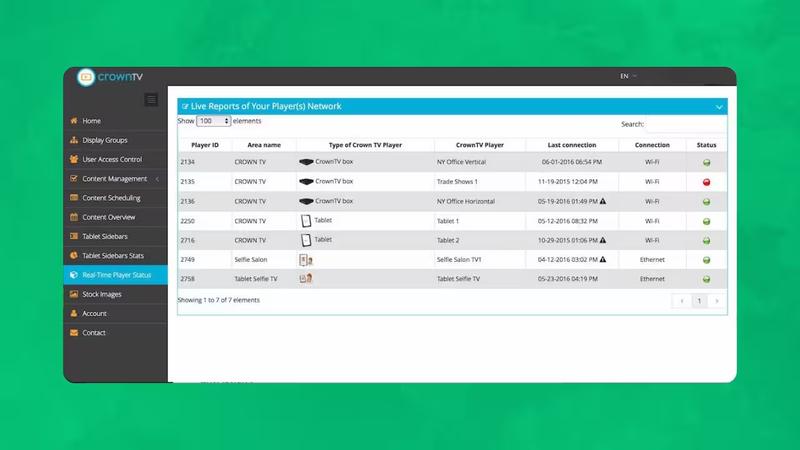
17. CrownTV — Best Turnkey Digital Signage Provider
CrownTV offers a turnkey approach that combines software, media players, commercial displays, installation, and content services. This is useful for businesses that do not want to manage hardware sourcing, CMS setup, installation, and support separately.
It is often used in retail, corporate offices, hospitality, and places that interact with customers.
Key features:
- Digital signage CMS
- Media players
- Commercial display sourcing
- Content creation services
- Multi-location management
- Installation support
- Scheduling and dayparting
- App library and templates
Best for: Businesses that want one provider for software, hardware, installation, and content support.
Why choose CrownTV: It simplifies procurement and deployment for teams that prefer a managed project.
Potential limitation: Pricing is less transparent than many software-only platforms.
18. SpinetiX — Best Swiss-Engineered Hardware and Software Ecosystem
SpinetiX provides a professional digital signage solution built around proprietary players and software. It is known for reliability, security, and long-term hardware performance.
Its products are often used for video walls, corporate environments, public spaces, transportation, education, and mission-critical signage.
Key features:
- Proprietary signage players
- ARYA cloud CMS
- Elementi authoring software
- Video wall support
- Interactive and data-driven content
- Widgets and integrations
- Lifetime firmware updates on supported hardware
Best for: Professional deployments that want a tightly controlled hardware-software ecosystem.
Why choose SpinetiX: It offers reliable hardware and advanced authoring capabilities.
Potential limitation: It is less flexible for teams that want to use any low-cost media player.
19. Panasonic Connect ClearConnect — Best for Integrated QSR and Retail Operations
Panasonic Connect ClearConnect is a managed technology ecosystem for restaurants and retail. Digital signage is part of a broader solution that can include POS terminals, self-service kiosks, drive-thru technology, back-office systems, installation, and managed services.
This makes it a good choice for larger quick-service restaurant and retail brands that want signs connected to their operational systems.
Key features:
- Digital signage and menu boards
- POS integration
- Self-service kiosk support
- Drive-thru systems
- Commercial displays
- Managed IT services
- Professional installation
- As-a-service model
Best for: QSR chains and retailers that want signage as part of a larger technology stack.
Why choose Panasonic Connect: It is designed for operationally complex environments where displays, POS, and customer service systems need to work together.
Potential limitation: It is not the simplest or cheapest option for businesses that only need digital signage software.
20. Zoom Workplace — Best for Office and Meeting Room Displays
Zoom Workplace includes digital signage functionality for companies already using Zoom Rooms. It lets businesses use meeting room screens to show announcements, room schedules, event information, and internal communications when displays are not being used for meetings.
It doesn't completely replace dedicated signage software for retail or customer-facing settings. However, it is useful for communication in the office.
Key features:
- Digital signage for Zoom Rooms
- Meeting room displays
- Calendar and event information
- Company announcements
- Employee communications
- Workspace and productivity features
- Included in some Zoom plans
Best for: Offices and hybrid workplaces already using Zoom Rooms.
Why choose Zoom Workplace: It adds signage functionality without introducing a separate platform.
Potential limitation: It is limited for customer-facing signage, retail, restaurants, and complex screen networks.
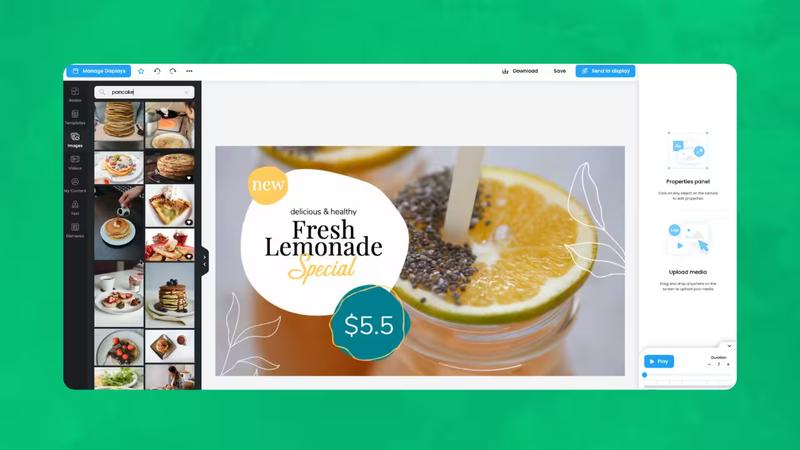
21. Mandoe — Best for AI-Assisted Content Creation
Mandoe focuses on helping businesses create digital signage content quickly with AI-powered tools. It is especially useful for restaurants, retailers, and small businesses that need frequent promotional updates but do not have an in-house designer.
Its AI content creation tools can generate designs from prompts which helps your team move faster from idea to screen.
Key features:
- AI-powered content creation
- Template generation
- Content creation studio
- Cloud-based CMS
- Scheduling
- Social media integrations
- Analytics
- Multi-screen management
Best for: Small businesses that regularly create promotions but don't have an in-house designer.
Why choose Mandoe: It helps you turn ideas into ready-to-publish signage in minutes instead of designing every promotion from scratch.
Potential limitation: You'll still want to review AI-generated designs before publishing them, especially if your brand has strict design guidelines.
Best Digital Signage Companies by Use Case
Best overall: Look Digital Signage
By now, you probably have a shortlist of digital signage platforms that tick most of your boxes. The catch is that many of them reserve everyday features like dashboards, user permissions, analytics, and even some apps and widgets for their more expensive plans. At Look Digital Signage, we do things differently. You get the full platform from day one, which you can pair with almost any hardware and use with an unlimited number of screens. It completely eliminates the friction of managing content, so that you can focus on growing your business instead of fighting with your software. If you're looking for one solution that lets you plug in, create, and grow on your own terms, Look is the definitive choice.
Best for small businesses: Yodeck or OptiSigns
It depends on your use case. If your main priority is cost savings or you’re only setting up a few screens, Yodeck is your best bet. OptiSigns is worth it if you intend to introduce interactivity, experiential retail using lift-and-learn, or even more enterprise capabilities, since it is quite feature-rich itself.
Best for restaurants and QSR: Displai or Look Digital Signage
Displai is great if you’re running a massive corporate franchise and absolutely need your menus connected directly to your kitchen's POS database. Its got a ton of heavy-duty capabilities under the hood for that level of scale.
But for standard restaurant operations, Look DS is usually the way to go just because it keeps things simple. It cuts out all the over-engineered AI workflows you will probably never use anyway. Instead, you get a clean, easy drag-and-drop dashboard. Anyone on your staff can log in, swap out a food photo or change a price, and have it live on the digital menu boards in two minutes.
Plus, it runs perfectly on cheap hardware like an Amazon Fire Stick, so you don't have to spend a fortune on specialized media players to get your breakfast and lunch menus to flip automatically.
Best for retail chains: Look Digital Signage, ScreenCloud, or Navori Labs
Retailers don't have identical priorities. If you are going to grow from just a couple of stores to dozens of sites, Look Digital Signage offers the best compromise between ease of management and scalability. ScreenCloud is a good choice if your content primarily comes from apps and cloud services. In contrast, Navori Labs is better for advanced analytics and automation and is more suitable for larger retail operations.
Best for corporate communications: TelemetryTV, Poppulo, or Look Digital Signage
Depending on your communication goals, the ideal platform may vary: Telemetry TV is effective for dynamic dashboards and KPI visualizations; Poppulo is tailored for communications with employees at an enterprise level, while Look Digital Signage offers a cost-effective solution for centralizing lobby, meeting room displays, company announcements, and dashboards all on one platform.
Best for education: Rise Vision
Rise Vision is built especially for K-12 schools and universities (though it's equally capable for non-profits and other industries). So every feature is purpose-built to keep students informed with templates, Google Workspace integrations and even emergency alert tools. Its pricing is also very attractive for the feature set you're getting.
Best for enterprise: Scala, Poppulo, Navori Labs, or Look Digital Signage
If you're managing thousands of screens, you're looking for a secure and reliable solution with strict governance. Scala, Poppulo, and Navori Labs all check the list. Still, if you need the same capabilities without the setup complexity and sales cycles associated with traditional enterprise platforms, you can't go wrong with Look Digital Signage.
Best for interactive kiosks: SiteKiosk Online
SiteKiosk is the strongest option when kiosk lockdown, public access control, and secure browsing are the main requirements.
Best for open-source control: Xibo
Xibo is ideal for technical teams that want self-hosting, customization, and open-source flexibility.
Final Thoughts: Which Digital Signage Company Should You Choose?
The best digital signage provider depends on your specific application, budget, requirements, and future expansion. Look Digital Signage is the best all-around option if you’re looking for a low-cost, versatile, and scalable platform for a variety of sectors. It gives businesses the fundamental capabilities they need today, such as templates, dynamic playlists, screen management, connectors, and analytics, as well as the convenience of cloud-based deployment. It also supports more complex solutions, such as on-premise installations and multi-site management.
When you are weighing your options as far as digital signage companies are concerned, make sure that price isn't the only thing you look into. A low fee can turn high if the platform becomes difficult to manage, is unreliable, has few integrations, and fails to grow with you. Search for software that merges well with your workflow, can handle the screens, keep the hardware running, establish connections with your business systems, and give your team confidence as the signage network grows.
FAQ
What is a digital signage company?
A digital signage company is a technology provider that builds and sells the hardware and software businesses use to run successful signage deployments. Companies that sell screens, software, media players, and also offer content creation services are often known as turnkey signage providers. Most of the solutions we've discussed in this article are primarily digital signage software providers, who are the preferred choice for everyday signage. They eliminate the hefty initial investment by letting you use the hardware you already have, pay only for the features you need, and get predictable, subscription-based pricing.
What is the best digital signage company?
Look Digital Signage is the best overall option for many businesses because it combines ease of use, affordable pricing, broad hardware support, templates, integrations, analytics, and cloud or on-premise deployment.
How much does a digital signage solution cost?
Most digital signage software costs between $6 and $40 per screen each month, depending on the vendor and features. Enterprise platforms usually have custom pricing. Some companies also charge for media players, storage, premium integrations, support, or installation.
Is cloud-based digital signage better than on-premise digital signage?
It depends on the use case, but for most businesses, cloud-based digital signage is the better choice. With cloud-based solutions, you manage your screens from anywhere through a web browser, push updates instantly across multiple locations, and avoid the cost of maintaining local servers.
On-premise digital signage is better suited if you're running signage in a location with unreliable internet or you're in an industry with strict data security requirements (like government or certain healthcare settings). The tradeoff is you're responsible for maintaining the servers yourself, and scaling to new locations is more work.
Can digital signage work without an internet connection?
In most cases, yes. Your media players download and cache content, keeping your screens running smoothly even with spotty internet. When a connection becomes available again, the player syncs and pulls the new content automatically os there's no manual intervention on your end.
Which digital signage software is best for restaurants?
Restaurants should look for menu board templates, dayparting, multi-location management, POS integrations, and offline playback. Displai is strong for POS-integrated restaurant operations, while Look Digital Signage is a strong option for restaurants that want affordable, flexible, and easy-to-manage menu boards.
Which digital signage software is best for schools?
Rise Vision is highly focused on education and offers school templates, emergency alerts, Google integrations, and district-level management. Look Digital Signage can also work well for schools that need flexible content scheduling, announcements, wayfinding, and screen management.
Do I need special hardware for digital signage?
Not necessarily. If you already have a Smart TV, a spare Fire Stick, a Raspberry Pi, or an old laptop, you can usually run digital signage software on it without buying anything new. That's actually what we love most about cloud-based signage: it doesn't lock you into proprietary screens or media players. That said, if you have demanding requirements such as high-resolution video walls, screens that need to stay on 24/7, or direct sun exposure, it's better to use commercial-grade hardware for reliabile performance down the line. But for menu boards, lobby screens, or a couple of retail displays, your existing hardware is usually enough to get started.
What features should I look for in digital signage software?
A couple of things to keep in mind are ease of use, performance at scale, and whether it supports the hardware you intend to use. For this, you have to look for drag-and-drop tools, templates, and the ability to group screens by location or tags. Add scheduling flexibility so you can plan content by day, time, or specific screen, and solid customer support since you'll want quick answers when something breaks on-site.
Can digital signage software integrate with POS systems?
Yes, some digital signage solutions do this either natively or, in the case of Look Digital Signage, via Zapier or an API, giving you more flexibility to connect with a wider range of POS systems and business tools. Once you connect your POS system to the signage software, it triggers automatic updates on your screen whenever menu items, pricing, or promotions change.


