

Table of Content
How do you train employees without pulling them away from their work for hours? Microlearning content on breakroom digital signage offers a practical answer. It involves sharing short, focused learning modules on the screens your team already watches during coffee or lunch breaks. Instead of scheduling long presentations that disrupt the day, this method fits training into natural downtime, helping your staff absorb important information quickly without hurting productivity.
The traditional "one-size-fits-all" workshop is becoming less effective for modern teams. Digital signage software allows you to turn passive screens into active communication channels. By using the high visibility of breakroom displays, you can turn idle moments into valuable knowledge boosts that support safety, company culture, and skill development-all managed from a simple cloud-based dashboard.

What Is Microlearning Content on Breakroom Digital Signage?
How Does Microlearning Differ from Traditional Corporate Training?
Traditional corporate training often relies on long slide decks, thick manuals, or mandatory seminars that can feel draining. Studies suggest that retention rates for these methods are low, with employees often struggling to apply what they learned days later. While traditional training is often treated as a yearly task, microlearning is continuous and engaging. It aligns with how people consume information today: in short, frequent bursts rather than long sessions.
Microlearning stands out because it integrates smoothly into the workday. It respects your employees’ time by delivering content that can be consumed in under a minute. This style of repeated exposure-often called spaced repetition-helps people remember information longer. With tools like Look Digital Signage, you can schedule these snippets to play automatically, ensuring the message lands without requiring a meeting.

What Types of Microlearning Fit Digital Signage Formats?
Not all training materials work well on a TV screen. The best formats for breakroom signage are visual, concise, and easy to read from a distance. Short video clips (1-2 minutes), animated infographics, and motion graphics work best to grab attention. These formats simplify complex ideas into stories that are easy to understand at a glance.
Other effective formats include "quick-tip" slides, myth-vs-fact cards, and step-by-step visual guides. For example, you might use a screen layout to show a 30-second animation about a new software feature alongside a sidebar with safety icons. These small chunks of content deliver a learning moment that is light on effort but strong on results.
How Does Digital Signage Support Microlearning for Employees?
What Content Formats Work Best on Breakroom Digital Signage?
To be effective, your signage content must be brief. Since employees are moving around, eating, or chatting, each screen should focus on one clear idea. Simple language paired with strong images or short videos helps the team understand the message instantly. Multimedia is powerful here; people tend to retain information better when it is paired with relevant visuals.
Visual Standard Operating Procedures (SOPs) and short "how-to" videos are highly effective. Instead of a text-heavy manual on machine maintenance, a 60-second video demonstrating the steps can loop on the screen. Using a content creator tool inside your CMS, you can even build these slides quickly without needing a graphic designer.

How Does Interactivity Improve Microlearning Effectiveness?
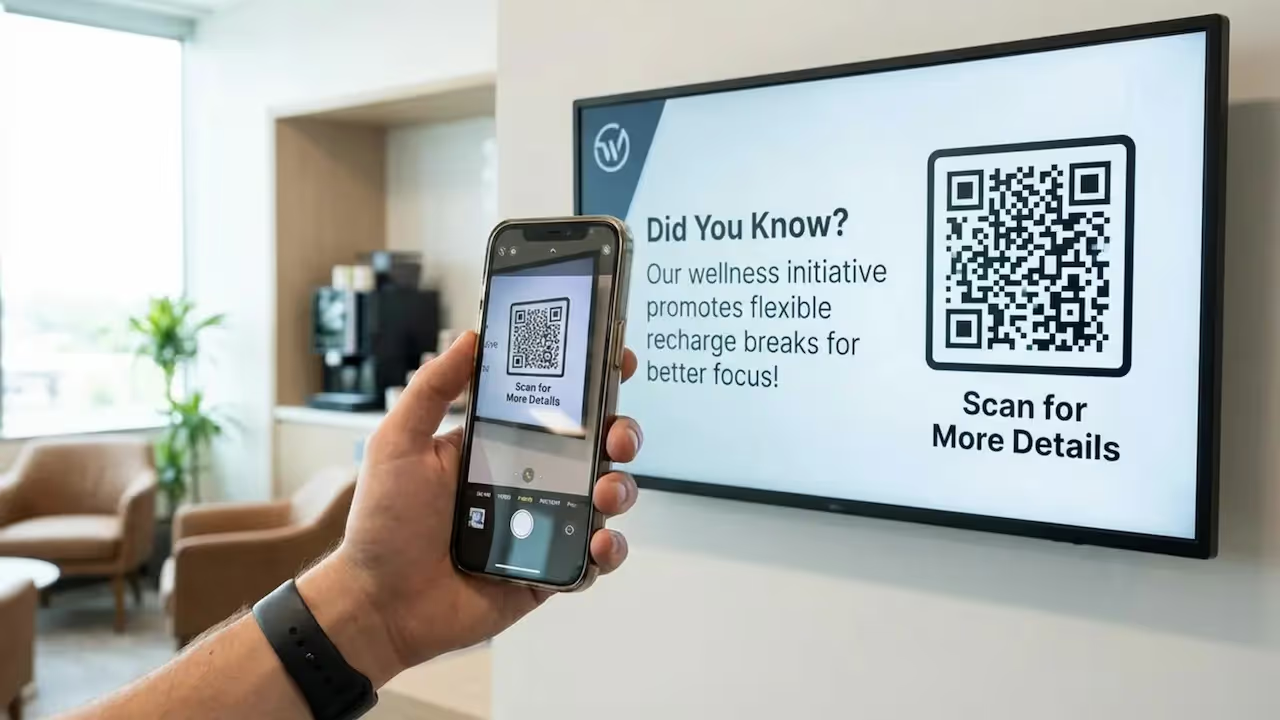
Interactivity turns viewers into participants. While breakroom screens are often passive, adding QR codes can bridge the gap to deeper learning. Placing a QR code on a "tip of the day" slide allows employees to scan it and open a detailed guide or a quick quiz on their mobile phones. The screen acts as a hook, while the phone delivers the full lesson.
If you use interactive touchscreens, you can also support interactive scenarios like polls or simple navigation menus. This approach reinforces the material and builds a sense of participation. When employees interact with the screen, they become active contributors to the company’s knowledge base rather than just observers.
Can Digital Signage Provide Real-Time Performance Feedback?
Yes. Digital signage is an excellent tool for visualizing real-time data. Screens can display key performance indicators (KPIs) like production targets, quality metrics, or safety statistics. This helps employees see exactly how their daily efforts contribute to company goals.
Real-time feedback creates transparency. Seeing a "days without an accident" counter or a progress bar for a monthly goal keeps the team aligned. For managers, these displays-often powered by simple integrations or dashboard widgets-make it easy to highlight areas that need attention without having to send manual reports.
What Types of Microlearning Content Can Be Used on Breakroom Digital Displays?
Safety Protocols and Compliance Reminders
In industries like manufacturing and healthcare, safety is the top priority. Digital signage allows you to rotate core safety messages, such as proper PPE usage or hygiene steps, throughout the day. Since neglecting safety gear is a common cause of workplace incidents, keeping these visual reminders front and center can reduce risks significantly.

Compliance messages can also cover hazard communication and emergency routes. Using clear icons and screen layouts to separate hazard warnings from general news helps everyone understand critical info quickly, regardless of language barriers.
Skill-Building Micro-Lessons and Tips
Microlearning is great for developing soft skills and technical knowledge. Breakroom screens can feature short tips on conflict resolution, leadership, or communication. For technical teams, you can share "pro-tips" for specific tools or machinery. These small prompts encourage a habit of continuous improvement.
Displaying these resources during breaks shows that you value employee growth. This "just-in-time" learning provides helpful knowledge exactly when staff have a moment to breathe, making training feel like a support resource rather than a chore.
Health, Wellness, and Work-Life Balance Content
Workplace wellness is increasingly important. Digital signage can support your team's health by displaying hydration reminders, simple stretching exercises, and motivational quotes. You can also use screens to highlight mental health resources or company benefits that often go unused.

Friendly reminders to disconnect during breaks or use vacation time demonstrate that you care about the person, not just the worker. This type of content helps build a supportive environment and may help reduce stress-related burnout.
Policy Updates and Visual Standard Operating Procedures
Emails regarding policy changes often get lost in full inboxes. Digital signage ensures everyone sees important updates, such as changes to benefits or new office rules. Visual SOPs provide clear, step-by-step instructions for common tasks, which can lower error rates.
Using remote management to publish these updates is also faster and more eco-friendly than printing notices. You can push a new policy to all locations in minutes, ensuring every site is compliant at the same time.
Employee Recognition and Success Stories
Recognition drives morale. Digital signage is the perfect medium for celebrating work anniversaries, "Employee of the Month" awards, and peer shoutouts. Displaying these achievements in a shared space makes the recognition public and meaningful.

Sharing customer success stories or positive feedback also connects the team to the results of their work. When employees see a good review related to their specific shift or project, it reinforces quality standards and encourages pride in their role.
What Are the Benefits of Displaying Microlearning Content in Breakrooms?
Increases Training Engagement and Knowledge Retention
A major benefit of using digital signage for training is the power of repetition. Seeing a safety tip or skill refresher multiple times a week helps move that information into long-term memory. Because visual content is easier to digest than text, employees are more likely to pay attention.
Furthermore, because this learning happens naturally during downtime, it doesn't feel like a formal task. Employees absorb the content while grabbing coffee, making learning a seamless part of the daily routine rather than a disruption.
Reduces Idle Time and Boosts Productivity
Digital signage utilizes moments that would otherwise be empty. Instead of pulling staff off the floor for hours of training, you can deliver the same key concepts in 60-second segments over time. This approach respects operational efficiency while keeping the team informed.
In production environments, reducing training downtime can lead to better labor cost management. When workers learn via quick lessons on the floor or in the breakroom, they can improve their skills without stopping the line.
Reinforces Safety, Compliance, and Standard Operating Procedures
Consistent reminders are essential for safety. Digital signage keeps safety rules visible so they don't fade from memory. By using smart scheduling to rotate messages about hazards and emergency procedures, you can help lower the risk of accidents and maintain compliance.
Visual SOPs also ensure consistency. Whether an employee has been with you for ten years or ten days, they see the same standard instructions. This helps maintain quality and ensures everyone is following the correct process.
Delivers Company News, Updates, and Recognition
Digital signage acts as a central hub for internal communication. It bridges the gap between management and frontline staff, especially for those who don't sit at a desk with email access. This direct line of communication helps everyone feel included in company goals.
Using screens to highlight team wins builds a positive culture. When employees feel seen and valued, they are often more engaged and less likely to look for other opportunities.
Best Practices for Deploying Microlearning Content on Breakroom Digital Signage
How Often Should Content Be Updated?
To keep people looking at the screens, the content must stay fresh. If a playlist loops the same slides for weeks, it becomes "wallpaper" that no one notices. A good practice is to update or rotate content weekly. Cloud-based platforms like Look CMS make it simple to drag and drop new content into your playlists.
Time of day matters, too. You might schedule motivational quotes for the morning, wellness tips for the lunch rush, and safety reminders for the start of a shift. Smart scheduling allows you to automate this flow so the right message plays at the right time without manual intervention.
How to Measure Engagement and Learning Outcomes
To understand if your signage is working, you need to track results. You can measure engagement through QR code scans or participation in on-screen polls. If you are running a safety campaign, track whether incident reports decrease over time.
Feedback is also critical. Simply asking employees which tips they find most useful can guide your future content. This ensures the screens remain a helpful resource rather than a distraction.
Tips for Creating Visually Effective and Accessible Content
Content should be clear and readable from a distance. Use high-contrast colors and large fonts. If you have a multilingual team, use universal icons or split screens to show messages in multiple languages.
Keep layouts clean. Avoid cluttering the screen with too much text. If you don't have a designer, ready-made templates are a great way to ensure your slides look professional and stay on-brand with minimal effort.
Common Challenges and Solutions for Microlearning via Digital Signage
What Are the Limitations of Breakroom Digital Signage for Training?
Digital signage is a support tool, not a complete replacement for in-depth training. It excels at awareness and reinforcement but isn't designed to teach complex, hands-on skills from scratch. It works best when paired with other methods, like hands-on workshops or an LMS.
Think of it as part of a blended learning strategy. Use signage to highlight key takeaways from a recent workshop or to remind staff about upcoming certifications. This keeps the training top-of-mind without overwhelming the screen.
How to Address Content Overload and Message Fatigue
If a playlist is too long or cluttered, employees will stop watching. To avoid fatigue, keep your playlists focused. Prioritize urgent updates and safety news, and let less critical content appear less frequently.
Targeting content by location also helps. A breakroom in the warehouse needs different information than the sales floor. By managing screens remotely, you can ensure each team sees only what is relevant to them.
Frequently Asked Questions about Microlearning Content on Breakroom Digital Signage
Can Digital Signage Replace In-Person or Online Training?
No, it is best used to supplement them. Digital signage is excellent for quick reminders and reinforcing concepts, but deep learning still requires focused time. However, signage can reduce the need for constant refresher meetings by keeping the basics visible every day.
Think of digital signage as a daily maintenance tool for knowledge. It keeps the team sharp and informed, while workshops provide the heavy lifting for new skills.
What Industries Benefit Most from Breakroom Microlearning?
Industries with "deskless" workforces-such as manufacturing, healthcare, retail, and hospitality-often see the biggest ROI. These teams rarely have access to the company email, so screens provide a reliable way to reach them. Manufacturing plants, for example, use it heavily for safety and production updates.
However, corporate offices also benefit. Using screens for wellness tips, company news, and soft skills training helps build culture and keeps office staff connected to the broader organization.
Conclusion
Microlearning on breakroom digital signage is a modern, efficient way to keep your team informed and skilled. By meeting employees where they are and fitting learning into the natural flow of the day, you can build a more connected and capable workforce.
To implement this successfully, you need a platform that is reliable and easy to manage. Look Digital Signage (Look DS) is designed for exactly this purpose. With the Look CMS, you can use ready-made templates to create professional training slides in minutes. Features like smart scheduling ensure your safety tips and company news appear exactly when they are most effective, while offline playback keeps your screens running even if the internet drops.
If you are ready to modernize your internal communication, you can start a free trial of Look DS today and see how easy it is to publish your first playlist.







