Table of Content
How can you reduce lobby congestion and help visitors find their way without tying up your front-desk staff? The answer lies in lobby digital signage – a centralized network of screens that answers "Where do I go?" and "What do I do next?" the moment a guest walks through the door.
In busy offices and public buildings, the lobby is more than a waiting room; it is the first impression of your operational efficiency. By replacing static posters with dynamic screens managed via cloud-based software, you can turn a passive space into an active guide. Whether you use commercial displays or interactive kiosks, digital signage helps you manage visitor flow, improve safety, and keep communication consistent across one location or many.
What is lobby digital signage for visitor flow control?
How lobby digital signage differs from traditional displays
Unlike a TV playing a loop from a USB stick or a printed sign that becomes outdated the moment it is hung, lobby digital signage is a managed communication tool. It allows you to update content remotely, set precise schedules, and target specific screens with unique messages. While printed signs remain static, digital signage adapts to the time of day, specific visitor groups, or emergency situations. This flexibility ensures your information is always accurate.
Cloud-based platforms like Look Digital Signage provide central control, allowing a single administrator to manage screens across multiple locations from one dashboard. Traditional signage lacks governance tools like user permissions, which growing organizations need to secure their brand. Digital signage also adds monitoring capabilities, letting you verify that screens are online and playing the right content-something impossible with standard monitors or paper notices.
Types of digital signage in lobby environments
Lobbies utilize various hardware setups to support the visitor journey. Welcome screens positioned near entrances greet guests and offer immediate directional cues. Directory and wayfinding displays placed near elevators or junctions help visitors navigate complex facilities. For interactive needs, visitor management kiosks enable self-service check-in and badge printing, significantly reducing manual tasks for reception staff.
Modern spaces may also deploy video walls for high-impact branding or smaller "shelf" screens outside conference rooms to display real-time meeting status. These tools ensure that once visitors leave the main lobby, they continue to move smoothly toward their destination.

Why visitor flow management matters in public and corporate lobbies
Common challenges in lobby visitor management
Lobby bottlenecks often stem from manual processes. Paper logbooks or a single receptionist handling a surge of arrivals can lead to queues and frustration. Without clear visual guidance, guests often interrupt staff with repetitive directional questions. This forces front-desk employees to act as traffic controllers rather than focusing on welcoming guests and handling administrative tasks.
Inconsistent messaging is another friction point. If a lobby sign contradicts what a staff member says, it reflects poorly on the organization. In multi-tenant buildings or large campuses, managing last-minute room changes is difficult without a central way to push real-time updates to every entrance simultaneously.
Impact of poor visitor flow on experience and productivity
Poorly managed visitor flow increases perceived wait times. Research suggests that unoccupied time feels longer than occupied time. A visitor waiting in a silent lobby often becomes impatient, whereas one viewing relevant information or news feels more at ease. This impatience can damage the perception of your brand's efficiency.
Productivity also suffers when movement is unstructured. If employees are frequently interrupted by lost visitors, or if security teams are bogged down by manual check-ins, operational efficiency drops. A clear, digital process ensures guests are checked in and directed to the right location quickly, keeping the workspace secure and focused.
Key benefits of managing visitor flow with lobby digital signage
Reduces perceived wait times and line congestion
Digital signage effectively manages the psychology of waiting. By displaying queue status or estimated wait times, screens provide a sense of progress. Beyond queue data, you can use screen layouts to display company news, weather, or brand stories alongside wait times, turning idle time into an engaging experience. This reduces the frequency of "How much longer?" inquiries at the desk.
Automation further reduces physical crowding. When signage is paired with self-service kiosks, visitors can bypass the reception desk for routine check-ins. Scanning a QR code from a screen to receive directions on their phone helps clear the lobby floor and creates a more open environment.

Improves navigation and wayfinding
Effective wayfinding delivers the right information exactly where a decision must be made. Digital signage excels here by offering building directories that can be updated in minutes. If a tenant moves or a meeting room changes, the directory updates across all screens instantly. This prevents the confusion caused by outdated physical directories.
For larger campuses, you can bridge the gap between physical and digital navigation. A visitor can scan a QR code on a lobby display to open a map on their mobile device, ensuring they have guidance throughout their entire visit, not just at the entrance.
Centralizes communication and updates
Managing lobby communication requires agility. Platforms like Look CMS allow operations and marketing teams to control this from anywhere. Instead of printing and shipping posters, a manager can upload content to the cloud and publish it to all screens instantly. This ensures that every visitor, regardless of the building they enter, receives consistent information.
Central control also improves workflow efficiency. IT teams can manage security and network health, while local managers can be given restricted access to update specific content, such as a "Welcome" message for a VIP guest. This balance of central oversight and local relevance keeps screens useful.
Improves safety and emergency response
In an emergency, lobby screens become critical safety tools. Reliable digital signage software allows for an "emergency override," instantly replacing standard playlists with evacuation routes or safety instructions. Because these screens are located in high-decision areas, they are effective channels for mass communication during urgent situations.
Routine safety communication is equally important. Screens can display reminders about building protocols, ID requirements, or restricted items before visitors reach security checkpoints, helping to keep lines moving smoothly.
Industries and spaces benefiting most from digital lobby signage
Corporate offices and commercial buildings
Hybrid work patterns have changed office lobbies. Digital signage helps organize this flux by displaying desk availability, meeting room schedules, and internal news. In multi-tenant buildings, digital directories are essential for handling frequent tenant changes without the recurring cost of physical signage replacement.
Healthcare and medical centers
Hospitals can be stressful environments to navigate. Digital signage in healthcare lobbies directs patients to the correct departments, reducing anxiety. Screens in waiting areas can display queue updates for labs or pharmacies, giving patients visibility into wait times and managing expectations.
Educational institutions
Schools and universities use lobby screens to manage high foot traffic during exams, orientations, or events. Displays can show campus maps, class schedules, and emergency notifications, helping large groups move through shared spaces efficiently.
Hospitality and hotels
For hotels, the lobby sets the tone for the guest stay. Digital signage acts as a virtual concierge, promoting local attractions, weather updates, and on-site amenities. Luxury properties often utilize screens that blend into the decor, providing utility without disrupting the aesthetic.
Government offices and public spaces
Government buildings often manage high volumes of visitors for specific services. Digital signage helps sort these visitors by displaying clear instructions on which queue to join and what documentation is required. Answering these questions upfront reduces friction and stress in public waiting areas.

What content works best for digital lobby displays?
Directions, directories, and wayfinding maps
Directional content is the priority in any lobby. This includes clear arrows, tenant lists with floor numbers, and simple facility maps. To be effective, this content must be legible from a distance, using high contrast and large fonts. Ready-made templates within your signage software can help you design these layouts quickly without needing a graphic designer.
Interactive maps empower visitors to find their own way. If touchscreens are not available, simple QR codes linking to mobile maps are a practical alternative that keeps visitors moving independently.
Queue management and check-in updates
Visibility reduces anxiety. Displaying "Now Serving" numbers or appointment status helps visitors understand the process. Even during a wait, seeing their place in line on a screen reassures guests that they have not been overlooked. This visual confirmation is a simple way to improve the visitor experience.
Pre-arrival instructions are also valuable. If visitors need to have an ID ready or complete a digital form, the screen should communicate this before they reach the counter, speeding up the actual check-in process.
Appointment and visitor status notifications
Personalization creates a welcoming atmosphere. Screens displaying "Welcome [Company Name]" or listing scheduled guests demonstrate attention to detail. In corporate settings, these displays can be integrated with internal tools to alert employees upon guest arrival.
For events, screens should list session times and room numbers. Smart scheduling ensures this content appears exactly when needed and disappears when the event is over, preventing confusion.
Safety, security, and emergency alerts
Safety messaging should be part of your regular playlist rotation. This can include simple reminders about visitor badges or exits. During critical events, the system must be able to switch to bold, high-contrast alerts immediately. Simple instructions like "Proceed to the North Exit" are far more effective than complex text during an emergency.
How digital signage improves communication and efficiency in lobbies
Real-time message updates and automation
The ability to update screens in real-time is a primary advantage of digital signage. If an elevator is out of service or a room changes, staff can update the display in seconds from the Look CMS dashboard. This eliminates the information lag that typically causes confusion.
Automation further streamlines operations. With scheduling tools, you can program content to change based on the time of day – morning welcome messages can automatically switch to afternoon traffic updates. This "set and forget" approach keeps lobby information current without constant manual intervention.
Localized content for multiple lobby locations
For organizations with multiple sites, digital signage supports a hybrid content strategy. Headquarters can push global brand messages to all screens, while local managers add site-specific content like local weather or facility notices. This ensures brand consistency while maintaining local relevance.
Localization also supports language diversity. In international hubs, lobby screens can rotate through multiple languages, making the space more accessible to a diverse range of visitors.
Technology and hardware required for digital lobby signage
Display options: screens, kiosks, and video walls
Hardware selection depends on your specific lobby layout. Commercial-grade displays are recommended for their durability and brightness capabilities, essential for well-lit lobbies. For larger spaces, a video wall can serve as a central information hub.
Interactive kiosks are vital for self-check-in processes. These units typically combine a touch display with a media player. When selecting screens, consider the viewing distance and lighting conditions to ensure readability.

Digital signage players and software management
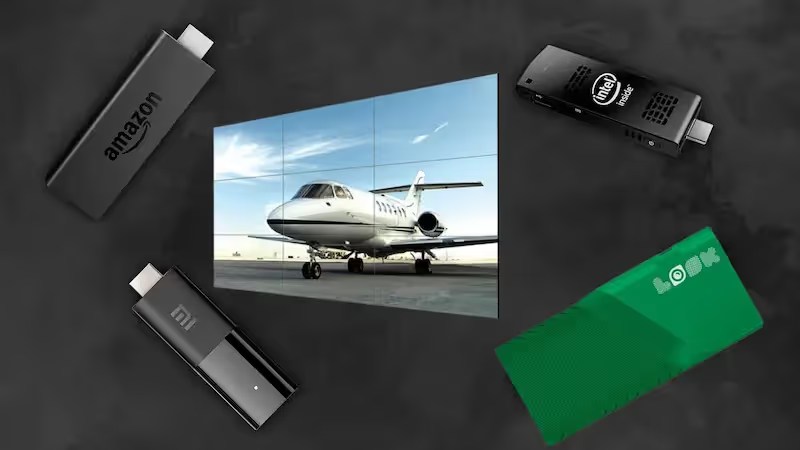
The media player drives your content. You can choose a dedicated hardware solution like the Look HDMI Player, which offers a plug-and-play experience designed for reliability. Alternatively, if you have existing hardware, the Look App enables you to run your signage on compatible Android, Amazon Fire, or other supported devices without purchasing new players.
The Content Management System (CMS) is the core of your network. A solution like Look Digital Signage allows you to create layouts, manage playlists, and monitor screen health from a web browser. Key features to look for include offline playback, which ensures your screens keep running even if the internet drops, and strong security protocols.
Integrations with booking and visitor management systems
To maximize efficiency, your signage should connect with your existing tools. Integrations with calendar systems allow screens to display live meeting room availability automatically. When connected to internal dashboards or visitor management data, your screens can update in real-time without manual data entry.
Steps to implement lobby digital signage for visitor flow management
Reviewing lobby needs and space layout
Begin by analyzing visitor traffic patterns. Identify "decision points" where people naturally stop to look for directions-these are ideal locations for screens. Also consider "dwell points" like waiting areas, where longer-form content is appropriate.
Ensure your chosen locations have access to power and connectivity. Reliable internet is crucial for remote management, though features like offline playback provide a safety net for temporary outages.
Choosing the right hardware and software
Select hardware that suits your environment and budget. Ensure your media players are compatible with your chosen software. Look Digital Signage is hardware-agnostic, meaning it works with a wide range of players and screens, giving you flexibility in your hardware choice.
When evaluating software, prioritize ease of use. You want a platform that allows you to scale from one screen to thousands without complexity. It is advisable to start a free trial to test the interface and ensure it meets your team's workflow needs before rolling out the full network.
Planning and designing engaging content
Lobby content must be concise. Visitors are often moving, so use the "3-5-7" rule as a guideline: the message should be understood in 3 seconds, from 5 feet away, with roughly 7 words. Use the Layout Designer in your CMS to combine images, text, and tickers effectively.
Consistency builds trust. Use templates to maintain your brand colors and fonts across all messages. This ensures that even operational updates look professional and aligned with your brand identity.
Content scheduling, updates, and automation
Use Smart Scheduling to automate your content strategy. You can set specific playlists to run during peak hours and others for quiet times. This ensures relevant information reaches the right audience without requiring staff to manually switch content throughout the day.
Regular updates are essential to keep screens effective. While automation handles the routine, ensure you refresh featured content periodically to keep the displays engaging for returning visitors.
Best practices for optimizing visitor flow with digital signage
Screen placement for maximum visibility
Placement dictates performance. Screens should be mounted at eye level in high-traffic zones. Placing a screen too high or behind an obstruction renders it useless. For wayfinding, position displays so that the visitor can see the screen and the path they need to take simultaneously.
Size matters. While a small screen works for a kiosk, a main lobby wall typically requires a 55-inch display or larger to be effective from a distance.
Personalizing messages by time, audience, or location
Relevant content drives engagement. Use scheduling to tailor messages to the rhythm of your building. Morning content might focus on weather and building entry, while afternoon content could highlight transit schedules for departure.
Regularly updating and measuring content performance
Stale content trains visitors to ignore your screens. Use your CMS to verify proof-of-play and ensure screens are active. To measure effectiveness, track metrics such as QR code scans or solicit feedback from front-desk staff regarding the volume of directional questions. If interruptions decrease, your signage is doing its job.
Questions about managing visitor flow with lobby digital signage
How does digital signage handle high-traffic periods?
During peak times, digital signage relieves pressure on staff by answering common questions at scale. By directing visitors to self-service options and displaying clear procedural steps, screens help distribute the flow of people, preventing bottlenecks at the reception desk.
Can signage support accessibility requirements?
Yes. Digital signage should be inclusive. Use high-contrast designs and large, sans-serif fonts to aid readability. Interactive kiosks should be accessible to wheelchair users, and visual content should be clear enough to be understood without audio.
How is return on investment measured for lobby signage?
ROI is often measured in time savings. If your reception staff spends 20% less time answering repetitive questions, they can focus on higher-value tasks. Additionally, savings from reducing printed materials contribute to the bottom line. Operational metrics, such as faster check-in times and improved visitor satisfaction scores, also validate the investment.
Looking ahead, lobby digital signage will become even more intuitive. As tools like the Look AI Wizard continue to evolve, creating and adapting content will become faster, helping teams maintain fresh, relevant displays with minimal effort. This shift allows you to move from reactive management to proactive visitor flow planning.