
Table of Content
How can you make a new employee feel welcome and informed without burying them in paperwork? HR onboarding with digital signage replaces static binders and ignored emails with dynamic screens that guide new hires from the moment they walk in, ensuring consistent messaging reaches everyone from the head office lobby to the factory floor.
This approach transforms internal communication from a passive "read this later" task into an active, visual experience. By using tools like welcome videos, live training schedules, and interactive touchscreens, digital signage turns orientation into a streamlined process. It acts as a digital bridge, connecting new team members to company culture and vital information instantly, without the clutter of traditional onboarding methods.
What Is HR Onboarding With Digital Signage?
How Does Digital Signage Change the Onboarding Process?
Digital signage shifts onboarding from a heavy administrative lift to an engaging visual experience. Instead of handing a new hire a 50-page handbook they likely won't read immediately, HR teams can use screens to display bite-sized, attractive content. This might include "meet the team" slides, virtual office maps, or quick quizzes about company values. It changes the tone of the first day from a paperwork drill to a welcoming event.
It also facilitates "just-in-time" learning. New employees often face information overload in their first week. Screens placed in common areas can rotate through key milestones-like "Day 1" logistics or "Week 1" goals-providing gentle reminders exactly when needed. This repetition helps retention; visual cues on digital screens are often recalled far better than text in a manual, creating a supportive environment where employees feel guided rather than tested.
Why Are Organizations Moving to Digital Tools for HR Onboarding?
The shift to digital tools addresses a common reality: emails are easy to miss, and bulletin boards are often ignored. Research suggests that even in communicative workplaces, a significant percentage of internal emails go unopened. This gap is even wider for deskless workers in retail, healthcare, or warehousing who don't sit in front of a computer. Digital signage solves this by placing information in the physical space where people work, requiring no login or app installation.
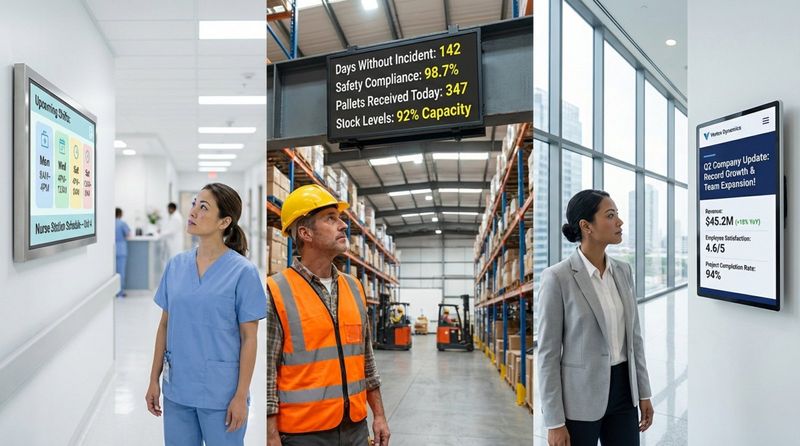
Flexibility is another major driver. In fast-paced businesses, policies and schedules change frequently. Reprinting manuals or posters is slow and costly. A cloud-based platform like Look Digital Signage allows HR teams to update content across one or thousands of screens in minutes. This ensures every new hire, whether at headquarters or a remote branch, sees the most current information from a single, reliable source.
What Are the Benefits of Using Digital Signage in HR Onboarding?
Improves Employee Engagement from Day One
Engagement starts the moment a new hire walks through the door. Seeing a personalized "Welcome, [Name]!" message on a lobby screen creates an immediate sense of belonging. It signals that the team is prepared for their arrival and values their presence. This positive first impression is crucial for long-term retention and sets a standard for open, transparent communication.
Beyond the initial welcome, digital signage keeps engagement high by inviting participation. Screens can display polls about team preferences or introduce new hires with a "fun fact" slide. Transforming one-way announcements into two-way interactions helps HR build a connected workplace where individuals feel seen and included.
Clarifies HR Policies and How They’re Shared
HR policies can be dense and difficult to digest. Digital signage simplifies this by breaking complex rules into visual snippets. You might show a quick explainer video on healthcare benefits or a step-by-step graphic on how to use project management tools. Visual content makes learning new processes smoother and ensures everyone starts with the same clear understanding.
Consistency is equally important. With a centralized content management system (CMS) like Look CMS, HR can publish the same official policy updates to every location simultaneously. This eliminates the risk of different departments following outdated rules and significantly reduces the volume of repetitive questions HR staff have to answer personally.
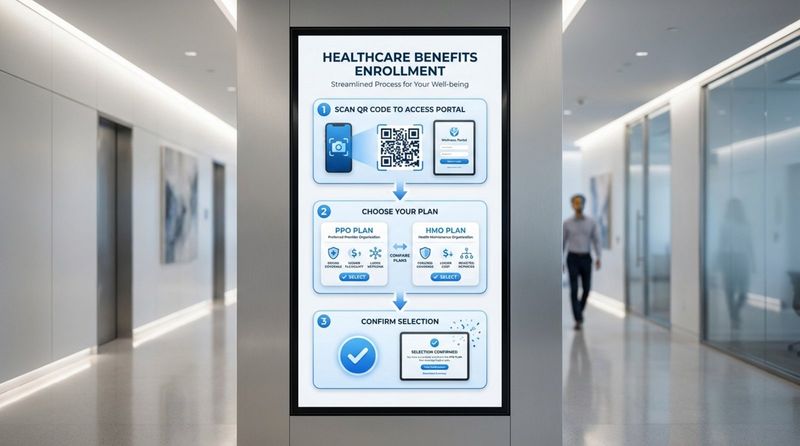
Simplifies Communication and Reduces Information Overload
New hires are often overwhelmed by the sheer volume of new information. Digital signage helps by drip-feeding details over time. Instead of delivering everything on day one, HR can use Smart Scheduling to stagger messages over the first month. This allows employees to focus on immediate priorities-like IT setup-while still absorbing broader company details gradually.
Moving routine updates to screens also clears up email inboxes. By displaying meeting reminders or maintenance notices on screens, HR ensures new hires can focus their email time on critical tasks while staying informed about office news through the displays they pass during their daily routine.
Supports Employee Recognition and Inclusion
Digital signage provides a public platform to celebrate people. Showcasing a new hire’s background or highlighting early wins on shared screens helps integrate them into the team faster. It also offers a dedicated space to highlight diversity and inclusion initiatives, ensuring employees from all backgrounds feel acknowledged.
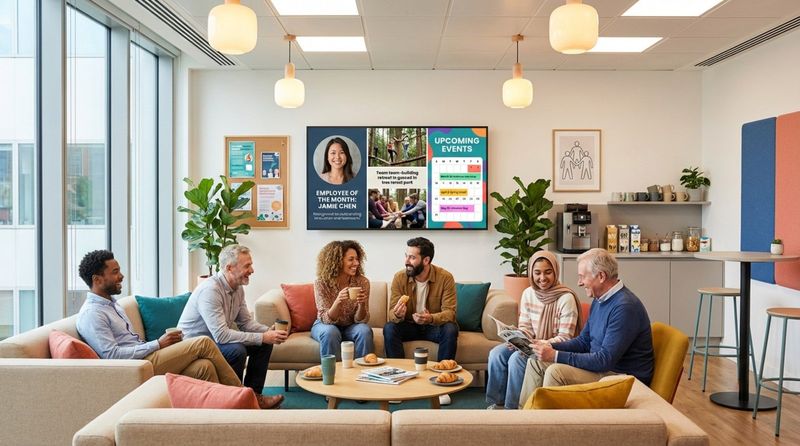
Recognition programs, such as "Employee of the Month" or work anniversaries, gain more weight when displayed publicly. Highlighting achievements on bright, high-definition screens fosters a culture of appreciation and encourages peer-to-peer recognition, turning individual successes into shared team moments.
Supports Compliance and Safety Messages
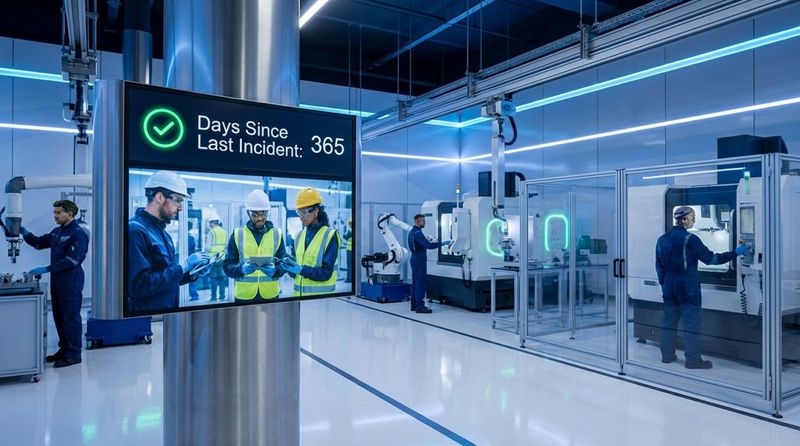
In industries like manufacturing or healthcare, safety is critical. Digital signage is an effective tool for reinforcement because it can loop safety videos and display live metrics, such as "days since the last incident." These visuals catch attention in loud environments where audio announcements might be missed.
Critically, digital signage enhances emergency response. In the event of a fire or severe weather, screens can instantly override standard playlists to show evacuation routes and safety instructions. Having a single system for both onboarding and emergency alerts builds trust and ensures staff receive clear, timely guidance when it matters most.
Where Can Digital Signage Be Used During Employee Onboarding?
Welcome Areas and Reception
The reception area sets the tone for a new employee's experience. A bright display here can feature rotating team photos, the company's mission statement, and personalized welcome messages. This transforms a generic waiting area into a branded environment that reflects your company's culture and professionalism.
Reception screens serve a practical purpose as well. By displaying QR codes, you can allow new hires to scan and download building maps or digital handbooks directly to their phones. This self-service approach empowers new employees to navigate their new surroundings confidently.
Training Rooms and Meeting Spaces
In training environments, digital signage acts as a dynamic teaching aid. Screens can support live sessions or run pre-recorded training modules on safety procedures or software usage. Because the content is managed digitally, HR can update training materials in minutes, ensuring no one learns from outdated manuals.
Outside meeting rooms, smaller screens can display the day's orientation agenda and room availability. This helps new hires find the right session at the right time, reducing the anxiety of navigating a new office layout during their first week.
Common Areas and Break Rooms
Break rooms are where culture happens. Screens in these high-traffic areas are perfect for displaying social calendars, team milestones, or "on this day" company trivia. This content helps new hires feel connected to the broader organization, not just their immediate team.
These spaces are also ideal for internal promotion. HR can use screens to highlight referral bonuses or internal job openings. Seeing clear pathways for growth and development helps new hires understand that the company is invested in their long-term future.
Key Features to Look for in HR Onboarding Digital Signage Solutions
Content Scheduling and Automation
Busy HR teams need tools that reduce manual work. Platforms like Look Digital Signage offer Smart Scheduling, allowing you to plan content weeks or months in advance. You can set a "New Hire Welcome" playlist to run specifically during orientation weeks and automatically switch off afterward. This "set and forget" capability keeps screens relevant without daily intervention.
Automation can go further by pulling data from systems you already use. Integration features allow you to automatically display new hire names or work anniversaries, keeping content fresh and accurate with zero ongoing effort.
Integration with HR Systems
To truly streamline onboarding, your signage should play nice with your existing tech stack. Look for solutions that offer Integrations or Look Apps to connect with tools like Google Slides, Microsoft Power BI, or social media feeds. This allows you to display live departmental KPIs or social proof on screens, helping new hires visualize how their role contributes to company goals.
Integration is also vital for safety. A robust platform can connect with building alarm systems to trigger emergency messaging automatically. This ensures that in a crisis, every screen becomes a safety device.
User-Friendly Content Management
HR professionals are experts in people, not IT. Therefore, the software must be approachable. Look Digital Signage is designed for non-technical teams, featuring a cloud-based Look CMS with a Content Creator and Ready-made Templates. This allows anyone on the HR team to design professional, on-brand visuals in minutes, without needing a graphic designer.
Cloud-based management means you can control screens from anywhere. Whether you are at headquarters or working remotely, you can update policies or welcome messages across all locations instantly, ensuring consistent communication worldwide.
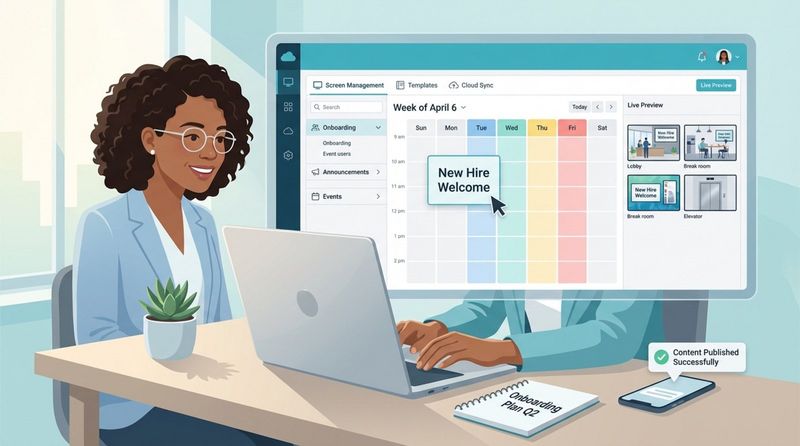
Real-Time Updates and Emergency Alerts
The ability to update content instantly is a key advantage of digital signage over print. If a training session moves rooms or a policy changes, HR can push the update to screens immediately via remote management. This prevents confusion and ensures staff always have the correct information.
Reliability is crucial here. Features like Offline Playback ensure that your screens keep running your scheduled content even if the internet connection drops, so your onboarding flow is never interrupted by technical glitches.
Targeting Messages to New Hires
Relevance prevents "screen blindness." Effective platforms allow you to use Screen Layouts and grouping to target specific content. You might show engineering-specific onboarding tips on screens in the developer bay, while the main lobby displays general brand values.
This segmentation ensures that messages matter to the people seeing them. By delivering the right information to the right audience, you keep engagement high and avoid cluttering screens with irrelevant updates.
Recommended Content Ideas for HR Onboarding Digital Displays
Welcome Messages and Team Introductions
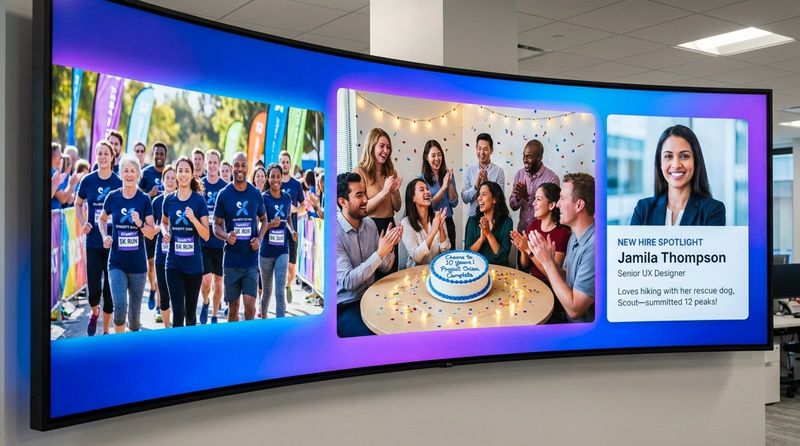
Start with a strong visual welcome. Use Ready-made Templates to quickly plug in a new hire’s photo and a short bio. Adding a personal detail-like a hobby or favorite food-makes it easier for existing staff to strike up a conversation.
Visual "Who’s Who" boards are also helpful. Displaying photos and titles of key leadership or support staff helps new hires recognize the people they may need to contact, reducing the intimidation of meeting new faces.
Orientation Schedules and Training Milestones
Keep everyone on track by displaying a live schedule of the day's events. You can also use screens to highlight upcoming deadlines, such as "Benefits Enrollment Ends Friday." Visual reminders serve as gentle nudges that support compliance without the pressure of direct management intervention.
For group orientations, countdown timers to the next session help manage flow and ensure everyone arrives prepared and on time.
HR Policy Highlights and Compliance Reminders
Avoid overwhelming staff with a wall of text. Use the Content Creator in Look CMS to design simple slides for your "Top 5 Policies." Visuals about dress code, remote work policies, or login procedures are easier to remember when seen frequently in short bursts.
Compliance reminders benefit from high visibility. Placing prompts about mandatory safety training in break rooms ensures they are seen during downtime, helping even busy staff stay compliant.
Quick Tips, FAQs, and Support Contacts
Address common questions proactively. A "Tip of the Day" slide can answer recurring queries like "How do I book a room?" or "Where is the printer?" This reduces the repetitive workload on HR staff and empowers new hires to solve problems independently.
Always include a slide with key support contacts. clearly displaying the names and faces of IT support or HR representatives helps new employees know exactly who to turn to for help.
Celebrating New Hires and Company Culture Moments
Culture is best demonstrated, not just described. Use your displays to showcase photos from recent team events, volunteer days, or social gatherings. Seeing real colleagues having fun helps new hires envision themselves as part of the community.
Extend the welcome beyond the first week. Highlighting "First Month" achievements or successful project completions reinforces that their contribution is valued and noticed.
Best Practices for Implementing Digital Signage in HR Onboarding
Set Clear Onboarding Goals and Understand Your Audience
Before deploying hardware, define what success looks like. Are you aiming to reduce time-to-productivity or improve new hire satisfaction scores? Clear goals will dictate your content strategy. If safety is the priority, your screens should focus heavily on compliance and hazard awareness.
Segment your audience effectively. Production staff need different information than the administrative teams. Use the flexibility of Look Digital Signage to tailor playlists so that each group receives the most relevant information for their role.
Choose the Right Hardware and Placement
Visibility is everything. Install screens in areas where employees naturally pause, such as break rooms or near time clocks, rather than in hallways where they simply pass through. You can use the Look App to turn existing compatible TVs into signage, or deploy the Look HDMI Player for a reliable plug-and-play solution on any display.
Ensure hardware matches the environment. High-brightness displays are necessary for sunlit lobbies, while standard commercial screens work well in training rooms. The goal is ensuring content is always legible and impactful.
Plan Consistent and Engaging Content
Content drives the system. A balanced "70/30" approach works well: 70% core information (values, safety, benefits) and 30% dynamic content (news, weather, social feeds). This mix keeps screens useful and prevents viewers from tuning out.
Maintain consistent branding. Use the Look CMS to set brand colors and fonts, ensuring every slide looks like a seamless part of your corporate identity. Professional, polished screens build confidence in the organization.
Train HR Teams to Run Digital Signage
While modern tools like Look Digital Signage are built for ease of use, basic training ensures your team gets the most out of them. Ensure HR staff know how to use templates, schedule playlists, and trigger emergency alerts. Empowering HR to manage content directly removes bottlenecks and reliance on IT.
Designating a "Content Champion" within HR can help keep messaging fresh. This person can oversee the schedule, retire outdated slides, and coordinate with other departments to ensure a cohesive communication strategy.
Track Engagement and Collect Feedback
Leverage data to improve your strategy. Use Playback Analytics within Look CMS to verify that content is playing as scheduled. Combine this with employee feedback by adding questions about digital signage to your onboarding surveys. Asking "Did the lobby screens help you feel welcome?" provides qualitative data to validate your ROI.
Common Challenges and Solutions When Using Digital Signage for Onboarding
Keeping Content Relevant for Different New Hires
Message fatigue occurs when content feels generic. The solution is segmentation. Use your CMS to tag screens by department or location. This ensures engineering teams see technical updates while sales teams see leaderboards, keeping the "New Hire" channel specific and relevant.
Incorporating utility content-like traffic updates or weather widgets via Look Apps-gives employees a reason to glance at the screen, increasing the likelihood they will absorb the HR messaging alongside it.
Handling Technical Issues or Integration Problems
Technical complexity can be a barrier. To simplify setup, consider using "System-on-Chip" (SoC) displays that have the media player built-in, or use a dedicated Look HDMI Player for a simple, reliable connection. This minimizes cabling and potential points of failure.
Select a platform with native integrations to avoid complex custom coding. Being able to easily embed Google Slides or social media feeds ensures your screens remain dynamic without requiring constant technical support.
Protecting Security and Data Privacy
Security is paramount. Ensure your chosen provider adheres to strict security standards (like ISO-27001 certification) to protect your internal data. Use secure dashboards to display internal metrics without exposing them to the public internet.
Respect privacy when displaying personal details. Always obtain permission before featuring a new hire’s photo or bio. Adding a simple opt-out choice in your onboarding paperwork respects individual preferences while still encouraging participation.
How to Evaluate the ROI of Digital Signage in HR Onboarding?
Measuring Employee Engagement and Satisfaction
A direct indicator of ROI is the Employee Net Promoter Score (eNPS). Many organizations see an uptick in new hire satisfaction after implementing digital signage. Compare survey results pre- and post-implementation to measure the impact on the onboarding experience.
Interactive elements provide concrete data. Tracking QR code scans for benefits guides or handbook downloads can show exactly how often staff are engaging with the resources you provide.
Reviewing Onboarding Efficiency and Time-to-Productivity
Efficiency translates to cost savings. Monitor how quickly new hires complete mandatory training. If visual reminders on screens help reduce the time it takes to reach full productivity, the system is delivering tangible value to the business.
Reduction in errors is another metric. Fewer questions about benefits forms or a decrease in safety incidents among new hires suggest that your visual communication strategy is effectively reinforcing key information.
Calculating Reduction in Manual HR Effort
Digital signage serves as a force multiplier for HR. By automating welcome messages and training reminders, you reduce the need for repetitive manual tasks. Calculating the hours saved by automation offers a clear view of the operational efficiency gained.
Additionally, reducing reliance on printed materials cuts costs. Eliminating the need to print, ship, and hang posters for every policy update saves money and supports sustainability goals.
Future Trends in HR Onboarding With Digital Signage
More Personalized Onboarding Experiences
The future lies in hyper-personalization. As technology evolves, displays may be able to recognize specific teams or individuals to provide tailored greetings or reminders. This level of customization will make the onboarding experience feel even more supportive and "concierge-like."
Context-aware content will also grow. Systems will likely become smarter at displaying relevant content based on real-time data-such as shifting training schedules automatically if a room is double-booked-keeping the onboarding flow smooth.
AI-Driven Content and Analytics
Artificial Intelligence is already simplifying content creation. Tools like the Look AI Wizard help HR teams generate professional visuals and headlines in seconds, drastically reducing design time. Future AI capabilities will likely offer predictive scheduling, suggesting the optimal times to display specific messages for maximum impact.
AI will also enhance analytics, identifying patterns in engagement that might be missed manually. This will allow HR to proactively adjust content strategies to keep new hires engaged and informed.
Key Takeaways for HR Leaders Adopting Digital Signage in Onboarding
For HR leaders looking to modernize their processes, digital signage offers a practical, high-impact solution. It transforms onboarding from a paperwork exercise into a visually engaging journey. By setting clear goals and using a platform like Look Digital Signage, you can ensure your message is consistent, timely, and welcoming.
Success requires treating digital signage as an active communication channel. It needs to be kept fresh with regular updates and fueled by feedback. By leveraging user-friendly tools to automate and scale your messaging, you can reduce manual workload while significantly improving the new hire experience. In a competitive talent market, a modern, digital-first welcome can make all the difference in how employees connect with your company.
Finally, digital signage supports sustainability by reducing paper waste, aligning with the values of modern workforces. By utilizing visual storytelling, you leverage the fact that people retain images better than text, ensuring your company values aren't just read once, but remembered and lived.


