
Table of Content
To roll out office digital signage in a useful way, start by setting clear communication goals, choosing professional hardware and scalable software, and putting screens in busy areas where people can’t miss them. Combine strong, on-brand visuals with a regular update schedule and a simple way for staff to give feedback. This turns blank walls into active information centers so your messages stand out, spark interest, and support a more connected workplace.
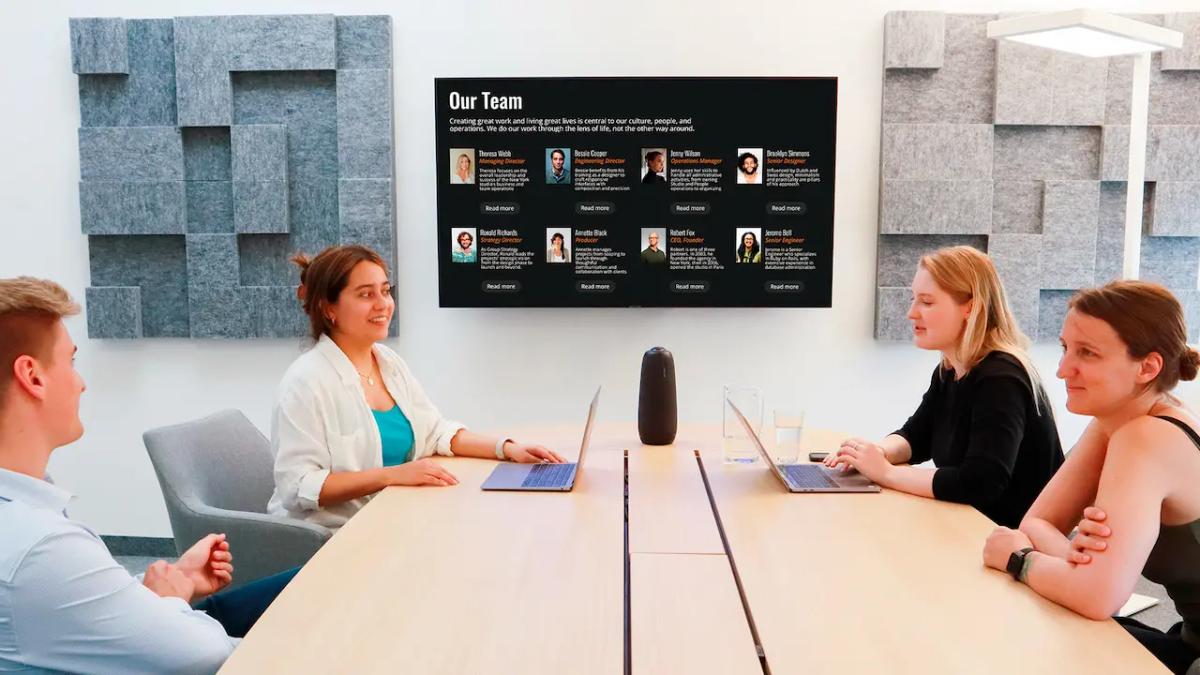
In the fast-moving corporate landscape of 2026, the old cork bulletin board is basically obsolete. Digital signage is now a key tool for sharing real-time information with employees, visitors, and customers. It connects your digital systems with your physical office, giving you one central point for messages. This reduces the overload of crowded email inboxes and brings important company updates right into shared spaces.
6 Best Tips on How to Deploy Office Digital Signage in Your Workplace
1. Define Clear Objectives for Your Digital Signage Strategy
Before you install any screens, decide exactly what you want them to do. Do you want to cut down on internal emails, or is your main aim to celebrate employee wins and lift morale? Without clear goals, your displays can turn into “digital wallpaper” that people ignore. Setting specific objectives-whether focused on corporate communication, retail messaging, or daily operations-guides every later decision, from software features to the style and tone of your content.
For example, if you want to improve workplace safety, you might focus your messages on repeating key training points that are often forgotten soon after onboarding. Research shows that up to 90% of safety rules taught in training can be forgotten within a week. By choosing to keep these rules visible through frequent, bold reminders, you help keep people safer. Clear goals also let you line up your screen content with wider company aims, like openness, inclusion, or higher sales performance.
2. Choose Locations That Maximize Visibility and Impact
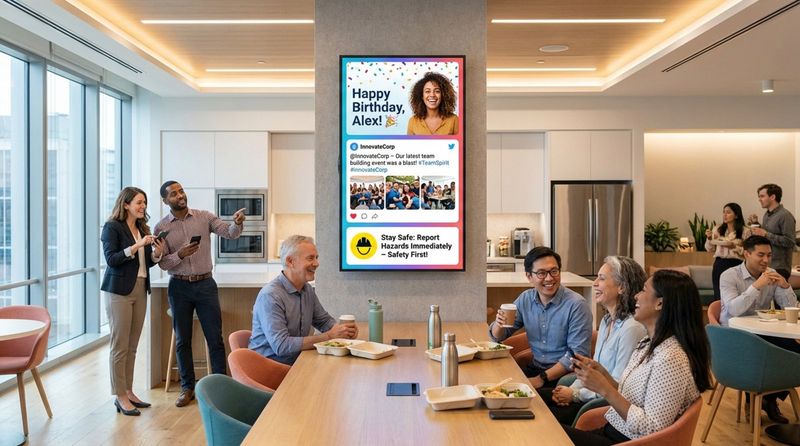
Where you place your screens has a huge impact on how well your digital signage works. To make sure people see your messages, put displays in busy spots where staff naturally walk or gather. Good examples include lobbies, kitchens and break rooms, hallways, near time clocks, or by elevators. In these places, people often have a spare moment to look at the screen without feeling pulled away from their tasks.
Good placement also means thinking about comfort and viewing angles. Mount screens at eye level and at a good distance for the screen size so text and images are easy to read. Avoid strong glare from windows, and don’t put screens behind pillars or furniture. Match content to each location: safety reminders in the warehouse, KPIs in the sales area, social posts and birthdays in the break room. This makes the information feel relevant to whoever is standing in front of it.
3. Select Scalable Hardware and Reliable Software
Using a cheap, off-the-shelf TV might seem like a good way to save money, but business-grade displays are usually a better choice. Professional monitors are built for long hours of use and come with warranties for 16/7 or 24/7 operation, which standard TVs often do not support. You’ll also need to choose between System-on-Chip (SoC) screens with built-in players, or separate media players that can handle heavier tasks like high-resolution video and real-time data feeds.
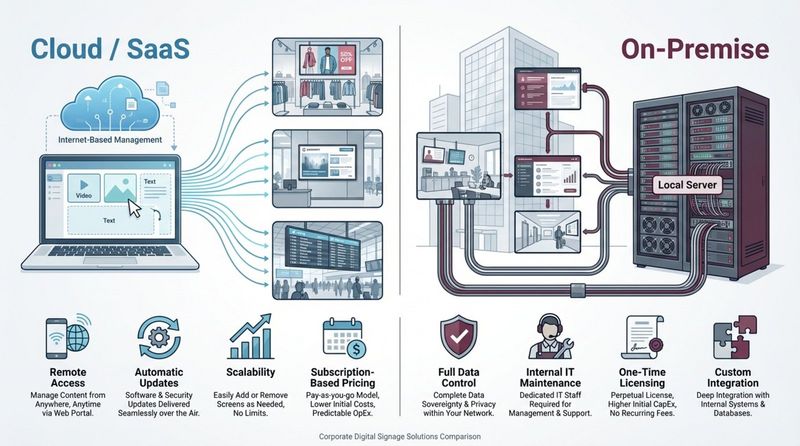
On the software side, you’ll likely choose between Cloud-based (SaaS) and On-Premise systems. SaaS options are getting more popular because your team can manage screens from anywhere and push updates without visiting every display. Look for a Content Management System (CMS) that is simple enough for marketing or HR to use, with drag-and-drop tools and ready-made templates. The system should be able to grow with you, from one screen in a single office to many screens across different sites, without needing a complete replacement.
4. Design Engaging, Branded, and Accessible Content
Content is the core of any digital signage setup. To catch people’s eyes, keep your designs clean and not too busy, and stick closely to your brand style. Use the same fonts, colors, and logos you use in other company materials to build trust and recognition. Use strong contrast between text and background so people can read information from a distance, and prefer simple sans-serif fonts for better clarity. A helpful rule is the “3x5 rule”: no more than three lines of text with five words each, or five lines with three words each.
Accessibility matters for everyone in your workplace. Your content should follow ADA guidelines so employees with visual impairments can still benefit. This includes using large enough text, clear headings, and readable color choices. Light motion, such as gentle animations or short video clips, can draw more attention, but don’t overload the screen. The goal is to inform and add interest, not distract or confuse the viewer.
5. Schedule and Refresh Messaging Regularly
Old, unchanging content is one of the main reasons digital signage projects lose impact. If someone walks past the same “Welcome” slide every day for weeks, they will stop looking. A simple content calendar helps you keep a regular rotation. For example, you might show company news in the morning, team stories and spotlights at lunch, and light items like trivia, wellness tips, or reminders later in the day. Rotating safety themes every couple of weeks or featuring a new “Employee of the Month” keeps things interesting.
Automation can cut down a lot of manual work. Connect your CMS to live data sources-like RSS feeds for news and weather, or internal dashboards for sales and production statistics-so screens update by themselves. This keeps information fresh and useful. Tying your signage into tools you already use (such as Slack, Instagram, or HR systems) lets content flow in with little effort after you set up your initial templates.
6. Measure Performance and Gather Employee Feedback
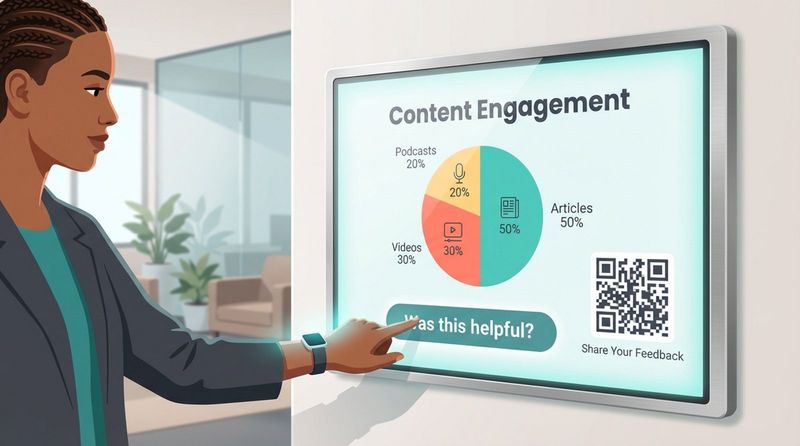
To see whether your digital signage is worth the investment, you need to track results over time. Many platforms offer built-in analytics to show how often content plays and, in some cases, how many people interact with it. Still, your best insights often come from your employees. Add QR codes that link to short surveys, or “Was this helpful?” buttons on touch screens. Feedback will show you what people like, what they ignore, and what they want more of.
Useful Key Performance Indicators (KPIs) might include signups for events promoted on the screens, changes in safety incident rates, or how well people remember certain messages in follow-up quizzes. For example, if safety violations drop after you run a focused campaign on safe behavior, that gives you clear evidence the screens are working. Review your numbers and feedback regularly so leaders can adjust content and scheduling based on real data, not just guesswork.
Top Challenges When Deploying Digital Signage in Offices
Technical and Infrastructure Barriers
One big challenge in rolling out digital signage is getting the right technical base in place. Stable network access-over Wi-Fi, Ethernet, or mobile data-is the “life support” for your screens. Without a good connection, displays may stop updating or show outdated content, which can cause people to lose trust in the system. Security is another major concern. Because screens connect to your company network, they need strong passwords, encryption, and well-managed user roles to block unauthorized access.
Power and mounting options can also be tricky. In older buildings, there may be no power outlets or network points in the best viewing spots, which means paying for extra electrical and cabling work. You also need hardware that fits the environment. A warehouse or factory may need rugged screens that can handle dust, vibration, and bumps, while a corporate reception area might focus on a sleek LED wall that makes a strong first impression.
Content Management and Employee Engagement Issues
Even with excellent hardware, your digital signage can fall short if the content process is messy. Many teams struggle to decide who owns which part of the workflow: who creates the content, who checks it, and who approves it. Without clear roles and rules, screens can end up showing mixed messages, old campaigns, or low-quality slides that don’t match your brand.
Engagement also drops if content feels one-way. Digital signage should not just be a loudspeaker for leadership. It works better when people see themselves in it. If you ignore social posts, wins from different teams, or interactive options like polls and quizzes, screens can feel stiff and overly formal. You also need to think about both desk-based and non-desk staff. Workers on the floor or in the warehouse should get the same key messages as people in offices, even if they don’t have email open all day. This may mean using different content styles or screen placements for different types of workers.
Common Questions About Office Digital Signage Deployment
How Much Does It Cost to Get Started?
Startup costs depend on how many screens you want and how complex your setup is, but over time digital signage usually costs less than printed materials. Main expenses include displays and media players, software licenses or subscriptions, and installation work. While the upfront spend can feel high, you save later on printing, shipping posters to different sites, and paying people to put up and remove paper signs. Many vendors offer pricing tiers or free trials so you can begin with just a few screens and scale up later.
Should You Choose On-Premise or Cloud-Based Solutions?
This choice often comes down to your IT policies and how much control your organization needs. Cloud-based (SaaS) systems are popular because they offer remote access, automatic software updates, and less maintenance for your internal IT team. On-Premise systems give you full control over servers and data, which some highly regulated companies prefer. For many modern organizations, the flexibility and lower upkeep of a Cloud CMS make it the easier route.
What Metrics Help Evaluate Success?
You can measure success using both numbers and feedback. Quantitative data might include screen uptime, the number of content updates per week or month, and engagement markers such as QR code scans or interaction with touch-screen elements. Qualitative data comes from surveys and small discussion groups where employees share whether they feel more informed and connected.
Tracking changes in safety behavior, attendance at events promoted on the screens, and employee engagement scores gives you a broad view of your return on investment. These results help you prove the value of your digital signage to leadership and point out where you should improve content or placement.
Key Takeaways for a Successful Digital Signage Rollout
Looking ahead, workplace communication will rely more and more on smart, interactive digital signage. New tools are starting to help with content planning by studying how people react to different messages and then adjusting schedules and layouts automatically. Over time, screens may show different content based on time of day or who is likely nearby, making messages more timely and useful.
The growth of hybrid work has also made digital signage an important link in keeping company culture consistent. By connecting displays with mobile apps or intranet tools, you can share the same updates with remote and on-site staff at once, so fewer people feel left out. Interactive kiosks and wayfinding tools are changing how open offices work too, helping people find desks, meeting rooms, or colleagues in flexible spaces. Investing in a strong digital signage setup today is about much more than hanging screens; it means building a long-lasting base for clearer communication, better productivity, and a more people-focused workplace.


