
Table of Content
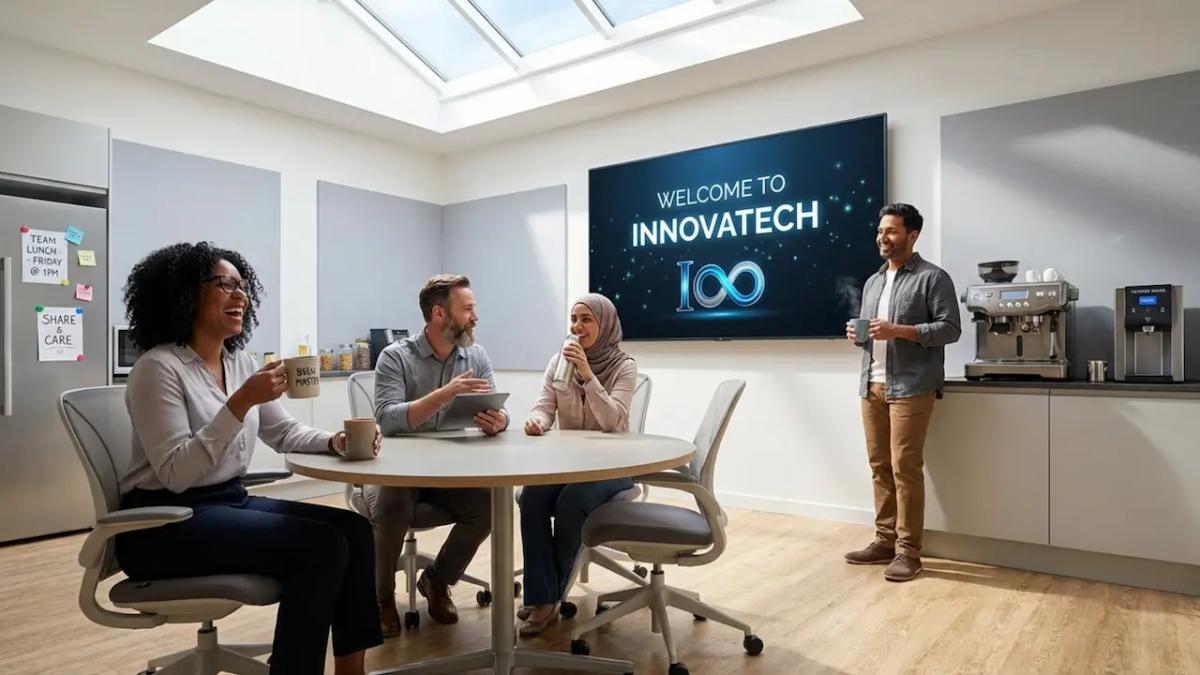
How can you turn a blank breakroom TV into a communication tool that actually engages your team? The answer lies in content pillars. Rather than posting random updates, pillars give your digital signage a clear structure, like safety, news, or recognition, ensuring every message has a purpose. With a platform like Look Digital Signage, you can easily organize and schedule these themes to keep employees informed and motivated without adding hours to your workload.
For modern workplaces, these pillars are the foundation of a consistent culture. They balance serious business updates with lighter social content, engaging staff during their downtime. By using a structured approach, you bridge the gap between management and frontline teams, ensuring everyone stays connected to company goals, whether they sit at a desk or work on a factory floor.
What Are Breakroom Digital Signage Content Pillars?
Core Purposes of Breakroom Digital Signage
The main job of breakroom signage is to act as a central hub for team updates. Old-school corkboards with faded paper notices often get ignored. Digital screens, managed through Look CMS, offer a bright, visual way to grab attention in high-traffic areas like cafeterias or lounges. The goal is to deliver timely, relevant messages that employees can absorb quickly while grabbing a coffee, without needing to log into a computer.
These screens also support culture and morale. They help align your workforce with business targets while improving the daily employee experience. By using Look Digital Signage, you can build a “zero-touch” communication loop where safety reminders and mental health tips appear automatically. This ensures the right message reaches the right people at the right time, building trust and transparency across your organization.
How Content Pillars Shape Employee Experience
Content pillars subtly shape how your team feels about their workplace. When an employee walks into the breakroom and sees a rotation of company wins, wellness advice, and peer shoutouts, they feel part of a community. This variety prevents “screen fatigue.” It turns the breakroom into a space to recharge, with screens that reinforce company values in the background.
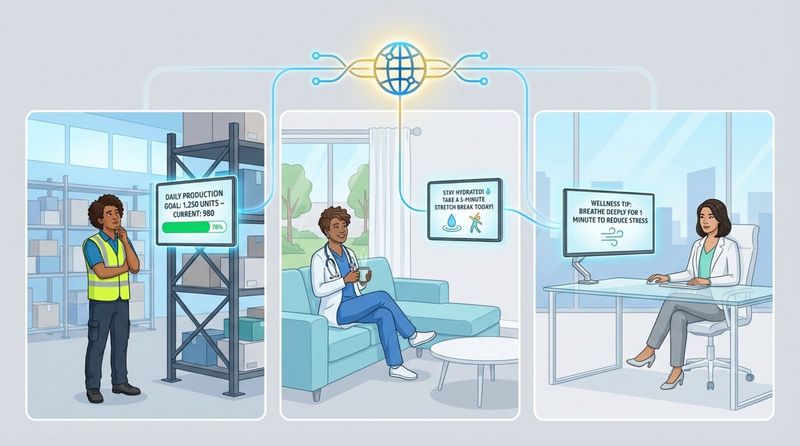
These pillars also reduce isolation, especially for deskless workers in warehouses, healthcare, or retail. When remote or non-desk staff see the same high-quality content as corporate teams, they feel included. Look DS makes this easy by allowing you to manage screens across multiple locations from anywhere. Consistent communication helps teams feel supported, which can positively impact performance and retention.
How Do Content Pillars Improve Breakroom Engagement?
Benefits of Structured Content for Workplace Culture
A structured plan creates a reliable flow of information. When staff know they can glance at a screen to see current sales numbers or upcoming shift schedules, they pay attention. This transparency supports a healthy culture. displaying data-like live KPIs or customer satisfaction scores-builds accountability and helps employees understand how their daily tasks contribute to the bigger picture.
Digital signage also supports safety and retention. Well-designed safety reminders can help reduce workplace accidents. By making safety a dedicated pillar, you keep these critical messages visible without them becoming nagging. When teams feel safe and informed, they are more likely to stay, helping you address retention challenges common in many industries.
Common Employee Needs Addressed by Signage Pillars
Effective pillars meet both emotional and practical needs. On a basic level, your team needs a mental break. Using Look Apps to display weather, news tickers, or light trivia offers a short escape from work stress. Content about hydration or stretching shows that you care about them as people, not just employees.
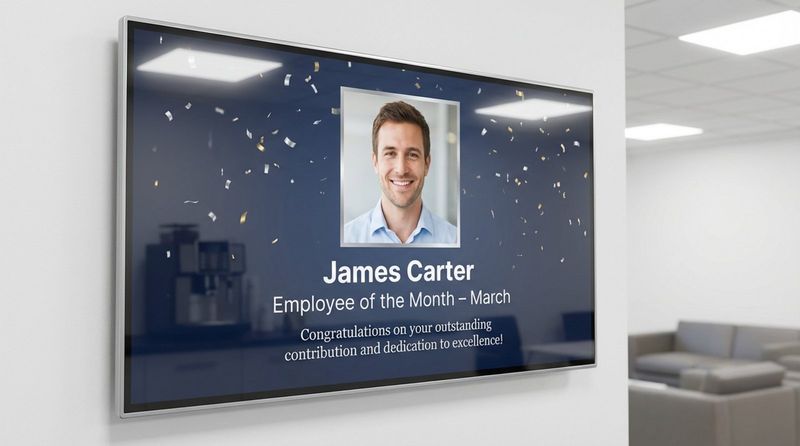
Recognition is another critical need. Research suggests that employees stay longer when they feel appreciated. Pillars dedicated to work anniversaries, birthdays, and “Employee of the Month” awards meet this need directly. With Ready-made Templates in Look CMS, you can quickly highlight wins, making individuals feel like valued contributors rather than just numbers.
Categories of Breakroom Digital Signage Content Pillars
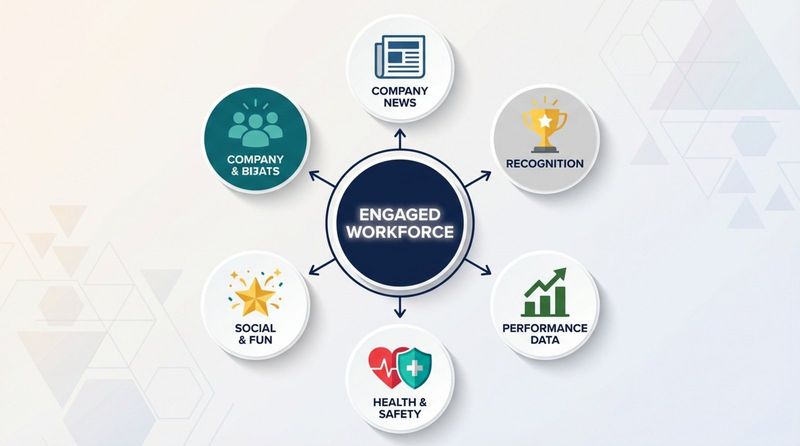
Company News and Internal Updates
This pillar serves as your official company voice. It covers announcements, policy changes, and leadership messages. Instead of sending long emails that may go unread, use screens to show short text blocks or video clips. This ensures even busy shift workers stay up to date on new projects or client wins.
To keep this effective, content must be fresh. You can use the Content Creator in Look DS to update news slides in minutes. Whether you are a retail chain sharing weekly promos or a corporate office outlining new benefits, this pillar keeps everyone aligned.
Employee Recognition and Achievements
Recognition drives morale. This pillar focuses on the people behind your business success. Digital signage allows you to highlight achievements instantly. You can use Screen Layouts to display a photo of a top performer alongside a congratulatory note. This personal touch encourages positive engagement across the team.
Don't forget personal milestones. displaying birthdays and anniversaries spreads positivity. When an employee sees their name on the big screen, it boosts pride and prompts peers to say “congrats,” strengthening team bonds.
Health, Wellness, and Safety Messages
Safety is non-negotiable, and this pillar keeps it top-of-mind. Content can range from PPE reminders to wellness tips like stress management. In industrial settings, an automated “days without an accident” counter is a powerful motivator. Look Digital Signage offers reliable Offline Playback, ensuring these critical safety messages keep running even if the internet connection drops.
This pillar should also support mental health. promoting support hotlines or self-care tips reduces stigma and encourages staff to seek help when needed. By prioritizing this content, you show a genuine commitment to their long-term well-being.
Performance Metrics and Team Dashboards
Data builds trust. This pillar focuses on transparency. By using Integrations or the HTML embed feature in Look CMS, you can display live dashboards from tools like PowerBI or Tableau. Showing real-time progress toward goals keeps teams focused and can even spark friendly competition.
Keep data easy to read with charts and color coding. You can schedule different dashboards to rotate, giving each department insight into their performance. This data-driven approach helps employees see the direct impact of their work.
Learning, Growth, and Development Opportunities
Employees stay where they can grow. Use this pillar to highlight internal job openings, training sessions, and mentorship programs. Sharing success stories of staff who have advanced within the company proves that you invest in your people.
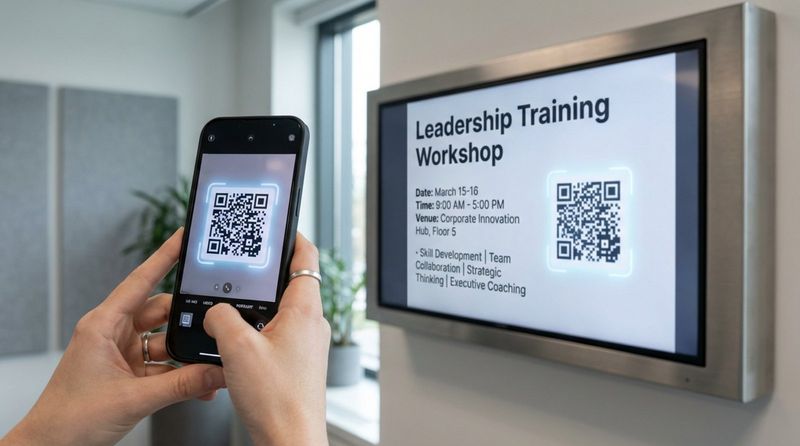
Screens are also great for “micro-learning.” Display quick software tips or safety facts. You can add a QR code using the Content Creator so interested staff can scan it to sign up for a workshop instantly. This makes professional development accessible and simple.
Entertainment and Social Connections
The breakroom is a place to unwind. This pillar provides the fun factor. It might include social media feeds, local traffic updates, or “this day in history” facts. Look Apps make it easy to add dynamic content like YouTube videos or RSS news feeds to your playlist, giving people a mental reset so they return to work refreshed.
You can also build community by promoting local events or staff hobbies. Whether it’s a charity drive or a company sports league, these posts encourage conversation and friendship, which are vital for a healthy workplace culture.
Choosing the Right Mix of Content Pillars for Your Breakroom
Factors Affecting Content Selection
Your content mix should match your environment. A warehouse might prioritize safety messages and performance metrics to ensure efficient operations. A design agency might focus more on inspiration, social feeds, and recognition. Look Digital Signage allows you to tailor playlists to fit the specific vibe and needs of your team.
Consider your deskless workers. If they don’t check email often, your screens become their primary source for “Company News.” Decide what information is most critical for a 15-minute break and give those pillars more time in your schedule.
Customizing Pillars for Different Teams or Locations
Relevance grabs attention. A global company can use Look DS to mix “global” content-like a message from the CEO-with “local” updates. This could be site-specific weather or the local cafeteria menu. The platform lets you manage display groups, so you can target content by region, building, or even specific rooms.
Customization also applies within a single building. Breakroom screens might lean heavily on entertainment and HR updates, while production line screens focus on output and quality alerts. Matching the pillars to the viewer’s context ensures your screens remain a useful tool, not just background noise.
Best Practices for Breakroom Digital Signage Content
How to Prioritize Information for Your Audience
Avoid information overload by prioritizing what matters. Team-specific news typically gets more attention than general corporate updates. Lead with information that affects their immediate workday. Look CMS lets you organize playlists so the most important items play first or most frequently.
Remember, digital signage is for quick consumption. Save the detailed reports for the intranet. Use your screens for headlines and key takeaways, then add a clear call to action like “Scan to read more.” This keeps the content digestible for someone grabbing a quick snack.
Frequency, Duration, and Screen Rotation
Timing is everything. Smart Scheduling in Look DS allows you to automate when content plays. Keep loops short enough that an employee on a standard break sees the whole cycle. Critical alerts should appear more often to ensure they are seen.
Stale content is the enemy of engagement. If a holiday greeting is still playing in February, people stop looking. Plan to refresh your pillars monthly. Using templates makes this fast, and automated apps keep dynamic info (like news or weather) fresh without you lifting a finger.
Visual Design and Readability Tips
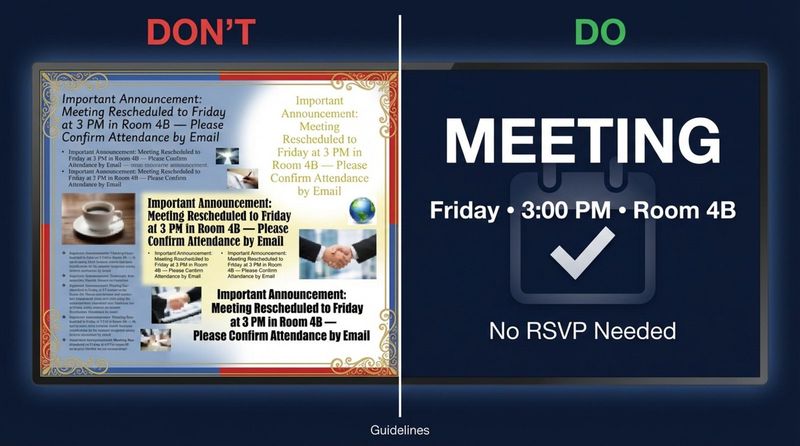
Design for distance and speed. Use large fonts and high contrast. The Look AI Wizard can help you generate clean, professional layouts even if you don't have a designer on staff. Stick to sans-serif fonts and limit text to a few key lines.
Visuals should dominate the screen. Use images, icons, and short videos to carry the message. Consistent use of brand colors helps viewers categorize info quickly-for example, use green backgrounds for wellness tips and blue for company news.
Using Data and Feedback to Improve Content Pillars
Great content evolves. Encourage feedback by placing a QR code on the screen asking for ideas. Listening to your staff ensures your pillars align with what they actually care about.
You should also use Playback Analytics within Look DS. These dashboards show you exactly what played and on which screens. If you see that certain content isn't being updated or isn't reaching specific locations, you can adjust permissions or schedules to fix it.
Measuring the Impact of Breakroom Digital Signage Content Pillars
What Metrics Reveal Effective Employee Communication?
While you can't click a TV screen, you can measure success. Look for improved results in engagement surveys or higher retention rates. Proof-of-Play reports in Look DS verify that your campaigns are running as scheduled, which is essential for internal audits.
Operational wins also indicate success. Fewer accidents after a safety campaign or high attendance at an event promoted on-screen are clear signs your message is landing. Even a buzz in the breakroom about a "shoutout" slide shows that the culture is shifting positively.
Signs Your Content Pillars Need Adjusting
If employees stop looking at the screens, it’s time for a refresh. “Screen blindness” happens when content is old or cluttered. If you notice no one is scanning QR codes or reacting to announcements, your mix might be too generic.
Ensure you aren't just broadcasting top-down corporate news. If local teams don't see themselves reflected on the screen, they tune out. Regular reviews of your analytics and content mix will help you keep the system vibrant and relevant.
Key Takeaways for Designing Effective Breakroom Digital Signage Content Pillars
Building effective breakroom signage is about consistency and relevance. As workplaces evolve, automated tools like Look Digital Signage make it easier to keep content fresh without constant manual effort. By connecting to tools you already use, you can display real-time data and updates seamlessly.
Your breakroom screens are a reflection of your company culture. By sticking to clear content pillars-safety, recognition, and growth-you demonstrate that you value your employees. If you are ready to modernize your internal communication, start a free trial of Look DS today and see how easy it is to publish your first playlist.


