Table of Content
How do you keep thousands of busy students informed without covering every wall in paper flyers? Digital signage screens for student services offer a centralized, dynamic solution. Ranging from lobby displays to interactive kiosks, these screens replace static notices with a sustainable channel for academic deadlines, event promotions, and emergency alerts.
More than just a broadcast tool, digital signage connects administration with students efficiently. Whether it is a touchscreen map guiding a freshman to a lecture hall or a vibrant spotlight on a new club, these displays create a unified visual network. For modern campuses, this technology is essential for building community and ensuring critical information reaches the right people at the right time.
What Are Digital Signage Screens for Student Services?
Types of Digital Signage Solutions Used in Student Services
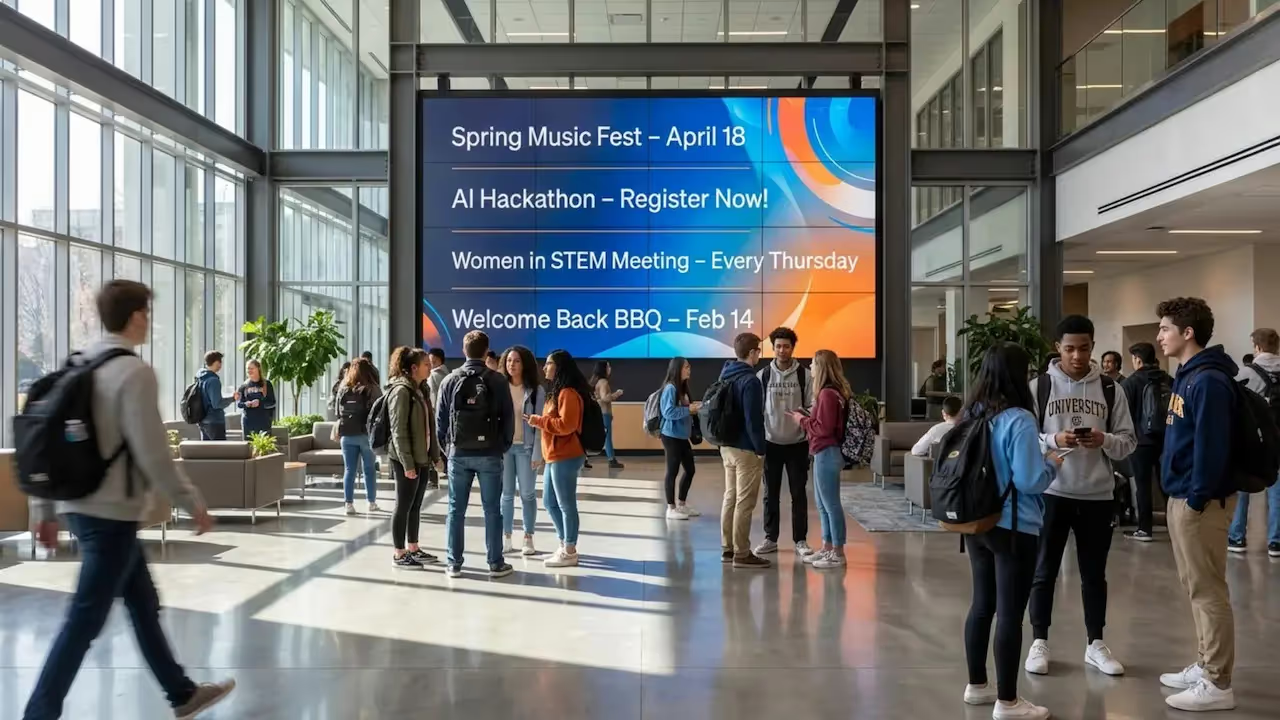
Campus signage is rarely one-size-fits-all. You will often see single screens in hallways or lounges, which are perfect for rotating playlists of images or short announcements. For high-traffic areas like student unions, many universities deploy video walls-groups of four or more screens acting as a single canvas for high-impact graphics. These setups are often managed through tools like Look Digital Signage, which allows you to split screens or treat them as one large display using screen layouts.
Interactive kiosks are another powerful option, allowing students to navigate content themselves. These are ideal for wayfinding maps or searchable directories. Specialized screens may also serve specific roles, such as room scheduling displays outside lecture halls or queue management screens in financial aid offices.

Common Locations for Campus Digital Screens
Placement determines whether your content gets seen or ignored. High-traffic hubs like student centers give maximum visibility as students transition between classes and social activities. Dining halls are also strategic locations; since students dwell there for longer periods, they are more likely to absorb detailed content like event schedules or nutritional information.
Beyond general social spaces, screens add value in focused environments like recreation centers. Here, departments can target specific interests, such as intramural sign-ups or wellness workshops. Cultural centers also utilize digital signage to highlight inclusive events, ensuring representation across the student body.
How Do Digital Signage Screens Benefit Student Services?
Improves Real-Time Communication
The biggest advantage of digital signage is speed. Printed posters take days to design and hang, but digital content can be published in minutes. This agility is vital for last-minute room changes, weather alerts, or urgent health updates. With a cloud-based platform like Look CMS, administrators can push these updates from anywhere, ensuring information is always current.
This flexibility also supports smart scheduling. You can set screens to display breakfast menus and morning news at 8:00 AM, then automatically switch to club activities and career fair reminders by noon. This keeps content fresh and prevents "signage blindness," where students stop noticing displays because the content never changes.

Boosts Campus Engagement and Interaction
Digital signage is a strong engine for student involvement. By offering Recognized Student Organizations (RSOs) space to promote activities, the university fosters a more vibrant campus culture. When students see professional-looking ads for clubs they didn't know existed, participation grows. Tools like the Content Creator in Look CMS allow teams to build these visuals quickly without needing advanced design skills.
Interactive elements encourage active participation. Displaying QR codes allows students to instantly RSVP for events or vote in student government polls via their phones. This bridges the gap between the physical screen and the mobile devices students use every day.
Streamlines Campus Navigation and Wayfinding
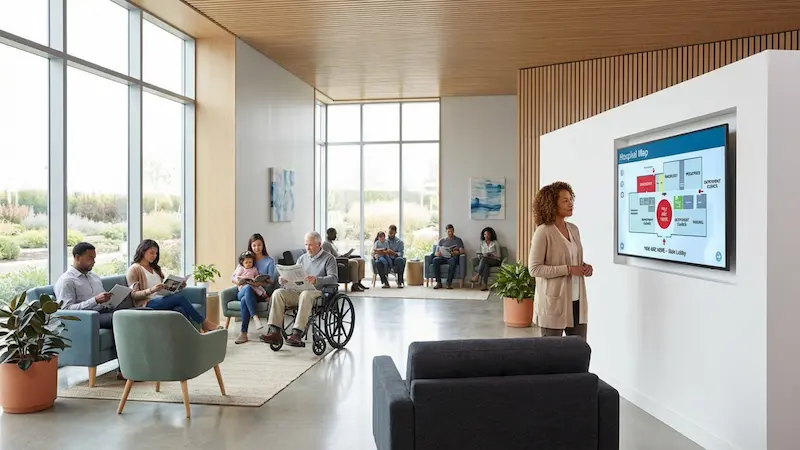
Navigating a sprawling campus can be daunting for new students and visitors. Digital screens equipped with maps significantly reduce confusion. Placing these displays at key intersections and building entrances helps traffic flow smoothly toward lecture halls and service desks.
Wayfinding becomes even more powerful when combined with live data. A screen near a transit stop can display real-time bus arrivals alongside a campus map, or a library kiosk can show study room availability. When signage provides immediate practical value, students learn to rely on it as a trusted resource.

Promotes Events and Important Announcements
Screens in central locations are the most effective way to promote campus life. Lectures, games, and workshops get far more exposure on a bright digital display than on a crowded bulletin board. Since items in a playlist rotate regularly, a single screen can feature dozens of different events in a short loop.
These displays also reinforce administrative deadlines. Repeated visual reminders about FAFSA dates, registration windows, or graduation applications help keep students on track. Consistent visibility supports student success by reducing the number of missed deadlines.
Increases Accessibility to Critical Information
Digital signage plays a key role in making information accessible to everyone. Screen layouts can utilize high-contrast colors and large typography to assist students with low vision. Because the system is digital, it is easy to deploy multi-language content or include captions for video announcements.
Physical placement matters too. Installing displays at appropriate heights ensures they are viewable for students using wheelchairs. Furthermore, integrating screens with emergency alert systems provides a crucial visual safety layer, ensuring d/Deaf and hard-of-hearing students receive immediate warnings during incidents.

What Content Can Be Displayed on Student Services Digital Signage?
Academic and Administrative Updates
Core student services information, such as tuition deadlines, scholarship opportunities, and registrar office hours, should be in regular rotation. By integrating these reminders into the daily playlist, universities can nudge students toward necessary actions without overwhelming their email inboxes.
Brevity is key. Since viewers are often walking by, updates should feature a strong headline, a clear date, and a direct next step, such as a short URL or QR code. Using official university branding within ready-made templates ensures students recognize the information as authoritative.
Event Schedules and Deadlines
Digital signage serves as an excellent real-time campus calendar. Screens outside student centers can list daily events, showing specific times and room numbers. This is particularly helpful in complex buildings where multiple activities happen simultaneously.
Deadlines are another critical content category. Visual countdowns for housing applications or course drops create a sense of urgency that text-heavy emails often miss. A "Days Left" graphic drives action effectively.
Emergency Alerts and Safety Information
In an emergency, digital signage transforms into a safety communication network. Look Digital Signage supports the ability to override scheduled content, allowing screens to display weather alerts or security warnings instantly. Clear instructions on where to go and what to do can be life-saving.
During normal operations, these screens support proactive safety education. Content might include tips for safe night walking, contact info for campus escorts, or flu shot clinic reminders. Consistent messaging helps build a culture of safety.

Student Activities and Opportunities
Student-generated content adds personality to the network. RSOs can use screens to recruit members, provided they follow basic guidelines regarding appropriate content. This makes the signage feel like a community platform rather than just an administrative broadcast.
It is also a prime spot for career opportunities. A "Now Hiring" slide in a busy lobby connects students with on-campus jobs and internships. Promoting these roles where students congregate simplifies recruitment for dining, library, and administrative roles.
Interactive Wayfinding Maps
Interactive maps are often the most utilized feature on wayfinding kiosks. Interactive scenarios allow students to tap a destination and see a direct path from their current location. Some setups allow users to scan a QR code to take the directions with them on their mobile device.
Advanced maps can offer filtered views, such as "accessible routes" showing elevators and ramps, or "open dining" to see what is currently serving food. This flexibility supports a diverse range of needs, from accessibility to convenience.
Which Features Should You Look for in Digital Signage Screens for Student Services?
Display Size, Resolution, and Visibility
Visibility is the priority. A 1920x1080 resolution is standard for crisp text and images. Screen size must match the viewing distance; a 32-inch display fits a hallway, while a 75-inch screen is better for a cafeteria. Look Digital Signage works with a wide range of hardware, allowing you to choose the right screen for the space.
Consider the environment. In sunlit atriums, high-brightness screens with anti-glare coating are essential to ensure content remains readable. We recommend checking the Digital Signage Hardware Catalog to find players and screens tested for reliability.
Touchscreen and Interactive Capabilities
If you plan to deploy directories or maps, touch capability is required. These screens should be durable and responsive. However, you can also achieve interactivity on standard screens using QR codes, allowing a "bring your own device" approach that reduces hardware costs.
Look CMS supports interactive scenarios that let you build touch-based experiences without writing code. This makes it easier to deploy helpful kiosks without a massive software development project.
Remote Content Management Systems
A cloud-based CMS is the control center of your network. Look Digital Signage is an ideal choice for student services because it allows you to manage one screen or a thousand from a single dashboard. Features like the Look AI Wizard and Content Creator help teams produce professional visuals in minutes.
Security and reliability are built-in. You can assign different user roles, allowing a student worker to upload content while a supervisor approves it before publishing. The system also provides monitoring tools to alert IT if a screen goes offline.
Integration with Campus Information Systems
To maximize efficiency, your signage should talk to your existing data. Look Apps and integrations allow you to pull in dynamic content like Google Calendar events, social media feeds, or weather updates automatically. This reduces manual data entry and keeps screens current.
Some deployments integrate with queue management systems to show "now serving" numbers in waiting areas. This improves the student experience by reducing the perceived wait time.
Security and Data Protection
Digital signage endpoints must be secure. Look Digital Signage is designed for stability and security, using encrypted connections and offering on-premise deployment options for institutions with strict data sovereignty requirements.
Regarding student data, best practices dictate showing only general, non-identifiable information on public screens. If cameras are used for audience analytics, ensure the system aggregates data anonymously to respect privacy.
What Are the Best Placement Locations for Digital Signage Screens on Campus?
Student Service Centers and Lobbies
Lobbies are high-impact zones. A screen here can answer frequently asked questions before a student reaches the counter, saving staff time. Screen layouts allow you to show a welcome video in one zone while displaying office hours and checklists in another.
Video walls in these areas create a modern, welcoming atmosphere. They can rotate student success stories mixed with practical navigational info, setting a positive tone for the visit.
Libraries and Study Hubs
Signage in libraries should be unobtrusive. Use screens to display study room availability, workshop schedules, and quiet zone reminders. Since silence is key, video content should rely on visuals and captions rather than audio.
Mounting screens near elevators or print stations captures attention during natural pauses in a student's workflow.
Cafeterias and Dining Areas
Dining halls offer a captive audience. These screens are perfect for longer-form content or entertainment loops. Digital menu boards are a specific use case here; utilizing smart scheduling allows the screens to transition automatically from breakfast to lunch menus.
Linking these screens to nutritional databases helps students make informed food choices while streamlining menu management for dining services.

Administrative Buildings
In administrative offices, screens serve both staff and visitors. They can guide students to specific departments and, during off-hours, display internal staff communications. Scheduling features allow these screens to turn off automatically when the building is closed to save energy.
Residence Halls and Common Areas
Residence hall screens build local community. Content here focuses on laundry tips, RA events, and building policies. Shared lounges are great spots for lighter content like campus trivia or social media walls, helping residents feel connected.
How Much Do Digital Signage Screens for Student Services Cost?
Initial Purchase and Installation Expenses
Costs vary by scale. A basic setup with a commercial display and media player is relatively affordable. However, you can lower initial costs by using the Look App on compatible smart TVs or utilizing the cost-effective Look HDMI Player for a plug-and-play experience. This flexibility allows you to start small and scale up.
Installation costs involve mounting and cabling. Planning for power and network access in advance prevents expensive retrofitting in older campus buildings.
Ongoing Maintenance and Licensing Fees
SaaS subscriptions are the standard model for modern CMS platforms. Look Digital Signage offers transparent pricing based on the number of screens, which includes updates, cloud storage, and support. Budgeting for a reliable subscription ensures you have access to critical features like offline playback and support when you need it.
Cost Factors Based on Screen Type and Location
Outdoor screens and video walls are significant investments due to the specialized hardware required. Indoor screens in controlled environments are much more affordable. Many universities offset costs by allowing external vendors to buy ad slots on the network, managed easily through the CMS.
What Are Common Challenges and Solutions for Implementing Digital Signage Screens for Student Services?
Connectivity and Network Reliability
Wi-Fi on campus can be spotty. If a connection drops, you don't want blank screens. The solution is offline playback, a core feature of Look Digital Signage. This ensures your content keeps running from local cache even if the internet goes down, maintaining a professional appearance.
IT teams should also utilize the monitoring dashboard to track device health remotely, fixing issues before students even notice them.
Content Relevancy and Updates
Nothing looks worse than an ad for an event that happened last week. Smart scheduling solves this by allowing you to set expiration dates for every slide. Once the date passes, the content is automatically removed from the playlist.
To keep content diverse, allow different departments to contribute, but maintain a central approval workflow to ensure quality and brand consistency.
Accessibility for Students with Disabilities
Interactive kiosks must be reachable for wheelchair users, typically with touch zones between 15 and 48 inches from the floor. For static screens, use high-contrast templates and large text. Ensuring that key information on screens is also available via screen-reader-friendly websites is a best practice for total inclusivity.
Minimizing Distractions While Maximizing Impact
Avoid visual clutter. The "3-5-7" rule is a helpful guide: 3 seconds to read the headline, 5 to get the details, 7 to take action. Keep animations smooth rather than flashy to avoid disrupting study environments.
What Are the Best Practices for Managing Digital Signage Content for Student Services?
Scheduling Content Updates Effectively
Align your content strategy with the academic calendar. During finals, shift focus to stress relief and study tips. Use a content calendar to plan ahead, and use the scheduling tool to automate these shifts so your team isn't scrambling at the last minute.
Gathering Feedback from Students and Staff
Ask the audience. Short surveys can reveal if students find the screens helpful. You might discover they want more weather updates or less administrative text. Provide a simple way for staff to report screen issues to IT to keep the network running smoothly.
Ensuring Compliance with Campus Policies
Stick to the brand guide. Use templates that lock in correct fonts and colors so that every department's content looks professional. Establish clear policies on copyright and appropriate imagery to guide student organizations when they submit content.
Frequently Asked Questions about Digital Signage Screens for Student Services
Should You Choose Interactive or Static Displays for Student Services?
Static displays are cost-effective and best for broadcasting general info to passing traffic. Interactive displays are better for specific tasks like wayfinding or directories, but cost more. A mix is often best: widespread static screens for news, with strategic interactive kiosks in main lobbies. Look Digital Signage manages both types from the same dashboard.
Can Digital Signage Replace Physical Notice Boards?
Yes, for the most part. Digital signage reduces clutter and waste while ensuring official info is always current. Many campuses keep a few physical boards for informal student-to-student posts but move all official communication to digital channels.
How Secure Is Student Data on Digital Signage Platforms?
Security is a priority. Look Digital Signage uses enterprise-grade security protocols. Generally, you should avoid displaying private small student records on public screens. Content should be drawn from public-facing calendars and databases to ensure data privacy.
As campuses evolve, digital signage is becoming smarter and more integrated. With tools like Look Digital Signage, student services can create a communication network that is efficient, engaging, and ready for the future. Whether you are starting with one screen or upgrading a whole campus, the right software makes all the difference.