
Table of Content
How can you stop visitors from getting lost and frustrated in your building? Digital wayfinding solutions solve this problem by turning complex layouts into clear, interactive journeys using screens and real-time updates. Instead of relying on static signs that become outdated the moment a room changes, these systems help you guide people efficiently, reduce questions for your staff, and keep your operations running smoothly.
What Are Digital Wayfinding Solutions?
At a basic level, digital wayfinding uses electronic displays and software to help people navigate physical spaces. It is a clear upgrade from traditional signage, moving beyond printed directories to a system that can adapt to the needs of the moment. These tools are becoming essential in busy environments where confusing layouts often lead to stress for visitors and inefficiency for teams.
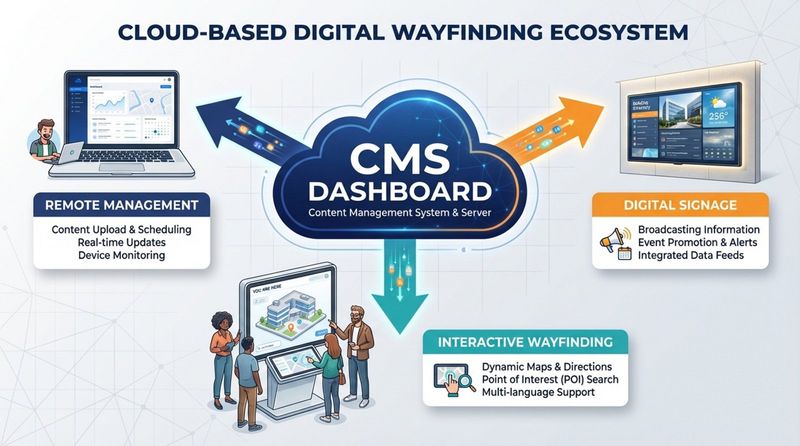
A digital wayfinding solution is an ecosystem. It combines reliable hardware, such as touchscreens or standard displays, with cloud-based digital signage software that manages content. By connecting your physical space with digital information, these systems help modern businesses offer a level of service that matches what tech-savvy visitors expect.
How Do Digital Wayfinding Systems Work?
The engine of any wayfinding system is its software. A central content management system (CMS), like Look Digital Signage, allows you to design, schedule, and update maps or directories from a single web dashboard. When a visitor interacts with a kiosk, the software processes their request and displays a clear path using the most current data.
Because many modern systems are cloud-based, they are easy to scale. Whether you manage one lobby screen or hundreds of displays across multiple locations, the system remains responsive. You can push updates remotely in minutes, ensuring that a room change or temporary closure is reflected instantly without manual intervention at the screen.
Key Technologies Used in Digital Wayfinding
Modern wayfinding relies on a mix of technologies to ensure accuracy and ease of use. While some setups use advanced sensors for "blue dot" navigation, many effective solutions rely on straightforward, reliable tools like interactive touchscreens and QR codes.
| Technology | Main Use |
|---|---|
| BLE / iBeacons | Indoor positioning and turn-by-turn routes on mobile |
| AI & 3D Mapping | Interactive, intelligent maps that adjust to user input |
| AR (Augmented Reality) | On-screen overlays providing visual cues in real space |
| QR Codes | Transferring directions from a kiosk to a visitor's phone |
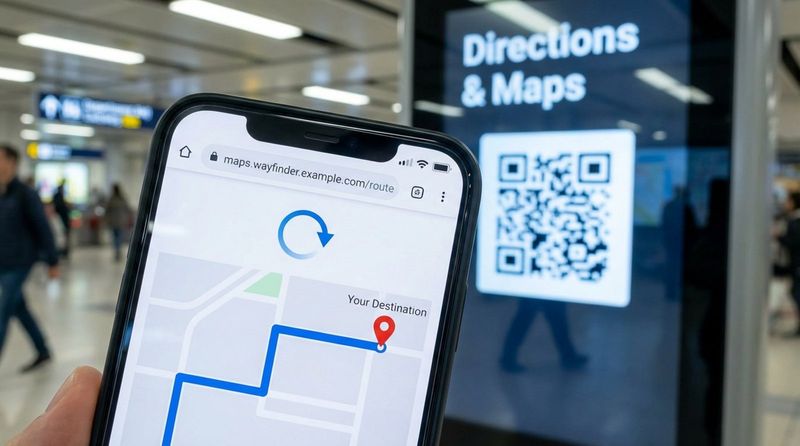
Supportive tools like QR codes are particularly effective for bridging the gap between a fixed screen and a visitor's mobile device. This allows users to scan a code on a directory and take the map with them. Additionally, features like Interactive Scenarios within digital signage software allow you to build touch-based experiences without needing complex coding.
Difference Between Digital and Traditional Wayfinding
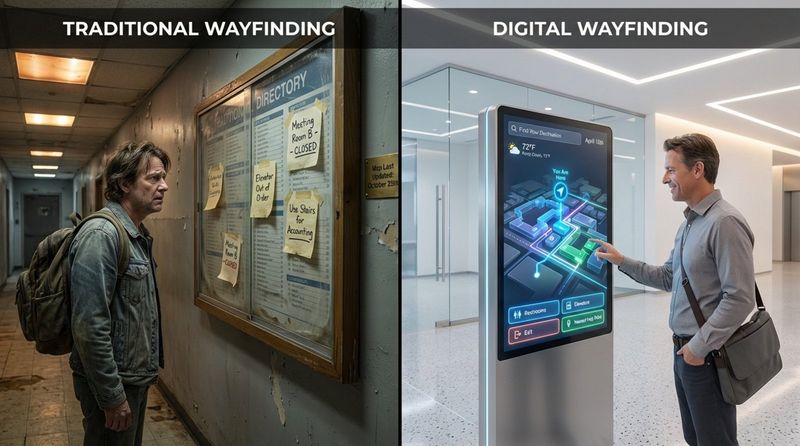
The main difference is flexibility. Traditional signs are static; once printed and mounted, changing them is slow and costly. If a department moves or a tenant leaves, old signs can confuse visitors until a replacement is manufactured. Digital wayfinding allows you to update information from anywhere in seconds, keeping directions accurate without the printing costs.
Static signs are also passive-they show information but cannot react. Digital systems can be interactive. A printed map cannot filter routes for accessibility needs or switch languages instantly. Digital systems can offer personalized paths, multimedia content, and real-time alerts. This interactivity reduces the mental load on your visitors and makes your facility feel more approachable.
How Digital Wayfinding Improves Customer Navigation
The primary goal of any wayfinding system is to make a location easy to navigate. Digital tools achieve this by providing a straightforward, low-stress experience. When people can find their destination without confusion, they are more likely to return. This smooth journey is a critical component of customer satisfaction.
These systems also serve as versatile communication hubs. Beyond maps, your screens can display emergency notices, internal announcements, or event schedules using screen layouts that split the display into useful zones. This ensures screens remain valuable touchpoints from entry to exit.
Streamlining Visitor Routes and Directions
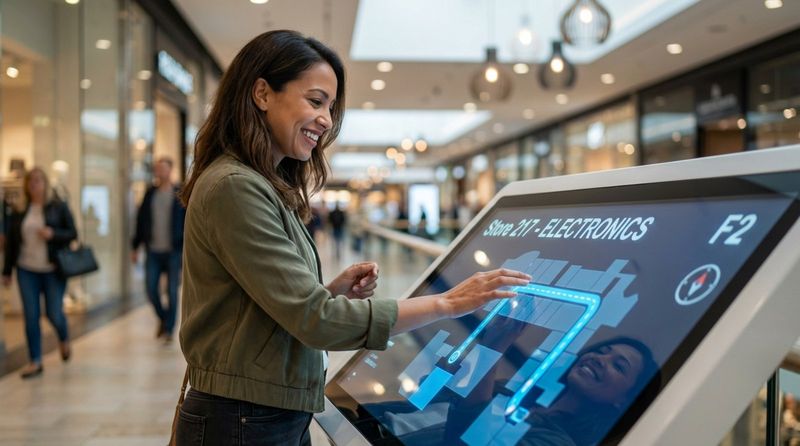
Digital wayfinding minimizes the time people spend wandering. Clear, step-by-step visuals remove the need to decipher complex floor plans. Interactive features allow users to select their current location and destination to see a highlighted path immediately.
In large venues like airports or corporate campuses, efficient routing also helps manage foot traffic. You can direct visitors to less crowded entrances or suggest alternate paths during maintenance work. This keeps people moving and prevents bottlenecks at key transition points.
Reducing Customer Frustration and Wait Times
Confusion is a leading cause of visitor frustration. In a retail setting, a lost shopper may leave without buying. In healthcare, a stressed patient might miss an appointment slot. Digital wayfinding mitigates these risks by providing on-demand assistance that is always available.
By empowering visitors to find their own way, you also reduce the burden on your staff. Instead of answering repetitive directional questions, your team can focus on their core tasks. This often leads to shorter lines at reception desks and a more efficient operation overall.
Improving Accessibility for Diverse Users
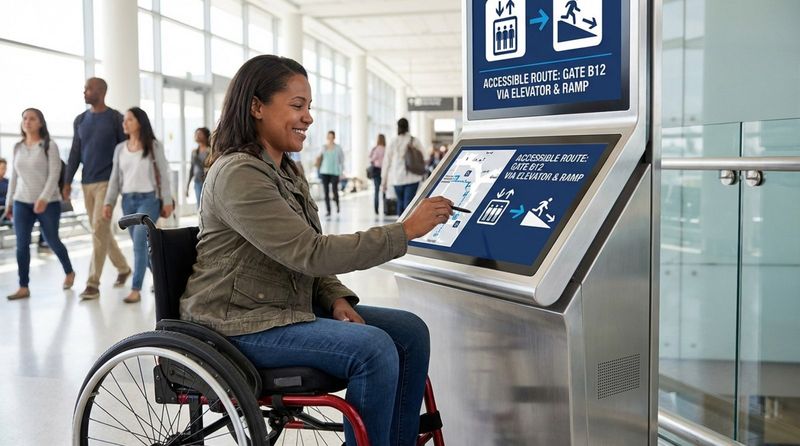
An effective wayfinding system must work for everyone. Digital signage software makes this easier to manage. You can design routes specifically for wheelchair users that prioritize elevators and ramps over stairs. For visitors with visual impairments, high-contrast modes and simplified layouts can make navigation significantly easier.
Digital screens allow you to adapt content dynamically. By following universal design principles within your templates, you create spaces that are inclusive. This supports compliance with accessibility regulations and demonstrates a commitment to visitor care.
Personalizing Navigation and Promoting User Independence
Digital systems allow users to adjust the experience to their specific needs. One visitor might need the quickest route, while another may look for a path that passes a coffee shop or restroom.
Interactive kiosks enable visitors to explore a space on their terms. They can zoom in on specific zones, search directories by name or category, and even toggle languages. This user-centric design helps people of all technical skill levels move with confidence.
Top Features of Effective Digital Wayfinding Solutions
Not all digital wayfinding tools are created equal. The most effective systems prioritize clarity, reliability, and ease of management. From robust hardware to intuitive software, these features form the foundation of a successful deployment.
When selecting a system, look for capabilities that combine visibility with interaction. The goal is to catch the eye and provide immediate utility. A strong system fits naturally into your environment while providing powerful backend control.
Interactive Touchscreens and Kiosks
Touchscreens are the primary interface for most wayfinding setups. Placed in high-traffic areas like lobbies and elevators, these kiosks invite engagement. Simple gestures-tapping and swiping-should be all that is required to find a destination.
Advanced setups can leverage Interactive Scenarios to do more than just show maps. While a visitor searches for a location, the screen can display related information, such as clinic hours or store promotions. This maximizes the utility of the hardware.
Mobile Integration and QR Code Scanning
Mobile integration is increasingly important. Many visitors prefer navigating with their own devices. Look Digital Signage supports this through the use of QR codes integrated into your content. A visitor can scan a code on a wall-mounted screen to open a map or directory on their phone browser, taking the directions with them.
This approach is practical for large campuses where visitors cannot stay at a kiosk. It avoids the friction of forcing users to download a dedicated app, making the information accessible to anyone with a smartphone.
Real-Time Maps and Data Updates
The ability to update content in real-time is a significant advantage. In dynamic environments like transport hubs or hospitals, conditions change rapidly. A cloud-based system allows you to adjust routes or mark areas as "closed" instantly across your network.
Real-time data can also provide context, such as estimated walking times. Being transparent about distance helps visitors plan their movements and reduces the anxiety of the unknown.
Multi-language and Accessibility Support
To serve a diverse audience, language options are essential. Digital wayfinding systems can allow users to switch languages with a single tap. This is particularly valuable in hospitality, tourism, and international business centers.
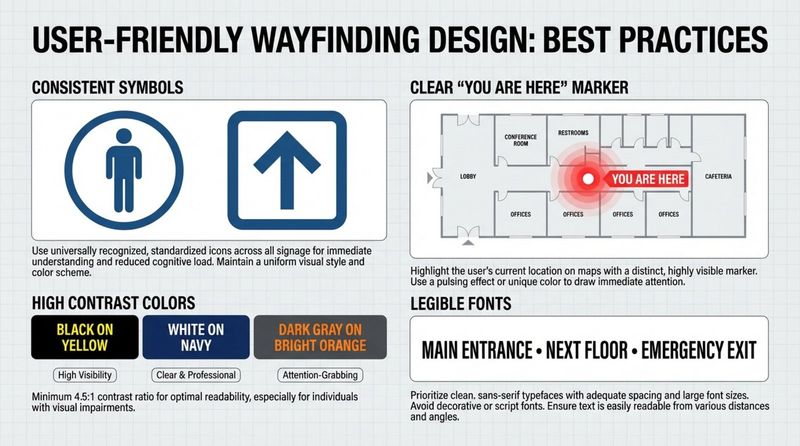
Accessibility features, such as clear fonts and high-contrast color schemes, ensure that your directional content is legible for the widest possible audience.
Industries Benefiting from Digital Wayfinding
While any large space benefits from clear navigation, certain industries see a higher return on investment. These are typically sectors with complex layouts, high foot traffic, or environments where getting lost has serious consequences for safety or revenue.
By tailoring the implementation to the specific needs of the sector-whether it is reducing patient anxiety in healthcare or driving foot traffic in retail-organizations can solve distinct operational challenges.
Retail Centers and Shopping Malls
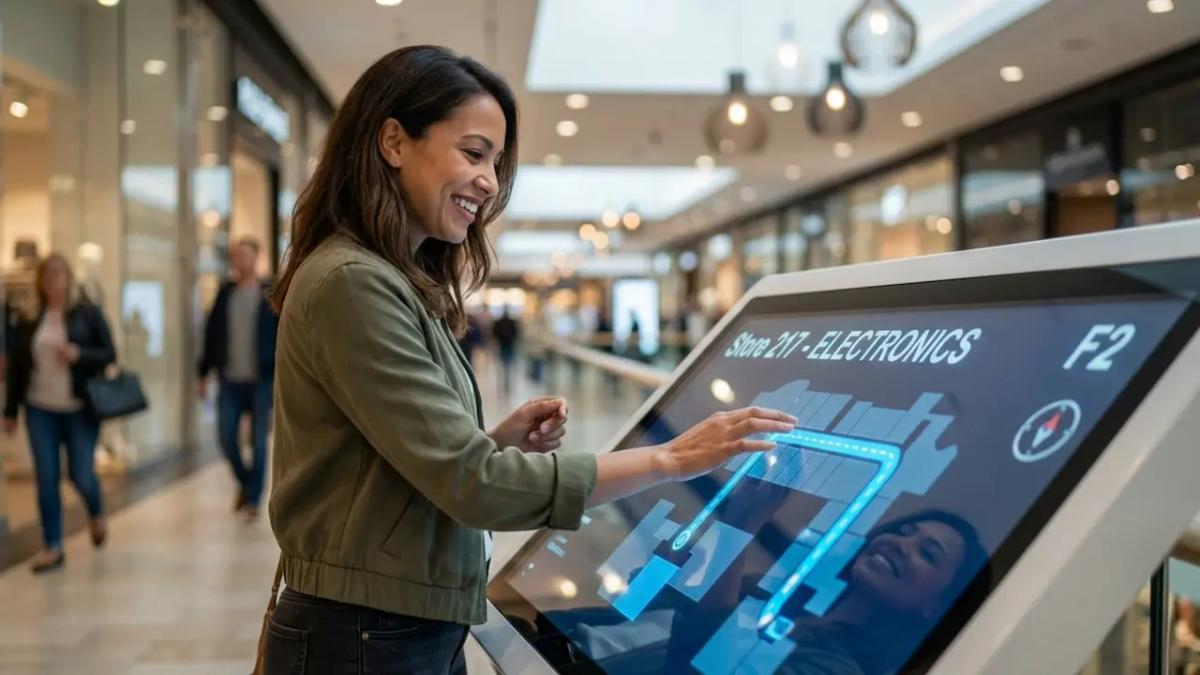
In retail, seamless navigation directly supports revenue. Shoppers who can easily find stores, restrooms, and amenities stay longer. Digital screens at entrances set a welcoming tone and help customers plan their shopping trip efficiently.
Retailers also use these systems for promotion. Kiosks can display targeted advertisements or playlists of current offers alongside the map. By guiding shoppers to specific promotions, malls create a more profitable environment for tenants.
Hospitals and Healthcare Facilities
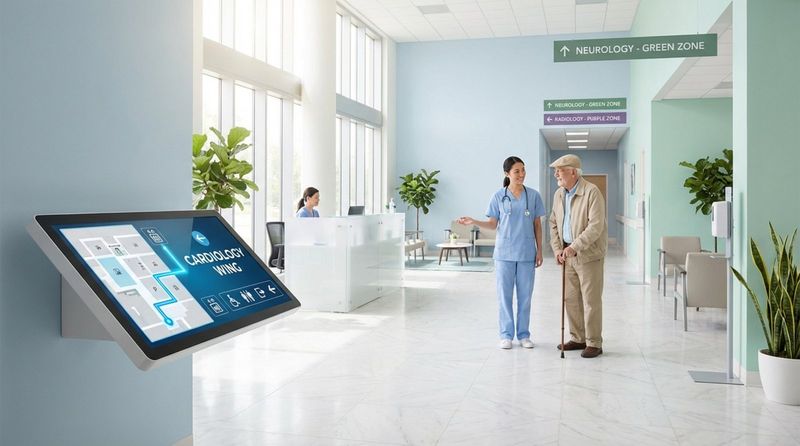
Hospitals can be intimidating environments. Digital wayfinding helps reduce patient anxiety by providing clear directions to clinics, labs, and wards. Reliable guidance ensures patients arrive at appointments on time, keeping schedules on track.
These systems also relieve pressure on medical staff. When visitors can self-navigate, nurses and receptionists face fewer interruptions. Integration with internal systems can even allow screens to display general wait times or safety protocols.
Corporate Offices and Commercial Buildings
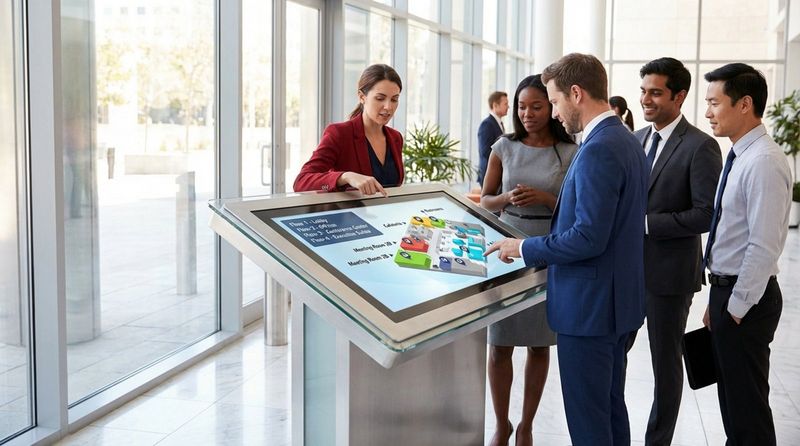
Large corporate campuses use digital wayfinding to guide visitors and employees to meeting rooms and workstations. In hybrid work environments, where desk assignments may change, a digital directory is a practical tool for keeping teams connected.
Screens can also integrate with scheduling tools to show meeting room availability or company announcements, creating a modern, connected workplace.
Airports and Transportation Hubs
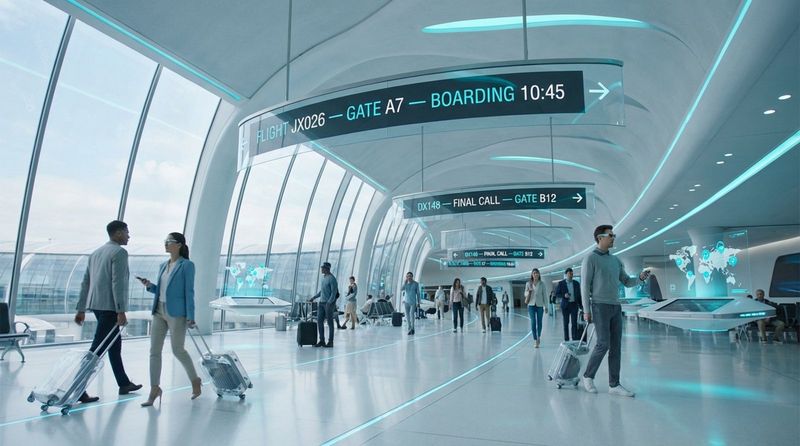
Airports and train stations require high-volume, reliable communication. Digital wayfinding helps travelers locate check-in counters, gates, and baggage claims. Since travel information changes frequently, the ability to push updates remotely is critical.
These systems also assist in crowd control, guiding passengers along optimal routes to prevent congestion. Reliable offline playback is often a key requirement here to ensure screens keep working even if internet connectivity fluctuates.
Universities and Educational Campuses
Universities use digital wayfinding to help new students and visitors navigate sprawling campuses. Interactive maps can guide users to lecture halls, dorms, and administrative offices. During events like orientation or graduation, these tools are vital for managing large crowds.
Campuses also utilize screens for student communication, displaying event reminders and safety alerts alongside navigational data.
Event Venues and Stadiums
Venues must manage massive influxes of people in short timeframes. Digital wayfinding helps fans find seats, concessions, and exits quickly. In the event of an emergency, the system can instantly switch to safety signage to guide evacuations.
Organizers can use templates to quickly brand the screens for different events, ensuring the signage always matches the current occasion.
Key Steps for Implementing Digital Wayfinding in Your Space
Rolling out a digital wayfinding system requires planning. It is not just about installing hardware; it is about building a helpful tool for your visitors. A structured approach ensures you select the right solution and deploy it effectively.
From analyzing your floor plan to maintaining the system post-launch, focus on the user experience at every stage to ensure long-term success.
Review Your Space and Customer Flow
Begin by analyzing how people move through your facility. Identify the decision points where visitors typically hesitate or ask for directions. These are the prime locations for digital displays.
Focus on high-traffic zones such as entrances, elevator lobbies, and major hallway intersections. Placing screens where decisions are made ensures high visibility and usage.
Select the Right Technology and Software Platform
Choosing the right software is the most critical decision. We recommend Look Digital Signage for its balance of power and ease of use. The Look CMS allows you to manage wayfinding content, build interactive layouts, and schedule updates from a simple cloud dashboard.
For hardware, ensure compatibility with your chosen software. Look offers the Look HDMI Player for a reliable plug-and-play experience, or you can use the Look App on supported screens you already own. This flexibility allows you to scale from a single screen to a large network without complex IT setups.
Integration with Existing Digital Systems
Your wayfinding system becomes more powerful when connected to other data sources. You might link it to calendar systems for meeting room displays or use APIs to pull in live data relevant to your operations.
Look Digital Signage supports integrations (via API or Zapier) to automate content updates, reducing the need for manual data entry and keeping your directories in sync with your internal records.
Designing User-Friendly Content and Navigation
Clarity is key. Your content should be intuitive, with legible fonts and recognizable icons. Avoid cluttering the screen with too much information at once. Use Screen Layouts to organize maps, directories, and messaging cleanly.
Ensure the "You Are Here" marker is prominent and that the search function is easy to access. The interface should feel familiar, much like using a map on a smartphone.
Testing, Monitoring, and Maintaining the System
Before a full launch, test the system with real users to identify confusing elements. Use their feedback to refine your maps and menu structures. Tools like Proof-of-Play and monitoring dashboards help you verify that screens are active and content is playing correctly.
Regular maintenance involves checking that hardware is online and that map data reflects any physical changes to the building. Playback Analytics can help you understand which areas are searched for most often, providing insights for operational improvements.
Best Practices for Designing Digital Wayfinding Content
Effective wayfinding content must be functional and visually consistent. Following design best practices ensures that your screens remain helpful rather than distracting.
Consistency in visual language helps visitors understand the system quickly. Use standard symbols and colors throughout the facility to create a cohesive experience.
Consistency in Symbols, Colors, and Language
Use identical icons for restrooms, elevators, and exits across all screens. This visual shorthand helps users process information faster. If you use a specific color for a building wing on a map, use that same color on physical signs and digital directories.
Language must also be stable. If a room is labeled "Lobby" on one screen, do not refer to it as "Reception" on another. Consistent terminology reduces confusion.
Improving Screen Placement and Visibility
Screens must be placed where they are easily seen but do not obstruct flow. Eye-level placement is generally best for interactive kiosks. Ensure displays are bright enough to combat glare, especially in sunlit areas.
Consider the viewing distance. Large overhead screens should use larger text and simplified maps, while interactive kiosks can handle more detailed information.
Incorporating Directions, Travel Times, and Points of Interest
Context improves the utility of a map. Displaying estimated walking times helps visitors make informed decisions. Marking landmarks-such as cafes or help desks-provides visual anchors that make routes easier to follow.
For complex routes, break instructions into simple, sequential steps. This "chunking" of information makes it easier for users to remember the path.
Choosing the Best Digital Wayfinding Solution for Your Needs
With many options available, selecting a solution requires a clear understanding of your goals. Look for a platform that is scalable, reliable, and easy for your team to manage without constant IT support.
Whether your goal is to save staff time or increase retail sales, your software choice should support those outcomes with specific features like remote management and analytics.
Key Factors Before Purchasing
Evaluate the ease of the Content Management System (CMS). Your team should be able to update a tenant name or close a hallway on the map in minutes. Scalability is also vital-ensure the system can grow with you as you add more screens.
Consider the total cost of ownership, including hardware, software subscriptions, and support. Look Digital Signage offers transparent pricing that scales with your screen count, making it a suitable choice for businesses of all sizes.
Questions to Ask Solution Providers
When evaluating providers, ask practical questions to ensure the system fits your reality:
- How easy is it to integrate with our existing tools?
- Does the system support offline playback if the internet goes down?
- Can we customize the interface to match our brand using templates?
- What accessibility features are included out of the box?
- Is support available if we get stuck during setup?
These questions help you verify that the solution is robust enough for daily use.
Maximizing Return on Investment
To get the most out of your investment, use your screens for more than just maps. When not in use for navigation, screens can run scheduled playlists containing internal communications, safety reminders, or promotional content.
Leverage the data your system provides. Analytics can reveal peak usage times and popular destinations, allowing you to optimize your staffing and facility layout based on real behavior.
Future Trends in Digital Wayfinding Solutions
Digital wayfinding is evolving to become more personalized and connected. Future solutions will likely rely more heavily on data to predict user needs and guide them seamlessly from their home to their final destination indoors.
Organizations that adopt these flexible, cloud-based tools today will be well-positioned to integrate these future capabilities.
AI-Powered Personalization
AI will make wayfinding more predictive. Systems may soon suggest routes based on a user's past behavior or current traffic conditions within the building. For example, tools like the Look AI Wizard already assist in content creation, and similar intelligence will likely enhance route planning in the future.
AI can also assist in dynamic crowd management, predicting congestion and rerouting traffic proactively to maintain a calm environment.
Seamless Omnichannel Navigation Experiences
The boundary between outdoor GPS and indoor navigation is blurring. We are moving toward a continuous journey where a visitor starts navigation on their phone at home, parks their car, and is seamlessly handed off to an indoor digital guide.
Integrating mobile, web, and on-premise screens creates a unified experience that reduces friction at every transition point.
Increased Focus on Data Analytics and User Insights
Data will drive decision-making. As systems capture more interaction data, facility managers will gain clearer insights into how spaces are actually used. This allows for evidence-based improvements to layouts and signage.
Beyond simple A-to-B guidance, digital wayfinding is becoming a critical layer of infrastructure for safety and engagement. Modern systems can broadcast emergency alerts instantly across a network, ensuring safety protocols are communicated clearly. By combining safety, utility, and engagement, these tools help turn static buildings into responsive environments. As technology advances, these intuitive, guided experiences will become the standard expectation for visitors everywhere.


