
How digital menu board works

Managing your pizzeria's menus is easy with Look digital menu boards. Attract customers, improve ordering efficiency, and increase sales with visually dynamic displays in just a few steps.
  • Content

    Create content

    Upload your materials, incl. pizza menu, and specials, or use one of our easily customizable templates to create a dream menu for your pizzeria
  • Schedule

    Playlist and schedule

    Collect your content items into playlists and schedule them for different times, to highlight weekend specials or lunch and dinner combos
  • Playlists

    Start playing

    Now share them to all of your screens so your customers always have access to the latest promotions and product range
Digital signage for digital menu boards,  pizzaDigital signage for digital menu boards,  pizzaDigital signage for digital menu boards,  CMS

Free digital signage templates
for pizza menu boards

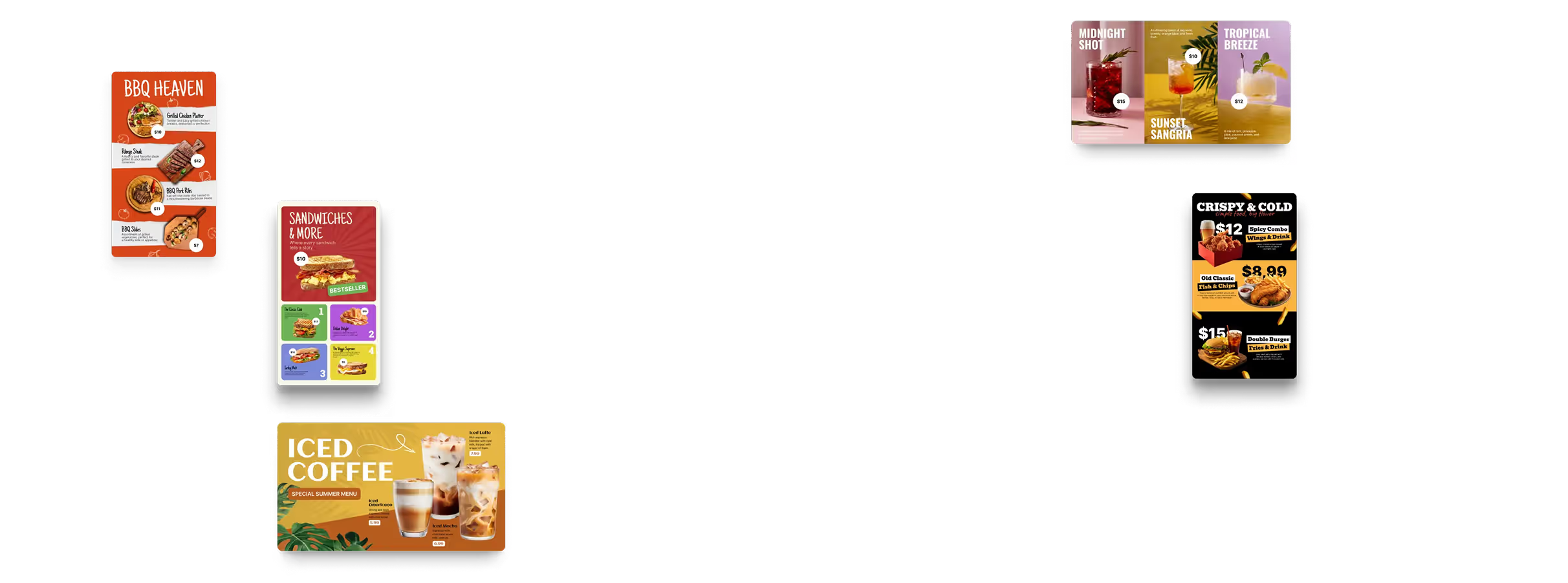
Utilize our collection of pre-designed pizzeria templates. Change them to highlight your best pizza offerings, promote specials, and create a consistent and seamless brand experience.
Digital signage for digital menu boards,  free templatesDigital signage for digital menu boards,  free templatesDigital signage for digital menu boards,  pizza

How to turn your TV into a digital signage screen

Look service works seamlessly on any hardware, whether you're planning to purchase or already use it
Or

Install FREE Look App

Transform any TV or compatible device into digital signage by installing the free Look app.
WindowsAmazon Signage
Androidgoogle-tvLinuxOS Fire Amazon
macOSWebOSOS Tizen OS Raspberry Pi
Supported Operating Systems

Plug Look HDMI Player

Connect the Plug & Play Look Player to your display’s HDMI input for instant setup. Worldwide shipping.
Buy nowLook HDMI Player

Success stories

Hear from our delighted customers! Check out their inspiring quotes about how our service has transformed their digital signage implementations.
Captera Rating
4.9
G2 Rating
5.0
60 000+
Screens
11 000+
Users
120+
Countries

Look’s built-in digital signage apps

  • Use Look’s built-in apps to automatically update your digital menu boards with fresh dynamic content like customer reviews, social media feeds, slideshows, and more.
InstagramTwitterFly ScheduleFacebookDigital signage for digital menu boards,  free applications

Frequently asked questions about pizzeria digital menu boards

What is a pizzeria digital menu board?

A pizzeria digital menu board is a screen-based menu used to display your offers.
Instead of redesigning and reprinting the menu whenever something changes, staff can update content remotely through digital signage software such as Look CMS.

How should a pizza menu be organized across multiple screens?

The menu should reflect how customers make their ordering decisions.
One screen shows signature pizzas, another shows sizes and build-your-own options, and a third shows sides, desserts, drinks, and combo deals. Product names, sizes, and prices should be easy to compare from the normal ordering distance.

Can I schedule weekly and seasonal specials?

Yes. A pizzeria can schedule a pizza-of-the-week, lunch special, family night, sports night offer, or seasonal menu for a specific date and time.
When the promotion ends, the screen can automatically return to the regular menu.

How can a pizzeria get started?

Start by organizing the menu into clear categories and determining where customers make their ordering decisions.
Then, review the available screens and locations. Connect the Look App or Look HDMI Player. Customize your menu template. Schedule the content through Look CMS.

Can I confirm that a special or promotion was displayed?

Yes. Playback Analytics shows what content played, where it appeared, and when it ran.
Pizzerias can use these reports to confirm that weekly specials, combo offers, and multi-location campaigns were displayed as scheduled.

Should a pizzeria use commercial displays or regular TVs?

Commercial displays are generally better suited to restaurants where screens operate for long periods every day.
They are designed for extended use, remote operation, and consistent performance. A consumer TV may be suitable for a smaller or lower-use setup but may have different warranty and operating limitations.

Can customer reviews and social content appear alongside the menu?

Yes. Compatible review widgets, restaurant posts, and approved customer photos can be included in a separate screen or a promotional zone.
Public content requires moderation, while the primary menu must remain accessible without competing with social posts.

How can digital menu boards communicate a pizzeria’s brand and story?

Screens can feature information on dough preparation, ingredient sourcing, house-made sauces, signature recipes, the kitchen team, or the restaurant's history.
This gives independent pizzerias space to communicate their craftsmanship rather than presenting only a list of products and prices.

Can Look DS connect to a pizzeria’s POS or inventory system?

A connection can be created via the Look DS API if the restaurant’s POS or database supports compatible access.
This can help keep menu prices aligned with the register and remove unavailable products. The exact integration depends on the external system and should be evaluated on a case-by-case basis.

What should a pizzeria look for in digital menu board software?

The platform should offer the following features: remote updates, flexible scheduling, multi-screen layouts, customizable templates, user permissions, offline playback, remote monitoring, and integration options.
For a pizzeria, it should also make pizza sizes, slices, toppings, combos, specials, and location-specific prices easy to organize and update.

How should a digital menu handle pizza sizes, slices, and build-your-own options?

The layout can show whole-pie pricing, slice pricing, available sizes, crusts, toppings, and charges.
For build-your-own pizzas, the screen can explain the available choices and pricing rules. Look DS displays the information but does not calculate orders or replace the restaurant’s POS or ordering system.

Can lunch, dinner, and weekend menus change automatically?

Yes. Different menu versions can be scheduled by time, day of the week, or campaign period.
For instance, the screen can display lunch combinations during the afternoon, family bundles in the evening, and late-night slice offers on weekends.

What happens if the internet connection goes down?

Content that has already been downloaded is stored locally on the player. This allows scheduled menus to continue playing during a temporary loss of connection.
However, internet access is still required for new updates and certain live content sources. The player will reconnect and synchronize once the connection is restored.

How much does a pizzeria digital menu board cost?

The total cost depends on the number and type of screens and media players, the software plan, mounting and installation, content creation, and any custom integrations.
Using existing compatible displays can reduce the initial investment, while a larger multi-screen installation will require a higher hardware budget.

Can a digital screen replace a traditional chalkboard menu?

Yes. A digital menu can use chalkboard textures, handwritten-style fonts, and illustrations while remaining easier to update and read.
Unlike a physical chalkboard, it does not need to be rewritten by hand and will not become smudged, inconsistent, or outdated.

Can sold-out pizzas or ingredients be removed automatically?

Yes, when Look DS is connected to a compatible POS or inventory data source.
A stock update can hide an unavailable pizza, topping, side, or dessert. Without an integration, staff can manually update the menu in Look CMS.

How can a pizzeria keep its digital menu easy to read?

Use clear category headings, large prices, strong contrast, short descriptions, and enough spacing.
High-quality photography should be reserved for signature pizzas, premium products, and specials. Excessive animation and too many images can make it harder for customers to compare options.

What types of pizzerias can use digital menu boards?

Digital menu boards work for dine-in, counter-service pizzerias, slice shops, takeout-focused businesses, independent neighborhood restaurants, and small multi-location groups.A pizzeria can start with a single screen and expand to a multi-screen menu as the menu or business grows.

What is the best digital menu board software for pizzerias?

The best platform should make the menu easy to read, quick to update, and consistent with the restaurant’s brand.
Look DS provides cloud-based screen management, customizable templates, scheduling, multi-zone layouts, Offline Playback, Playback Analytics, user permissions, and API integration options. Pizzerias can test the platform through a 14-day free trial.

How quickly can I update prices and menu items?

Through the Look CMS web dashboard, authorized users can edit prices, descriptions, images, playlists, and schedules.Changes can be sent to a single screen, a single location, or multiple pizzerias without replacing printed materials.

Can I manage and monitor all menu boards remotely?

Yes. Look CMS allows authorized users to update content, organize screens, review device status, and manage multiple locations through a web browser.
This helps restaurant teams identify offline screens and confirm that the correct menu is assigned to each location.

Are digital menu boards worth it for a small pizzeria?

They can be valuable for a pizzeria that changes prices, rotates specials, promotes add-ons, or wants a more consistent menu presentation.
The return comes from lower printing costs, faster updates, better promotion of high-margin items, and less staff time spent replacing physical menus.

How should dietary and allergen information be displayed?

Vegetarian, vegan, and gluten-free items can be identified with clear labels, icons, or dedicated menu sections. Ingredient and allergen notes can also be included and updated centrally when recipes change.
The restaurant remains responsible for the accuracy of all dietary, ingredient, and allergen information.

Can I promote combos, upgrades, and add-ons?

Yes. Digital menu boards are ideal for highlighting pizza-and-drink deals, family bundles, lunch combos, premium toppings, larger sizes, sides, and desserts.
These offers can be displayed next to relevant products or in a separate promotional area. This supports upselling without overcrowding the main menu.

Can different pizzeria locations use different menus and prices?

Yes. A restaurant group can maintain consistent menu designs while displaying location-specific products, prices, and specials.
With screen grpouping feature, screens can be organized by restaurant, allowing for centralized branding management while authorized local teams update approved information.

Can I use an existing TV or display?

In many cases, yes. A compatible screen can be converted into a digital menu board by installing the Look App or connecting a Look HDMI Player through HDMI.
The screen’s operating system, resolution, orientation, condition, and expected daily operating hours should be reviewed before installation.