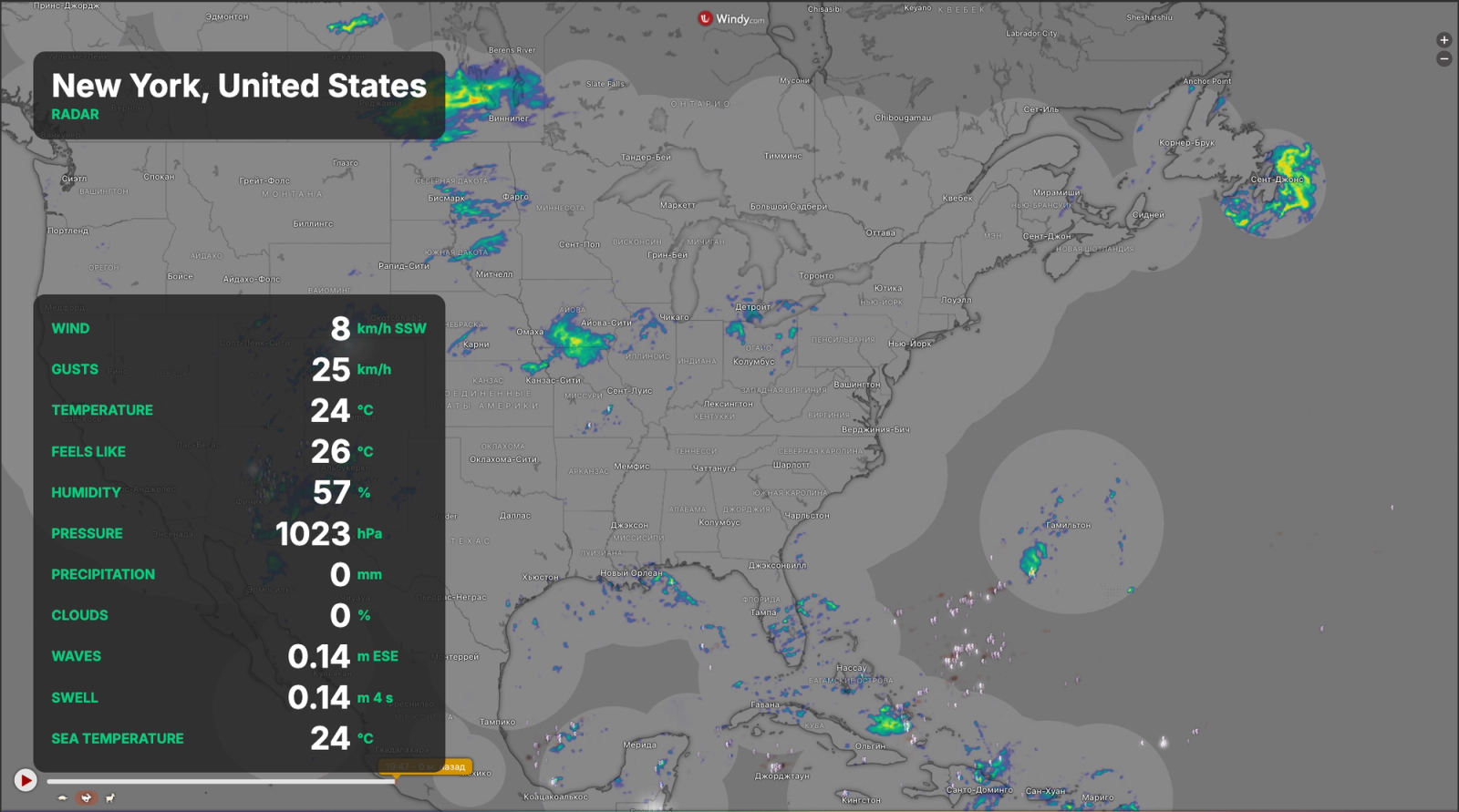
Weather is one of those things people check anyway, so it may as well be on the screen in front of them. The Windy app puts a live weather map into any zone of your Look layout: a marina wall showing wind and gusts, a ski lift station showing snow, a hotel lobby showing the week ahead, an airport gate showing radar.
You set it up once in the visual configurator, then upload the result to Look as a regular app. No coding, no server of your own.
Pick the spot, pick the picture
Click anywhere on the map to set the point, or search a place by name. Set the zoom so the frame covers exactly the area your audience cares about: a single bay, a valley, a whole coastline.
Then choose what the map shows. Wind and gusts, rain and thunder, temperature, cloud cover, waves, swell, sea currents, pressure, radar, satellite, snow and rain accumulation, UV index, humidity, dew point and visibility are all available.
Forecast model and altitude
If you know what you want, you can pin the forecast model: ECMWF, GFS, ICON, ICON EU, ICON D2, AROME, NAM Conus, UKV, Meteoblue or GEFS. For wind layers you can also pick the altitude level, from the surface up through 100 m and the pressure levels, which is what paraglider clubs and airfields usually ask for.
Wind units switch between knots, m/s, km/h and mph. Temperature switches between Celsius and Fahrenheit.
Current readings over the map
Turn on the readings card and the current values are printed right on top of the map, in whichever corner suits your layout, at whatever size reads well from a distance. You can show the time of the reading too, so nobody has to wonder how fresh the numbers are.
Add your own Windy API key and the figures come from Windy itself, from the same model as the map, so the card and the colours always agree. Without a key the app falls back to open-meteo.com, which is free and works fine, though the numbers can differ by a hair.
Caption and styling
Add the place name as a caption, with an optional second line showing the active layer. Colours, plate background and opacity are yours to set, so the block sits well with the rest of your design instead of fighting it.
You can also switch on the native Windy timeline and the forecast panel if you want viewers to see the next few days rather than just the current picture.
Refresh and publishing
Set the refresh interval in minutes and the app reloads the data on its own. Once you are happy with the preview, download the .zip for Look and upload it as an app, or grab the plain .html if you prefer to host the file yourself.
After that it behaves like any other content in Look: drop it into a playlist, give it a zone in a multi-zone layout, schedule it for the hours it matters.
Interface languages
English, Spanish, Portuguese, Brazilian Portuguese, French, Italian, Russian and Chinese.
Who uses it
Marinas, yacht and sailing clubs, kite and surf schools, ski resorts, beach bars and restaurants with a terrace, airports and small airfields, farms, construction sites, sports venues, hotel lobbies and city information screens.