80%+

of food service operators report a revenue increase after deploying digital menu boards

Source: industry research

<2 min

to push a price change or remove a sold-out item across an entire screen network

vs. days with printed menus

35%

reduction in perceived wait time when engaging digital content is present in queuing areas

*consumer behaviour studies

$0

cost per menu update — no design fees, no printing, no shipping, no ladder-climbing

vs. traditional printed menus

What is a digital menu board?

Far more than a TV showing a slideshow

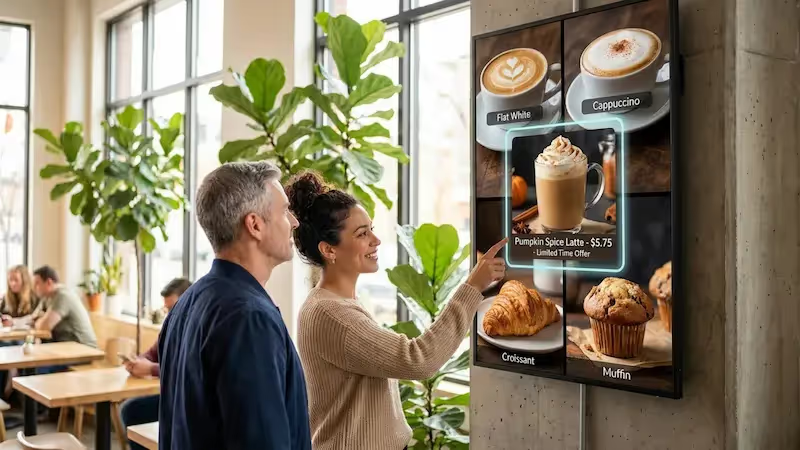
A digital menu board is a dedicated digital signage software solution designed to grab attention and make ordering highly efficient. These displays help customers read choices clearly from a distance, using bold text, high contrast, and dynamic media to make food items look more appealing while keeping your messaging consistent.

Because the screens are managed via a cloud platform, you can change content instantly to fit current operational needs

— whether that means launching a rainy-day promotion, removing a sold-out item, or transitioning from lunch to dinner automatically. Advanced setups integrate with POS systems via an API to automate pricing and availability updates in real time.

Digital vs. traditional menu boards

Printed menus

Design + print + shipping cost every season

Days to update a price or remove a dish

Static — no motion, no video, no upsells

Inconsistent branding across locations

No dayparting or scheduling capability

Look DS

Green checkmark inside a black circle.

Zero cost per update, ever

Green checkmark inside a black circle.

Seconds to push changes to all screens

Green checkmark inside a black circle.

Video, animation, live POS feeds

Green checkmark inside a black circle.

Pixel-perfect consistency at scale

Green checkmark inside a black circle.

Automatic dayparting schedules

Green shield icon with a white check mark on a black rounded square background representing security or verification.

3 core components

1

Display screen

Any commercial-grade display or compatible smart TV — from a single counter board to a drive-thru multi-panel installation across all locations.

2

Media player

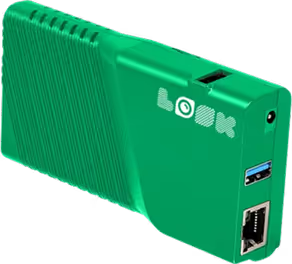
The Look Player (plug-and-play) or the free Look App on a device you already own. Content is cached locally so menus keep running even offline.

3

Cloud CMS

The Look cloud platform — your control centre for designing content, scheduling, managing zones, and publishing to every screen from any browser.

Why it works

Six ways digital menu boards pay for themselves

raze up icon

Improve sales with engaging visuals

Appetizing photography and subtle motion influence buying behaviour in ways printed materials cannot. Promoting a high-margin item in high-definition video — a steaming beverage, a fresh seasonal dish — consistently encourages impulse purchases and raises average ticket size.
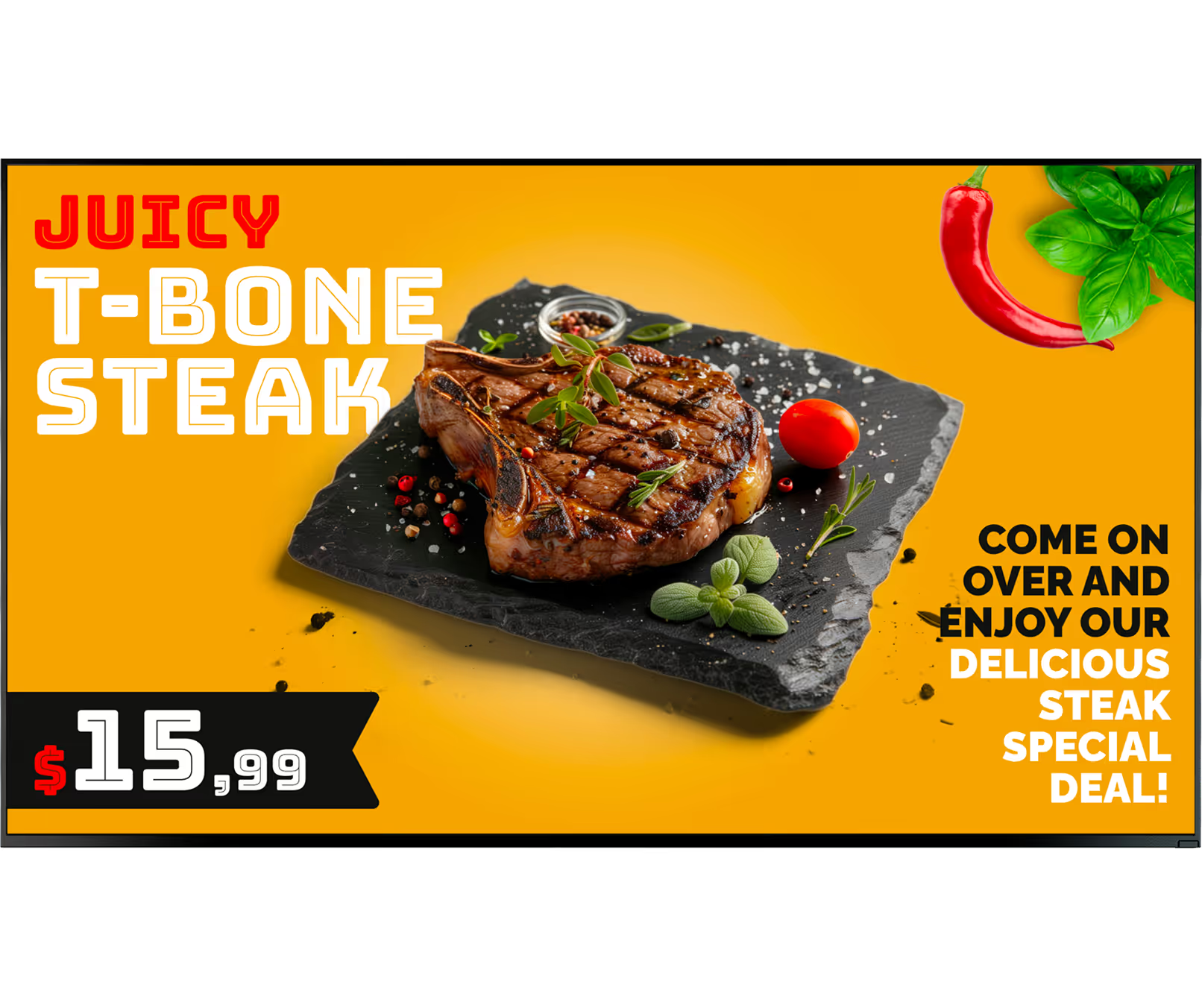
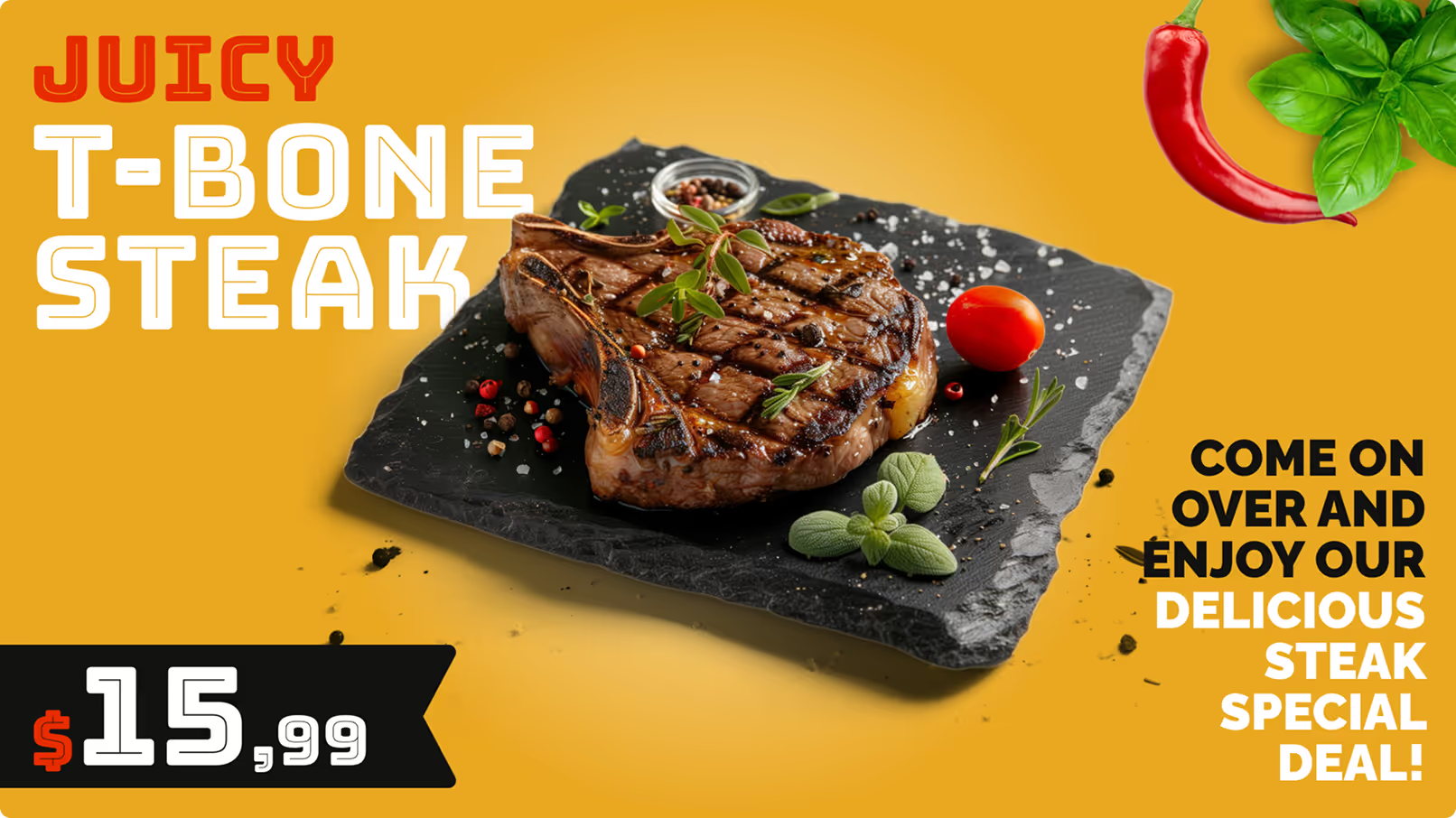
Grilled T-bone steak garnished with herbs and cherry tomato on a black slate plate with red chili and basil leaves on yellow background, priced $15.99.
Laptop icon

Enable real-time menu and price updates

Manual updates waste valuable staff hours. With a cloud CMS, price adjustments or inventory changes publish in minutes across one screen or thousands — empowering teams to launch quick promotions, move surplus stock, and protect margins without reprinting a thing.
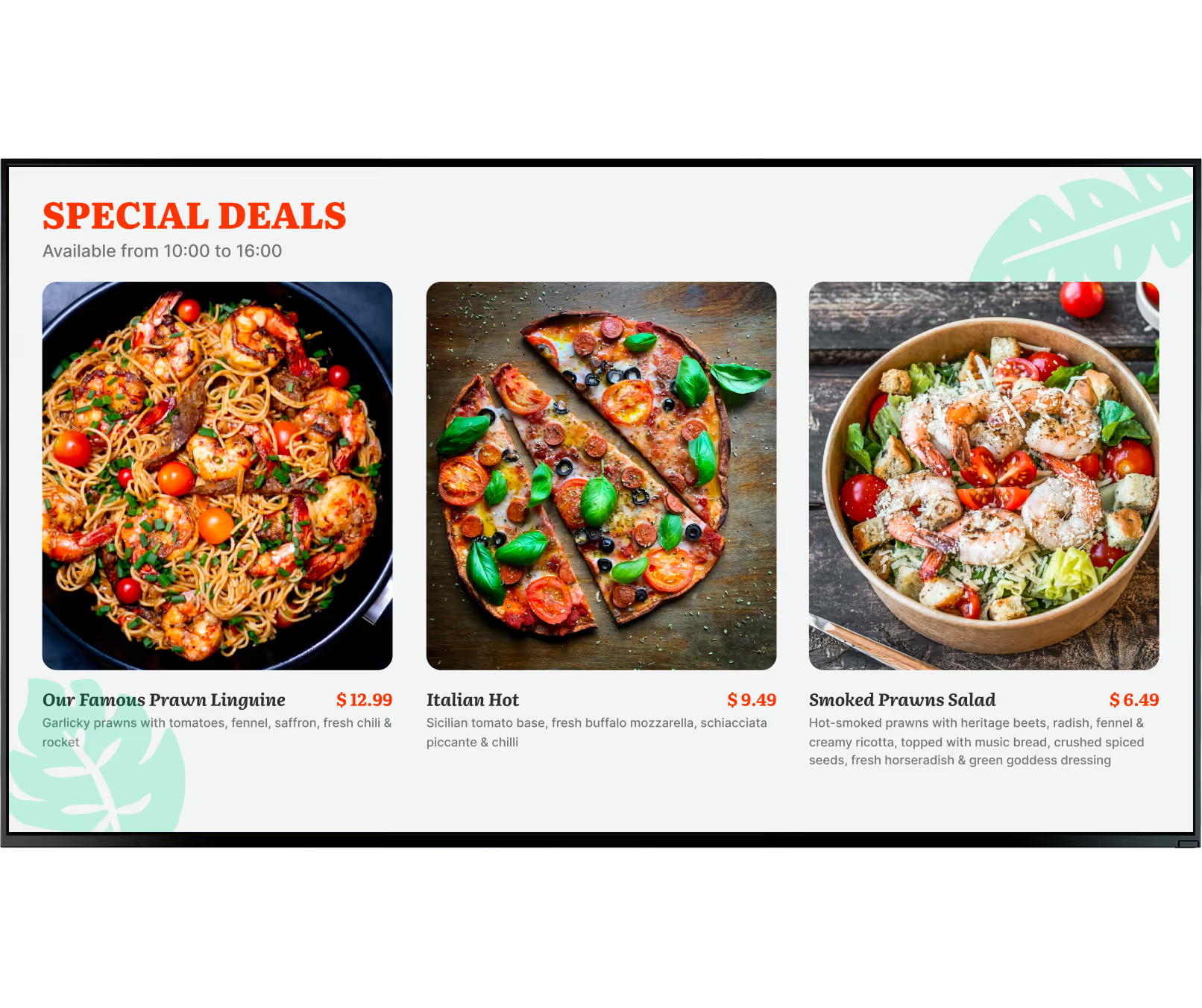
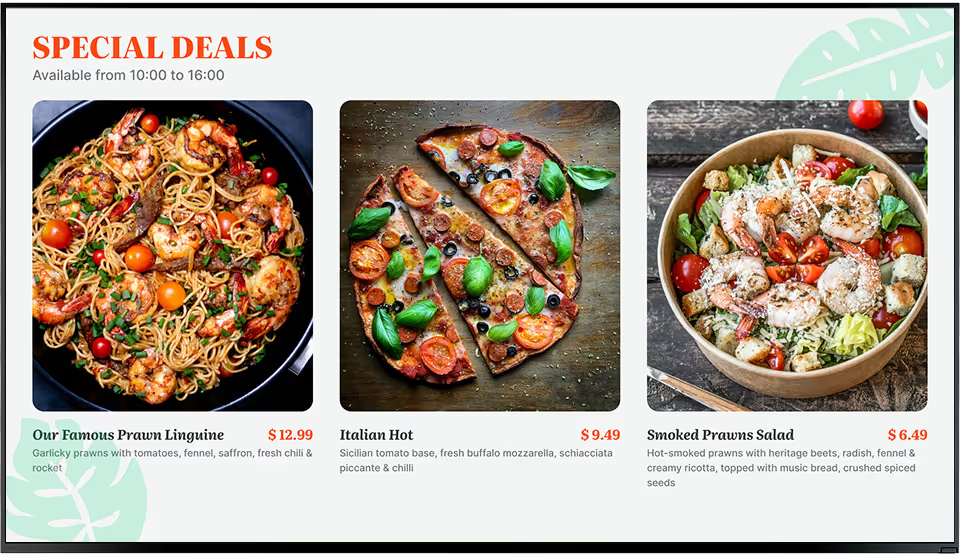
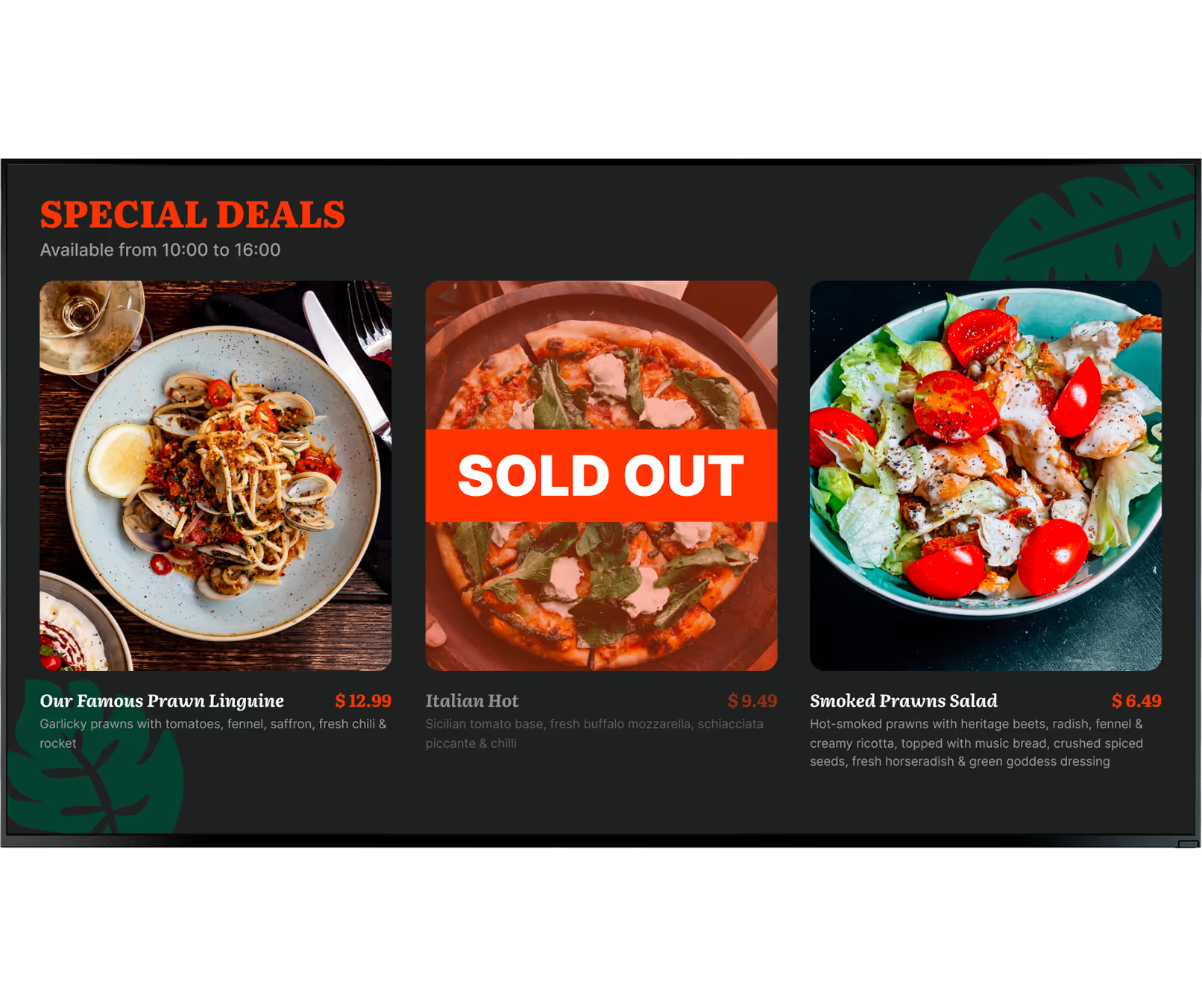
Special deals featuring three dishes: prawn linguine with cherry tomatoes, Italian hot pizza with basil and tomatoes, and smoked prawns salad with greens and croutons.
star icon transparent

Boost brand awareness and consistency

Maintaining brand standards across a franchise or multi-location network is challenging with physical collateral. Centralised signage software lets head office lock in approved templates and distribute them network-wide — consistent logos, typography, and colour across every location.
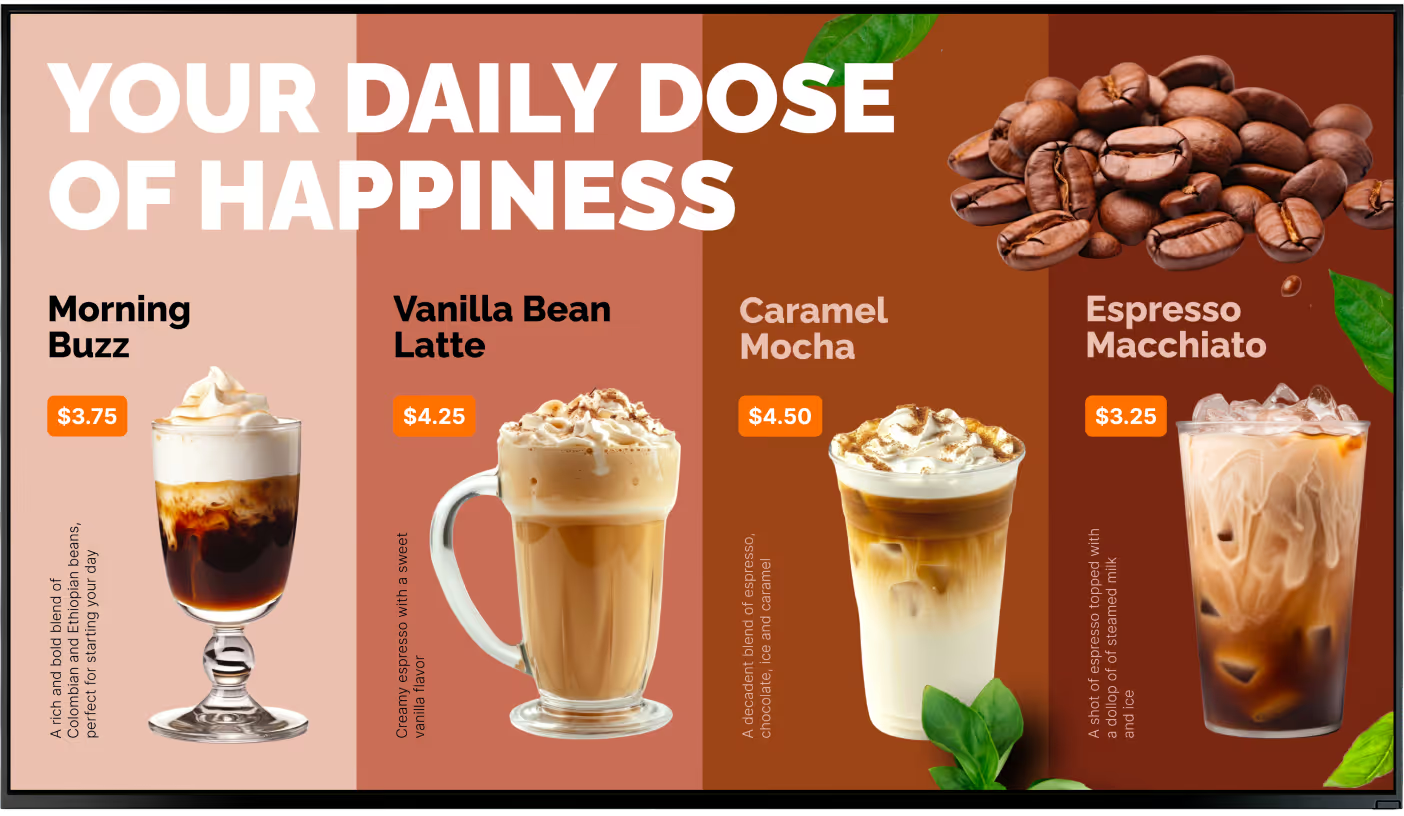
Menu showing four coffee drinks with prices: Morning Buzz $3.75, Vanilla Bean Latte $4.25, Caramel Mocha $4.50, and Espresso Macchiato $3.25, with coffee beans and green leaves decoration.
icon_XL_smile

Improve the customer experience

Digital screens provide space to share nutritional data, allergen warnings, and multilingual options. QR codes can link directly to loyalty programmes or full ingredient lists — reducing friction at the counter and freeing staff to focus on fulfilment.
icon_XL_clock

Shorten perceived wait times

Long lines impact customer satisfaction, but engaging digital content makes the wait feel significantly shorter. When customers are actively viewing promotions, kitchen footage, or brand stories, the queue becomes a relaxed, revenue-generating moment instead of a friction point.
Percent icon

Cut printing costs and waste

Relying on paper menus means recurring design, printing, and shipping expenses. A digital signage network eliminates these entirely. After the initial setup, rolling out a new menu incurs no physical material costs — and supports sustainability goals that matter to today's guests.
Grilled T-bone steak garnished with herbs and cherry tomato on a black slate plate with red chili and basil leaves on yellow background, priced $15.99.Arrowlike
Special deals featuring three dishes: prawn linguine with cherry tomatoes, Italian hot pizza with basil and tomatoes, and smoked prawns salad with greens and croutons.Add food card
Menu showing four coffee drinks with prices: Morning Buzz $3.75, Vanilla Bean Latte $4.25, Caramel Mocha $4.50, and Espresso Macchiato $3.25, with coffee beans and green leaves decoration.star
like
Watch Icon
Digital signage for school, paper

Every format covered

Digital menu boards built for your environment

From drive-thru lanes to fine dining rooms — the right setup depends on your physical environment and business goals.

Indoor Boards

Full menu visibility above the counter

Mounted behind counters in portrait or landscape orientation, indoor boards can be divided into multiple zones — primary menu on one side, a promotional video in the panel, a live QR code at the bottom. Maximise every centimetre of hardware with multi-zone layouts.

Outdoor Boards

Attract foot traffic before guests step inside

Built to withstand rain, dust, and extreme temperatures, outdoor displays use high-brightness panels to remain visible in direct sunlight. They serve as front-of-house signage that showcases signature dishes and draws guests through the door with compelling, weather-resistant visuals.

Drive-Thru

Speed and clarity in every lane

Drive-thru boards are engineered for speed. Emphasising combos and quick-prep items, they streamline decision-making and keep lanes moving during peak hours. Offline playback ensures menus stay live even when outdoor connectivity is unreliable.

Cafés & Coffee Shops

Morning pastries to afternoon cold brew

Coffee shops rely on digital displays to manage heavy morning foot traffic. A focused breakfast menu switches to afternoon teas and cold beverages automatically via dayparting — no manual changes. Loyalty QR codes direct customers into programmes without slowing the line.

Bars & QSRs

High-energy content that drives instant action

High-contrast screens broadcast drink specials and events. Dayparting triggers happy hour pricing and graphics at exactly 5:00 PM. For high-volume QSRs, marking an item as "sold out" from a mobile dashboard prevents ordering errors and keeps customer satisfaction high.

Multi-Location

One dashboard, every franchise location

A cloud CMS enables corporate teams to deploy standardised campaigns across hundreds of regional stores simultaneously. Head office enforces brand standards while granting regional managers permissions to highlight location-specific offers — all from a single interface.

Where you'll deploy it
Six placements, one platform

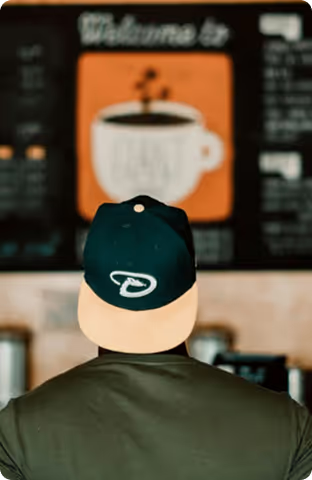
Person wearing a dark green and beige cap looking at a blurred café menu board with a coffee cup image.

Above-counter menu boards

Replace static lightboxes with screens that switch from breakfast to lunch at 10:30 AM automatically. Zone a display to show a category menu in the main panel and a promotional video in a side zone — maximising the utility of every piece of hardware.
Tray with a burger, fries, cupcake, and Coca-Cola cup resting on the side of a blue vintage car seat with a diner menu in the background.

Drive-thru lane displays

Drive-thru screens run in rain, sunlight, and low-connectivity environments. Look DS caches content locally so menus stay visible even when outdoor Wi-Fi is unreliable. Push price and menu changes across all lanes simultaneously from one dashboard.
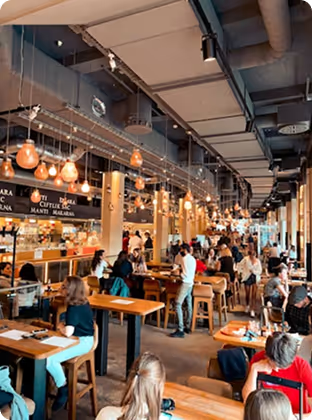
Busy modern cafe interior with wooden tables, hanging lights, and customers dining and socializing.

Waiting area upsell screens

While customers wait in the queue, screens promote desserts, seasonal specials, and loyalty programmes. Engaging digital content measurably reduces perceived dwell time — turning the wait into a revenue opportunity rather than a source of frustration.
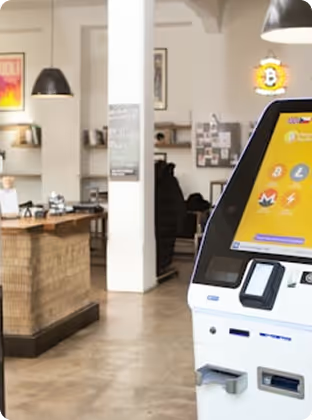
Close-up of a cryptocurrency ATM machine with payment icons inside a modern café setting.

Storefront and window displays

High-brightness outdoor panels in shop windows display signature dishes and daily specials to passers-by before they decide where to eat. First impressions are formed before the door opens — make yours count with high-definition food visuals.
Chef in a white uniform and black cap cooking in a professional kitchen surrounded by stainless steel cookware.

Back-of-house kitchen screens

The same platform powers kitchen-facing displays showing real-time order counts, preparation times, and shift schedules. Help kitchen staff maintain pace during rush hours — no separate software, no additional subscriptions.
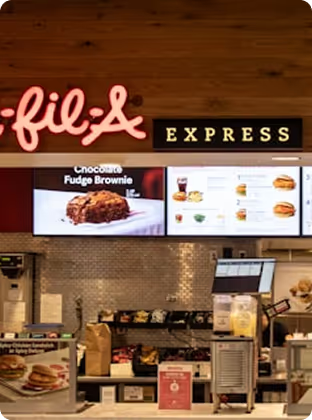
Chick-fil-A Express counter with menu boards displaying a chocolate fudge brownie and various meal options.

Interactive QR kiosks

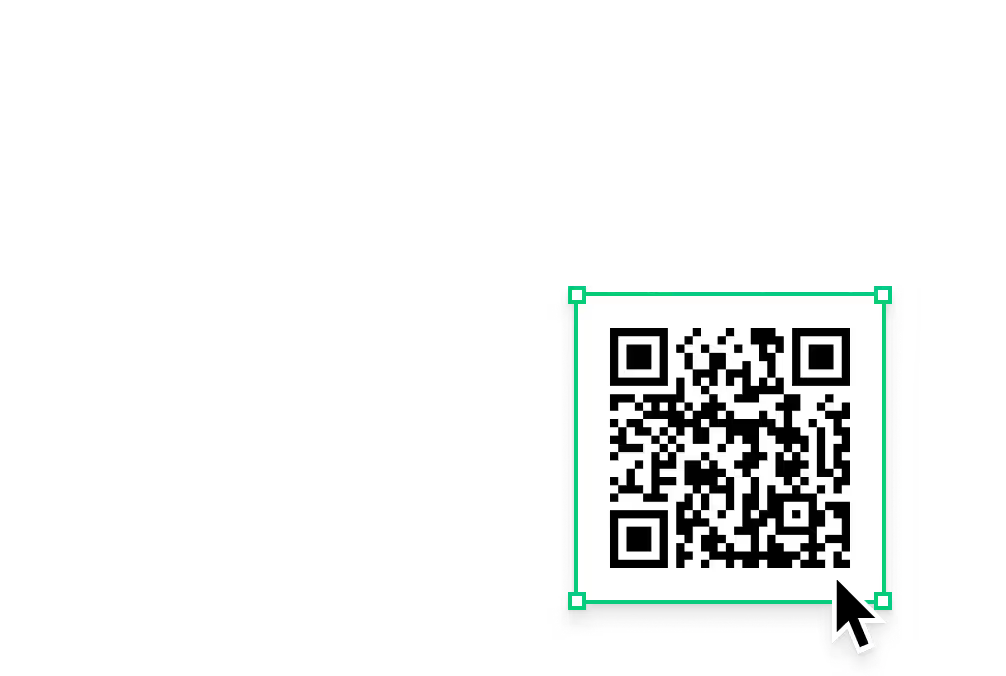
Add QR codes to any screen with one click. Customers scan the board to download the full menu, enter a loyalty programme, or leave instant feedback. Bridge your physical screens and digital customer journey without any custom development work.

Setup

Works with screens you already own

Two ways to get started — both take minutes, not days.
Menu board showing special deals on Our Famous Prawn Linguine, Italian Hot pizza, and Smoked Prawns Salad with prices and descriptions.Green shield icon with a white check mark on a black rounded square background representing security or verification.

Install the free Look App

Install the free Look App on a compatible display or streaming device you have. Supports a wide range of operating systems — no new hardware required to get started.

Android
Windows
Fire OS
Samsung Tizen
LG webOS
Raspberry Pi
Amazon Signage
Amazon Signage
Icon Linux
Linux
macOS
MacOS
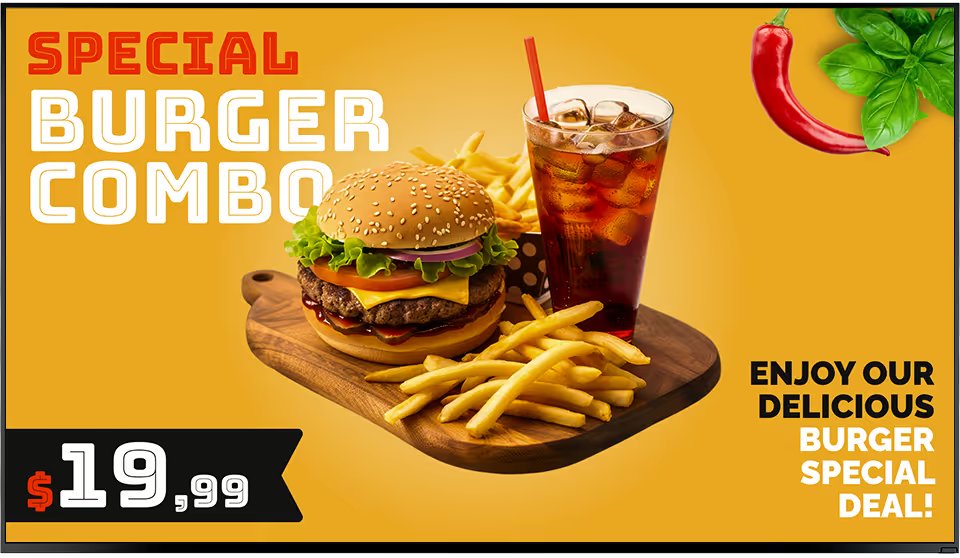
Special burger combo with cheeseburger, French fries, and a glass of iced soda for $19.99 on a yellow background.Green rectangular electronic device with ventilation slots, two USB ports, an Ethernet port, and the word 'LOOK' printed on it.

Plug in the Look HDMI Player

The Look Player plugs into any screen's HDMI input. Plug in, connect to Wi-Fi, log in — and your screen is live. Worldwide shipping. No configuration expertise needed.

Any displays with HDMI
LED screens 
Video walls
Plug-and-play

Menu board hardware note:

For drive-thru lanes and outdoor installations, high-brightness commercial displays (1,000+ nits) are essential to remain readable in direct sunlight. Kitchen and back-of-house environments require commercial-grade screens rated for 16+ hours of continuous daily operation — consumer TVs are not built for this workload.

View full hardware guide →

How it works

From setup to live screens in minutes

A media player, a screen, and a cloud account. Most operators go live the same day.
  • Content

    Connect your hardware

    Install the free Look App on a compatible smart TV or plug in the Look HDMI Player. Connect to Wi-Fi, log in to the CMS — your screen is paired and ready. No IT team or specialist configuration required.
  • Schedule

    Design and schedule your content

    Choose from ready-made food & beverage templates in the drag-and-drop editor. Set up zone layouts, upload your photography, add prices. Configure dayparting so breakfast, lunch, and dinner transitions run automatically — set once, runs forever.
  • Playlists

    Publish and manage remotely

    Push content to all screens from any browser or mobile device. Changes appear instantly on every display. Update a price, pull a sold-out item, or launch a flash promotion — in seconds, from anywhere, across every location.
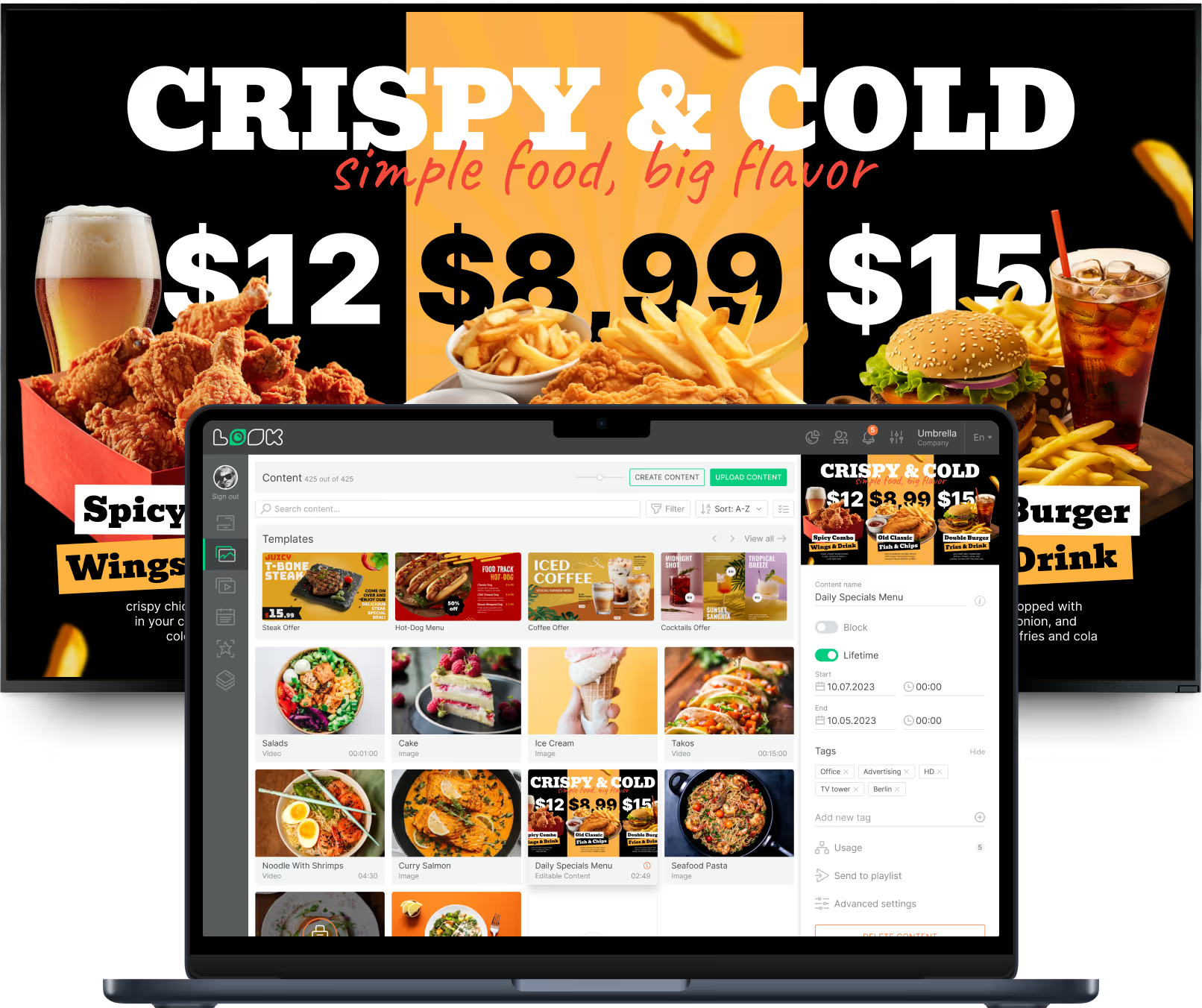
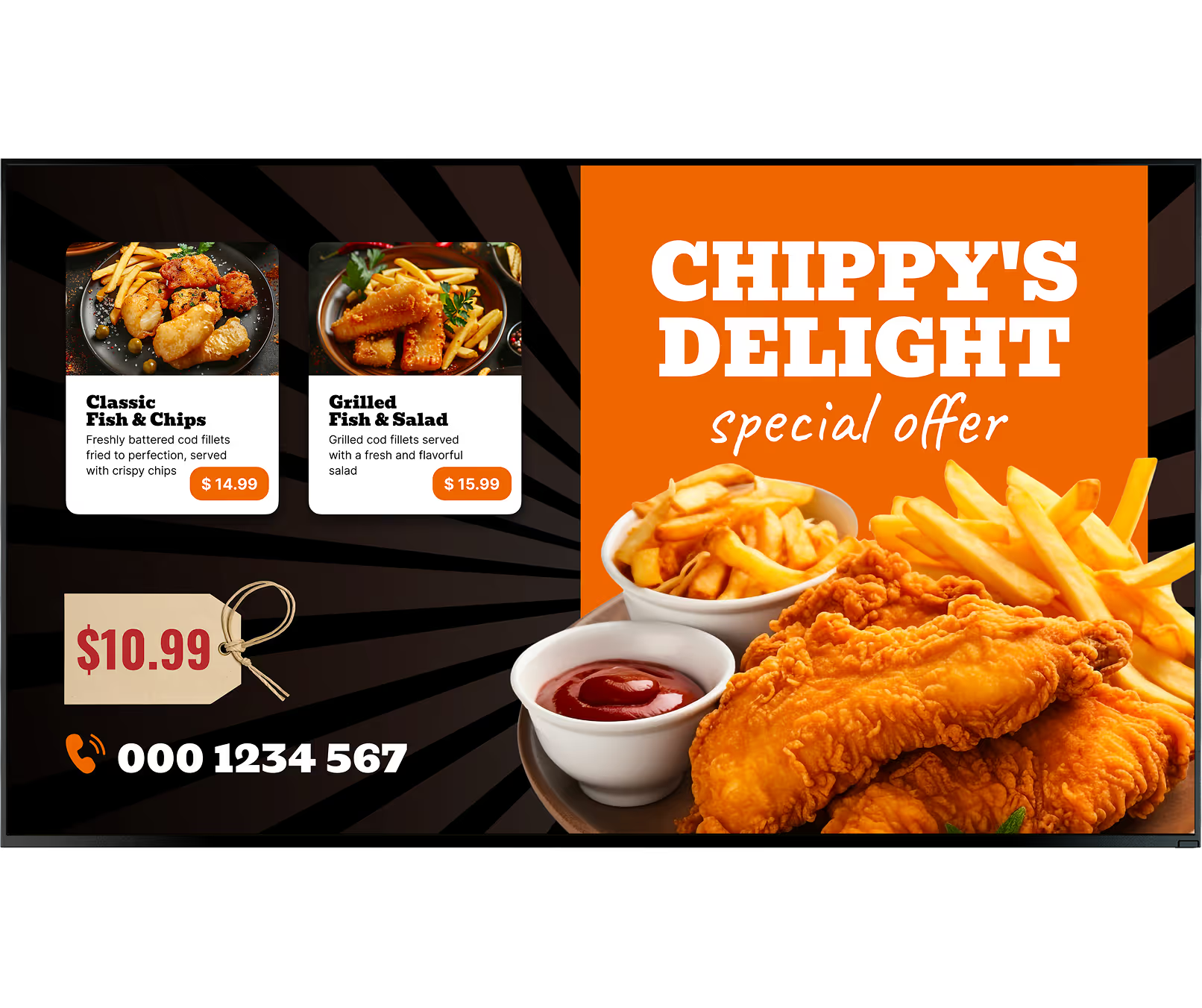
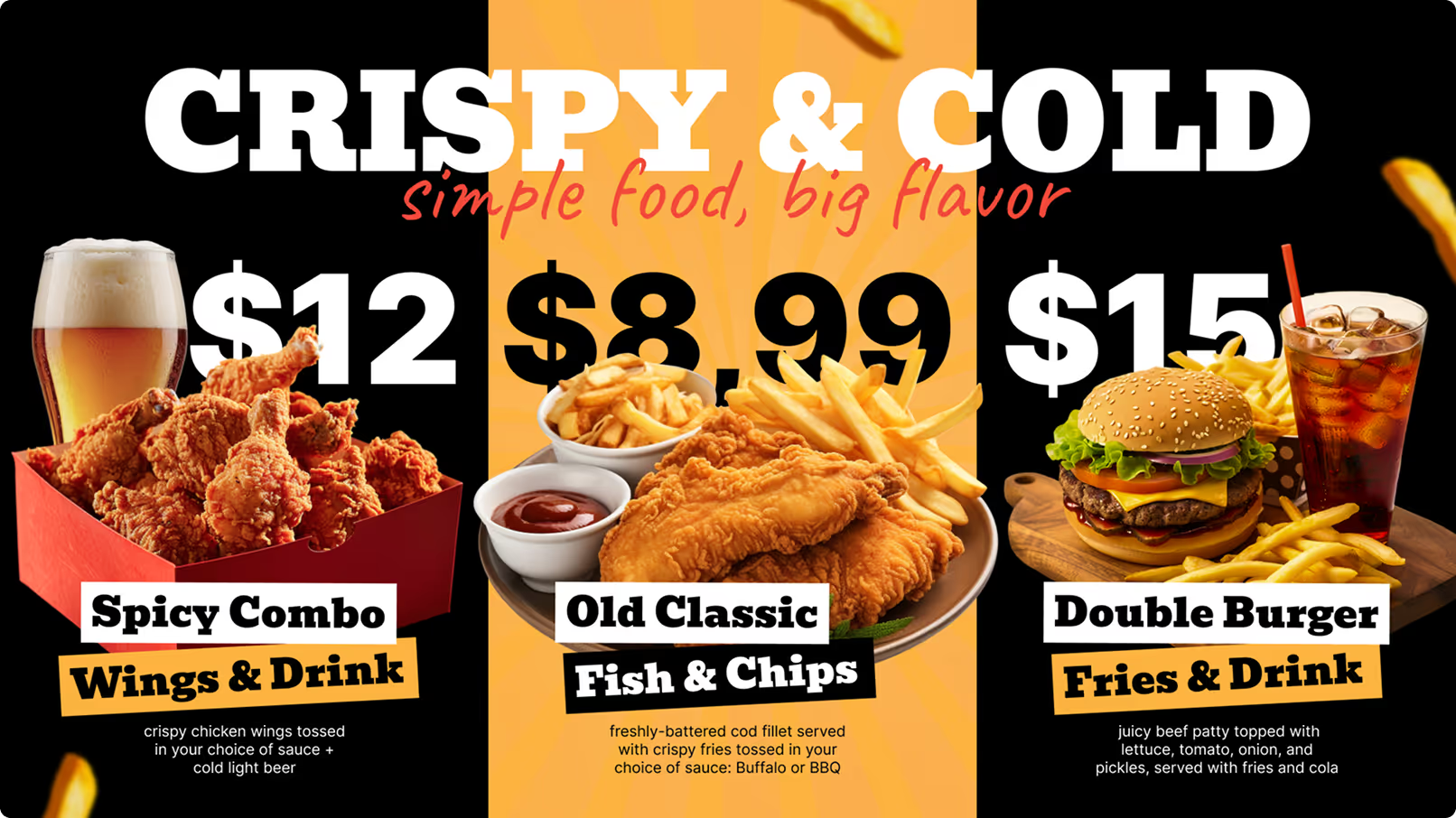
Digital menu display with food items and prices: Spicy Combo Wings & Drink $12, Old Classic Fish & Chips $8.99, Double Burger Fries & Drink $15, shown behind a laptop screen with content management interface.

Key features

Everything a food & beverage operator needs

calendar_icon

Dayparting and smart scheduling

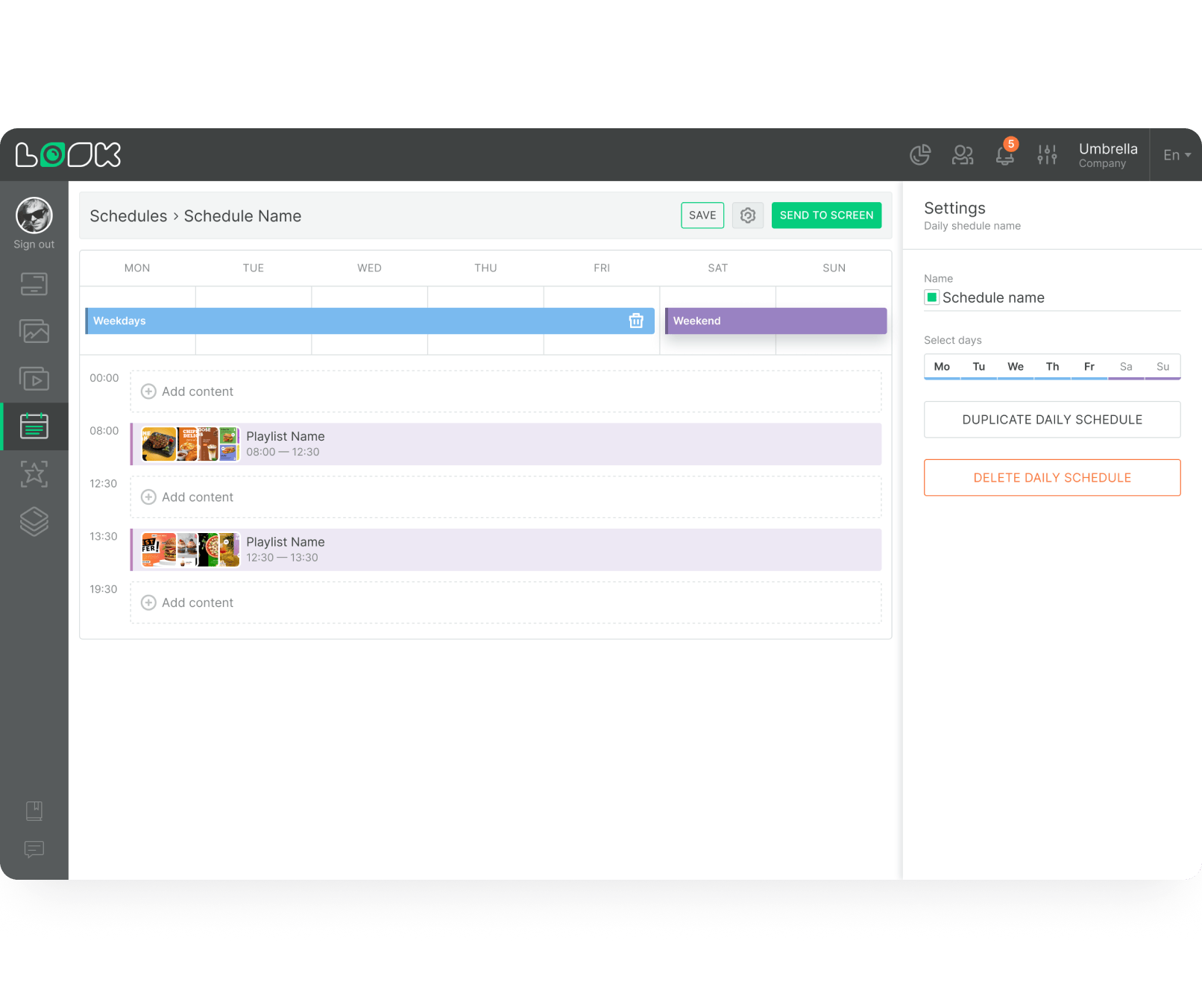
Automate what plays based on the time of day. Programme breakfast menus to switch to lunch offerings at 11:00 AM and trigger happy hour promotions at 5:00 PM — all without manual intervention. Layer limited-time campaigns on top of your daily loop so the right items are always promoted at the optimal moment.
Digital interface for scheduling playlists by day with weekday and weekend tabs, time slots, and options to add, duplicate, or delete daily schedules.
icon_XL_navigation

POS integration and real-time inventory

Connect your POS database to your screen network via an API. As prices change or items sell out in the POS, those updates trigger automatic reflections on your menu boards — preventing customers from ordering out-of-stock items and eliminating friction at the register.

Multi-display and multi-zone support

Modern menu designs often span several monitors for a continuous digital canvas. Multi-display support ensures media flows correctly across bezels. Zone layouts let you divide a single screen into functional panels — static menu in the main zone, rotating promo video in a side panel, live widget at the bottom.
Laptop icon

Dynamic pricing and easy updates

Dynamic pricing enables locations to adjust costs based on demand — discounted rates during off-peak hours, for example. With cloud-based software, activating price tiers across an entire franchise requires only a few clicks. Store managers update local adjustments without relying on IT support.
no wifi icon

Offline playback

Content is cached locally on every player. If the internet drops — in a drive-thru, a basement kitchen, or a rural location — your menus keep running exactly as scheduled. No blank screens, no disrupted service, no customer confusion during peak hours.
icon navigation

Centralised management for multiple locations

Oversee the uptime and content of thousands of screens worldwide from a single dashboard. Balance corporate brand control with local flexibility — a head office can enforce templates while granting regional managers the permissions needed to highlight location-specific offers.
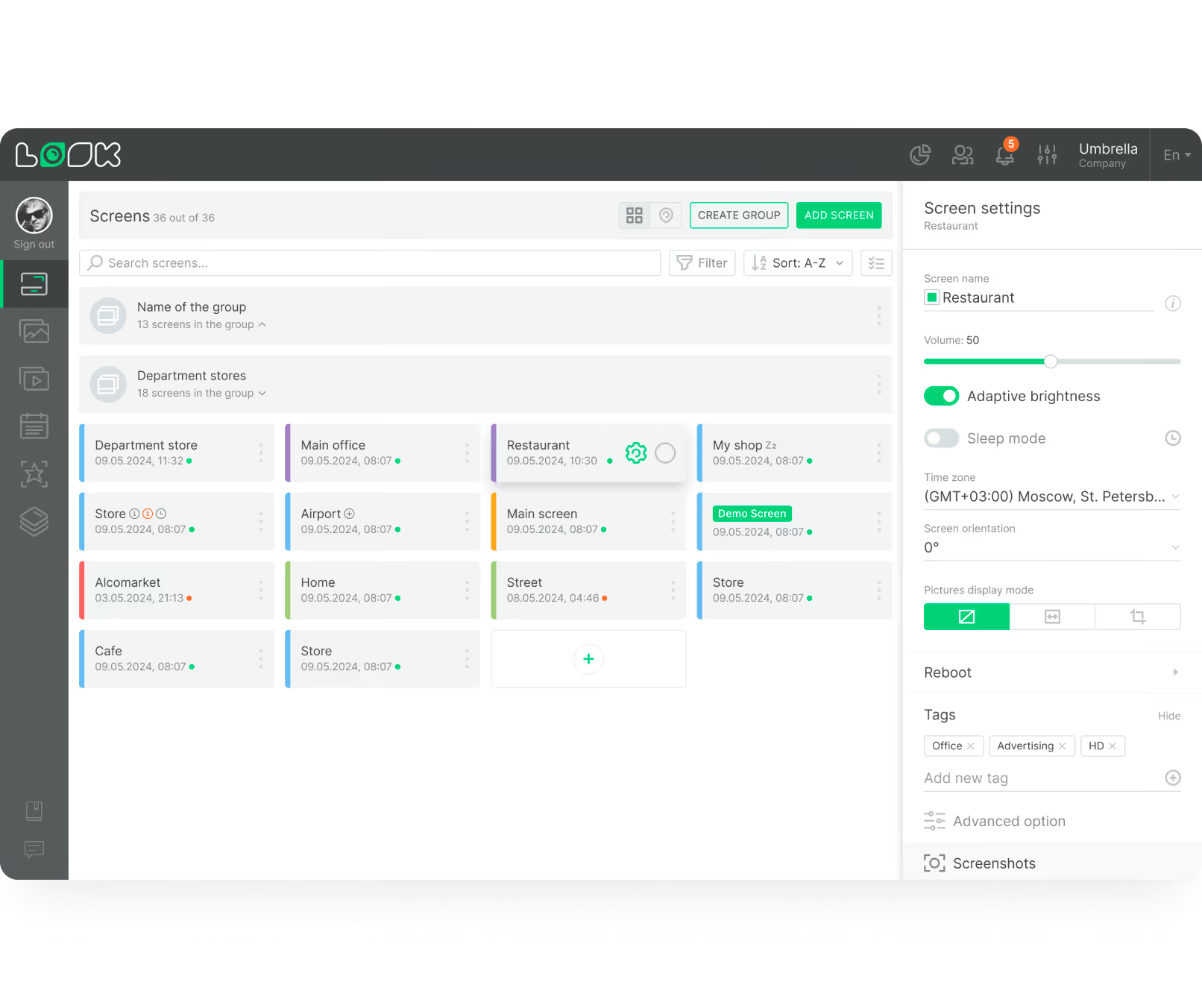
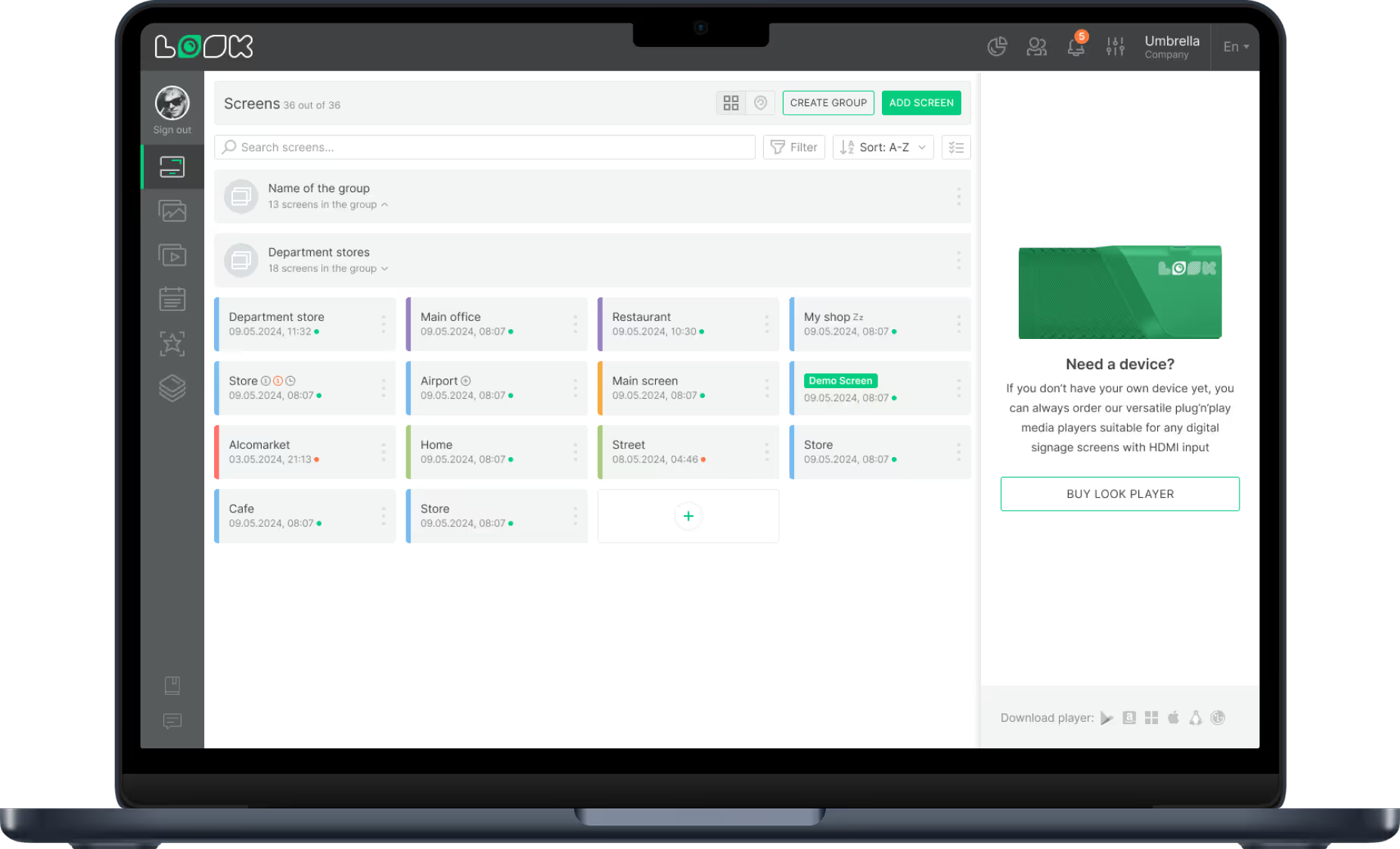
Dashboard screen showing a list of 36 grouped screens with details and status indicators for managing display settings including volume and adaptive brightness for a screen named Restaurant.

Interactive and multimedia capabilities

QR codes, touchscreen menus, loyalty sign-ups, and customer feedback screens — all built into the same platform. Smooth multimedia playback ensures animations and high-resolution videos run flawlessly, adding a layer of polish that elevates the perceived quality of your menu.

Proof-of-play and analytics

Timestamped playback logs confirm that every piece of content ran as scheduled on every screen. Combine POS data with playback analytics to measure how specific promotions impact sales — and report ROI to franchise partners or stakeholders with hard evidence.
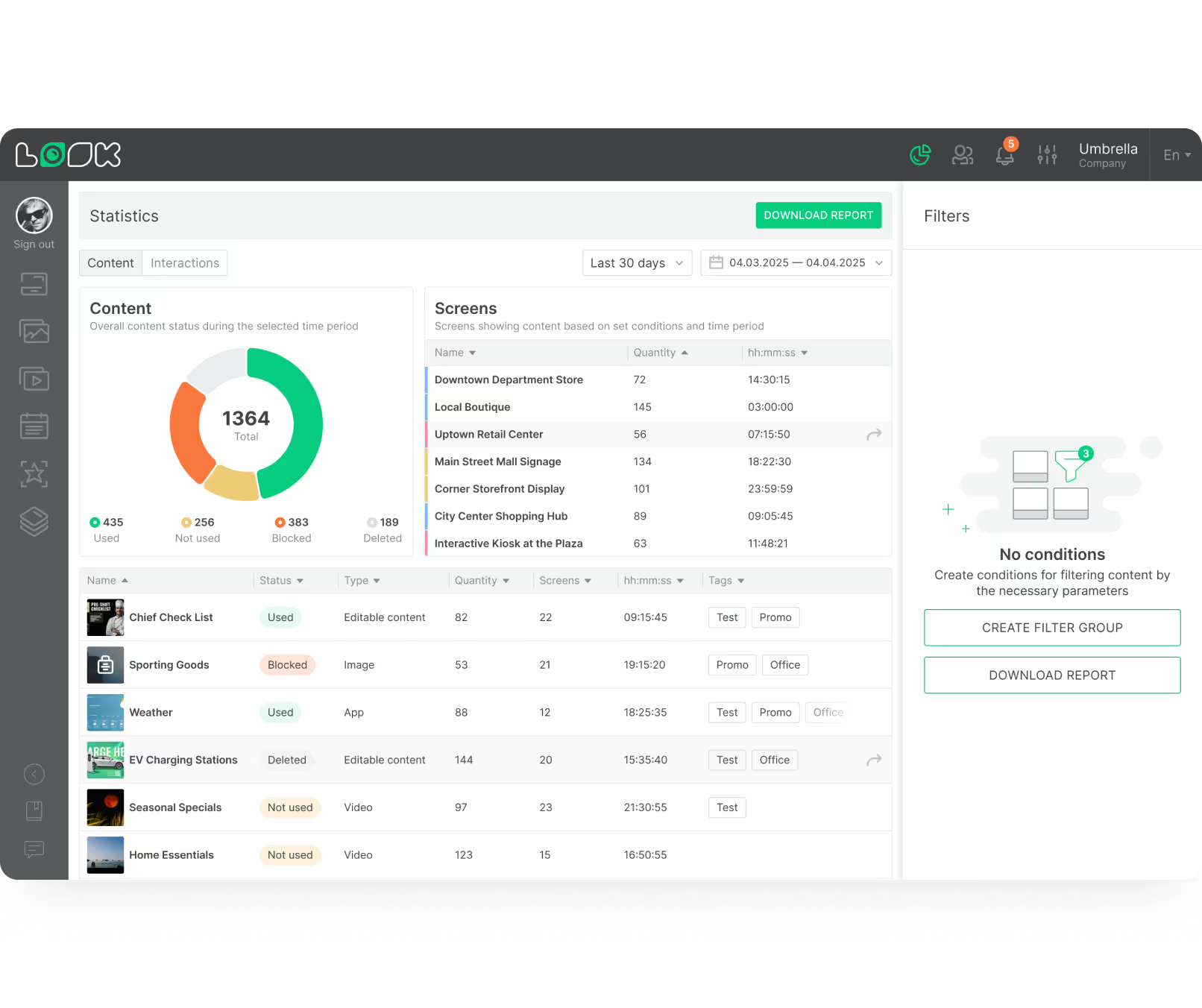
Dashboard interface showing content statistics with a pie chart of used, not used, blocked, and deleted content, a table listing screen names with quantities and durations, and a content list with status, type, quantity, screens, time, and tags.
Digital interface for scheduling playlists by day with weekday and weekend tabs, time slots, and options to add, duplicate, or delete daily schedules.
like
New price
Offline icon
Dashboard screen showing a list of 36 grouped screens with details and status indicators for managing display settings including volume and adaptive brightness for a screen named Restaurant.
UI Screen cards
LB Button Blue
Radial chart
Dashboard interface showing content statistics with a pie chart of used, not used, blocked, and deleted content, a table listing screen names with quantities and durations, and a content list with status, type, quantity, screens, time, and tags.

Content best practices

How to design effective digital menu boards

01

Embrace negative space

Avoid cluttering the display. Utilise negative space, high-contrast typography, and premium imagery so content is instantly scannable from three metres away. If you can't read it in three seconds, simplify — the queue is already moving.

02

Place high-margin items in prime zones

Strategically position high-margin items in the areas of the screen where a customer's eye naturally falls first. Designate a specific layout zone for add-ons — side dishes, premium beverages — to consistently drive higher ticket values without a word from staff.

03

Scale text for the environment

If the queue moves rapidly, keep text minimal and large. For waiting areas where dwell time is higher, you can cycle through slightly more detailed descriptions. Always design for the furthest viewer, not the person standing directly beneath the screen.

04

Use animation to spotlight promotions

Use subtle animation or vibrant colours to make limited-time offers stand out from the standard menu. Creating a sense of urgency around seasonal specials prompts quick buying decisions. Keep the motion brief — it should attract attention, not distract from ordering.

05

Align screens with your brand identity

Your screens should feel like a native extension of your interior design. Incorporate your exact brand colours, fonts, and tone of voice. Consistent branding transforms a price list into an engaging touchpoint that builds recognition and drives repeat visits.

06

Start with ready-made templates

You don't need an in-house design team to achieve professional results. Ready-made digital signage  templates tailored for the food and beverage industry let you launch faster with clean visual hierarchies. Adapt them to your brand and you are ready to go.

Common mistakes

What to avoid when deploying digital menu boards

Cramming your full printed menu onto one screen

A printed menu can list 60 items in small font because customers hold it in their hands. A screen three metres away needs larger fonts, fewer items per view, and clear visual hierarchy — not a digitised version of a laminated card.

Fix: Split categories across multiple screens or rotate them in a playlist. One clear category per screen or slide consistently outperforms ten competing messages on one display.

Using consumer TVs in demanding environments

Consumer televisions are not built for 16-hour commercial days. Drive-thrus, kitchen environments, and outdoor installations generate heat, dust, and humidity that consumer panels are not rated for — leading to early failures and service gaps.

Fix: Use commercial-grade displays for high-demand environments. The Look HDMI Player works with both commercial and consumer screens — choose the right hardware for the location, not just the lowest price point.
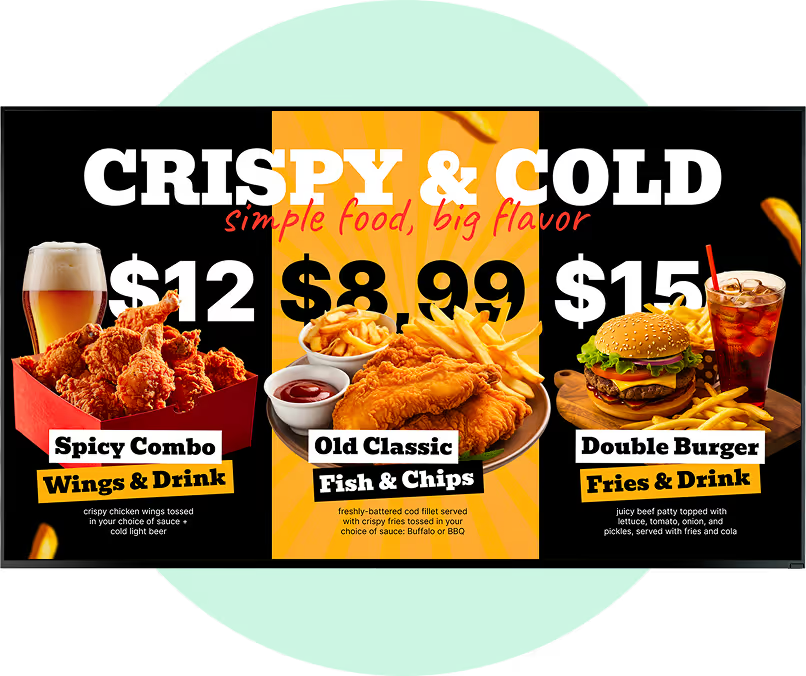
Menu showing three meal combos: Spicy Combo with wings and drink for $12, Old Classic fish and chips for $8.99, and Double Burger with fries and drink for $15.

Skipping POS integration and updating prices manually

Manually keeping menu board prices in sync with your POS is error-prone and time-consuming. Discrepancies between the screen and the register frustrate customers and increase refunds — especially during busy service periods when staff have no time for back-office corrections.

Fix: Connect your POS to Look DS via the API. Price changes and stock-outs in the POS reflect on screens automatically — no manual sync, no discrepancies, no unhappy guests.

Showing the wrong menu at the wrong time

Displaying the dinner menu during the morning rush — or the breakfast menu well into lunchtime — confuses customers and undermines confidence in your operation. Manual menu switching relies on staff remembering to act, which doesn't scale across multiple locations.

Fix: Set up dayparting once in Look DS. Breakfast, lunch, dinner, and happy hour transitions run automatically at the exact times you specify — every day, every location, without a single manual change.

Advertisement for Texasburger with regular bun, 100% beef patty, smoked bacon, ketchup, pickles, onions, smoky sauce, cheese, and Roma tomato, priced at €5.90, offering 30% off on Monday special from 8am to 4pm.

What customers say

Food & beverage operators using Look DS

Captera Rating
4.9
G2 Rating
5

We went with Look, because it gave us the full control of the content that we were streaming to our locations and it also gave us the scalability, which is even more important. Great experience overall.

Alfredo Mier Y Terán
Grupo MYT

Look dramatically simplifies the content management process for us. I can change the menus in a couple of clicks in all the restaurants from any place. It’s really easy-to-use and the solution works just smoothly.

Othman Gabr
Lafontaine Gourmet

Working with Look is been amazing! And one thing I'm excited about even more than experience we already had is the future!


Chris Vaughn
BarrelHouse Brewing Co.
60 000+
Screens
11 000+
Users
120+
Countries

FAQ

Frequently asked questions about digital menu boards

Are digital menu boards worth the investment?

Yes. By replacing recurring printing fees with a scalable software subscription, many businesses recover their initial hardware costs rapidly. The ability to launch targeted, scheduled promotions drives an increase in average order values — providing a measurable return on investment. Most operators eliminate their print budget within the first few months, which alone often covers the subscription fee many times over.

How are menus updated remotely?

Updates are managed through a centralised web dashboard. Log in from any browser, adjust prices, edit templates, and publish. The CMS instantly pushes updated data to connected media players — your screens reflect the latest information without requiring a site visit. For multi-location operators, one click can update every screen in every location simultaneously.

Can digital menu boards integrate with my POS system?

Yes. Professional signage platforms can integrate with leading POS systems via an API. Once connected, menu boards dynamically sync with your database — price adjustments and inventory stock-outs are reflected on screens in real time to prevent order discrepancies and reduce friction at the register.

Are digital menu boards easy to use for staff?

Absolutely. Modern digital signage software features intuitive, drag-and-drop interfaces designed for operations teams, not IT professionals. With minimal training, store managers can update daily specials or adjust schedules — spending less time in the back office and more time focused on the guest experience.

What hardware do I need to get started?

Two options: install the free Look App on a compatible smart TV (Android TV, Samsung Tizen, LG webOS, Amazon Fire TV, and more), or plug in the Look HDMI Player into any screen's HDMI port. Both options pair instantly with your dashboard. For drive-thru and outdoor installations, commercial-grade displays rated for continuous operation are strongly recommended.

What happens if my internet connection goes down?

Your menus keep playing. Look DS caches all scheduled content locally on every media player, so a network outage doesn't produce blank screens. This is especially important for drive-thru installations where outdoor Wi-Fi can be unreliable during peak service hours.

Can I manage multiple locations from one account?

Yes. From one dashboard you can control every screen across every branch — push an update to all locations simultaneously, or target a single screen at one location. Group screens by branch, region, or screen type to make bulk updates fast and precise. Head office can lock in brand standards while granting local managers permission to add location-specific content.

Still have questions?

Our team works with restaurant operators of all sizes — from single coffee shops to franchise networks. We'll help you figure out what setup makes sense for your operation, with no hard sell.

Talk to Our Team

Or browse the knowledge base for technical documentation and setup guides.

Free templates

Launch-ready menu board templates included

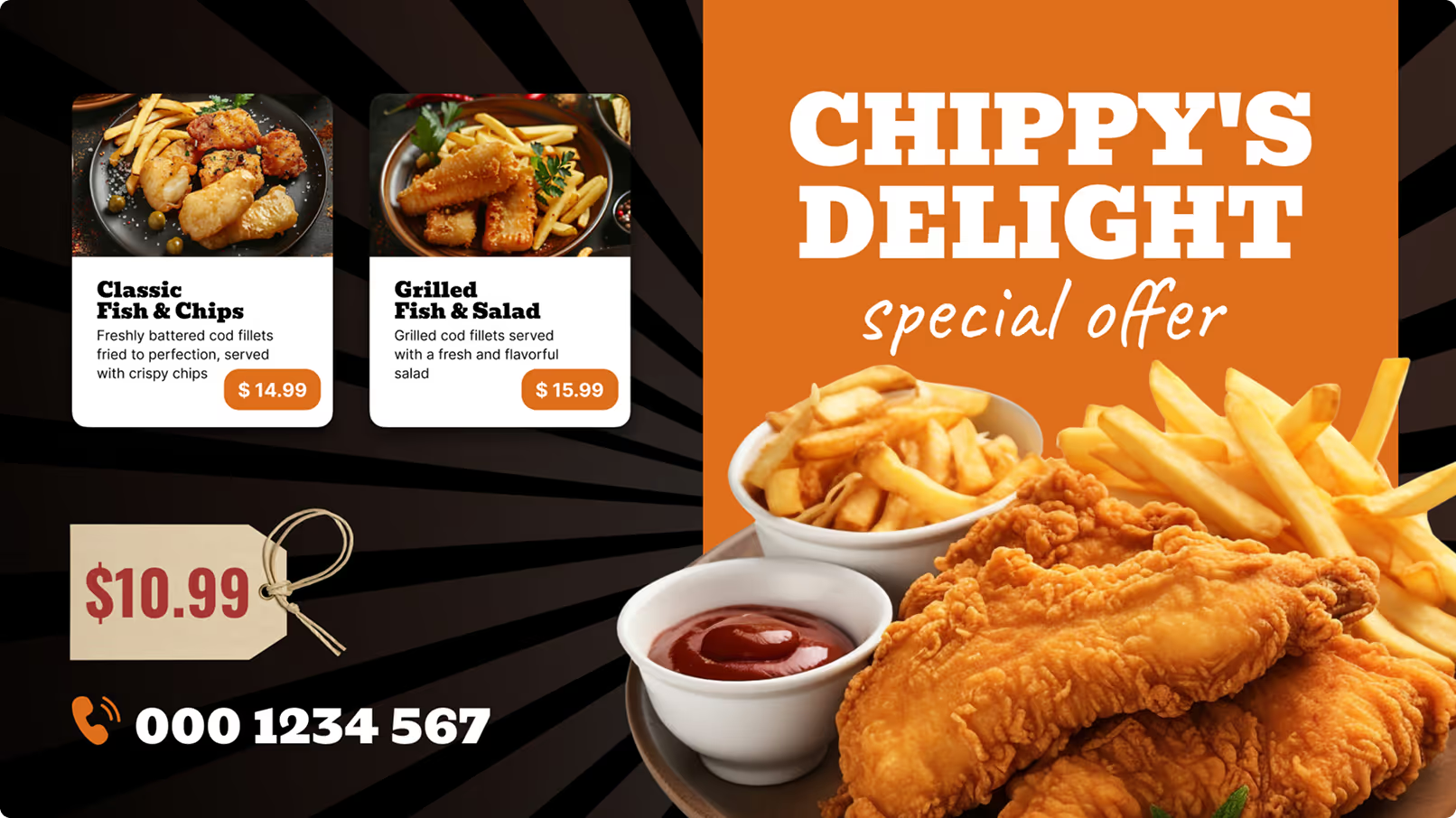
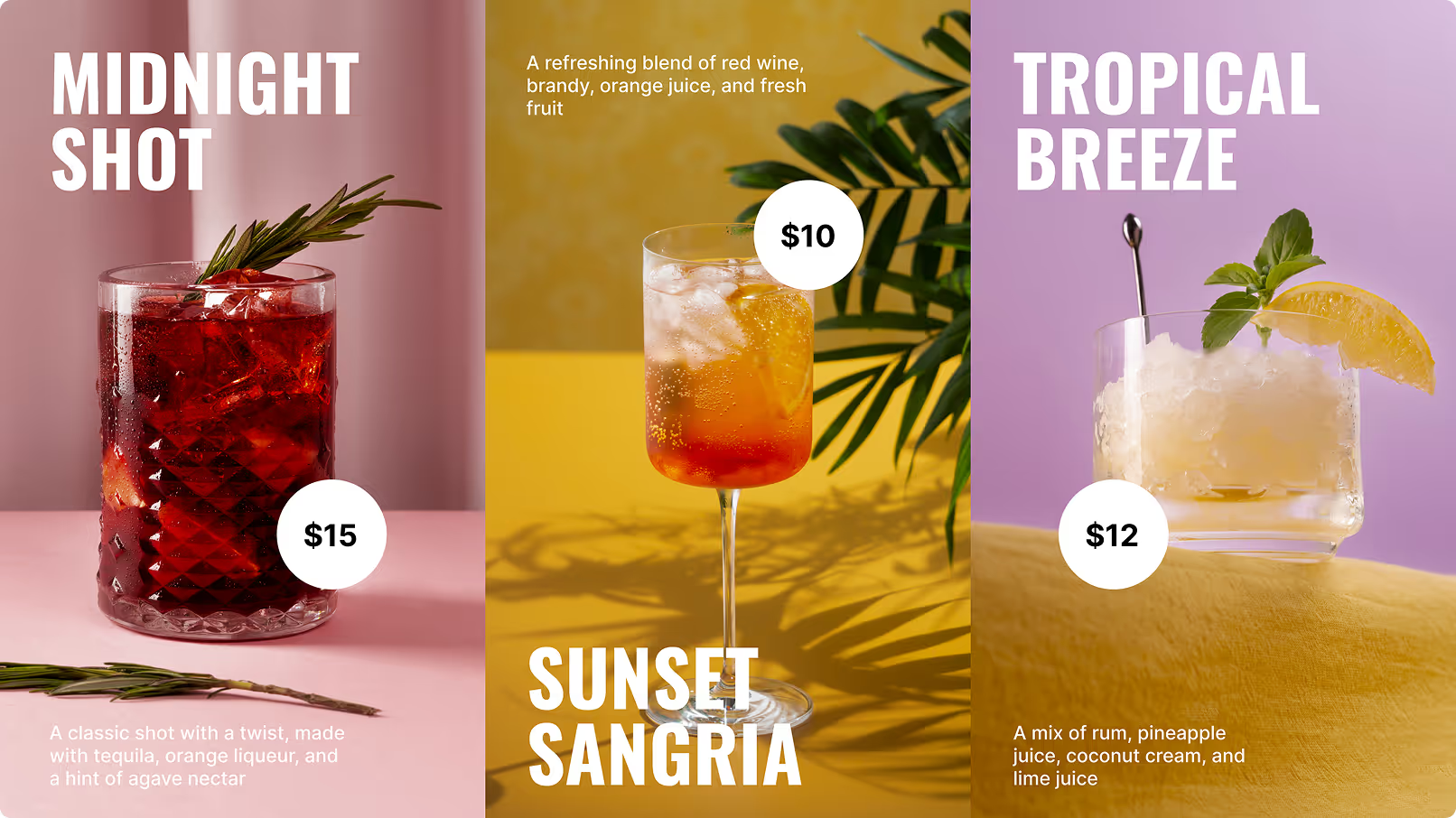
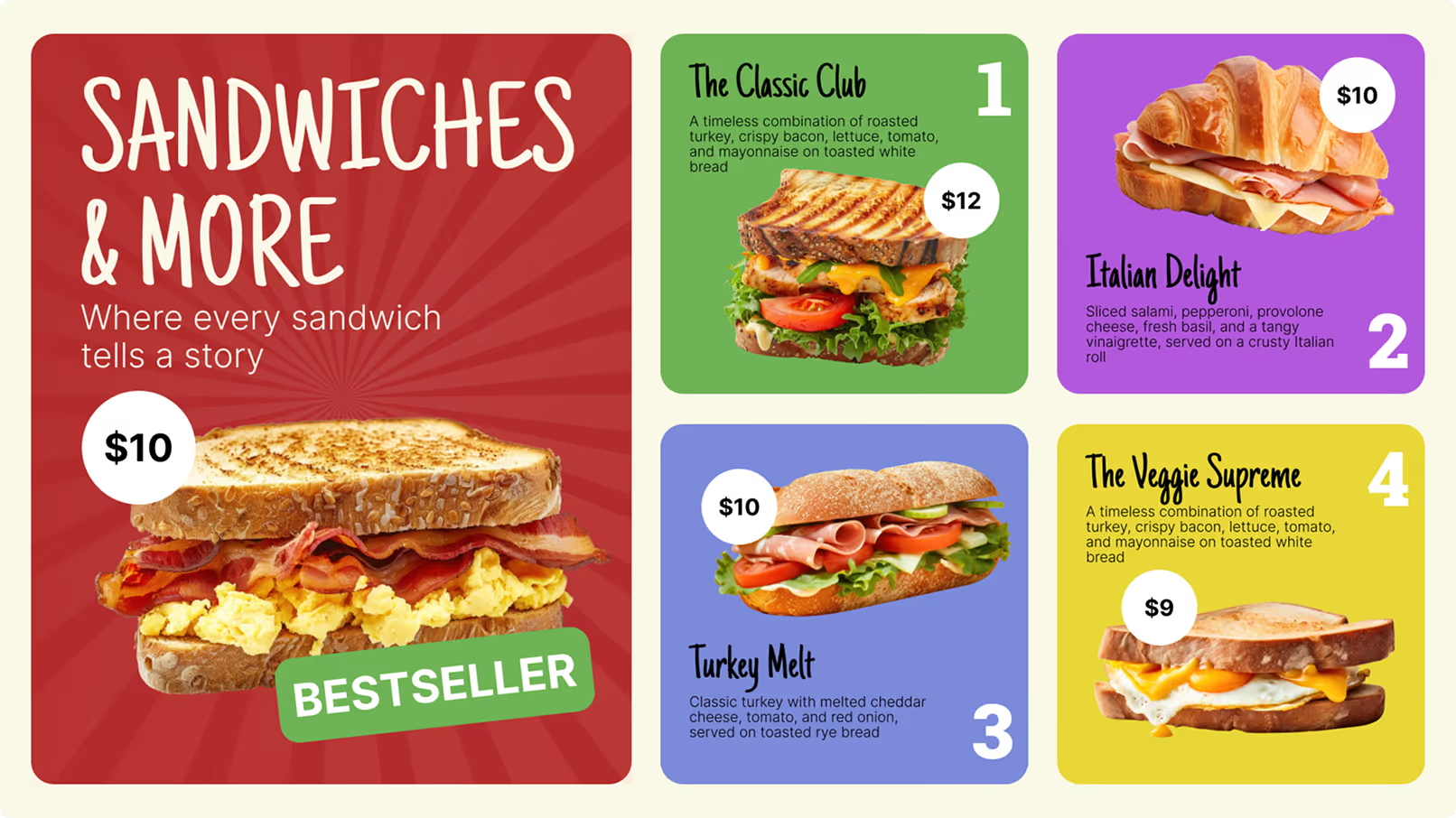
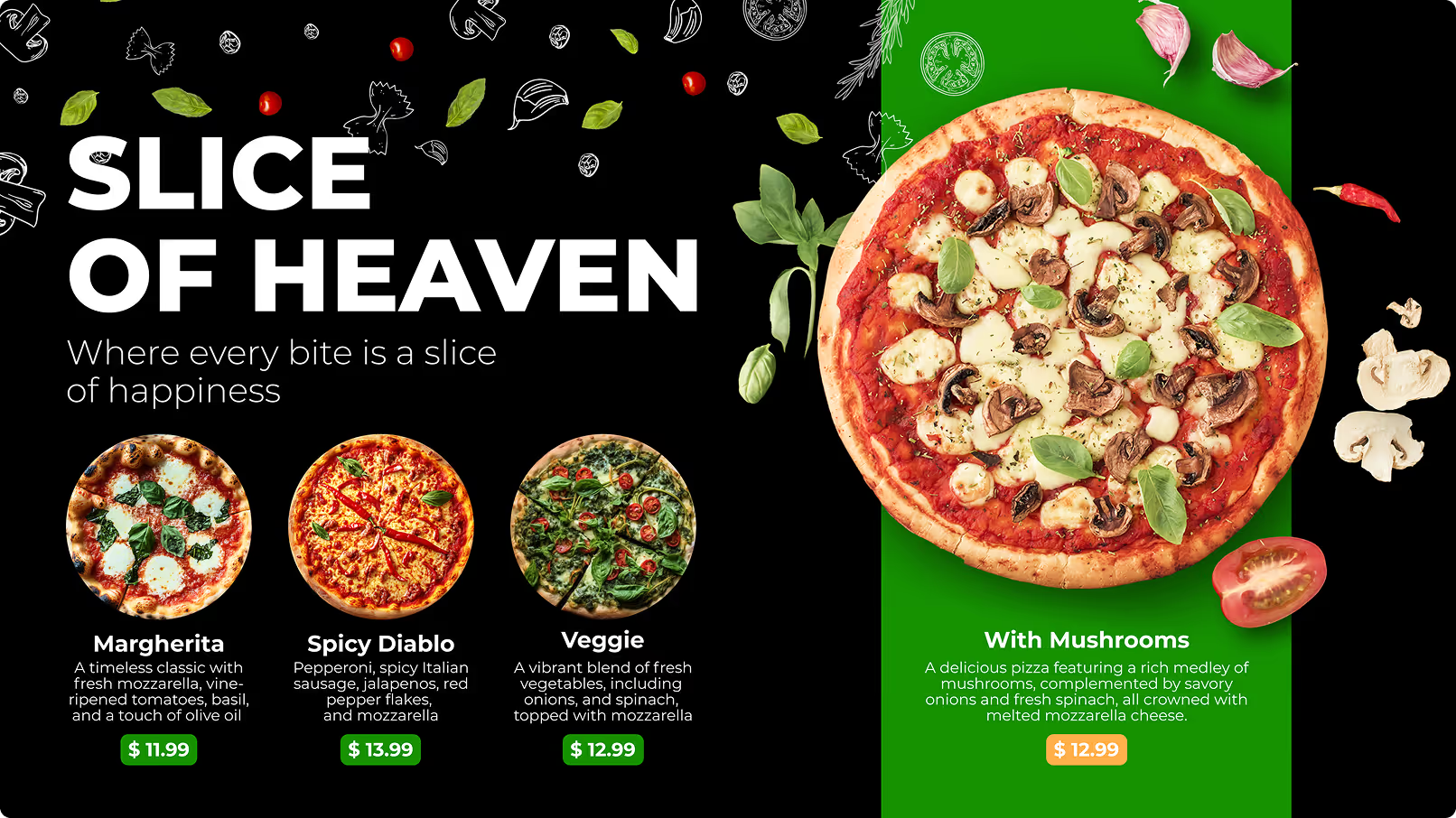
Restaurants and cafes run on tight margins and tight schedules — there is rarely time to design new content for every promotion or seasonal update. Look DS includes a library of professionally designed, food & beverage-ready templates you can customise in minutes.
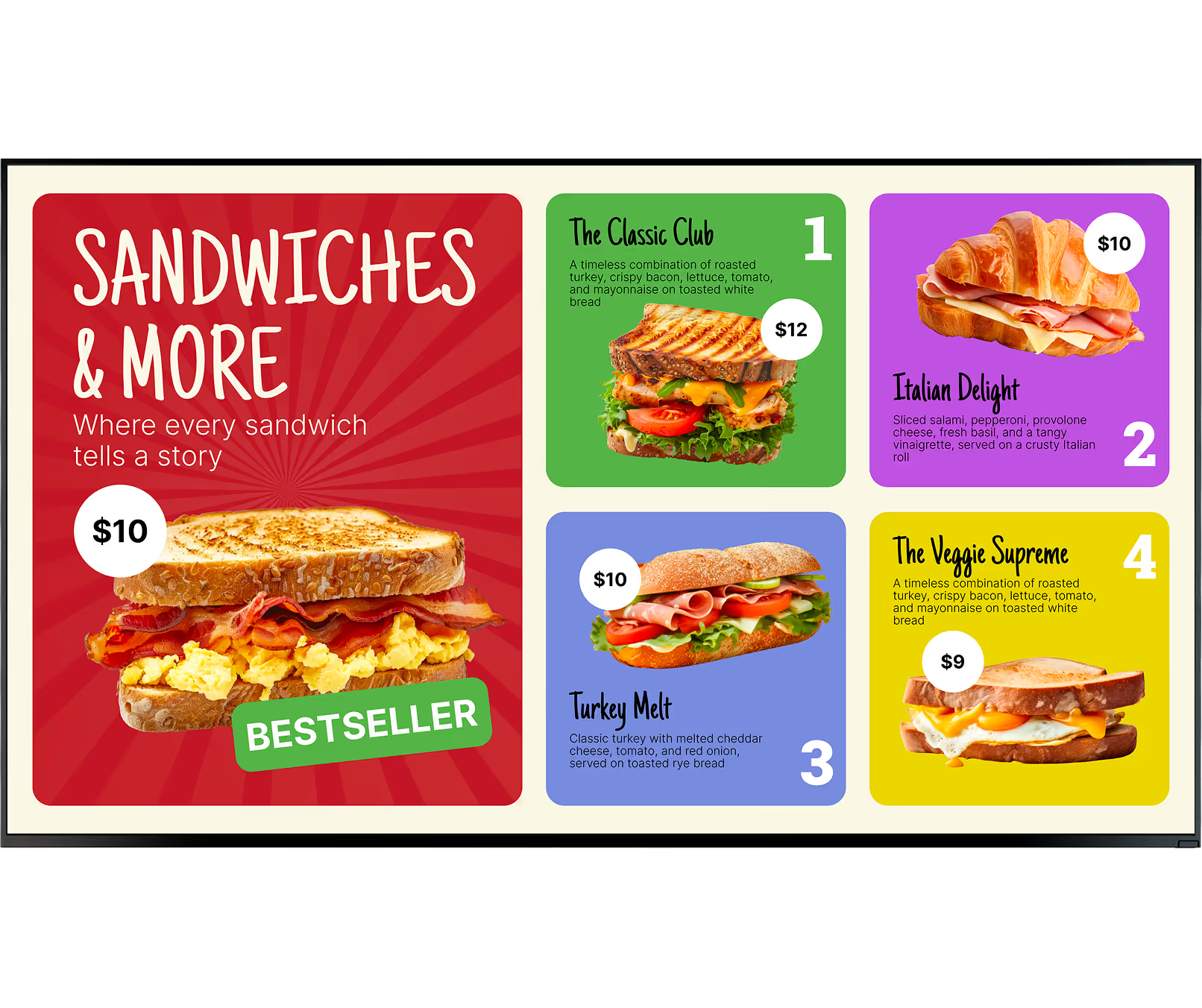
Menu showing four sandwiches: The Classic Club with turkey, bacon, lettuce, tomato, and mayo on white bread for $12; Italian Delight with salami, pepperoni, provolone, basil, and vinaigrette on Italian roll for $10; Turkey Melt with turkey, cheddar cheese, tomato, and onion on rye bread for $10; and The Veggie Supreme with turkey, bacon, lettuce, tomato, and mayo on white bread for $9. Bestseller sandwich with scrambled eggs and bacon on toasted bread for $10 featured on left.