Table of Content
How can you make employees feel valued when emails often go unopened? Employee recognition with digital signage solves this by placing praise where people actually look-in lobbies, break rooms, and hallways. It turns a quiet "good job" into a public moment of appreciation, helping teams feel connected and motivated without adding to their inbox clutter.
Poor recognition is a common reason people leave their jobs, but visible appreciation can change that. When employees see their hard work celebrated on screen, they feel more connected to company goals. Digital signage allows you to share success stories, support your company culture, and build a workplace where everyone’s effort is clearly seen and valued.

What is employee recognition with digital signage?
How does digital signage work for employee recognition?
Digital signage for recognition is simple: it uses TV screens or monitors to display content managed by software. You place screens in high-traffic areas like cafeterias or entrances and connect them to a media player. With a cloud-based platform, you can update every screen from your computer in minutes, no matter where you are.
Modern software makes this process easy for anyone, not just IT teams. You can use ready-made templates to create professional slides with photos and text. Because the system is connected, you can schedule updates to happen automatically. When a team member hits a milestone, the screen updates to celebrate them right away, keeping recognition fresh and relevant.
What types of achievements can be displayed?
You can display almost any kind of win. Digital signage is perfect for quick "thank you" notes or detailed stories about big projects. Common examples include hitting sales targets, finishing safety training, or maintaining a streak of on-time deliveries. It is also great for highlighting soft skills, like a team member who went out of their way to help a colleague.
Personal milestones matter, too. Celebrating work anniversaries, birthdays, and certifications helps people feel like individuals, not just workers. By showcasing achievements from interns to managers, you show that every role is important to the company’s success.

Why use digital signage for employee recognition?
Improves engagement and motivation
Public praise is a strong way to boost morale. When an employee sees their name and photo on a large screen, it validates their hard work and makes them feel respected. This sense of value often leads to higher engagement and better performance across the team.
Visual recognition also sets a clear standard. It shows everyone what success looks like in your organization. When positive behaviors are celebrated publicly, it encourages others to strive for the same results, creating a cycle of improvement and effort.
Increases visibility of achievements
In a busy office, email shout-outs are easily missed. Digital signage cuts through the noise by putting messages in the physical world. A playlist on a loop ensures that even busy staff will eventually see the message while grabbing coffee or walking to a meeting.
This visibility breaks down walls between departments. When the warehouse team sees what the marketing team achieved, it builds a sense of shared purpose. Individual wins become company wins, helping everyone feel like they are part of the same big picture.

Reduces administrative tasks and streamlines recognition
Old-fashioned bulletin boards with printed photos take time to maintain and often look messy. Digital signage software saves you hours by letting you manage updates remotely. You can set up content in advance-like loading all the birthdays for the month-so the system runs itself.
Using templates also speeds things up. You don't need to be a designer to make a nice slide. You can simply swap out the text and photo in a pre-made layout. This makes it easy to keep the recognition program active without wasting staff hours on design work.
Supports a positive workplace culture
A culture of appreciation helps keep your best people. Regular recognition on digital screens shows that the company notices and values effort. It turns the workplace into a more supportive environment where people want to stay.
Screens can also show the human side of your team. Sharing photos from charity events, introducing new babies, or displaying fun facts about staff helps build connections. This sense of belonging is vital for a healthy, happy workplace.
Popular employee recognition ideas with digital signage
Employee of the month displays
The classic "Employee of the Month" is more effective when it is digital. Instead of a static photo, you can use a slideshow with multiple images, a quote from their manager, and a list of their recent wins. This brings their story to life and makes the award feel special.

Celebrate work anniversaries and milestones
Celebrating tenure shows loyalty matters. Use your screens to highlight five, ten, or twenty-year anniversaries. You can add a fun "then vs. now" photo comparison to make the team smile while honoring the employee's long-term commitment.
Publicize peer-to-peer or team recognition
Praise from a coworker often means just as much as praise from a boss. You can display shout-outs submitted by team members. This spreads positive vibes across the floor and ensures that small acts of kindness get the attention they deserve.
Highlight new hires and promotions
Make new team members feel welcome from day one. Display a "Welcome to the Team" slide with their photo, role, and a fun fact. Announcing promotions is equally important; it shows that career growth is possible and celebrates the person moving up.
Share customer feedback and positive reviews
When a customer sends a compliment, put it on the big screen. Sharing positive reviews or thank-you notes reminds employees that their work has a real impact on people outside the building. It reinforces quality and customer service standards.
Showcase company-wide accomplishments
Did the company hit a record sales month? Did you launch a new product? Celebrate these big wins visually. Use bold graphics to congratulate the entire company. This builds collective pride and reminds everyone that they contributed to the success.
Feature real-time goal progress and department achievements
Keep everyone focused by showing progress toward goals. You can display simple dashboards or charts showing safety days without an incident, production targets, or fundraising goals. Seeing the numbers move in real-time helps teams stay aligned and motivated.

Interactive recognition walls and polls
If your screens support it, you can add QR codes to your slides. Staff can scan the code to vote for a "Team Player of the Week" or submit their own kudos. This turns a passive screen into an active tool for engagement.
Incorporate fun elements such as motivational quotes or awards
Not every slide needs to be serious business. A "Monday Motivation" quote or a funny "Coffee Pot Hero" award for the person who always refills the pot can lighten the mood. These small touches make the screens more enjoyable to watch.
Tips for boosting employee engagement with digital signage
Gamify recognition with leaderboards
Friendly competition can boost energy levels. Display leaderboards for sales, training completion, or step-count challenges. Keeping the scores visible encourages people to participate and try their best.

Collect and display employee stories
People connect with stories. Run a short feature on an employee’s career journey or a hobby they are passionate about. This recognizes them as a whole person, not just a worker, and helps colleagues find common interests.
Promote wellness initiatives alongside recognition
Show that you care about health, not just output. Mix your recognition slides with reminders to stretch, hydrate, or take a mental health break. Celebrating a team’s participation in a wellness challenge reinforces a healthy culture.
Feature social media shout-outs and hashtags
If your company is active on social media, bring that content into the office. You can use apps within your signage software to show posts with specific hashtags. Seeing their photos on the office screen helps employees feel like brand ambassadors.
Best practices for recognizing employees with digital signage
Keep recognition timely and relevant
Recognition feels best when it is fresh. Don't wait until the end of the month to say "good job" for something that happened today. Digital signage allows you to update content in minutes, so try to post achievements as soon as they happen.
Keep content accurate and consistent
Make sure everyone gets a turn. If only one department is ever featured, others might feel left out. Use your content management system to track who is being recognized to ensure fairness across all teams.
Target communications to specific departments or groups
Relevant content gets more attention. A safety award might be most important for the warehouse screen, while a sales target matters most in the sales pit. Managing your screens by groups ensures the right people see the right message.
Use engaging visuals and dynamic content
Avoid walls of text. Use high-quality photos, large fonts, and bright colors. The best slides are easy to read in a few seconds. If your software supports it, use video clips or animations to catch the eye.

Encourage participation and feedback
Ask your team what they want to see. Do they like the birthday slides? Do they want more project updates? Gathering feedback helps you tune your content so it stays interesting and meaningful to the people watching it.
Measure the impact of your recognition program
Keep an eye on how your system is running. Check your playback reports to ensure screens are online and content is playing as scheduled. If you use QR codes, track how many scans they get to see which topics generate the most interest.
How to implement a digital signage recognition program
Identify objectives and success metrics
Start with a clear goal. Do you want to improve retention? Boost morale? Improve safety awareness? Knowing your goal will help you decide what content to create and where to place your screens.
Select digital signage hardware and software
For a reliable and scalable setup, Look Digital Signage is a strong choice for businesses of any size. It combines a user-friendly platform with powerful features designed to make recognition easy.
- Look CMS: This cloud-based software lets you manage all your screens from one dashboard. You can upload content, organize playlists, and update screens remotely without needing IT help.
- Ready-made Templates: Look DS includes a library of professionally designed templates. You can quickly customize these for birthdays, announcements, or employee spotlights, saving your team hours of design time.
- Smart Scheduling: You can set content to play at specific times or on specific days. This is ideal for automating anniversaries or ensuring morning announcements only play in the morning.
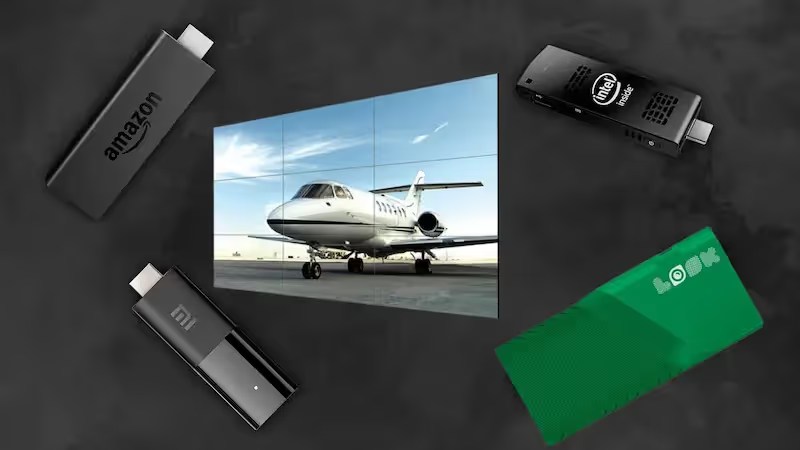
- Look App: If you already have smart TVs or Android players, you can simply install the free Look App to get started. For other screens, the Look HDMI Player offers a plug-and-play solution.
Plan strategic display placement
Put your screens where people pause. Break rooms, cafeterias, and elevator lobbies are perfect "dwell zones" where staff have time to read. High-traffic hallways are great for short, punchy messages.
Develop a content calendar for recognition moments
Consistency is key. Plan your content mix ahead of time. You might have "Motivation Mondays," "Winner Wednesdays," and "Fun Fact Fridays." A calendar helps you keep the screens fresh without scrambling for ideas every morning.
Integrate recognition programs with HR or communications systems
Look for ways to connect your signage to your existing workflow. Integrations allow you to pull data or content from other sources, reducing the need to update everything manually. This keeps your messaging consistent across email, chat apps, and your screens.
Train leaders and employees to recognize peers
Technology supports culture, but people drive it. Teach your managers to look for wins and submit them for the screens. Encourage employees to nominate their peers. When everyone contributes, the recognition feels more genuine.
Common challenges and solutions for digital signage recognition
Overcoming content fatigue and repetition
If a slide stays up for two weeks, it becomes invisible wallpaper. To avoid this, use Smart Scheduling to expire old content automatically. Use features like the Content Creator in Look DS to make new slides quickly so the playlist always looks fresh.
Balancing privacy with public recognition
Not everyone likes the spotlight. Always give employees the option to opt out of having their photo displayed. For these team members, you can focus on team achievements or project milestones rather than personal shout-outs.
Engaging remote or deskless employees
While digital signage focuses on physical spaces, you want to include everyone. Ensure that your "Employee of the Month" is also shared via email or your internal app. This keeps remote workers in the loop even if they aren't walking past the lobby screen.

Ensuring cross-department visibility and fairness
It is easy to focus on sales or production numbers because they are easy to track. Make a conscious effort to highlight support roles like IT, HR, and maintenance. Schedule regular slots in your playlist specifically for these departments.
Choosing the right digital signage solution for employee recognition
Key features to look for
When selecting a platform like Look Digital Signage, ensure it offers:
- Remote Management: The ability to update screens from anywhere.
- Offline Playback: Ensures your screens keep playing content even if the internet goes down.
- Scalability: A system that works just as well for one screen as it does for one hundred.
- Ease of Use: A drag-and-drop interface that non-technical staff can master in minutes.
Comparing scalability and integration options
Your system should grow with you. Whether you are a single office or a global chain, the software should handle multiple locations and time zones easily. Check for simple integrations that let you display social feeds or metrics without complex coding.
Evaluating ease of use and management support
The best tool is the one your team actually uses. Look for a clean dashboard that makes sense immediately. Good support is also vital-access to chat support or help guides ensures you never get stuck.
Budget considerations and cost effectiveness
Digital signage is an investment that pays off by reducing printing costs and saving administrative time. With transparent pricing models, like the subscription options from Look DS, you can predict your costs accurately while gaining a powerful communication channel.
Getting started with your digital signage recognition strategy
Quick setup checklist
- Define 3 main goals (e.g., improve morale, share KPIs, celebrate birthdays).
- Start a free trial with Look Digital Signage to test the software.
- Connect a screen using the Look App or a media player.
- Pick 3-5 high-traffic locations for your screens.
- Create your first 5 slides using templates (Welcome, Shout-out, Goal Progress).
- Assign a team member to manage and update the content weekly.
Success with digital signage
Many companies find that once they install screens, the office atmosphere changes. For example, a busy logistics company might use screens to replace a messy whiteboard. By displaying clear safety stats and "Driver of the Month" awards, they often see a boost in pride and a drop in safety incidents. Simple changes, like automating birthday wishes, ensure no one is forgotten, building a happier community.
Encouraging long-term adoption and continuous improvement
Think of your digital signage as a living channel. Check your analytics to see what is playing and verify that screens are online. Listen to your team's feedback and adjust your content mix over time. By keeping the content relevant and the hardware running smoothly, you create a lasting culture of appreciation. Start small, verify what works, and scale your recognition program as your team grows.