
Table of Content
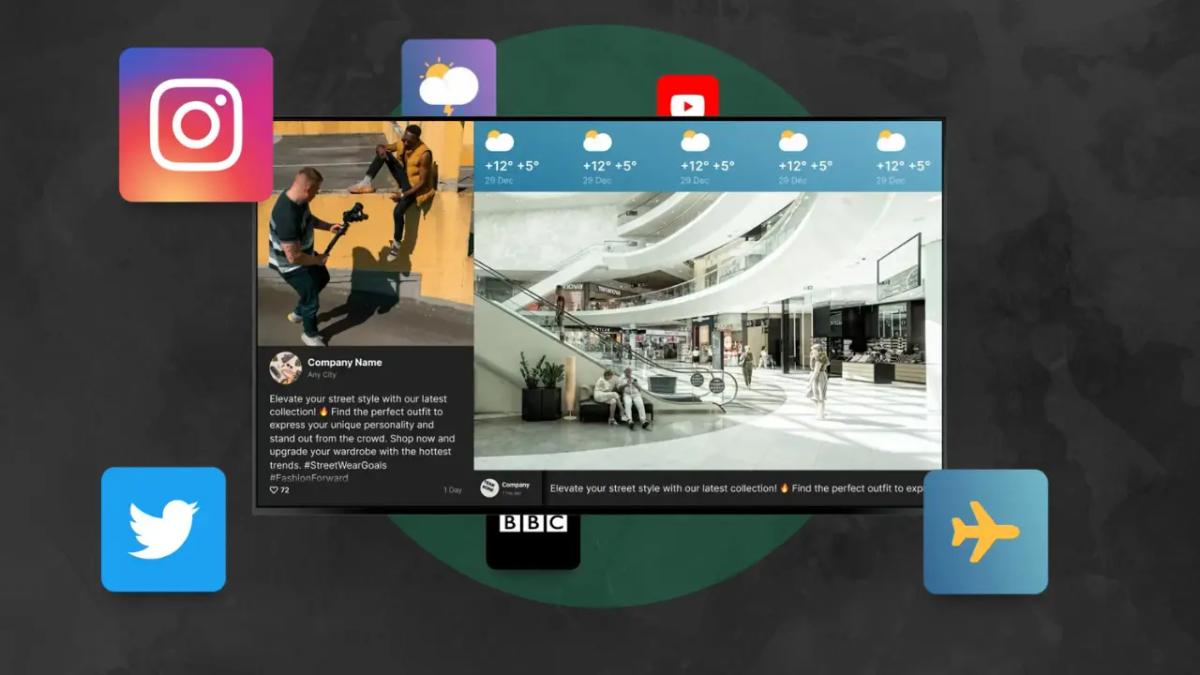
How can you keep your screens fresh without spending hours on design or complicated setups? The answer lies in digital signage apps – automated tools that turn static displays into dynamic information hubs. By using apps for social media, weather, news, and metrics, you can automate content creation and keep your audience engaged with minimal effort.
Creating content for digital signage shouldn't be a struggle. Without the right tools, screens can quickly look outdated, failing to capture attention. However, modern platforms like Look Digital Signage make it easy to manage dynamic content. Using these apps helps your communication succeed, as dynamic visuals are far more memorable than plain text. Whether you run a small local shop or a large retail network, choosing the right mix of apps is key to a reliable, effective setup.
Types of Digital Signage Apps to Include in Your Playlists
Social Media Display Apps
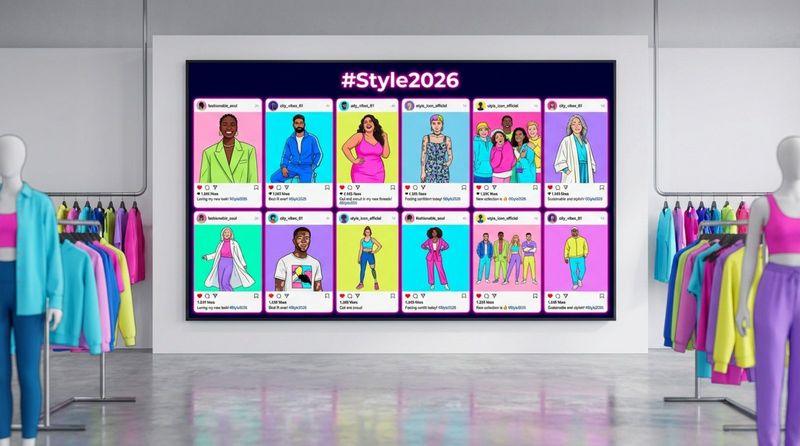
Social media is one of the most flexible tools you can add to your signage plan. Apps that display Instagram or Facebook feeds allow you to showcase your latest posts automatically. Showing content with popular hashtags helps your brand look authentic and active. Research suggests that user-generated content strongly influences purchasing decisions, making social walls a practical tool for building trust.
These apps can also highlight community trends rather than just your own posts. Encouraging customers to share photos or comments that appear on your screens gives them a reason to engage. This real-time social content acts as digital word-of-mouth, supporting both sales and customer loyalty.
Weather and Clock Apps
Weather updates are a simple way to draw the eye. Adding a weather app is an easy win for any digital signage setup. These apps display current conditions for specific locations, providing practical value that keeps viewers watching long enough to see your other messages and promotions.
Clock apps are equally useful. A small clock in the corner of a screen layout doesn't take up much space, but it encourages people to check the display frequently. This constant utility increases the likelihood that they will see your primary content, such as sales or announcements.
News and RSS Feed Apps
News and RSS feed apps act as excellent "infotainment." They allow you to pull content from RSS links and turn it into moving, scrolling items inside your playlists. This adds variety and helps build a habit of checking the screens. Whether you display global news, finance updates, or industry headers, these feeds keep your content updated in real-time without manual work.
RSS tools are particularly useful in corporate offices and waiting rooms. Since the layout is often pre-built into the app, you simply select the feed that fits your audience. This saves time and ensures your screens never display outdated information.
Digital Menu Board Apps
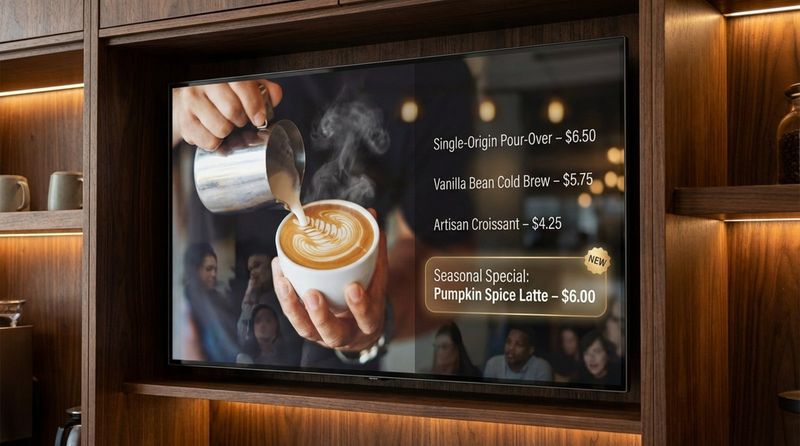
In restaurants and cafes, digital menu apps streamline how prices and items are displayed. These tools allow owners to launch promotions, highlight specials, or mark items as "sold out" in minutes. Instead of manually changing physical signs, managers can push updates to one or thousands of screens from a central dashboard.
Flexible design is a major benefit here. You can use Screen Layouts in Look CMS to add background images, animations, and videos alongside your price lists. This visual appeal can make dishes look more appetizing and encourage customers to try items they might otherwise overlook.
Video and Streaming Apps
Video content often delivers the best results in digital signage. Most people prefer watching a video over reading static text because it is easier to digest. Streaming apps, such as YouTube widgets, are essential as they provide access to a vast library of content. This allows you to keep playlists fresh with relevant videos alongside your branded content.
Streaming video grabs attention effectively. Whether you show product demos or lifestyle clips, video helps customers visualize the value you offer. Since many consumers prefer to see a product in action before buying, high-quality video is a powerful asset for your screens.
Meeting Room and Calendar Apps
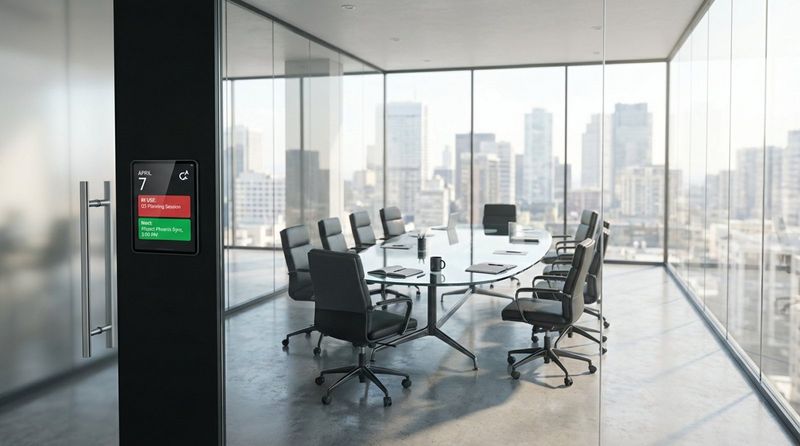
In corporate offices and educational institutions, calendar apps are the foundation of clear internal communication. These apps connect to services like Google Calendar or Office 365 to display upcoming meetings for specific rooms. This helps reduce scheduling conflicts and confusion.
Calendar apps can also share event schedules or deadlines with staff. This keeps everyone aligned and aware of upcoming activities. By automating these updates, you ensure your team stays on the same page without needing to send constant email reminders.
Live Data Dashboard Apps
For data-driven teams, displaying live dashboards is crucial. Apps that integrate with tools like Power BI or Google Sheets can show real-time performance metrics and KPIs directly to employees. This keeps teams focused on their goals and aware of current progress.
Google Sheets is a flexible option for displaying simpler data sets. It can present inventory levels, duty rosters, or production targets clearly. This offers a straightforward way to visualize data without requiring complex integration or coding skills.
Countdown and Queue Management Apps
Countdown timers are effective for creating a sense of urgency. If you show a clock counting down to the end of a sale or the start of an event, it encourages viewers to act quickly. These tools are excellent for building excitement around product launches or limited-time offers.
Queue management apps address the frustration of waiting. They can display ticket numbers on screen, allowing visitors to sit comfortably while tracking their place in line. This improves the visitor experience in locations like clinics, banks, and service centers.
QR Code and Interactive Apps
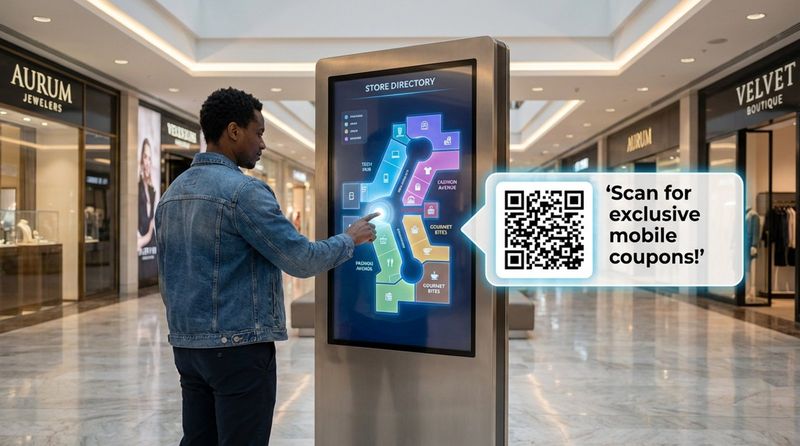
QR codes bridge the gap between your physical screen and mobile content. By displaying a QR code, you can direct viewers to a website, survey, or digital menu with a single scan. Interactive Scenarios in Look CMS go further by allowing you to build touch-based experiences without coding. Interactive kiosks can significantly increase engagement compared to static displays.
Interactive screens keep people engaged longer. They allow users to browse catalogs or find directions at their own pace. Additionally, they can provide insights into what content users interact with most, helping you refine your strategy over time.
Most Popular Digital Signage Apps for Playlists
YouTube
YouTube is a staple for many digital signage networks. Its vast content library makes it easy to add entertainment or educational material to a playlist. You can stream a specific video, a curated playlist, or a live stream. Reliability is key here, so ensure your digital signage software handles buffering and playback smoothly.
Many businesses run their own channels to display targeted content in-store. This allows you to mix professional brand videos with third-party content, creating a rich viewing experience that keeps audiences interested.
Instagram is a top choice for businesses focusing on visual appeal and social proof. By streaming posts to your screens, you keep content current and vibrant. This is particularly effective in retail and hospitality environments where aesthetics matter. It helps present your brand as modern and connected.
Displaying user-generated content via hashtags builds trust. When customers see real people enjoying your products on a large screen, it validates their purchasing decision. This is a simple way to strengthen your brand image using content that is already being created by your community.
Google Slides
Google Slides is a practical tool for teams that need to update content quickly without design skills. Since many users are already familiar with the interface, there is almost no learning curve. You can create a slide deck and publish it to your screens in minutes.
For the best results, combine Google Slides with other dynamic apps. This keeps your core informational messages easy to manage while the rest of the playlist remains active and engaging.
Weather Apps
Weather apps are popular because they provide instant value. From a management perspective, they are "set and forget." You simply select the location, and the app updates automatically. Look CMS offers built-in weather apps that allow you to customize the look to match your branding.
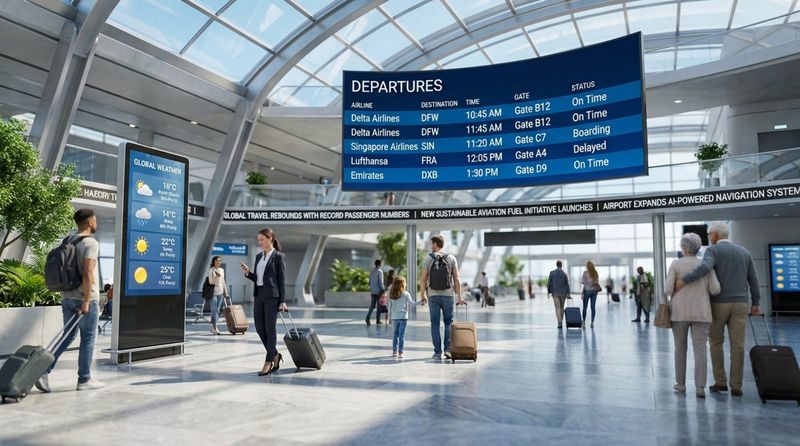
In venues like stadiums or transport hubs, weather updates are essential for safety and planning. When viewers rely on your screens for helpful information, they are more likely to pay attention to your promotional content as well.
RSS Feed Apps
RSS feeds are a reliable way to automate content updates. They allow you to display news headlines, industry updates, or company blog posts automatically. Because they refresh on their own, they ensure your screens never look abandoned. You can choose feeds that are relevant to your specific audience to keep them looking.
This live connection to the web distinguishes professional digital signage from a simple USB stick playing a video loop. It ensures that the information on the screen is always current.
Room Booking Apps
Room booking integrations are standard in modern offices. They manage meeting spaces by displaying availability at the room entrance. This prevents double bookings and helps employees find free space quickly. Connecting these apps to your existing calendar system automates the entire process.
In educational settings, these apps help students and staff identify where classes or events are held. Using touch-enabled screens allows for instant booking, optimizing space usage throughout the day.
Google Sheets
Google Sheets acts as a versatile data source for many displays. It is a free tool that can feed data into your digital signage layouts. You can use it to display price lists, timetables, or team targets. While simple in design, it offers great flexibility for internal communications.
Many businesses use Google Sheets to power digital menu boards. A change in the spreadsheet updates the price on the screen instantly. This eliminates the need to edit image files every time a price changes.
Web Page Display Apps
Web page apps allow you to leverage your existing online assets. Your website is often your most up-to-date resource, and displaying specific pages on your screens ensures consistency. You might show a "Current Offers" page or a live dashboard.
Look CMS allows you to display these URLs reliably. In many cases, the system can handle complex HTML5 content, allowing for motion and interactivity directly from the web source.
News Ticker and Scroller Apps
News tickers are excellent for displaying short, urgent messages without interrupting the main content. A scrolling text bar at the bottom of the screen can share news, safety alerts, or quick announcements. You can customize the speed and color to ensure it grabs attention without being distracting.
These are widely used in corporate and banking environments for real-time updates. In retail, tickers can promote flash sales or limited-time offers, adding a layer of urgency to your playlist.
Essential Features and Solutions within Look Digital Signage
Integrations and Third-Party Apps
Look Digital Signage is designed for businesses that need to connect their screens with the tools they already use. Look CMS supports integrations with popular services like Zapier, allowing you to trigger content updates from thousands of other apps. This is ideal for corporate environments where displaying internal news or Slack updates is a priority.
For teams that need custom connections, the Look API allows for deep integration into internal workflows. Whether you need to display Power BI dashboards or automate alerts, Look provides the stability and security required for professional networks.
Interactive Scenarios
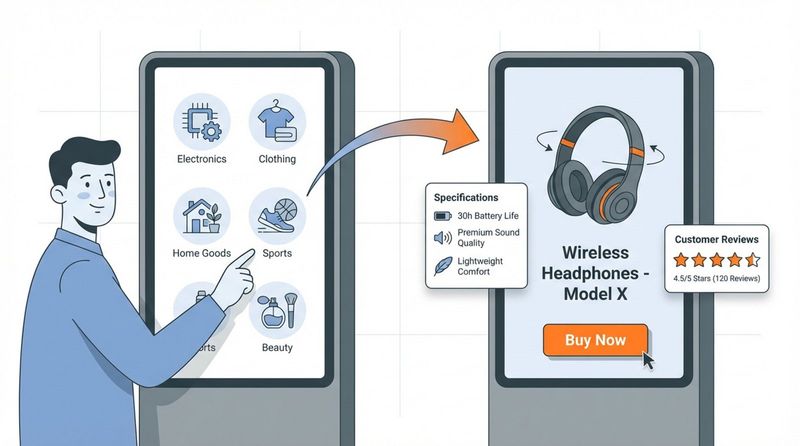
Look CMS includes a powerful feature called Interactive Scenarios. This tool lets you build touch-based layouts using a simple drag-and-drop interface, with no coding required. You can create interactive catalogs, wayfinding maps, or feedback surveys that transform passive screens into helpful kiosks.
This feature is a strong fit for retail, hospitality, and museums where visitor engagement is a goal. It allows you to create a two-way communication channel, providing a better experience for the user and valuable data for your business.
Smart Scheduling
For precise control over your content, Look DS offers Smart Scheduling. This feature allows you to automate exactly when and where your content plays. For example, a restaurant can schedule breakfast menus to switch to lunch menus automatically at a specific time, saving staff from manual updates.
You can set recurring schedules, expiry dates for promotions, and complex looping rules. This ensures that your messaging is always relevant to the time of day and the specific audience present.
Content Creator and AI Wizard
If you don't have a designer on staff, the Content Creator inside Look CMS is a perfect solution. It offers a library of Ready-made Templates that you can customize in minutes. Additionally, the Look AI Wizard can help generate headlines and images instantly, speeding up the creation process significantly.
This tool is built for speed and simplicity. It allows marketing managers and business owners to produce professional-looking visuals without needing expensive software or external agencies.
On-Premise and Custom Control
For organizations with strict security policies or those that require full control over their data, Look offers an On-Premise Digital Signage solution. This allows you to host the software on your own servers while maintaining the same easy-to-use interface.
This is a strong fit for banks, healthcare providers, and government agencies. It ensures compliance with internal data regulations while still providing powerful remote management capabilities.
Look App for Education and Nonprofits
Look Digital Signage is widely used in schools and universities to improve campus communication. The Look App works on various operating systems, allowing schools to use existing hardware. Teachers and administrators can use simple templates to share announcements, safety alerts, and event reminders.
The ability to manage screens remotely saves administrative time and ensures that important information reaches students and staff instantly. It replaces cluttered bulletin boards with clean, digital updates.
Offline Playback and Reliability
Reliability is critical, especially for screens in public spaces. Look DS features Offline Playback, which ensures your content continues to run even if the internet connection drops. The content is cached locally on the player, preventing black screens or error messages.
Additionally, the Monitoring tools in Look CMS allow IT teams to check the status of every screen in the network. You can see proof-of-play logs and device health, ensuring that your critical messaging is always visible.
How to Choose and Add Apps to Your Digital Signage Playlists
Checking App Compatibility with Your CMS
Before adding apps, ensure they work seamlessly with your software. Look CMS includes a variety of built-in apps and widgets designed to work perfectly with the platform. Using these native apps ensures better stability and easier configuration compared to trying to force incompatible web content onto a screen.
Scheduling and Display Settings for Apps
Once you select your apps, plan when they should appear. Smart Scheduling allows you to assign specific playlists to different times of day or days of the week. This is vital for relevance; showing a lunch menu at 9 AM is a wasted opportunity.
Consider the duration of each item. How long should the weather widget stay on screen? If it's too short, viewers won't absorb the info; too long, and they get bored. Adjusting the timing in your playlist settings is key to keeping the content flow natural and engaging.
Best Practices for App Integration
A best practice is to manage everything remotely via the cloud. This allows you to update content on screens across multiple locations from anywhere. Cloud management supports instant updates, which is crucial for urgent announcements.
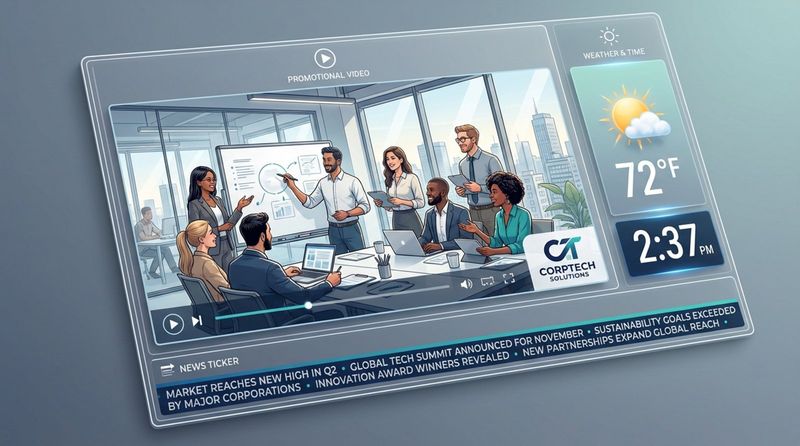
Another effective strategy is to use Screen Layouts to create zones. You can display a primary video in the main zone while keeping a clock, weather widget, or news ticker in a sidebar or footer. This maximizes the utility of the screen space without cluttering the main visual message.
Tips for Creating Effective Digital Signage Playlists with Apps
Mixing Content Types for Maximum Impact
Great playlists rely on variety. A loop consisting solely of static ads will eventually be ignored. Instead, mix your promotional content with useful apps like weather, news, or social feeds. This balance keeps viewers watching and increases the chances they will notice your ads.
Treat your playlist like a broadcast channel. You need interesting "content" (the apps) to hold attention, interspersed with your "commercials" (your promotions). This approach builds a habit of viewing and keeps the screen relevant to the audience.
Timing and Frequency of App Content
Timing is everything. Consider the "dwell time" of your audience. In a waiting room, you have minutes to tell a story; in a hallway, you have seconds. Your app content should match this pace.
Don't let one app dominate the loop. A good rule of thumb is to show one informational app for every two or three promotional slides. This maintains the utility of the screen while ensuring your business goals are met.
Monitoring and Improving Playlist Performance
To ensure your strategy works, use Playback Analytics and Proof-of-Play tools. These features in Look CMS show you exactly what played and when. If a specific app isn't loading or a screen is offline, you can address it immediately.
Digital signage is not a "set and forget" channel forever. Use data to refine your content. If you see high engagement with social feeds but low traction on static ads, adjust your mix. Continuous improvement based on data leads to better ROI.
Common Mistakes to Avoid When Using Apps in Digital Signage Playlists
Overloading Playlists with Too Many Apps
A common error is trying to display too much at once. Crowding a layout with a ticker, weather, social feed, and video simultaneously creates visual chaos. This overwhelms the viewer and often results in the message being ignored entirely.
Focus on clarity. Choose two or three key apps that provide genuine value to your audience. Remember, the goal is clear communication, not demonstrating every feature of the software at once.
Inconsistent Update Schedules
Stale content destroys trust. If your news ticker shows headlines from last week, viewers will stop looking at the screen. Automated apps help prevent this, but manual content like slides must be refreshed regularly.
Leverage automation wherever possible. Tools like RSS feeds and social walls keep content fresh without manual intervention. For custom content, set reminders to update your playlists via the Look CMS dashboard.
Neglecting Audience Relevance
Just because an app is available doesn't mean it suits your environment. A high-energy sports ticker might be perfect for a sports bar but completely wrong for a quiet spa. Always ask if the content adds value to the specific people currently in the room.
Keep your audience's needs front and center. Digital signage is a communication channel, and effective communication requires understanding who you are talking to.
As technology evolves, features like the Look AI Wizard are making it easier than ever to create professional, dynamic content. Smart playlists that react to data triggers are becoming the standard, transforming screens from simple displays into responsive tools. By selecting the right mix of apps and managing them through a reliable platform like Look Digital Signage, you can turn your screens into powerful assets that drive engagement and results.


