Table of Content
Setting up digital signage is more than plugging in a screen and pressing play. It’s about building an experience that grabs attention, keeps people interested, and supports real business goals. In today’s digital-focused environment, clear communication is key, and digital signage gives you a flexible, eye-catching way to reach people. To get the most out of it, you need a clear plan-from defining goals to ongoing updates and improvements. This guide explains best practices for a high-impact digital signage setup and walks you through each main step so your screens become strong communication tools.

What Is Digital Signage Setup and Why Does It Matter?
Digital signage setup is the full process of planning, installing, setting up, and running digital screens to show changing content. It covers choosing hardware and software, creating visuals, and placing screens in the right spots. Unlike printed signs, digital signage supports real-time updates, interactivity, and multimedia, making it a flexible and engaging way to share information.
A good digital signage setup can make the difference between a screen no one notices and a real business asset that improves customer experience, speeds up processes, and supports revenue. A thought-out rollout helps turn basic screens into useful channels that inform, guide, and encourage people to act.
Key Benefits of Effective Digital Signage
When used well, digital signage brings strong benefits across many sectors:
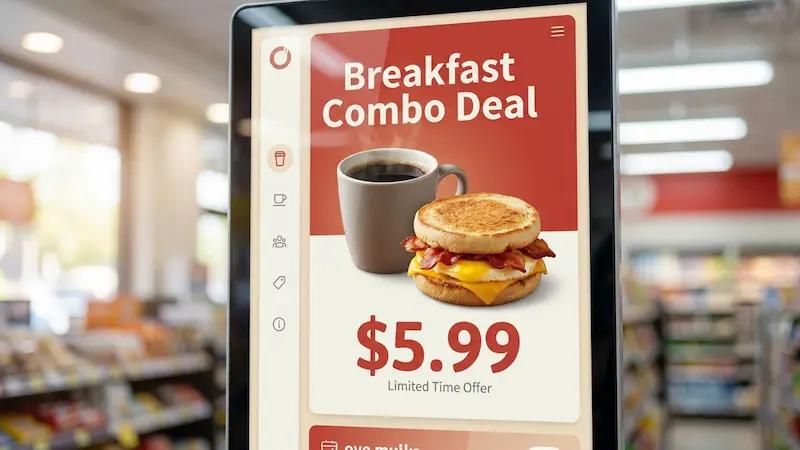
- Retail: Promote offers and new products to push instant purchases and upsells.
- Corporate: Share updates, announcements, and health and safety info to cut internal communication delays (often by up to 30%).
- Public spaces: Provide directions, schedules, alerts, or live updates.
Digital signage can increase engagement by up to 47% compared to static signs. It catches the eye, presents information visually, and keeps people interested. With consistent branding and messages across all screens and channels, you build recognition and trust. Done right, digital signage improves the customer journey, reduces wait times, and helps grow sales-often leading to a strong return on investment.
Risks of Poor Setup and Management
A weak setup can hurt more than it helps. Blurry text, stretched images, wrong screen ratios, or old promotions can annoy viewers and damage your brand image. Issues like unstable networks can cause content to freeze or stop, and a lack of content planning can fill screens with confusing or irrelevant messages.
Common mistakes include:
- Unreliable network connections causing buffering or disconnections
- Too much content on screen, overwhelming viewers
- Inconsistent branding across screens, weakening recognition
Without planning and ongoing care, digital signage can become a “set it and forget it” project that quickly fades into the background, wasting time and money and missing chances to engage your audience.

How to Define Clear Objectives for Your Digital Signage
The first and most important step is knowing what you want your digital signage to achieve. This is the base for your whole project. Without clear goals, your screens may look nice but fail to support your business.
Before buying any hardware or software, ask: “What problem am I solving, or what opportunity am I using with this digital signage system?” Clear, specific objectives will guide content, hardware choices, layout, and placement and will make it easier to measure success.
Setting Measurable Goals for Maximum Impact
Your goals should be specific and trackable. General wishes like “increase sales” are not enough. Use targets you can measure over time. Examples:
- Sales goal: “Increase retail sales by 15% during promotion periods by showing offers and discounts on digital screens.”
- Internal communication goal: “Cut internal communication delays by 30% with digital boards for company news and meeting reminders.”
- Customer experience goal: “Increase dwell time in-store by 20% by showing product highlights, tips, or event countdowns.”
Helpful KPIs (Key Performance Indicators) include engagement rate, foot traffic, and conversion rate. Tracking these lets you make data-based changes to content and placement and keep improving over time.
Aligning Digital Signage with Brand and Marketing Strategy
Your digital signage should work as part of your wider marketing and branding, not as a separate effort. Content, visuals, and tone on your screens should match your website, social media, and print materials. Use your logo, brand colors, and standard fonts to build recognition and consistency.
Think about how screens can support other campaigns. For example:
- Show current social media promotions on in-store displays.
- Use campaign data from email or social channels to guide on-screen content.
This joined-up approach strengthens both your digital signage and your overall brand, leading to better engagement and more conversions.
What Are the Essential Components for Digital Signage Setup?
Beyond strategy, the hardware and software you choose will shape how well your system works. You need reliable displays, media players, network connections, and mounts that can handle long hours and different environments while showing content smoothly.
Each part matters-from screen clarity to playback stability-and together they define the viewer’s experience.
Displays: Commercial vs. Consumer Options
You usually choose between commercial and consumer displays:
Commercial displays are better suited to public areas and long hours. Consumer TVs may seem cheaper but often wear out faster, especially in 24/7 setups, leading to more replacements and higher costs over time.

Media Players: Types and Performance Factors
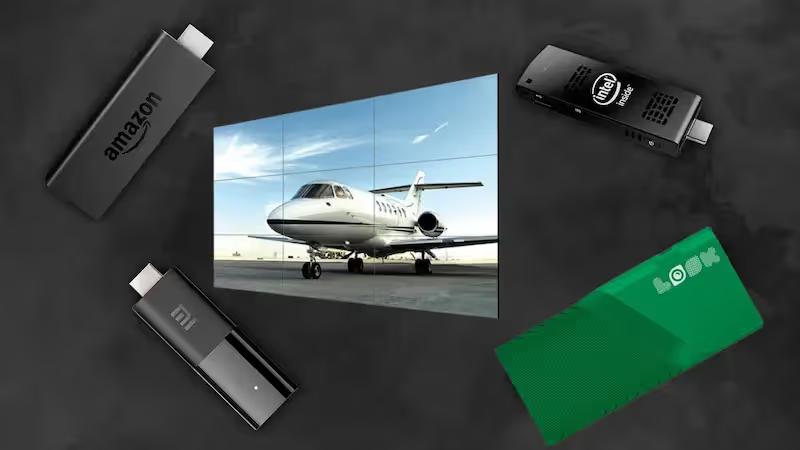
The media player sends content to the display. While many devices can do this, dedicated signage players are usually the best choice. Devices like the Look HD-2222 are built for constant use and usually offer:
- Remote management
- Easy scheduling
- Support for HD or 4K video
- Stable, smooth playback
Cheaper players under $50 can work for basic setups but may:
- Auto-install updates and show system screens or apps
- Offer little control over appearance
- Have fewer management and security options
When picking a player, think about content type (static vs. video-heavy), number of screens, remote control needs, and how stable you need the system to be.
.webp)
Connectivity: Wired and Wireless Solutions
A stable network connection is key for updating and syncing content:
- Wired (Ethernet): Best for reliability, speed, and security. Ideal for many screens, HD/4K video, and busy locations.
- Wireless (WiFi): Easier to install and more flexible but more likely to suffer from weak signals or interference.
If using WiFi, test signal strength where screens will be, and consider access points, boosters, or a separate SSID just for signage traffic to keep performance steady.
Mounting and Structural Considerations
How and where you mount your screens affects safety, visibility, and overall look. Good practice includes:
- Using proper mounts rated for screen size and weight
- Positioning at eye level in high-traffic areas for better visibility
- Checking wall or ceiling strength before installation
Cable management also matters. Use raceways, conduits, or trays to keep cables neat and hidden. Plan for power: typically you need two outlets per screen (display + media player) and surge protectors to guard against power spikes. Where wiring is tough, explore low-profile cable routing or, where feasible, specialized power solutions.
How to Select the Right Content Management System (CMS)
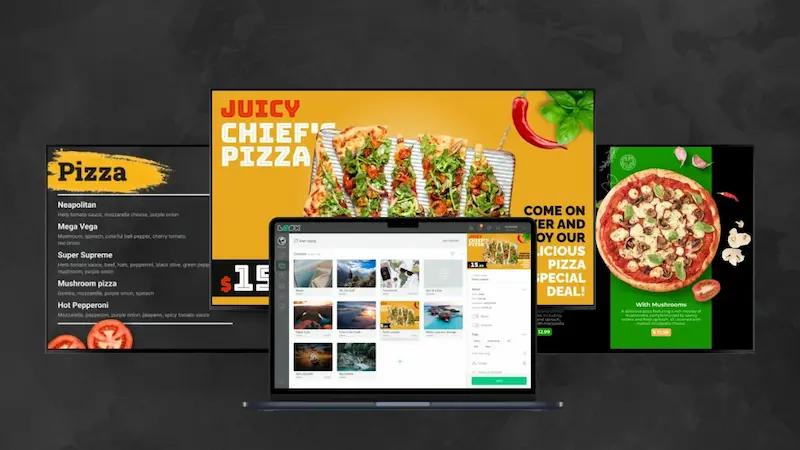
The CMS is the control center of your digital signage. It lets you create, schedule, update, and manage content across screens. Without a strong digital signage software, even a small network can become hard to manage, especially across multiple sites.
Your CMS choice affects how easy your system is to run, how flexible your content can be, and how much value you get from your screens.
Features to Look for in a CMS
A good digital signage CMS should help you work faster, not slower. Look for:
- Real-time updates: Push new content or alerts to all screens instantly.
- Flexible scheduling: Change content by time of day, date, season, or campaign.
- Remote access: Control screens from anywhere with an internet connection.
- Support for major platforms: Works with Linux, WebOS, Android, etc.
- Easy design tools: Templates, drag-and-drop layout builder, and branding options.
- Interactive tools: QR codes, live social feeds, or data feeds.
- Analytics: Reports on content performance, playback cycles, and viewing time.
Cloud-Based vs. On-Premise Solutions
You will usually pick between:
Cloud-based CMS: Hosted by the provider and accessed via browser or app. The vendor handles servers, updates, and security. This model offers:
- Easy scaling across many locations
- Lower upfront hardware costs
- Remote management for distributed teams
On-premise CMS: Installed on your own servers. This gives more control over data and customization but requires:
- Higher initial investment
- IT staff for maintenance and security
- Ongoing support for hardware and software
For most small and medium businesses, cloud-based CMS tools are usually simpler and more cost-effective, especially when you want to grow later.
Read also on the Look blog: Cloud-Based vs. On-Premises Digital Signage Software: What to Choose and Why?
Managing and Scheduling Content Efficiently
Strong content management is central to an effective signage network. To keep things organized:
- Set a clear workflow: who creates, reviews, and approves content.
- Use the CMS scheduling features to plan daily, weekly, or seasonal content.
- Build a content calendar to avoid last-minute rushes and repeated messages.
Busy locations might need updates daily or weekly, while calmer environments may work with monthly refreshes. Mix content types-videos, images, quick notices-to keep screens interesting.
What Are the Best Practices for Creating Engaging Digital Signage Content?
Content is the main factor in digital signage success. Powerful hardware and great software won’t matter if your content is boring or hard to read. You need content that draws attention, is easy to understand, and encourages the viewer to act.
This means focusing on clean visual design, smart use of color and fonts, the right mix of motion and static visuals, clear headlines, strong calls to action, and accessibility for all users.
Visual Design Principles for High Impact
Good visuals help people notice and quickly understand your message. Use high-quality images and videos, and avoid pixelated or stretched graphics. Keep layouts simple:
- Use a grid to align elements.
- Include plenty of white space.
- Group related information.
A helpful rule is the “3x5 text rule”:
- Either up to 3 lines with 5 words per line
- Or up to 5 lines with 3 words per line
Subtle motion like fade-ins or slide-ins can guide the viewer’s eye, but avoid excessive movement that distracts from your main message.
Using Color, Contrast, and Typography Effectively
Clear text and strong contrast are essential. Tips:
- Use sans-serif fonts such as Montserrat (headers), Roboto, or Arial (body).
- Basic size guide:
- Headlines: ~72 px
- Sub-headlines: ~48 px
- Body text: ~36 px
- Limit to 2-3 fonts per design.
- Use bold for key information.
For color:
- Use light text on dark backgrounds or dark text on light backgrounds.
- Avoid placing similar colors side by side.
- Try these schemes:
- Monochromatic: One color in different shades for a clean look.
- Complementary: Opposite colors (e.g., blue and orange) for contrast.
- Neutral + accent: Gray or white background with a bold accent for CTAs.
- Follow the 60-30-10 rule:
- 60% main color
- 30% secondary
- 10% accent
Make sure colors match your brand guidelines to keep your identity consistent.

Dynamic vs. Static Content: Which Performs Better?
You can use both static and dynamic content:
Static content: Simple images, posters, or slides that don’t change often (e.g., opening hours, basic rules, company values). These are easy to create and work well for steady messages.
Dynamic content: Content that changes or reacts to data or interaction, like:
- Interactive kiosks
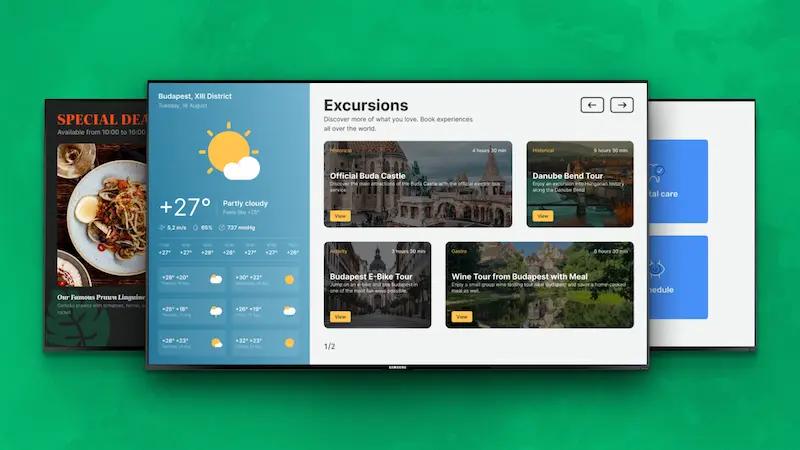
- Live news, weather, or social media feeds
- Animated product promos
- Countdown timers for events or offers
Dynamic content usually attracts more attention and holds interest longer, but it needs more advanced software and planning. Many successful setups use a mix: stable static content for background information and dynamic content for highlights and time-sensitive messages.
Crafting Clear Headlines and Effective CTAs
You have only a few seconds to get your point across. Headlines and calls to action (CTAs) must be clear and direct.
Headlines: Make them short, specific, and relevant. Use numbers or questions to invite interest. People are more likely to read headlines with numbers.
CTAs: Tell viewers exactly what to do next:
- “Tap here to begin”
- “Scan to pay”
- “Order now”
- “Offer ends today”
Support CTAs with visual cues-arrows, buttons, or simple animation. Use a clear information order: large headline, smaller supporting text, and a medium-sized CTA button or line to guide the viewer’s eye.
Accessibility Guidelines and ADA Compliance
Your digital signage should work for everyone, including people with disabilities. In many cases, this is also a legal requirement under the Americans with Disabilities Act (ADA).
Key points include:
- Visual clarity: High contrast, readable fonts, and sufficient text size (for example, at least 5/8 inch character height for viewing from about 72 inches away).
- Reach range: For interactive elements, buttons or touch areas should be no higher than 44 inches.
- Audio support: If the screen is interactive, provide speech output or audio options for all on-screen information.
- Extra aids: Voice guidance, audio prompts, or haptic feedback can help users with different needs.
In places like transport hubs or hospitals, combining visual maps with voice announcements is a strong way to support all users.
How to Optimize Digital Signage Placement for Maximum Visibility
Placement is as important as content. Even the best-designed screen won’t help if people don’t see it. You need to place screens where your audience naturally walks, waits, and looks.
The goal is to make digital signage feel like a natural part of the space and deliver the right message at the right moment in someone’s journey.
Analyzing Foot Traffic and Viewing Angles
Before installing screens, walk through your space and observe:
- Main paths people take
- Areas where people stop or form lines
- Common waiting areas or gathering points
- Natural eye lines when people enter or move around
Think about what someone needs to see at each point: arrival, midway, and final destination. Place screens at or slightly above eye level and angle them so they are visible from multiple directions.
For brightness and resolution:
- Indoors: 300-500 nits and Full HD (1920×1080) work for most cases.
- Bright or outdoor areas: 500-700+ nits, often with 4K (3840×2160) for large screens or video walls.
Placement Strategies for High-Traffic Areas
High-traffic locations give you the most views. Good spots include:
- Entrances and lobbies
- Reception and waiting areas
- Near checkouts and service counters
- Hallways and corridors
- Break rooms and cafeterias
At entrances, use signage for welcome messages, brand visuals, and quick directions. Keep screens slightly away from doorways so they do not block traffic flow.
In lobbies, you can use larger screens or video walls with subtle directional cues pointing to check-in desks or kiosks. In retail, screens near checkouts are great for last-minute offers. For internal communications, hallway or break room screens help keep staff informed without interrupting their work.

Adapting Placement to Different Environments
Different spaces call for different display types and positions:
- Hallways / waiting areas: Wall-mounted screens with loops of key info.
- Lobbies / retail floors: Freestanding or interactive kiosks for wayfinding and product information.
- Elevators: Small screens inside or in waiting areas for short, quick messages.
- Classrooms: Displays for lesson content, schedules, or reminders.
- Meeting rooms: Screens for presentations and room booking information.
- Healthcare: Screens in waiting and exam rooms for educational content and updates.
- Libraries / cafeterias: Shelf maps, menus, nutrition data, or inventory info.
Watch for glare from windows or lights and adjust angle or brightness. Use audio carefully; in noisy areas it may be lost, and in quiet zones it may feel intrusive.
What Is the Best Process for Installation and Testing?
After planning, choosing hardware and software, and designing content, you move to installation and testing. This stage turns your plan into a working system-but rushing can lead to delays, errors, or a poor first impression.
Following a clear step-by-step process and testing before full launch helps you find and fix problems early.
Installation Checklist for Smooth Deployment
Use a checklist to keep installation on track:
Testing for Performance and Reliability Before Launch
Testing makes sure everything looks and works as planned:
Preview all content on real screens to check text clarity, aspect ratios, and colors.
Test all interactive elements such as QR codes, touch areas, or buttons.
Run a short pilot (2-3 days) with the full schedule active:
- Watch timing and rotation of content.
- Observe audience reactions and gather feedback from staff.
- Note any glitches or delays and fix them.
This “trial run” lets you adjust before your full audience sees the system.
How to Monitor and Optimize Digital Signage Over Time
Launching your digital signage is just the start. To keep impact and ROI high, you need ongoing monitoring and updates. Digital signage works best when you treat it as a living system that responds to changing conditions and audience needs.
Tracking Key Performance Metrics
Use your CMS analytics to track KPIs such as:
- Content playback counts
- Total playback time per item
- Dwell time (how long people look)
- Engagement (touches, QR scans, link clicks)
Also look at business results:
- Sales during campaigns shown on screens
- Foot traffic changes in areas with new signage
- Time saved or delays reduced in internal communication
Regularly review reports, either inside the CMS or by email, to see which content and locations perform best.
Content Rotation and Keeping Messaging Fresh
Digital signage should change over time. If viewers see the same loop for weeks, they stop paying attention. To prevent that:
- Create a content calendar with daily, weekly, monthly, and seasonal themes.
- Update promotions, images, and CTAs regularly.
- Use local events or trending topics when relevant.
- Rotate formats (video, static images, short announcements) to keep variety.
Even small updates like new colors, background images, or headline changes can make the screen feel new again and draw viewers back.
Using Analytics to Improve Engagement and ROI
Use analytics to guide decisions, not just to report results. Look for patterns:
- Which messages lead to higher dwell time or more QR scans?
- Which designs fail to grab attention?
- Which locations underperform and may need different content or a different setup?
You can run A/B tests-show two versions of a promo in similar spots and compare results. Adjust headlines, images, or CTAs based on what works best. Over time, this cycle of test, measure, and adjust helps you increase both engagement and returns from your signage system.
What Common Mistakes Should Be Avoided in Digital Signage Setup?
Even well-planned projects can run into common problems. Knowing these in advance helps you avoid wasted effort and poor performance.
Frequent Hardware and Content Pitfalls
Typical hardware mistakes include:
- Using consumer TVs for 24/7 use, leading to burn-in and early failure.
- Using low-end media players that show system screens, ads, or updates during operation.
- Ignoring network quality, causing buffering and lost connections.
On the content side, pitfalls include:
- Overloaded screens with too much text or too many elements.
- Inconsistent fonts, colors, or styles that clash with brand identity.
- Rarely updated content, leading to outdated messages and viewer boredom.
Focus on a few key points per screen, use consistent branding, and plan for regular updates.
Preventing Technical and Operational Issues
You can avoid many problems with good planning and clear processes:
- Invest in hardware built for digital signage and long operating hours.
- Deploy a strong, secure network with enough bandwidth and backup options.
- Set up a content workflow with checks for accuracy, brand fit, and relevance.
- Use automation and scheduling features in your CMS to cut manual work.
- Train staff who will manage content and troubleshoot basic issues.
- Create a maintenance routine for software updates, hardware checks, and backups.
- Enable remote monitoring to spot offline screens or errors quickly.
Getting Started with a High-Impact Digital Signage Setup
Starting a digital signage project can feel complex, but breaking it into clear steps makes it manageable. With the right planning, tools, and partners, you can build a system that looks good, works reliably, and supports your key goals.
Digital signage can strongly support your business by giving you a dynamic, flexible way to talk to customers, visitors, or staff. By using the best practices in this guide, you can build a network that delivers long-term value.
Action Steps for Launching Your Digital Signage Project
Here is a simple path to launch:
- Define your goals: Decide if you want to raise sales, improve communication, reduce wait times, or something else-and attach clear KPIs.
- Plan your content: Use short, visual messages with clear headlines and CTAs. Follow layout and typography rules to keep it readable.
- Choose hardware: Select commercial-grade screens and dedicated media players suited to your environment and usage hours.
- Pick a CMS: Choose an easy-to-use platform with scheduling, remote control, and reporting features.
- Plan placement: Study foot traffic and viewing angles to decide where each screen will go.
- Install and test: Follow your checklist, run a pilot, and fine-tune before full rollout.
- Monitor and improve: Track analytics, update content regularly, and adjust based on performance data.
Choosing Partners and Vendors for Support
You don’t have to handle everything on your own. Experienced vendors can help with hardware, software, content support, and ongoing maintenance. Look for partners who offer:
- End-to-end solutions (displays, media players, CMS)
- Easy-to-use CMS platforms with templates and data integrations
- Training materials, guides, and case studies
- Responsive technical support
- Trials or demos (for example, a 14-day free trial or live demo)
By choosing reliable partners with proven experience, you build a digital signage system that is easier to manage, performs better over time, and helps you focus on running and growing your business rather than fighting technical issues.