

Table of Content
How can HR teams effectively keep the 80% of the global workforce that doesn't sit at a desk informed and engaged? Deskless HR communication using digital signage bridges the gap between headquarters and the frontline, allowing you to publish real-time updates, safety alerts, and culture-building content directly to breakrooms and factory floors-all without relying on email or personal phones.
In fast-paced industrial and service environments, digital signage has evolved from simple static screens into a dynamic, cloud-based communication channel. It acts as the connector that keeps your organization aligned. By using visual content that is easier to recall than text-heavy emails, HR teams can transform how they handle everything from open enrollment to hazard alerts, building a safer and more connected workplace.
What Is Deskless HR Communication With Digital Signage?
Who Are Deskless Workers?
Deskless workers make up roughly 80% of the global workforce. These are the essential teams powering the economy in manufacturing, healthcare, retail, construction, and transportation. Unlike office staff, they don't spend their shifts behind a computer or checking an inbox; their work is hands-on, mobile, and usually tied to production lines, wards, or customer-facing zones.
For a long time, this group has been difficult to reach through standard corporate channels. Because they are on their feet and away from desks, they often lack access to the digital tools office teams use daily. This disconnection can leave frontline staff feeling out of the loop, which may impact their sense of belonging and alignment with company goals.
Why Deskless Employees Need Dedicated Communication Channels
Standard tools like email or chat apps often fail for people who cannot use personal phones on the job or don't have a corporate device. Research suggests that the majority of deskless workers want better technology to help them do their jobs, particularly for training and internal communication. They want to stay informed, but the information needs to fit their workflow.
Without dedicated tools like digital signage software, these teams can easily miss key updates, such as changes in health protocols, benefit deadlines, or shift adjustments. Digital signage keeps information passive-employees don't need to log in or search for it. The message meets them where they are, reducing friction and ensuring important updates are seen during natural pauses, like lunch breaks or shift changes.

Why Traditional Communication Tools Fall Short for Deskless Employees
Limitations of Email, Intranet, and Mobile Messaging
Email remains a primary tool for internal comms, but it is often a poor fit for frontline work. Even in highly engaged companies, internal email open rates can be low, and this drops significantly for deskless workers. Many warehouse or factory staff may not have a corporate email address, and those who do rarely have time to check it during a shift. Intranets face similar hurdles, requiring active effort to log in and search for content.
Mobile messaging apps can be faster, but they bring compliance challenges. Many regions have strict regulations regarding the use of personal phones for work, and employees may prefer not to have corporate apps on their private devices. This often creates a two-tier system where office staff is fully informed, while frontline teams rely on word-of-mouth or outdated bulletin boards.
Consequences of Poor Communication in Deskless Work Environments
Ineffective communication is more than an administrative nuisance; it has real operational costs. When frontline workers are cut off from information, safety, and productivity are often the first to suffer. If a safety update never reaches the floor, it creates unnecessary risk. If a recognition program isn't visible, it fails to boost morale.
Poor communication also contributes to turnover. Deskless workers who feel disconnected are more likely to leave, increasing hiring and training costs. When official channels are silent, rumors often fill the void. During transitions like mergers or policy updates, the lack of a clear, visible communication channel can lead to confusion and resistance.

How Digital Signage Improves HR Communication for Deskless Workforces
Real-Time Updates and Urgent Messaging
One of the strongest benefits of digital signage is speed. You can display instant alerts-whether it’s a weather emergency, a hazard on the line, or a schedule change-in minutes. With a cloud-based solution like Look Digital Signage, screens can be updated remotely from a central dashboard. This keeps the latest information in clear view, ensuring it is seen and absorbed faster than a printed poster.
This capability is critical during crises. Safety teams can override normal playlists to show evacuation routes or emergency protocols on every screen instantly. This quick response helps the company react immediately to risks, prioritizing employee safety.
Reaching Employees Where They Work
Digital signage solves the reach problem by placing content in high-traffic shared areas. Displays in break rooms, hallways, lobbies, and near time clocks catch attention during natural downtime. By positioning content where people gather, HR integrates communication into the daily routine rather than making it an extra task requiring a login.
Strategic placement supports "ambient" communication. Even if a worker doesn't read every line, repeated exposure to visual messages keeps key topics-like safety KPIs or upcoming events-top of mind.
Increasing Visibility of Company News and Policies
Static posters fade into the background over time. Digital screens, utilizing motion and bright visuals, hold attention longer. Visuals are also easier to recall; people generally retain visual information far better than text alone.
HR can leverage this to amplify company values, mission statements, and success stories. Displaying these on large screens helps reinforce culture and connects workers to the broader picture. It makes company goals visible, fostering a sense of purpose among employees who might otherwise feel removed from headquarters.
Reducing Information Gaps and Misinformation
Digital signage serves as a single source of truth. When HR manages content centrally, every site, shift, and department receives consistent messaging simultaneously. This consistency reduces confusion and rumors, especially during major company changes.
By displaying clear, visual FAQs and timelines, HR can preemptively answer common questions. This transparent flow of information builds trust, as teams feel they are being kept in the loop honestly and efficiently.
Best Use Cases: Digital Signage for Deskless HR Communication
Manufacturing and Warehouse Environments
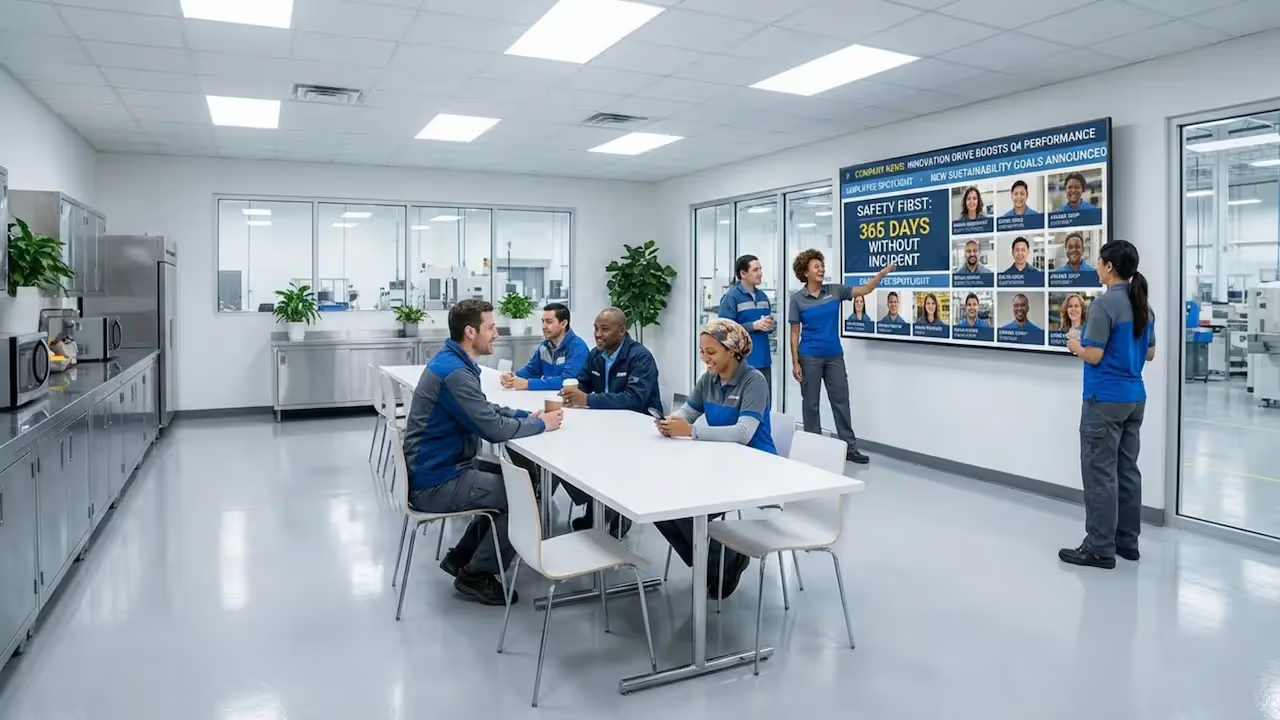
In manufacturing, screens are often used to display live production targets and safety KPIs. Showing a live count of "incident-free days" builds shared accountability. When teams see they are approaching a safety or output record, it drives motivation more effectively than a weekly email.
Warehouses use digital signage to coordinate shift changes. With teams spread across large facilities, screens become a shared reference point for daily goals and layout changes. It helps turn a noisy, complex environment into a connected workspace.

Healthcare Facilities
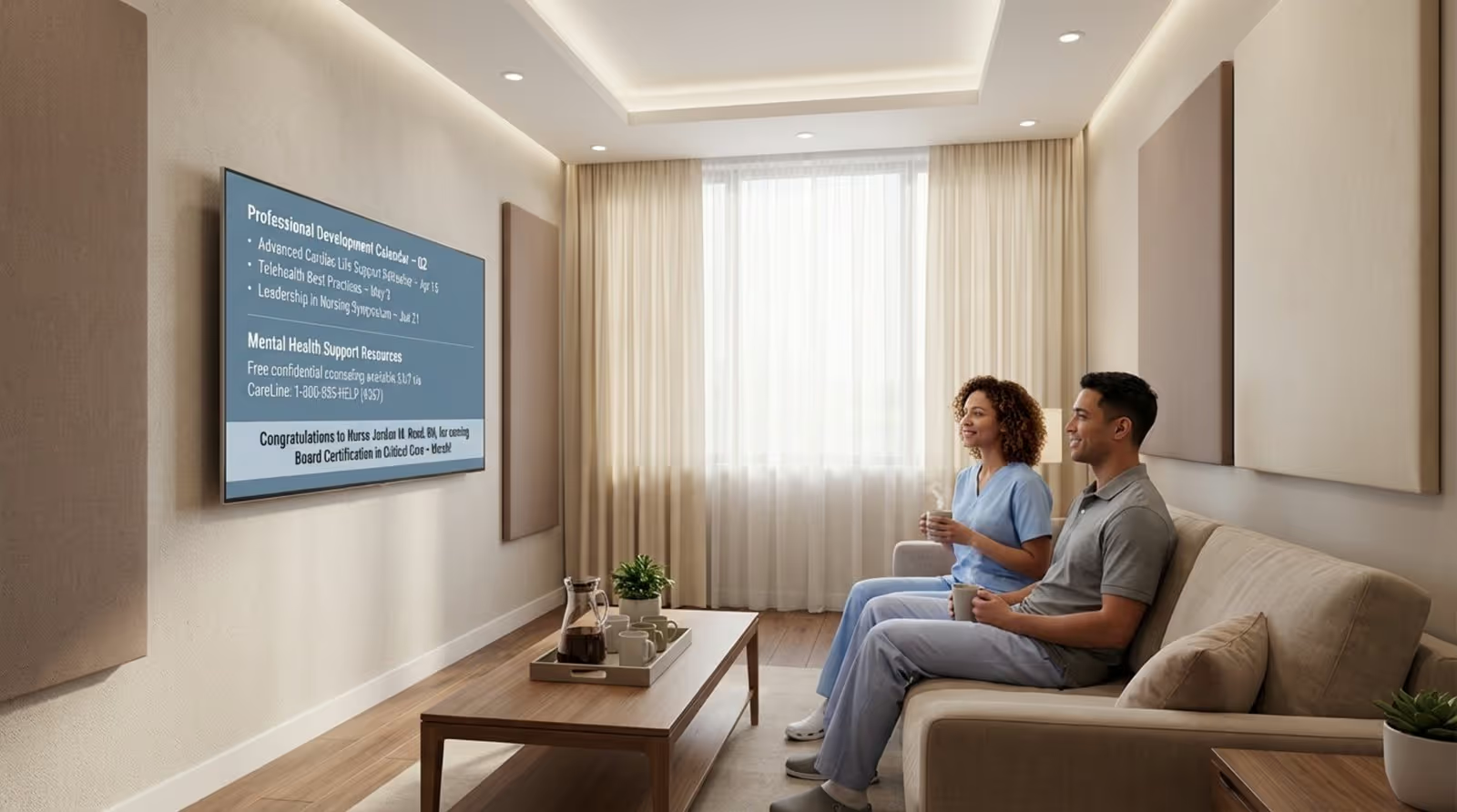
Healthcare settings are high-pressure environments. Screens near nurse stations or in break rooms can display updated health protocols, care standards, or shift rotations. During critical periods, the ability to share training reminders or urgent alerts helps all staff work from the same playbook.
HR teams in healthcare also use signage to promote wellness resources. Sharing mental health support options or recognizing staff achievements in break areas helps mitigate burnout and supports a caring culture.
Retail Locations
Retail spaces often have limited back-of-house areas. Digital signage can serve a dual purpose: showing product promos to customers, then switching to staff training or HR updates before opening or after closing. Small screens near POS systems or time clocks can offer quick updates on sales targets or new inventory procedures.
This flexibility helps HR stay connected with a fast-moving, often part-time workforce, ensuring seasonal staff see current news and recognition.
Transportation and Logistics Hubs
In transport hubs like airports, workers are constantly mobile. Digital signage manages this by displaying real-time weather updates, gate changes for ground crews, or safety reminders for cargo teams. Since these hubs operate 24/7, digital signage ensures the night shift receives the same leadership messages as the day shift.
Key Features to Look for in Digital Signage Solutions for Deskless HR
Content Targeting and Segmentation
A generic message for everyone often leads to disengagement. Effective digital signage software allows HR to target content by role, location, or shift using Screen Layouts and playlists. For example:
- Warehouse screens: Safety alerts, shift plans, equipment checklists.
- HQ lobby screens: Leadership notes, company news, visitor welcomes.
Targeting ensures content remains relevant to the viewer.
Integrations with HR and Safety Platforms
To reduce manual work, look for tools that connect with your existing systems. Integrations via API or Zapier can pull data from:
- HRIS - for birthdays and work anniversaries.
- ATS - for internal job postings.
- Safety software - for real-time incident tracking.
Automated feeds keep content fresh without requiring daily attention from HR.

Ease of Content Scheduling and Updates
HR teams are busy, so the Look CMS is designed to be intuitive. Look for platforms offering digital signage emplates for common needs like "Welcome New Hires" or "Open Enrollment." The ability to use Smart Scheduling, such as setting a holiday message to go live automatically, helps teams manage communications efficiently.
Support for Multi-location Messaging
For organizations with multiple sites, central control is essential. A cloud-based platform allows an HR manager to update screens across dozens of locations instantly. Simultaneously, local managers can be given permissions to post site-specific news, balancing corporate consistency with local relevance.
Analytics and Reliability
You can't improve what you don't measure. Tools like Playback Analytics provide data on screen uptime and content frequency. Furthermore, reliability is key; features like Offline Playback ensure your screens keep running your playlists even if the internet connection drops, so your message is never lost due to technical issues.
Steps to Implementing Digital Signage for HR Communication
Assess Your HR Communication Goals
Before deploying hardware, define your objectives. Are you trying to:
- Reduce safety incidents?
- Increase benefits enrollment?
- Improve morale through recognition?
Your goals will dictate your content strategy and screen placement. If safety is the priority, screens belong on the production floor; if culture is the focus, break rooms are ideal.
Map Strategic Screen Locations
Identify where employees naturally pause. High-traffic hallways may be less effective than cafeterias or time clock areas where staff have a moment to look up. Consider viewing distance and lighting to ensure content is legible.
Develop Relevant Content and Messaging
Content is the core of your strategy. Use a mix of:
- "Evergreen" content - Values, wellness tips, safety rules.
- Timely updates - Weekly goals, deadlines, events.
Keep text concise and support it with visuals. Avoid overcrowding slides; use a rotating loop of simple, clear messages.
Train HR and Communication Teams
Ensure those managing the content are comfortable with the CMS. Training should cover:
- Uploading media and using the Content Creator.
- Setting schedules and playlists.
- Basic visual best practices (font size, contrast).
When HR feels confident with the tool, the content becomes more engaging and timely.
Monitor Performance and Optimize Continuously
Treat digital signage as an evolving channel. Review analytics and gather feedback from deskless workers. If certain messages aren't landing, adjust them. Continuous refinement keeps the screens useful and prevents them from becoming "wallpaper."
Proven Strategies for Maximizing the Benefits of Deskless HR Digital Signage
Regular Updates with Varied Content
Stale content leads to disengagement. A solid strategy involves a content calendar that mixes:
- Daily updates - Safety stats, shift news.
- Weekly spotlights - Team wins, projects.
- Monthly themes - Wellness, training focus.
Using built-in Look Apps for weather or news tickers can also keep screens dynamic without constant manual input.
Highlighting Team Achievements and HR Announcements
Public recognition boosts engagement. Use screens to celebrate:
- Work anniversaries.
- Safety awards.
- Photos from team events.
Seeing themselves or colleagues on a large screen validates their contribution in a way a private email cannot.

Facilitating Two-Way Communication
While digital signage is primarily a broadcast channel, it can drive interaction. Add QR codes to slides that link to:
- Pulse surveys.
- Benefits portals.
- Suggestion boxes.
This provides deskless workers a direct line to HR, turning screens into a gateway for feedback.
Risks and Challenges of Relying on Digital Signage for Deskless HR
Potential Messaging Overload
There is a balance between helpful and distracting. If screens are too busy or transition too quickly, they become noise. moderate the frequency of updates and focus on high-impact messages during work hours to avoid fatigue.
Technical Maintenance and Downtime
Technology requires maintenance. Hardware can fail, and networks can drop. Choosing a solution with Offline Playback minimizes the impact of connectivity issues. Ensure you have a support plan in place to resolve hardware issues quickly.
Ensuring Privacy and Sensitivity of Content
Because screens are public, HR must exercise caution. Avoid displaying personal performance data or sensitive medical details. Establish clear guidelines on what is appropriate for public display versus private channels.
Measuring the Impact: Digital Signage and Deskless Employee Engagement
Engagement Metrics for Deskless Communication
To gauge success, look at both system data and employee response. Proof-of-Play reports show exactly when and where content appeared. HR can track QR code scans to see how many employees engaged with a specific policy or survey link.
Demonstrable Improvements in Safety, Retention, and Morale
Value often appears in long-term trends. Companies frequently observe a correlation between safety-focused content and a reduction in incidents. Improvements in employee survey scores regarding "feeling informed" are another strong indicator that the strategy is working.
Continuous Feedback from Deskless Employees
Direct input is invaluable. Short conversations or surveys can reveal if employees find the screens helpful. This feedback loop ensures the system continues to meet the needs of the frontline.
Final Thoughts on Optimizing Deskless HR Communication
As workplaces evolve, the need to connect every employee, regardless of where they stand, is more critical than ever. Digital signage reflects a commitment to including all workers in the conversation. By investing in tools that reach the "unwired" majority, organizations foster a culture of transparency that supports productivity and retention.
If you are ready to streamline your internal communications, Look Digital Signage is a strong fit for HR teams managing deskless workforces. The intuitive Look CMS allows you to publish content in minutes, while Ready-made Templates help you create professional visuals without a designer. With Smart Scheduling, you can ensure the right message hits the right shift, and Offline Playback guarantees your screens keep running even if the internet goes down. Start a free trial to see how easily you can connect your entire team.







