Table of Content
How can you turn a static waiting room into a modern, engaging brand experience? Corporate lobby digital signage replaces printed posters with dynamic screens that welcome guests, guide them through your building, and share real-time company news instantly.
Digital signage is more than just a "Welcome" slide. It is a flexible tool for managing your building and connecting with people. Since a poor lobby experience can hurt your brand image, a smart digital setup is a practical way to show professionalism. From personalized greetings to safety alerts, these screens turn your lobby into a helpful, high-tech space focused on service.
What is Digital Signage in a Corporate Lobby?
How Does Digital Signage Change Lobby Welcomes?
Digital signage shifts visitors from waiting passively to engaging with useful content. Instead of staring at blank walls, guests see bright visuals, live news, or company stories. You get control over what people see the moment they walk in, creating an environment that shows you care about details.
These displays also act like a "virtual concierge." They can answer common questions, like "Where is the conference room?" or "What is the Wi-Fi password?", so visitors don't always need to ask the front desk. This helps guests feel independent and frees your staff to focus on other tasks.
Key Differences from Traditional Welcome Boards
The main difference is flexibility. Traditional signs are static and cost money to print every time you need a change. Digital signage software lets you update content in minutes from a cloud-based dashboard. Whether you have a room change or a sudden weather alert, you can publish the new information instantly without printing a single sheet of paper.
Screens also catch the eye. Moving content, video, and live data attract far more attention than paper posters. Features like video walls or mirror displays add a polished look that static boards simply cannot match.

Why Use Digital Signage for Corporate Lobby Welcomes?
Improves Visitor Experience from Arrival
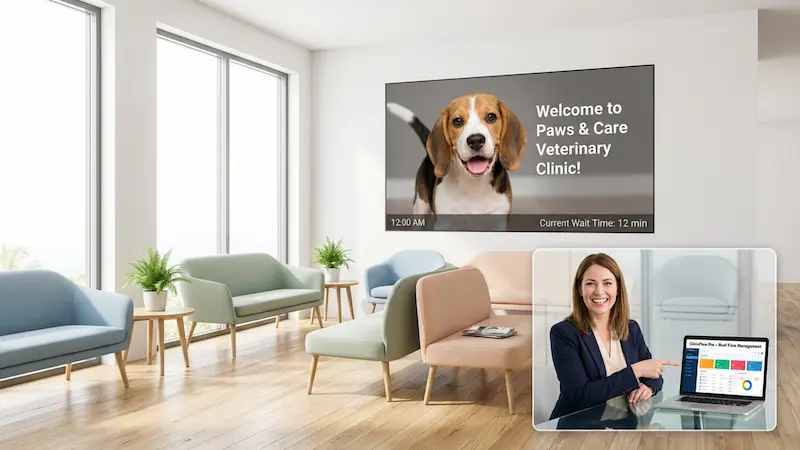
The first few minutes in your building set the tone. Digital signage helps by offering clarity and reducing perceived wait times. Showing real-time status updates can lower the stress of waiting. For example, in healthcare settings, knowing the wait time helps visitors feel more at ease.
Interactive tools like self-check-in kiosks make arrival smoother. Many people prefer entering details on a touchscreen rather than speaking sensitive info aloud in a busy room. This simple step makes the move from the front door to a meeting quick and easy.
Strengthens Company Branding and Messaging
Your lobby is the best place to tell your story. Digital signage lets you display logos, colors, and mission statements clearly. Because digital displays are memorable, your key messages are more likely to stick with visitors after they leave.
Consistent messaging builds trust. With a central content management system (CMS), you can keep branding identical across all your locations, whether your lobby is in New York or Tokyo. This consistency shows clients that your organization is stable and organized.
Improves Communication and Engagement
Internal emails often get missed. By placing screens in high-traffic areas like lobbies, you ensure important updates get seen. This passive sharing works well to keep visitors and staff updated on company news, events, or new team members.
Engagement also means listening. Digital signage can support two-way interaction through touch screens or QR codes that link to surveys. This turns the lobby into a place where you can gather feedback about what visitors need.
Supports Real-Time Updates and Announcements
One of the strongest features of digital signage is speed. With live data feeds, screens can show local weather or traffic reports. This adds value for visitors who need to plan their commute or check flights while they wait.
This speed is critical for safety. You can set up your system to switch all screens to emergency alerts, evacuation routes, or safety instructions instantly. Everyone in the building gets the same clear message at the same time, which helps keep people safe.
Popular Corporate Lobby Welcome Ideas With Digital Signage
Personalized Visitor Greetings
Seeing your name on a screen makes a strong impression. You can display welcome messages with a visitor’s name, their company logo, and meeting details. This simple touch builds a positive connection and shows a high level of hospitality.
You can also match the greeting to the visitor type. A job candidate might see "Welcome to the Team," while a long-time partner might see a note about a recent shared success. This makes the experience feel personal.
Live Schedules, Events, and Meeting Room Directories
Lobbies are often the starting point for meetings. By connecting digital signage to your calendar tools, you can show a live schedule of the day’s events. Visitors can quickly confirm they are in the right place and find their room.
Small screens outside meeting rooms support the main lobby display. These show real-time room status and can prevent double-booking, keeping the office organized.
Showcasing Company Values and Achievements
The lobby is a great place to remind people what you stand for. Displaying your mission and values helps build a strong culture. For visitors, it offers a quick look at what drives your business.
You can also use screens as a "digital trophy case." Highlight awards, certificates, and successful projects. This builds confidence in your company and gives employees a sense of pride when they see their work displayed.
Interactive Wayfinding Solutions
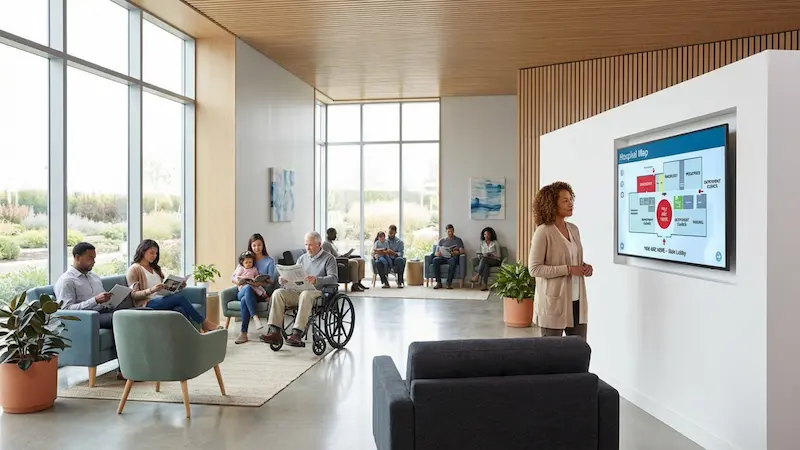
Navigating a large building can be confusing. Interactive maps let visitors view floor plans and find departments quickly. Some systems allow users to scan a QR code to take the directions with them on their phones.

Wayfinding is not just for offices. Directories can point out restrooms, elevators, and cafeterias. You can also highlight accessible routes for wheelchairs, ensuring all visitors feel supported.
Social Media and Live News Feeds
Displaying live social media feeds adds energy to the lobby. It shows real posts and interactions, proving your brand has an active community. This is especially effective for companies that want to grow their online presence.
Live news tickers keep content fresh automatically. Whether it is industry news or global updates, it gives visitors something current to read, helping time pass faster.
Weather and Local Information Displays
Practical info is always useful. Using Screen Layouts to show a split-screen with the local forecast helps visitors plan their day. This small detail helps guests prepare for rain or traffic before they leave.
You can also include public transit schedules or nearby lunch spots. For out-of-town guests, these tips make the office feel welcoming and helpful.
Employee Recognition and Staff Bios
Lobby screens help make a brand feel human. "Employee Spotlight" slides can introduce team members, share fun facts, or recognize hard work. This helps guests connect with your staff and makes the space feel friendly.
Displaying birthdays or work anniversaries supports a positive internal culture. When employees see their milestones on the big screen, it boosts morale.
Motivational Quotes and Daily Highlights
Content doesn't always have to be business-focused. Daily quotes are simple and pleasant to look at. Automated feeds can keep this content fresh without you needing to design new slides every day.
Daily highlights, like "This Day in History" or fun industry facts, can spark conversation and add a thoughtful touch to the waiting area.
Seasonal or Themed Lobby Content
Changing physical decor is hard work, but digital signage makes it simple. You can switch from winter themes to spring colors with a few clicks. This keeps the lobby feeling current.
Themed content can also celebrate company milestones. An "Earth Day" campaign or a "Company Anniversary" timeline creates an emotional connection and shows off your brand personality.
Promoting Health, Safety, and Emergency Information
Digital signage is highly effective for safety rules. Unlike paper notices that fade into the background, bright, rotating content about safety gear or reporting procedures stands out.
You can also use screens for wellness campaigns. Displaying hygiene reminders or vaccination info shows that you care about public well-being, building trust with everyone who enters.
Best Practices for Designing Digital Signage Content
Strategic Screen Placement in Lobby Areas
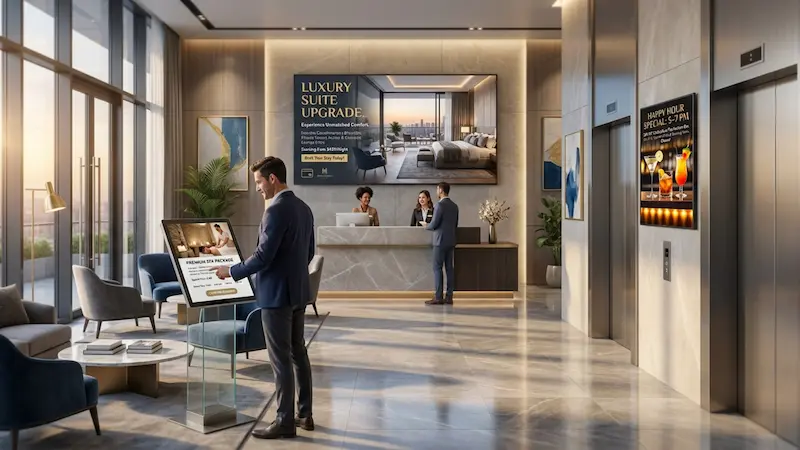
Placement determines if your message gets seen. Screens should be at eye level. A check-in kiosk works best at standing height near the door, while an entertainment screen works well seated across from the waiting area.
Traffic flow is also important. Screens should be visible but not block the path. A large screen behind reception is a classic choice, while smaller screens near elevators keep people engaged while they wait.
Content Design Principles for Impact
Simple design wins. Overcrowded screens confuse viewers. Use high contrast, clear layouts, and large text. The main message should be understood in seconds.
Visual quality matters. Blurry images look unprofessional. We recommend using Ready-made Templates within Look Digital Signage. These allow you to create professional, branded visuals quickly, even if you do not have a graphic designer on staff.

Scheduling and Automatic Content Refresh
Old content is ignored content. If visitors see an event flyer for a date that has passed, they stop looking. With Smart Scheduling in Look CMS, you can set start and end dates for your slides so outdated material disappears automatically.
Schedules can also change based on the time of day. You might show news and weather in the morning, then switch to client case studies in the afternoon. This keeps the screen relevant to whoever is in the lobby at that moment.
Accessibility and Multilingual Support
A welcoming lobby works for everyone. Your signage should support multiple languages if you have international visitors. This helps guests understand key information without confusion.
Accessibility also includes legibility for those with visual impairments. Using high-contrast modes and clear fonts ensures more people can interact with your screens. This shows a commitment to inclusion.
Common Mistakes to Avoid with Lobby Digital Signage
Overloading Screens with Too Much Content
Trying to fit weather, news, social feeds, and a video on one screen usually creates clutter. Viewers often get overwhelmed and look away.
It is better to rotate content. Use a playlist that gives each message full-screen focus for a few seconds. This keeps the display clean and ensures your message lands.
Neglecting Regular Content Updates
Nothing looks worse than a "Merry Christmas" slide in February. It makes the signage feel neglected. Using a cloud-based platform like Look CMS makes updates simple. You can change content from anywhere, so there is no excuse for leaving old slides up.
Ignoring Audience Preferences and Feedback
Different visitors need different content. A hospital lobby needs calm visuals, while a tech startup might want energetic product demos. If you ignore who is watching, your content will feel out of place.
Watch where people look. If visitors rarely glance at your screens, you may need to adjust your content or placement.
Using Low-Quality Visuals or Templates
On modern 4K screens, low-quality images look grainy and unprofessional. This can hurt your brand image. Always use high-resolution images or the built-in design tools in your signage software to ensure a crisp, modern look.
How to Implement Digital Signage in Your Corporate Lobby
Choosing the Right Hardware and Software
A reliable system starts with the right tools. Look Digital Signage software is designed to make this easy. You can manage one screen or hundreds from a simple web dashboard. For hardware, you can use the Look HDMI Player for a plug-and-play experience, or install the Look app on screens you already own.
Look CMS handles the heavy lifting, offering features like Content Creator and Playback Analytics to help you manage your network without needing a complex IT setup.
Integrating Digital Directories and Self Check-In
Connect your signage to your building systems for maximum efficiency. Digital directories can sync with your tenant lists to keep names current. Connecting visitor management tools supports smoother check-ins and automatic host notifications.
This integration reduces manual data entry and ensures your screens always show accurate information.
Content Management and Staff Training
Even the best system needs a plan. Assign a team member to review and update content. Fortunately, modern platforms like Look are built for non-technical users. The interface is intuitive, so your reception or marketing staff can learn to update playlists in minutes.
Measuring Effectiveness and Gathering Analytics
How do you know if it is working? Use Playback Analytics in Look CMS to track what plays and when. You can verify that your important messages are running as scheduled. Reviewing this data helps you fine-tune your playlists to get the best results.

Maximizing the Impact of Your Corporate Lobby Welcome
Encouraging Visitor Interaction and Feedback
Move from broadcasting to interacting. Invite visitors to connect via QR codes to leave feedback or download information. A "feedback wall" shows you value their opinion and gives you instant insight into their experience.
Adapting to Visitor Types (Clients, Candidates, Partners)
A smart lobby adapts. You can use scheduling to change content based on who is visiting. If a big client is arriving, switch the screens to relevant case studies. On interview days, highlight your company culture. This personalization makes guests feel valued.
Integrating Digital Signage with Corporate Events and Promotions
Use your screens to support your events. During a product launch, show demo videos in the lobby. During holidays, display festive messages. Treating your lobby screens as an active communication channel helps grow brand awareness and keeps your physical space in step with your business goals.
By moving away from static posters and using the flexible tools in Look Digital Signage, you can create a lobby that is efficient, modern, and genuinely welcoming. It is a simple way to make sure every visitor’s first impression is a great one.