Table of Content
How can grocery stores turn passing traffic into purchases while cutting paper waste? A digital signage promo playbook is your plan for replacing static posters with dynamic screens that show the right offer at the exact right moment.
This guide moves beyond the hardware to cover the software, content strategies, and practical steps needed to turn your store into a responsive retail environment. It outlines a clear path to go from manual updates to a coordinated network, allowing you to manage screens across multiple locations with the precision of an online campaign. With shopping trips becoming shorter, this playbook helps you capture attention quickly and keep your messaging consistent.
What Is a Grocery Digital Signage Promo Playbook?
Core Elements of Grocery Digital Signage Promotions
The foundation of a strong playbook relies on three things: reliable hardware, a cloud-based Content Management System (CMS), and an active content plan. Unlike paper posters that stay up for weeks, digital promotions offer flexibility. You can use Smart Scheduling to display breakfast deals in the morning and dinner offers in the evening. The "playbook" is simply your set of rules and templates that allows store managers to launch campaigns in minutes, without needing a graphic designer.
Data integration is another key part. A modern setup connects to your inventory or Point-of-Sale (POS) systems. This ensures screen prices match the register and allows you to pull promotions automatically if an item sells out. By aligning these tools, you can focus on providing a smooth shopping experience rather than worrying about outdated signs.
How Promo Playbooks Maximize In-Store Impact
Playbooks help turn your store from a passive space into an active guide. By placing screens where shoppers naturally pause-like the deli counter or produce section-you can influence their path. For instance, a screen near the strawberries might suggest purchasing whipped cream, helping to increase basket size. This coordinated approach gives every screen a specific job, from reducing perceived wait times to sharing local sourcing stories.
This system also supports your staff. When you publish updates to screens in breakrooms, your team stays informed about current specials, safety protocols, and stock changes. This internal alignment leads to better customer service. When both your shoppers and your staff have the right information at the right time, operations run smoother.
Benefits of Digital Signage for Grocery Store Promotions
Increases Shopper Engagement and Experience
Digital signage brings color and motion to the aisle. Industry data suggests that many shoppers are more likely to enter a store after seeing an engaging digital display. Using bright screens, you can highlight your brand’s personality. Whether it is a weekly recipe feature or a spotlight on fresh arrivals, these visuals keep the shopping trip feeling fresh.
This technology also solves the problem of "banner blindness" caused by static decor. While consistent branding is good, static signs often fade into the background. Digital signage allows you to maintain your brand look while changing the message. This mix keeps the environment interesting and helps you communicate values like sustainability clearly.
Drives Real-Time Communication and Dynamic Pricing
One major benefit is speed. Printed signs take time to produce and hang. Digital screens allow for remote management, letting you update prices and promos across an entire chain instantly. This is helpful for flash sales on perishables, helping you move inventory quickly and reduce food waste. If linked to your systems, screens can update automatically to reflect current stock levels.
Dynamic pricing also helps you react to outside factors. Your playbook might include a trigger for rainy days that promotes comfort foods. On hot days, you can switch the focus to cold drinks and BBQ items. This flexibility brings the responsiveness of online retail into the physical store.
Boosts Impulse Purchases and Product Discovery
Impulse buys drive revenue in grocery retail. Digital displays catch the eye more effectively than static media, making them a strong tool for these unplanned purchases. By using motion to highlight high-margin or private-label items, you can nudge customers to try something new.

Screens also help with product discovery. A video loop can explain the story behind a local product or the benefits of a specialty item. When shoppers understand the value of a product, they are often more willing to buy it. Digital signage acts as a silent assistant, drawing attention to the unique items that set your store apart.
Simplifies Campaign Management for Store Teams
Managing paper promotions is labor-intensive. Staff spend hours printing, sorting, and hanging tags. Digital signage centralizes this process. A single marketing manager can update content for dozens of locations from one simple dashboard. This ensures branding stays consistent and removes the clutter of old signs.
For local teams, this means less time with tape and staplers and more time helping customers. Many platforms allow for local input, where a manager can update a "Daily Special" using a pre-approved template while corporate manages the main brand messages. This keeps the store connected to its neighborhood without breaking brand rules.
Enables Multichannel and Programmatic Ad Revenue
Your physical store is a valuable media channel. Digital signage turns aisles and checkout lanes into ad space. You can offer screen time to brands that want to reach shoppers at the point of purchase. CPG brands can bid for slots based on time of day, creating a new revenue stream for your business.
This setup links in-store screens with broader campaigns. Brands often want to run ads across social media and physical locations simultaneously. When you connect your signage to this workflow, you become a stronger partner for national campaigns. This often leads to measurable sales lifts and clear ROI.
Types of Digital Signage Used in Grocery Stores
Shelf-Edge Displays and Real-Time Updates
Shelf-edge displays are small screens that replace paper price tags. They are effective for influencing decisions right at the shelf. These screens display price, nutritional info, and bundle ideas. Because updates are digital, you reduce the risk of pricing errors between the shelf and the register.
These displays also add movement to the aisle. Simple animations can draw eyes to new items or limited-time offers. In a low-margin industry, guiding a shopper toward a premium item at the moment of choice can help your bottom line.
Video Walls for Branding and Storytelling
Video walls are usually placed at entrances or in high-traffic areas. Their main goal is branding. They provide a large canvas to show your store’s identity, such as a commitment to local farmers. Screen layouts allow you to split the content, showing a brand video on one side and a list of daily specials on the other.

These displays work well for highlighting premium sections like the bakery or seafood counter. High-quality video raises the perceived value of fresh products and makes the store environment feel modern and welcoming.
Point-of-Sale and Endcap Promo Screens
Endcap screens sit where traffic is heaviest. These are prime spots for weekly deals. Adding digital screens here makes promos hard to miss. You can rotate through several offers on one screen, maximizing the value of that shelf space.
At the checkout, POS screens serve a different purpose: they reduce perceived wait time. While customers stand in line, these screens can display snack offers, loyalty reminders, or community news. This keeps shoppers entertained and can drive last-minute impulse buys.
Wayfinding and In-Store Navigation Displays
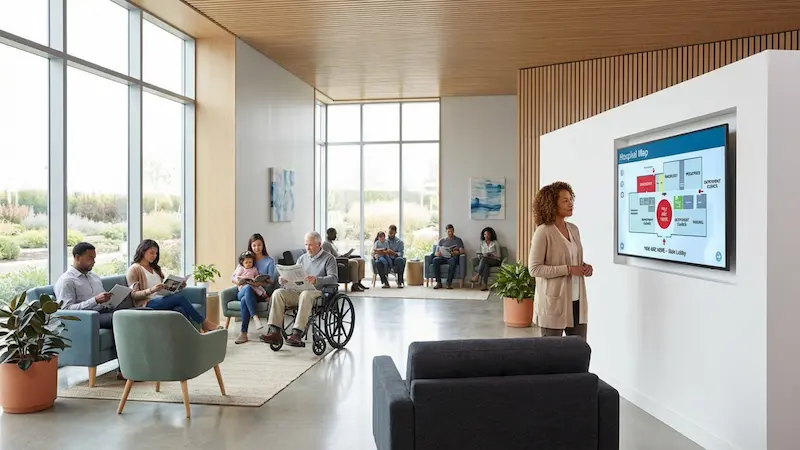
Finding products quickly is important to shoppers. Wayfinding displays help by showing clear maps and aisle guides. Placed at key intersections, these screens help traffic flow smoothly.
Advanced setups can even be interactive. A shopper might search for a specific item, and the screen can display the aisle number along with a promotion for that product. This turns a simple direction query into a sales opportunity.
Digital Menu Boards for Prepared Foods
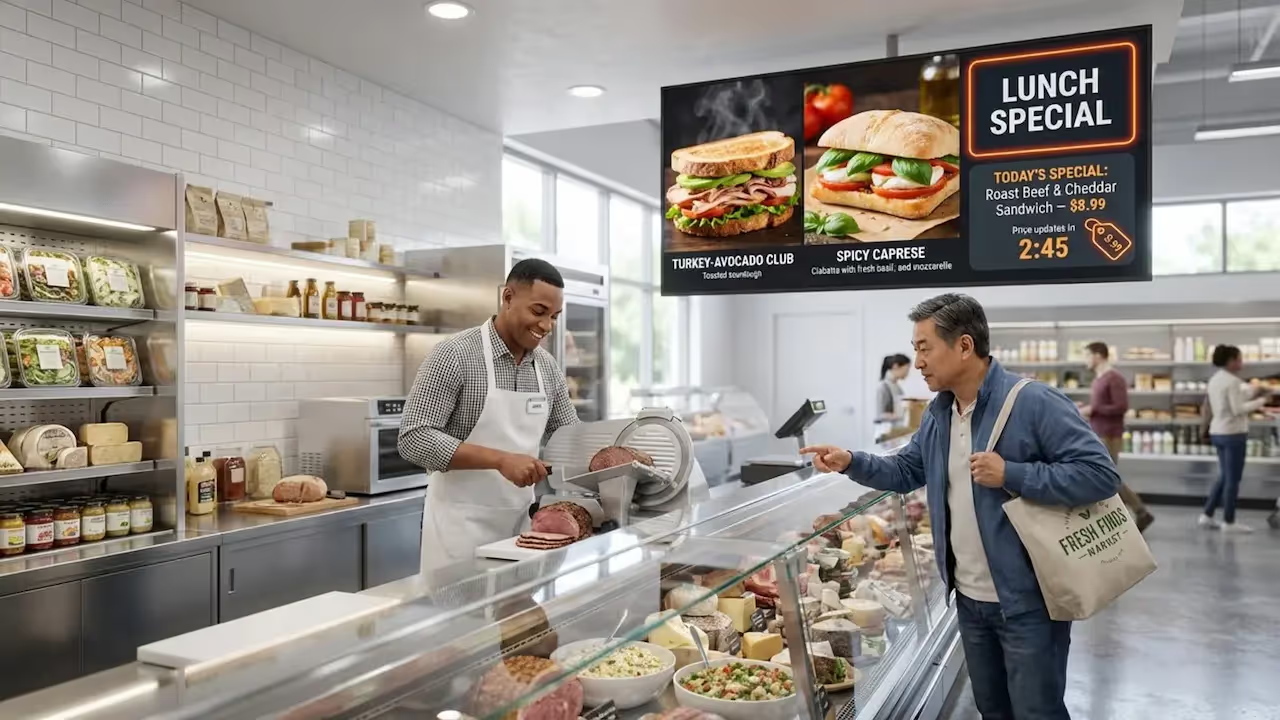
For stores with deli or bakery counters, digital menu boards are essential. They allow you to update specials and remove sold-out items instantly. This prevents the frustration of a customer ordering a dish that is no longer available.
Digital menus also make food look more appealing. High-definition images are more tempting than text lists. Using Smart Scheduling, you can automatically switch menus from lunch to dinner, ensuring the right offers are always visible.
Interactive Kiosks for Customer Self-Service
Interactive kiosks allow shoppers to check prices, look up loyalty points, or place deli orders. Giving customers control over these simple tasks reduces the workload for your staff and speeds up service.
These kiosks can also capture data. When a shopper searches for a recipe, you learn about their preferences. Many kiosks display QR codes that customers can scan to save coupons to their phones, connecting the physical store with their digital device.
Outdoor and Storefront Digital Signage
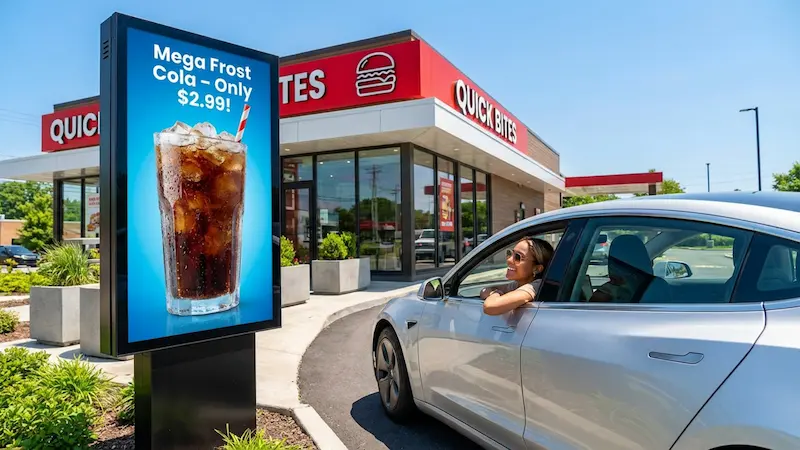
Your promo playbook begins outside. Storefront screens turn windows into active advertisements. Bright displays can show the "Deal of the Day" or highlight seasonal items like holiday turkeys. These screens capture attention and draw foot traffic inside.
Outdoor signage is also useful for promoting services like curbside pickup. Placing screens near parking areas helps remind busy shoppers that they can order online next time, reinforcing convenience.
Key Features to Look for in Grocery Digital Signage Solutions
When selecting software to power your grocery network, Look Digital Signage is a strong fit for teams that need simplicity and control. It offers a cloud-based Look CMS that handles everything from content creation to device management.
Template Libraries for Rapid Promo Deployment
Speed is critical in retail. Look Digital Signage includes a library of ready-made templates that let you launch professional campaigns in minutes. You can choose a layout for a daily special or an announcement, customize it with your text and images, and publish it without needing a designer. This helps you react fast-if you have a surplus of produce, you can create a discount slide and get it on screen immediately.
Remote Content Management and Real-Time Updates
Managing multiple locations requires a centralized system. With the Look CMS, you can control every screen from one dashboard, anywhere you have internet. You can push price changes instantly or schedule content weeks in advance using Smart Scheduling. This feature allows you to "set and forget" your holiday campaigns, ensuring they go live exactly when planned across all stores.
Scalability for Multi-Location and Franchise Chains
Your software should grow with you. Look Digital Signage scales easily from one screen to thousands. You can organize screens into groups (e.g., "Deli Screens" or "Checkout Screens") for easier management. For hardware, you can use the Look App on compatible devices you already own, or use the plug-and-play Look HDMI Player for a quick, reliable setup that handles 24/7 playback.
Analytics and Performance Tracking
To improve your strategy, you need data. Look provides Playback Analytics and proof-of-play reports. This lets you verify that your paid advertisements ran as scheduled and helps you understand which content is playing most often. By reviewing these reports, you can fine-tune your playlists to ensure your most important messages are getting the visibility they need.
How to Build an Effective Grocery Digital Signage Promo Playbook
Reviewing Store Needs and Shopper Profiles
Start by understanding your audience. A city center store might need quick, grab-and-go messaging, while a suburban location might focus on family meal deals. Review traffic patterns and peak times to decide what content to show. Tailoring your messages to local demographics builds trust and relevance.
Shopper profiles also guide your tone. If your customers value health, focus on organic and fresh produce. If they are price-sensitive, highlight bulk deals and loyalty rewards. Matching your content to your customer's mindset is key.
Choosing Signage Placement for Maximum Impact
Place screens where they will be seen. High-traffic areas like entrances and endcaps are ideal. Screens should be at eye level and positioned where shoppers naturally slow down. A screen in the produce section is perfect for pairing suggestions, while checkout screens work well for entertainment and info. Map out the shopper journey to find the best spots.
Personalizing Promotions Using Data and PIM
Use your product data to keep content relevant. If you know Saturday mornings attract health-conscious shoppers, schedule content about organic items for that time slot. Accurate product information builds confidence. Ensure your screens display correct details, like "locally sourced" or "gluten-free," to help shoppers make decisions.
Integrating with POS and Loyalty Systems
Connecting your signage to POS systems helps keep inventory data honest. If an item sells out, the system should stop promoting it to avoid customer disappointment. Loyalty integration is also powerful. Use screens to remind shoppers to scan their app at checkout or show them how close they are to a reward. This drives engagement with your loyalty program.
Adapting Content for Multichannel Consistency
Your in-store screens should match your online presence. If you are running a promotion on social media, the same visuals should appear on your store displays. This consistency reinforces the message. Managing your assets centrally ensures that your brand looks the same everywhere, building recognition and trust.
Best Practices for Grocery Digital Signage Promotions
Balancing Familiarity With Innovation in Messaging
Keep your store feeling familiar while keeping content fresh. You can use a consistent brand frame or layout while rotating the offers inside it. This way, shoppers recognize the style, but the deals are always new. This approach keeps the store feeling current without confusing regular customers.
Scheduling and Dayparting for Seasonal Relevance
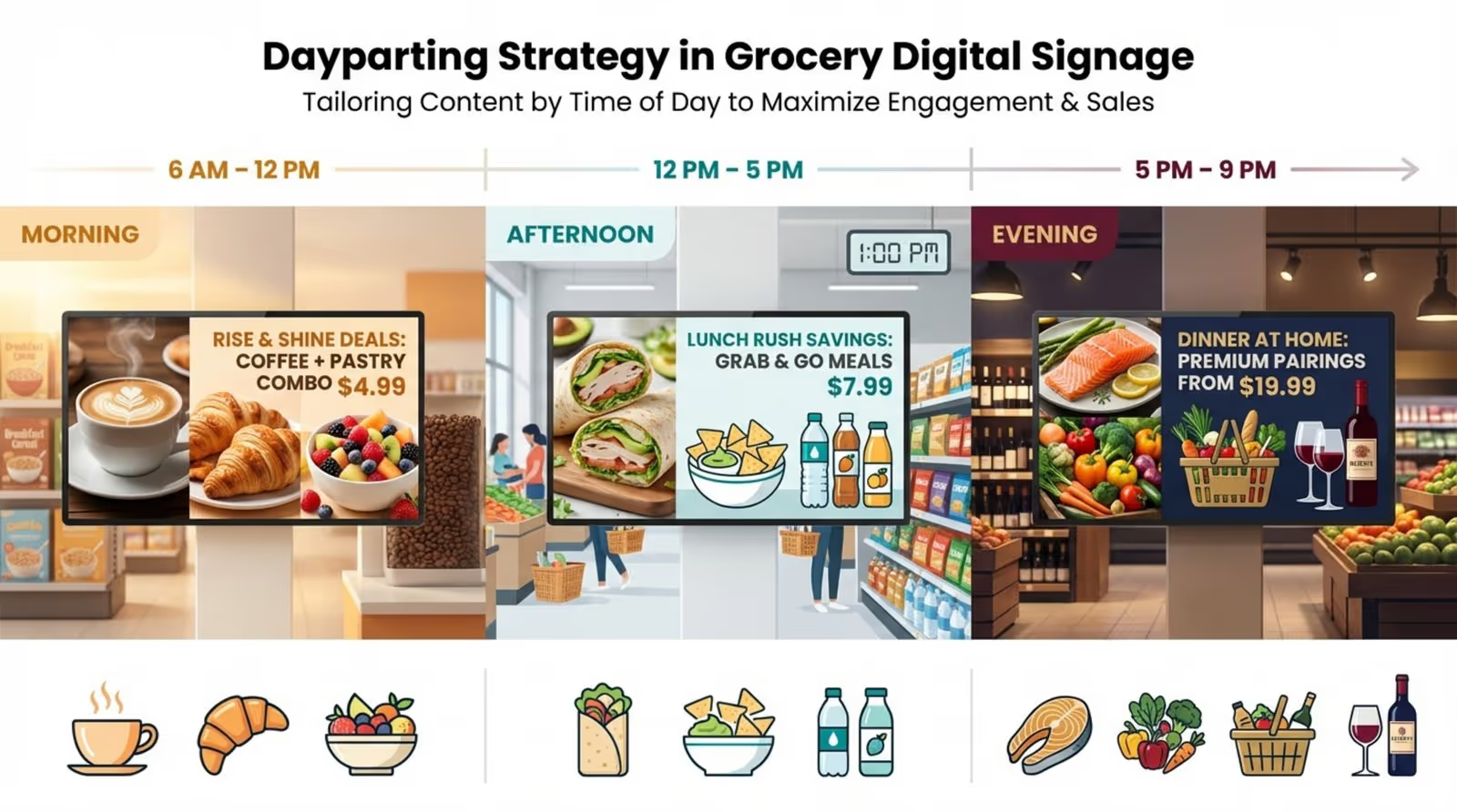
Use scheduling to match the rhythm of the day. Promote coffee and breakfast items in the morning, and meal kits in the late afternoon. Seasonal timing is also important. Build your holiday campaigns in advance so they roll out automatically. This saves your team from rushing to update content manually during busy periods.
Inclusive Marketing and Specialty Audience Targeting
Reflect your community in your content. Highlight local holidays and diverse food traditions. Promoting specialty items like vegan or international foods can attract loyal niche shoppers. Content that educates customers about these products can turn a standard shopping trip into a discovery experience.
Continuous Testing and Campaign Optimization
Treat your signage as a testing ground. Try different visuals or calls to action and see what works. Does a video of a recipe work better than a static photo? Use your data to decide. A flexible system allows you to change course quickly if a promotion isn't performing well.
Frequently Asked Questions About Grocery Digital Signage Promo Playbooks
How Much Does It Cost to Implement?
Costs vary based on your hardware choices. Commercial screens cost more initially but last longer. However, you can often start with affordable players like the Look HDMI Player or use existing Android TVs with the Look App. The long-term savings on printing and labor often balance out the initial investment. You can start small with a few screens to prove the value before expanding.
Can Small Independent Grocers Benefit?
Absolutely. Independent stores can move fast. A single screen at the entrance or deli can make a small store feel modern and professional. You can use digital signage to highlight local suppliers or staff picks, reinforcing your community connection. Digital templates allow you to have professional-grade marketing without a big budget.
What Are Common Implementation Pitfalls?
A common mistake is failing to update content. Old promotions look unprofessional. Ensure your playbook includes a schedule for fresh content. Another issue is neglecting to promote new services like delivery. Use your screens to tell customers about everything you offer. Finally, ensure you have reliable support. A stable system like Look Digital Signage with Offline Playback ensures your screens keep running even if the internet drops, avoiding blank screens and confusion.
Moving to digital signage cuts paper waste and streamlines operations. It lowers your carbon footprint by reducing the need for printed materials. This playbook is not just about sales; it is a guide to building a more efficient, responsive, and responsible retail environment.