
Table of Content
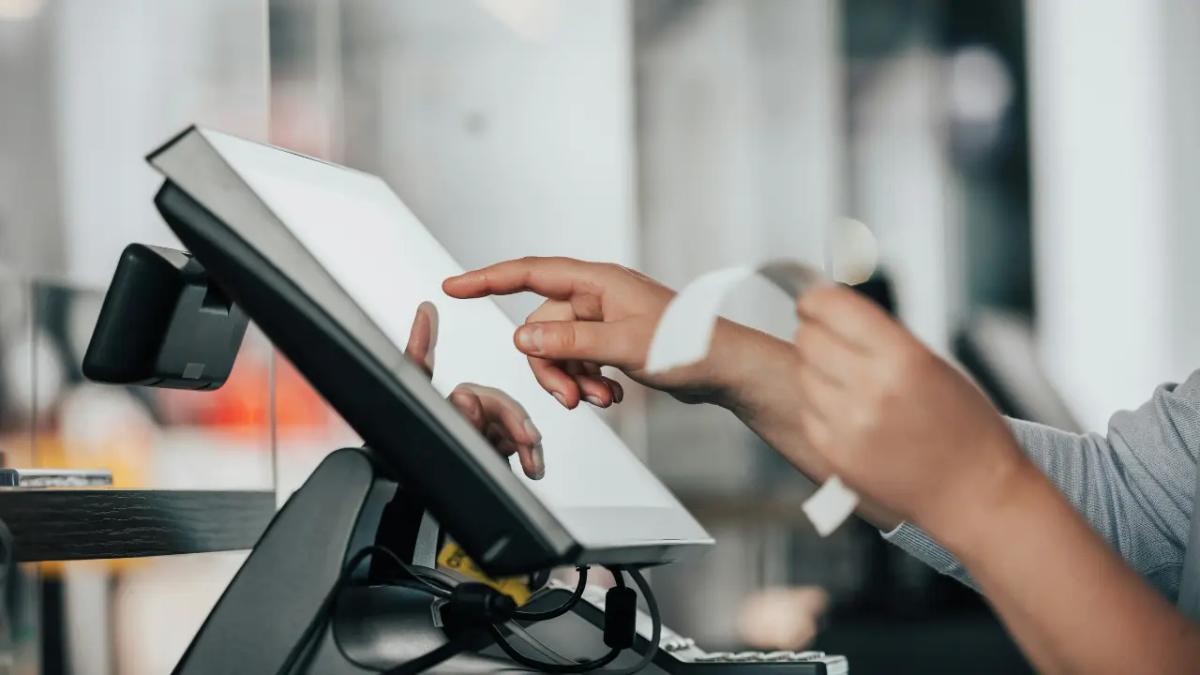
Point of Sale (POS) digital signage is a flexible and highly effective communication tool that uses electronic screens to speak to customers right where they make buying decisions. Instead of fixed posters or old-style ads, these screens show real-time, eye-catching content that strongly influences what people buy and greatly improves the shopping experience. The idea is to place bright, engaging visuals and clear information in front of customers when they are most likely to purchase, turning the checkout area or other key spots in a store into powerful sales and engagement points.
The “point of sale” is the exact place and moment when a transaction is carried out and finished. This makes it one of the most strategic locations for businesses to promote new products, display special deals, or suggest extra items. Studies regularly show that a large share of buying choices - up to 70-74% - are made right at this moment. Using POS digital signage is therefore a key part of any sales strategy, helping guide customer choices and increasing overall revenue.
How Does POS Digital Signage Work?
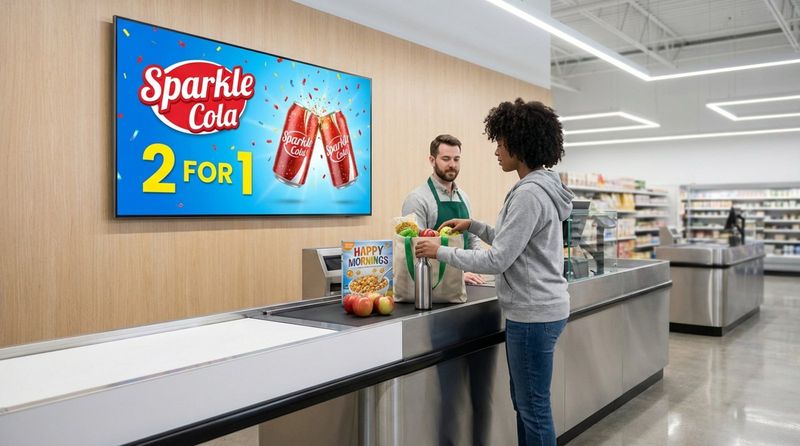
POS digital signage works by using screens - from small tablets at the counter to large video walls - to show changing content. This content is controlled through digital signage software, which lets businesses update, schedule, and adjust what appears on the screens with ease. For example, a store can promote an hourly flash sale, or a restaurant can instantly update its menu with daily specials with just a few clicks.
This setup combines hardware (screens and media players) with software (a content management system). The hardware is the display surface, and the software controls what appears on it. Together, they allow businesses to present high-quality visuals, animations, and real-time information that draw more attention than static signs. The main aim is to encourage purchases by showing relevant, appealing messages to customers who are already close to buying.
What Makes POS Digital Signage Different from Regular Digital Signage?
POS digital signage is a type of digital signage, but it has a special role. General digital signage can be used for building-wide information, branding, or directions in malls, offices, or public spaces. Its goal is often broad: inform, entertain, or support brand awareness over time.
POS digital signage, on the other hand, is placed specifically at the point where customers decide to buy. You’ll see it near checkouts, card terminals, or product stands where people are actively considering a purchase. Its main purpose is to directly affect that final decision, boost impulse buys, support cross-selling and upselling, and even help move the payment process along. It focuses on quick impact and conversion, speaking to an audience that is already close to completing a transaction.
What Are the Main Types of POS Digital Signage?
POS digital signage comes in several forms, each suited to particular locations and goals. These different formats help businesses choose the setup that best fits their space and objectives, so they can get the strongest effect at the point of sale.
Interactive Touchscreens
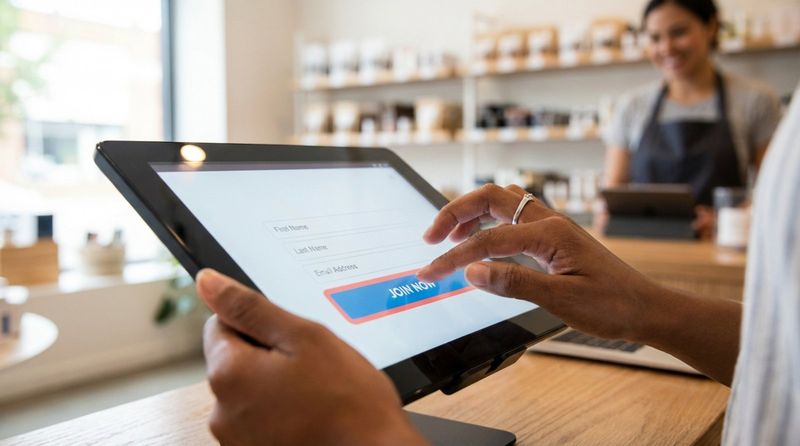
Interactive touchscreens are one of the most engaging types of POS digital signage. Instead of just showing content, they invite customers to touch and interact. A tablet at a checkout, for example, can let shoppers browse product catalogs, sign up for loyalty programs, or even complete a purchase on their own. These screens can show product demos, virtual try-ons, or payment windows. In addition to improving the customer journey, they can track taps and swipes to gather useful data about what customers like and how they behave.
Interactive touchscreens act as self-service kiosks and can connect with other systems, such as inventory tools or CRM software, so the content shown is always current and in line with business goals.
Digital Menu Boards
Digital menu boards are now a standard feature in the food and beverage sector. These bright screens, often mounted above counters, replace fixed printed menus. Their main strength is the ability to change content instantly: prices, available items, or daily specials can be updated in seconds. A restaurant can switch from breakfast to lunch, push a limited-time offer, or mark an item as sold out with almost no effort.
Digital menus are easier to read, thanks to high brightness and sharp resolution, and they look more attractive than paper menus. They also allow restaurants to schedule different menus based on time, season, or events. This improves the customer experience while cutting printing costs and waste, supporting both budget and environmental goals.
Video Walls
When you want strong visual impact, video walls are a great option. They combine several screens into one large display that quickly grabs attention in busy areas. They work well for telling a brand story, showing new products, or creating an immersive atmosphere. Ultra-high-definition (UHD) content makes images and videos extremely sharp and vivid.
Video walls can be scaled to many sizes and layouts, from a simple 2x2 grid to massive walls covering large surfaces. Many systems allow content zoning, where different sections show different material at the same time, providing multiple messages in one view. Built with commercial screens made for long hours of use, they often include backup features to keep things running if one part fails.
Information Kiosks
information kiosks function as powerful POS digital signage tools that enhance in-store communication and customer engagement. Placed at key touchpoints such as entrances, checkout zones, or high-traffic areas, these digital kiosks provide shoppers with clear, relevant information at the moment of decision.
Retail information kiosks can display dynamic content such as promotions, special offers, product highlights, pricing details, loyalty program information, and brand messaging. Because content can be updated in real time, retailers can quickly adapt campaigns, highlight limited-time deals, or promote seasonal collections without the need for printed materials.
Benefits of POS Digital Signage
Adding POS digital signage is a strategic move that brings many benefits, including higher sales, better customer satisfaction, and smoother operations. Businesses that use this technology often see strong returns because it supports both marketing and service goals at the same time.
Increases Brand Engagement at Point of Sale
Digital signage at the point of sale gives brands a powerful way to catch attention at a key moment. Moving images and changing content pull focus away from phones and other distractions and back to the brand’s message. This helps customers remember the brand and feel more connected to it. By sharing product details, offers, and brand information with people who are already close to buying, POS screens reinforce brand value and support the image you want to present. Research points to an 83% recall rate and roughly 47.7% improvement in brand awareness, which supports repeat business and ongoing revenue.
Unlike ads that simply introduce a brand, POS screens “remind and reinforce” by showing what the brand offers just before the customer pays. This quiet but effective presence is hard to miss and keeps your brand highly visible in the final moments of the purchase journey.
Targets Audiences with Customized Content
A major strength of digital signage is targeted messaging. At the point of sale, this means speaking to shoppers exactly when and where it matters most. When linked with loyalty programs or customer data, businesses can show messages that match each shopper’s interests. For example, after a customer scans a loyalty card, the screen can show coupons or deals based on their past purchases. This personal approach makes customers feel recognized and increases the chances that they will buy more.
Content can also be set to run at certain times or days, matching customer patterns or demand changes. This keeps messages fresh and relevant, raising the impact of each promotion.
Delivers Real-Time Promotions and Offers
Because content can be updated instantly, digital signage is perfect for real-time deals. Printed signs must be re-made for every campaign, but digital content updates take only moments. This lets businesses run flash sales, limited-time promotions, or daily offers that can change throughout the day.
Placing these real-time offers in busy areas or near queues can strongly affect impulse buying. When people see a visually strong, time-limited deal, they are more likely to react on the spot, which raises conversion rates and boosts sales.
Enables Cross-Selling and Upselling
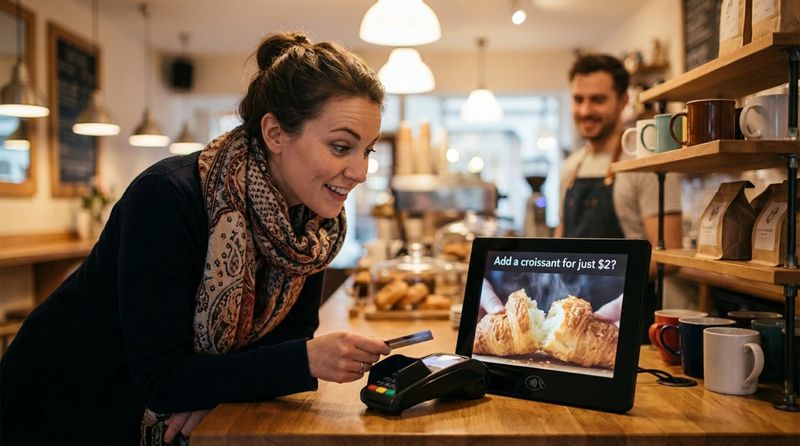
POS digital signage is very effective at suggesting extra or upgraded items. While customers are paying, screens can show related products or premium versions of what they’re buying. A coffee purchase might trigger a pastry suggestion, or a phone purchase might come with prompts for cases and chargers.
This approach can raise purchase rates by up to about 45%, increasing the value of each sale. By gently recommending items that match the shopper’s main purchase, businesses can grow revenue while still keeping the experience helpful and relevant.
Reduces Advertising Costs
Although screens and software require an initial spend, POS digital signage often cuts marketing costs over time. Traditional print ads need new designs, printing, shipping, and installation for each update, which becomes expensive.
With digital signage, all changes happen electronically, which removes those repeated expenses. Campaigns can be launched or altered quickly, saving staff time. Because performance is easy to track, businesses can fine-tune their content and spend budget on what actually works, improving overall return on advertising spend.
Allows Seamless and Instant Content Updates
Easy content updates are one of the strongest points of POS digital signage. Businesses can change what appears on screens whenever they like and set up rotation plans in advance. A screen can show different offers at peak versus off-peak times, or shift from breakfast to lunch specials at set hours.
This ability to react quickly is especially useful in fast-moving retail settings. Companies can respond to stock changes, competitor moves, or local events almost immediately, keeping all messaging accurate and appealing.
Provides Measurable Results and Analytics
POS digital signage performance is measurable in ways printed signs are not. Built-in analytics let businesses track engagement, such as how often people interact with touchscreens, how long they stay near a display, or how sales change when certain promotions run.
Companies can test different designs, messages, and placements to see which ones have the best effect on sales and engagement. If a campaign underperforms, it can be updated or replaced quickly, and results can be compared. This constant feedback loop helps teams find the most effective content and make better marketing decisions.
How POS Digital Signage Is Changing Retail Transactions
Retail is changing quickly, and POS digital signage is playing a major role. It goes beyond simple pictures on a screen and reshapes how customers interact with brands and how payments and purchases take place, leading to more engaging, efficient, and profitable store experiences.
Improving Customer Experience
POS digital signage greatly improves the customer experience. It raises engagement, adds a personal touch, and can even entertain people while they wait. At checkout, screens can show which register is available, highlight seasonal promotions, or explain loyalty benefits. This helps shorten the perceived wait, which is important because long lines can frustrate customers and cause them to abandon their carts.
Personalization adds even more value. When linked with loyalty data, POS screens can show offers and coupons that match a customer’s history. This custom approach makes customers feel appreciated and supports long-term loyalty. Educational content, how-to videos, or brand stories can also appear, keeping customers informed and, at the same time, gently suggesting add-ons or upgrades.
Promoting Products at the Right Time
Because POS digital signage is located right where decisions happen, it can promote products at the perfect moment. With about 74% of purchase decisions made at the point of sale, having dynamic ads in that space is very powerful. Businesses can push last-minute offers, highlight popular items, or feature new products just before the customer pays.
Real-time updates on price, stock levels, and loyalty rewards keep these promotions accurate and appealing. This timely, relevant promotion encourages impulse buys and raises average basket size by nudging customers toward slightly higher-value or bundled items.
Improving Transaction Efficiency
Besides increasing sales, POS digital signage helps transactions run more smoothly. When customers are informed and guided by on-screen instructions and offers, checkout errors and delays can drop. Self-checkout stations using digital signage let customers scan and pay quickly, which appeals to those who prefer speed and independence.
Screens can clearly show which line to join, where to go for returns, or what discounts are active. In stores with multiple lanes, digital guidance can direct shoppers to the next free register, even if it’s out of their direct view. This leads to faster lines, happier customers, and staff who are free to handle more complex tasks.
Steps to Set Up POS Digital Signage
Setting up POS digital signage involves more than installing a TV on a wall. It takes planning, the right mix of hardware and software, and ongoing fine-tuning so the system supports business goals and delivers clear results. Below is a step-by-step outline to follow.
Define Objectives and Goals
Before you choose equipment or platforms, be clear about what you want your POS digital signage to achieve. You might want to spark more impulse purchases, promote high-margin products, shorten perceived wait times, grow brand recognition, or speed up checkout. Often it’s a mix of several aims. These goals will shape the type of content you create, where you place screens, and which features you need. For instance, if your focus is interaction, touchscreens may be a priority. If you plan to run targeted campaigns, strong scheduling and integration tools will matter most. A clear set of goals makes it easier to build an effective plan and measure success.
Select the Appropriate Hardware
With your goals in place, choose the hardware. This includes the screens and media players. Think about screen size, image quality, build quality, and whether the display will be indoors or outside. A small interactive display may suit a checkout counter, while a large store might use video walls or big customer-facing screens. Commercial-grade hardware meant for long hours of use is usually a smart pick for POS environments. Also consider how the screens will connect: Wi-Fi, wired network, Bluetooth, or Power over Ethernet (PoE), depending on your store’s setup. The kind and number of screens should clearly support your aims.
Choose Compatible Software
The software behind your digital signage controls what customers see and how you manage it. It should make it easy to create, schedule, and update content, and to track results. Look for user-friendly software with strong content tools and scheduling options. Platforms that work with many types of hardware give you more flexibility. Many systems come with template libraries you can customize, saving design time. Make sure the software offers solid management features and reporting, since you’ll rely on these for ongoing improvements.
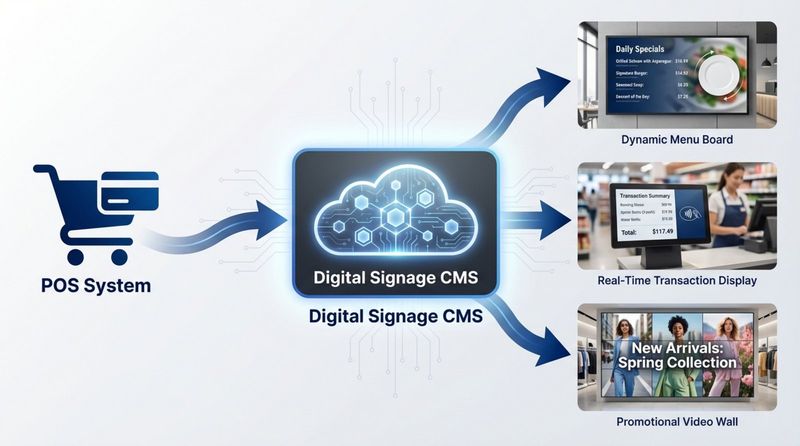
Integrate POS Systems with Digital Signage
To get the most value from POS digital signage, it often needs to connect to your existing point-of-sale system. This link allows real-time data sharing so the screens can display live updates of purchases, stock, or loyalty points. A screen could, for example, show a customer’s points balance or suggest products based on what’s already in their basket. The exact setup steps depend on your POS and your signage platform, but checking this compatibility early is important if you want smart, data-driven content. Some solutions offer direct connections to popular POS systems for smoother integration.
Develop Engaging and Dynamic Content
Good content is central to successful digital signage. It should look professional, be easy to understand, and directly support your goals. Use clear visuals, short messages, and simple calls to action. Mix in videos, animations, and real-time feeds where they add value. You can build content using the system’s templates, your internal design team, or online tools. The priority is to grab attention quickly and guide buying decisions without overwhelming the viewer.
Schedule Content Rotation
One of the biggest strengths of digital signage is the ability to show different messages at different times. Create a content schedule that rotates offers, information, and branding messages throughout the day and week. For example, show breakfast offers in the morning, lunch deals at midday, and evening promotions later on. You can also adjust content for weekends, holidays, or local events. This keeps screens fresh and makes sure people see messages that match their current needs or mood. Most software tools include automation to handle these schedules for you.
Monitor Performance and Make Improvements
Launching your screens is just the start. To keep getting value, you need to watch how they perform and adjust. Use your analytics tools to track customer interactions, engagement rates, and sales changes tied to certain campaigns. Try different layouts, messages, and placements, and compare the results. If some content doesn’t deliver, swap it out and test something else. By regularly reviewing data and making changes, you keep your POS digital signage useful and aligned with business targets over time.
Key Factors to Consider When Choosing POS Digital Signage Solutions
Picking the right POS digital signage solution can affect both how smoothly your store runs and how customers feel in your space. There is no single setup that works for everyone, so you need to match the system to your operations, budget, and growth plans.
Location and Placement Within Store
Where you put your screens is one of the most important decisions. Displays should sit at natural decision points, such as near checkouts, at popular product areas, or by entrances and exits. Think about sight lines, how customers move through the space, and lighting conditions. A screen mounted too high, too low, or in a dark corner may go unnoticed. A bright, well-placed display in a busy walkway can have a strong effect. The type of store - a compact convenience shop, a quiet boutique, or a lively restaurant - will guide what size and style of screen and mount you use.
Centralized vs. Decentralized Control
Businesses with multiple locations need to decide how they will manage content: from one central place or at each site. Centralized control lets a head office update all screens across many branches through one dashboard. This keeps branding and main promotions consistent and makes company-wide campaigns easier. A decentralized setup, where local managers control content, can work better for franchises or locations that need local offers or special messages. Many modern platforms support both: headquarters handles shared content, while local sites can add their own material within set guidelines. Choose the model that fits your structure and level of needed flexibility.
Ease of Integration with Existing Systems
For POS digital signage to work well, it should connect smoothly with your other tools, especially POS software, inventory systems, and customer databases. This connection supports real-time updates and customized messaging. For example, when an item sells out, the sign can stop showing it automatically. If a customer is part of a loyalty program, the screen can show them special offers. Solutions that are hard to link or that create separate data silos may waste time and limit what you can do. Look for systems with strong APIs or pre-built integrations so information can move easily between platforms.
Scalability and Flexibility
Your signage setup should be able to grow as your business grows. Check how easy it is to add new screens, expand to other locations, or include new functions without a full replacement. A flexible platform will support many content formats (images, video, interactive apps), work with different types of screens, and link to newer technologies such as AI-driven recommendations. Choosing a solution with an open design and a history of regular updates helps protect your investment and keeps your options open for the future.
Data Security and Privacy Concerns
Security and privacy are key, especially if your signage connects to POS data, loyalty programs, or collects any customer input. Make sure the system uses strong encryption, secure logins, and follows relevant data laws (such as GDPR or CCPA where applicable). Good security features reduce the risk of data leaks or tampering. Also think about physical security, especially for outdoor or public-facing displays: they may need strong housings, locks, and remote monitoring. A secure system protects both your customers and your business reputation.
Common Questions About POS Digital Signage
When companies start looking into POS digital signage, certain questions come up again and again. Clear answers help with planning and setting realistic expectations.
Is POS Digital Signage Expensive?
Many people still think digital signage is very costly, based on older technology. While there is an upfront cost for screens, media players, and software, prices have dropped, and tools have become easier to use. Today, both small and large businesses can afford suitable systems. When you look at cost, you should include long-term savings and the extra revenue it can generate. Digital POS ads remove the repeated cost of printing, shipping, and installing new posters and banners. The ability to update content instantly, target specific groups, and track results often leads to higher sales and smoother operations that quickly pay back the initial spend. Many providers allow you to start small and add more screens as your budget and needs grow.
How Is Effectiveness Measured?
POS digital signage offers clear ways to measure success. Businesses can track changes in sales for featured products, shifts in average order value, and how often customers redeem promotions shown on the screens. Engagement data can include how long people stay near a display, how many use a touchscreen, or how many scan an on-screen QR code. Most platforms provide dashboard reports with these metrics. When connected to POS data, you can link spikes in sales to specific content or campaigns. This feedback allows you to adjust timing, design, and messaging to get better results.
What Industries Benefit Most?
Many sectors can use POS digital signage, but some gain especially strong benefits:
- Retail: In-store screens support product suggestions, loyalty sign-ups, and promotions where most purchase decisions occur.
- Restaurants and cafés: Digital menu boards enable quick updates, bundle offers, and self-order kiosks.
- Convenience stores: Screens promote limited-time deals, link with payment systems, and help manage queues.
- Hotels: POS signage assists with check-in/out, upsells services, and acts as a digital concierge.
- Entertainment venues: Displays support ticket sales, snack and drink upsells, and membership or loyalty programs.
Any business that handles in-person payments and wants to influence choices at that moment - including pharmacies, auto service shops, and healthcare sites - can gain strong value from POS digital signage.
What’s Next for POS Digital Signage?
Digital signage is developing quickly, and POS uses are becoming smarter and more connected. As technology moves forward and shoppers expect more from in-store experiences, POS displays will continue to gain new features and roles.
Emerging Trends and Innovations
Current trends point toward tighter links between POS systems and signage, more interaction, and smarter content. Stores are already tying screens directly to inventory counts, loyalty data, and even weather feeds. A display might automatically stop showing an item once it sells out, or promote cold drinks when the temperature rises.
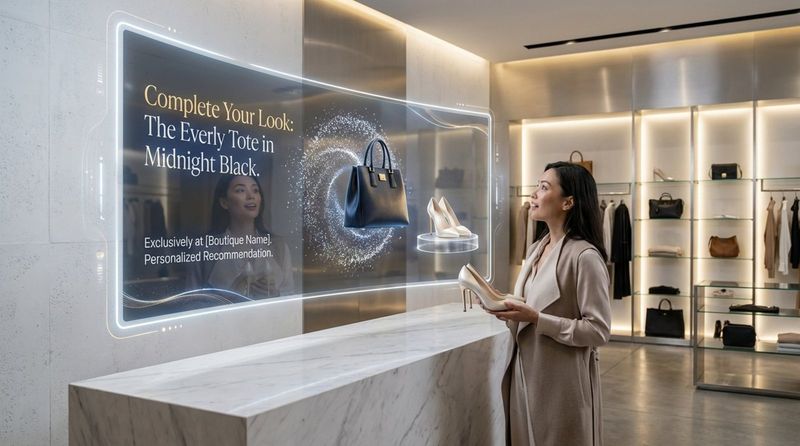
Interactive stations are also going beyond basic navigation or info. More screens now include payment options, making them full self-service points where shoppers can browse, choose, and pay on the same device. AI and machine learning are starting to support content decisions, using patterns in customer behavior to suggest what to show, when to show it, and even how to price items in real time based on demand or competition.
Predictions for the Future of In-Store Advertising
Future in-store advertising is likely to rely heavily on data-driven, dynamic displays. Static posters will become less common as stores turn to screens that can adapt on the fly. Augmented reality (AR) will probably appear more often alongside POS screens, letting customers virtually try on clothing, see how furniture would look at home, or interact with products in creative ways. Video walls will likely spread further, adding visual impact and strengthening brand image.
Lines between online and offline shopping will keep fading. POS digital signage will help bridge the gap by giving in-store shoppers access to online reviews, full product specs, and even the ability to order items that are not stocked locally. This supports an omnichannel experience where customers receive the same quality of service and information in-store as they do online. Stores will keep moving toward “retail plus entertainment,” where shopping is combined with engaging digital experiences that encourage people to visit more often and stay longer. In this setting, POS digital signage will be a central tool for engagement, better operations, and increased revenue.


