

Table of Content
How do you stop passersby and turn them into customers in just seconds? To create effective window displays, you need high-brightness screens that cut through glare and bold, dynamic content that delivers a clear message instantly. Digital window displays transform static glass into a 24/7 sales channel, but only if you combine the right hardware with smart, scheduled messaging that grabs attention and drives action.
In a competitive retail environment, a plain mannequin or a faded poster often goes unnoticed. Modern businesses view their windows as a direct extension of their brand-a digital welcome mat that engages people before they even step inside. This requires a practical mix of reliable technology and creative strategy to ensure every pixel contributes to your bottom line.
What Makes a Window Display Eye-Catching with Digital Signage?
How Does Digital Signage Change Traditional Window Displays?
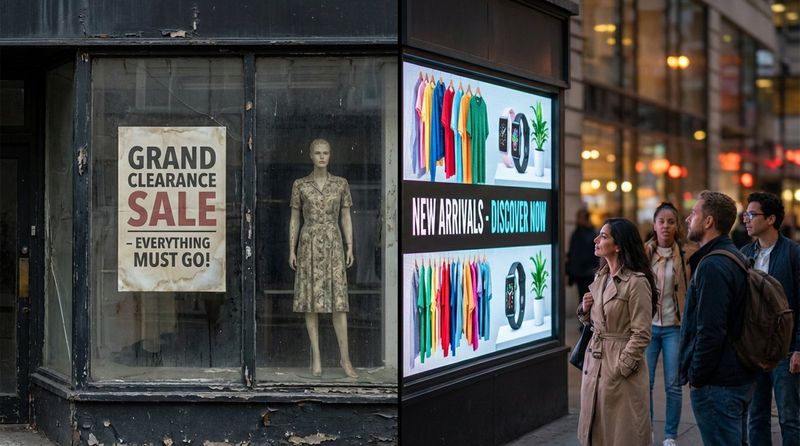
Traditional window displays rely on physical props and lighting. While they can be effective, they are static, time-consuming to assemble, and expensive to update. Digital signage software changes this dynamic by introducing motion and flexibility. Instead of a fixed scene that lasts for weeks, a digital screen can rotate through multiple promotions, moods, and messages in a single day.
Digital signage also removes physical space limitations. In a standard window, you can only showcase a few items. With a screen, your inventory is virtually unlimited. You can highlight a morning coffee special at 8 AM and switch to a lunch menu at noon using Smart Scheduling, all without manual labor. This flexibility allows your business to react instantly to inventory levels, weather changes, or local trends.
Key Elements That Attract Attention
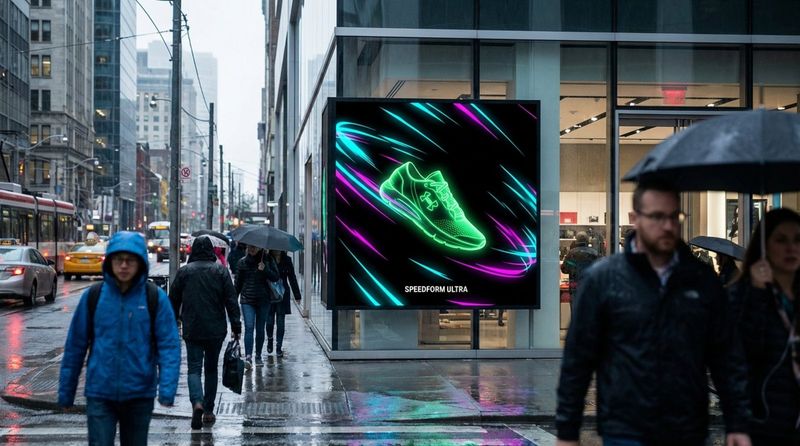
Human attention is naturally drawn to movement. On a street filled with static objects, a moving image on a screen stands out. However, the motion must be purposeful. Smooth transitions, simple animations, and high-contrast visuals capture the eye without overwhelming the viewer. The goal is to stop the person walking by, not to create a chaotic visual experience that makes them look away.
Contrast and brightness are equally critical. Window displays fight against daylight and street reflections. High-contrast content-using vivid colors or bold typography-helps your message remain legible. Utilizing the concept of "visual weight" ensures your most important element, such as a discount or a flagship product, is placed where the eye naturally falls first.
Benefits of Using Digital Signage for Window Displays
Increases Engagement through Dynamic Content
Engagement means getting people to stop, look, and absorb your message. Moving content is one of the most effective ways to increase dwell time. Unlike a printed sign, a digital playlist can tell a short story: a product being used, a testimonial appearing on screen, or a seasonal greeting. This keeps potential customers looking at your window longer, increasing the likelihood that they will enter the store.

Dynamic content also builds a stronger brand connection. You can use visuals to evoke specific feelings-comfort for a cafe, energy for a gym, or sophistication for a boutique. These visual cues communicate your brand identity faster than text alone.
Enables Real-Time Content Updates
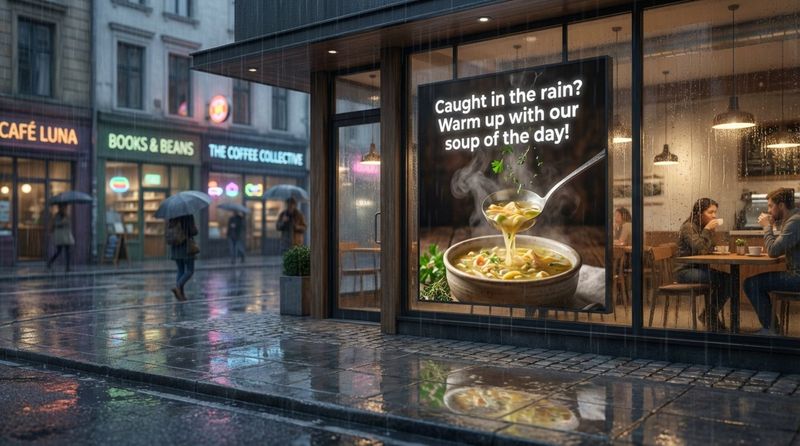
One of the primary advantages of a cloud-based digital signage platform is speed. If a product sells out, you can remove it from your playlist in minutes from anywhere. If the weather turns rainy, you can instantly promote umbrellas or hot drinks. This agility is impossible with printed media.
You can also keep screens fresh by integrating social media feeds or customer reviews. Displaying real-time proof that others love your products builds trust and creates a sense of community around your brand, encouraging passersby to join in.
Delivers Measurable Marketing Results
Measuring the impact of a physical window display has traditionally been difficult. Digital signage changes this by allowing you to track what content played and when. By using Proof-of-Play logs and analytics, you can verify that your campaigns ran as scheduled.
To measure effectiveness, include specific calls to action (CTAs) like QR codes or "window-only" promo codes. This allows you to track exactly how many sales or leads originated from your window display. If a specific creative isn't performing, the data will tell you, allowing you to optimize your playlists for better ROI.
Supports Targeted Messaging for Different Audiences
The audience passing your location changes throughout the day. Digital signage allows you to tailor your content to these shifts. Morning content might target commuters with quick service options, while evening content focuses on leisure or dining experiences. Smart Scheduling features allow you to automate these transitions.
Automation can go further by triggering content based on external factors. For example, some setups allow content to change based on the time of day or day of the week. The objective is to present the most relevant offer to the person standing in front of your window at that exact moment.
Critical Features for Effective Digital Window Displays
High-Brightness and Sunlight-Readable Screens
A common mistake is using standard consumer TVs for window displays. In direct sunlight, standard screens often look dark or turn into mirrors. For window environments, you need high-brightness commercial displays, typically rated at 2,500 nits or higher. These screens are designed to remain visible even in direct sunlight.
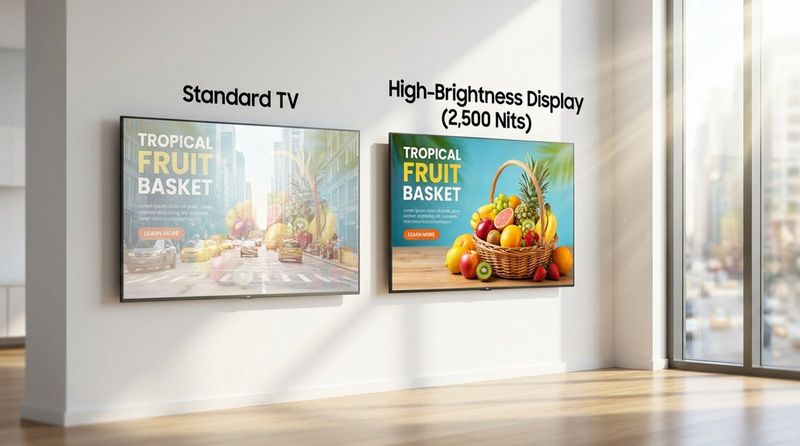
Professional displays also include thermal management to prevent overheating and "blackening" of the panel caused by solar load. Investing in the correct hardware ensures your content remains legible and your screens stay running reliably.
Durable and Weatherproof Hardware for Public Spaces
Window spaces can trap heat, acting like a greenhouse. Commercial digital signage hardware is built to withstand higher operating temperatures and run 24/7 without degradation. For outdoor or semi-outdoor setups, durability is even more critical; hardware must be sealed against dust and moisture.
Using reliable media players, such as the Look HDMI Player, ensures that your playback remains stable regardless of the environment. Dedicated players are often more robust than consumer streaming sticks, which may not be designed for continuous commercial use.
Content Design Principles for Maximum Impact
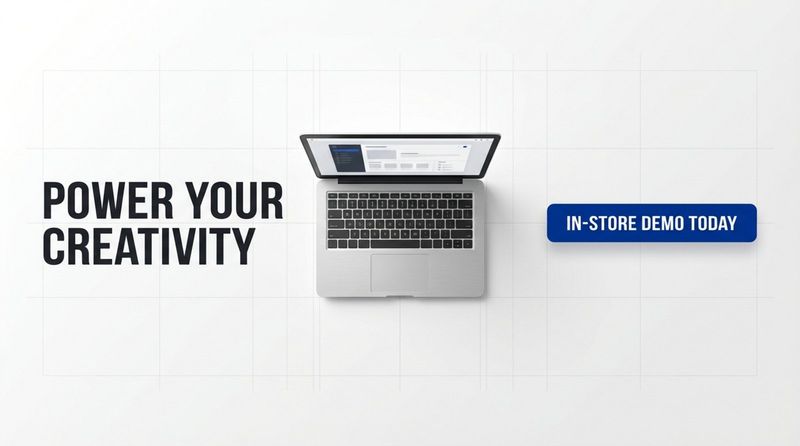
Designing for a window is different from designing for the web. Your audience is moving and distracted. Content must be digestible in under three seconds. Use large, legible fonts and high-contrast color schemes. Avoid clutter; white space helps your key message stand out.
Apply the "Rule of Three": one compelling image, one short headline, and one clear call to action. Do not overload a single slide with information. If you have more to say, spread it across multiple slides in a playlist.
Incorporating Interactive Elements
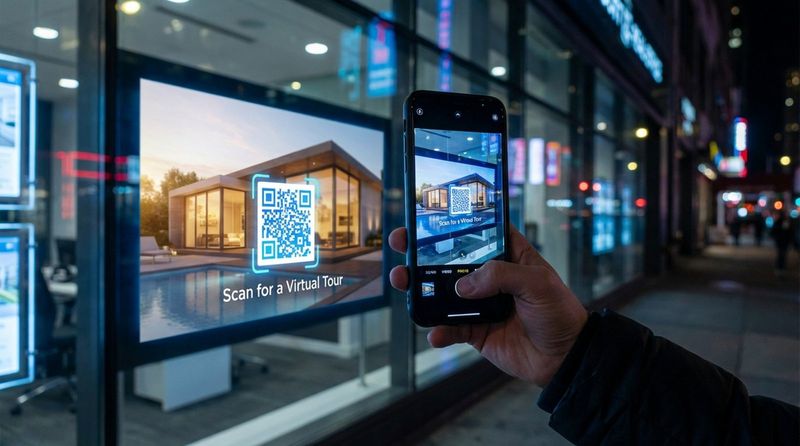
Interactive capabilities can transform a viewer into a participant. While touch-through-glass technology is an option, a simpler and more hygienic method is using QR codes. Passersby can scan a code on your screen to view a menu, enter a contest, or browse a catalog on their phone.
For example, a real estate agency can display property listings on a screen. A viewer scans a QR code to save the listing to their mobile device instantly. This bridges the gap between the physical window and your digital ecosystem.
Designing Window Displays That Stand Out
Choosing a Compelling Theme
A unified theme helps your display look professional and intentional. Whether it is a seasonal campaign or a product launch, your visuals should feel connected. Digital signage templates within your CMS can help you maintain consistency without needing a professional designer for every update.
Consider your environment. A sleek, modern design works well in a business district, while a more colorful, illustrative approach might fit a family-oriented retail zone. The design should align with your brand voice while standing out from the surrounding visual noise.
Finding the Focal Point of the Display
Every layout needs a focal point. In a digital window, this is typically the area with the most movement or the brightest colors. Position your key value proposition-such as "50% Off"-at eye level. If you are using Screen Layouts to divide your screen into zones, ensure the main zone carries the primary message while smaller zones handle support info like opening hours.
You can use subtle animation cues, like arrows or gazing subjects, to direct the viewer’s eye toward the focal point. This guides the visual journey and ensures the most important information is seen first.
Balancing Visual Simplicity with Unique Design
Avoid the temptation to fill every inch of the screen. Negative space is essential for readability. A simple loop of a high-quality product video often outperforms a busy screen filled with scrolling text and flashing graphics. Complexity can confuse the viewer; simplicity sells.
Use your CMS tools, such as a built-in Content Creator, to build clean, branded layouts. Consistent use of brand colors and fonts helps passersby recognize your business from a distance, even before they read your logo.
Strategic Placement and Screen Angles
Physical placement impacts visibility. Screens should be positioned to minimize reflections from the street. Sometimes, a slight tilt away from direct light sources can drastically improve readability. Ensure the screen is at an appropriate height; content placed too high or too low will be ignored.
If you have a large window, consider how multiple screens interact. They should function as a cohesive unit rather than disjointed displays fighting for attention.
Rotating Content to Maintain Viewer Interest
Regular commuters will tune out a window that never changes. To combat "signage blindness," update your playlists frequently. You do not need to create new content from scratch every day; simply changing the order of slides or updating the background color can make the display feel fresh.
Mix evergreen content (brand values, services) with timely updates (daily specials, weather-triggered promos). This variety encourages people to look at your window every time they pass by.
Leveraging Advanced Digital Signage Solutions
Easy Content Management Platforms
The efficiency of your window display depends on the software managing it. For businesses that need a reliable, user-friendly solution, Look Digital Signage is a strong choice. It is a cloud-based platform designed to help you manage screens remotely without complex IT setup.
Look DS offers features specifically useful for window displays, such as Smart Scheduling to automate content changes based on the time of day, and Offline Playback to ensure your screens keep running even if the internet connection drops. This reliability is crucial for unattended window displays.
Scalable Displays for Single Storefronts and Chains
Whether you manage one shop or a global chain, your software must scale. A robust CMS allows you to group screens by location, city, or zone. You can push a global brand campaign to all windows instantly while allowing local managers to add region-specific offers.
Scalability also involves hardware flexibility. You might start with a single window screen and later expand to digital menu boards or internal communication screens. A unified platform like Look DS manages all these endpoints from a single dashboard.
Built-in Templates and Creative Tools
Not every team has a graphic designer on staff. Modern digital signage software often includes an AI Wizard or template library to help you create professional content quickly. These tools ensure your text is legible and your layouts are balanced.
Using Ready-made Templates allows you to deploy high-quality visuals in minutes. You can customize these with your own images and text, ensuring your window display looks polished without the cost of an external agency.
Optimizing Window Display Layouts with Multiple Screens
Grids and Video Walls
For maximum impact, video walls or grid layouts create a large-scale visual experience. By stitching multiple screens together, you create a canvas that dominates the storefront. You can choose to display one large image across all screens or use Screen Layouts to assign different content to specific screens within the grid.
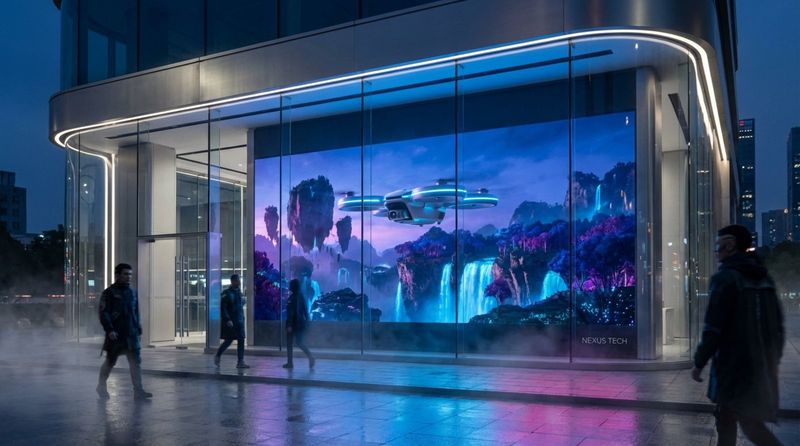
This approach is effective for storytelling, allowing you to showcase a "hero" product on the main section while displaying pricing and details on adjacent screens.
Orchestrated Displays for Immersive Visuals
Orchestration involves syncing content across separate screens so they act as one. For example, an object can appear to move from the left window screen to the right window screen. This movement naturally draws the eye across the entire storefront.
This technique requires a CMS capable of precise synchronization. When done correctly, it turns a standard window into an immersive brand experience that differentiates you from competitors.
Selecting the Right Hardware for Multi-Screen Setups
Multi-screen setups require hardware with narrow bezels (the frame around the screen) to minimize gaps in the image. Additionally, you need media players that support high-resolution playback and synchronization.
For simple deployment, the Look HDMI Player offers a plug-and-play experience that transforms compatible screens into managed signage points, ensuring your multi-screen content runs smoothly and stays in sync.
Proven Tips for Unforgettable Window Displays
Integrating Interactive Campaigns
Encourage action with your displays. Use your screen to launch a digital treasure hunt or a limited-time flash sale accessible via QR code. This moves the viewer from passive observation to active engagement.
Interactive campaigns also provide data. You can track scan rates to understand which offers resonate most with your audience, helping you refine your strategy over time.
Crafting Messaging That Resonates
Technology delivers the message, but the copy sells it. Focus your language on the customer’s needs using "you" rather than "we." Instead of "We have great winter coats," try "Stay warm this winter with our new collection."
Align your messaging with the local context. Reference local events, sports teams, or weather conditions to make your brand feel like an integral part of the neighborhood.
Measuring Success and Adjusting Strategies
Launch is just the beginning. Use Playback Analytics to monitor the performance of your content. Identify which playlists run most frequently and correlate that data with store footfall or sales during those periods.
If a specific campaign isn't driving results, adjust it. The power of digital signage lies in its flexibility-you can test new headlines, images, or offers continuously until you find what works best for your window.
Final Recommendations for Digital Signage Window Displays
The most effective window displays treat digital signage as a core business tool, not just decoration. Aim for a seamless blend of physical products and digital storytelling. Prioritize high-brightness hardware that remains visible in all conditions, keep your content simple and legible, and use data to refine your approach.
Remember that your window works even when you are closed. Utilize Smart Scheduling to switch to "after-hours" content that highlights your website or online store. By keeping your screens purposeful 24/7, you turn your storefront into a reliable marketing asset that captures attention and drives revenue around the clock.


