Table of Content
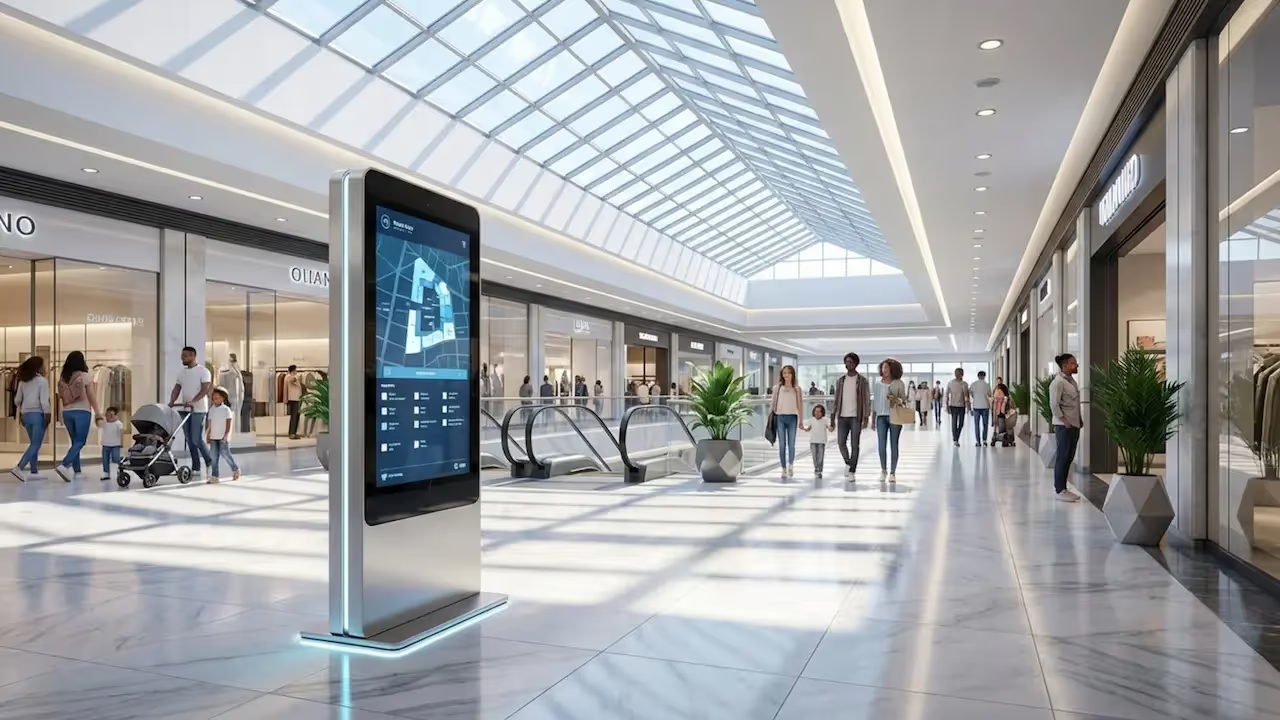
How can large shopping centers stop visitors from getting lost while boosting tenant visibility? Mall wayfinding with digital signage turns static maps into interactive guides, helping you manage traffic flow, update store directories in minutes, and connect the physical space with digital services. By replacing printed directories with dynamic screens, you can reduce visitor frustration and turn navigation into a seamless part of the shopping experience.
Digital wayfinding also acts as a central communication hub for marketing and operations. You can guide thousands of visitors to events, highlight store offers, and collect insights on search trends. Whether you manage a local plaza or a major landmark, digital signage helps every visitor explore with confidence.
What Is Mall Wayfinding With Digital Signage?
How Digital Wayfinding Differs from Traditional Signage
Traditional wayfinding relies on printed maps and plastic signs. While functional, they become outdated the moment a store moves or a restroom closes for maintenance. Updating them requires reprinting and manual installation, which costs time and money. Digital wayfinding solves this with cloud-based software that lets you update content across every screen in seconds from a central dashboard.
Furthermore, traditional signage is passive. A visitor reads a map and must orient themselves. Digital wayfinding is active and interactive. It works like a conversation: visitors type or tap to find a specific brand or accessible route, receiving step-by-step guidance. This shifts navigation from a puzzle to a simple service.
Key Features of Digital Wayfinding in Shopping Malls
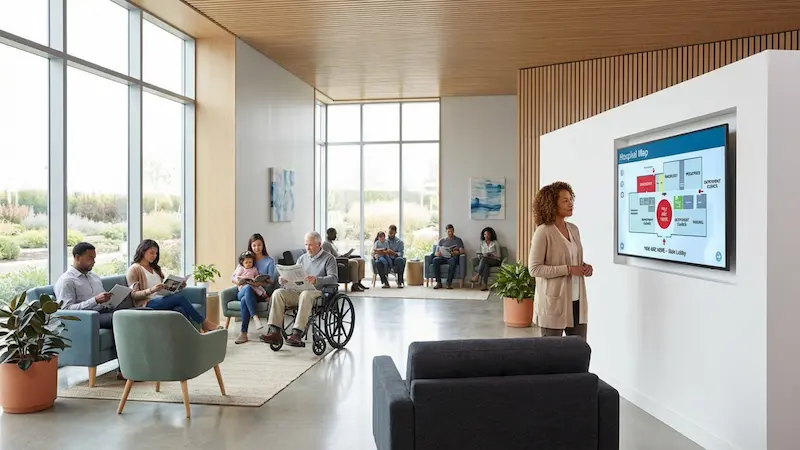
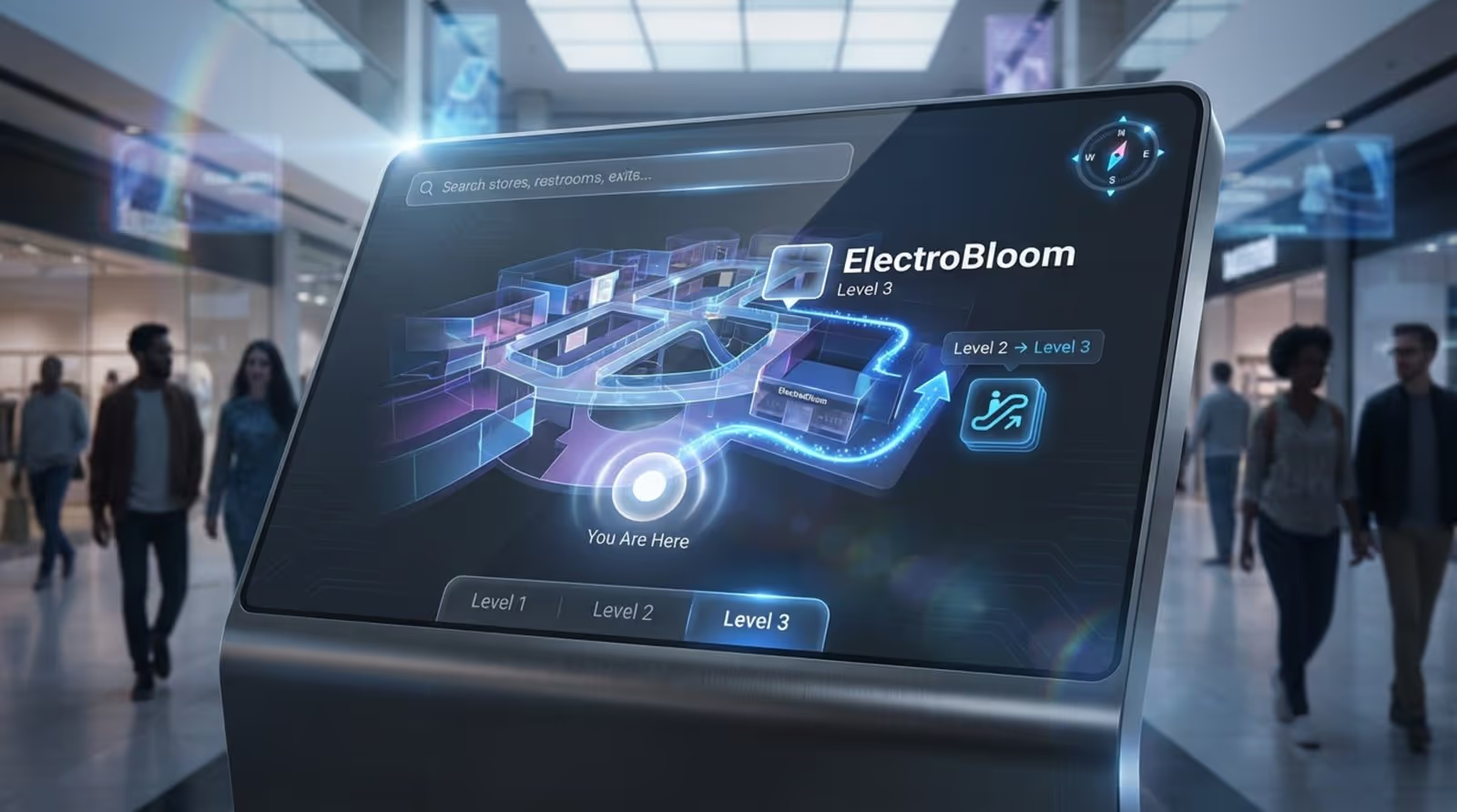
Modern systems typically use bright, high-resolution touchscreens. These kiosks offer intuitive search tools where users can filter by category (e.g., "Shoes" or "Dining") or browse an A-Z list. Once a destination is selected, the system displays a visual path from "You Are Here" to the storefront.
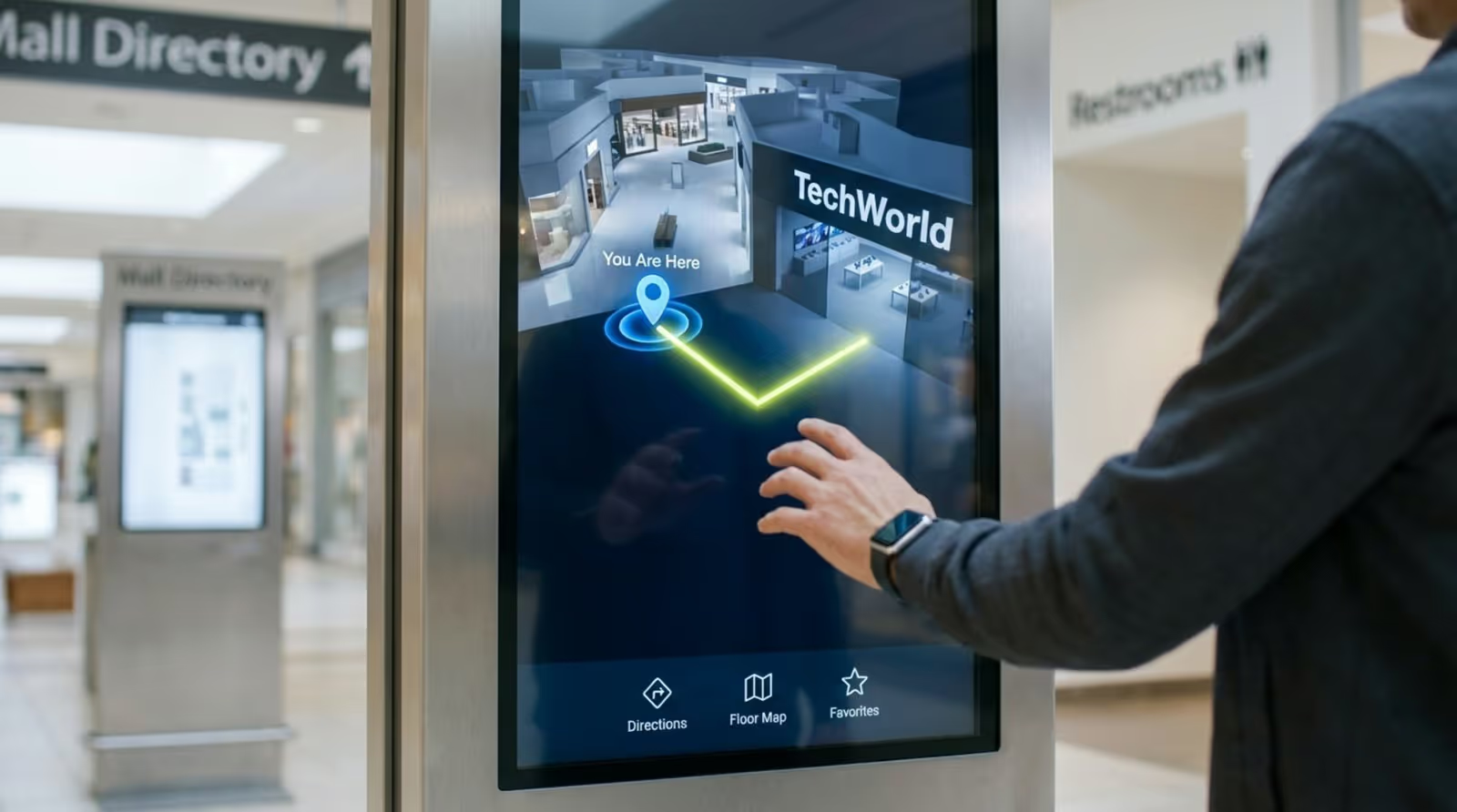
Another essential feature is the use of "Call to Action" (CTA) buttons within screen layouts. For example, a promotional slide might include a "Take Me There" button that immediately maps the route. Most systems also include quick-access buttons for essential services-restrooms, elevators, and information desks-so visitors find what they need with a single touch.
Benefits of Digital Wayfinding for Malls
Improves Visitor Experience and Reduces Frustration
Navigating large properties can be overwhelming. Digital directories significantly reduce search time, allowing shoppers to spend more time engaging with stores and less time feeling lost. When visitors can navigate easily, satisfaction scores generally improve.
Clear digital signage creates a "low-friction" environment. High-contrast screens and simple icons ensure readability even in crowded spaces, reducing the burden on information desk staff and giving shoppers a sense of control over their visit.
Enhances Accessibility for All Shoppers
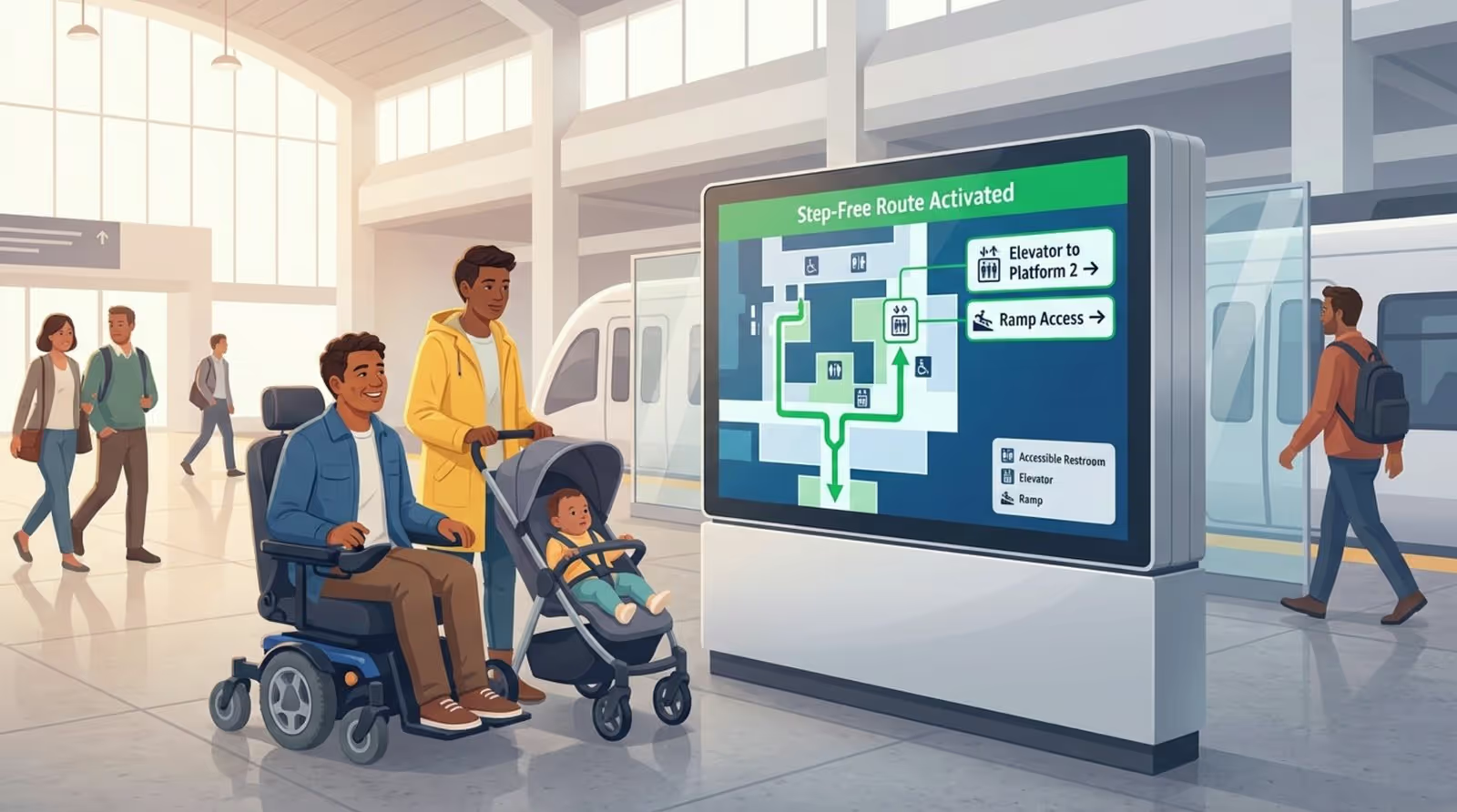
Digital wayfinding supports inclusivity by offering route options that traditional maps cannot. Systems can calculate step-free routes for wheelchairs or strollers, avoiding escalators and steep ramps. This supports universal design principles and helps ensure your facility remains welcoming to everyone.
Accessibility also extends to language. Many kiosks allow users to switch languages instantly, supporting international tourists and non-native speakers. Features like high-contrast modes and text-to-speech further assist visitors with visual impairments.
Increases Tenant Visibility and Brand Exposure
Digital kiosks serve as both navigational tools and advertising networks. Interactive screens can capture attention more effectively than static posters. By integrating promotions into the wayfinding flow, you can drive foot traffic directly to specific tenants. A shopper searching for "coffee" might see a timely offer from a nearby café.
This setup supports cross-promotion. Malls can manage their own internal ad networks, scheduling content for events or product launches. Interactive scenarios can even include fun elements like "spin to win" coupons, increasing engagement and brand awareness.
Enables Real-Time Updates and Flexibility
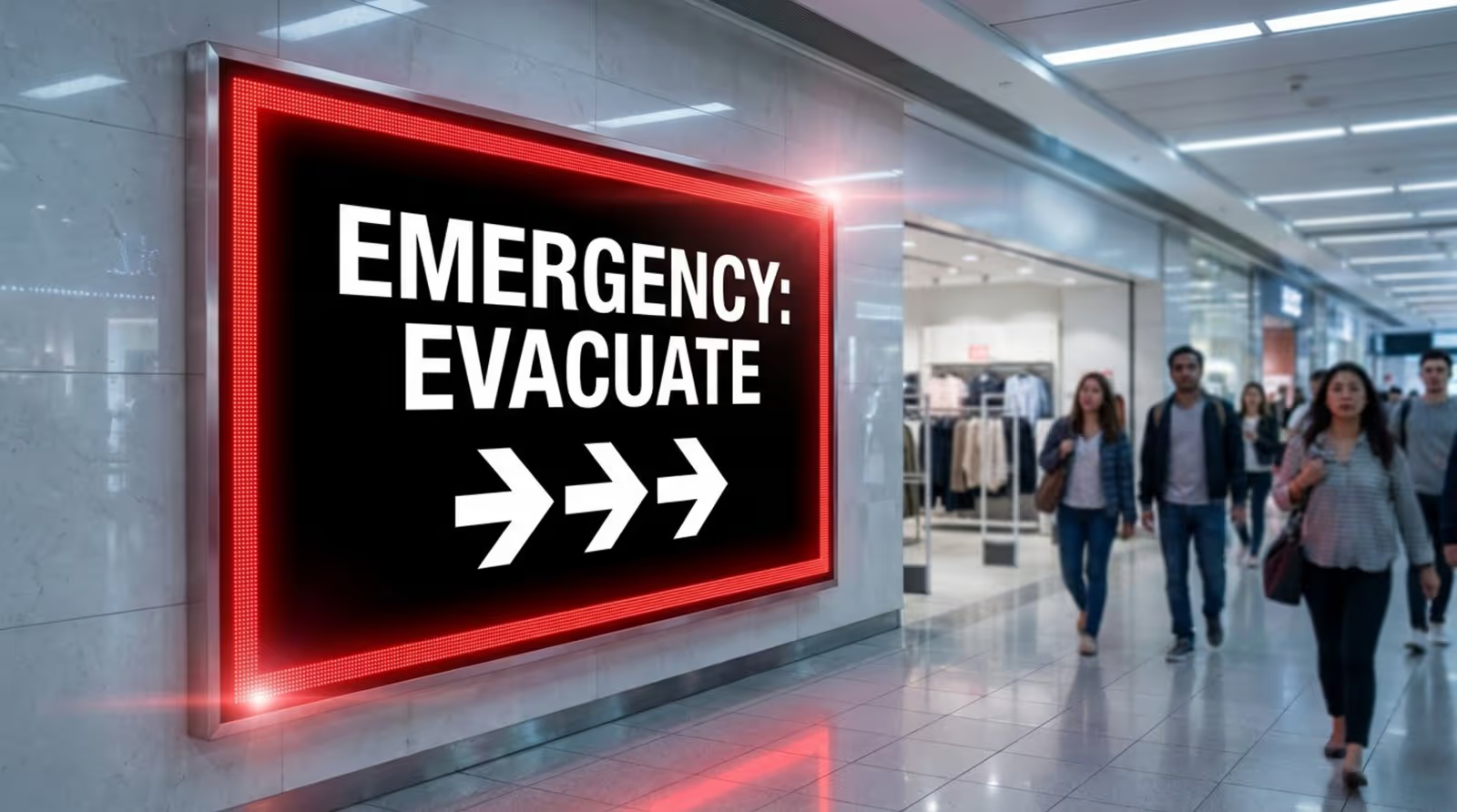
The ability to change content instantly is vital for operations. If a corridor is closed for cleaning or an emergency occurs, you can update screens immediately to reroute traffic. During holidays, the entire visual theme of the interface can be refreshed to match seasonal decor without replacing hardware.
This flexibility enhances safety. In the event of an emergency, digital signage can switch to "emergency mode," displaying clear evacuation routes and alerts, providing a level of responsiveness that static signs cannot match.
Provides Valuable Analytics and Insights
Digital wayfinding provides data that printed signs never could. You can track which stores are searched for most frequently, identify peak usage times, and monitor device health. Look Digital Signage, for instance, offers detailed playback analytics and monitoring tools to verify that your content is running correctly.
These insights support data-driven decisions. If search data shows high demand for a specific product category you lack, it can inform leasing strategies. By measuring engagement, marketing teams can prove ROI and optimize campaigns to better serve visitors.
Types of Digital Wayfinding Solutions for Shopping Malls
Interactive Kiosks and Touchscreens
The standalone kiosk is the most common touchpoint. These rugged units are designed for high-traffic public spaces and serve as the primary directory. Modern kiosks can handle multiple functions: displaying maps, promoting events, and even gathering customer feedback through interactive forms.
Digital Directory Signage and Maps
While kiosks handle active searches, non-touch digital directories play a supportive role at entrances and key intersections. These large screens provide a broad overview of the layout and anchor tenants. They are ideal for quick orientation and crowd management.
Using screen layouts within your CMS, you can split these displays to show a map in one zone and dynamic content-like weather, news, or event schedules-in another, keeping the screen useful even when visitors aren't actively navigating.
Mobile Wayfinding Integration
A growing trend is the handoff from shared screens to personal devices. Visitors can scan a QR code on a kiosk to transfer the map to their phone. This allows them to carry directions with them as they walk, functioning similarly to GPS.
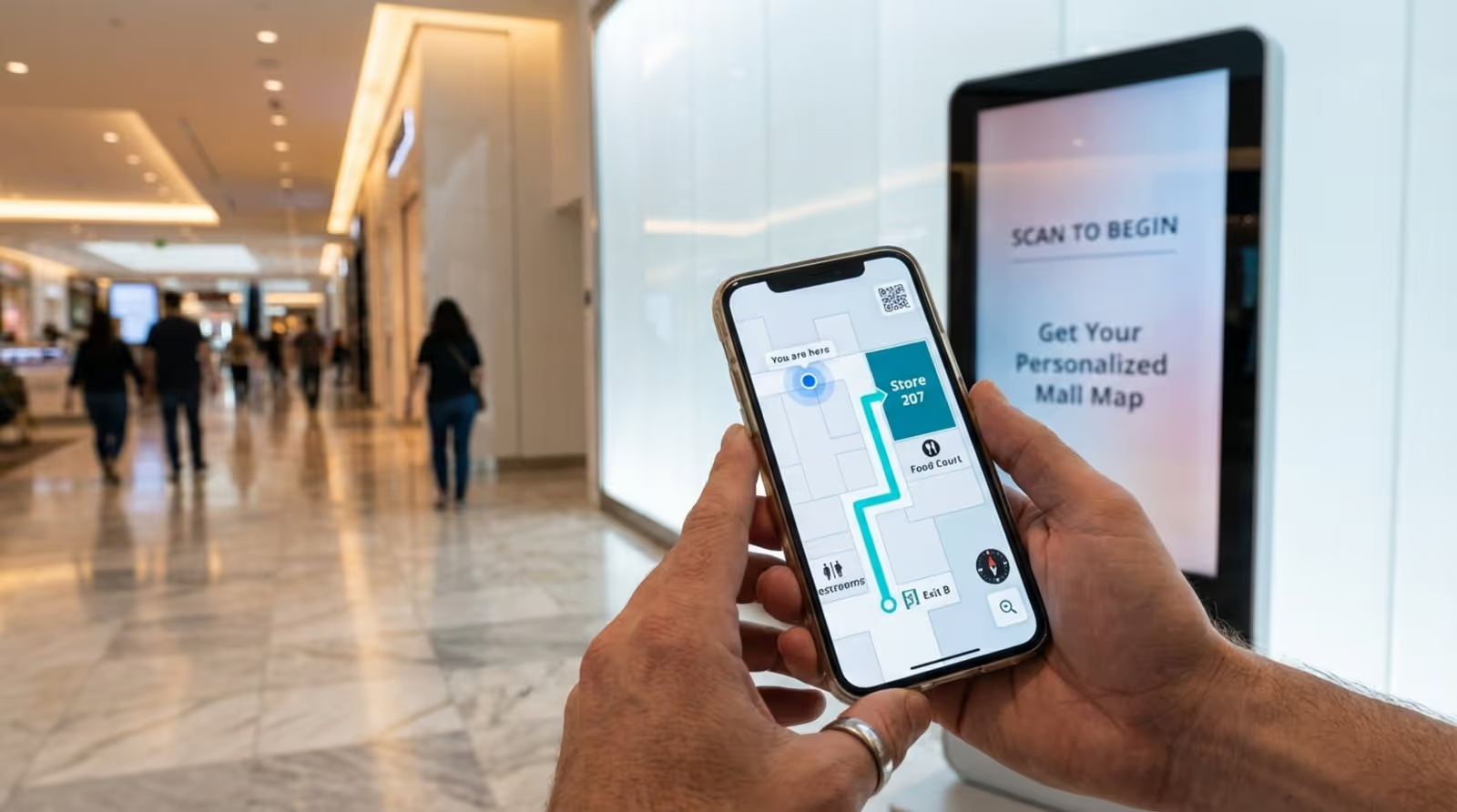
This integration also opens channels for personalized marketing. Once the map is on a mobile browser, you can present relevant offers or loyalty sign-ups, creating a connected experience that extends beyond the physical screen.
Magic Mirror and Augmented Reality Displays
For locations seeking a unique attraction, AR displays and "Magic Mirrors" offer immersive experiences. These screens can overlay virtual elements onto the real world, such as virtual clothing try-ons or interactive games controlled by gesture. While less common for pure navigation, they drive high engagement and encourage social sharing.
Accessibility and Inclusive Navigation Tools
Inclusive navigation features ensure compliance and comfort. An "Accessible Mode" might lower touch targets for wheelchair users or simplify the visual layout for clarity. Providing these options demonstrates that your management values hospitality for all demographics.
Key Components of a Successful Digital Wayfinding System
Content Management System (CMS)
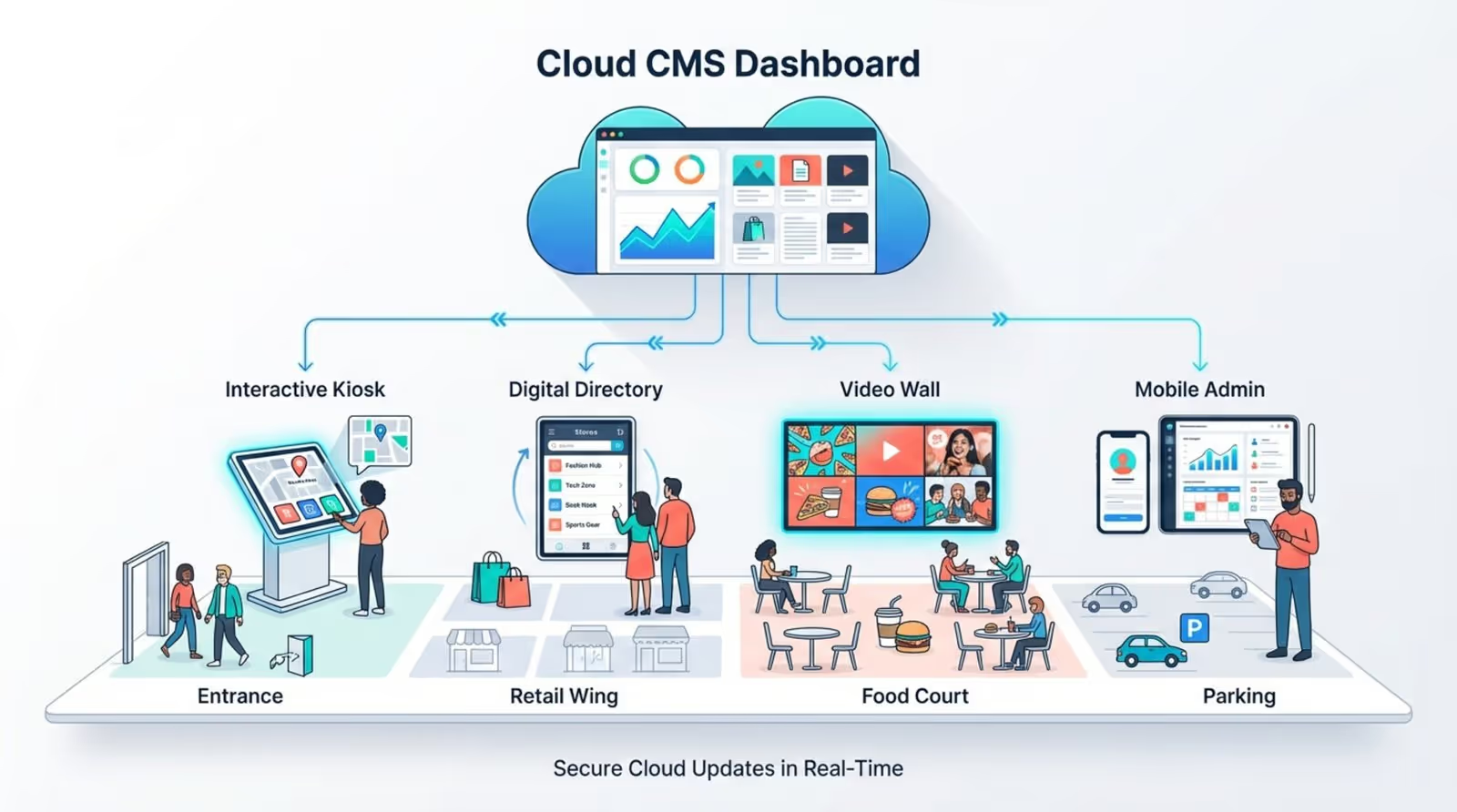
The software is the engine behind your screens. A reliable, cloud-based platform is essential for managing content across multiple locations efficiently. We recommend Look Digital Signage (Look DS) for this purpose. The Look CMS allows you to manage any screen, anytime, from a simple web dashboard. You can create content, build playlists, and use smart scheduling to ensure the right messages appear at the right time.
A strong CMS also minimizes risk. With features like offline playback, Look DS ensures your directories keep running even if the internet connection drops, maintaining a reliable experience for visitors.
Screen Placement and Strategic Location
Software is only effective if screens are seen. Install displays at natural "decision points"-entrances, elevator banks, and major junctions. Screens should be placed at eye level, free from obstructions like plants or pillars. Visibility is key; visitors should spot help from a distance rather than having to hunt for it.
Consistent Design Elements: Language, Symbols, Colors
Consistency reduces confusion. Your interface should use a unified color palette, legible fonts, and standard symbols for amenities. Color coding-such as green for food courts and blue for retail wings-helps visitors intuitively understand the space.
Integration of Directions, Travel Times, and Points of Interest
Advanced wayfinding adds context to the map. Displaying estimated walking times helps visitors plan their route. Highlighting Points of Interest (POIs) like art installations or pop-up stores can encourage exploration and increase dwell time.
Support for Multilingual and Accessible Content
In diverse environments, multilingual support is a standard requirement. Your system should allow easy toggling between languages. Look DS supports interactive scenarios that can be built to facilitate these user choices without complex coding.
How Mall Wayfinding With Digital Signage Works
User Interaction: Searching and Navigating Routes
The process begins when a visitor approaches a kiosk. They engage with a simple menu to search by name or category. The interface must be responsive and intuitive-users should not need instructions to figure it out. Touch capabilities allow for quick zooming and panning on maps.
Graphical Route Visualization from Start to Destination
Once a destination is chosen, the software calculates the most efficient path. The screen displays an animated line or arrows guiding the user through hallways and floor changes. For complex multi-level centers, clear indicators for escalators and elevators are crucial.
Tenant Advertising and In-House Promotions
Digital signage maximizes the value of screen time. While a user searches, the system can display unobtrusive ads or sponsored listings. Look Digital Signage makes it easy to schedule these promotional loops and verify they ran using proof-of-play logs. This turns your directory into a revenue-generating asset.
Collecting and Using User Data Responsibly
The system passively collects usage data, such as total searches or most-clicked categories. This information is generally anonymous and aggregate. It helps management understand traffic patterns-for example, recognizing that a specific zone needs better signage or amenities based on search volume.
What to Consider When Implementing Digital Wayfinding in Malls
Choosing the Right Hardware and Software
Reliability is non-negotiable. Choose commercial-grade hardware designed for 24/7 operation rather than consumer TVs. For the media player, the Look HDMI Player is a plug-and-play option that ensures smooth performance and easy setup. Alternatively, if you have existing hardware, the Look App works with a wide range of operating systems.
Customization for Your Mall’s Layout and Branding
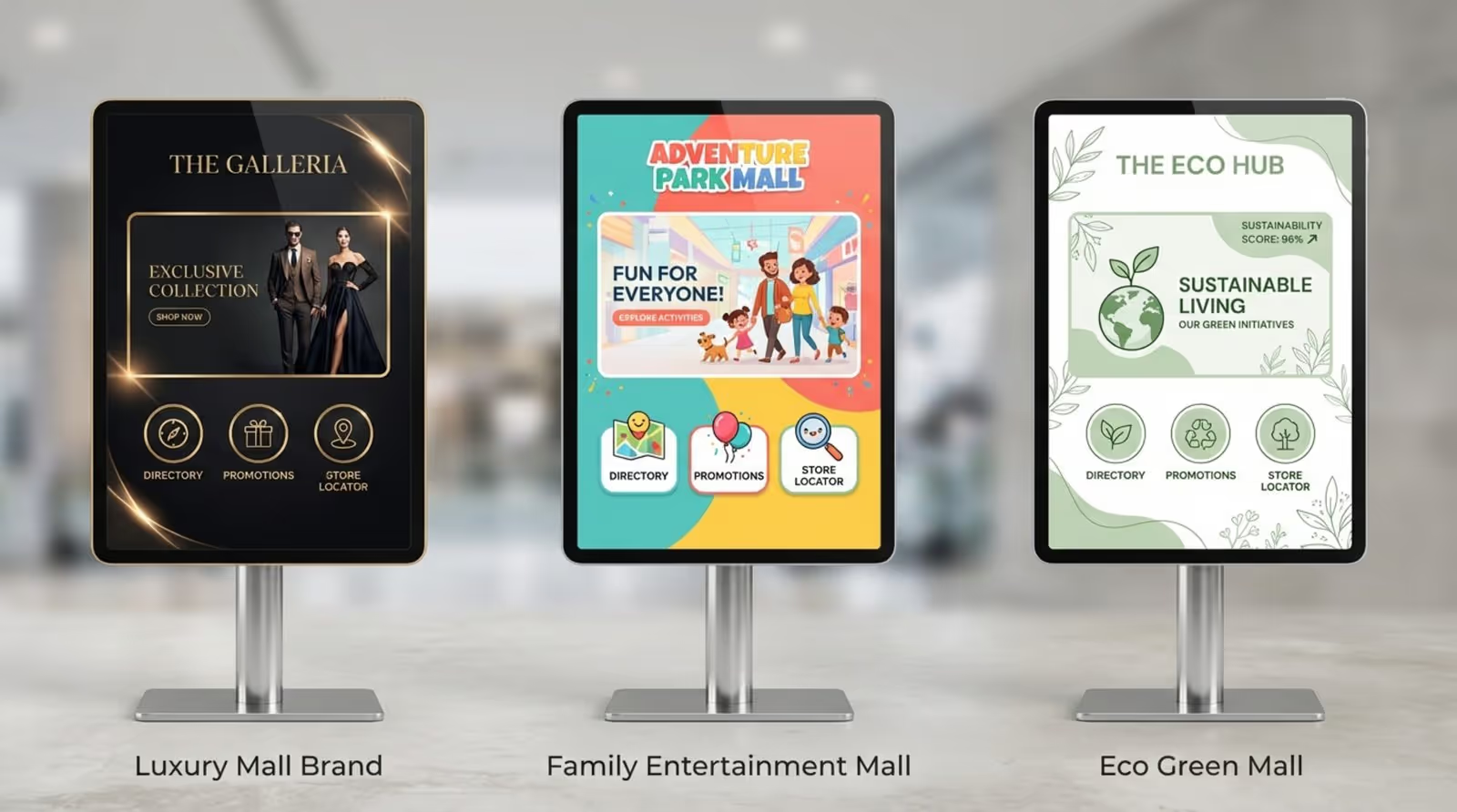
Your digital signage should reflect your brand. The interface should carry your logo and colors. Look CMS offers ready-made templates and a Content Creator to help you build branded visuals quickly, even without a design team. Customization ensures the technology feels like an integrated part of the architecture.
Maintaining and Updating Maps and Content
Keep your content fresh. A directory with missing stores frustrates visitors. Establish a workflow for regular updates using your CMS. Remote management features allow you to push these changes to all screens instantly, without site visits.
Ensuring Security and User Data Privacy
Security is paramount. Ensure your network is secure and devices are locked down to prevent unauthorized access. For organizations with strict IT policies, Look DS offers an on-premise deployment option, giving you maximum control over your data and infrastructure.
Shopping Mall Digital Signage: Common Questions
How Is Digital Wayfinding Cost-Effective?
While the initial investment is higher than print, digital signage saves money in the long run by eliminating printing costs. One screen serves multiple functions: directory, advertising platform, and emergency alert system. Additionally, ad revenue from tenants can offset operational costs.
What Are the Most Popular Features for Shoppers?
Visitors value efficiency. Visual route mapping and mobile handoff (QR codes) are consistently rated as top features. Quick-search buttons for restrooms and ATMs are also heavily used.
How Does Digital Signage Benefit Mall Management?
It improves operational efficiency and provides data. Real-time updates mean fewer outdated signs and fewer questions for staff. Analytics help you understand visitor behavior, proving ROI on marketing efforts and aiding in tenant management.
Digital wayfinding does more than just point the way; it modernizes how you communicate with every person who enters your space. It reduces waste associated with printed signage and offers a platform for real-time engagement. By adopting a solution like Look Digital Signage, you can keep your screens running smoothly, prove ROI with analytics, and create a visitor experience that is efficient, helpful, and welcoming.