
Table of Content
How often do visitors get lost in your lobby while searching for a specific suite or department? A digital building directory solves this problem by replacing static, hard-to-update boards with dynamic screens that guide guests instantly. For facility managers, this means less time answering questions and the ability to update tenant lists in minutes, from anywhere.
Beyond simple navigation, these directories serve as a modern communication hub. They welcome guests, display emergency alerts, and reinforce your brand image from the moment someone walks through the door. Instead of a passive list of names, a digital directory acts as an always-on assistant that keeps your building running smoothly and your visitors informed.
What is a digital building directory?
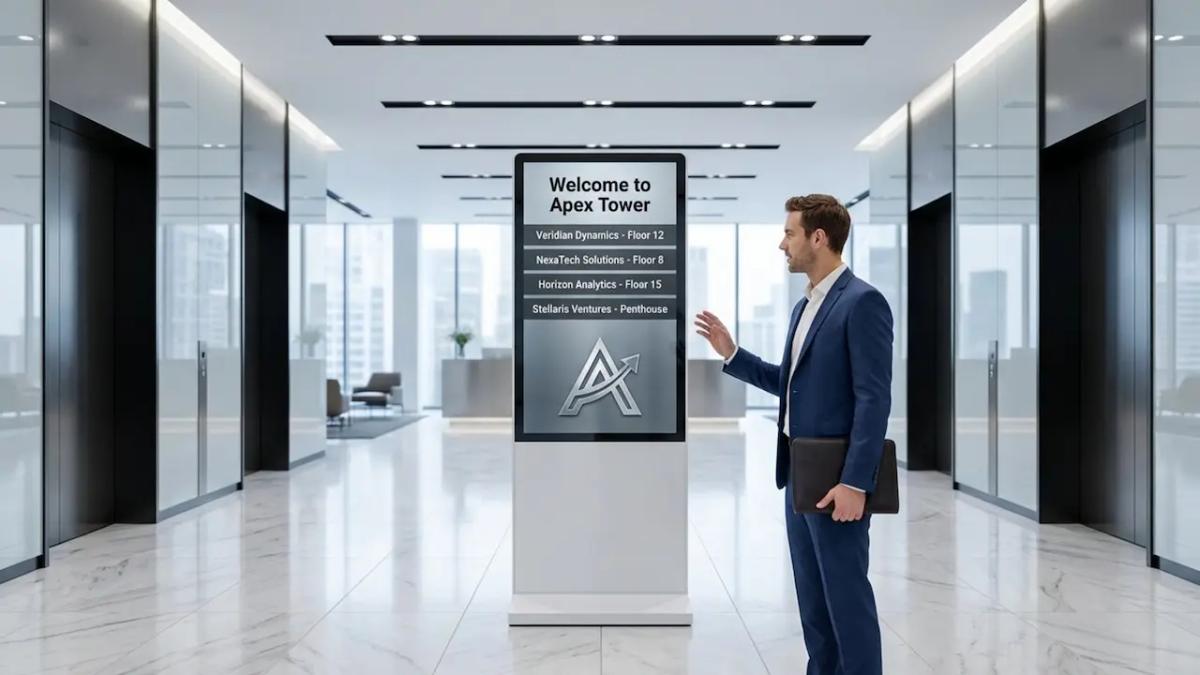
A digital building directory is a display system that helps people navigate complex spaces like office towers, hospitals, or campuses. Unlike old-fashioned felt or plastic letter boards, these are digital screens-often with touch capabilities-that display searchable tenant lists, interactive maps, and building announcements. They act as the central information point for your lobby, turning raw data into a clear, visual guide.
These systems are connected to the cloud, making them easy to manage. Instead of ordering new printed signs when a tenant moves, staff can simply log into a dashboard and update the listing instantly. This keeps information accurate without the delay or cost of physical signage.
How do digital building directories work?
The system relies on three main elements: the screen, the media player, and the software. We recommend using Look Digital Signage software for this setup, as it allows you to manage everything remotely. You log into the Look CMS (content management system) on your computer to edit names, upload floor plans, or change the layout. Once you save your changes, the software pushes the update over the internet to the players connected to your screens.
For visitors, the experience is seamless. If you use a touchscreen, Interactive Scenarios within Look DS allow users to tap a category or type a name to find exactly where they need to go. Even if your internet connection drops, features like Offline Playback ensure the directory keeps running from local storage, so your visitors are never left without guidance.
What are the components of a digital building directory?
Setting up a directory requires a few key pieces of hardware and software working together:
- The Display: Usually a commercial-grade screen designed to run 24/7 without overheating or image burn-in.
- The Media Player: A device like the Look HDMI Player plugs into the screen to render the content. Alternatively, if you have a smart TV or tablet, you can often install the Look App directly.
- The Software (CMS): This is the "brain" of the operation. It is where you design your Screen Layouts, build playlists, and schedule content to appear at the right times.
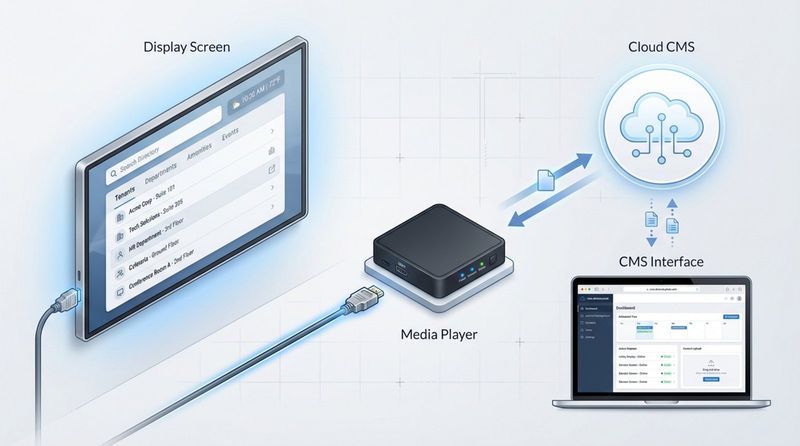
Together, these components create a reliable system that delivers much more value than a printed poster ever could.
How do digital building directories compare to analog directories?
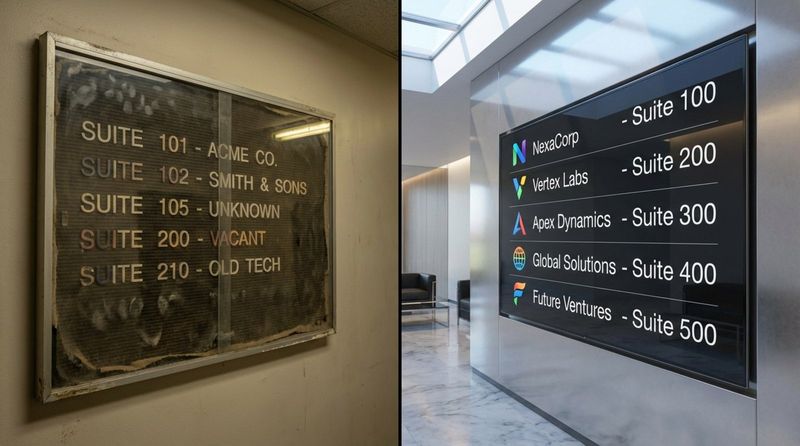
Sticking with analog directories is often a hassle. When a company changes floors or rebrands, property managers have to order new strips, wait for delivery, and manually install them. This process creates waste and often leaves the directory outdated for days. It creates a poor first impression.
Digital directories are built for efficiency. You can correct a spelling error or swap a suite number in seconds. While the initial hardware setup costs more than a corkboard, the long-term savings on printing and labor-combined with the ability to prove ROI through professional presentation-make digital the practical choice for modern properties.
Benefits of digital directories
The biggest advantage is operational speed. In busy buildings, information changes fast. Digital signage software lets you keep up without wasting staff hours on manual updates. This accuracy reduces confusion and ensures visitors trust the information they see.
There is also a sustainability benefit. By switching to digital, you eliminate the need for plastic letters, paper inserts, and shipping materials associated with physical updates. Additionally, you can use the same screen to display public transport schedules or weather updates, adding value without adding clutter.
Key features of a digital building directory
Modern directory software offers features that go far beyond a simple list of names. Look Digital Signage, for example, provides tools that make your screens accessible, engaging, and easy to read. These features turn a standard screen into a helpful resource for everyone entering the building.
Effective directories fit the environment naturally. They use clear fonts, logical structures, and branded visuals to remove friction from the visitor's journey. The goal is to answer the question "Where do I go?" as quickly as possible.
Real-time updates and information
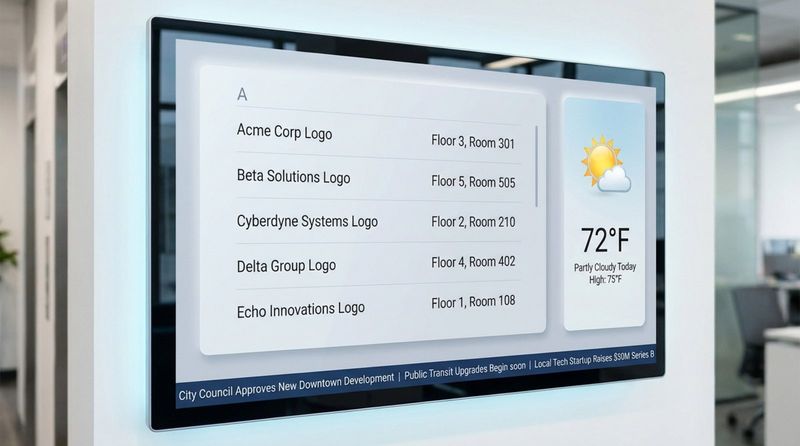
Static signs cannot tell you that a bus is delayed or that a severe storm is approaching. Digital directories can. By using Look Apps, you can integrate live data feeds like weather, news tickers, or RSS streams directly into your layout. This keeps people looking at the screen, ensuring they also see important building announcements.
In critical situations, this connectivity is vital. You can instantly override standard playlists to show emergency exit routes or safety alerts across every screen in the building. This capability helps you manage crowd safety in a way that static signage simply cannot match.
Interactive wayfinding tools
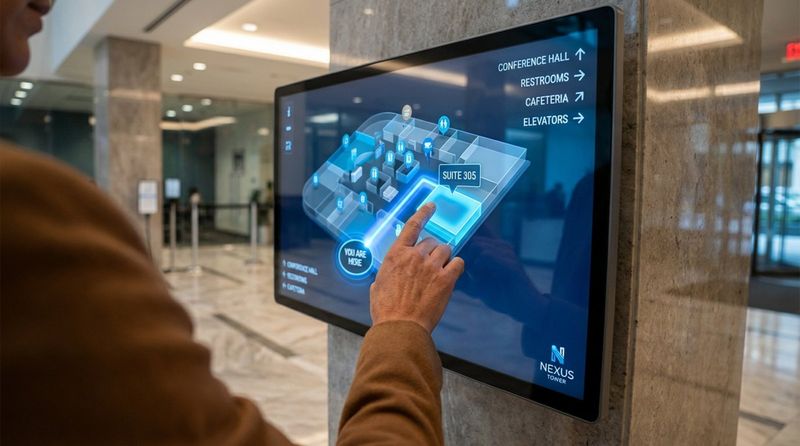
For large campuses or multi-building complexes, a list of names isn't always enough. Interactive wayfinding allows visitors to visualize their path. Using Interactive Scenarios in Look DS, you can create touch-enabled menus where a user selects a destination and sees a map highlighting the route to the correct elevator or corridor.
You can also incorporate QR codes into your content. Visitors can scan the code to take the map with them on their mobile devices, ensuring they have guidance all the way to the office door.
Customization and branding options
Your directory is a digital extension of your building's brand. With Screen Layouts, you can design the display to match your property's colors, fonts, and style. You aren't stuck with a generic grid; you can create a premium look that signals quality management.
This flexibility extends to your tenants as well. You can feature tenant logos or run short promo videos in a designated zone of the screen. This added visibility supports your tenants' businesses and makes the directory a more valuable asset.
Accessibility and multilingual support
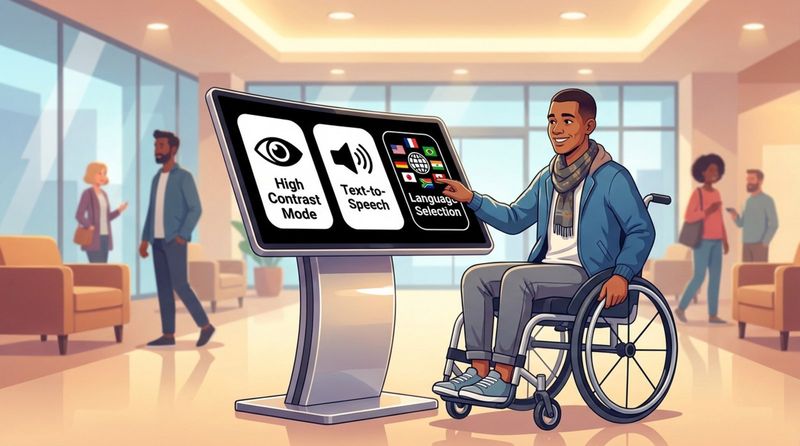
Digital screens can adapt to the user's needs. Touch kiosks can include controls to lower the menu for wheelchair users or switch to high-contrast modes for those with visual impairments. This inclusivity ensures that your building is welcoming to everyone.
Language barriers are also easily managed. With digital tools, you can offer menu options to switch the interface language instantly. This is particularly useful in international business hubs, airports, or tourist-heavy locations, reducing frustration for non-native speakers.
Why use a digital building directory?
Property managers choose digital directories to streamline operations and improve the visitor experience. A bright, well-organized display suggests that a building is well-maintained and technologically current. It sets a professional tone before a guest even speaks to the receptionist.
From an operational standpoint, it is about efficiency. Managing a building involves endless tasks; updating signage shouldn't take up your day. A digital system allows for "set and forget" scheduling and remote management, saving energy for more critical issues.
Improves navigation and visitor experience
The primary job of a directory is to get people where they need to go. Digital systems do this better by combining text, visuals, and maps. Whether a visitor prefers a searchable list or a visual floor plan, a digital interface can provide both options.
When navigation is easy, visitors arrive at meetings on time and relaxed. This positive experience reflects well on the tenant they are visiting and on your management team. It removes the anxiety of being lost in an unfamiliar place.
Increases security and oversight
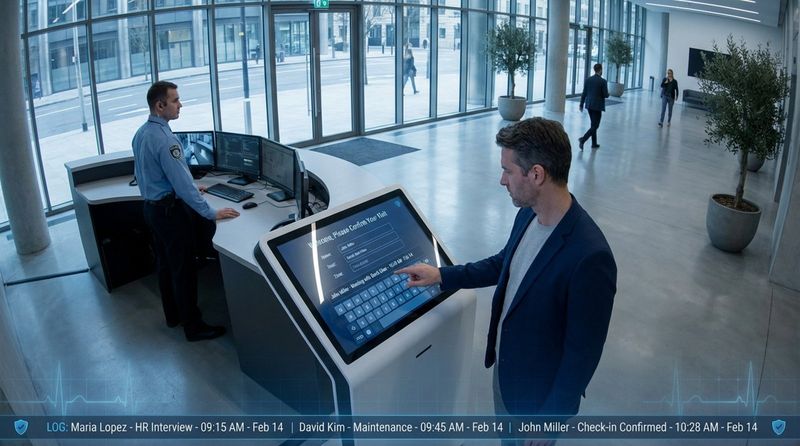
Digital directories can support your security protocols. By integrating with visitor management systems, guests can check in at the kiosk, creating a digital log of who is in the building. This reduces the workload on security staff while maintaining a secure perimeter.
Additionally, having a central screen discourages loitering by clearly directing traffic. When people know exactly where to go, they move through the lobby faster, preventing crowding and confusion in high-traffic areas.
Reduces administrative workload
Manual updates are a hidden drain on time and budget. With a platform like Look Digital Signage, a receptionist or facility manager can add a new tenant or change a suite number in seconds. There is no need to coordinate with vendors or wait for proofs.
This centralized control is especially powerful if you manage multiple buildings. You can push updates to screens in different locations from a single dashboard, ensuring consistency across your entire portfolio without visiting each site.
Provides flexibility for frequent updates
Buildings are dynamic environments. A conference room might host a board meeting in the morning and a yoga class in the evening. With Smart Scheduling, your directory can automatically switch content based on the time of day or day of the week.
You can also use dayparting to keep content relevant. Show coffee shop specials during the morning rush and traffic reports as people leave for the day. This keeps the screen useful and ensures it doesn't become "wallpaper" that people ignore.
Who benefits from digital building directories?
A digital directory improves the daily life of everyone who interacts with the building. It creates a loop of efficiency that benefits visitors, the management team, and the businesses that rent the space.
It transforms the lobby from a simple passageway into a helpful, informative environment. Everyone saves time, and the building operates with fewer friction points.
Visitors and guests
For guests, the benefit is confidence. They get immediate answers to their questions without waiting in line at a reception desk. The directory provides a clear, reliable source of truth that guides them to their destination.
They also appreciate the extra utility. Seeing a quick weather update or a news headline while waiting for an elevator adds a small but meaningful value to their visit.
Building management
For you, the benefit is control and simplicity. You have a direct channel to communicate with every person in your building. Whether it is a maintenance notice or a holiday greeting, you can publish it instantly.
Using Playback Analytics in Look DS, you can also monitor that your screens are running correctly. This data-driven approach helps you ensure high uptime and justifies the investment to stakeholders.
Tenants and businesses
Tenants get a professional presentation of their brand. A crisp digital logo looks far better than a printed name strip. It assures their clients that they are doing business in a modern facility.
accurate listings mean fewer missed appointments and frustrated clients. When the directory is always up to date, tenants can trust that their visitors will arrive at the right door, on time.
Where should digital building directories be used?
Any location with high foot traffic or a complex layout is a strong candidate for a digital directory. If visitors frequently ask "Where is...?" or if your tenant list changes often, digital signage is the right solution.
Here are the sectors where digital directories deliver the highest value.
Commercial office buildings
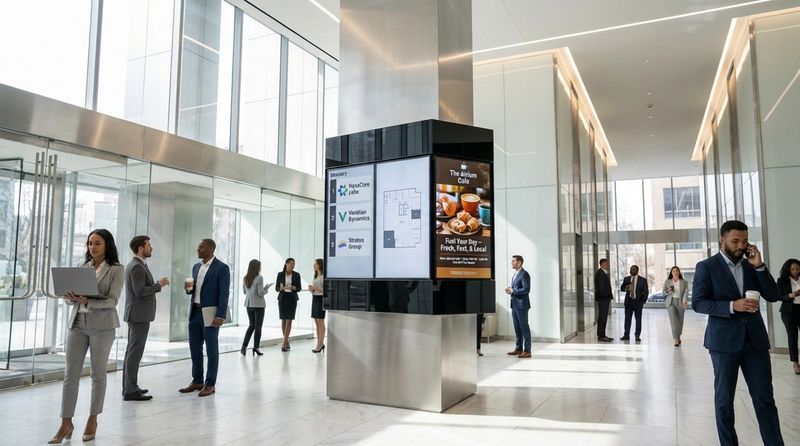
Office towers are the classic use case. With hundreds of employees and visitors passing through daily, efficiency is key. Digital directories speed up the flow of traffic and reduce congestion at the front desk.
They also provide a space to highlight building amenities. You can use a zone on the screen to promote the on-site gym, cafeteria, or dry cleaning services, driving engagement with the facilities you offer.
Healthcare facilities
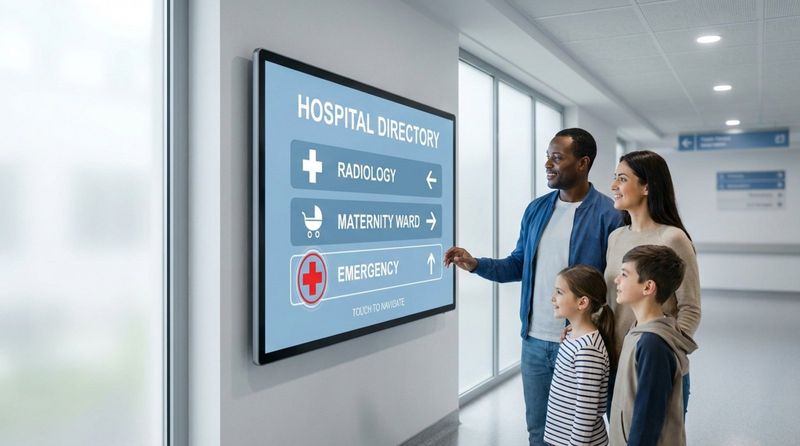
Hospitals can be stressful and confusing environments. A clear, easy-to-read digital directory helps patients and families find departments like Radiology or the ICU quickly. This reduces anxiety and frees up medical staff to focus on patient care rather than giving directions.
Because internet connectivity can sometimes be strict or unstable in medical areas, Look DS's offline playback capability ensures these critical wayfinding screens stay active even if the network goes down.
Educational institutions
Universities and schools use digital directories to connect with students who are digital natives. Interactive screens in student centers can show class schedules, campus maps, and event flyers.
Beyond wayfinding, these screens are excellent for internal communication. Schools can broadcast urgent alerts, exam schedules, or club announcements instantly across the entire campus network.
Transportation hubs
In airports and train stations, static signs are useless. Information here changes by the minute. Digital directories are essential for displaying real-time arrivals, departures, and gate changes.
These locations often use Screen Layouts to split the screen-showing schedule data on one side and wayfinding or advertising on the other. This maximizes the utility of every display in a crowded terminal.
Multi-tenant residential properties
Modern apartment complexes use digital directories to build community. Placed in the lobby, they can display package notifications, maintenance schedules, or announcements about social events.
For visitors, integrated intercom features (often linked via QR codes or touch interfaces) make it easy to contact residents securely. This adds a layer of convenience and safety that appeals to high-value tenants.
The Future of Building Navigation
Building directories are evolving from static maps into intelligent, data-driven systems. As technology improves, we will see even more personalization, such as mobile integrations that guide a visitor from the parking garage directly to a specific meeting room.
Starting with a flexible platform like Look Digital Signage prepares your building for this future. By implementing a cloud-based system now, you gain the ability to adapt, scale, and update your navigation strategy as new needs arise. Whether you are managing a single lobby or a global network of properties, digital directories offer the control and reliability modern buildings demand.


