
Table of Content
How can you turn a passive screen into an active customer touchpoint? Interactive digital signs change the dynamic from a one-way broadcast to a two-way conversation. By inviting users to tap, swipe, voice commands, or scan via mobile, these displays offer personalized experiences that hold attention and drive action right where it matters.
In a distracted world, retaining engagement is critical. Interactive digital signage bridges the gap between physical spaces and digital convenience. Whether a traveler is navigating a busy terminal or a shopper is exploring a virtual catalog, these signs act as reliable, always-on assistants that help people find exactly what they need in seconds.

What are interactive digital signs?
How do interactive digital signs differ from traditional digital signage?
The main difference is the direction of communication. Traditional digital signage pushes content to the viewer-like a digital poster or a waiting room TV loop. You see it, but you cannot change it. Interactive digital signage is two-way. It waits for input and responds with specific information based on what the user selects.
While standard screens run a fixed playlist, interactive signs adapt. They can change layouts based on user choices, time of day, or even demographic sensors (using anonymous analytics). This shift from passive viewing to active participation makes the message more relevant and significantly increases dwell time.
Common technologies that enable interactivity
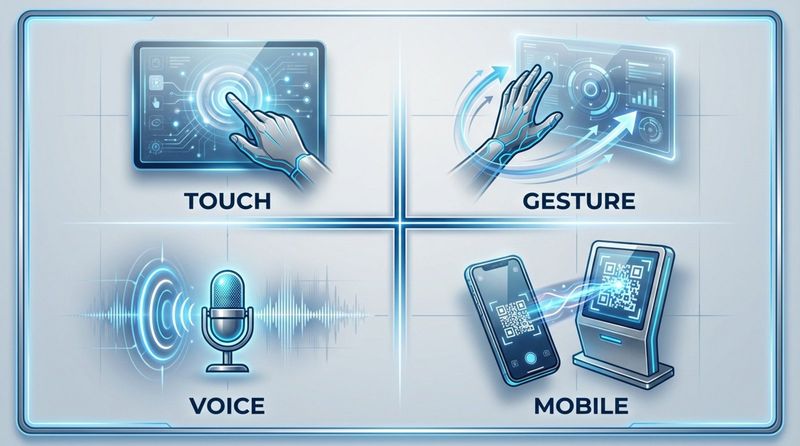
Several technologies work together to make a screen "smart." The most familiar is touch technology, such as capacitive touch (similar to smartphones) or infrared frames. These allow users to tap and swipe through menus naturally.
Beyond touch, many setups use Near Field Communication (NFC) and Radio Frequency Identification (RFID) to interact with mobile phones or tagged products. Sensors like motion detectors or depth cameras can enable gesture control, while microphones paired with Natural Language Processing (NLP) allow for voice commands. These tools create a contactless experience, which has become a priority for hygiene-conscious environments.
Types of interactive digital signs
Touchscreen digital signs
Touchscreens are the standard for interactivity in retail, healthcare, and corporate offices. They offer a hands-on experience that requires zero learning curve. Hardware ranges from small booking tablets outside meeting rooms to large 4K displays for collaborative work. Their familiarity makes them the top choice for wayfinding maps and self-service kiosks.
Modern commercial touchscreens are built for durability, often featuring tempered glass and anti-glare coatings to withstand heavy public use. The interface design typically focuses on large buttons and intuitive navigation to prevent user frustration.
Gesture and motion-activated signage
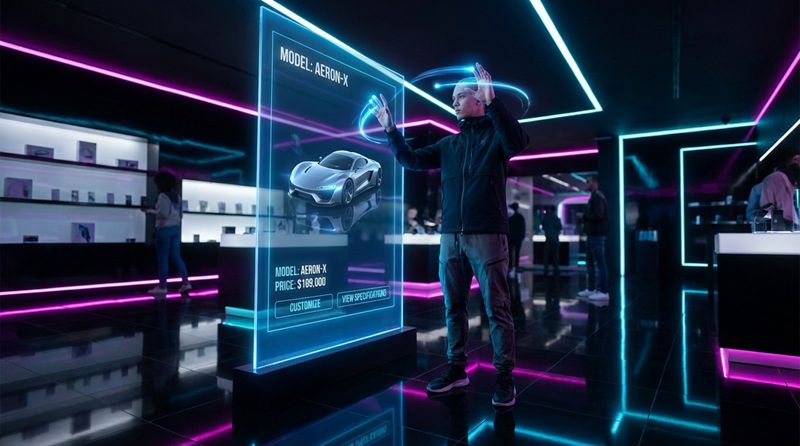
Gesture-controlled signs provide a futuristic, contact-free experience. Using cameras and motion sensors, these screens track hand movements, allowing users to navigate menus or play games from a distance. This is particularly valuable in sterile environments like hospitals or high-traffic transport hubs.
Motion-activated signage is simpler but effective: it reacts to presence. A display might appear as a mirror or a blank screen until someone walks by, triggering a greeting or content loop. This sudden activation is excellent for capturing attention in retail settings.
QR code and mobile-enabled interaction
QR codes bridge the gap between the big screen and the user's personal device. Interactive signs can display dynamic QR codes that change based on the content shown. When scanned, the interaction moves to the user's phone, allowing them to download maps, save coupons, or read detailed product manuals.
Mobile interaction can also turn a smartphone into a remote control for the signage display. This is ideal for privacy; users input personal data on their own device, while the public screen displays general confirmation messages.
Voice-activated digital signs
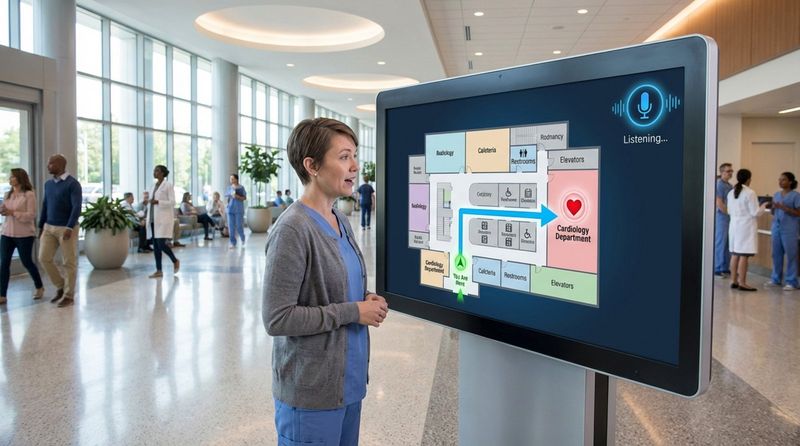
As voice assistants become common at home, users increasingly expect similar convenience in public. Voice-activated signs allow users to ask specific questions-"Where is the cardiology department?" or "Show me the lunch menu"-and receive immediate visual and audio answers.
This technology significantly improves accessibility, particularly for users with visual impairments or limited mobility. Advanced microphones with noise-canceling capabilities ensure the system works reliably even in noisy lobbies.
Augmented reality (AR) and virtual reality (VR) displays
AR-powered signs layer digital elements over the real world. In retail, a digital "mirror" can overlay clothing or makeup onto the user's reflection, creating a fun, shareable trial experience without the need for changing rooms.
VR kiosks take immersion further, transporting users to a different environment entirely. Real estate agencies and travel operators often use these to offer virtual tours of properties or resorts, helping customers visualize a purchase before they buy.
Social media integration
Interactive signs can serve as live social feeds. By filtering content via hashtags, brands can display real-time user-generated content, encouraging visitors to post photos to see themselves on the big screen. This extends the brand's reach beyond the physical location.
Some displays feature built-in cameras acting as "selfie stations." Users can take photos, apply branded frames, and share them directly. This turns the signage into a content creation tool for marketing campaigns.
Advantages of interactive digital signs
Improves customer experience and engagement
Interactivity eliminates boredom. Whether it is a wayfinding map or a product configurator, allowing users to control their journey keeps them engaged. Active participation creates a stronger memory of the brand than passive viewing.
By providing instant access to information, interactive signs reduce friction. Customers can find answers without waiting for staff, leading to a smoother, faster, and more satisfying experience.
Builds brand awareness and trust
Deploying modern interactive tools signals that a business is innovative and customer-focused. A responsive, well-designed kiosk becomes a centerpiece of the physical environment.
Furthermore, accuracy builds trust. When a digital sign provides real-time inventory checks or live transit updates, it demonstrates that the organization respects the user's time and needs.
Delivers cost-effective, dynamic advertising
While the initial hardware investment is higher than print, the long-term ROI is often superior. You eliminate printing, shipping, and installation costs for physical static signs. Updates happen in minutes from a central dashboard.
Dynamic capabilities allow for smarter advertising. A QSR kiosk can automatically promote hot coffee on cold mornings and iced drinks in the afternoon. This relevance increases conversion rates and maximizes the value of the screen real estate.
Supports self-service and convenience
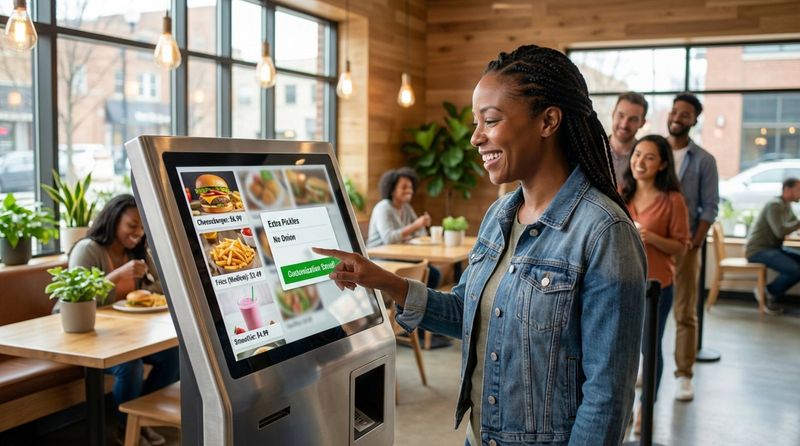
Self-service is now an expectation, not just a feature. Interactive signs function as check-in desks, ordering points, and information hubs. This reduces queue lengths and frees up staff to handle complex inquiries rather than repetitive tasks.
Digital kiosks also offer depth that print cannot matches. A user interested in a product can tap to see full specifications, video reviews, and stock levels-details that would never fit on a standard poster.
Provides useful data and analytics
Interactive signs generate valuable behavioral data. Every tap and menu navigation is a data point. Businesses can track which products are viewed most, where users drop off, and what information is most sought after.
This feedback loop allows for continuous optimization. If a specific button is rarely touched, you can redesign the layout remotely to make it more prominent. This transforms signage from a static display into a tool for business intelligence.
Improves accessibility for diverse audiences
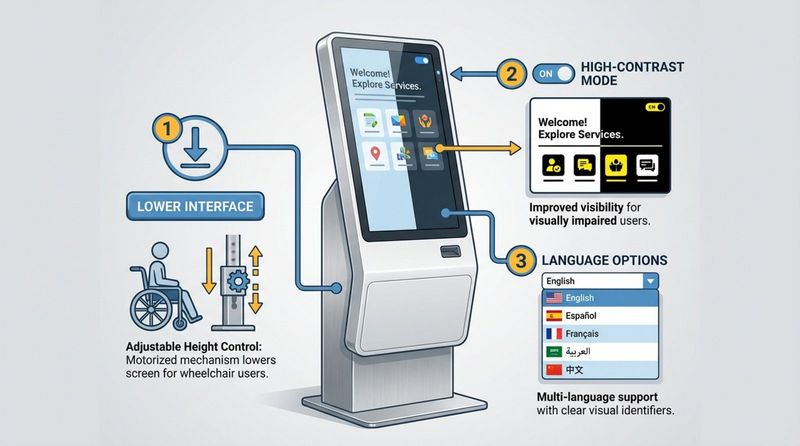
Interactive software can be designed to accommodate various needs instantly. Interfaces can switch languages, lower navigation buttons for wheelchair accessibility, or increase contrast for better visibility. Audio prompts can assist those who cannot read the screen.
Digital signage simplifies compliance with accessibility standards, ensuring all visitors receive the same level of service without requiring specialized physical infrastructure.
Examples of interactive digital signs in real-world settings
Shanghai subway digital billboard by Nescafé
Nescafé gamified the morning commute with a digital billboard that reacted to passersby. The screen displayed a tired character who only "woke up" when commuters performed specific gestures in front of the sensors. This interaction reinforced the brand's promise of energy and created a shared moment of fun in a typically rushed environment.
KitKat interactive DOOH in Bogotá, Colombia
KitKat utilized Digital Out-of-Home (DOOH) screens to gamify their "Have a Break" slogan. The screens challenged pedestrians to stand still for a set period. If they succeeded, the machine dispensed a free chocolate bar. This campaign combined digital engagement with a physical reward, generating significant social media buzz.
Capitol Singapore shopping mall wayfinding
Capitol Singapore deployed advanced kiosks that offer more than simple maps. Users can view 3D layouts to navigate the complex, and the system integrates with the mall directory to display real-time offers for selected stores. This utility drives foot traffic to retailers while helping visitors save time.
Arneg showroom product selector
Refrigeration manufacturer Arneg uses interactive touchscreens to showcase their extensive catalog. Since they cannot physically display every industrial fridge model, the screens allow clients to configure colors, sizes, and features virtually. This "endless aisle" concept helps sales teams present complex technical options clearly.
Retail self-service kiosks
Major retailers and fast-food chains have normalized self-service kiosks. These screens allow customers to browse inventories, customize orders, and pay independently. Data consistently shows that these kiosks increase average ticket size by automatically suggesting add-ons and upgrades during the checkout flow.
Interactive museum exhibits and libraries
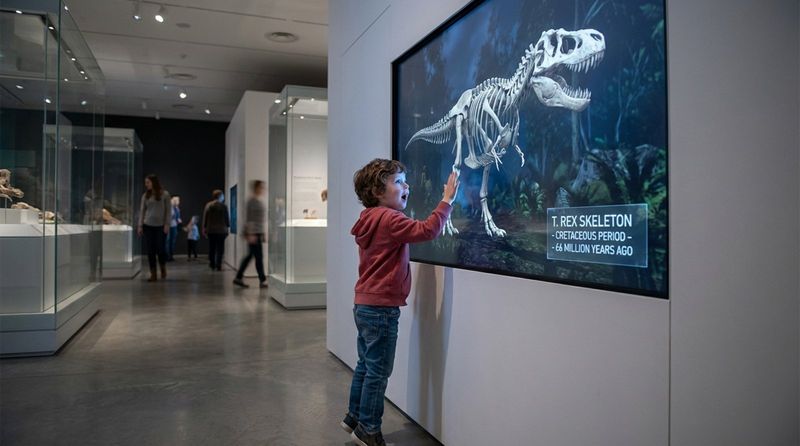
Museums use interactivity to deepen the learning experience. Visitors can manipulate 3D models of artifacts or explore timeline layers on touchscreens, turning passive observation into active discovery. Libraries use similar systems for "book discovery," guiding patrons to specific shelves based on topic interests.
Design principles for user-centered interactive digital signs
Interface and navigation best practices
The primary rule of interface design is clarity. Users must immediately understand that the screen is touch-enabled. Clear Calls-to-Action (CTAs) like "Touch to Start" are essential. Navigation should be shallow-users should find their answer within three taps.
Consistency is key. Navigation buttons (like "Home" or "Back") should remain in the same location on every screen. Large, distinct touch zones prevent errors and accommodate users of all technical skill levels.
Prioritizing accessibility and inclusivity
Design for all users from day one. Interactive elements should be placed within the reach range of both standing and seated users. High-contrast color palettes ensure text is legible under various lighting conditions.
Feedback mechanisms are crucial. Visual or audio confirmation (like a button highlight or click sound) assures the user that their input was registered. For sensitive transactions, consider "private modes" that obscure personal data on the large screen.
Visual design for maximum impact
In busy environments, visuals must be bold yet uncluttered. High-quality images attract attention from a distance, while clean typography ensures readability up close.
Animation should guide the eye, not distract. Subtle transitions help users understand the flow of information, whereas chaotic motion can be overwhelming. The interface should feel responsive and stable.
Usability testing and iterative improvement
Launch is just the beginning. Observe how real users interact with the signage. Do they hesitate at certain menus? Do they ignore specific buttons? These insights are vital for refining the experience.
Digital platforms allow for rapid iteration. Based on analytics, you can adjust layouts and content flows remotely to solve usability issues, ensuring the signage continues to deliver value over time.
Emerging trends and future directions for interactive digital signs
Integration with artificial intelligence and IoT
Signage is becoming predictive. AI integration allows screens to analyze context-such as crowd demographics or weather-to display relevant content before a user even touches the screen. IoT connectivity enables kiosks to control environmental factors, such as lighting or room temperature, creating a fully integrated smart building experience.
Advancements in display and sensor technology
Hardware innovation is expanding creative possibilities. Transparent OLEDs allow digital overlays on physical products, while flexible screens can wrap around architectural elements. Haptic technology is evolving to provide tactile feedback in mid-air, allowing users to "feel" buttons without physical contact, merging the benefits of touch with hygiene safety.
The shift toward multi-sensory and immersive experiences
To cut through the noise, future signage will engage multiple senses. Directional audio can target specific users without adding to ambient noise, while scent integration can trigger emotional responses linked to the content. These multi-sensory layers create deeper, more memorable brand interactions.
Key takeaways for implementing interactive digital sign strategies
Best practices for choosing the right technology
Technology choices must follow business goals. A simple touchscreen kiosk suffices for check-ins, while a flagship store may require AR mirrors to drive engagement. The backend software is equally critical; it must support remote management and reliable uptime.
For teams looking to deploy interactive content without heavy coding, Look Digital Signage is a strong fit. The Look CMS allows you to build Interactive Scenarios using simple touch zones and buttons to create catalogs or information hubs. You can manage everything remotely from one dashboard, and use Playback Analytics to verify exactly which content your audience interacts with most.
| Use Case | Recommended Tech Focus |
|---|---|
| Quick info & wayfinding | Touchscreen kiosks, QR codes for mobile hand-off |
| Premium brand experience | AR mirrors, gesture control, high-end displays |
| Self-service & check-in | Touch kiosks, mobile integration, secure payment |
| Data collection & testing | Advanced analytics, AI-based content targeting |
Aligning signage with business goals and user needs
Every project should start with a clear "why." Whether the goal is to reduce wait times, increase upsells, or improve wayfinding, the hardware and content strategy must align with that objective. If the signage does not solve a specific problem for the user-like "I'm lost" or "I want to order quickly"-engagement will drop.
Successful interactive signage combines utility with ease of use. By focusing on practical value and reliable performance, these systems become essential tools for modern business operations.