
Table of Content
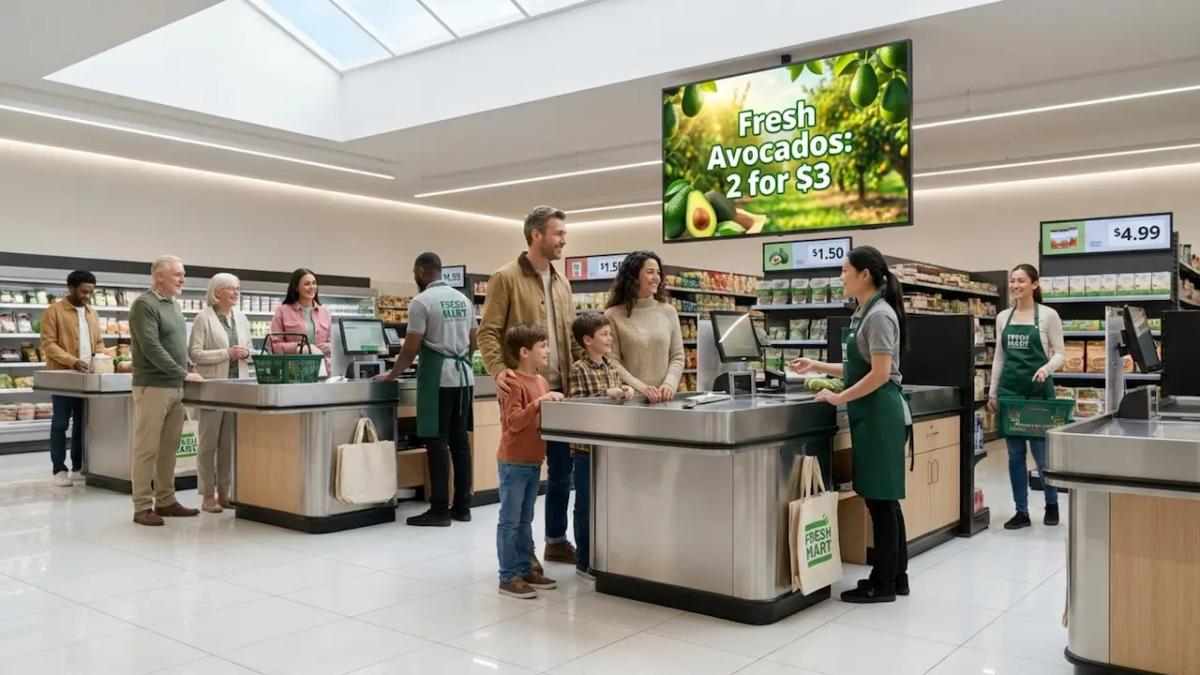
How can grocery retailers turn the final few minutes of a shopping trip into a revenue driver? Digital signage at the checkout is the answer. By replacing static posters with dynamic screens, you can capture attention right when shoppers are stationary and ready to buy. This technology transforms a passive wait into an opportunity to boost basket size, reduce perceived wait times, and strengthen customer loyalty.
In today's competitive retail landscape, shoppers expect a modern, efficient experience. Digital signage at the checkout creates an engaging touchpoint that keeps customers informed and entertained. From promoting last-minute "forgotten items" to sharing loyalty perks via QR codes, these tools help you make the most of every transaction.
What is digital signage at the grocery checkout?
How does digital signage work at checkout lanes?
Digital signage at the checkout relies on a straightforward system: screens (ranging from tablets to overhead displays) connected to a media player and controlled by a central platform, like Look Digital Signage. This cloud-based software allows you to update content on one screen or across hundreds of locations instantly. Instead of waiting for printed signs to arrive, you can publish new offers or alerts in minutes.
Ideally, your digital signage software integrates with your store’s operations. For example, you can schedule content to match store flow or use data to highlight inventory that needs to move. This capability reduces manual work for staff and ensures your messaging is always relevant to the current shopping environment.
Types of digital displays used near registers
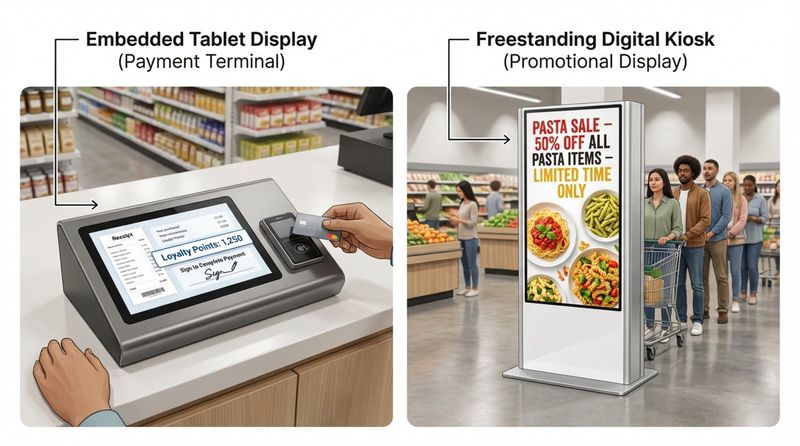
Screen placement usually follows the shopper’s natural line of sight. Small customer-facing screens near the payment terminal create a direct, personal channel. These are perfect for displaying digital receipts, loyalty points, or impulse prompts like "Did you remember batteries?" Because these screens sit at eye level, they naturally draw focus during the payment process.
Larger displays, such as overhead screens or vertical kiosks, often sit alongside the queue. These are excellent for entertaining shoppers to reduce perceived wait time, sharing brand values, or highlighting store-wide promotions. Some retailers also utilize screens at aisle ends near the checkout to display "lift-and-learn" content, providing product details the moment a customer shows interest.
Benefits of digital signage at grocery checkout
Increases impulse purchases and basket size
The checkout line is the ultimate "impulse zone." Industry observations suggest that digital signage can significantly lift sales in this area. Shoppers waiting in line are a captive audience. A bright, high-definition screen showcasing a "Buy One Get One" deal on snacks or a cold beverage can easily persuade a customer to add one more item to their belt.
Effective Point of Sale Marketing (POSM) influences decisions at the critical moment of purchase. By featuring high-margin items, you can increase your average ticket size. Unlike static cardboard displays, digital screens can rotate through multiple offers, acting as a silent but efficient salesperson.
Promotes limited-time offers and new products
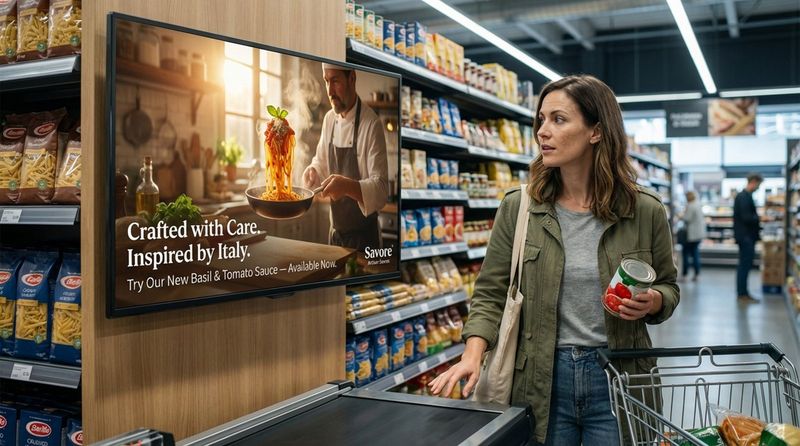
Launching a new product in a crowded store is a challenge, but the checkout lane offers high visibility. Digital screens are ideal for highlighting new arrivals that shoppers might have missed in the aisles. A short, engaging video clip explaining a product's origin or usage can give customers the confidence to try something new.
Smart Scheduling features within software like Look CMS allow you to run "flash sales" at specific times. For example, you might promote fresh bakery items heavily between 4:00 PM and 6:00 PM. This ability to create time-sensitive urgency helps reduce waste and drives immediate action.
Reduces perceived wait times for shoppers
Waiting in line is often the biggest friction point in grocery shopping. Digital signage can help make that wait feel shorter. By displaying engaging content-such as recipes, community news, or weather updates-you keep shoppers occupied. When customers are entertained, the time passes faster.
Screens can also manage expectations by displaying estimated wait times or directing traffic to open registers. This level of communication reduces the frustration that leads to cart abandonment.
Delivers targeted content based on time or audience
One of the clearest advantages of digital signage over print is "dayparting"-changing messages based on the time of day. You can schedule morning content to feature coffee and breakfast pastries, then automatically switch to dinner solutions and wine pairings in the evening. This keeps your messaging aligned with the shopper's immediate mindset.
Contextual updates can go even further. If a sudden rainstorm hits, you can quickly update playlists to feature comfort foods or umbrellas. This responsiveness makes your store feel connected to the local environment and helpful to the customer.
Improves customer experience and brand loyalty
A modern checkout area signals that you value efficiency and clarity. When you use screens to share information about local suppliers, sustainability efforts, or community involvement, you build a stronger connection with your shoppers. People prefer returning to stores where they feel informed.
Integrating loyalty program reminders is also highly effective. A simple visual prompt asking, "Have you scanned your app?" ensures customers get their points and reinforces the value of your loyalty program. It makes the checkout process feel rewarding rather than transactional.
Comparing digital signage to traditional checkout displays
Digital screens vs. printed signage: key advantages
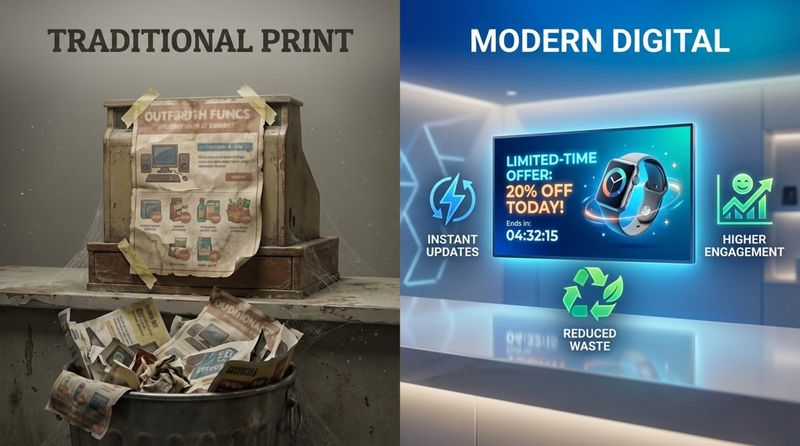
Printed signs are static, incur recurring costs, and often become outdated quickly. Digital screens capture attention much faster due to movement and brightness. In a visually busy supermarket, a dynamic screen cuts through the noise.
Flexibility is the primary operational benefit. If a promoted item sells out, a printed sign becomes a liability, frustrating customers who can't find the product. With digital signage software, you can remove that slide from your playlist instantly from any device, ensuring your marketing always matches your inventory.
Cost, flexibility, and environmental impact
While the initial setup for digital signage involves hardware costs, the long-term ROI is often superior to print. You save on the design, printing, shipping, and labor required to swap out physical signs weekly. Additionally, reducing paper usage aligns with sustainability goals, which is increasingly important to modern consumers.
The digital format also opens revenue opportunities. Brands may pay for "airtime" on your checkout screens to feature their products. This co-op advertising model can turn your checkout signage into a revenue-generating asset.
Popular grocery checkout digital signage ideas
Product recommendations and last-minute deals
Use your screens to trigger the "Did I forget that?" reaction. Prompts for essentials like milk, eggs, or pet food are helpful reminders. Similarly, high-quality images of "treat yourself" items-like premium chocolate or cold drinks-can drive immediate sales.
Running a "Happy Hour" promotion at the checkout is effortless with digital tools. A message like "Scan for 50% off gum right now" is an easy, low-friction upsell that contributes to the bottom line over hundreds of transactions.
Digital coupons and QR code offers at payment
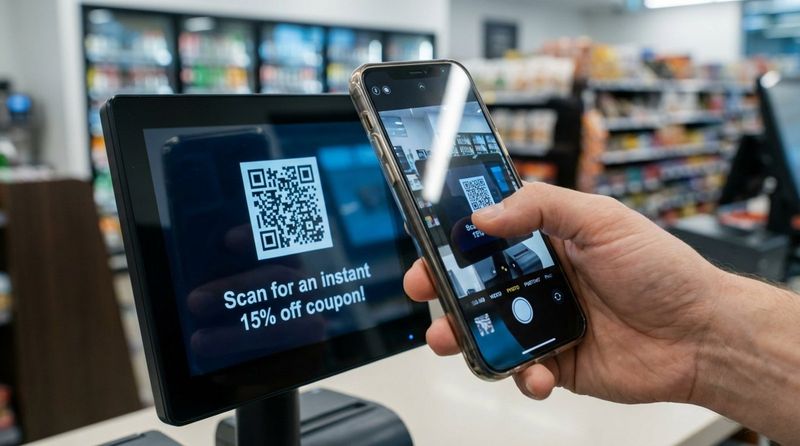
QR codes bridge the gap between the physical screen and the customer's mobile device. Displaying a QR code that links to an instant coupon provides immediate value and keeps the line moving. It also encourages customers to engage with your digital ecosystem.
Beyond discounts, QR codes can link to utility-driven content. A code next to a featured vegetable could open a 30-second recipe video or a shopping list for a full meal, inspiring the customer to plan their next visit around your suggestions.
Loyalty program reminders and sign-ups via screen
Checkout is the best time to promote loyalty membership. Instead of relying solely on cashiers to deliver a script, let the screen do the heavy lifting. A visual showing potential savings-"Members saved $5 on this basket"-is a persuasive argument.
Using a QR code for instant sign-up removes the friction of paper forms. Customers can join while their groceries are being bagged, helping you grow your database without slowing down the line.
Cross-promotion of complementary items
Effective cross-promotion suggests pairings. If a customer is buying chips, a screen nearby can remind them about the salsa in Aisle 4. Even at checkout, these prompts can trigger a quick return to the shelf or a mental note for next time.
Seasonal relevance is key here. During summer, screens can suggest ice and coolers; in winter, hot cocoa and marshmallows. These logical pairings demonstrate that you understand your customers' needs.
Community messages, safety tips, and local events
Content doesn't always have to be sales-focused. Dedicating screen time to local charity drives, school events, or "Employee of the Month" recognition humanizes your brand. It reinforces the idea that your store is a community hub.
Operational updates are also vital. Displaying holiday hours, new safety protocols, or service changes ensures clear communication. This transparency builds trust and helps operations run smoothly.
Best practices for placing digital signage at checkout
Best screen placement for maximum visibility
Visibility is critical. Screens should be placed at eye level or slightly above, directly in the line of sight for waiting customers. Avoid mounting screens too high, which causes neck strain and reduces engagement. Smaller POS screens should be angled to minimize glare from overhead lighting.
In self-checkout zones, screens are most effective at the entrance of the lane or directly on the kiosk. This ensures shoppers see key messages as they initiate the transaction. Video walls are better suited for the general queuing area where they can be seen from a distance.
Tips for content rotation and scheduling
Attention spans are short. Content loops should generally run between 15 and 30 seconds to ensure a shopper sees multiple messages while waiting. Use large, legible fonts and high contrast; if the text is hard to read, the message will be ignored.
Utilize scheduling tools to keep content fresh. You can set playlists to change throughout the week or day. Regular updates prevent "ad blindness," where frequent shoppers stop noticing the screens because the content never changes.
Integrating signage with POS and queue management
Advanced setups integrate signage with queue management systems. Screens can direct customers to newly opened registers, improving flow and reducing confusion. This utility ensures customers keep their eyes on the screens.
While complex integrations exist, simple triggers work well too. Trigger-based content can display a "Thank You" message or a specific coupon once a transaction is completed, ending the shopping trip on a positive note.
Personalizing checkout experiences with digital signage
Using analytics and data for dynamic content
Data-driven decisions lead to better ROI. Digital signage platforms now offer analytics to track which content plays most frequently and, when correlated with sales data, which messages drive revenue. You can A/B test different headlines or images to see what resonates with your local demographic.
Instead of invasive tracking, rely on contextual data. If your system knows it is a Friday afternoon, it can prioritize weekend party snacks. If it is a weekday morning, it can focus on quick lunch solutions. This keeps content relevant without compromising customer privacy.
Personalized promotions based on shopper profiles
When integrated with loyalty apps, digital signage can offer a personalized touch. As a customer scans their member card, the screen could welcome them by name or highlight a deal relevant to their purchase history. "Welcome back! Check your app for a special offer on coffee."
This level of personalization makes the customer feel valued. It shifts the checkout experience from a generic process to a tailored interaction, fostering deeper loyalty.
Choosing digital signage software and templates for checkout
Important features for grocery retailers
For grocery operations, we recommend Look Digital Signage as a robust, user-friendly solution. When selecting software, prioritize these capabilities:
- Remote Management: The ability to control screens at multiple locations from a single dashboard. Look CMS allows you to manage one screen or a thousand from anywhere.
- Reliability: Grocery stores cannot afford downtime. Look DS features Offline Playback, ensuring your screens keep running your scheduled content even if the internet connection drops.
- Smart Scheduling: The ability to automate dayparting (e.g., morning vs. evening ads) is essential for maximizing relevance.
- Simple Hardware: If you don't have players yet, the Look HDMI Player is a plug-and-play option that turns any HDMI screen into a digital sign in minutes.
Ready-made content templates for fast deployment
You don't need a graphic designer to create professional content. Look Digital Signage provides a library of Ready-made Templates designed for retail. You can quickly customize these with your own product photos, prices, and branding.
Templates ensure brand consistency across all your screens. This is particularly valuable in grocery retail, where you often need to react fast-launching a flash sale on perishables or updating a price instantly. With the Content Creator inside Look CMS, you can build and publish these updates in minutes.
Tips for successful digital signage campaigns at checkout
Creating persuasive call-to-actions
Every slide should have a clear goal. Whether it is "Scan to Save," "Ask Your Cashier," or "Download the App," your Call to Action (CTA) must be short and visible. Use strong verbs that prompt immediate engagement.
Visual contrast is key. If your background is a colorful product shot, ensure your text overlay uses a bold, contrasting color. You have limited time to make an impression, so guide the viewer’s eye exactly where you want it.
ADA compliance and accessibility
Accessibility is essential for modern retail environments. Ensure your digital signage is legible for people with visual impairments by using high-contrast text and avoiding rapid flashing effects. Screens should be mounted at heights that are viewable for wheelchair users.
Following ADA guidelines is not just about compliance; it expands your reach. Clear, accessible content ensures that your message is received by the widest possible audience.
Staff training and troubleshooting common issues
Your checkout staff are the face of your digital campaigns. If a screen promotes a deal that the cashier is unaware of, it creates friction. Ensure your team is briefed on active promotions so they can answer customer questions confidently.
Basic technical training is also helpful. Show staff how to check if a screen is powered on or how to reboot a player if necessary. Keeping screens clean and operational is vital for maintaining a professional store image.
Measuring the impact of grocery checkout digital signage
Tracking engagement and sales uplift
To verify ROI, compare the sales performance of products featured on your screens against those that are not. If a specific brand of chocolate sees a 20% sales lift during the weeks it is promoted on the checkout screens, you have clear proof of efficacy.
Engagement can also be measured through technology. Look DS offers Proof-of-Play reports, allowing you to verify exactly when and how often your content aired. This data is crucial if you are running paid ads for third-party brands.
Key performance indicators and reporting tools
Grocery retailers should monitor specific KPIs to gauge success:
- Average Transaction Value (ATV)
- Conversion rates for promoted impulse items
- Loyalty program growth metrics
Playback Analytics in Look CMS give you visibility into the performance of your network, helping you optimize your playlists over time. By constantly refining your content based on data, you ensure that your checkout screens remain a profitable asset.
As retail technology evolves, digital signage remains a cornerstone of the modern store experience. By implementing a reliable platform like Look Digital Signage, you can turn the checkout line into a dynamic, data-driven zone that serves your customers and your bottom line.


