Table of Content
How can you improve lobby directory user experience (UX) to make visitors feel welcome and confident? The answer lies in replacing static boards with digital screens that offer clear wayfinding, real-time updates, and interactive maps. This switch transforms a confusing entrance into a helpful, professional touchpoint that sets a positive tone for the entire visit.
The modern lobby is no longer just a waiting room; it is the gateway where first impressions are formed. When a directory runs on digital signage software, it becomes a flexible tool that goes far beyond listing names-it shows that a brand values hospitality and efficiency. Whether through a slim touchscreen or a video wall, the goal of better UX is to make every guest feel informed and oriented in minutes, without stress.

What Is a Lobby Directory User Experience with Digital Signage?
A lobby directory user experience covers every interaction a visitor has with your building’s wayfinding system. Unlike old engraved plaques that never change, digital signage offers an active interface. It is the difference between a "dead" sign and a helpful information center. This experience is shaped by how easily someone can scan for a tenant, understand the layout of a complex facility, and interact with the screen to get directions. It works like a digital handshake between the building and its guests.
How Do Digital Lobby Directories Work?
A digital lobby directory combines specialized hardware, such as commercial displays or interactive kiosks, with cloud-based software. This setup allows facility managers to control content from a single dashboard, no matter where they are. If a tenant moves, a company rebrands, or a meeting room changes, you can publish the update instantly to one screen or hundreds at once. This removes the need for physical reprints and the administrative burden of manual updates.
These systems often link with other data sources to reduce repetitive tasks. For example, a directory might pull data from property management platforms. This connection keeps what appears on screen accurate. When a visitor steps up to the display, the hardware shows sharp graphics and text, often using simple setups that make installation smooth and reliable.

What Sets Digital Signage Apart from Traditional Directories?
Traditional directories are fixed in place the moment they are printed. If there is a typo or a name change, you often have to replace the whole sign, which costs money and takes time. Digital signage software, like Look Digital Signage, is designed to scale with your building. It offers flexibility so you can change layout, fonts, or colors to match a lobby refresh without complex setup. While a traditional sign shows a name and suite number, a digital directory can also show a map, a photo of the person you are meeting, or even local weather.
Digital directories also add interaction. They can show motion graphics and live data feeds that catch the eye in ways a static board never will. This shift from static to dynamic turns the lobby into a modern, lively space. It tells clients, partners, and job candidates that the organization cares about every step of the visitor journey.
Why Improving Lobby Directory UX Matters
In a time when first impressions carry weight, the lobby acts as the face of the business. A visitor who feels lost in the first thirty seconds after entering a building will likely bring that frustration into their meeting. Improving lobby directory UX is about speed, clarity, and comfort. A well-planned system guides visitors so they can focus on why they are there instead of worrying about how to reach the right room.
Benefits for Visitors and Facility Managers
For visitors, the main benefit is reduced "wayfinding anxiety." Clear, readable information right at the entrance helps them feel respected. Features like interactive maps extend this comfort, creating a smooth flow from the lobby to the final destination. Visitors who feel confident are more likely to leave with a positive view of the business.
Facility managers gain major benefits as well. Over time, digital directories can be cost-effective. While upfront costs may be higher than a plastic sign, savings add up because there is no need to reprint whenever a tenant changes. The ability to manage multiple locations from a central dashboard also saves hours of manual work. Managers can even turn directories into revenue sources by utilizing screen layouts to show ads for tenants or promote vacant units.

Risks of Poor User Experience
A weak user experience can be costly. A directory that is messy, out of date, or hard to read reflects badly on building management. A single typo or incorrect name can cause visitors to lose trust in the entire directory. If visitors cannot figure out where they are going, they will interrupt front-desk staff for help, which cuts into productivity and increases waiting times.
In large or complicated buildings, poor directions can also create confusion during an emergency. If a visitor’s first contact with a brand is stressful, that feeling can shape their view of the company long after they leave. In competitive real estate markets, a dull, outdated lobby can be the detail that pushes a potential client toward a more modern building.
Core Elements of Better Lobby Directory UX with Digital Signage
To build an effective digital directory, designers should follow clear principles that respect how people process information. It is not enough to place text on a screen; information must be grouped and shown in a way that feels natural to anyone, regardless of their technical skills.
Simple and Easy-to-Read Layouts
Easy reading sits at the center of any good directory. This begins with font choice and size. Experts often suggest sans-serif fonts, which tend to be easier to read on screens. Font size should be large enough to read from a standard viewing distance. Large, bold headings at the top of the screen can quickly pull the visitor’s eye to key details.
White space is another key factor. Packing in too much text makes the directory feel heavy. Leaving space around words and images helps each entry stand out. Keeping words short also helps-a name or location often needs just three or four words. The aim is to let visitors find what they need at a glance.

Visual Consistency and Branding
A digital directory should look like it belongs in the building. That means using the same colors, logos, and style as the rest of the space. Tools like the Look CMS allow you to maintain this consistency easily. If navigation arrows appear in the bottom right on one screen, keep them in the same place on every other screen. This steady layout helps users learn the interface quickly.
Using high-quality photos can lift the look and feel of the directory. Instead of stock images, try photos of the building or lobby art. This looks better and helps visitors recognize where they are. Solid, consistent colors and a clean style give the directory authority.
Navigation Aids and Wayfinding Features
Wayfinding is the practical side of the directory. It is not just about saying where a business is located; it is about making the route clear. Helpful directories usually include floor plans and maps that mark key amenities like restrooms, elevators, and reception desks. This is especially useful for first-time visitors.
More advanced systems can also show special routes, such as wheelchair-accessible paths. Clear arrows, icons, and floor labels on the screen help people stay oriented in large spaces. When wayfinding is done well, visitors can focus on their goals rather than worrying about getting lost.
Key Features to Optimize Digital Lobby Directories
To get the most value out of digital signage, certain features should be priorities during selection. Solutions like Look Digital Signage provide the specific tools needed to turn a simple screen into a strong communication hub for both visitors and building owners.
Interactive Touchscreens
Interactive touchscreens invite people to use the directory instead of just glancing at it. With features like Interactive Scenarios, you can let visitors control what they see, search for tenants, zoom in on maps, or filter information by category. This level of control appeals to users and is intuitive for those less used to digital tools.
An interactive interface should be simple, with obvious buttons to go back or return to the home screen. The goal is to make finding information feel straightforward. Interactive kiosks can also act as "virtual receptionists," answering common questions and freeing on-site staff.
Multilingual Options and Accessibility
In a global visitor base, offering only one language limits how helpful your directory can be. Multilingual options let international guests find their way easily. This kind of inclusion is a strong marker of quality UX. Accessibility should also be a core part of planning, including following guidelines for touch height and text visibility.
Designers should remember that some visitors have limited mobility. High-contrast color schemes, clear fonts, and screen placement at a reachable height are key steps. A directory that everyone can use sends a clear message that the business respects all guests.
Real-Time Updates and Dynamic Content
The power to update content on the spot is one of the biggest advantages of cloud-based signage. Look CMS makes it easy to push changes live from anywhere, which matters for room changes or new tenants. Keeping information current builds trust. When guests see that listings match reality, they feel confident in the system.
Moving content also keeps the directory interesting. Using Look Apps, you can integrate news headlines, local weather, or social feeds. These small extras can make lobby wait times feel shorter. If a visitor’s phone battery is dead, they can still check weather and traffic on the directory before heading out.

What Types of Content Make Lobby Directory Signage More Effective?
A digital directory is a flexible space that can hold many types of content. While guiding visitors is the main purpose, the same screen can also act as a marketing board and information center.
Maps, Directories, and Tenant Listings
The core of any lobby screen is the list of tenants. To make UX strong, listings should follow a clear order-alphabetical, by floor, or by category. Grouping tenants helps users scan more quickly. Using Screen Layouts allows you to display these lists alongside other zones, such as a map or a welcome message, without cluttering the view.
Maps should be crisp and easy to understand. On large campuses, interactive maps that show a "you are here" marker work especially well. Clear, labeled floor plans of open units can also quietly promote available space to visitors looking for new offices.
Announcements and Event Information
Because lobbies see a lot of foot traffic, they are ideal places to share news. You can use Smart Scheduling to automatically display welcome messages for visiting groups or VIPs at specific times. You can also advertise daily schedules, training sessions, or charity events. Sharing these details can raise engagement.
Adding social media feeds is another strong choice. Showing posts or milestones helps make the brand feel more human. When visitors see others talking about the company, they are more likely to engage.
Emergency Alerts and Notifications
During an emergency, the digital directory becomes a safety channel. It can instantly shift from everyday content to a full-screen alert. Because digital screens draw attention, they often communicate urgent details more clearly than audio alarms alone.

Weather notices are another useful element. Warnings about storms or extreme heat help visitors plan their trips. Using the directory for these alerts shows that facility managers are proactive about safety.
Best Practices for Designing Effective Digital Lobby Directories
Building a strong digital directory takes planning. It is a living tool that should grow and adapt along with the building and its users.
Planning the Directory Structure
Before buying any screens, review specific needs. Who will use the directory most? How many people pass through the lobby each day? Clear answers help shape a plan that fits real use. A custom layout often works better than a generic preset because it can match your brand style.
Having a clear design plan from the start keeps the project on track. Decide how many screens are needed and where they should be mounted. A thoughtful structure makes the directory useful from day one.
Hardware Selection and Placement
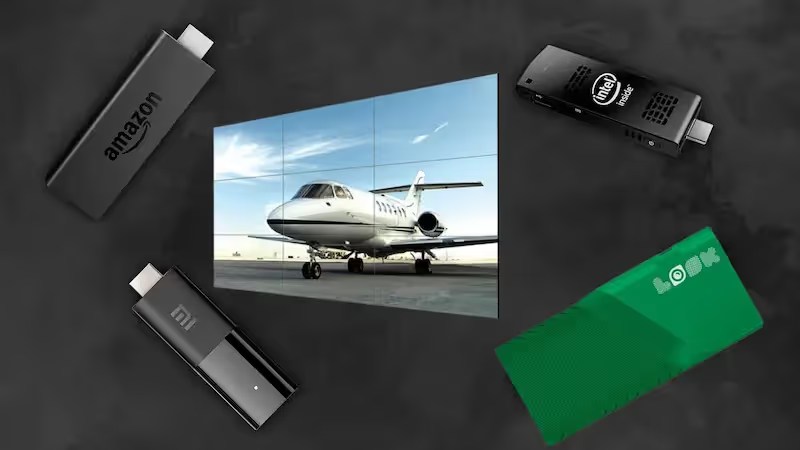
Hardware is the physical base of the directory. It needs to be reliable and compatible with your software. You might choose a dedicated player like the Look HDMI Player for a simple plug-and-play experience that ensures reliable playback. Location also plays a big role; avoid placing screens where sunlight causes glare.
Placement should feel natural. The directory should be easy to spot as soon as visitors enter, but it should not block doors. Whether you choose large wall-mounted screens or standalone kiosks, the hardware should fit the style of the lobby.
Content Management and Scheduling
Good content is what makes digital signage useful. It should look clean and refreshed often enough that regular visitors do not ignore it. Smart Scheduling tools are very helpful because they let managers set content changes by time and day. For example, mornings might feature welcome messages, while afternoons show traffic updates.
Ongoing upkeep keeps the system running well. That includes wiping screens and checking connections. Gathering visitor feedback can reveal ideas for improvement. Regular updates keep the directory valuable year after year.
Recommendations for Achieving Better Lobby Directory UX with Digital Signage
To truly excel at lobby directory UX, it helps to think beyond the screen itself and look at how the environment makes visitors feel. A modern, digital-focused lobby reduces mental effort. When content is clear and consistent, visitors feel calm. Digital signage can also tell the story of the company so wait time feels informative.
The next step for lobby UX is deeper connection with visitors’ needs. Future systems may greet repeat visitors or show relevant options based on previous visits. By focusing on steady improvement and listening to users, facility managers can keep their digital directory useful over many years. The best UX feels simple. Visitors barely notice the technology itself-they just walk in, find where they are going, and feel confident that they are in the right place.