
Table of Content
Are interactive touchscreens the future of business displays, or just a passing trend? The answer lies in utility: passive screens are often ignored, while interactive displays invite action. By turning viewers into users, these screens provide a practical, hands-on way to connect your brand with your audience. They have shifted from a "nice-to-have" novelty to a core tool for streamlining operations, improving service, and gathering data.
As we move through the mid-2020s, adopting touch technology isn't just about looking modern; it is about efficiency. Whether in a retail shop or a corporate boardroom, these screens bridge the gap between digital data and physical spaces. This guide explains why this technology is central to the modern business environment and how you can implement it without complex setups.
What Are Interactive Touchscreens in Business Displays?
An interactive touchscreen is a complete system designed for two-way communication. While traditional digital signage runs a fixed playlist of content, interactive displays let users choose their own journey-whether that is browsing a product catalog, checking into a hotel, or navigating a 3D building map. It transforms the screen from a monologue into a dialogue.
These devices serve as the digital face of your company. They range from small tablets used for room booking to massive wall-mounted 4K displays in lobbies. By combining responsive hardware with capable software like Look Digital Signage, you can create spaces that react instantly to the needs of staff and visitors.
How Has Display Technology Evolved for Businesses?
The shift from static posters to interactive glass has been significant. Early displays were bulky and only capable of looping simple video. They delivered information but couldn't capture data or guide a user's specific request. Early touch technology was often frustrating, requiring firm pressure to register a click.
Today, Projected Capacitive (PCAP) technology-the same tech found in premium smartphones-is standard on large-format screens. This allows for thinner, brighter, and more responsive displays. Businesses have moved from simply broadcasting messages to actively engaging users, knowing that a customer who interacts with a screen is more likely to remember the message and take the next step.
What Makes a Display Interactive?
True interactivity relies on the seamless pairing of hardware and software. Modern screens use infrared frames or capacitive layers to detect multiple touch points, allowing for natural gestures like swiping, pinching, and zooming. If the hardware lags, the experience fails.
However, the software is what makes the hardware useful. A robust platform like Look CMS enables you to build "interactive scenarios" without needing to write code. You can set up touch zones where a user taps a button to trigger a specific video, open a web page, or navigate a folder of content. This capability turns a standard screen into a powerful self-service tool.
Why Are Interactive Touchscreens Changing Business Environments?
The rise of interactive screens is driven by the need for speed and autonomy. Customers and employees alike expect instant access to information. By removing the barriers between the user and the data they need, interactive screens provide a sense of control that static signage cannot match.
These displays also act as reliable support staff. In busy locations, a well-placed kiosk can handle routine queries, check-ins, and basic transactions. This allows your human team to focus on complex tasks while the screens handle the repetitive work. It is a practical way to scale your operations without significantly increasing headcount.
Improving Customer Engagement and Experience
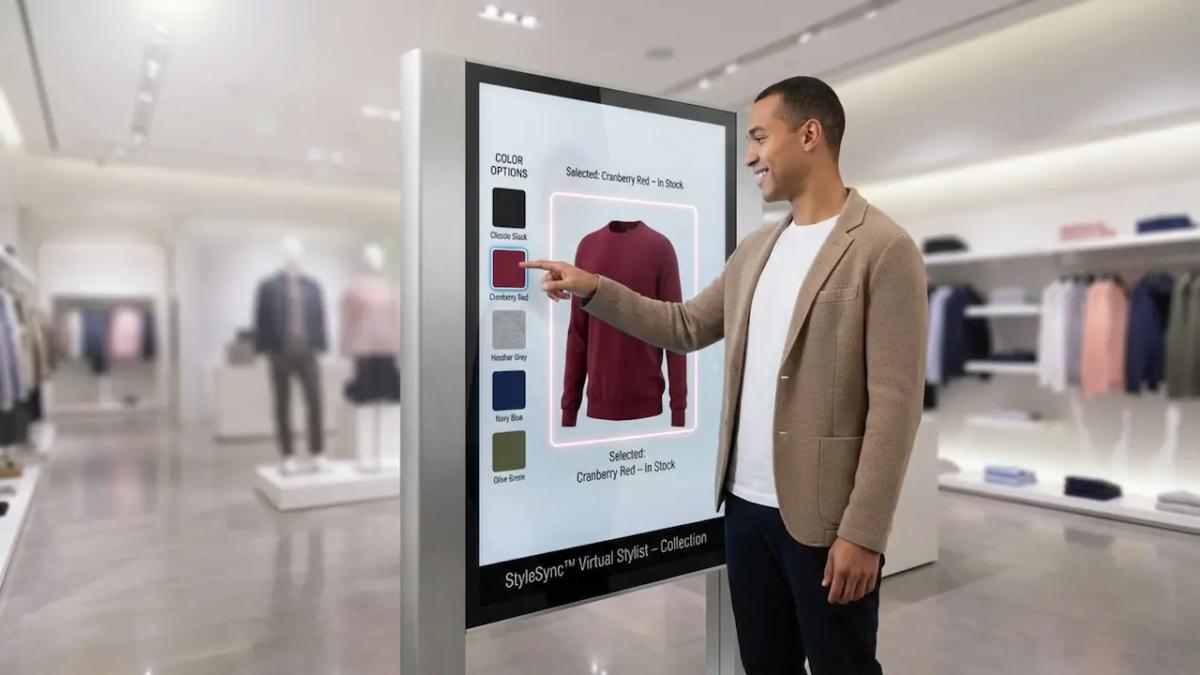
In retail and hospitality, engagement is the first step toward a sale. Interactive touchscreens invite customers to explore at their own pace. This active participation increases "dwell time"-the amount of time a prospect spends with your brand-which is often linked to higher conversion rates.
When customers control the screen, they feel less like they are being sold to and more like they are discovering a solution. This shift creates a helpful, modern brand image rather than a pushy one. With tools like the Look Content Creator, you can design these branded experiences in minutes to keep content fresh and relevant.
Real-Time Interactions and Personalized Content
Modern signage software allows content to adapt based on context. Using triggers or connected data sources, a screen can display information relevant to the specific time of day or location. This ensures the viewer sees what matters most to them right now.
Imagine a real estate office where the window display allows passersby to filter listings by price or neighborhood instantly. This level of responsiveness keeps the content useful and reduces the "noise" of irrelevant ads. With Look apps and integrations, you can also pull in live data like weather or news to keep the screen dynamic.
Seamless Self-Service and Checkout
Self-service has become an expectation. Interactive touchscreens have redefined the checkout process, moving beyond grocery stores into fashion retail and quick-service restaurants (QSR). These kiosks reduce wait times and offer a stress-free way for customers to order exactly what they want.
For business owners, these kiosks are excellent for consistency. A digital menu board doesn't forget to ask if the customer wants a drink or a side dish. By automating these upsell prompts through your playlist strategy, you can often see an increase in average ticket size without extra staff training.
Improving Collaboration and Productivity
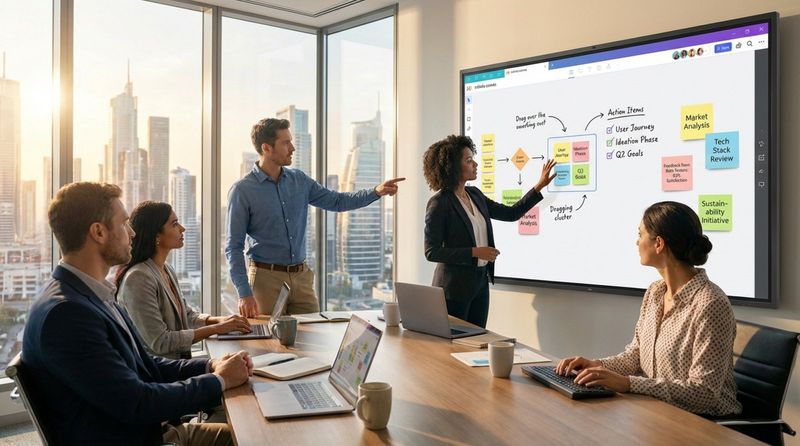
In the office, interactive screens are replacing the passive projector. Modern meetings utilize interactive whiteboards that allow teams to annotate documents, manipulate data, and save their work to the cloud instantly. This shifts the dynamic from a presentation to a collaboration.
This hands-on approach encourages participation. When team members can stand up and move ideas around on a canvas, meetings tend to be more energetic and productive. With Look DS, you can also use these same screens for internal communications-displaying KPIs or company news-when they aren't being used for meetings.
Corporate Meeting Rooms and Brainstorming
Visualizing complex data is easier on a large canvas. Interactive displays allow leadership teams to navigate dashboards or zoom into construction plans with a touch. Instead of flipping through static slides, the team can explore the data directly to answer questions in real time.
Brainstorming sessions benefit from "infinite canvas" applications. Teams are no longer limited by the physical size of a whiteboard. They can sketch, import web content, and organize ideas fluidly. Because these sessions can be saved digitally, no idea is lost when the meeting ends.
Education and Training Applications
Corporate training is catching up to the classroom. Interactive screens offer simulation-based learning that helps information stick. Instead of reading a manual, a new hire can tap through a guided workflow or safety procedure on a large display.
This "learning by doing" approach is often more effective than passive listening. Whether it is exploring a product diagram or navigating a new software interface, interactive training prepares staff for real-world scenarios in a controlled, low-risk environment.
Streamlining Operations for Efficiency
Efficiency is the backbone of profitable operations, and touchscreens are powerful tools for tightening workflows. In complex environments like manufacturing floors or logistics hubs, these displays serve as central control panels where workers can track status, report issues, and view schedules without leaving their zone.
By centralizing information on an interactive dashboard, you reduce paperwork and communication lags. When everyone has access to real-time data on a shared screen, teams align faster and can address operational bottlenecks before they cause downtime.
Retail, Hospitality, and Point-of-Sale Benefits
In hotels, interactive screens act as 24/7 concierges. Guests can use lobby displays to check event times, find local restaurants, or book amenities. This provides a high level of service even when the front desk is busy or understaffed.
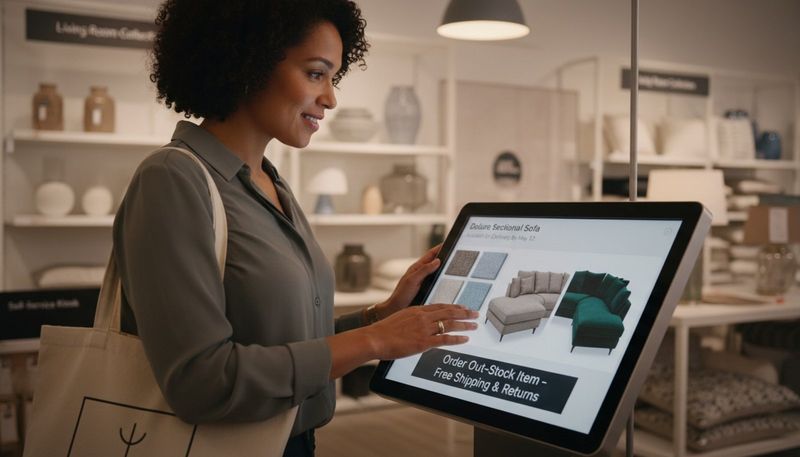
For retail, the "endless aisle" concept is a major advantage. If a specific size or color is out of stock in the store, a customer can use a touchscreen to find it online and order it for home delivery. This saves the sale and leverages your full inventory, regardless of the store's physical footprint.
Event Management and Information Kiosks
Trade shows and conferences rely on clarity. Interactive kiosks allow attendees to search for exhibitors, view agendas, and find their way around the venue. Because these screens are managed remotely via the cloud, organizers can update room changes or schedule shifts instantly across all screens.
These kiosks are also effective for lead capture. Exhibitors can use them to collect contact details in exchange for digital brochures. This data can be integrated into your CRM, making post-event follow-up faster and more accurate than manual data entry.
What Features Define Next-Generation Interactive Touchscreens?
As we look toward 2026, the standard for "good" hardware has risen. It isn't enough for a screen to simply work; it must feel responsive. Low latency is critical so that dragging an item or writing with a stylus feels instant. Technologies like optical bonding improve clarity by removing the air gap between the glass and the display.
Next-generation displays are also smarter. Many now include sensors that adjust brightness based on ambient light or switch power modes based on motion. This ensures the screen looks its best while conserving energy, fitting into the wider ecosystem of smart building management.
Multi-Touch and Multi-User Capabilities
Modern interactive screens have moved beyond single-touch inputs. High-quality commercial displays now support 20 to 40 simultaneous touch points. This allows multiple people to interact with the screen at the same time-ideal for collaborative design work or multiplayer gaming in entertainment venues.
In control rooms or creative studios, this capability is essential. It enables a workflow where one person navigates a map while another annotates details. The system distinguishes between different inputs, creating a fluid, natural interface for teamwork.
Display Size, Resolution, and Visual Clarity
Size and clarity are vital for readability. As screens scale up to 86 inches or more, 4K resolution ensures that text remains crisp and images look professional close-up. For industries like healthcare or luxury retail, where detail is non-negotiable, this visual fidelity is a key requirement.
Commercial environments also demand specific surface treatments. Anti-glare and anti-fingerprint coatings are standard on professional interactive displays. These ensure that the content remains visible under bright overhead lights and that the screen doesn't become a mess of smudges after an hour of use.
Operating System and Software Compatibility
A display is only as good as the software driving it. Most modern interactive screens are OS-agnostic, supporting Android, Windows, or Linux. For the simplest setup, many businesses use the Look Player, a plug-and-play device that turns any HDMI screen into a managed signage endpoint.
Alternatively, you can install the Look App directly on supported Android-based interactive displays or players. This flexibility allows you to bring your own device (BYOD) or use existing hardware. The goal is a setup where you can log in, launch the app, and start publishing content in minutes.
Connectivity, Integration, and Remote Management
In a modern business, your screens must be connected. Wi-Fi 6 and 5G support ensure that high-definition content streams smoothly and that interactive features respond quickly to cloud data. This connectivity is what moves digital signage from a passive video player to an active network device.
Integration with other systems allows for automation. For example, a meeting room screen can link to the calendar system to show availability lights outside the door. Or, a factory screen can pull data from production software to show live targets. Look DS supports these integrations through APIs, Zapier, or embeddable widgets.
Wireless and Wired Options
While wired connections (HDMI, DisplayPort) offer the highest stability, wireless casting is becoming essential for collaboration. Employees want to walk into a room and cast their laptop screen immediately. Enterprise-grade casting tools facilitate this without the mess of cables.
For permanent installations, Power over Ethernet (PoE) is a popular choice for smaller screens. It delivers both power and data over a single cable, simplifying installation and reducing the need for an electrician to install new outlets at every screen location.
Cloud-Based Control and Updates
Managing a network of interactive screens manually is impossible at scale. Cloud-based management is the standard. With Look CMS, you can update content, change schedules, and monitor device health from anywhere. If a screen goes offline, you know immediately.
This remote control capability is crucial for maintaining a consistent brand. You can push a holiday promotion to 500 store locations instantly, or update a safety protocol across all factory floors with a single click. It turns a logistical headache into a simple task.
Durability, Security, and Energy Efficiency
Public-facing screens must be tough. Commercial interactive displays use toughened glass (often rated 7H hardness or higher) to withstand heavy daily use. They are designed to run 16/7 or 24/7 without overheating or suffering from image retention ("burn-in").
Security is equally important. Devices on your network must be secure. Look Digital Signage provides enterprise-level security features and reliable offline playback, ensuring that if the internet drops, your screens keep running from local cache without displaying error messages or exposing the OS.
What Are the Leading Business Use Cases for Interactive Touchscreens?
Interactive screens are versatile, finding a home in almost every industry. The common thread is the ability to simplify complex information. Instead of forcing a user to search for an answer, the screen presents options and guides them to the solution.
From helping a patient find their way in a hospital to letting a car buyer customize their dream vehicle, these use cases demonstrate practical ROI. They save time, reduce errors, and improve the overall perception of the business.
Retail Environments and Product Demos
Retailers use interactive screens to bridge the gap between online and offline shopping. Interactive product catalogs allow customers to see full technical specs, color options, and accessory bundles that might not be physically on the shelf. This "phygital" approach maximizes the sales potential of limited floor space.
Interactive demo stations are particularly effective for complex products. A touchscreen can animate how a gadget works or explain the ingredients in a skincare product. By educating the customer at the point of decision, you remove hesitation and encourage the purchase.
Corporate and Educational Applications
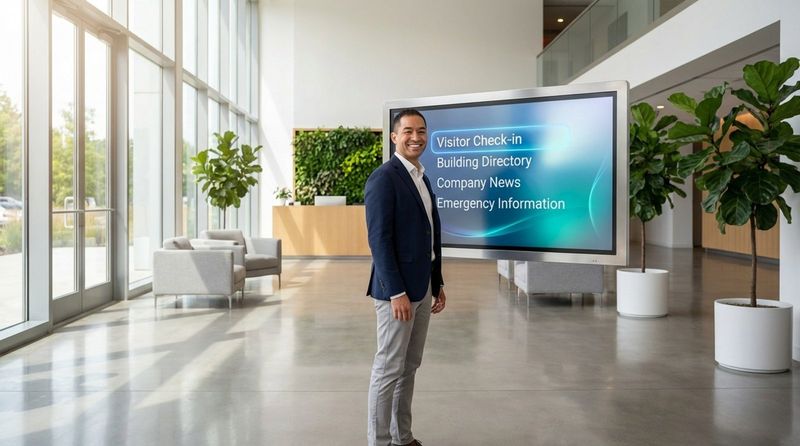
In the corporate world, the lobby is the new handshake. A large interactive video wall can showcase company history, real-time stock performance, and case studies. It sets a tone of innovation for visitors and potential hires immediately upon entry.
In education, interactive displays support active learning. Students can come to the front of the class to solve problems on the screen, or teachers can bring in multimedia elements to explain difficult concepts. This dynamic content keeps students engaged far better than a static whiteboard.
Healthcare, Hospitality, and Self-Service Kiosks
Healthcare facilities use interactive wayfinding to reduce patient anxiety. A large touchscreen at the entrance can guide visitors to the correct department with simple maps. In waiting rooms, screens can provide health tips or check-in services, reducing the load on reception staff.
In hospitality, digital concierge screens help guests navigate the local area. By scanning a QR code on the screen, guests can take the map or restaurant recommendation with them on their mobile device. This seamless hand-off from public screen to personal device is a key feature of the Look DS ecosystem.
Entertainment, Museums, and Public Installations
Museums have revitalized their exhibits with interactivity. Visitors can zoom in on high-resolution scans of artifacts or watch interviews with curators. This adds depth to the exhibit without cluttering the physical space with text placards.
Public spaces and transit hubs utilize ruggedized touchscreens for information. These kiosks display real-time bus or train schedules and allow travelers to plan routes. By providing accurate, real-time data, city managers improve the flow of people and reduce congestion.
Choosing the Right Interactive Touchscreen Solution for Your Business
Selecting the right solution involves more than just buying hardware. You need a system that is easy to manage and reliable. A beautiful screen is useless if it is displaying a Windows error message or if the content is months out of date because it is too hard to update.
We recommend a "software-first" approach. Start by defining what you want the screen to do, then choose the software that enables it, and finally select the hardware that supports that software.
Factors to Consider Before Purchase
First, identify your primary goal. Is it self-service, collaboration, or information? This dictates your hardware needs. A self-service kiosk needs durable glass and simple touch inputs. A design studio needs high-precision touch and stylus support.
Second, consider the environment. Lighting is critical-bright spaces require high-brightness screens (high nits) to remain visible. You also need to plan for accessibility, ensuring screens are mounted at heights reachable by all users.
Comparing Top Interactive Display Brands
The hardware market is diverse. Major electronics manufacturers offer excellent all-in-one displays that often run on Android or proprietary operating systems. These are great for general use. Specialized brands focus on corporate collaboration with high-end touch features and built-in cameras.
Regardless of the brand you choose (Samsung, LG, Philips, or others), Look Digital Signage is designed to be compatible. Whether the screen uses Android, Windows, or requires an external player, Look DS provides a unified interface to manage them all. This prevents you from getting locked into a single hardware vendor's limited software ecosystem.
Affordable Options for Small Businesses
You don't need an enterprise budget to start. Small businesses can use consumer-grade tablets with the Look App installed to create effective counter-top displays or room booking screens. This is a low-risk way to test the impact of digital signage.
Another cost-effective route is pairing a standard TV or monitor with the Look HDMI Player and an overlay touch frame (if supported) or simply using non-touch displays for information and tablets for interaction. The Look system scales smoothly from one screen to thousands, so you can start small.
High-End Models for Enterprise Use
For large networks, enterprise-grade displays are worth the investment. These screens are built for 24/7 operation and often come with extended warranties and on-site support. They feature superior brightness, robust security, and remote power management.
Enterprise deployments also benefit from the advanced features in Look CMS, such as Proof-of-Play reports and detailed Playback Analytics. These tools allow IT and marketing teams to verify that content is running correctly and analyze performance across hundreds of locations.
Installation, Training, and Ongoing Support
Proper installation ensures longevity. Professional mounting is essential for safety, especially with heavy large-format screens. Cable management is also key; loose cables are a common cause of failure in interactive setups.
However, the most critical step is training your team on the software. Look DS is designed for non-technical users, offering an intuitive interface where anyone can drag and drop media, use templates, and schedule content. Our support team is available via chat to help you troubleshoot, ensuring your screens never stay dark for long.
Emerging Trends and the Future of Interactive Touchscreens
The future of displays is increasingly "multimodal," combining touch with other inputs. We are moving toward screens that can recognize users and adapt content automatically. The line between the physical store and the digital profile is blurring.
Sustainability is also driving change. Newer displays consume less power and use more recyclable materials. Software features like display scheduling allow you to turn screens off automatically when the business is closed, further reducing your carbon footprint and energy bill.
Integration with AI, Gesture, and Voice Control
Artificial Intelligence is simplifying content creation. With the Look AI Wizard, you can generate layouts and text in seconds, keeping your screens fresh without needing a graphic designer. AI is also improving touch prediction, making screens feel even faster.
Contactless interaction is growing. Gesture control allows users to navigate a screen by waving a hand-useful in hygiene-sensitive areas. Voice control is also improving, allowing users to ask a kiosk for directions rather than tapping through a menu.
Expansion of Augmented and Mixed Reality
Interactive displays are becoming portals for Augmented Reality (AR). A screen can act as a "magic mirror," overlaying digital information onto the real world. In retail, this allows customers to "try on" clothes virtually. In manufacturing, it can overlay repair instructions onto a live video feed of a machine.
Haptic feedback is another frontier. Future screens may use ultrasonic vibrations to simulate texture, letting you "feel" a button click or a fabric texture on a flat glass surface, adding a tactile dimension to the digital experience.
Flexible, Transparent, and Sustainable Displays
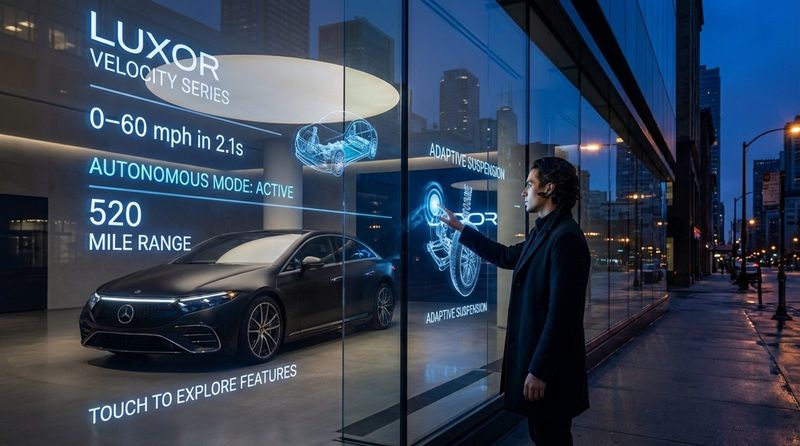
Display form factors are breaking free from the rectangle. Flexible OLEDs allow screens to wrap around columns or curve along walls. Transparent displays allow retailers to overlay digital content on a physical product window without blocking the view.
These innovations allow digital signage to blend into the architecture rather than standing out as an added appliance. Combined with energy-efficient software management, these displays contribute to greener, more integrated smart buildings.
Predictions for Market Growth and Adoption
The adoption of interactive displays is accelerating. As hardware costs drop and software becomes easier to use, interactive signage is becoming standard for businesses of all sizes. It is moving from a differentiator to a baseline expectation.
Smart cities and industrial IoT are the next big frontiers. We will see more interconnected screens in public spaces and factories, all feeding data back to central hubs. For businesses, the time to start building this infrastructure is now. Starting with a scalable platform like Look DS ensures you are ready for this connected future.
Frequently Asked Questions About Interactive Touchscreens for Business
Implementing new technology often raises questions about security, cost, and maintenance. Here are the answers to common concerns we hear from businesses upgrading their displays.
Rest assured, modern digital signage software is designed to address these specific pain points, making the transition smooth and secure.
What Industries Benefit Most from Interactive Displays?
While almost any business can benefit, retail, healthcare, and corporate offices see the fastest impact. Retailers drive sales through self-service; healthcare improves patient flow with wayfinding; and offices boost productivity with collaboration tools.
However, specialized uses are growing. Gyms use them for workout tracking, and restaurants use them for menu ordering. If your business involves explaining complex options or managing queues, an interactive screen is likely a strong fit.
How Secure Are Interactive Business Touchscreens?
Security is a top priority. Interactive screens running Look App can be locked down so users cannot access the underlying operating system or settings. We also recommend "session resets" for kiosks, clearing user data immediately after an interaction ends.
Using a cloud-based CMS adds another layer of safety. You can manage user permissions remotely, ensuring only authorized staff can change content. Look DS uses secure protocols to transmit data, protecting your network integrity.
How Do Interactive Displays Impact ROI and Analytics?
Interactive screens provide data that static signs cannot. With Look Analytics, you can track playback frequency and uptime. When paired with interactive scenarios, you can measure engagement: which buttons are tapped most? Which products attract the most attention?
ROI comes from cost savings (less printing, fewer manual updates) and revenue generation (upsells, ad revenue). By proving these metrics, you can validate the investment and optimize your content strategy over time.
What Maintenance Is Required for Optimal Performance?
Physical maintenance is minimal-mostly keeping the screen clean and ensuring vents aren't blocked. The primary maintenance is digital. You need to keep the software updated and the content fresh.
With Look Digital Signage, software updates are handled remotely. The most important task for you is to review your content strategy regularly. Use the analytics data to refine your playlists and keep your audience engaged. If you need help, our support team is always ready to assist.


