


Table of Content
How can you turn a blank wall into a dynamic tool for teamwork and customer interaction? Interactive walls combine touch screens, sensors, and smart software to turn passive viewing into a two-way exchange. Whether you are running a corporate strategy session or guiding shoppers through a product catalog, these systems allow users to control the narrative rather than just watching it.
The primary goal is to shift from static broadcasting to active engagement. With audiences accustomed to responsive personal devices, demand is high for large-format experiences that react to input. Interactive walls address this by using intuitive interfaces and real-time data to capture attention, extend dwell time, and support collaborative decision-making.

What Are Interactive Walls for Enhanced Collaboration and Engagement?
How Do Interactive Walls Function?
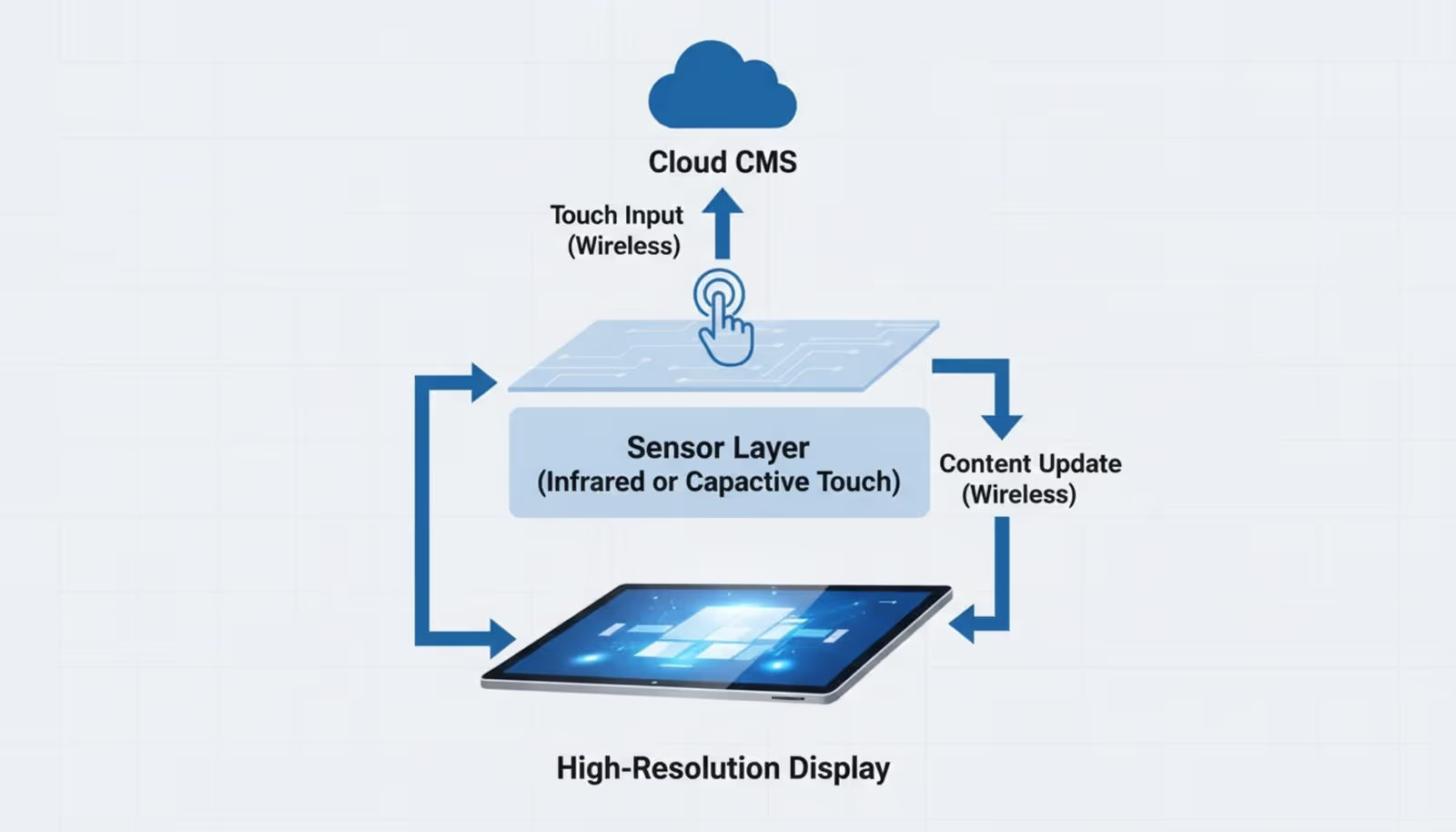
Interactive walls function by converting physical actions into digital responses. When a user touches a screen or gestures near a sensor, the hardware detects the input and sends it to a media player or processor. The software-such as Look Digital Signage-interprets this signal and instantly updates the display, whether that means playing a video, navigating a menu, or opening a dashboard.
Modern systems can handle complex inputs beyond simple clicks. Advanced setups differentiate between taps and swipes or use cameras to trigger content changes based on audience presence. This creates a responsive environment where the screen adapts to the user in real time.
Key Technologies Behind Interactive Walls
Three core components power these systems: the display, the sensors, and the content management software. High-resolution LED or LCD panels provide the visual canvas, while inputs like infrared frames or capacitive touch layers detect user interaction. However, the system relies heavily on the software to tie these elements together.
Cloud-based platforms like Look CMS manage the logic behind the interaction. They allow you to build Interactive Scenarios where specific inputs trigger specific content. Integration with IoT devices and AI tools further expands capabilities, allowing screens to pull in live data or adjust layouts automatically without manual intervention.
What Are the Key Elements of an Interactive Wall?
Display Technologies (LED, LCD, Projection)
The choice of display hardware defines the visual impact. LED walls offer high brightness and seamless scalability, making them ideal for large public venues or bright lobbies. LCD video walls are often used for detailed viewing at close range, such as in control rooms or retail aisles, though bezel width is a consideration.
Projection systems offer a flexible alternative, turning existing architectural surfaces into interactive zones. This is useful for temporary installations or spaces where mounting heavy screens is difficult. The technology remains unobtrusive when not in use, keeping the aesthetic clean.
Sensors and Input Devices
Sensors bridge the gap between the physical and digital worlds. Capacitive touch foils and infrared frames are the industry standard for direct interaction, allowing for tablet-like gestures on large surfaces. For environments requiring hygiene or larger movements, motion sensors and cameras enable touchless control.
Advanced setups may incorporate RFID or QR code readers. For example, a customer scanning a product at a kiosk can trigger the screen to display detailed specs or comparison charts. This hardware relies on robust software support to function smoothly.
Interactive Software and Content Management
The software is the engine of your interactive wall. It must be reliable, easy to update, and capable of handling diverse media formats. Look Digital Signage provides a centralized dashboard to manage these deployments. Using the "Interactive Scenarios" feature, you can build complex navigation flows-like a digital concierge or a corporate directory-without writing code.
A strong CMS also simplifies maintenance. Instead of manually updating each screen, you can publish changes from anywhere in minutes. Features like Offline Playback ensure that your interactive content keeps running smoothly even if the internet connection drops, preserving the user experience.
Connectivity and Integration Capabilities
Interactive walls deliver more value when connected to your existing tools. Integration via API or tools like Zapier allows the screen to display live data from internal dashboards, CRMs, or social media feeds. In a corporate setting, a wall might pull real-time project statuses from management software.
For hybrid collaboration, connectivity with platforms like Zoom or Microsoft Teams turns the wall into a bridge between on-site and remote staff. This ensures that the physical screen is not an isolated island but a connected part of your digital infrastructure.
What Types of Interactive Walls Exist?
Touch-Sensitive Walls
Touch-sensitive walls are essentially large-format tablets. They are the most common and intuitive option, used widely in retail for product configurators and in offices for digital whiteboarding. Users engage directly with the surface to manipulate data, draw, or navigate catalogs.
In educational settings, these screens support active learning. Students can interact with diagrams, solve puzzles, or navigate historical timelines, making abstract concepts tangible and easier to retain.
Gesture Recognition Walls
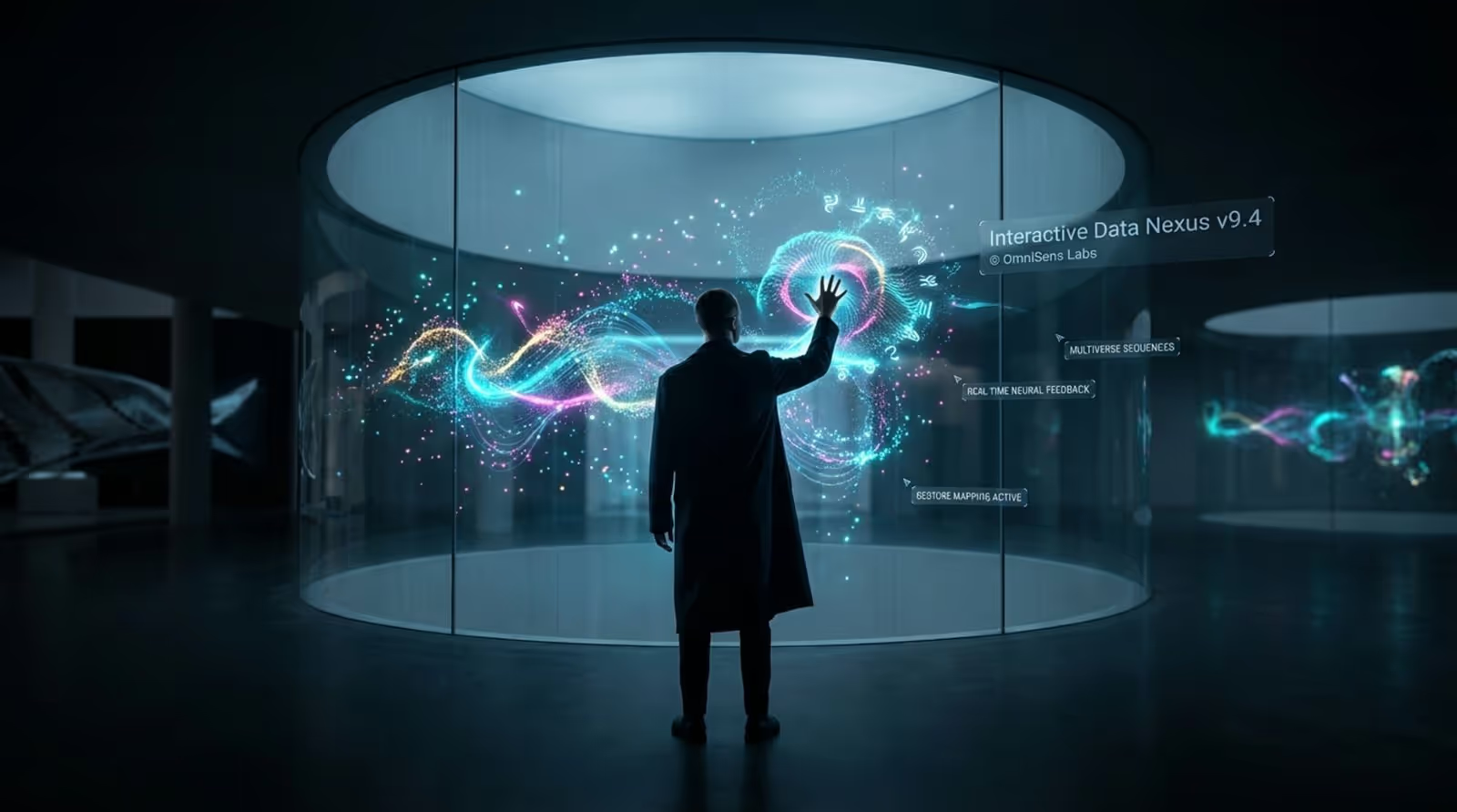
Gesture-based systems track movement from a distance using cameras or depth sensors. This touchless approach is effective in high-traffic areas like museums or airports where hygiene or crowd flow is a priority. Users can wave to scroll through information or raise a hand to select an option.
While often more expensive due to the sensor technology required, these walls provide a "wow factor" suitable for brand activations and immersive entertainment venues.
Interactive LED and Digital Display Walls
These are high-impact installations designed for visibility. Interactive LED walls are often found in flagship stores or corporate HQs. They combine the scale of traditional signage with the responsiveness of a personal device. When paired with Look CMS, these walls can shift from passive brand videos to interactive presentations instantly.
Digital display walls can also utilize audience analytics. Sensors can detect the demographic profile of viewers (anonymously) and trigger targeted content, ensuring the message is relevant to the person standing in front of it.
Projection-Based Interactive Walls
Projection systems map content onto floors, curved walls, or objects. Because they do not require a glass screen, they are durable and versatile. Retailers use them to project interactive menus onto countertops, while schools use them to create interactive floor games for younger students.
Augmented Reality (AR) and Mixed-Reality Walls
AR walls use a viewer's mobile device or specialized glasses to overlay digital information onto a physical wall. A museum visitor might point their phone at a static mural to see it animate or reveal hidden text. This hybrid approach adds depth to physical spaces without requiring expensive touchscreens.
Mixed-reality setups blend physical objects with digital responsiveness. For example, lifting a physical shoe from a display shelf could trigger a wall screen to play a promotional video for that specific model.
How Do Interactive Walls Support Collaboration?
Facilitating Real-Time Idea Sharing
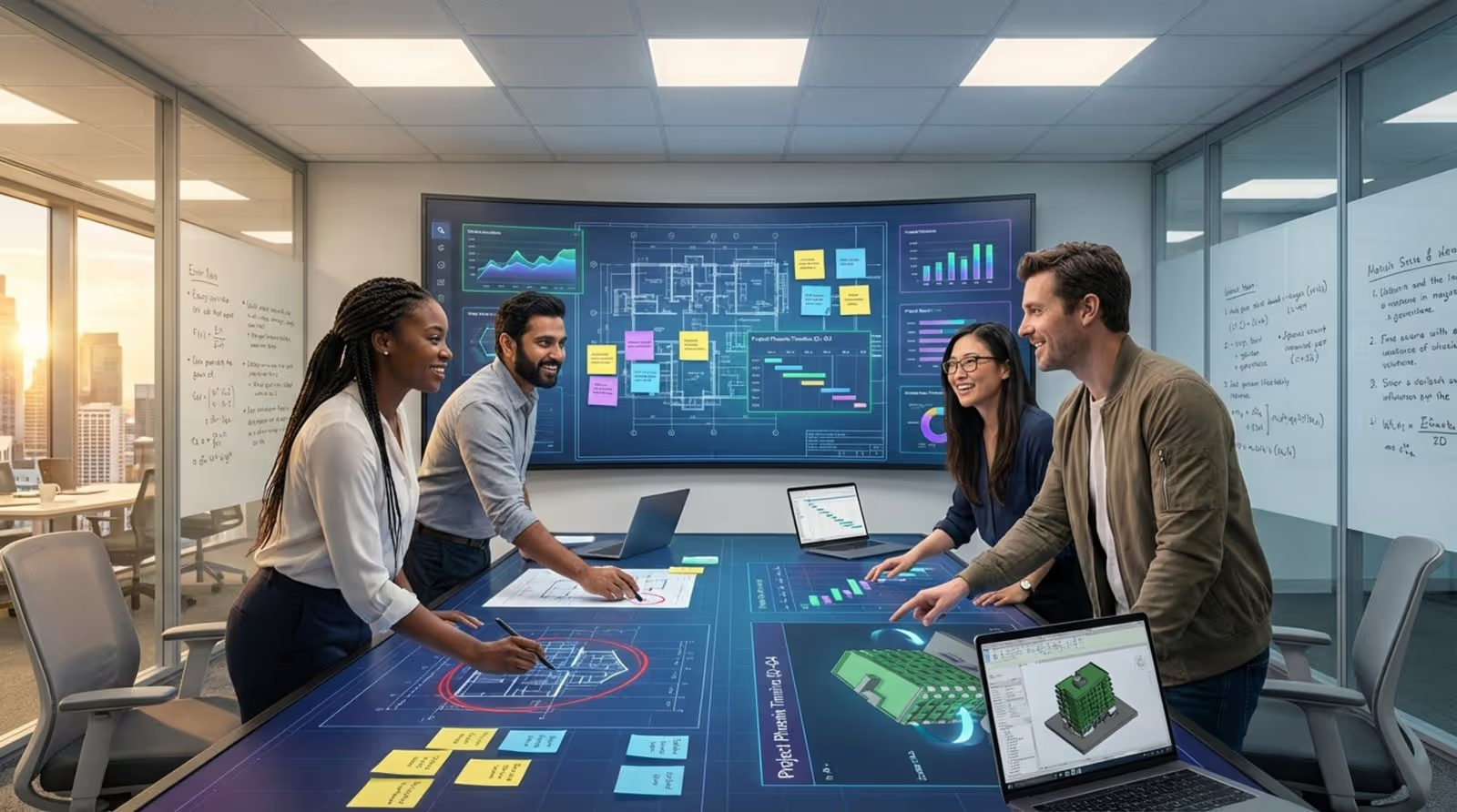
Interactive walls replace static whiteboards with infinite digital canvases. In meeting rooms, teams can pull up charts, annotate documents, and save their work instantly. This eliminates the need for taking photos of a whiteboard and transcribing notes later.
Using Look Digital Signage, corporate teams can display live dashboards that aggregate data from multiple sources. This ensures everyone in the room is looking at the latest figures, fostering agreement and faster alignment.
Enabling Multi-User Interaction
Effective collaboration often involves multiple people contributing simultaneously. Multi-touch technology allows several users to write, move objects, or interact with different zones of the screen at the same time. This is critical for "war rooms," design reviews, and operations centers.
In a logistics center, for instance, one team member might zoom in on a regional map while another reviews delivery schedules on the same large video wall. This shared visibility reduces communication lag and errors.
Integrating with Collaboration Platforms
To support hybrid work, interactive walls must play nicely with communication software. Integrating video conferencing and project management tools means that remote employees can see what is happening on the wall, and actions taken on the screen are automatically logged in the team's project tracker.
Look CMS supports integrations that allow web-based dashboards and third-party widgets to run seamlessly within your digital signage layouts, keeping your collaboration tools front and center.
What Are the Benefits of Interactive Walls for Engagement?
Boosting User Participation and Attention
Passive screens are often ignored; interactive screens invite action. By requiring a user to touch or gesture, you naturally increase their focus and dwell time. Whether navigating a campus map or exploring a car configurator, the act of doing creates a stronger memory than simply seeing.
For businesses, this translates to better message retention. A customer who actively browses a digital catalog is more likely to find a relevant product than one who glances at a static poster and walks away.
Personalizing Experiences for Different Audiences
Interactive walls allow users to self-select content relevant to them. Instead of a one-size-fits-all loop, a visitor can filter information by language, interest, or need. Look DS makes this easy with Screen Layouts and interactive layers, allowing you to present a simple menu that leads to deep, specific content.
In retail, this personalization can act as a silent salesperson, guiding customers to products that match their preferences and checking stock levels in real time.
Accelerating Decision-Making and Problem Solving
Visualizing complex data on a large, interactive surface helps teams spot trends and outliers faster. In control rooms or executive briefings, the ability to drill down into a chart with a tap allows for immediate answers to questions, speeding up the decision cycle.
During critical events, such as system outages or emergency responses, a central interactive wall serves as the single source of truth, helping coordinators deploy resources efficiently based on live data.
Where Are Interactive Walls Used Most Effectively?
Education: Interactive Learning and Virtual Field Trips
Schools use interactive displays to modernize the classroom. Teachers can pull up multimedia lessons, virtual labs, or 3D models. Look Digital Signage for schools helps administrators manage these screens remotely, ensuring that when class isn't in session, the screens display announcements or emergency alerts.
Virtual field trips allow students to explore geography or history interactively, navigating maps and timelines at their own pace.
Corporate Environments: Collaborative Workspaces and Training
In the office, interactive walls serve dual purposes. In lobbies, they welcome guests with wayfinding and company news. in meeting rooms, they drive productivity. Look for corporate offices allows HR and IT teams to push company-wide updates to screens when they aren't being used for presentations.
Training rooms benefit significantly. Interactive quizzes and on-demand video libraries allow employees to engage with training materials actively, improving compliance and skill retention.
Retail: Customer Engagement and Product Discovery
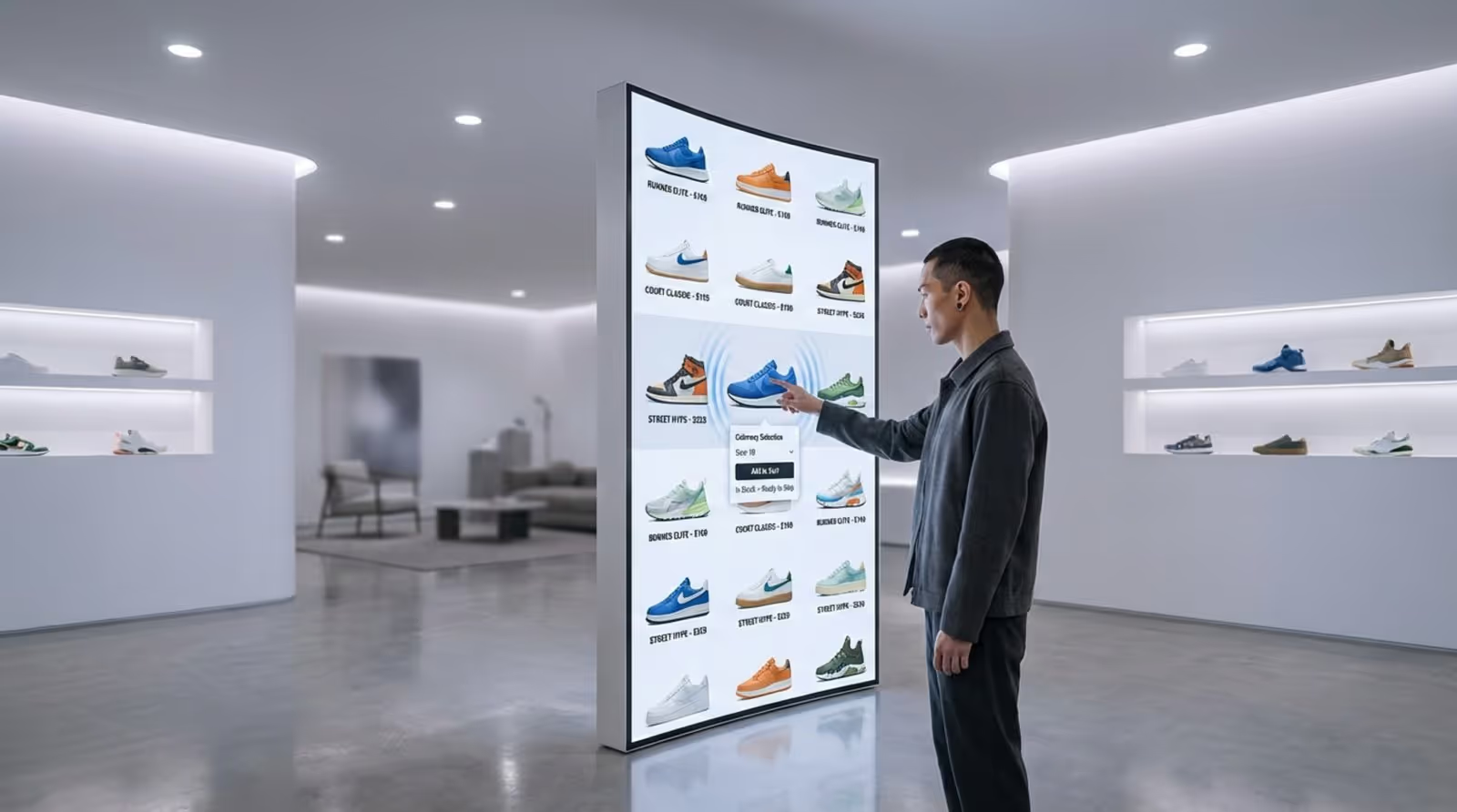
Retailers use "endless aisle" kiosks to show inventory that isn't physically in the store. Customers can browse colors, sizes, and styles on a touchscreen. Look CMS enables retailers to update pricing and promotions across all locations in minutes, ensuring consistency.
Digital Signage for retail can also include "lift and learn" technology, where picking up a product triggers related content on the wall, creating a seamless bridge between physical goods and digital information.
Events and Exhibitions: Live Social Media Feeds and Real-Time Schedules
At trade shows, interactive walls help attendees navigate complex floor plans and find sessions. Organizers can display live social media walls that aggregate posts using event hashtags, encouraging attendees to share their experiences.
Real-time updates are crucial here. If a speaker slot changes, the schedule on the wall can be updated instantly via the cloud, preventing confusion.
Entertainment and Art Installations
Museums and galleries use interactive walls to provide context without cluttering the exhibit with placards. Visitors can dive deep into an artist's history or explore high-resolution scans of artifacts. These installations often use projection mapping to create immersive environments that react to visitor movement.
Public and Civic Spaces
Transport hubs and government buildings use interactive kiosks to reduce queues at information desks. Travelers can find routes, check delays, and locate amenities. Look Digital Signage supports robust monitoring and proof-of-play, ensuring that these critical information points are always operational.
What Challenges and Considerations Come with Deploying Interactive Walls?
Installation and Space Constraints
Proper placement is vital. Screens must be accessible to all users (considering height and reach) and positioned away from direct sunlight that could wash out the image. You must also consider power and network connectivity. Look HDMI Players offer a plug-and-play solution that simplifies the hardware setup, fitting easily behind most screens.
Content Maintenance and Regular Updates
An out-of-date interactive wall damages trust. The most common pitfall is installing the hardware without a plan for updating the content. A platform like Look CMS solves this by allowing non-technical staff to update playlists and layouts from a web browser. The Content Creator and Ready-made Templates help teams keep visuals fresh without needing a dedicated designer.
Security and Data Privacy
Interactive screens in public places must be locked down to prevent unauthorized access. "Kiosk mode" ensures users cannot exit the signage app. For organizations with strict data policies, Look On-Premise Digital Signage offers a self-hosted version of the software, keeping all data within your private network infrastructure.
Measuring Engagement and Success
You cannot improve what you do not measure. Simply having a wall isn't enough; you need to know if people are using it. Look Playback Analytics provides data on how often content is played and interacted with. This helps you understand which messages resonate and where to optimize your strategy.
What Trends Are Shaping the Future of Interactive Walls?
Integration of Artificial Intelligence
AI is making content creation faster and interactions smarter. Tools like the Look AI Wizard allow users to generate professional layouts and text in seconds. In the future, AI will likely drive dynamic content adaptation, changing the screen's messaging based on historical data or environmental triggers.
Advancements in Touchless and Gesture Controls
Hygiene concerns have accelerated the adoption of voice and gesture controls. We expect to see more integration of personal devices, where a user scans a QR code to control the large screen from their phone-a feature already supported in many Look Interactive Scenarios.

Immersive Experiences with AR and VR Integration
The line between screens and physical space is blurring. Future interactive walls will likely serve as portals into the "spatial web," allowing users to manipulate 3D objects and explore virtual environments with high fidelity. As hardware costs decrease, these immersive experiences will become accessible to more businesses.
Choosing the Right Interactive Wall Solution for Your Needs
Key Factors to Consider
Start with your objective: Are you trying to inform, entertain, or collaborate? This dictates your hardware choice. High-traffic public areas need commercial-grade screens with toughened glass, while a meeting room might prioritize resolution and touch sensitivity.
Software compatibility is equally important. Ensure your CMS works with the hardware you choose. Look Digital Signage is hardware-neutral, running via the Look App on Android, Windows, and other major platforms, or via a simple HDMI player.
Custom vs. Off-the-Shelf Solutions
Custom builds offer unique branding but come with high costs and long lead times. For most businesses, an off-the-shelf SaaS solution like Look DS offers the best balance of flexibility and speed. You get enterprise-grade features-scheduling, layout building, and remote management-without the custom development price tag.
Aligning Interactive Walls with User Goals
Design your content for the user, not the technology. Navigation should be obvious, buttons large, and text concise. If a user cannot figure out how to interact within three seconds, they will walk away. Use templates to ensure a clean, professional layout that guides the user to their goal efficiently.
Maximizing the Impact of Interactive Walls for Collaboration and Engagement
Best Practices for Implementation
Treat your interactive wall as an evolving project. reliable playback is the baseline-ensure you use a system with Offline Playback to avoid "blue screens" during internet outages. regularly review analytics to see what content is performing well and adjust accordingly.
Ensure accessibility. Buttons should be reachable for wheelchair users, and text should have high contrast. A truly collaborative wall is one that everyone can use.
Examples of Successful Interactive Wall Projects
Success stories range from university campuses using wayfinding kiosks to reduce tardiness, to retail chains using endless-aisle screens to save sales when stock is low. The common thread is a clear purpose supported by reliable software.
By combining the right hardware with a powerful management platform like Look Digital Signage, you can transform any wall into a high-value asset. Whether for data-driven decisions in the boardroom or customer engagement in the storefront, the technology is ready to work for you.
Ready to bring your screens to life? Start a free trial with Look Digital Signage today and see how easy it is to build and manage interactive content.





