

Table of Content
How do you launch a screen network across a hotel without overwhelming your staff? A hotel digital signage rollout checklist is a step-by-step framework that guides you through hardware choices, software setup, and content planning. It turns a complex IT project into a clear, manageable process, ensuring your screens support guests and operations from day one without complicated setup.
What Is a Hotel Digital Signage Rollout Checklist?
A hotel digital signage rollout checklist organizes the key tasks for installing digital screens across your property. It’s a practical roadmap that helps hospitality teams align on goals, pick the right hardware and software, plan content, and prepare for long-term maintenance.
By splitting a large project into clear phases, this checklist helps your team treat digital signage as a data-driven business tool. It ensures every screen serves a purpose-whether that’s guiding guests, sharing event details, or promoting your amenities-before you ever mount a display to the wall.
Why Do Hotels Use Digital Signage?
Hotels rely on digital signage to share real-time updates, keep guests informed, and help staff stay on the same page. In a busy hospitality environment, digital displays offer a flexible, centralized communication channel that printed signs simply cannot match.
Benefits for Guest Experience
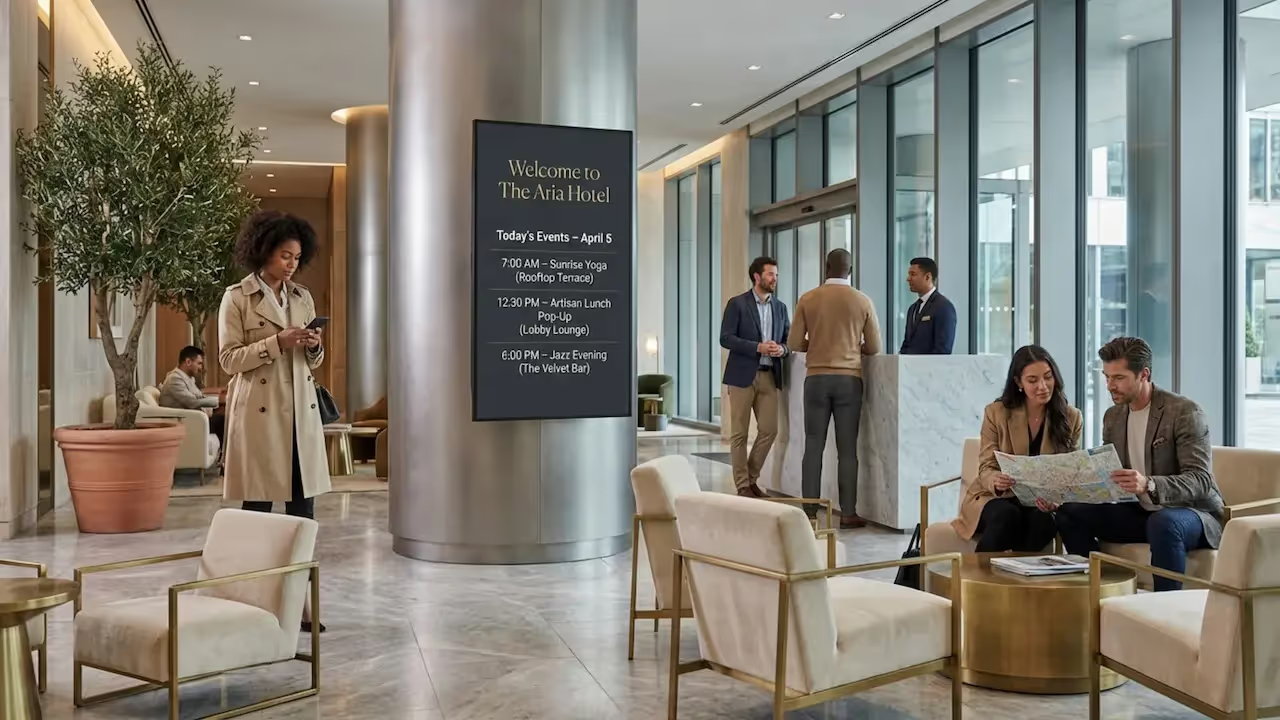
For guests, digital signage makes navigating the hotel visually clear and welcoming. A guest can walk into the lobby and see a screen displaying today’s restaurant specials, a map to the pool, or local weather and transit updates. Clear, timely messaging helps guests feel looked after, while interactive kiosks can speed up checkouts or spa bookings, reducing wait times.
Operational Efficiency Improvements
Behind the scenes, digital signage acts as a reliable tool for your team. You can use screens in breakrooms to share shift schedules, safety reminders, or HR announcements. In conference areas, digital door displays and wayfinding screens can be updated in minutes from anywhere. This reduces the need for constant printing and manual updates, freeing your staff to focus on guests.
Improving Brand Image
Digital signage helps maintain a polished, modern atmosphere. From a vibrant video wall in the lobby to neat, synchronized screens in the elevators, digital displays showcase high-quality visuals of your amenities and brand story. It ensures your messaging stays consistent across the entire property.
What Hardware and Software Components Are Needed?
A successful rollout starts with reliable hardware and capable software. The equipment you choose directly impacts uptime, security, and how much time your team spends managing the network.
Commercial-Grade vs Consumer-Grade Hardware
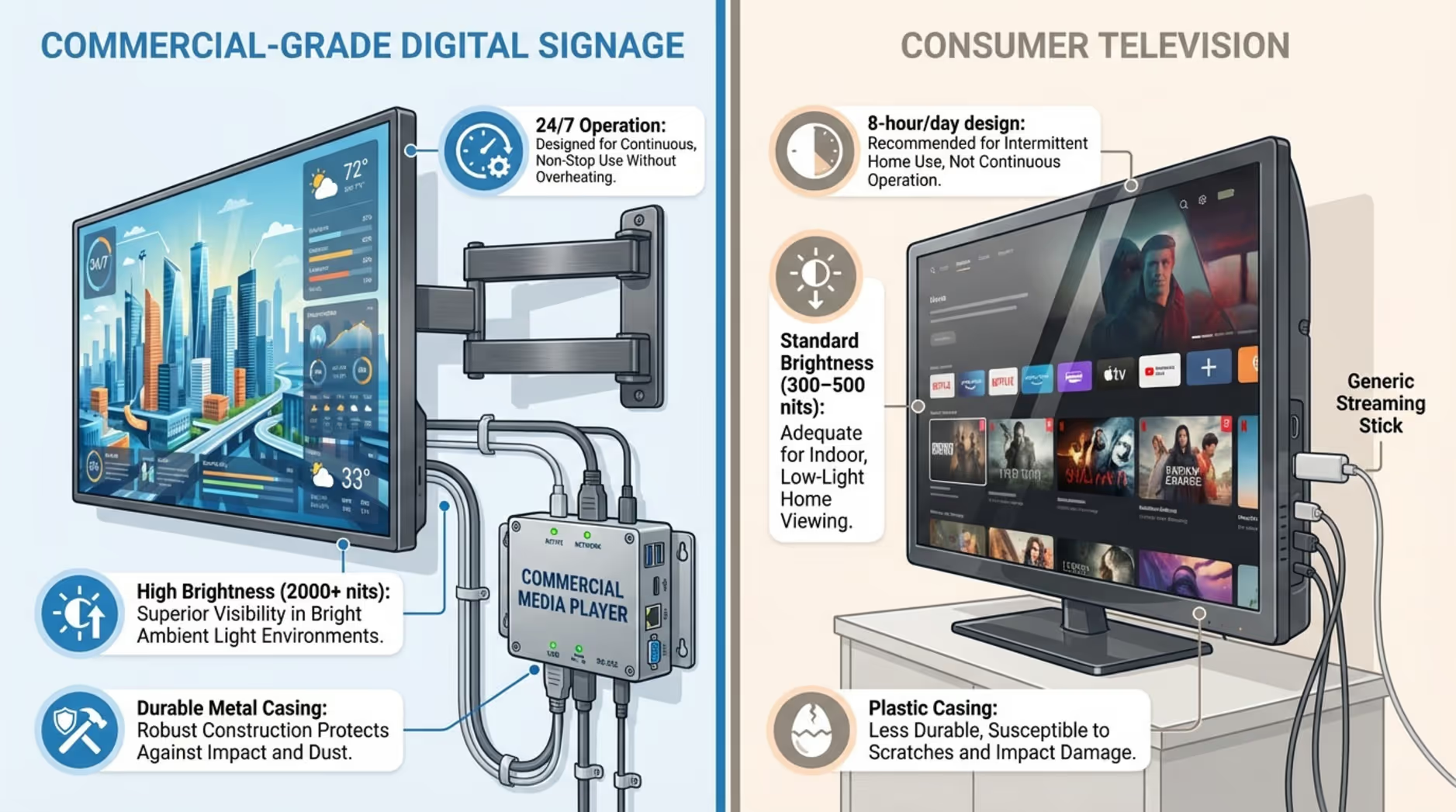
When selecting displays, commercial-grade screens are almost always the right choice. Consumer TVs might look budget-friendly, but they are built for living rooms, not 24/7 hotel lobbies. Commercial displays provide:
- Higher brightness to cut through glare from lobby windows
- Extended duty cycles (designed to run 16 to 24 hours a day)
- Stronger internal components that resist dust and heat
Consumer screens tend to burn out faster under continuous use. Pairing a commercial screen with a dedicated, plug-and-play media player-like the Look -ensures reliable playback and fewer frustrating outages.
Content Management Software Requirements
Your content management system (CMS) is the central hub for your screen network. It should be highly accessible for non-technical staff, yet robust enough to handle multi-location schedules. Key capabilities to look for include:
- Flexible scheduling (time-of-day changes, date ranges, and looping)
- Role-based user permissions so marketing and HR can manage their own screens
- Enterprise-grade security, including encrypted delivery and Single Sign-On (SSO)
- Integrations with external tools like event calendars or weather feeds
- Analytics and playback logs to prove ROI and monitor screen health
Mounting, Power, and Environmental Considerations
The physical setup requires careful site planning. You will need commercial-rated wall mounts that safely support the display's weight. Map out power and data access for every screen location beforehand. Verify outlet types, check circuit loads, and decide where surge protectors or uninterruptible power supplies (UPS) are necessary. For outdoor or pool areas, factor in weather-resistant enclosures and high-brightness screens.
What Are the Key Steps in a Hotel Digital Signage Rollout?
A structured rollout follows clear, sequential steps. This keeps your team focused and ensures your digital signage setup scales smoothly.
1. Defining Objectives and Goals
Before buying screens, define what you want them to achieve. Without data or clear goals, your screens are just decoration; with them, they become a functional tool. Common goals include:
- Driving revenue by upselling dining, spa services, or late checkouts
- Reducing front desk friction by clearly answering common guest questions
- Improving campus navigation with clear directional layouts
Tie these goals to measurable outcomes, like fewer guest complaints about finding event rooms or increased traffic to the hotel restaurant.
2. Stakeholder Identification and Involvement
Digital signage touches multiple departments. Bring the right people to the table early:
- Executive sponsor (budget and strategy approval)
- IT (network configuration, security, and integrations)
- Facilities (mounting, power, and physical installation)
- Marketing (branding, templates, and content planning)
- Operations (daily workflows and local updates)
Assign clear owners for ongoing content creation and technical support so the system continues to run smoothly after launch.
3. Assessing Site Readiness and Requirements
A site survey confirms that each location is ready for a screen. Physically check wall strength, lighting conditions, and optimal viewing distances. Electrically, confirm that power outlets are positioned correctly and have the right capacity. For the network, check Wi-Fi signal strength and determine if hardwired Ethernet drops are possible, which are highly recommended for stable video playback.
4. Selecting Hardware
Hardware choices determine how reliable your daily playback will be. Match the equipment to the environment.
Displays and Placement Considerations
Beyond choosing commercial displays, evaluate the specific needs of the space:
- Do you need an outdoor IP rating for the valet area?
- Will the screen be mounted in portrait or landscape?
- Does the location require true 24/7 runtime?
- How large should the screen be based on where guests will stand?
Media Players and Connectivity Needs
Media players connect your screens to your CMS. You need a device that handles your media smoothly, like 4K video loops, and allows for remote management. Wired Ethernet connections are generally more reliable than Wi-Fi, especially in hospitality environments with heavy guest network traffic.
5. Choosing Scalable Digital Signage Software
Your software is the tool your team will use every day. It should offer a simple setup while giving you the flexibility to scale from one screen to hundreds.
Content Management Features
Look for a platform that balances ease of use with smart automation. Essential features include:
- Centralized dashboard control for all locations
- Customizable screen layouts for mixing video, text, and widgets
- Targeted scheduling to automate dayparting (e.g., breakfast vs. dinner menus)
- Ready-made templates to help teams design on-brand content quickly
- Audit logs to track user changes and monitor playback
Integration Capabilities
Connecting your signage to other hotel systems makes it much more powerful. Look for software that integrates via APIs or native apps to display live event schedules, weather, or news feeds. Pulling automated data reduces the manual updates your staff has to do.
6. Planning Network Infrastructure and Security
A digital signage network needs stable connectivity and strong security to protect the hotel's broader IT environment.
Network Segmentation and Bandwidth
Heavy video files require good bandwidth. Whenever possible, use wired connections. Place your signage players on a dedicated VLAN, isolating them from sensitive guest data, point-of-sale systems, or HR networks. To keep your screens running during temporary internet outages, ensure your CMS supports Offline Playback, which caches playlists locally on the media player.
Cybersecurity and Access Controls
Treat signage hardware like any other IT endpoint. Standard security practices include:
- Blocking unsolicited inbound firewall traffic
- Configuring players to use egress-only connections (connecting out to the cloud)
- Using encrypted communication (HTTPS/TLS)
- Securing devices in locked enclosures
- Requiring SSO and multi-factor authentication for dashboard users
- Keeping firmware and software consistently updated
7. Creating a Content Strategy
A great screen needs a clear message. Plan your content so it delivers value without overwhelming the viewer.
Types of Content for Hotels
Most hotel content falls into three categories:
- Promotional: happy hour deals, spa packages, room upgrades
- Informational: flight boards, meeting room schedules, wayfinding maps
- Engagement: local area guides, guest reviews, soothing visual loops
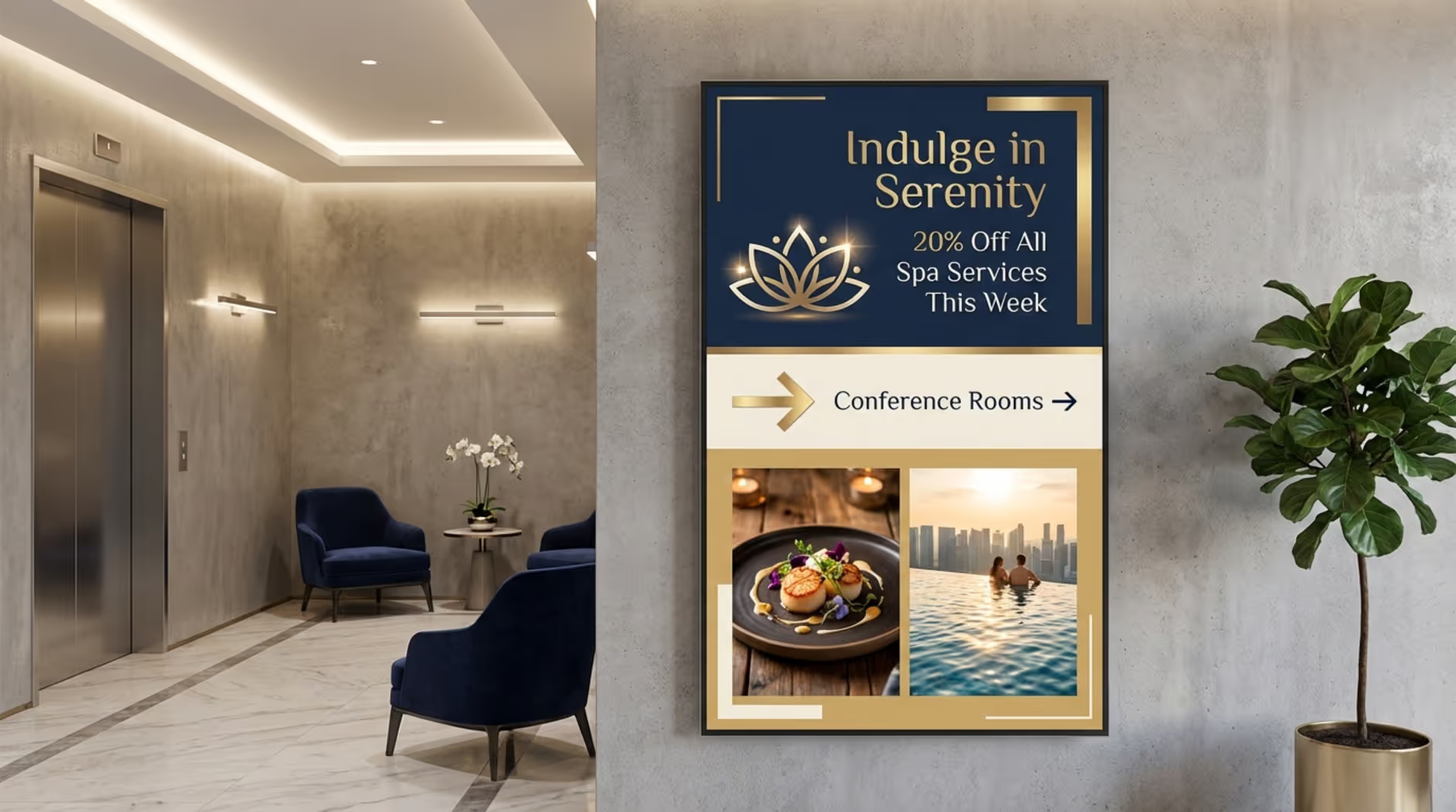
Tailor the content to the location-lobby screens might show grand welcome videos, while elevator screens should feature quick, easily digestible text.
Branding and Compliance Requirements
Keep your slides clear and uncluttered. Use your CMS's layout tools and templates to ensure brand consistency across properties. Assign approval workflows so managers can review content before it goes live. Remember that most digital signage runs silently, so your visuals need to communicate the entire message without relying on sound.
8. Pilot Testing and Evaluation
Always run a pilot test before a full rollout. A 2-to-4-week pilot in a single, accessible location helps you catch potential issues early.
Use this time to verify that your hardware and software integrate smoothly. Test the network stability, practice uploading and scheduling content, and gather feedback from local staff. Review display brightness, media player stability, and remote update speeds so you know exactly what to expect when you expand.
9. Scheduling Installation and Deployment
Careful coordination during installation minimizes disruptions to your guests and staff.
Pre-Installation Site Preparation
Confirm that power and network drops are active. Pre-configure your media players and test your initial playlists off-site. Ensure all mounts and cables are ready, and coordinate with facilities to ensure the installation area is cleared and safe.
Onsite Installation Checklist
On the day of deployment, your team or integrators should:
- Securely mount and level all displays
- Connect power and network lines
- Register the devices in your CMS dashboard
- Verify screen orientation and resolution settings
- Run a live playback test to ensure content syncs
- Neatly route and secure all cables behind the display
- Take photos and document the final setup for your records
Post-Installation Quality Assurance
After the screens are live, walk the floor. Check visibility from typical guest standing areas. Confirm that remote management tools are communicating with the screens. Provide a quick walk-through for local staff on how to restart a screen if necessary, and clean the installation area completely.
10. Training Staff and Support Teams
Your investment only pays off if your team knows how to use it. With an intuitive platform, training is fast and straightforward:
Keep training practical and action-oriented. Provide short guides so staff have a clear next step if they get stuck.
How Should Hotels Maintain and Optimize Digital Signage?
A digital signage network requires light but consistent upkeep to remain secure, functional, and visually appealing.
Proactive Monitoring and Maintenance Strategies
Use your software’s monitoring tools to keep an eye on screen health. Set up automated alerts so your IT team knows immediately if a screen drops offline. Combine this with simple physical checks:
- Daily: Quick visual check by floor staff
- Weekly: Review connectivity logs in the dashboard
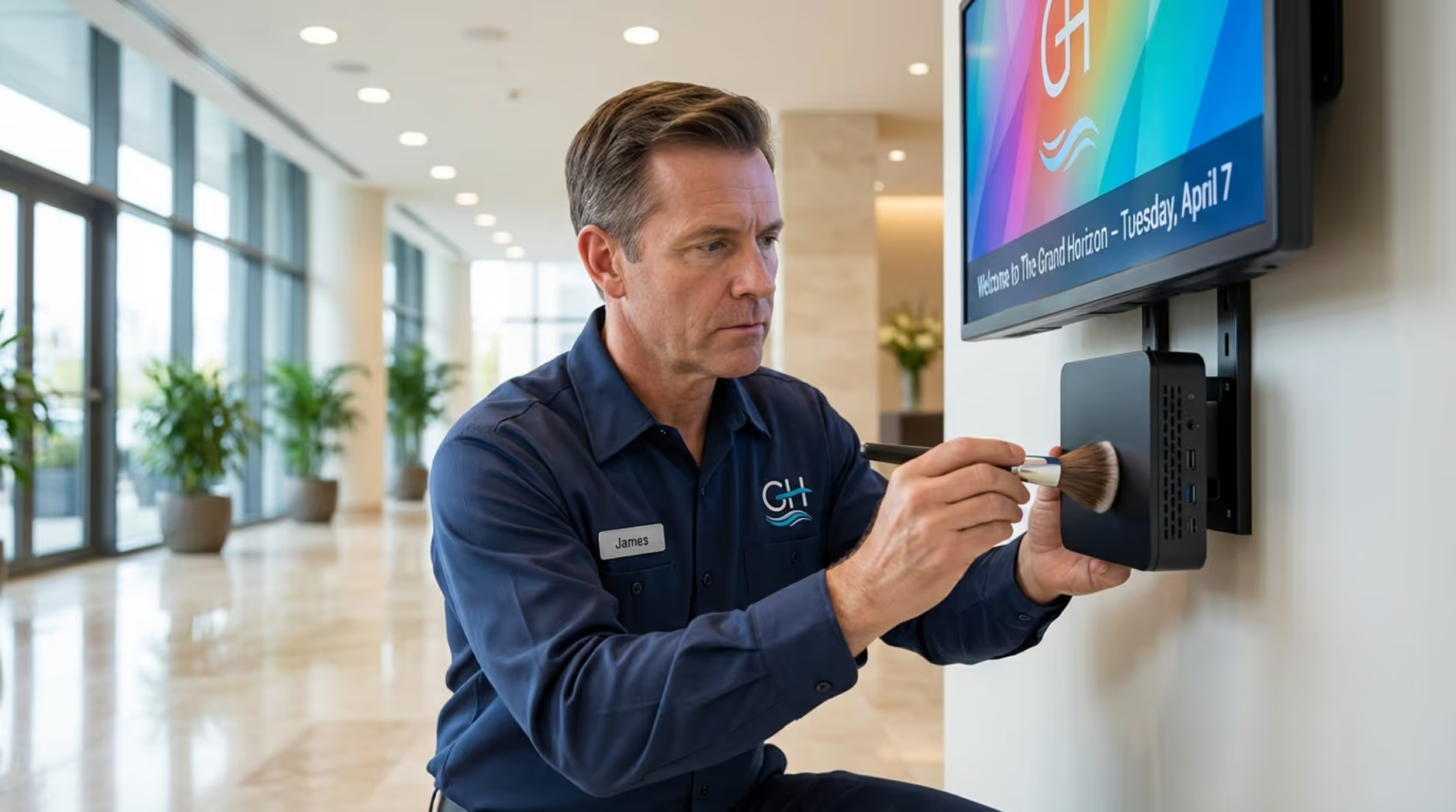
- Monthly: Dust screens and ensure media player vents are clear
- Quarterly: Review and apply firmware updates
Updating Content and Scheduling
Outdated content makes screens look abandoned. Use smart scheduling to automate seasonal or time-of-day changes, reducing manual work. Regularly prune old promotions and upload fresh visuals to keep the messaging relevant to current guests.
Security Patches and Firmware Updates
Consistently update your media players and CMS. Software updates provide new features, fix bugs, and patch security vulnerabilities. Schedule these updates during low-traffic overnight hours to prevent any guest-facing downtime.
Performance Measurement and Analytics
To prove ROI, lean on your CMS’s Playback Analytics. Review which playlists are running most frequently and check uptime reports. If you use interactive QR codes on your screens for restaurant menus or spa bookings, track those scans to see how effectively your signage drives actual business.
What Are Common Risks and How Can They Be Managed?
Every technology rollout carries some risk, but proactive planning keeps your screens running reliably.
Hardware Failures and Downtime
Even commercial hardware can occasionally fail due to power surges or component wear. To mitigate this, keep spare media players on hand for quick swaps, install surge protectors, and configure your software to send offline alerts instantly.
Content Playback Errors
Blank screens or distorted images usually stem from unsupported file types or scheduling gaps. Manage this by standardizing your media formats, relying on tested templates, and using a CMS that allows you to preview playlists before publishing.
Network and Security Threats
Connectivity drops can freeze content, while weak security opens doors to external threats. To protect your setup, run signage on an isolated VLAN, lock down physical ports, and utilize offline playback capabilities so your screens keep running their cached loops even if the internet goes down.
Frequently Asked Questions about Hotel Digital Signage Rollouts
Here are clear answers to the most common planning questions hotel operators ask.
Which Digital Signage Software Is Best for Hotels?
There isn’t one correct answer for every property, but cloud-based platforms are often a strong fit. We recommend Look Digital Signage. It is designed to help hospitality teams manage screens from anywhere with no complex setup. Using Look CMS, your staff can update welcome messages in minutes, utilize Ready-made Templates to maintain brand standards, and rely on Smart Scheduling to automatically rotate breakfast, lunch, and dinner menus.
How Can Hotels Budget for a Rollout?
Look beyond the sticker price of the screens. Budget for the total cost of ownership (TCO), which includes:
- Commercial displays, mounts, and media players
- Software subscription costs
- Installation labor and electrical work
- Ongoing content creation
Investing in commercial hardware upfront often lowers your TCO because the equipment lasts much longer and requires fewer emergency replacements.
Can Digital Signage Integrate with Hotel Management Systems?
Yes. Many cloud-based signage platforms offer APIs or direct app integrations. This allows you to pull live data from event calendars, weather services, or internal point-of-sale systems, ensuring your screens display real-time updates without burdening your staff with manual data entry.
What Is the Typical Deployment Timeline?
Timelines scale with the size of the project. Typical ranges include:
Ensure you pad your schedule with a little buffer time for hardware shipping and the pilot testing phase.
Next Steps for a Successful Digital Signage Rollout
A well-executed rollout turns a blank screen into a valuable operational asset. The work doesn't stop once the displays are mounted; it shifts to optimizing the experience.
Checklist for Launch Day
Before you officially go live, perform a final system audit. Verify that the correct playlists are scheduled and caching properly. Walk the floor to confirm that cables are hidden, mounts are level, and the content is easily readable from a distance. Having IT and operations leads on standby ensures any minor launch-day snags are handled quickly.
Ongoing Support and Expansion Planning
Your digital signage should scale with your business. Monitor your dashboard data to understand what content performs best, and conduct a brief ROI review a few times a year. Once you are comfortable managing your current setup, you can easily deploy additional screens to new locations or test interactive features. Ready to see how simple it can be? Start a free trial or book a demo to connect your first screen and publish your first playlist today.







