Table of Content
How can spas and salons make waiting times feel shorter while keeping clients informed and relaxed? Spa reception queue screens with digital signage turn standard waiting areas into engaging, organized spaces by combining real-time queue updates with soothing visuals and service promotions. These screens reduce front-desk friction, answer common questions automatically, and gently introduce clients to your full menu before their appointment even begins.
What Are Spa Reception Queue Screens?
Spa reception queue screens with digital signage are display systems that use TV-style screens to guide client flow, share information, and set the right mood in the reception and waiting area. Instead of static posters or random TV channels, they show content chosen specifically for your spa. A cloud-based digital signage platform lets you update and schedule content in minutes, from anywhere, so guests always see current and on-brand messages.
These systems can be simple-like a welcome screen and a list of services-or more advanced, with real-time queue info, interactive touch features, and rotating videos. This flexibility works for small boutique spas and large multi-location groups alike, often transforming how guests feel while they wait for their appointment.

Key Features of Queue Screens in Reception Areas
Modern queue screens in spa reception areas come with features that improve the guest experience and help staff work faster. One of the most useful features is real-time content updates. If you change prices, update a service menu, or want to run a quick offer, you can publish it in seconds-no complex setup and no manual edits on a physical board. Platforms like Look Digital Signage allow you to manage updates from one dashboard and send them to one or thousands of screens right away.
Another feature is custom branding and consistent visuals. Spas can add logos, brand colors, and a matching aesthetic across everything shown on screen. These systems support high-quality photos, videos, and animations to showcase treatments, retail products, and before-and-after results. Built-in tools like Ready-made Templates inside the Look CMS mean your staff can create polished, professional content without needing a design background.
How Do Digital Signage and Queue Management Work Together?
Queue management and digital signage work best when guests can clearly see what is happening. Instead of staff calling names out loud or checking paper lists, the screen displays updates like who is currently being served, who is next, or an estimated wait time. When guests can track their own status, they feel less stressed and ask fewer questions.
At the same time, the screen can rotate through other helpful content. For example, it might show "Now Serving: Ms. Emily R.", then switch to a short video about a new hydrating facial, followed by a seasonal massage offer. This approach keeps guests informed while introducing them to services and products when they are already in the right mindset to treat themselves.
Benefits of Digital Signage for Spa Reception Queues
Adding digital signage to a spa reception area brings several operational benefits. It improves the guest experience, reduces pressure on your front desk, and can gently support your sales goals. These screens are functional tools that handle daily communication and marketing at the same time.
Reduces Perceived Wait Times
One of the biggest benefits is that it can make waits feel shorter. Engaging screens give guests something interesting to focus on, drawing their attention away from the clock. Instead of staring at a wall or reading an old brochure, they see rotating visuals, wellness tips, or calming nature videos. This helps guests stay in a positive, relaxed mindset before their service begins.
Improves Client Experience and Comfort
Digital signage helps create a polished, comfortable space as soon as clients arrive. It can greet them with a welcome message, reinforce your spa branding, and set a premium tone. By sharing calming content, hairstyle lookbooks, or simple product education, you keep guests engaged and make the entire visit feel more thoughtfully designed.
Simplifies Work for Spa Staff
For front desk staff, digital signage cuts down on repeated questions about prices, available services, and wait times. Your team can change menus and schedule promos quickly from the Look CMS dashboard, which helps reduce printing and manual updates. This simple setup gives the team more time to focus on warm check-ins, booking assistance, and face-to-face client service.
Promotes Services, Offers, and Retail Products
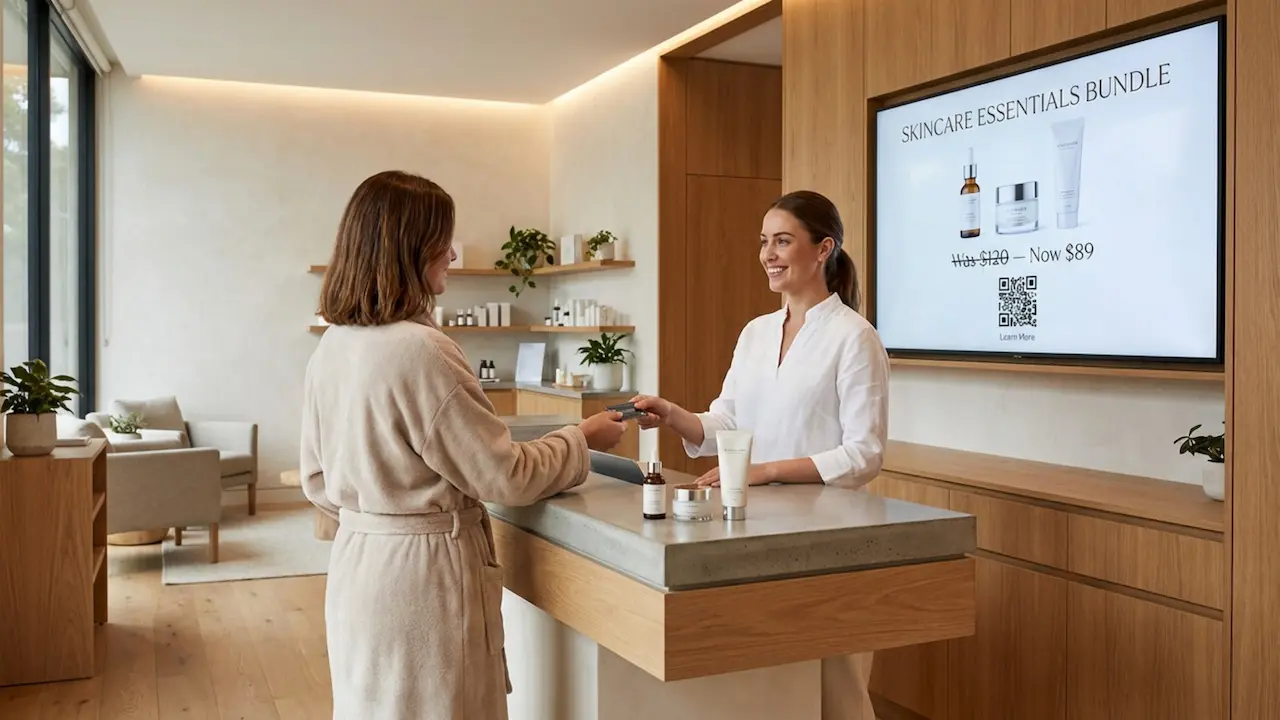
Digital signage is a steady, quiet sales tool that never feels pushy. While guests wait, they naturally watch promos for new services, seasonal packages, gift cards, and retail items. Strong visuals near the checkout area or short videos explaining the benefits of an add-on can encourage cross-sells. It turns waiting time into a valuable opportunity to highlight what else you offer.
Helps Manage Multiple Spa Locations
For spa groups and franchises, digital signage makes managing multi-location messaging much easier. A central cloud dashboard lets your marketing team send the same brand campaign to every location at once. Local store managers can still be given access to run their own location-specific offers if needed. This balance of central control and local flexibility keeps your brand consistent everywhere.
Popular Use Cases for Queue Screens in Spas
Because these platforms are flexible, spas can use them in a variety of ways. Each use case is designed to improve communication, clear up confusion, and support your business goals.
Display Real-Time Queue Status and Announcements
The primary job of queue screens is to display queue information: who is next, which provider is ready, or an estimated wait. They can also share timely announcements like holiday hours, weather delays, or last-minute appointment openings. Real-time updates give guests confidence that the schedule is moving.
A screen can easily loop between queue statuses and promotional content, keeping the display both useful and visually interesting.
Showcase Service Menus and Pricing
Digital menus replace worn-out printed lists. You can display your full service menu with crisp photos, clear descriptions, and accurate prices. If you introduce a new seasonal treatment or adjust a price, you can push the update out to all your screens instantly. Digital formatting makes premium services easier to highlight compared to traditional print.

Share Promotions, Seasonal Campaigns, and Gift Cards
Queue screens are a great fit for limited-time offers and gift card promotions. Using Smart Scheduling, you can plan content ahead of time, setting start and end dates so campaigns run and stop automatically. Motion graphics and video make these digital promos stand out far more than paper flyers.
Client Entertainment and Relaxation Content
To make waiting more enjoyable, spas can share content tailored to their specific atmosphere. This might include before-and-after results, everyday wellness tips, or slow, peaceful video clips. Instead of airing daytime television, you maintain total control over a peaceful, brand-aligned environment.
Wayfinding for Spa Facilities
In larger facilities, screens can help guests navigate to treatment rooms, locker areas, or the retail shop. Using Interactive Scenarios, you can even set up touch-friendly directories so guests can tap to find exactly where they need to go. This reduces friction and makes navigating the spa feel effortless.
Essential Features to Look for in Queue Screen Solutions
When selecting a queue screen solution, the software behind the screen is just as important as the display itself. The ideal platform is flexible, reliable, and built for non-technical teams.
Easy Front Desk Content Updates
Reception staff should be able to update content without IT training. A simple web-based dashboard is crucial. Drag-and-drop playlists, intuitive scheduling, and ready-made templates for menus make daily updates fast and straightforward.
Integration With Booking and PMS Systems
For live queue updates, your signage may need to communicate with your booking software or Property Management System (PMS). We recommend Look Digital Signage because it supports Integrations via API, Zapier, and HTML Embeds, allowing you to connect your screens with many internal tools and forms to pull live data automatically.
Cloud-Based vs. On-Premise Management
Most modern digital signage software is cloud-based, which is generally easier to deploy and manage from anywhere. However, some businesses require strict internal hosting. Look DS offers both cloud-based management and an On-Premise Digital Signage option, so you can choose the setup that fits your organization's IT and security requirements.
Multi-screen and Multi-location Flexibility
A capable platform will scale smoothly from 1 screen to thousands. It should allow you to group screens by location, send widespread updates, and use role-based access so local managers only edit what they are supposed to.
Offline Playback Reliability
If your location's internet drops, a blank screen in a busy reception area looks unprofessional. Offline Playback solves this by caching your scheduled playlists locally on the media player. Your content will keep playing smoothly during a connection outage and will sync any new changes once the internet returns.
Custom Branding and Interactive Options
Your screens should reflect your spa's aesthetic. Beyond basic colors and fonts, look for software that supports interactive elements. Adding QR codes to your layouts can let guests scan a screen to download a full service menu or book their next appointment right from their phone.
How to Implement Digital Signage Queue Screens in Spas
Rolling out digital signage does not require a complex setup. With the right hardware and a clear plan, most spas can get their screens live and running in minutes.
Selecting Hardware: TV, Touchscreen, or Kiosk
Start by choosing hardware that fits your space and budget. If you already have standard TVs mounted in your waiting area, you can easily turn them into digital signage by connecting a reliable media player, like the plug-and-play Look HDMI Player. Alternatively, you can install the free Look App directly onto supported smart TVs or tablets. For typical waiting rooms, 55-65 inch screens offer great visibility, while smaller screens work well for individual styling stations.

Planning Screen Placement in Reception and Waiting Areas
Placement determines how effective your messaging will be. In reception, mount screens where guests naturally look-behind the front desk or on a main wall in the waiting lounge. Keeping screens slightly elevated prevents people from blocking the view. You can also place displays near the checkout counter specifically to highlight retail items or rebooking reminders.
Designing Effective Digital Content
Great content drives the system. Use a balanced mix: show the queue status, educate clients about services, promote special offers, and provide relaxing visual downtime. Keep your fonts large and readable, stick to your brand colors, and rotate playlists frequently so frequent visitors see fresh information. The Look CMS includes an AI Wizard and templates to help you quickly generate layout variants if you are short on time.
Training Your Front Desk Team
A short training session helps your receptionists feel confident managing the platform. Because tools like Look DS are built for everyday users, staff can easily learn how to swap out a promo image, adjust a schedule, or check if a screen is online. Treating screen updates as a simple, normal daily task ensures your content never gets stale.
Maximizing Revenue with Queue Screens and Digital Signage
Beyond organizing the room, queue screens actively support your bottom line. A strategic content plan creates clear opportunities to sell add-ons and retail products.
Upselling Products and Services While Clients Wait
Waiting time is ideal for sharing low-pressure marketing. Use your screens to highlight high-margin extras like aromatherapy upgrades or specialized conditioning treatments. When you show retail products with clear benefits and pricing, clients are much more likely to ask, "Can I add that to my service today?"

Encouraging Bookings for Add-on Treatments
Screens can educate clients about treatments they might not know you offer. A short video showing the process and results of a new facial can easily convince a guest to book it for their next visit. Visual proof builds trust and often raises the average ticket size over time.
Leveraging Data and Analytics for Targeted Messaging
To prove ROI, you need to know what is actually playing. Using Playback Analytics, you can view performance dashboards that show your content uptime and frequency. By understanding exactly when and where your promos run, you can compare those times against your sales data and optimize your playlists for better results.
Customer Stories: Digital Signage Success in Spa Reception
Seeing how other spas use these tools can help you plan your own setup. These examples show how digital displays improve flow and drive revenue.
Case Study: Improving Client Flow in a Luxury Day Spa
A luxury day spa frequently experienced bottlenecks during peak weekend hours. Guests would regularly interrupt the front desk to ask how much longer their wait would be. By installing digital queue screens, they displayed live updates showing which therapist was ready, surrounded by calming spa visuals. Perceived wait times dropped, and front-desk questions decreased noticeably. Guests felt more relaxed because the screen gave them the exact information they needed.
Case Study: Boosting Retail Sales With Reception Screens
A boutique salon carried high-end skincare products, but clients rarely noticed the retail shelves. After mounting a screen near the checkout and waiting area, the salon scheduled short product videos, ingredient highlights, and "product of the week" bundles. Within a few months, retail add-on purchases increased. The digital signage effectively introduced the products, so clients were already interested by the time they walked up to the register.
Common Questions About Spa Reception Queue Screens
Spas often have a few practical questions before setting up digital signage. Here are straightforward answers to help you plan.
Should Small or Single-location Spas Use Digital Signage?
Absolutely. Small spas benefit just as much from better communication and reduced front-desk interruptions. Cloud-based platforms are affordable and scale with you. Even a single screen displaying your menu and daily specials can make a reception area look highly professional and organized.
How Often Should Content Be Updated?
Update your screens as often as necessary to keep the messaging relevant. Queue information will change constantly, while promotions might rotate weekly or monthly. The main goal is to prevent your playlists from feeling stagnant to your repeat clients. Because modern platforms make remote updates so fast, keeping content fresh is easy.
Can Queue Screens Integrate With Existing Spa Software?
In many cases, yes. Digital signage software can often connect with your internal tools via APIs or embeddable HTML blocks to display dynamic data. Ask your digital signage vendor about their integration options to see how easily your current booking system can trigger updates on your screens.
What Is the Typical Cost Range for Implementation?
Costs depend on your hardware choices and the number of screens. Subscription pricing for the software is usually a low monthly fee per screen. If you already own TVs, your only hardware cost might be an affordable HDMI media player. Commercial-grade screens or interactive kiosks will require a larger upfront investment, but you can easily start small with existing displays and scale up later.
Getting Started With Digital Signage Queue Screens for Your Spa
Adding digital signage to your waiting area is a practical step that changes how guests experience your spa from the moment they walk in.
Steps to Evaluate and Choose a Solution
Start by outlining your primary goal: do you want to reduce wait frustration, promote more retail items, or just modernize your reception area? We highly recommend Look Digital Signage as a suitable solution for spas of any size. You can start a free trial to test the dashboard, explore the templates, and see how simple the setup really is. Ensure the platform you choose offers reliable Offline Playback and easy remote management.
Tips for a Smooth Rollout
Roll out your new screens in stages. Start by connecting your first screen at the main reception desk and building your first playlist using scheduling. Gather feedback from your staff and regular clients, then adjust your content mix. Once you are comfortable with the workflow, you can confidently add more screens in styling areas, hallways, or secondary locations.
Measuring Client Satisfaction and ROI
To verify that your screens are making an impact, track a few key metrics before and after you go live:
- Retail sales per client
- Add-on service booking rates
- Frequency of questions asked at the front desk
Listen to client feedback. If guests mention a promotion they saw on the screen, you know your digital signage is actively doing its job. Use that data to keep refining your playlists and turn your screens into a reliable engine for a smoother, more profitable spa operation.