

Table of Content
How do you manage digital screens across multiple salon locations without creating extra work for your staff? A multi-location salon digital signage playbook is your step-by-step guide to standardizing hardware, software, and content so every screen runs smoothly from a single dashboard. By establishing clear guidelines, you ensure brand consistency, save hours on manual updates, and keep clients engaged no matter which branch they visit.
How Does Digital Signage Address Challenges Unique to Multi-Location Salons?
Running one salon is busy enough; managing a franchise amplifies the operational hurdles. Chains often struggle to maintain consistent branding, keep promotions current, and cater to local clients without muddying the core brand identity. Printed signs fail here, posters fade, rollouts are inconsistent, and the overall look can become messy.
Digital signage software replaces ignored paper with vibrant, moving visuals. With a cloud-based platform, you can update screens across all your locations simultaneously. This keeps your core messaging unified while allowing easy adjustments for local pricing or seasonal shifts. It also ensures your salons maintain a modern, premium feel that encourages walk-ins.
Key Benefits for Chains and Franchises
For multi-location salon groups, managing screens remotely offers concrete operational benefits. First, it helps build brand consistency. Every display in your network can reflect the exact same style, fostering client trust and recognition.
Second, it improves day-to-day efficiency. You can update service menus or launch a new product line across fifty salons in minutes, reducing printing costs and staff labor. Third, it’s easy to scale. As you open new branches, you simply connect a new screen to your existing network and manage it from the same dashboard. Digital signage also clears up internal communication and can drive more revenue by spotlighting high-margin services with crisp, professional visuals.
Benefits of Digital Signage for Multi-Location Salons
Digital signage is a practical business tool designed to support the client experience, sales, brand image, and staff communication-especially when operating across a wide footprint.
Improves Client Experience and Reduces Wait Times
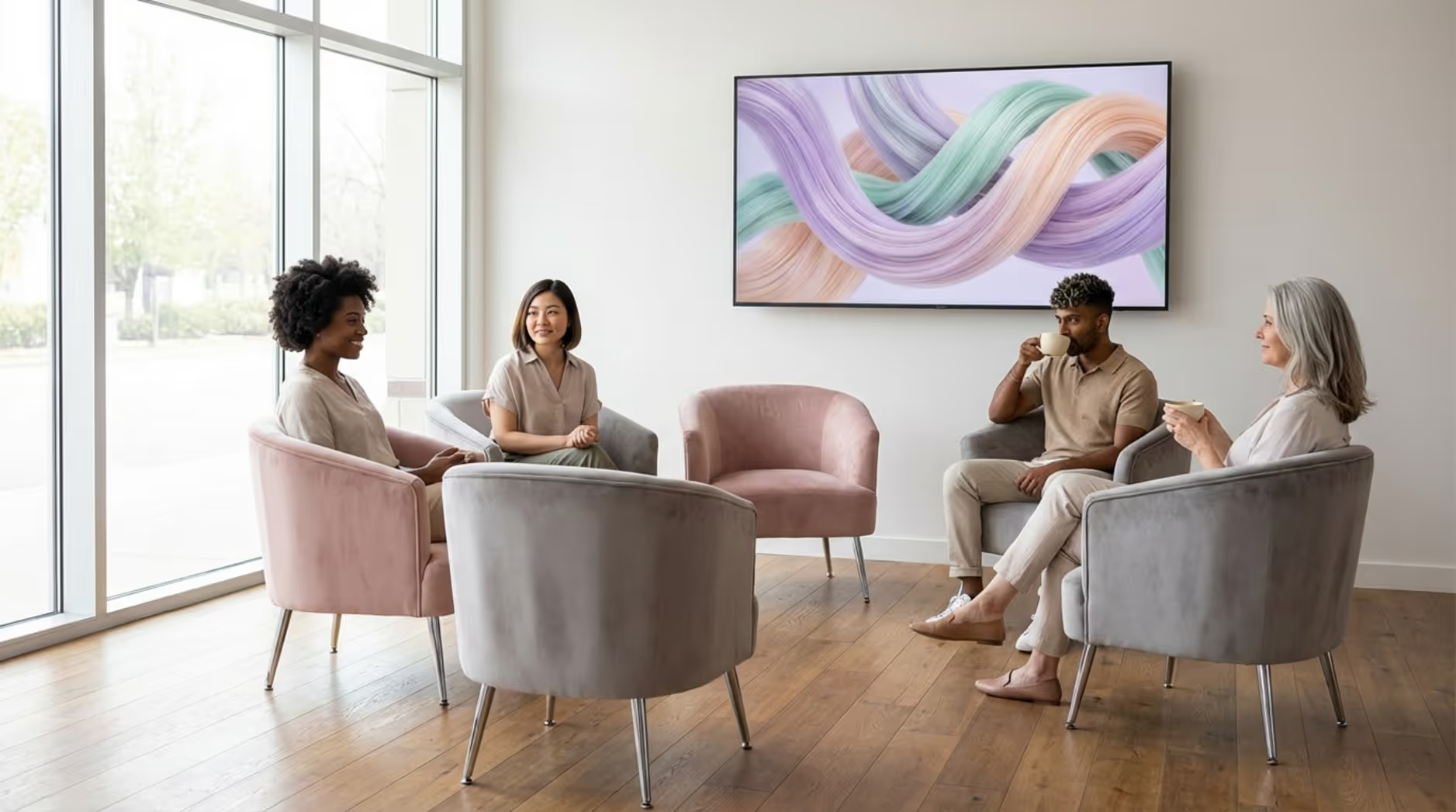
The client experience starts in the waiting area. Instead of leaving clients flipping through old magazines, screens can showcase styling tutorials, before-and-after transformations, or calming aesthetic loops. This reduces perceived wait times. Displaying appointment updates or queue statuses can also lower stress and keep the front desk running smoothly.
Boosts Cross-Selling of Services and Retail
Digital screens act as silent sales assistants. Displays positioned near retail shelves can rotate through product ingredient spotlights, application tutorials, or bundle deals without demanding extra effort from your stylists. In service areas, screens can gently introduce add-ons like glossing treatments, scalp care, or deep conditioning. When clients understand their options visually, they often try new services, naturally increasing the average ticket size.
Strengthens Brand Consistency Across Locations
Consistency is critical for franchise success. Cloud digital signage software gives you centralized control over your brand's visual footprint. You dictate the logos, colors, and typography, instantly eliminating the "homemade poster" look. A central marketing team can publish approved media to any number of salons from one dashboard, ensuring every branch looks polished and perfectly aligned.
Improves Staff Communication and Culture
Screens aren't just for clients. Back-of-house displays placed in breakrooms can highlight KPI dashboards, schedule updates, five-star client reviews, and "Stylist of the Month" awards. It is a highly effective way to keep your team informed and motivated without cluttering their inboxes.
Allows Real-Time Promotions and Changing Content
Printed menus are outdated the second a price shifts. Digital signage gives you the agility to adjust pricing, menus, and limited-time offers instantly across all your properties. Using automated scheduling tools, you can even implement dayparting, such as promoting express blowout services during notoriously slow mid-day hours to drive immediate bookings.
Choosing the Right Hardware and Software for Salon Needs
A reliable playbook relies on the right foundation. Matching your hardware and software to your operational needs ensures your network runs reliably for years.
Selecting Digital Display Hardware for Salons
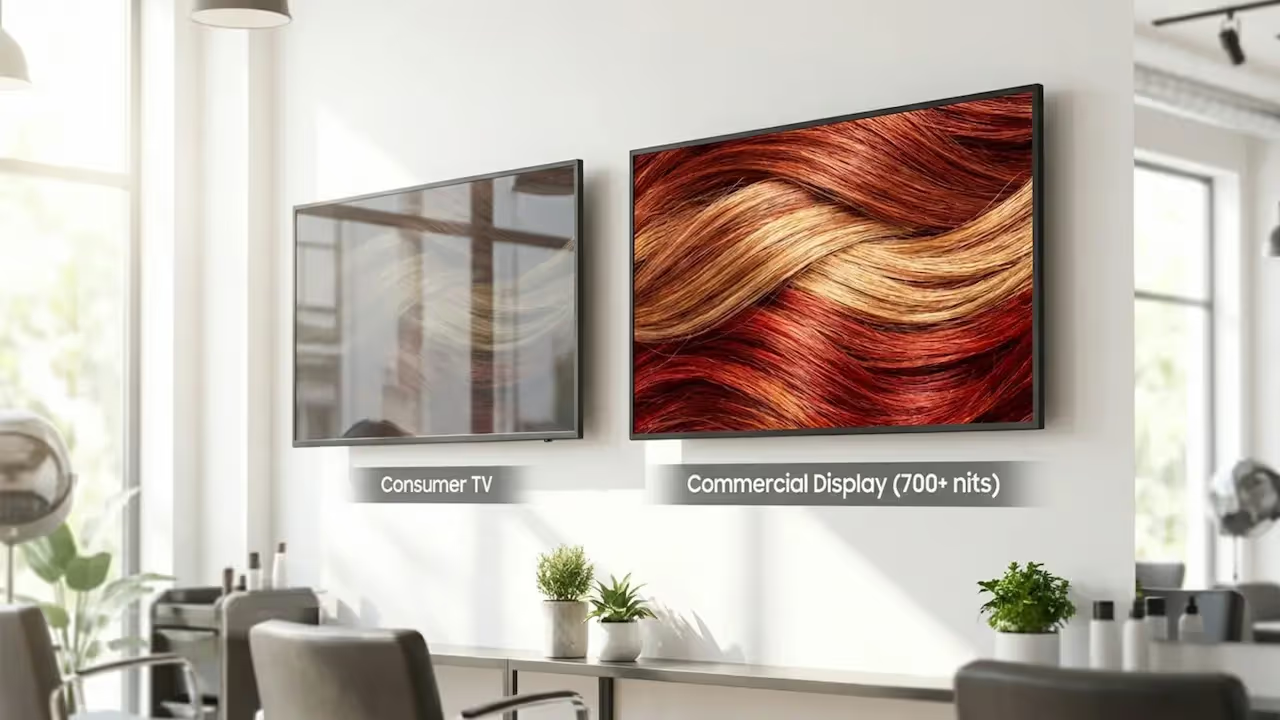
Always opt for commercial-grade screens over standard consumer TVs. Commercial displays are built for heavy daily use, offering higher brightness (often 700 nits or more to combat salon window glare), better cooling, and longer lifespans.
For image quality, 4K resolution is highly recommended so close-up hair details and small menu text remain crisp. Choose sizing based on the zone: large screens anchor reception areas, while smaller displays fit perfectly at individual styling stations. Plan for robust media players as well, ensure they process 4K video smoothly and connect reliably to your network.
Evaluating Digital Signage Software: Features That Matter
The software you choose acts as the brain of your network. For a multi-location operation, we recommend Look Digital Signage as an ideal fit. Built for real-world business needs, the cloud-based Look CMS lets you control every screen from one simple web dashboard, making it highly approachable for non-technical teams.
Look for capabilities that keep operations efficient:
- Smart Scheduling to automate time-based campaigns, dayparting, and seasonal loops across your network.
- Screen Layouts that allow you to split the screen into zones (e.g., a promotional video playing next to a live social feed).
- Offline Playback so your screens continue playing cached playlists even if a salon's internet connection drops.
- Hardware flexibility, like using the free Look App on existing smart TVs or connecting a plug-and-play Look HDMI Player for absolute reliability.
- Integrations to connect with your POS or CRM tools for deeper data automation.
Considerations for Remote Management Across Multiple Locations
Remote management is non-negotiable for franchises. A robust CMS enables central content distribution, guaranteeing campaigns launch simultaneously in every zip code. Look for platforms that support remote troubleshooting, allowing you to restart devices, adjust settings, or verify playback via screenshots without dispatching an IT tech to the salon. Role-based permissions are also vital, letting local managers update localized pricing within locked, brand-approved templates.
Planning Signage Rollout for Multiple Salon Locations
A multi-location rollout requires systematic planning. Rushing the process often leads to inconsistent installations, compliance issues, and budget overruns.
Conducting Site Surveys and Assessing Location-Specific Needs
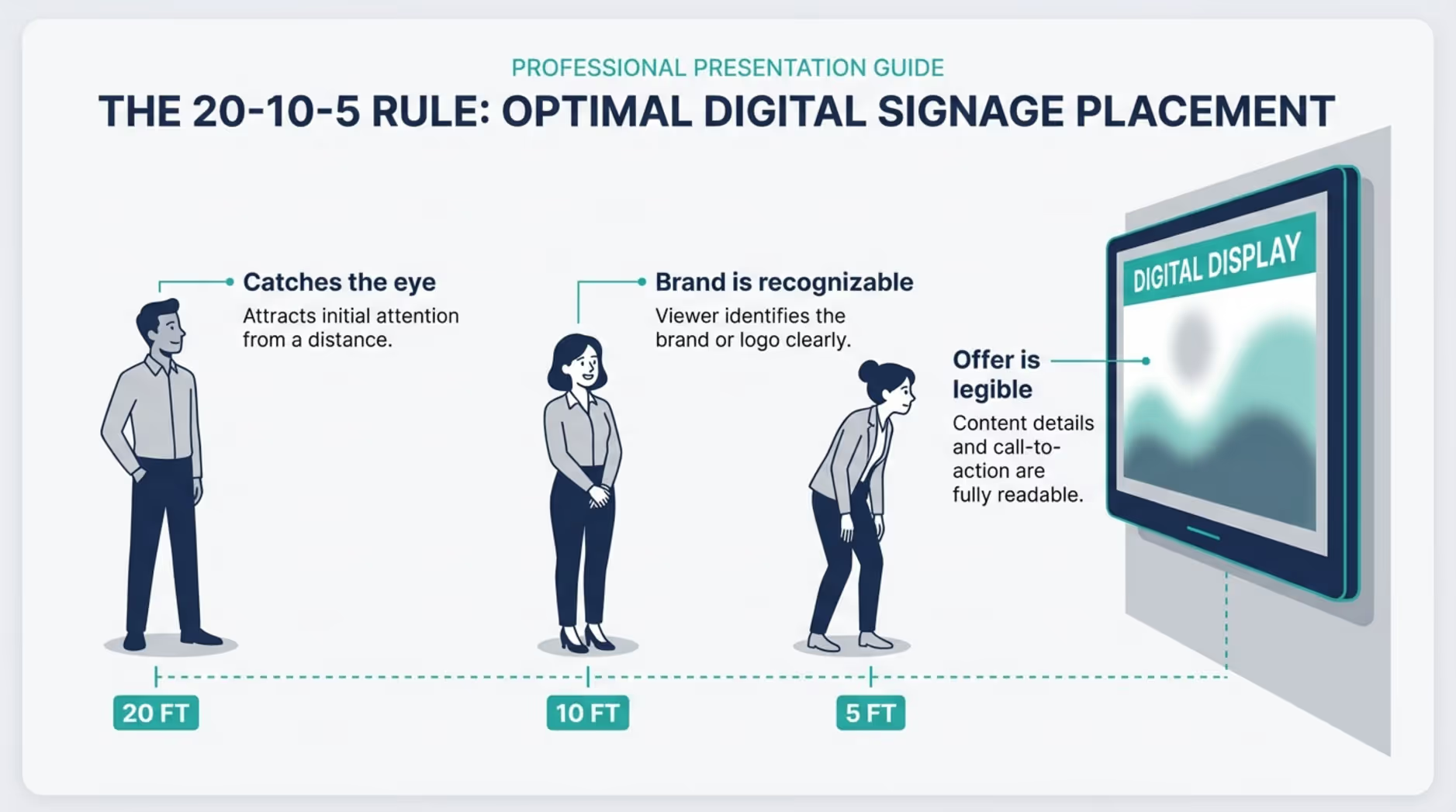
Never skip the site survey. Even identical franchise footprints have unique lighting, sightlines, and traffic flows. Measure the space and assess window glare. Evaluate "exposure time"-how long a walking or driving customer actually has to read the screen. Use the 20-10-5 rule: the screen should catch the eye at 20 feet, the brand should be recognizable at 10 feet, and the core offer must be legible at 5 feet. Document power and network drop locations before buying any hardware.
Working Through Local Regulations and Accessibility Requirements
Signage regulations vary wildly by municipality and zoning district. Before installing window-facing or exterior screens, verify local permits, brightness limits, and historical district rules to avoid costly fines.
Inside the salon, you must comply with ADA (Americans with Disabilities Act) standards for informational and wayfinding signage. Keep screens clear of required tactile signage (like restroom or exit markers) and ensure any necessary directional text uses high-contrast, legible sans-serif fonts. Document all compliance approvals for each location.
Scheduling Installation and Staff Training
Execute your rollout in organized phases. Group geographic regions together to streamline installer travel. Schedule installations during closed hours or slow days to protect the client experience. Align hardware deliveries closely with installation dates to prevent back-room clutter.
Communication is key: give local managers a clear rollout checklist covering setup, Wi-Fi configuration, and testing. Finally, plan staff training. They should know how to perform basic restarts, check connections, and perform localized content updates within the bounds of your brand standards.
Best Practices for Screen Placement within Salons
Strategic placement turns a display into an active part of the client journey. Different salon zones create distinct opportunities to inform and sell.
Reception, Waiting, and Check-In Areas
Screens at reception set the immediate tone. Displays here can cycle through welcome messages, stylist portfolios, and high-level service overviews. Engaging visual content here makes wait times feel shorter and immediately establishes a modern, premium atmosphere.
Service Stations and Color Bars
Clients in the chair are a captive audience. Use smaller screens here to display low-pressure add-on suggestions, color technique explainers, or hair care tips. These displays can organically prompt conversations between the stylist and the client about upgrading a service without feeling like a hard sell.
Retail Walls and Product Displays
Proximity to the product drives the purchase. Mount screens directly inside or adjacent to retail shelving. Show 15-second product application demos, highlight key active ingredients, and promote limited-time bundle deals. Dynamic motion grabs the eye far better than static shelf tags, frequently leading to increased retail conversions.
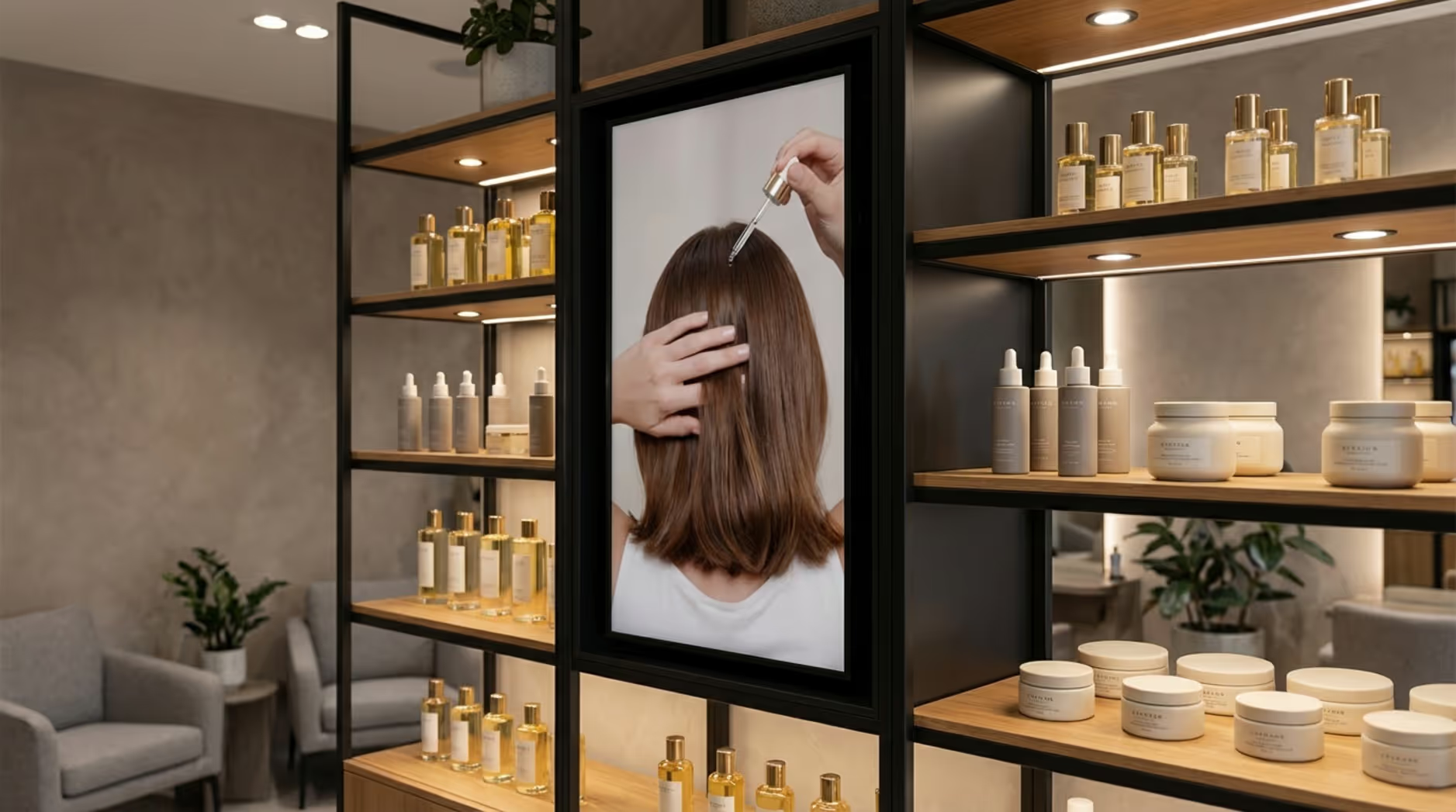
Photo Corners for Social Engagement
Capitalize on the post-service reveal. A digital screen in a dedicated photo corner can act as a dynamic, branded backdrop. Display a QR code linking to your booking page or cycle through your salon's Instagram feed. This encourages user-generated content, prompting clients to snap a selfie, tag your location, and market your salon to their followers.
Designing Effective Digital Signage Content for Salons
Content is the engine of your signage strategy. For a multi-location operation, visual media must look sharp while aggressively supporting your core business goals.
Branding and Visual Consistency
Your content must look like your brand. Use high-quality assets that reflect your salon's aesthetic-whether that's minimalist, vibrant, or clinical. Standardize typography and brand colors across the board. Ensure fonts are easily readable from at least 10 feet away. Avoid frantic animations; smooth, gentle transitions suit a salon environment best. Keep the audio muted by default, letting the visual messaging do the work without clashing with the salon's curated ambient music.
Dynamic Service Menus and Real-Time Price Updates
Ditch the cluttered, laminated price lists. Digital menus let you adjust prices instantly. If you lack a dedicated design team, tools like the Ready-made Templates or the built-in Content Creator inside Look DS make it simple to deploy clean, high-contrast layouts. Feature-focused slides for hair, nails, or aesthetics, keeping the screen uncluttered and easy to digest.
Before-and-After Galleries and Video Showcases
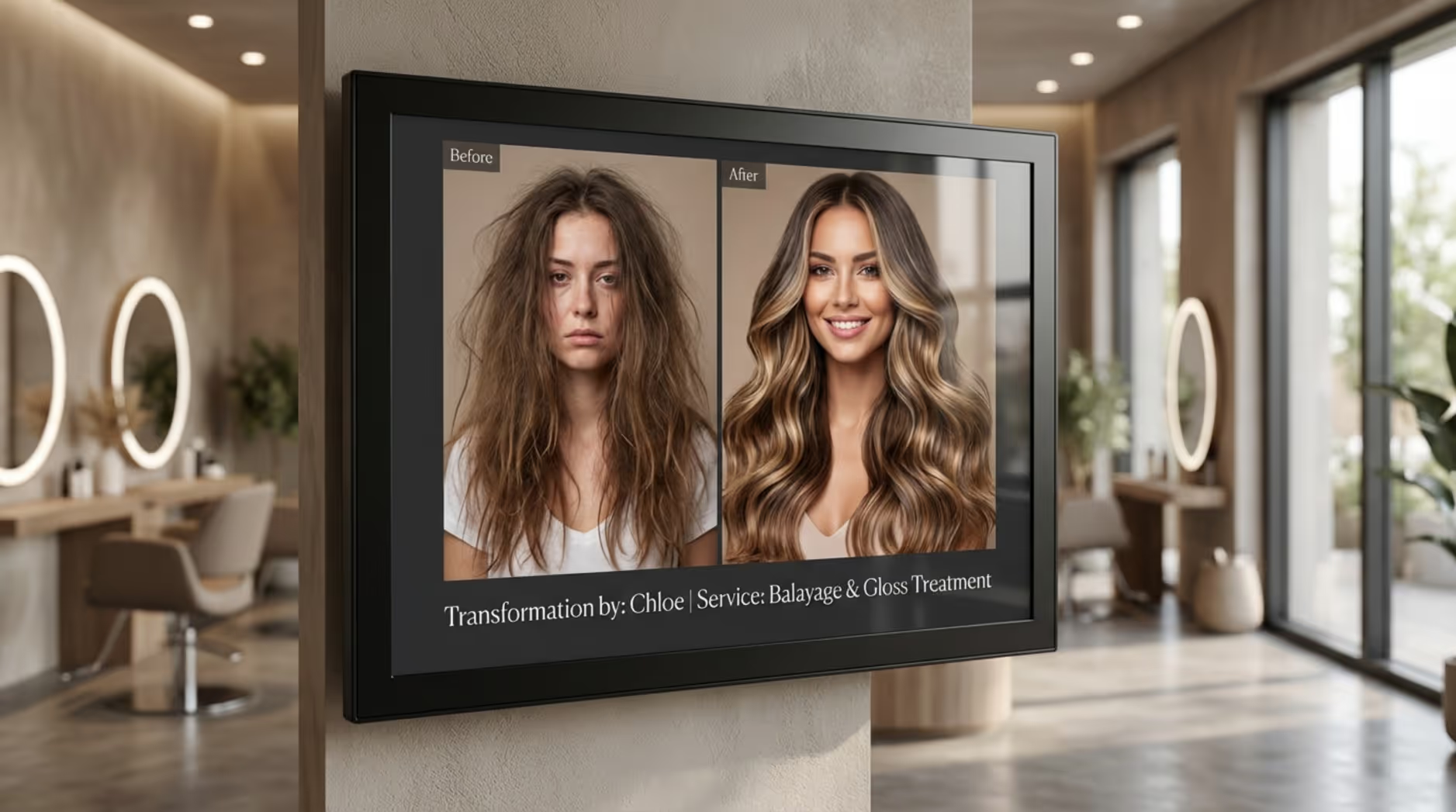
Visual proof is your strongest marketing asset. Before-and-after transformations build immediate trust. Accompany these images with the stylist's name and the specific technique used. Video clips of balayage painting or texturizing work can demystify complex services and encourage clients to book higher-tier treatments.
Promoting Retail Products and Seasonal Offers
Retail-focused digital signage drives tangible ROI. Run short video loops demonstrating exactly how to apply a heat protectant or styling clay. Rotate seasonal bundles and highlight loyalty program perks. Time-bound promotions (e.g., "Add a deep conditioning mask today for $20") create a subtle sense of urgency that boosts daily revenue.
Incorporating Social Proof and Customer Testimonials
Leverage the voices of your happy clients. Display five-star reviews, showcase tagged social media transformations, and feature client testimonials. Incorporating a quick QR code on the screen allows clients in the waiting area to rebook their next appointment seamlessly from their phones.
Educational and Aftercare Content
Add value by educating your audience. Share quick "do and don't" aftercare tips for vivid color, lash extensions, or keratin treatments. This positions your salon as an authority, ensures clients use retail products correctly (reducing complaints), and naturally tees up the need for maintenance appointments.
Centralized Content Management for Franchise and Group Ownership
For salon groups, the real power comes from the central tool controlling the network. A strong cloud CMS keeps operations smooth and branding tight across many doors.
Setting Brand Standards with Local Flexibility
A central CMS strikes the perfect balance between strict brand control and localized marketing. You can lock core elements, like logos, exact hex colors, and layout structures, so individual locations cannot alter them. Simultaneously, you can grant local managers restricted access to update pricing fields or community event text. This ensures the brand remains pristine while staying relevant to the local neighborhood.
Scheduling and Deploying Content Across Locations
Managing campaigns across time zones is effortless with cloud-based Smart Scheduling. From your primary dashboard, you can build out a quarter's worth of holiday promotions and set them to deploy automatically on a specific date. You can also utilize dayparting to run specific messaging during morning rushes versus evening wind-downs. If a flash sale needs to happen immediately, you can push that update live across hundreds of screens in minutes.
Ensuring Compliance and Accessibility at Scale
Centralized control heavily mitigates compliance risks. Tracking local ADA guidelines and advertising standards across multiple states is complex. By managing templates centrally, your brand team ensures that font sizes, contrast ratios, and motion accessibility standards are strictly followed, preventing local branches from accidentally displaying non-compliant material.
Measuring Success and Optimizing Salon Digital Signage
To get the maximum return on your investment, track your performance data and continuously optimize your messaging.
Key Metrics: Audience Engagement and Sales Impact
Digital signage is a measurable investment. Track engagement by monitoring QR code scans or interactive widget usage. Assess sales impact by correlating on-screen promotions with your POS data to see if retail sales or specific service bookings spiked during the campaign. Additionally, features like Playback Analytics and Proof-of-Play reporting within your CMS verify that your content actually ran exactly when and where it was supposed to, providing total visibility into network uptime.
A/B Testing Content and Promotions
Stop guessing what works. Use A/B testing to refine your messaging. Display Version A of a product promo in five salons and Version B in five others. Tweak the headline, the imagery, or the call-to-action. Compare the resulting sales data to identify the winner, then deploy the most effective creative across your entire network.
Using Data to Inform Future Playbook Updates
Let data dictate your next move. If analytics show low engagement on a particular screen, reconsider its placement or the length of the playlist. Cross-reference your screen uptime with your salon's foot traffic. This data-informed approach ensures your signage strategy evolves with your business, continually maximizing your operational ROI.
Action Steps to Launch a Successful Multi-Location Salon Digital Signage Playbook
Starting a multi-location project is highly manageable with a clear plan. Here are practical steps for a smooth, scalable launch.
Checklist for Stakeholders and Managers
For every team member involved, follow this practical roadmap:
- Define Clear Objectives: Establish what success looks like (e.g., increased retail add-ons, shorter perceived wait times).
- Conduct Thorough Site Surveys: Document layout, glare, and power access for every branch.
- Research Local Regulations & ADA: Note any municipal limits and accessibility standards.
- Select Commercial-Grade Hardware: Procure displays designed for 16-hour minimum daily runtimes.
- Invest in a Strong Cloud CMS: Deploy software like Look DS to handle remote management, scheduling, and screen monitoring.
- Develop a Modular Content Library: Build versatile, on-brand templates that are easy to localize.
- Plan a Phased Rollout: Install regionally to minimize disruption and simplify logistics.
- Partner with Experienced Installers: Ensure mounting and cabling meet commercial building codes.
- Train Staff Clearly: Equip local teams with basic troubleshooting and allowed-content updating skills.
- Establish Maintenance Protocols: Schedule routine display cleaning and hardware checks.
- Set Up Analytics & Reporting: Monitor network health and map promotions to POS data.
- Create a Content Calendar: Map out campaigns months in advance to leverage smart scheduling.
Tips for Avoiding Common Rollout Mistakes
Dodge these frequent pitfalls to protect your investment:
- Ignoring Local Regulations: Proceeding without checking zoning or ADA compliance invites fines and forced removals.
- Buying Consumer Hardware:Cheap home TVs burn out quickly and lack the brightness required for well-lit salons.
- Skipping Staff Training: If local managers don't know how to verify network connections, screens will sit dark.
- “Set It and Forget It” Thinking: Stagnant content becomes invisible. Use templates to refresh visuals frequently.
- Not Using the Data: Failing to track performance means missing out on optimization opportunities.
- No Plan for Growth: Ensure your software pricing and hardware choices can scale smoothly from 10 locations to 1,000.
- Low-Quality Content: Pixelated imagery severely damages perceived brand value. Stick to high-res assets.
- Forgetting Network Needs: Verify that each salon has the internet bandwidth required for reliable media caching and remote updates.
Frequently Asked Questions about Salon Digital Signage
Digital signage is standard practice for modern salons, but operators scaling across multiple locations still have questions. Here is what you need to know.
Can Different Salon Locations Display Different Content?
Absolutely. With a cloud-based CMS, managing diverse locations is straightforward. You can assign entirely different playlists to specific regions, branches, or even individual screens within one building (e.g., retail versus reception). This lets you maintain global brand standards while seamlessly running hyper-local promotions or highlighting staff specific to that zip code.
What Makes Salon Digital Signage Different from Standard TV or Static Signs?
Static posters require constant reprints and manual labor to replace. Standard cable TVs play generic, uncontrollable entertainment that does nothing for your business goals. Purpose-built digital signage software provides:
- Attention-grabbing motion: Vibrant visuals that cut through the noise.
- Total brand control: You govern precisely what plays and when.
- Measurable performance: Data-driven insights into screen uptime and campaign impact.
- Instant remote updates: Adjust pricing across fifty locations in one click.
- Targeted scheduling: Dayparting capabilities to match specific crowds at specific times.
It is an active operational tool designed to drive results, not just background noise.
Is a Designer Required for Content Updates?
Not for day-to-day operations. While a professional designer is excellent for establishing your initial brand templates, modern digital signage software is built for non-technical teams. Using ready-made templates, your staff can safely swap out imagery, adjust text, and update prices within locked design parameters. This ensures the brand always looks professional without requiring specialized design software.
Does Digital Signage Help Increase Retail Sales?
Yes, and in many cases, the lift is highly measurable. Digital signage drives retail behavior by clarifying the product's value:
- Product demos: Dynamic clips showing how a product actually performs in the hair.
- Quick benefit explanations: Clear text highlighting active ingredients or solutions for specific hair concerns.
- Bundle deals and “stylist picks”: Easy-to-read promotions that change without printing delays.
- Inspiration: Pairing a completed look with the exact products used to achieve it.
- Less pressure on staff: Screens answer basic product questions, giving stylists an easier segue into closing the sale.
Placing strategic, data-informed content near point-of-sale areas consistently turns idle waiting time into tangible retail revenue.







