
Table of Content
What is the most important factor when choosing digital signage software? You need a platform that balances ease of use with reliability, allowing you to manage content remotely and keep screens running smoothly even if the internet drops. The right solution lets you publish updates to one screen or a global network in minutes, without requiring a dedicated IT team.
Finding the best software helps you turn static displays into active communication channels. Whether you need to boost sales in a retail store, improve internal communication in an office, or guide patients through a hospital, the goal is the same: simple setup, reliable playback, and clear results. To make the right choice, you need to look at how easily you can schedule content, what hardware you can use, and how the platform scales with your business.
What is digital signage software?
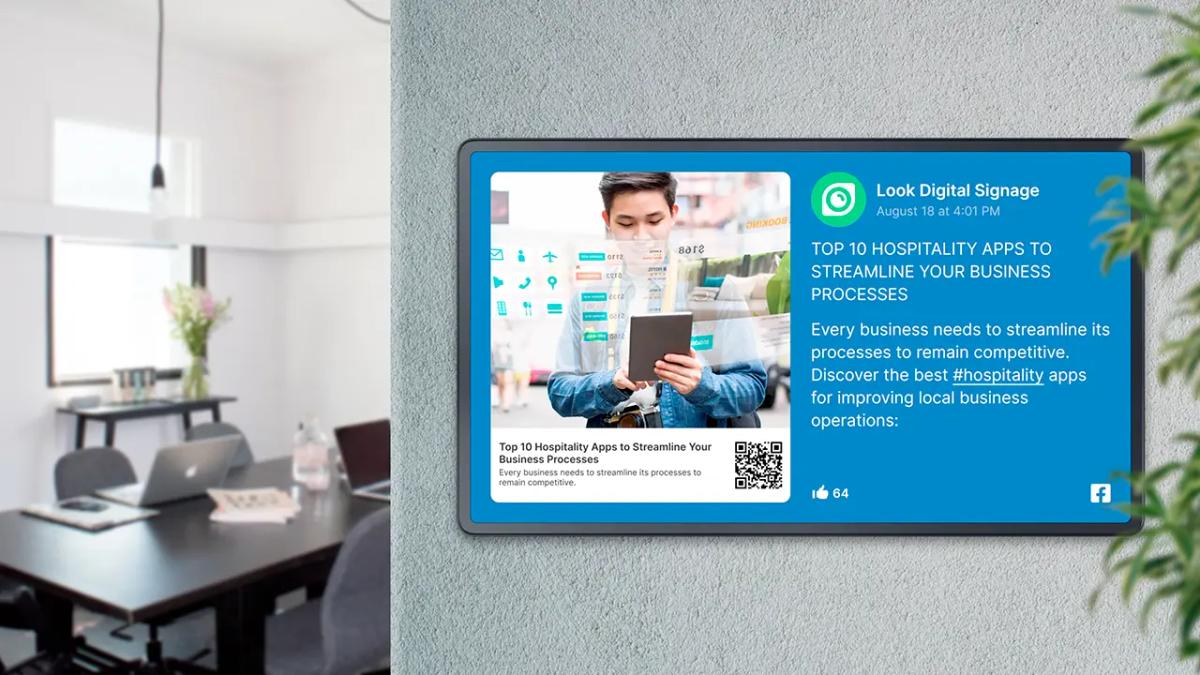
Digital signage software is the operating system for your screens. It allows you to create, manage, and schedule content-like images, videos, and dynamic apps-from a central location. Without this software, a screen is just a TV playing a loop from a USB stick. With it, your screens become a synchronized network that delivers the right message to the right audience at the exact right time.
Most modern platforms, like Look Digital Signage, are built around a cloud-based content management System (CMS). This dashboard lets you organize screens into groups, build playlists, and monitor performance from anywhere. Whether you run a single menu board in a cafe or thousands of screens across a retail chain, the software gives you total control over your visual messaging.
How does digital signage software work?
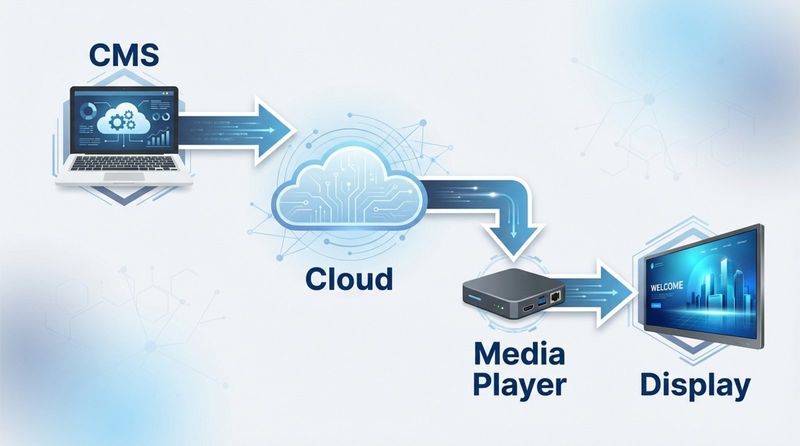
The system relies on three main components working together: the CMS, the media player, and the display. You upload media and set schedules in the CMS. The software then sends these instructions over the internet to a media player-which can be an external device (like the Look HDMI Player) or an app installed directly on a smart TV (using the free Look App).
Once the content downloads to the player, it appears on your screen. A critical feature to look for is offline playback. This ensures your playlists keep running seamlessly from local storage even if your internet connection fails, preventing black screens or error messages that look unprofessional.
What are the main types of digital signage software?
Software is generally categorized by how it is deployed: cloud-based (SaaS) or on-premise. Cloud solutions are the industry standard for most businesses because they offer remote management, automatic updates, and lower upfront costs. You simply log in via a web browser and manage your screens from anywhere.
On-premise solutions involve hosting the software on your own local servers. This is typically reserved for organizations with strict security regulations, such as banks or government facilities, that need total control over their data infrastructure. Look Digital Signage offers both options, providing a flexible cloud platform for general business needs and a self-hosted version for security-sensitive environments.
Why purpose and audience matter when choosing digital signage software
Before comparing technical features, define your goals. Are you trying to increase dwell time in a store, or reduce emails by putting internal news on a breakroom TV? Your primary goal dictates the features you need. For example, a restaurant needs fast updates for daily specials, while a corporate office might prioritize integration with calendar apps.
Understanding who watches your screens is equally important. A busy shopper needs short, punchy visuals they can read in seconds. A patient in a waiting room has more time to engage with longer educational content. Knowing your audience helps you decide if you need advanced tools like interactive scenarios or simple, automated loops.
What are common use cases for digital signage?
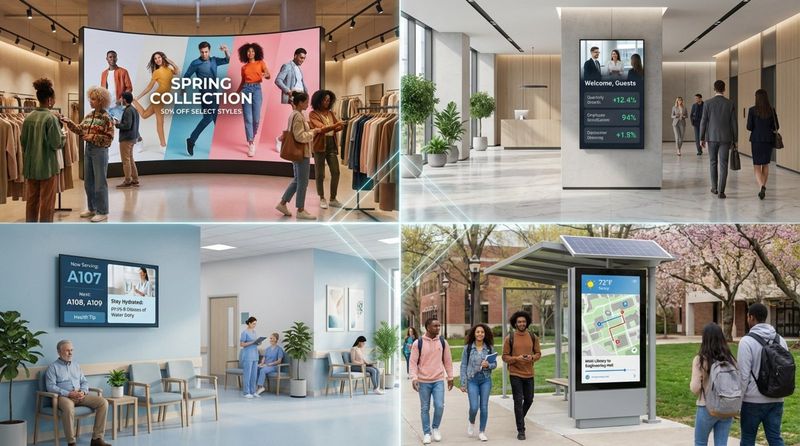
Digital signage adapts to almost any industry. In retail and grocery stores, it drives sales through dynamic promotions and product highlights. In corporate spaces, HR teams use it to share KPIs, welcome visitors, and celebrate staff milestones, helping to build a transparent company culture.
In hospitality and healthcare, screens improve the visitor experience. Hotels use them for event schedules and wayfinding, while hospitals display queue information and health tips. Even in education, schools use signage to broadcast announcements and emergency alerts instantly across campus.
How does understanding your audience improve software selection?
If you know your audience is tech-savvy, you might look for interactive scenarios that let users touch the screen to browse catalogs or maps. If your audience is internal staff who ignore old notices, you need software that makes it easy to refresh content frequently so it never gets stale.
The environment matters, too. If your screens are in multiple time zones, you need software with smart scheduling that adjusts playback times automatically. Matching your software capabilities to your audience's needs ensures your investment actually captures attention.
Which digital signage software features should you compare?
The best digital signage software is the one your team will actually use. A complicated interface often leads to outdated screens because updating them feels like a chore. Look for a clean, intuitive dashboard that allows non-technical staff to publish content in minutes. We recommend Look Digital Signage for this reason-it combines powerful features with a simple interface designed for efficiency.
Beyond ease of use, you must verify technical reliability. Your software should handle different aspect ratios, support high-quality video, and provide data on screen performance.
Content management tools and remote updates
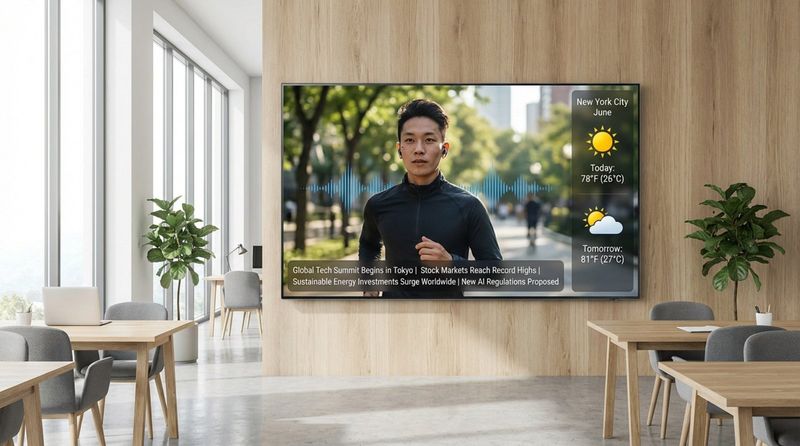
A robust CMS is the heart of your network. You should be able to upload files, organize them into folders, and arrange them into playlists easily. Features like Screen Layouts are essential if you want to split one screen into multiple zones-showing a video on one side and a news ticker on the other.
For teams without a graphic designer, built-in content tools are a lifesaver. Look CMS includes a Content Creator and Ready-made Templates that let you produce professional visuals quickly. Additionally, the Look AI Wizard can help generate layouts and text, saving you hours of design work. Remote access means you can push these updates to any screen, anywhere, without leaving your desk.
Content scheduling and automation options
Static loops are fine, but intelligent scheduling is better. Smart Scheduling allows you to set content to play only during specific times, days, or date ranges. For example, a restaurant can automatically switch from a breakfast menu to a lunch menu at 11:00 AM without manual intervention.
Automation keeps your screens relevant with "set and forget" logic. You can schedule seasonal campaigns months in advance or set expiration dates for time-sensitive offers so they stop playing automatically when the promotion ends.
Support for dynamic, interactive, and multimedia content
To keep engagement high, your software must support more than just JPEGs. Look for platforms that handle video, HTML5, and live streams smoothly. Look Apps and widgets allow you to add dynamic elements like weather forecasts, RSS news feeds, or social media streams directly to your layouts.
For more engaging experiences, support for Interactive Scenarios lets you build touch-enabled content without coding. This is ideal for kiosks, wayfinding maps, or product catalogs where the user controls the journey.
Display compatibility and hardware requirements
Hardware compatibility can make or break your budget. A flexible platform like Look DS is hardware-agnostic. You can use the Look HDMI Player for a simple plug-and-play experience on any screen, or install the Look App on Android, Amazon Fire TV, webOS, Linux, Windows, or other supported operating systems you might already own.
This flexibility allows you to scale from 1 screen to thousands using a mix of hardware. Whether you have professional signage displays or consumer smart TVs, the software should provide a consistent playback experience across all of them.
User management and security controls
As your network grows, you may need multiple people to manage it. Role-based user management lets you assign different permissions to different team members. For instance, a store manager might be allowed to change local promotions, while the corporate marketing team retains control over brand settings and layout templates.
Security features like Two-Factor Authentication (2FA) and Single Sign-On (SSO) are critical for protecting your network from unauthorized access. Look DS provides these enterprise-level security tools to keep your screens safe.
Integration with third-party apps and data sources
Your screens should connect with the tools you use every day. Integrations via API or tools like Zapier allow your signage to pull data from other systems. You might display sales metrics from a spreadsheet, automated birthday wishes from your HR software, or inventory levels from a POS system.
These connections turn digital signage into a real-time dashboard, reducing the need for manual updates and ensuring the data on the screen is always accurate.
Analytics and reporting capabilities
You can’t improve what you don’t measure. Playback Analytics give you visibility into what content played, how often, and on which screens. This is vital for proving ROI to stakeholders or verifying ad runs for partners.
Operational monitoring is just as important. Proof-of-play and uptime reports alert you if a screen goes offline, allowing IT teams to troubleshoot issues remotely before they impact your business.
Customization and branding flexibility
Generic screens are easy to ignore. Your software should allow full customization of layouts, fonts, and colors to match your brand identity. The ability to create custom screen layouts ensures your content looks exactly how you want it, rather than forcing you into rigid, pre-set designs.
Cloud-based vs on-premise digital signage software: How to choose
For the vast majority of businesses, a cloud-based (SaaS) solution is the best choice. It offers the flexibility to manage screens from anywhere and eliminates the need to maintain your own servers. However, understanding the difference is key to making the right decision for your infrastructure.
Key differences in deployment and maintenance
Cloud-based platforms like Look CMS allow you to get started immediately. You simply connect your player to the internet, pair it with your account, and start publishing. The provider handles all software updates, security patches, and server maintenance.
On-premise solutions require you to install the software on your own local servers. This gives you total control but adds significant responsibility for maintenance, backups, and IT management. This is typically slower to deploy and harder to update across multiple locations.
Factors affecting security, control, and scalability
Cloud systems are designed for scalability. You can add new screens to your network instantly without worrying about server capacity. Look DS allows you to scale from a single pilot screen to a global network effortlessly.
On-premise options are generally chosen for strict data isolation. If your screens are on a closed network with no internet access (common in defense or high-security finance), on-premise is the necessary choice. For everyone else, the cloud offers better security protocols than most local setups can maintain on their own.
Which solution matches your IT infrastructure?
If your team is distributed or you want to minimize hardware on-site, go with cloud. It is the modern standard for agility and remote management. If you have a large IT department and strict policies against cloud data storage, an on-premise version of Look Digital Signage can meet those specific compliance needs.
How to evaluate costs and pricing models for digital signage software
Pricing should be transparent and predictable. Most cloud platforms use a subscription model based on the number of screens you connect. This allows you to start small and pay only for what you use.
Subscription vs. perpetual license
Subscriptions cover the software, cloud hosting, and support. This model ensures you always have the latest features without paying for upgrades. Perpetual licenses usually involve a large one-time fee but may charge extra for support and updates down the line. For most businesses, the subscription model offers better long-term value and lower initial risk.
What hidden costs should you watch for?
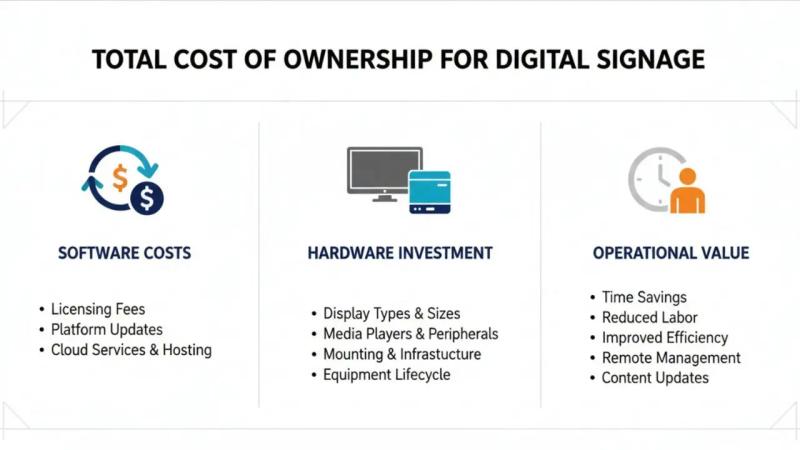
Be wary of providers that charge extra for essential features like storage, additional users, or basic support. Look DS offers straightforward pricing that scales with your screen count. Also, remember to budget for hardware; while the Look App is free, you will need compatible TVs or media players.
How to estimate total cost of ownership
Calculate the cost of the software subscription plus the cost of hardware over three years. Factor in the time saved by features like remote management and templates. A slightly cheaper tool that is difficult to use will cost you more in wasted staff hours than a professional platform designed for efficiency.
How to assess vendor support and service for digital signage software
Software is only as good as the support behind it. You need a partner who is responsive and helpful. Check if the vendor offers support channels like live chat directly within the dashboard, so you can get help exactly when you need it.
Training and onboarding options
The best platforms are intuitive, but good resources help you move faster. Look for a knowledge base, video tutorials, and onboarding support to help your team get comfortable with features like Smart Scheduling and Screen Layouts quickly.
Technical support and customer service
Reliability is key. Look Digital Signage is trusted by over 11,000 users globally because of its stability and support quality. Ensure your vendor provides timely assistance to keep your network running smoothly.
Reference checks and client reviews
Look at user ratings on platforms like Capterra or G2. High scores in "Ease of Use" and "Customer Service" are good indicators that the software delivers on its promises in real-world scenarios.
What questions to ask before finalizing your digital signage software choice?
Before you commit, ask: "Will this save my team time?" and "Can this grow with us?" The right software should simplify your workflow, not complicate it.
Will the software scale as your needs grow?
Ensure the platform can handle network growth. You might start with one lobby screen, but next year you might want video walls in five locations. Look DS is built to scale from 1 screen to thousands without performance issues.
Is the solution suitable for multiple locations or teams?
If you have multiple sites, check for multi-location management features. You need to be able to group screens by city or store type and update them all at once or individually.
Key mistakes to avoid when choosing digital signage software
Don't fall for the trap of buying consumer hardware that isn't built for 24/7 use, and don't pick software just because it's the cheapest. Unreliable playback and clunky interfaces will frustrate your team and leave your screens blank.
Overlooking future expansion or integration needs
Avoid closed systems that don't play well with others. Choosing a platform with API access and integrations ensures you can connect your signage to your business data in the future.
Focusing only on price instead of value
Focus on ROI. A reliable platform like Look Digital Signage that keeps your screens active and your content fresh offers far more value than a budget tool that requires constant troubleshooting.
Conclusion
Choosing the right digital signage software comes down to finding a balance between powerful features and simple daily operation. You need a system that lets you manage any screen, from anywhere, without technical headaches.
Look Digital Signage as the ideal solution for growing businesses. It offers a complete set of tools-from the Look CMS for easy remote management and Smart Scheduling for automation, to reliable Offline Playback that keeps your screens running. With the Look App and compatible hardware, you can get your first screen live in minutes. Start a free trial today to see how easy it is to manage your entire network from one dashboard.
Choosing the right digital signage software comes down to finding a balance between powerful features and simple daily operation. You need a system that lets you manage any screen, from anywhere, without technical headaches.


