Table of Content
How can quick-service restaurants show the right menu items at the exact right time? Drive-thru dayparting with digital signage is the answer. It is an automated way to change your outdoor digital menu boards based on the time of day, the weather, or real-time traffic. Instead of a fixed, printed sign, your customers see a dynamic menu that highlights exactly what they are most likely to buy at that moment.
What Is Drive-Thru Dayparting With Digital Signage?
Dayparting means showing the right message at the right time. Instead of forcing one large menu to work all day, dayparting breaks the day into blocks. Your screens automatically adapt to show breakfast in the morning, lunch at noon, and dinner in the evening. This clear focus helps customers find what they want much faster.
How Does Dayparting Work in Drive-Thru Environments?
Think about the morning rush. People want coffee and a quick breakfast sandwich. With dayparting, your digital menu boards highlight those exact items. Near lunchtime, the screens switch to show combo meals and salads. In the evening, they change again to feature family bundles or dinner specials. This automatic switching saves staff from going outside to manually flip printed signs. It also reduces mistakes and keeps your messaging consistent across all locations.
Dayparting works because it matches what customers actually do. What sounds good at 7 AM is very different from what sells at 10 PM. When you put the right items front and center, people make choices faster, and ordering feels effortless.

Key Concepts: Digital Menu Boards and Automated Content Scheduling
Drive-thru dayparting relies on two main parts: commercial digital menu boards and reliable scheduling software. The menu boards are special outdoor screens built to survive hot sun, freezing cold, and heavy rain.
The software is what actually runs the show. Using a cloud-based platform like Look CMS, you can update prices, swap out photos, and set your schedules from anywhere. The software pushes these real-time updates to your screens in minutes. This cuts out the slow, expensive process of printing new signs. Advanced software also lets you use videos and animations to grab attention and speed up the drive-thru line.
Benefits of Drive-Thru Dayparting With Digital Signage
Digital signage with dayparting fixes common drive-thru problems. It saves your team time, makes ordering easier for customers, and often helps drive higher sales.
Improves Order Accuracy and Speed
Fast, correct orders keep the drive-thru moving. Digital screens display clean, bright menus that are easy to read. When customers can see their choices clearly, they decide faster. Many setups also include a side screen that shows a live order summary. This lets customers check their items before they drive to the window, reducing frustrating mix-ups.
Increases Sales with Targeted Promotions
Digital dayparting makes it incredibly easy to run targeted promotions. You can change your screens instantly to push limited-time offers or high-margin items. You can even tie promotions to the weather-like showing a steaming cup of coffee on a freezing morning or an iced drink during a heatwave. High-quality videos of your food can also prompt people to add more to their order, providing a data-driven way to increase your average ticket size.
Improves Customer Experience Across Dayparts
People like seeing options that fit their current needs. When your menu shifts automatically for breakfast, lunch, and dinner, it removes the clutter. Customers do not have to hunt for a morning hash brown on a board full of dinner burgers. The whole process feels smoother and more modern, which often encourages them to come back.
Reduces Manual Labor and Operational Costs
Old-school signage forces you to print, ship, and hang new materials every time a price changes. Digital dayparting helps you reduce printing and updates entirely. A manager can log into a single dashboard, adjust a price, and send it to every location in minutes. This keeps your team inside focusing on customers, rather than wrestling with outdoor signs.
Promotes Brand Consistency
Consistent branding builds customer trust. Cloud-based digital signage makes it simple to push the exact same videos, fonts, and colors to every screen you own. Whether a customer visits a drive-thru in Texas or Toronto, they get the exact same high-quality experience. You maintain total control from anywhere.
Enables Real-time Updates and Flexibility
Being able to adapt on the fly is a huge advantage. If a popular sandwich sells out, you can remove it from the screen immediately so customers do not try to order it. If you have too many pastries, you can quickly put them on sale. This real-time flexibility keeps your menu accurate and your customers happy.
Digital Signage Hardware and Software for Drive-Thru Dayparting
To keep your screens running smoothly outdoors, you need hardware and software designed to handle the job without complex setup.
Recommended Hardware: Outdoor Menu Boards and Displays
Outdoor drive-thru displays are built tough. They use high-brightness screens (often up to 7,000 nits) so customers can read them easily in direct sunlight or heavy rain. They are also sealed against water and dust.

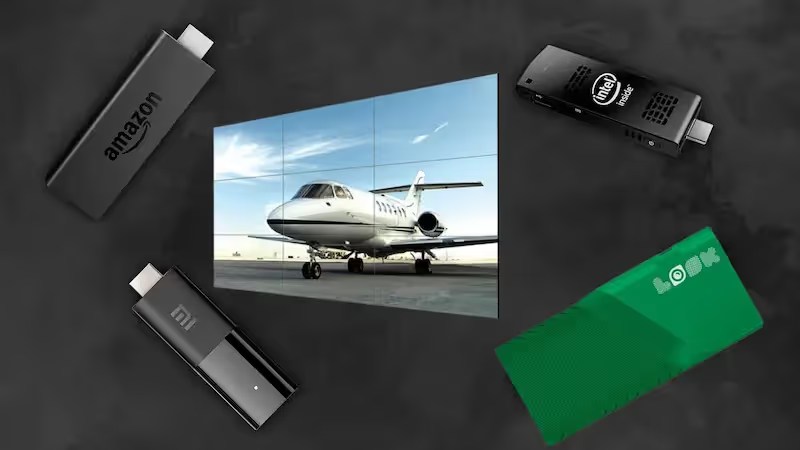
Because outdoor screens are large, they need secure mounting. They are usually placed in portrait mode to fit more items and make reading from a car seat easier. Inside the restaurant, a media player runs the content and sends it out to the screens. For a simple setup, the plug-and-play Look HDMI Player is a strong fit. It is built for reliable playback and connects easily to your screens, ensuring your menus stay live and visible.
Software Features for Dayparting: Content Management and Scheduling
The right software makes dayparting simple. Look Digital Signage software is designed to help teams build and control content without any IT headaches. Using the Look CMS, you can organize your menu items, upload tasty videos, and update prices in seconds.
The Smart Scheduling capability is the engine behind dayparting. You just set the rules: breakfast plays from 6 AM to 10 AM, lunch takes over until 4 PM, and dinner runs the rest of the night. You can also use Screen Layouts to split the board, showing the standard menu on one side and a rotating promotion on the other. If the internet goes down at your store, Look's Offline Playback feature ensures your menus keep playing without skipping a beat.
Key Features of Effective Dayparted Content
Dayparting is not just about changing the text on a screen. It is about creating smart, good-looking content that helps you reach your business goals.
Dynamic Content and Personalization
Do not just use still pictures. Motion catches the eye. A short video of cheese melting on a burger or steam rising from a cup can make customers hungry and speed up their choices. Advanced integrations can even connect with your point-of-sale or loyalty systems to highlight favorite items for returning guests, making the visit feel personal.
Improved Visuals for Different Times of Day
Your menu should match the mood of the hour. Morning screens can use bright, energetic colors to wake people up. Lunch designs might focus on fresh, crisp images of salads and sandwiches. Evening screens can shift to warmer, darker tones that highlight comforting dinners. Great visuals help customers decide faster.
Automated Updates Based on Time, Weather, or Events
The smartest drive-thrus change automatically. Time is the most common trigger, like switching to the lunch menu right at 10:30 AM. Weather is another great trigger. If it starts raining, the system can automatically promote hot soup. If you link your inventory system to your screens through an API, the menu can automatically hide items that run out of stock.
Promoting Special Offers and Limited-Time Items
Digital screens are perfect for quick promotions. You can feature a special dessert combo only during the late-night rush. Because updates take no time at all, you can test different offers to see what works best. This is a great way to capture impulse buys while the customer is sitting in their car.
How Dayparting Optimizes the Drive-Thru Customer Journey
A drive-thru visit happens fast. Digital dayparting removes confusion and makes the whole trip better from start to finish.
Adapts Offers to Breakfast, Lunch, and Dinner Traffic
By shifting the menu, you keep things relevant. A customer looking for a breakfast wrap does not have to read past twenty dinner options to find it. Grouping the right items at the right time takes the friction out of ordering. It serves the morning commuter just as well as the late-night snacker.
Shortens Wait Times with Intuitive Layouts
Clean, organized screen layouts make reading easy. When the menu is simple to scan, the line moves faster. Showing an order confirmation on the screen also helps a lot. It lets the customer see exactly what the staff typed in, which stops mistakes before the food is made.
Drives Loyalty and Repeat Visits
When a drive-thru is fast, accurate, and looks great, people come back. Clear digital screens show that your business is modern and cares about the details. A smooth, hassle-free ordering experience is one of the best ways to turn a first-time visitor into a regular.
Operational Considerations and Best Practices
To get the most out of your digital signs, you need a solid plan for how you will use them every day.
Scheduling and Timing Messages for Maximum Impact
Think carefully about your customers' habits. A coffee shop might promote bulk coffee beans to morning commuters, then switch to pushing iced lattes at 2 PM. Look at your sales data to see when different groups visit. Matching your digital content to those natural traffic shifts is the easiest way to see results.
Integrating Motion Detection and Vehicle Tracking
Many modern drive-thrus use ground sensors to track cars. When a new car pulls up, the screen can refresh to the start of a promotional video. This ensures every driver sees your best offer. Integrations with your POS can also track average wait times and vehicle counts, giving your managers helpful data to plan their staff shifts.
Ensuring Outdoor Durability and Readability
Keep your content simple so it is easy to read outdoors. Remember that customers might be wearing sunglasses or dealing with screen glare. Use high contrast, large fonts, and do not put too much text on one screen. Usually, a clean image and a bold price work best. You want everyone in the car to read it clearly in just a few seconds.
Analyzing Performance: Metrics and Insights for Drive-Thru Dayparting
Digital signage gives you something printed signs never could: data. You can track what works and make smarter choices.
Tracking Sales and Customer Engagement by Daypart
By connecting your menu boards with your sales data, you can see exactly how well your content performs. You can compare different dayparts to find out if your morning coffee promo drives more sales than your afternoon snack deal. Look DS includes Playback Analytics, so you can easily check your screen uptime and verify that your campaigns are running perfectly.
Using Data to Refine Menu Strategies
When you know your peak hours and top-selling items, you can prove ROI and improve your strategy. If the data shows that milkshakes sell best between 3 PM and 5 PM, you can schedule a special milkshake video to play right at that time. This data helps you plan your inventory better and cut down on wasted food.
Identifying Opportunities for Upselling and Cross-selling
Your screens can handle the upselling for you. If a customer orders a burger, the screen can instantly display a prompt to add fries and a drink. This means your staff does not have to remember to ask every single time. Automated cross-selling is a proven, reliable way to boost your daily revenue.
Getting Started With Drive-Thru Dayparting
Moving to digital dayparting is an exciting step. With the right tools, the transition is smooth and highly rewarding.
Choosing the Right Digital Signage Partners
You need a platform that is reliable and easy for your team to use. Look Digital Signage is an ideal fit for businesses that want a powerful system without a complex setup. With Look CMS, you get unlimited access to Smart Scheduling, templates, and remote management. You can scale from one screen at a single drive-thru to thousands of screens across a whole franchise.
Planning Rollout and Staff Training
A good rollout starts with simple training. Because cloud-based software is highly intuitive, your store managers can learn to update prices or swap out sold-out items in just a few minutes. You can manage the heavy lifting from your central office, leaving the store staff to focus on serving the food.
Common Questions About Drive-Thru Dayparting With Digital Signage
If you are thinking about upgrading, you probably have a few practical questions about the costs and benefits.
What Are the Typical Costs and ROI?
While buying outdoor screens is an upfront investment, the ROI is typically very strong. You immediately cut out all the ongoing costs of printing, shipping, and installing paper signs. More importantly, dynamic digital menus often increase the average order size. Faster lines, fewer mistakes, and automatic upselling all add up to a healthier bottom line.
Can Digital Dayparting Integrate With POS and Loyalty Systems?
Yes. Look DS and other modern platforms offer API integrations that connect directly to your point-of-sale system. This means if you change a price in your POS, it updates on the drive-thru screen automatically. You can also display QR codes to invite customers to join your loyalty program while they wait.
Should Small Businesses Adopt Drive-Thru Digital Signage?
Absolutely. Drive-thrus are a massive source of revenue for quick-service spots of any size. Small businesses benefit just as much from reduced wait times, lower printing costs, and easier daily operations. You can start small, scale smoothly, and add more screens as your business grows.
Drive-thru dayparting turns a boring, static board into a highly effective sales tool. By showing the right items at the perfect time, you save your staff hours of work and give your customers a much better experience. If you are ready to see how easy it is to manage your menus from anywhere, you can start a free trial or book a demo with Look DS to get your first screen live in minutes.