Table of Content
Picture this: you enter a local coffee shop, with a very attention-grabbing screen right behind the counter. It should be driving upsells for their seasonal pastries, but instead, it displays a pixelated, off-center PDF of their menu with font so small you have to squint just to read the price of a latte.
What you're experiencing is the digital signage equivalent of trying to read a billboard while sprinting.
As a business owner, you know you need to keep your screens fresh. But between managing employees, and running daily operations, you don't exactly have time for graphic design.
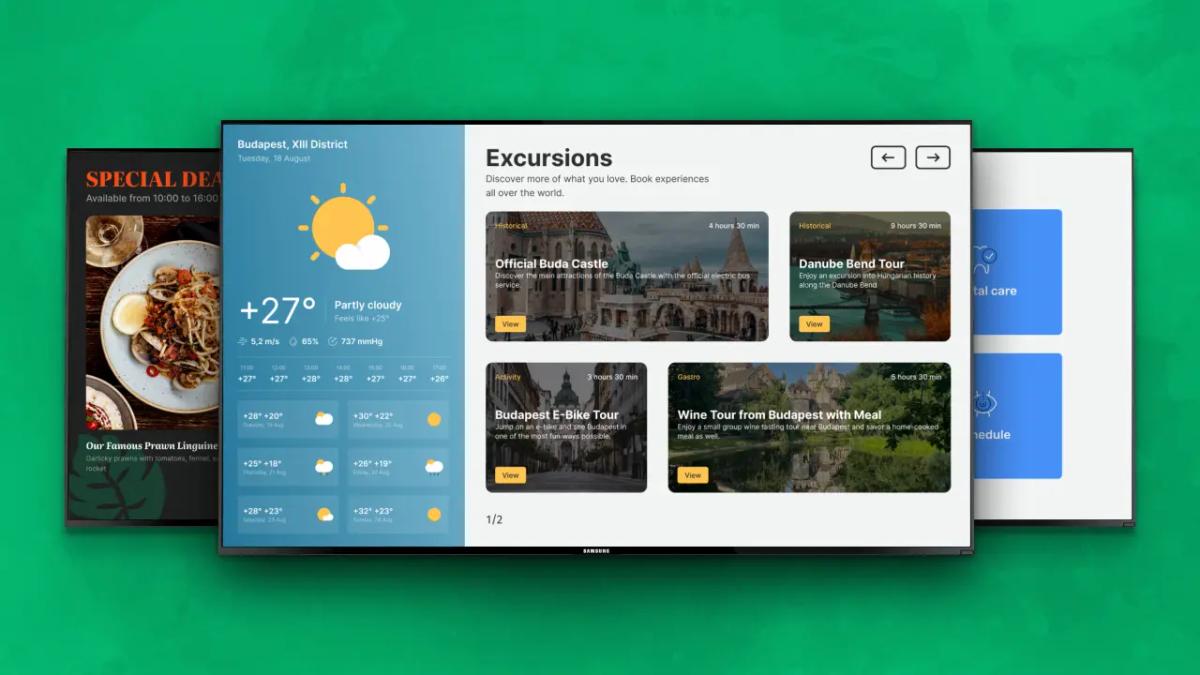
That’s where digital signage templates come in. And yes, templates have become pretty standard, but Look DS gives you more. You can drag and drop layers, split your template layout into multiple zones, and add live widgets like local weather, social media feeds, or a scrolling news ticker.
Best of all? They automatically adapt to any screen resolution or orientation.
If this sounds good, we have more tips on using free digital signage templates for your industry, what to customize before publishing, and how to prepare your templates for screens.
What are digital signage templates?
<div class="look-compare-wrap" role="region">
  <style>
    .look-compare-wrap{
      --brand-green:#14d870;--border:#e5e7eb;--text:#111827;
      margin:1.5rem 0;color:var(--text);
      font-family:Inter,-apple-system,BlinkMacSystemFont,"Segoe UI",Roboto,sans-serif;
      line-height:1.6;font-size:1rem;
    }
    .look-compare-scroll{
      overflow-x:auto;-webkit-overflow-scrolling:touch;
      background:#fff;border:1px solid var(--border);
      border-radius:.75rem;
      box-shadow:0 8px 24px rgba(17,24,39,.06),0 2px 6px rgba(17,24,39,.04);
    }
    .look-compact-table{
      width:100%;table-layout:fixed;border-collapse:separate;
      border-spacing:0;border-radius:.75rem;overflow:hidden;min-width:750px;
    }
    thead th{background:var(--brand-green);color:#fff;font-weight:600;
      padding:.9rem 1rem;text-align:left;}
    tbody th,tbody td{padding:.9rem 1rem;border-top:1px solid var(--border);
      vertical-align:top;background:#fff;}
    tbody th{font-weight:600;text-align:left;}
    @media(max-width:480px){.look-compact-table{min-width:550px}}
  </style>
  <div class="look-compare-scroll">
    <table class="look-compact-table">
      <thead><tr><th>Cost Item</th><th>Budget Setup</th><th>Standard Setup</th></tr></thead>
      <tbody>
        <tr><th>Display</th><td>$250–$700</td><td>$600–$2,000+</td></tr>
        <tr><th>Media player</th><td>$40–$100</td><td>$100–$500+</td></tr>
        <tr><th>Mount</th><td>$25–$100</td><td>$50–$300</td></tr>
        <tr><th>Installation</th><td>DIY or $250+</td><td>$500–$2,000/location</td></tr>
        <tr><th>Software</th><td>$10–$20/screen/month</td><td>$13.50+</td></tr>
      </tbody>
    </table>
  </div>
</div>
Digital signage templates are ready-made layouts that help you create attention-grabbing and professional-looking screen content. Instead of designing from the ground up, you work with a set format that includes text blocks, image areas, colors, shapes, sections, and sometimes animated features.
The main benefit is speed. You do not need to spend hours deciding where the headline should go or how to make the screen look balanced. The visual structure is already there. You only need to adapt it to your business.
Why use free digital signage templates?
Free digital signage templates help teams create better content with less effort. They are especially useful when you need to update screens often, but you do not have a dedicated designer available every day.
Templates help you:
- Save time on content creation
- Keep screens visually consistent
- Adapt one design for different messages
- Reduce design mistakes
- Launch campaigns faster
- Keep your displays fresh
- Create professional-looking signage on a small budget
For many businesses, the biggest challenge is not buying screens. It is keeping those screens useful after installation. Templates solve that problem by giving your team a simple starting point every time you need new content.
What are digital signage templates?
Digital signage templates are ready-made layouts that help you create attention-grabbing and professional-looking screen content. Instead of designing from the ground up, you work with a set format that includes text blocks, image areas, colors, shapes, sections, and sometimes animated features.
The main benefit is speed. You do not need to spend hours deciding where the headline should go or how to make the screen look balanced. The visual structure is already there. You only need to adapt it to your business.
Why use free digital signage templates?
Free digital signage templates help teams create better content with less effort. They are especially useful when you need to update screens often, but you do not have a dedicated designer available every day.
Templates help you:
- Save time on content creation
- Keep screens visually consistent
- Adapt one design for different messages
- Reduce design mistakes
- Launch campaigns faster
- Keep your displays fresh
- Create professional-looking signage on a small budget
For many businesses, the biggest challenge is not buying screens. It is keeping those screens useful after installation. Templates solve that problem by giving your team a simple starting point every time you need new content.
How to customize a free digital signage template
A template should never feel generic after you publish it. The goal is not just to use a ready-made design, but to make it look like it belongs to your brand.
Before sending a template to your screens, customize the key visual elements.
Add your logo
Your logo helps people recognize who the message is from. Place it where it supports the design without distracting from the main message. On promotional screens, the logo can sit in a corner. On welcome screens, it may be more prominent.
Adjust colors
To make the template feel like your own and immediately recognizable by your customers, the next step is to swap colors. Be prepared with the exact hex codes on your brand guideline and replace the bacground, side borders and text boxes. On Look DS, the software preserves the ovearall structure so that your elements remain readable.
Change fonts
Look Digital Signage comes pre-loaded with a variety of fonts, so you can choose a style that matches your website, menus, or print flyers. The layout editor will automatically handle the scaling so the words don't suddenly overlap or clip off the edge of the screen when you switch styles.
Replace images and videos.
Templates come loaded with generic media to show you what the layout looks like filled out. Click on these image or video zones to delete them and upload your own files. Using high-quality photos of your actual products or services makes the sign immediately relevant to your customers.
Edit the layout
Some messages need one bold headline. Others need a grid, a list, or several content zones. Adjust the layout so the most important information is visible first.
A good digital signage layout usually has:
- One main message
- Clear supporting details
- Enough space
- Strong contrast
- A logical reading order
Choosing portrait or landscape orientation
Before you change anything else, make sure the template matches the way your TV hangs on the wall. If your screen is mounted vertically, select a portrait template. If it is standard, choose landscape.
A template should match the screen orientation. Most displays are landscape, but portrait screens are common in retail stores, lobbies, elevators, clinics, and quick-service restaurants.
Widescreen landscape layouts are great for menus above a counter or video promos because people are used to reading things left-to-right on a TV. Vertical portrait layouts are perfect for the front window or tight pillars because they mimic a regular poster.
Recommended format and resolution for digital signage templates
These resolutions are standard for most digital signage deployments:
- 1920×1080 pixels for landscape Full HD screens
- 1080×1920 pixels for portrait Full HD screens
- 3840×2160 pixels for 4K screens when greater detail is needed
When you are designing on a laptop right in front of your face, everything looks readable. But in the real world, your screen might be three meters away or hanging high above a counter. Whenever possible, opt for sharp, high-resolution images so they do not look blurry on a large display, and make your text way bigger than you think it needs to be.
The best test is to push the content to the screen, walk over to where your customers stand, and see if you can read it in two seconds. If you have to squint, just cut out some words and increase the font size.
Stick to standard files.
As a rule of thumb, standard JPEGs or PNGs are best for still graphics, and MP4s are the safest bet for video. And if you are doing something a bit more advanced, like pulling in a live website dashboard or interactive elements, Look DS provides you with a demo screen right in your account portal that you can use to test out the layout before publishing.

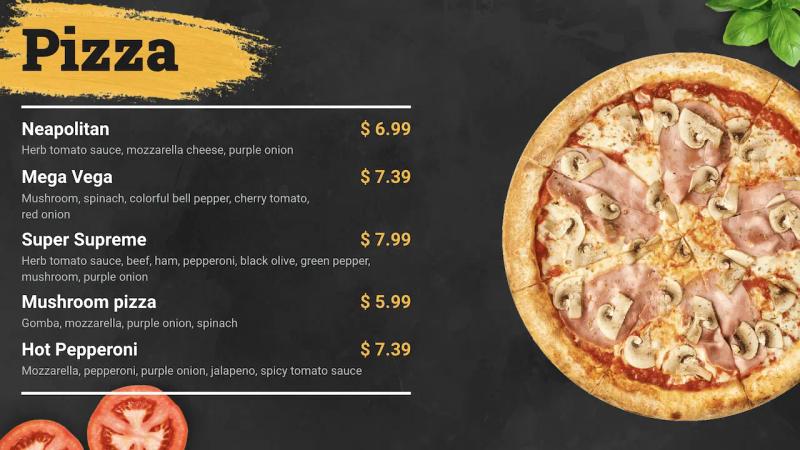
Free menu board templates for restaurants and cafes
Restaurants, cafes, bars, food trucks, and quick-service restaurants can use digital menu board templates to promote food and drinks more effectively.
A menu board template can help you display:
- Daily specials
- Best-selling dishes
- Combo meals
- Coffee and dessert offers
- Happy hour promotions
- Seasonal drinks
- Limited-time meals
- Upsell items and add-ons
Menu boards need to be extremely scannable, which means that item names should be large, pricing should be simple, and you should only use your absolute best photos. If you have a huge menu, break it down into clear categories like breakfast, mains, and drinks so people can find what they want at a glance.
If you want to encourage people to download your app, you can add a QR code that links to your full menu, an online ordering page, or a loyalty program signup.
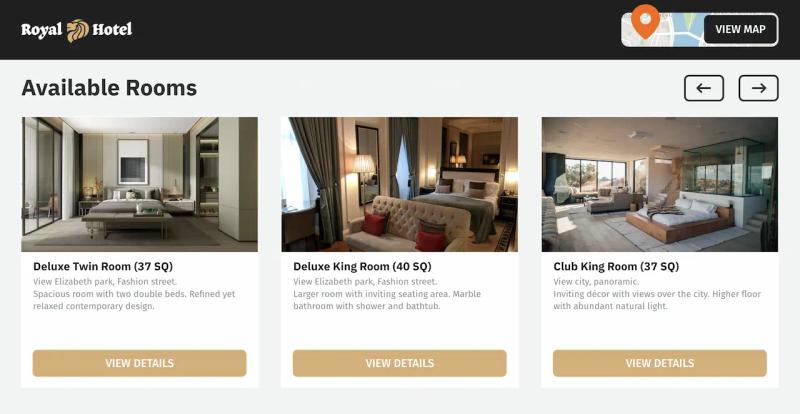
Digital signage templates for hotels and hospitality
Hotels, resorts, spas, and hospitality venues can use templates to improve guest communication and promote extra services.
Hotel digital signage templates work well for:
- Welcome screens
- Check-in instructions
- Room upgrade offers
- Spa and wellness promotions
- Restaurant opening hours
- Event schedules
- Conference room information
- Local attraction recommendations
- Transportation details
- Guest safety messages
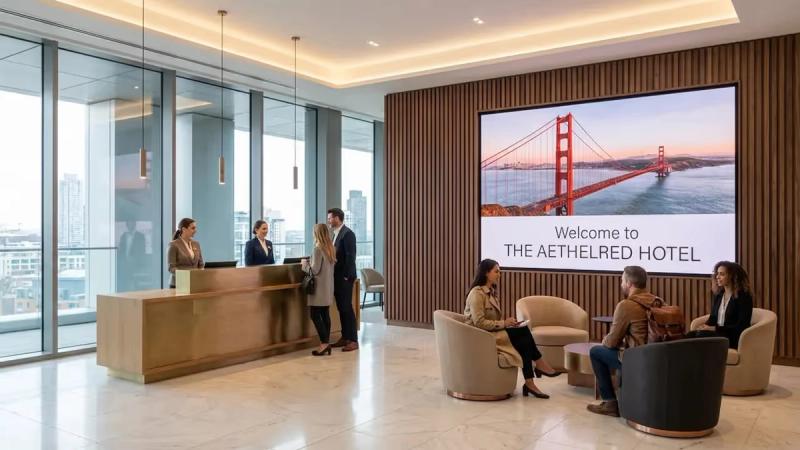
Digital signage is especially useful in hotel lobbies, elevators, restaurants, waiting areas, gyms, and conference spaces. A guest who is waiting at reception may see a spa offer. A conference attendee may quickly find the right meeting room. A visitor in the elevator may notice restaurant hours or a rooftop bar promotion.
QR codes also work here by letting your guests book a table, reserve a treatment, download a map, view the event agenda, or open a guest information page on their phones.
For hospitality templates, design matters. Use high-quality images, appropriate spacing, and brand colors that match the property's atmosphere.
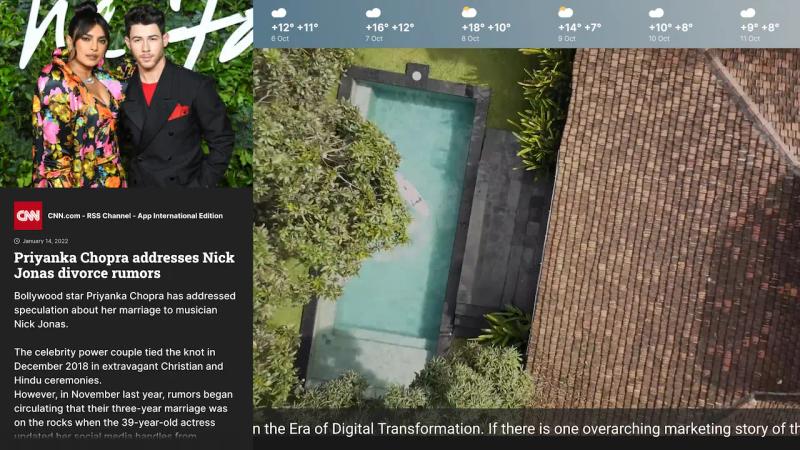
Free news feed templates
With a ready-made news feed template, you don't have to decide where every headline, photo, or ticker belongs. The structure is already there. Your job is only to drop in your content, make a few edits, and your updates are ready to publish.
You can use them to show:
- Global headlines
- Industry news
- Company updates
- Local announcements
- Financial updates
- Sports headlines
- Internal communications
- Public information
News templates are helpful in lobbies, offices, waiting rooms, universities, hotels, gyms, and transportation areas. They provide people with something current to look at while they wait. The best news feed templates do not clutter the screen. Use short headlines, a simple layout, and allow enough time for viewers to read each item. If the screen also displays weather, time, or company announcements, make sure each section is visually distinct.

Templates for events and holidays
Seasonal and event-based templates are some of the easiest ways to keep digital signage content timely.
Use free templates for:
- Black Friday
- Cyber Monday
- Christmas season
- Halloween
- New Year campaigns
- Valentine's Day
- Easter
- Back-to-school promotions
- Local events
- Company parties
- Trade shows
- Product launches
Seasonal promotions put a lot of pressure on screens to display gift cards, extended hours, and flash sales at the same time. It is tempting to dump every piece of holiday data onto the layout, but keep in mind that a digital sign is not a print flyer.
If you want your screens to catch attention, pick a single offer and leave plenty of white space. A prominent discount code or a simple photo of a winter special does the job perfectly.
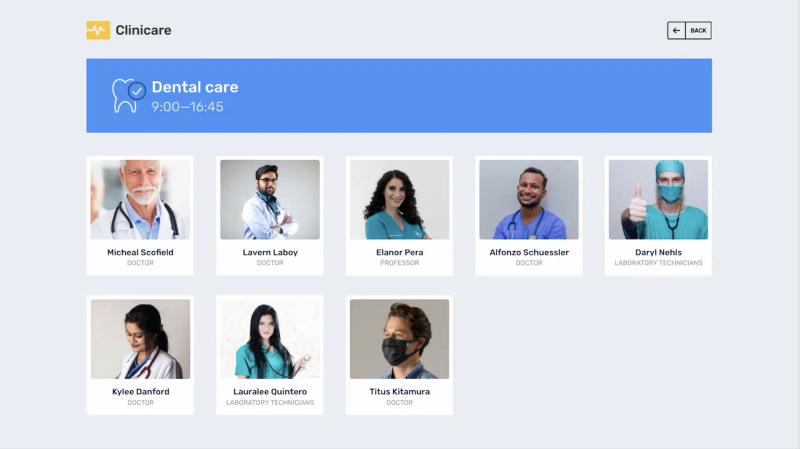
Digital signage templates for healthcare.
When someone walks into a hospital or clinic, they're usually trying to get somewhere quickly. Digital signage templates bring some order to that experience. They keep directions, check-in information, and other essential updates in a layout that's easy to scan, so visitors aren't swarming your nurses and reception staff with the same questions.
Healthcare templates can show:
- Appointment instructions
- Waiting room updates
- Health awareness messages
- Safety rules
- Pharmacy promotions
- Doctor schedules
- Department information
- Visitor guidance
- Emergency notices
- Patient education content
Clarity is more important than aesthetic here. Be as simple as possible with language, have a lot of white space and high contrast. Digital signage templates are also handy for staff communiation. They make it easy to remdind employees about procedures, training, hygine rules and safety alerts.

Digital signage templates for education
Schools, universities, colleges, and training centers can use digital signage templates to keep students, staff, and visitors informed.
Education templates are useful for:
- Campus announcements
- Daily schedules
- Club meetings
- Sports events
- Lunch menus
- Exam reminders
- Weather alerts
- Emergency messages
- Student achievements
- Wayfinding
- Open day information
A well-designed template removes the design work from everyday updates. That makes a huge difference in schools because updates will take less time, mistakes are less common, and every display will stay on brand across campus, especially when updates are handled by different departments managing their own screens.

Digital signage templates for retail
Retail digital signage templates help stores attract attention, promote products, and increase sales.
Retailers can use templates for:
- Product launches
- Discounts and promotions
- New arrivals
- Best sellers
- Cross-sell and upsell offers
- Seasonal campaigns
- Loyalty program promotions
- Customer reviews
- QR code coupons
- In-store navigation
Loyalty messages work really well on retail screens too. You can use them to invite customers to join a rewards program, scan a QR code, collect points, unlock member-only discounts, or come back for a future offer. It’s one of the easiest ways to turn a casual shopper into a repeat customer.
Retail templates should be blunt in a good way. Show the product, show the benefit, show the price or offer, and make the next step obvious.
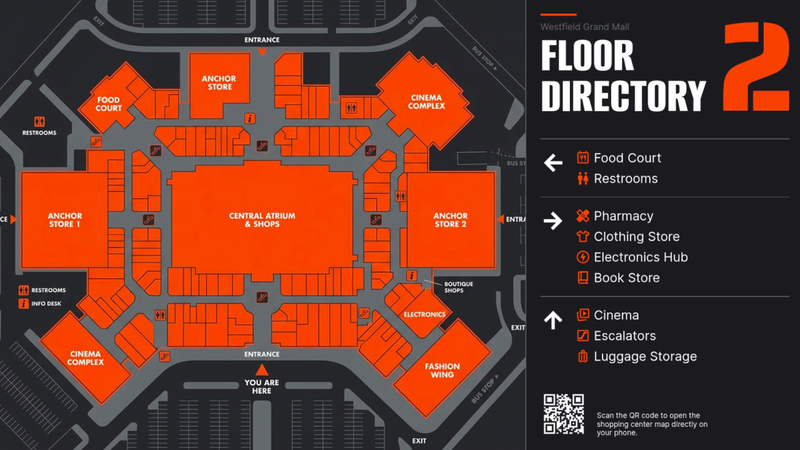
Wayfinding and navigation templates
Because people rarely stand still when looking at a wayfinding screen, the layout has to make sense at a glance. That means that there should be a clear arrow pointing them in the right direction, the floor number should be clear, and the map should confirm they're heading the right way without overwhelming detail.
For interactive wayfinding, QR codes can also help. A screen can show a map and let visitors scan a code to continue the route on their phone.
Wayfinding templates can help visitors find:
- Reception
- Meeting rooms
- Departments
- Clinics
- Classrooms
- Stores
- Elevators
- Parking
- Restrooms
- Gates or platforms
- Event halls
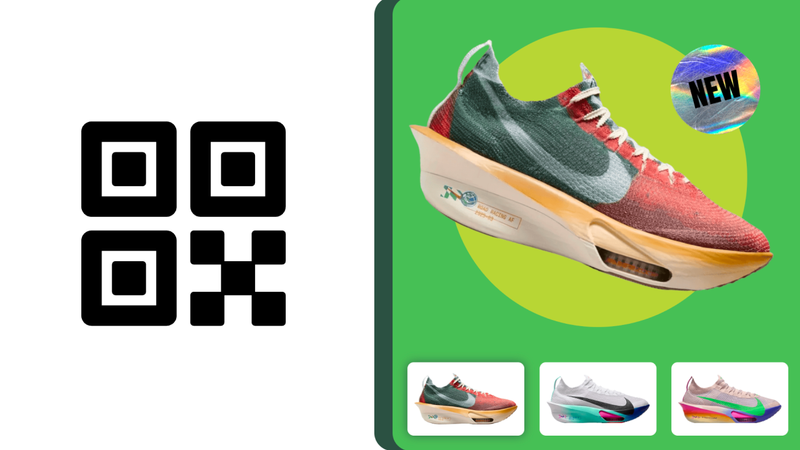
QR codes in digital signage templates
QR codes in digital signage work best when they give people a clear next step. A screen is usually a quick glance, so the QR code has to feel useful immediately, whether that means ordering, booking, paying, registering, or getting more information.
You can add QR codes to templates for:
- Digital menus
- Online ordering
- Booking pages
- Coupons
- Loyalty programs
- Payment pages
- Event registration
- Product catalogs
- App downloads
- Feedback forms
- Maps and directions
- Hotel guest guides
With QR codes, you need visibility and context for the best outcome. That means the code needs to be large enough to scan from the distance people will be standing, and it should sit in a clean part of the layout so it doesn’t get lost in the design.
Just as important, remember to add a short prompt that tells people exactly why they should scan, because “Scan to order” gets far better results than a lonely QR code with no explanation.
How to choose the right template for your screen
The best template depends on the screen's goal. Before choosing a design, ask three questions.
First, what should the viewer understand? A menu board, and a safety notice each need a different layout.
Second, how much time does the viewer have? Someone in a waiting room may read more details than a pedestrian walking past a store window.
Third, how often will the content change? If prices, schedules, events, or offers change frequently, choose templates that are easy to update.
Here is a simple guide for you:
- For promotions, use a bold hero template with one main offer.
- For menus, use a structured grid with clear categories and prices.
- For events, use a schedule or announcement layout.
- For wayfinding, use arrows, maps, and minimal text.
- For alerts, use a full-screen template with one instruction.
- For loyalty campaigns, use a QR code and a clear reward message.
- For news and updates, use a clean feed-style layout.
Tips for better digital signage content
Templates make content creation easier, but the final result still depends on how you use them.
Follow these best practices:
- Keep the message short. People only look at screens for a few seconds, so there should be fewer words and larger text.
- Focus on one idea per screen by splitting longer messages across multiple slides rather than cramming a single layout with too much content.
- Make your call to action easy to see. Customers should know exactly what to do next: scan a QR code, book an appointment, or join your program.
- Contrast in design is your friend. Make sure the text stands out from the background so people can easily read your message at a glance.
- Test on the real screen. Always check the design on the display before launching it widely.
- Keep the content fresh by removing old promotions, expired offers. Current information helps people trust your brand.
- Match the template to the environment. A hotel lobby, school cafeteria, clinic waiting room, and retail checkout area all need different tones.
Create digital signage content faster with LOOK DS.
Every great screen starts with a clear message. A good template helps you get there faster. With Look DS, you can choose ready-made templates in the CMS, customize them for your brand, and publish them to your screens in minutes. Change the logo, colors, fonts, images, layout, orientation, and message whenever you need. Then schedule your content and keep every display up to date from one place.
If you want to make your screens more useful, more attractive, and easier to manage, start with a template. It is the fastest way to create professional digital signage content without extra design work.
Try Look and start creating screen-ready content with free digital signage templates today.