Table of Content
AI has taken over a lot of the conversation around automating repetitive business tasks, but APIs for digital signage have been around much longer, and are now easier than ever to implement even by solo operators and non-technical teams.
So if you're running welcome screens in lobbies, menu boards, or in-store promotions, a digital signage API can save you hours each week by connecting your screens to your business tools, and allowing them to automatically reflect changes in real time.
Look Digital Signage makes this possible in two ways. You can use Zapier to build low-code workflows with thousands of popular business apps, or create a direct integration using an Action Link and Action API Key to trigger content updates from your own software. Both ways achieve the same goal and only differ in how the integration is built.
What is a digital signage API?
API stands for "Application Programming Interface." It's the mechanism that lets your signage software pull information from other systems and automatically update your displays.
Say you run a restaurant. Your point-of-sale system knows when an item sells out but your signage software doesn't, unless someone tells it. A digital signage API is the connection that lets the two talk, causing an automatic menu board update when a set action in the POS occurs. Same logic applies to a hotel pulling room rates from a booking system, a gym pulling class schedules from a membership platform, or a retailer pulling stock levels from inventory software.
Most digital signage APIs are built on a structure called REST, and they send data back and forth in a format called JSON. A RESTful API for digital signage works through a set of fixed web addresses, called endpoints, where each one is responsible for a specific job, such as publishing a new piece of content, checking whether a screen is online, or updating a playlist. JSON is the format the data travels in. It organizes information into labeled pairs, like "price" next to its actual value, so the receiving system reads it correctly every time.
This setup is common across the industry because it's stable, well supported, and works across nearly any platform a business might already be using, which is why Look DS and most other signage providers build around it.
A well-designed API for digital signage provides:
- Versioned endpoints
- JSON request and response formats
- API key, token, or OAuth authentication
- Clear documentation with sample requests
- Clear error handling guidance
- Rate limit information
- Optional SDKs or code examples
- Support for real-time or event-driven updates
Usually, developers need to understand how requests are authenticated, what data format to expect, which endpoints are available, and what occurs if a request fails.
How a Digital Signage API works
A basic workflow looks like this:
- An external system detects a change or event.
- That system sends a request to the digital signage platform.
- The signage platform authenticates the request.
- The CMS updates content, triggers an action, or changes what appears on selected screens.
- The result is displayed automatically.
For example, a Shopify product update can trigger a price change on a retail screen, while a weather API can trigger different promotions depending on temperature or local conditions.
There are several ways this happens:
REST API requests
REST API requests provide direct control over a signage platform. They enable developers to use endpoints to create, update, retrieve, or delete resources such as content, playlists, schedules, or screen information.
Requests usually include:
- An endpoint URL
- An HTTP method such as GET or POST
- Authentication, such as a digital signage API key or bearer token
- A request body, often in JSON
- A response, often in JSON
This method works for custom software, specific integrations, and workflows where your team needs full control.
Webhooks and event-driven updates
Webhooks are a modern push-based integration method. Instead of your signage system constantly checking another system for changes, the external system sends a message when an event happens.
For digital signage, webhooks are useful when you want screens to react immediately to events such as:
- A price change in a POS system
- Someone books a meeting room
- A customer submits a form
- The weather service issues an alert
- A change in delivery status
- A customer creates a support ticket
- A campaign metric reaching a threshold
Look DS enables you to implement this concept through Action Triggers. An external service or automation tool calls a Look Action Link when the trigger condition occurs, which then runs the selected action on the chosen layout or screen.
Feed-based integrations
You don't always need a complex, custom API to connect your data. Most of the time, a simple web feed that your screens can pull from and refresh automatically works perfectly.
Common examples include:
- RSS feeds for news and announcements
- iCal feeds for calendar events
- CAP feeds for emergency alerts
- Weather feeds
- Menu or inventory feeds
- Public transport arrival feeds
- Business intelligence dashboards
Feed-based integrations are useful when the content source already publishes structured data and the signage platform only needs to display or refresh that data.
Low-code automation
Low-code automation tools such as Zapier help non-developers connect business apps to digital signage actions. Using Zapier, this is often the fastest way to automate simple workflows.
Here are a few examples:
- New Google Calendar event → trigger a Look DS action
- New Typeform response → update signage content
- New Shopify product → display promotion
- New Slack message → show internal announcement
- Updated Google Sheet row → refresh menu board information
It's usually the quickest option when you don't need custom development.

Why API integrations matter for digital signage
Digital signage is most effective when it displays relevant information at the right time. Manual updates work well for simple campaigns. However, they can be inefficient when the content relies on live data.
A digital signage API makes it easier to:
- Spend less time updating content by hand
- Keep screens in sync with real-time changes
- Show the right message at the right moment
- Connect digital signage with existing tools
- Roll out urgent updates with speed
- Manage content across multiple locations from one place
- Pull live data into screens automatically
- Manage large-screen networks
- Display live data as it changes
- Build custom experiences
The result is a signage network that behaves less like a static media player and more like a live business communication system.
Main use cases for a digital signage API
Retail and grocery stores
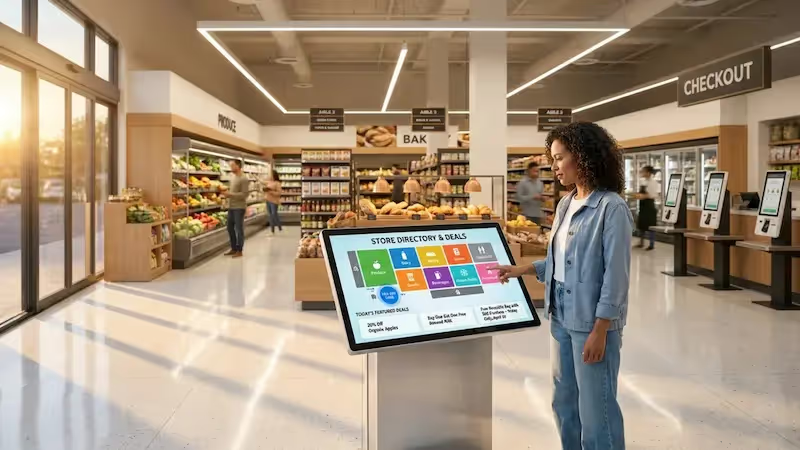
Retail is one of the strongest use cases for API-driven signage. Stores often need to update content based on inventory, pricing, promotions, time of day, and customer behavior.
A digital signage API or automated workflows make it easy for your retail screens to display:
- Dynamic pricing
- Product availability
- Limited-time offers
- Weather-based promotions
- Loyalty program messages
- Stock-level alerts
- Bestseller lists
- Social proof and customer reviews
- POS-driven sales data
For example, a grocery store can update a Google Sheet with new prices and automatically display them on digital menu boards, while a clothing store can connect promotions to weather data and display jackets when it rains or sunglasses when it is sunny.
Restaurants, cafes, and QSR menu boards
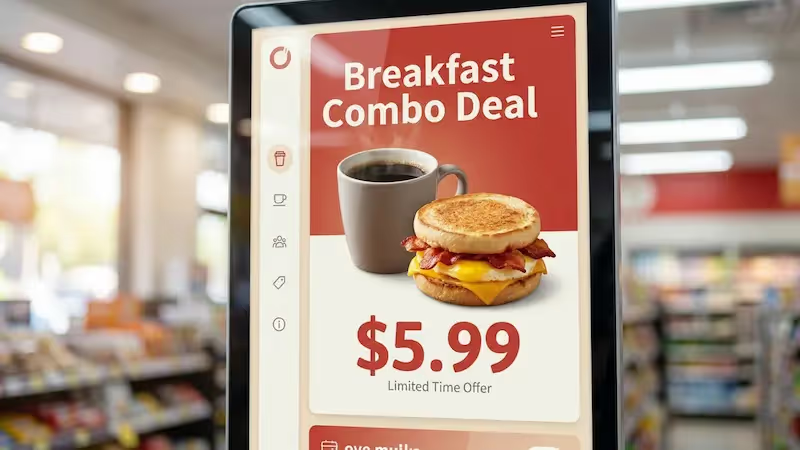
Restaurants and quick-service restaurants can use digital signage API integrations to keep digital menu boards accurate throughout the day.
These are some of the most common use cases:
- Breakfast, lunch, and dinner menu changes
- Dynamic pricing
- Sold-out item removal
- Limited-time offer promotions
- Kitchen status updates
- Loyalty app promotions
- QR ordering messages
- Drive-thru updates
- Delivery platform promotions
Whenever a particular item becomes unavailable in the POS, the integration triggers an update that prevents it from being displayed to customers.
Corporate communication
What if all the team or project accomplishments and updates living on Slack, intranet or Power BI could be available for other departments and visitors to see, without any manual intervention on your end?
Digital signage APIs make it extremely easy for the HR team to set up trigger-based automations for these channels:
- Slack announcements
- Microsoft Teams updates
- Salesforce milestones
- HubSpot marketing metrics
- Asana or Monday.com project updates
- Calendly meeting schedules
- KPI dashboards
- HR announcements
- Employee recognition
- Visitor welcome messages
Say the sales team closes a major deal in Salesforce, a Zapier automation, for instance, can fire up a celebration message to display on office screens. How's that for keeping everyone motivated and aligned with company goals?
Education and universities
Schools and universities have many moving parts, and it can be a lot to keep every screen updated across class schedules, the cafeteria, sports events, and more. But you don't have to do it manually; digital signage API integrations can automate:
- Google Calendar events
- Class schedule updates
- Exam reminders
- Cafeteria menus
- Emergency alerts
- Student polls
- Event RSVPs
- Google Docs announcements
- Microsoft Teams messages
- Typeform survey results
Hospitality and hotels
Want to personalize the guest experience so it feels effortless? How about automating daily updates and keeping your guest engaged throught out their stay? You can't go wrong with these automations using digital signage APIs:
- Guest welcome messages
- Event schedules
- Conference room information
- Restaurant promotions
- Weather and local attraction updates
- Spa availability
- Shuttle schedules
- Wayfinding
- Personalized group messages
- Check-in and check-out information
Let's say you have three conferences happening in your hotel on the same day. To ensure each welcome screen shows the right event, you can set a connection that let's your lobby displays pull from booking data. As guests check in and schedules change, the screens update automatically; no one has to log into the CMS or swap content between events.
Healthcare
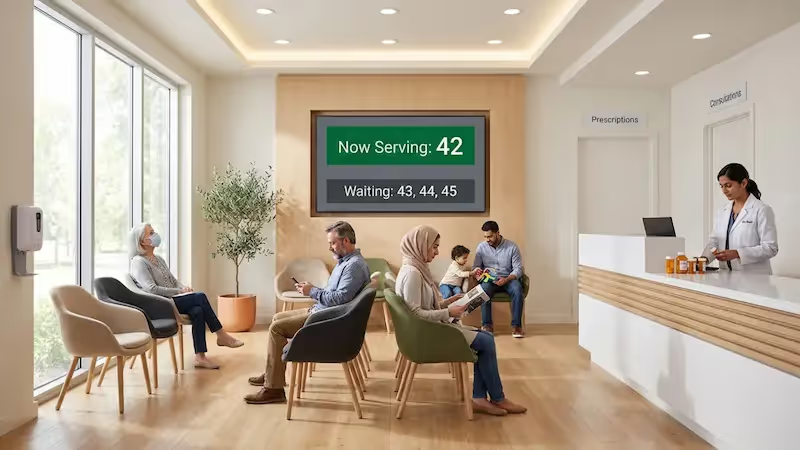
In high-stress environments like hospitals, digital signage APIs are an absolute lifesaver that enable healthcare clinics to link their patient check-in software to waiting room TVs to display anonymous queue numbers and live wait times. This goes a long way in calming anxious patients just by managing their expectations. More importantly, from a safety perspective, if the hospital triggers an emergency alert, the API forces every screen in the building to instantly drop what it is showing and display clear evacuation routes.
Examples include:
- Queue updates
- Doctor availability
- Department announcements
- Emergency notices
- Appointment reminders
- Health education content
- Pharmacy promotions
- Wayfinding
- Staff alerts
- Waiting time information
Transportation
The travel industry would completely stall without automated data. There is no room for human error or manual updates when handling thousands of tight schedules. Your platform screens need to plug directly into the central transit database to keep travelers moving smoothly and prevent the customer service desk from being absolutely swamped the moment something goes wrong.
What you can show with API-powered transportation:
- Bus and train arrival times from live feeds
- Gate changes and delay notifications
- Parking availability
- Weather warnings
- CAP emergency alerts
- Route changes and passenger service announcements
Dashboards and business intelligence
Many teams already use dashboard tools to track sales, operations, support, or production data. Digital signage APIs make it possible to display dashboards on screens where teams can see them throughout the day.
Some examples include:
- Power BI dashboards
- Google Looker Studio reports
- Tableau dashboards
- Grafana monitoring
- Sales performance boards
- Manufacturing KPIs
- Support queue metrics
- Warehouse performance
- Website analytics
- Campaign results
This is useful for teams that need shared visibility but do not want to rely on everyone manually checking dashboards.

Look Digital Signage API integration methods
Look DS supports automation through Action Triggers. These triggers allow external services or requests to activate a predefined Action in Look CMS.
There are two practical ways to work with triggers: Zapier automation and direct Action Link requests.
Method 1: Creating a trigger with Zapier
Zapier is the easiest option for connecting Look DS with common apps without writing custom code.
The workflow looks like this:
- Create the Action in Look CMS.
- Save the Editable Content or Screen Layout.
- Send it to the screen.
- Log in to Zapier and create a new Zap.
- Set up your trigger app, such as Google Calendar.
- Select the trigger event.
- Test the trigger.
- Choose Look as the action app.
- Select “Send Action.”
- Authenticate using the Look Action API Key.
- Choose the Layout and Action that should be affected.
- Test the Zap and turn it on.
This method is best suited for everyday business automations such as calendar updates, form responses, CRM changes, and spreadsheet edits.
A simple example:
Trigger: A new event starts in Google Calendar.
Action: Look DS activates a screen layout that shows the event information.
Another example:
Trigger: A new row is added to Google Sheets.
Action: Look DS updates the menu board content or triggers a layout state.
Zapier is especially useful when your marketing, HR, operations, or education teams want to build automations without involving developers for every small workflow.
Method 2: Creating a trigger using Action Link
Look DS gives you total control over your screens by letting you fire triggers through a simple Action Link. This is the route you want to take when your own internal backend, a custom script, or a webhook needs to tell Look exactly what to do. Instead of logging into the platform and clicking around, your system just pings a unique URL Look DS generates for you. The moment ping happens, your screens instantly drop what they are doing and display your new content, making your entire setup completely automated.
You execute this method by sending an HTTP GET request to your Look DS Action Link. You need to make sure your unique digital signage API Key is included in the request header so the platform can authorize the command.
Example:
curl -v <action_link> -H look-api-key:<api_key>
Where:
- <action_link> is the link from the Action settings.
- <api_key> is the Action API Key from Company Settings.
This approach is useful when an external system can call a URL in response to an event. For example, your booking software, POS system, dashboard, sensor platform, or alerting system can call the Action Link and activate a screen update.
A direct Action Link request is best for teams that need more flexibility than Zapier can provide, but do not need a full custom integration with every CMS endpoint.
Method 3: Custom API integrations
Look DS opens up the entire platform for larger or more complex technical projects where standard plug-and-play features don't quite fit the bill. Your dev team can write code to connect the signage system straight to your internal databases or custom backend services, which grant them complete control over how your data flows to your screens, without relying on any third-party middleman tools.
Custom integrations come in handy when you need to:
- Pull structured data from internal systems
- Transform data before displaying it
- Trigger different layouts based on business rules
- Integrate with proprietary software
- Connect to hardware or sensors
- Build advanced personalization
- Scale across many screens or locations
- Add custom logging and monitoring
For example, a restaurant chain might build a custom integration between its POS database and digital menu boards, or a logistics company might integrate warehouse performance data with operations dashboards. Custom integrations require more planning but give your team the most control.
Digital signage API authentication: keys, tokens, OAuth, and security
Authentication is the most critical part of a digital signage API integration because it prevents unauthorized users from triggering your screens. Every platform does this a bit differently, but you’ll typically run into one of these:
- API keys
- API tokens
- Bearer tokens
- OAuth
- App-specific credentials
- Signed requests
With Look Action Triggers, your Action API Key is essentially your master password, so please don't treat it any differently. It acts as the direct entry point for modifying your screen content. If the key leaks, someone could potentially trigger actions, swap layouts, or mess with your displays without ever needing to log in to your CMS.
These simple habits go a long way:
- Keep your API keys out of your frontend code.
- Use a real password manager or a secrets vault to store them.
- Rotate your keys every so often.
- Always use HTTPS for your requests.
- Restrict who can get into your Company Settings.
- Test your layouts on a dummy screen before pushing them live
Also, don't forget to check the requirements for any external APIs you're plugging in. Depending on the service, you might need to handle specific OAuth flows, respect rate limits, handle token expiration, or set up server IP allowlists.
Rate limits and reliability
The API call rate limit is the number of API calls your system is allowed to make within a given time frame. Having these boundaries displayed assists the signage platform in stabilizing the servers and prevents network congestion from causing delays in updates to the screens. Therefore, even when the integration you are designing can currently handle only a few updates to the system per day, you should consider that these limits might always be in place. On the server side, this process keeps screens quick and responsive instead of being sluggish or running out of content updates, regardless of server slowdown or a sharp increase in traffic.
Best practices include:
- Do not flood with repetitive requests.
- Utilize webhooks or triggers as alternatives to polling when suitable.
- Apply retry patterns for transient faults.
- Log all requests that were unsuccessful.
- Delay or queue bulk updates.
- Check the integration before connecting multiple screens.
To be on the safe side, always have alternative content so that you can deal with items that may not have an available data source.
Webhooks vs polling: which is better?
Polling means your digital sign keeps asking the server, "Do you have new content for me?" over and over, every few seconds or minutes. Most of the time, the answer is no, but it keeps asking anyway.
Webhooks are the opposite. Instead of the sign asking, the server automatically sends a message to the sign the moment new content is ready. The sign just waits and listens, and only does something when the server actually has news.
Use webhooks or Action Triggers when:
- A booking starts
- A form is submitted
- A product changes
- A support ticket is created
- A price change
- An alert is issued
- A KPI reaches a threshold
Use polling when:
- The source system does not support webhooks
- You only need occasional updates
- The data changes slowly
- A scheduled refresh is enough
For the best result, you want to use both. Why? Webhooks handle time-sensitive updates instantly, while polling will act as the safety net that catches anything that might be missed if a connection is dropped. Using the two together gives you both speed and reliability.
Developer tools and code examples
A good digital signage API integration process should include practical tools for testing and debugging.
Useful tools include:
- API documentation
- Postman
- cURL
- Server logs
- Browser developer tools
- Webhook testing tools
- JSON validators
- Internal monitoring dashboards
- SDKs, if available
Even one working cURL example can help developers test authentication and understand the request format. From there, they can move the same request into Python, JavaScript, PHP, Ruby, or another language used by your team.
For Look Action Triggers, the direct request format is intentionally simple:
curl -v <action_link> -H look-api-key:<api_key>
This makes it easy to connect Look DS with systems that can send HTTP requests.

Limitations and considerations
Digital signage API integrations can add significant value, but they also require planning.
Zapier limitations
Zapier is excellent for connecting common cloud apps, but it may not be the best fit for highly custom hardware, sensors, or real-time processing. If a screen needs to react to motion sensors, gaze tracking, RFID devices, or complex local hardware, a custom integration may be more appropriate.
Development and maintenance
Building and maintaining a direct digital signage API integration isn't exactly a one-time job. You need a developer to set it up, and someone to keep an eye on it, because when the API version changes or something breaks, the screens go down until someone fixes the code.
Before building, you must define:
- What system is the source of truth?
- What event should trigger the screen update?
- Which screens should be affected?
- What should happen if the request fails?
- How will the integration be monitored?
- Who owns maintenance?
Security and compliance
You must protect your customers' personal data at all costs, which means ensuring that your integrations comply with the relevant privacy and compliance standards. In practice, you should use secure requests, protect your digital signage API keys, and put access limits on the systems that manage your signage updates.
Scalability
Once you get the hang of it, you'll discover that setting up automations for a dozen screens is easy enough, but what about 50 or 500+? As early as now, it's important to start building a repeatable process that can scale without adding complexity. This means organizing your screens into groups and reusing layouts whenever possible.
Doing this will cut down on API traffic and make larger updates much easier to manage. It's also important to prepare for failures before they happen. Thankfully, Look DS has you covered with offline playback which ensures that your screens will continue displayes the last cached content, which is better than a blank screen.
Best practices for API digital signage projects
Before you push any digital signage API integration live, we highly recommend running through a strict deployment checklist.
- Start by defining the actual business goal first.
- Choose the right integration method for the job, whether that is Zapier, an Action Link, a data feed, a webhook, or a full custom API.
- Always use test layouts before sending anything to your production screens,
- Keep your API keys secure.
- Prefer event-driven updates where possible.
- Avoid excessive polling.
- Add retry and error handling.
- Keep fallback content ready.
- Document who owns the integration.
- Monitor the integration after launch.
- Review API documentation regularly.
- Keep content readable and relevant on screen.
Why use Look DS for API-powered digital signage?
First off, Look DS as your signage platform is easy to use, flexible with hardware types, even your old laptop, offers glitch-free performance, and is made for non-tech users. The API integrations sit on top of an already capable CMS, so you're not just getting automation, but also a polished, reliable system to automate into. And most importantly, it doesn't force you to rip and replace your entire software stack just to get your screens to do something intelligent.
If you're serious about connecting your signage to real business data, here's what you can do with Look:
- Automate screen updates
- Connect signage to business apps
- Trigger actions from external events
- Display real-time information
- Reduce manual work
- Support multiple industries and workflows

Conclusion
The biggest mistake you can make with digital signage APIs is to overcomplicate the setup on day one. If the task is simple, start with Zapier, which is the fastest way to get something live and prove the concept.
If you need more granular control, Look DS Action Links are clean, straightforward, and let your external systems trigger updates with a simple HTTP GET request. For those heavier, internal-data-heavy projects, you can always go custom and hook your signage right into your POS or CRM.
To get started, why don't you identify one specific, high-value problem you're facing with content updates right now? It could be, for example, getting your digital menu board to automatically drop an item when the kitchen runs out of stock. Try building that single integration, test it on a handful of screens, and then build more advanced workflows from there.