Table of Content
How can hotels use lobby screens to improve the guest experience, streamline daily operations, and reduce staff workload? A hotel lobby digital signage playbook provides a clear plan to manage displays, schedule content, and keep messaging consistent without complicated setup. By moving away from random screen usage and adopting a structured approach, your team can reduce printing costs, speed up updates, and turn screens into a reliable tool for communication and revenue.
What Is a Hotel Lobby Digital Signage Playbook?
A hotel lobby digital signage playbook is a practical guide that covers every aspect of using digital screens across your property. It serves as a blueprint for the choices you make, from early planning and hardware selection to daily content updates and proving ROI. With this framework, you move from simply hanging TVs on a wall to running a synchronized communication network.
The playbook acts as a shared reference for your marketing, front desk, and operations teams. It ensures everyone works toward the same goals using the same brand guidelines. Instead of separate screens showing outdated or unrelated messages, your hotel maintains a unified voice that supports both guest satisfaction and business objectives.
Core Elements of a Digital Signage Playbook
A strong digital signage playbook outlines your primary goals: informing guests, promoting amenities, or providing wayfinding. Next, it details your content strategy, including what types of media to use, how to create them, and how to schedule playback. This keeps your messaging fresh and aligned with your brand.
It also covers technical requirements, defining the hardware (screens and media players), the cloud-based digital signage software you will use, and the necessary network setup. Finally, the playbook should include day-to-day operational steps, like staff training and content approval workflows, along with the KPIs you will track to measure success.
Why Hotels Need a Structured Approach
Without a structured plan, a "just put up screens" rollout often leads to inconsistent branding, manual update bottlenecks, and missed opportunities to connect with guests. A playbook ensures your visual identity stays consistent on every display. It also gives your team a reliable way to publish real-time updates and emergency alerts from anywhere.
A planned approach helps you maximize your investment. Content becomes purposeful, saving staff time by answering common guest questions before they are even asked. With a playbook, you reduce printing and updates, transforming digital signage into a data-driven business tool.
Key Benefits of Hotel Lobby Digital Signage
Adding digital signage software to your lobby elevates the guest experience while giving your team an efficient way to communicate. It aligns perfectly with modern traveler expectations: instant information, clear navigation, and self-service options.
Digital displays make an immediate impact upon arrival. Beyond looking polished, they provide functional value, guiding guests smoothly through their stay and reducing friction at the front desk.
Engaging and Informing Guests
Digital signage captures attention with clear, dynamic information. Personalized welcome messages can make groups or VIPs feel valued the moment they arrive. Using multi-zone screen layouts, you can display practical details like local weather, flight times, and news alongside your main content.
Screens also allow you to highlight hotel amenities, like the spa or fitness center, using high-quality images and video. By featuring local dining and entertainment recommendations, you help guests plan their day while making your property feel like a helpful hub of information.
Modernizing the Guest Experience
Sleek digital displays give your lobby a current, updated aesthetic, reinforcing a strong first impression. They signal to guests that your hotel invests in convenience and modern comforts.
Digital tools also support faster self-service. Touch-screen kiosks can help reduce front desk lines by handling quick check-ins. Interactive scenarios can function as a virtual concierge, allowing guests to scan QR codes to request services or book transportation directly from their phones.
Streamlining Communication and Operations
When plans change, digital signage provides a fast way to share real-time updates. Safety reminders, event room changes, or emergency alerts can be published to all screens in minutes. This eliminates the need to print and distribute paper notices.
Back-of-house screens also support your operations team. Placing displays in staff breakrooms helps you share daily KPIs, housekeeping updates, and internal announcements, keeping your team aligned and ready to deliver better service.
Increasing Revenue through Promotions
Lobby screens are a powerful tool for driving on-site revenue. You can easily promote room upgrades, late checkout packages, or loyalty programs. Digital menu boards placed near your restaurant or bar can showcase dynamic food photography and happy hour specials to capture foot traffic.
By scheduling limited-time offers or partner promotions with local businesses, you encourage add-on purchases. Analytics and proof-of-play data can later help you prove ROI by tracking which promotional loops correlate with increased sales.
Types of Content to Feature on Lobby Digital Signage
Because digital signage is highly adaptable, you can tailor content to different zones and guest profiles. The most effective networks rely on a curated mix of practical information and subtle promotions.
By balancing utility with marketing, your screens become a trusted resource rather than background noise.
Welcome Messages and Personalized Greetings
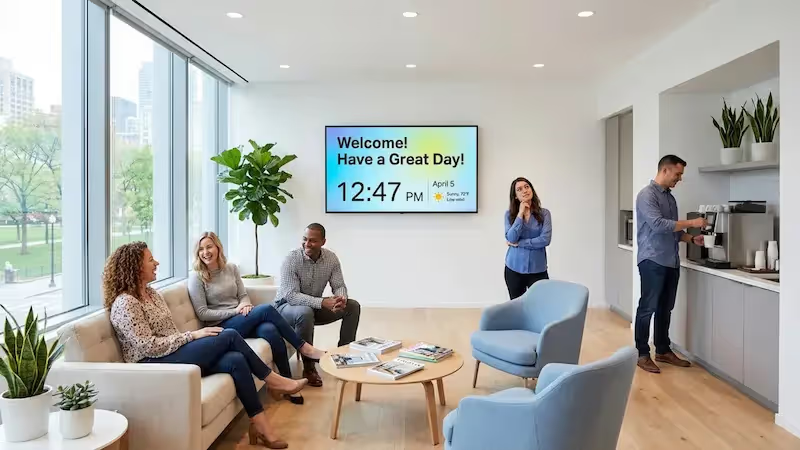
A targeted greeting sets a positive tone. Screens can welcome conference attendees or tour groups by name. This simple touch requires minimal effort but significantly improves the initial guest experience.
Wayfinding and Maps
Navigating a large hotel or resort can be confusing. Digital displays can provide clear directions to elevators, event spaces, and amenities. Interactive wayfinding tools or static maps paired with QR codes allow guests to take directions with them on their mobile devices.
Events, Meetings, and Conference Schedules
For properties hosting events, screens are essential for managing crowd flow. Displays outside meeting rooms or in the main lobby can list daily agendas and session locations. Because you manage the content remotely, last-minute room changes can be updated instantly, saving staff from running around with printed signs.
Restaurant Menus and Bar Specials
Digital menu boards offer a flexible way to showcase your dining options. You can schedule menus to automatically switch from breakfast to lunch to dinner. Incorporating motion graphics or short videos of your signature dishes helps drive traffic to your food and beverage outlets.

Local Attractions and Recommendations
Guests frequently ask the front desk for local recommendations. Use your screens to highlight nearby attractions, festivals, and transit schedules. Adding dynamic widgets for local weather or traffic helps guests plan their outings without waiting in line to speak with a concierge.
Customer Reviews and Social Media Feeds
Displaying positive feedback builds trust. You can feature top reviews or integrate social media feeds to show live guest photos. This social proof encourages current visitors to share their own experiences online.
Emergency Alerts and Safety Information
During an emergency, clear communication is critical. A centrally managed digital signage network allows you to override standard playlists to display evacuation routes, shelter instructions, and emergency contacts across the entire property immediately.
Partner Promotions and Special Offers
Promote your on-site spa, gift shop, or partner services like local tours. Highlighting loyalty program benefits on lobby screens is a proven way to increase sign-ups and encourage repeat bookings.
Technical Essentials for Lobby Digital Signage
A reliable signage system requires compatible hardware and software working seamlessly together. Understanding the technical basics ensures you build a network that keeps your screens running with maximum uptime.
The core components include your displays, media players, and the software used to manage the content.
Display Screens and Monitor Options
Your screens are the most visible investment. While consumer TVs might work for small, temporary setups, commercial-grade displays are built for 16-to-24-hour daily use, offering better brightness and longer lifespans. Size should be dictated by viewing distance, and 4K resolution is ideal for visually demanding spaces.
For larger lobbies, video walls provide high impact, while touch displays are required for interactive kiosks. Ensure your screen placement has access to reliable power and minimal glare.
Digital Signage Media Players
The media player is the device that connects to your screen and processes the content. Depending on your needs, you can use existing smart TVs, affordable consumer devices, or dedicated commercial players. The goal is to choose hardware that supports offline playback so your screens do not go blank if the internet drops.

Signage Software and Content Management
Your Content Management System (CMS) is the software you use to organize and publish your media. Look Digital Signage is an ideal solution for hospitality teams that want a simple setup and reliable remote management.
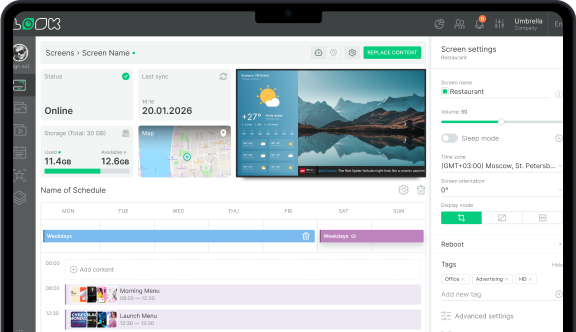
Using Look CMS, you can manage screens across a single hotel or a global chain from one dashboard. Non-technical staff can use Ready-made Templates to update lobby announcements quickly, build multi-zone Screen Layouts to show weather alongside event schedules, and rely on Smart Scheduling to automatically rotate breakfast and dinner menus. If you already have compatible screens, you can install the free Look App, or use the plug-and-play Look HDMI Player for highly reliable, dedicated playback.
Planning and Launching Your Digital Signage Strategy
Successful deployment starts well before hardware installation. A thoughtful plan ensures your screens serve actual guest needs and fit seamlessly into your lobby environment.
By mapping out traffic flow, hardware requirements, and legal considerations early, you set the foundation for a network that is easy to scale.
Assessing Lobby Layout and Audience Flow
Place screens where guests naturally pause or look for information, such as near the reception desk, elevators, or seating areas. Avoid placing displays where they obstruct foot traffic or compete with bright windows. Consider the primary audience in each zone: business travelers might need flight updates near the exit, while leisure guests might want spa promotions near the lounge.

Choosing the Right Hardware and Placement Locations
Match your hardware to the environment. A sleek wall-mounted screen works best behind the front desk, while a freestanding kiosk is better for wayfinding. Keep cable management clean to maintain a professional appearance. Choose media players that match the complexity of your content; a video wall will require more processing power than a standard digital poster.
Developing Content Guidelines and Schedules
Establish clear rules for what goes on your screens. Determine your update frequency and designate who is responsible for managing the CMS. Setting up smart scheduling allows you to "set and forget" routine content-like automatically switching from morning news to evening entertainment promos-ensuring screens remain relevant throughout the day without manual intervention.
Ensuring ADA Compliance and Accessibility
Accessibility should be factored in from the start. To meet ADA (Americans with Disabilities Act) guidelines, interactive kiosks must be placed at heights accessible to wheelchair users. Videos should include closed captions, and touch interfaces should offer clear, high-contrast designs. Designing for accessibility ensures all guests can benefit from your digital tools.
Measuring ROI and Guest Engagement
To prove ROI, track how your screens impact guest behavior. Monitor metrics like increased bookings for promoted spa services or a drop in basic directional questions at the front desk. For interactive setups, playback analytics can show which menus or maps guests engage with most, helping you refine your strategy over time.
Best Practices for Managing and Updating Content
Your system's value relies on keeping content accurate and engaging. Once your screens are live, the focus shifts to efficient day-to-day management.
By leveraging automation, targeted messaging, and brand consistency, your team can maintain a dynamic lobby environment with minimal effort.
Automating Real-Time Updates
Take advantage of your platform's scheduling features to reduce daily workloads. Build your playlists in advance and schedule them to play on specific days or times. Integrating data feeds for weather or news also ensures your screens display fresh, real-time updates without staff having to log in and change things manually.
Customizing Content for Different Audience Segments
Tailor your playlists to the specific location of the screen. A display outside a conference room should focus entirely on event schedules, while a screen by the elevators might highlight dining specials. Customizing content by zone ensures guests only see information that is relevant to where they are and what they are doing.
Staying on Brand with Visual and Language Consistency
Your screens are an extension of your hotel's identity. Use templates to lock in your brand's specific fonts, colors, and logo placements. This allows any team member to update text or swap images while guaranteeing the final output looks polished and professional.
Integrating Social Media and Live Feeds
Incorporating live feeds keeps your displays from feeling static. RSS news tickers or live social media walls add movement and timely information. Pulling approved posts from your hotel’s Instagram or displaying live flight departures provides high-value content that requires zero daily maintenance from your staff.

Costs, Budgeting, and Operational Considerations
Digital signage is an investment that scales with your needs. Understanding the cost structure upfront helps you choose a setup that fits today and grows with you tomorrow.
A simple pilot project is highly affordable, while a comprehensive property-wide rollout requires a larger initial budget.
Initial Setup Costs
Your upfront expenses cover hardware and installation. This includes commercial displays, media players, secure mounts, and cabling. Professional installation may be required for complex setups like video walls. If you are starting small, you can often use existing smart TVs and a free player app to keep initial costs incredibly low.
Ongoing Maintenance and Subscription Fees
The primary ongoing cost is your digital signage software subscription, which is typically billed per screen on a monthly or annual basis. This fee covers access to the cloud dashboard, feature updates, and technical support. Compared to the recurring costs of designing, printing, and shipping physical signs, software subscriptions offer predictable and often lower long-term expenses.
Factors Affecting Total Investment
Your total budget will depend on:
- Network Size: Scaling from 1 screen to dozens across multiple properties.
- Hardware Quality: Commercial-grade 24/7 displays cost more upfront than standard TVs but last longer.
- Content Complexity: Interactive kiosks or multi-screen video walls require specialized players.
- In-House vs. Managed: Whether your staff designs content using built-in templates or you hire external agencies.
Start small to prove the concept in your lobby, and scale smoothly as you see the operational benefits.
Common Questions about Hotel Lobby Digital Signage
Hospitality teams often have practical questions before rolling out a new screen network. Having clear answers ensures a smoother deployment.
How Much Does Hotel Digital Signage Cost?
Pricing scales with your hardware choices and screen count. A straightforward setup using an existing screen and cloud-based software can cost a small monthly subscription fee per display. If you need commercial displays and dedicated media players, hardware costs typically range from a few hundred to over a thousand dollars per screen. Most platforms allow you to start with a single screen and expand your license as needed.
What Compliance Requirements Must Be Met?
As covered in the planning section, ADA compliance is the primary legal consideration. Screens must be physically accessible, interactive elements must be usable by individuals with disabilities, and video content should feature closed captioning. Following these guidelines is both a legal standard and a best practice for guest service.
What Is the Best Digital Signage Strategy for Hotels?
The most effective strategy blends guest utility with subtle upselling. Provide high-value information, like wayfinding, event schedules, and weather, so guests rely on the screens. Once you have their attention, intersperse targeted promotions for your restaurant, spa, or loyalty program. A balanced playlist ensures the screens remain genuinely helpful rather than feeling like a billboard.
Maximizing Results with Your Hotel Lobby Digital Signage Playbook
Implementing a digital signage playbook is about creating a smarter, more responsive hotel environment. It shifts your team away from reactive, manual updates and toward a streamlined system where you can manage every screen from anywhere.
The most successful networks remain flexible. By reviewing analytics and listening to guest feedback, you can continuously optimize your playlists. When you are ready to modernize your lobby communication, start small, test a few templates, and see how quickly you can go from logging in to publishing your first scheduled playlist.