

Table of Content
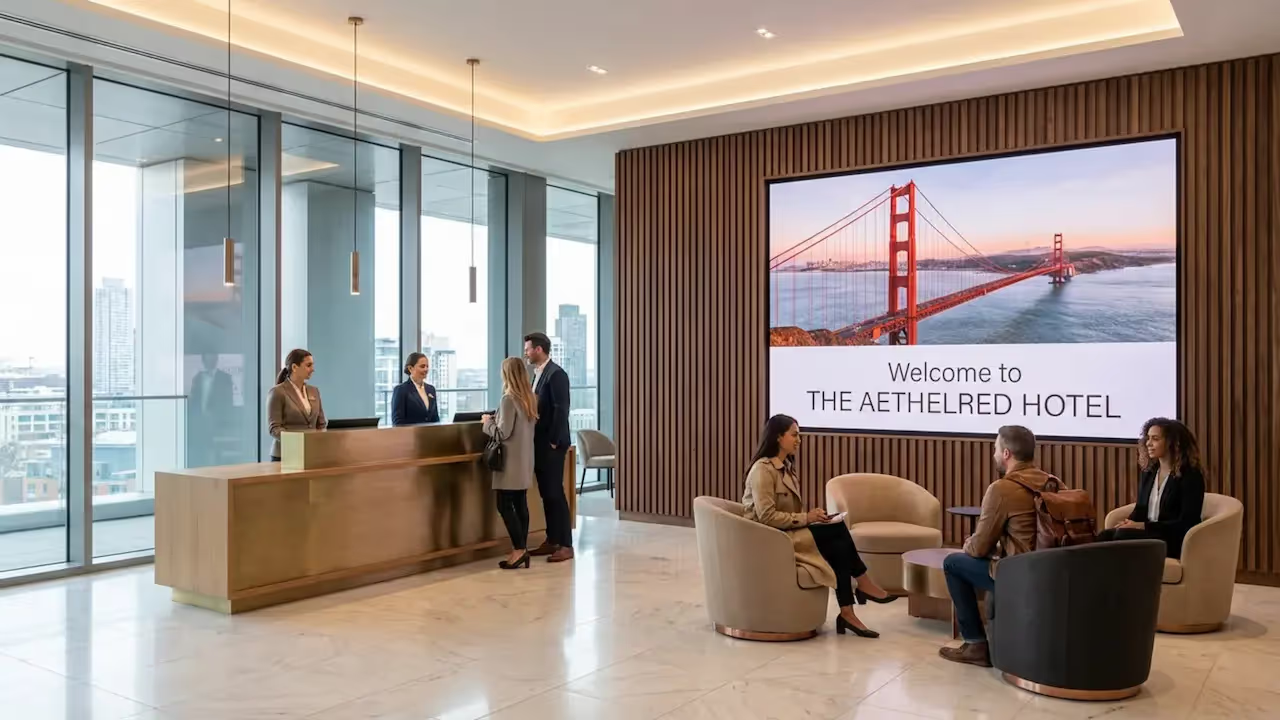
How can hotels share timely information and elevate the guest experience without relying on complex design software? Hotel digital signage templates offer a ready-made, professional way to publish welcome messages, menus, and event schedules to any screen in minutes. By using a platform like Look Digital Signage, your team can customize these layouts and keep your property’s messaging fresh, consistent, and on brand.
What Are Hotel Digital Signage Templates?
A hotel digital signage template is a pre-designed screen layout that you can easily customize with your property's text, photos, and branding. Think of it as a professional starting point that saves hours of design work while keeping your screens looking polished across the lobby, hallways, and dining areas.
Because they require no design background, any staff member can use them to publish urgent updates, event changes, or new promotions from anywhere. This allows hotels to react quickly to daily operational needs without relying on an external designer.
Types of Digital Signage Content in Hotels
You can use templates to display everything from basic hotel amenities and event schedules to spa services and concierge tips. They also serve as a quiet sales engine, highlighting room upgrades, dining packages, and seasonal add-ons.
By combining text with rich media-like property walkthrough videos, local weather, and QR codes-you keep guests informed and connected to what’s happening around them. A good mix of practical information and engaging visuals creates a more memorable stay.
Ready-to-Use vs. Custom-Built Templates
Hotels generally choose between ready-made templates from a built-in library or hiring designers for custom builds. Ready-made templates are the smartest starting point because you can launch in minutes. For example, Look CMS provides a rich library of free, ready-made templates designed specifically for hospitality.
You just pick a layout, add your content, and publish. Custom templates, while useful for highly specific brand guidelines, take more time and budget to get off the ground. For teams that want quick results and reliable playback, built-in templates are often the best fit.
How Digital Signage Templates Improve Hotel Communication
Swapping out printed signs for remote updates changes how your hotel communicates. Digital screens catch the eye, and cloud-based software means your staff can fix a typo or update a schedule without touching a printer or walking across the property.
Using digital templates also ensures your messaging remains clear and professional. Consistent, well-designed communication builds trust and leaves guests feeling well cared for from the moment they arrive.
Benefits for Guest Engagement and Experience
A great stay often comes down to clear communication. When a guest walks in, a lobby screen showing a warm welcome, check-in details, or dining options immediately sets a hospitable tone.
This reduces the friction of waiting in line, answers common questions before they are asked, and helps guests navigate their stay with confidence. It shows that your hotel values their time and convenience.
Increased Operational Efficiency
Operations run smoother when updates happen in real time. If the restaurant runs out of a special or the pool closes for maintenance, your staff can adjust the screens in minutes. This entirely removes the cost and delay of printing temporary paper signs.
Beyond guest-facing screens, digital signage is a powerful tool for back-of-house areas, keeping your team aligned on shift changes, VIP arrivals, and safety reminders without relying on crowded bulletin boards.
Streamlined Event and Wayfinding Updates
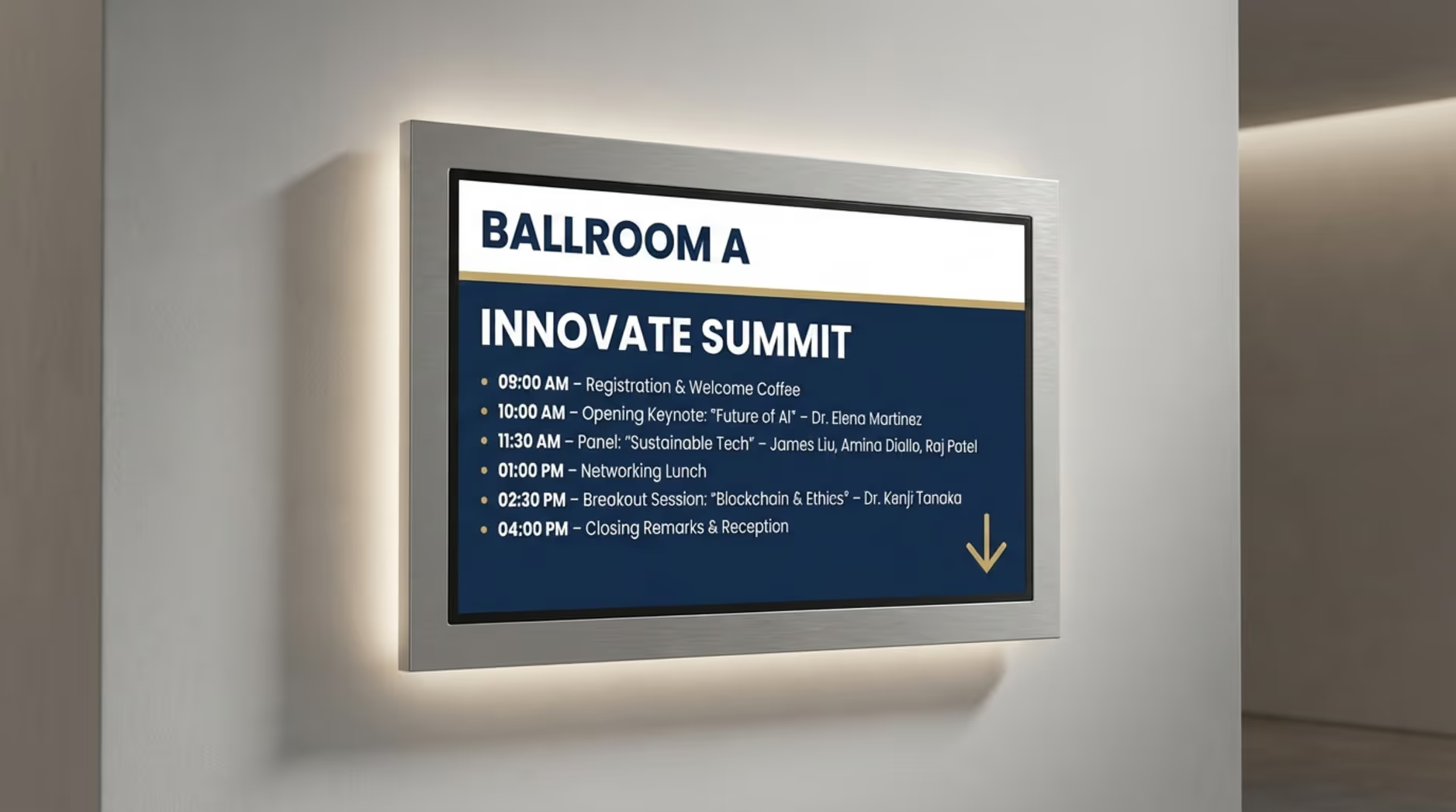
If your property hosts conferences, schedules change constantly. Digital signage templates allow you to update meeting agendas, room assignments, and times instantly, reducing confusion for large groups.
Wayfinding templates with clear directional arrows guide attendees to the right conference rooms or elevators, cutting down on front-desk questions and keeping foot traffic moving smoothly through your property.
Popular Uses of Digital Signage Templates in Hotels
Hotels rely on digital signage to welcome guests, drive revenue, and simplify internal operations. Because templates adapt easily to different spaces, you can run the right message on the right screen.
Whether it is the lobby, the bar, or the staff breakroom, you can maintain a unified brand look while delivering highly specific information.
Welcome Screens and Guest Greetings
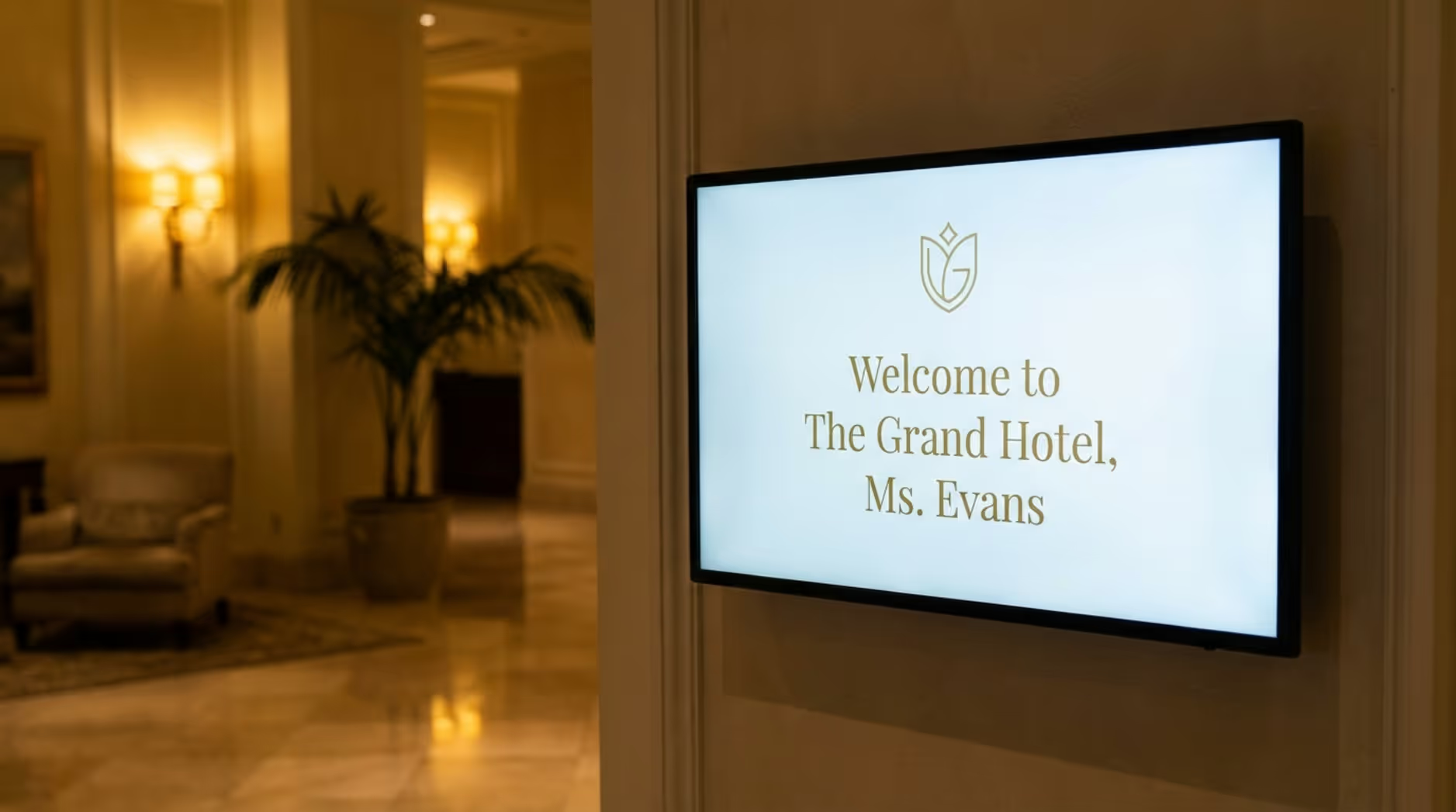
Welcome screens at the entrance or reception desk create an immediate connection. You can greet VIPs, incoming tour groups, or event attendees by name. This small touch goes a long way in making visitors feel valued.
Using a branded template ensures this first touchpoint looks modern and reflects your property’s unique style and atmosphere.
Event and Meeting Room Schedules
Keeping large events on track is much easier with digital schedules outside meeting rooms. Templates let you clearly display session times, speaker names, and upcoming agenda items.
If a session runs late, you can adjust the schedule on the fly using remote management, keeping attendees informed and event planners stress-free.
Restaurant Menus and Promotions
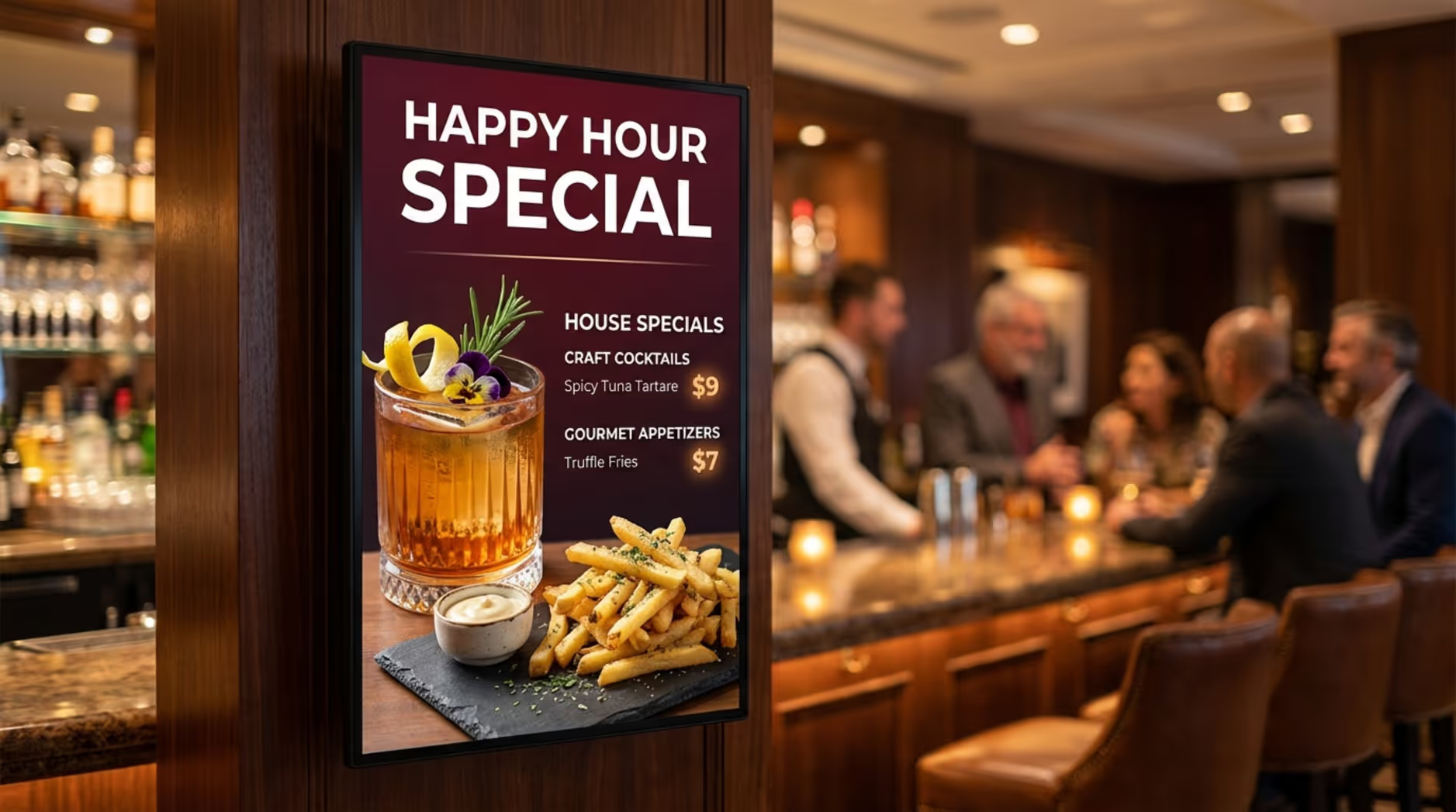
Digital menu boards replace static paper menus with vibrant photos, clear pricing, and dynamic layouts. Using templates, you can instantly update daily specials or remove sold-out items.
Add Smart Scheduling to automatically switch from breakfast menus to happy hour promos exactly when the time is right, helping you drive more food and beverage sales with zero manual effort.
Local Attractions and Travel Information
Guests constantly ask for local recommendations. Displaying nearby attractions, shopping spots, and transport options turns your screens into a digital concierge.
You can easily refresh this content to reflect seasonal activities or add live flight updates, helping travelers plan their day and positioning your hotel as a helpful local guide.
Social Media and Live Updates
Bringing live social media feeds onto your screens keeps your property feeling active and connected. You can showcase guest reviews, recent photos, or local event highlights.
This keeps your content fresh automatically and encourages visitors to interact with your brand online during their stay.
Weather, News, and Entertainment Feeds
Providing real-time information is a simple way to add value. Built-in apps allow you to drop live weather forecasts or news tickers directly into your layouts.
Because these feeds update automatically, your guests get current information to help them plan their outfits or travel, without your staff having to lift a finger.
Key Features to Look for in Hotel Digital Signage Templates
Not all template libraries are created equal. The best solutions combine professional design with practical tools that fit your team's workflow.
Look for platforms that make it easy to edit content, automate playback, and manage your entire network from one dashboard.
Customizability and Brand Integration
A good template bends to your brand, not the other way around. You need the ability to easily upload your logo, adjust fonts, and apply your exact brand colors.
This ensures that every screen, from the spa to the conference center, looks like a natural extension of your hotel rather than a generic digital poster.
Dynamic Content Support (Weather, RSS, Social Media)
The biggest advantage of digital signage software is automation. Choose a platform that natively supports live data feeds.
Look CMS, for example, offers built-in tools that let you easily add live weather, news RSS feeds, and dynamic widgets directly into your templates, keeping screens relevant with no manual daily updates.

Portrait and Landscape Orientation Options
Hotel spaces vary, and so do screen placements. Your software should offer templates optimized for both landscape (horizontal) and portrait (vertical) orientations.
This ensures your content looks perfectly proportioned, whether it is playing on a wide lobby video wall or a tall, freestanding kiosk in the hallway.
Scheduling and Content Management Tools
To keep your messaging relevant, you need robust scheduling capabilities. With features like Smart Scheduling, you can automate what plays and when.
Set your breakfast menu to stop playing at 11:00 AM and have lunch promos take over automatically. Set it and let the system do the work, so your staff can focus on guests.
Multi-Screen and Centralized Control Capabilities
If you manage a large resort or multiple hotel locations, centralized control is non-negotiable. A cloud-based platform allows you to push updates to one screen or thousands from a single dashboard.
This keeps your brand standards unified across the entire network and eliminates the need to visit screens in person with a USB drive.
Responsive and Mobile-Friendly Designs
Managing your screens should not tie you to a desk. Modern digital signage software lets you log in from anywhere to make quick updates on the go.
You can also bridge the gap to guests' personal devices by including QR codes in your templates, allowing them to scan and view menus, surveys, or event maps directly on their phones.
Where to Find High-Quality Hotel Digital Signage Templates
Finding the right templates means choosing the right software partner. While standalone design marketplaces exist, the most efficient route is using an all-in-one digital signage platform that includes a built-in library.
This ensures the templates you choose will actually work with your hardware and scheduling tools without technical headaches.
Online Template Marketplaces and Providers
While you can hunt for standalone files on generic design marketplaces, these often require external software to edit and format properly.
For hotels, it is much faster to use an integrated platform. Look Digital Signage provides a comprehensive suite of tools built specifically for real-world business environments, including hospitality, so you can skip the complicated design phase.
Free vs. Paid Template Options
You will encounter both free and premium template options online. While downloading a free slide deck might seem cost-effective, it usually lacks the automation and scheduling needed to run a hotel network.
Subscribing to a dedicated digital signage software gives you access to an evolving library of Ready-made Templates, reliable playback, and proper technical support.
Leveraging Built-In Template Libraries in Signage Software
The most streamlined approach is using a platform with its own built-in template library. When you use Look CMS, the templates are designed to work perfectly with the software’s layout and scheduling tools.
This eliminates compatibility issues and lets you go from logging in to publishing your first playlist in minutes.
How to Customize and Deploy Hotel Digital Signage Templates
Once you have selected a template, customizing and publishing it is a straightforward process. You do not need an IT degree to get your screens live.
Just a few clicks are enough to align the content with your brand, set your schedule, and send it to your lobby or restaurant screens.
Uploading Your Logo and Brand Colors
Start by applying your core brand elements. Drop in your logo and adjust the color palette to match your hotel’s style guide.
Keeping these core elements consistent across your network builds trust and reinforces your property's professional identity.
Editing Text, Images, and Layouts
Next, swap in your own details. Update the text, change the event times, and upload high-quality photos of your rooms or dishes.
Using intuitive tools like Screen Layouts allows you to easily arrange multiple zones of content, like a promo video next to a text announcement, so your screens are both informative and visually engaging.
Incorporating Live Data and Integrations
Elevate your layouts by connecting them to live data. Instead of manually updating the weather or news, use built-in widgets to pull that information in automatically.
This keeps your screens highly relevant to travelers and reduces the daily maintenance required from your front desk or marketing teams.
Importing Templates into Digital Signage Software
With a cloud-based system, publishing is seamless. You simply save your customized template, add it to a playlist, and assign it to your screens.
Whether you are using the free Look App on existing smart TVs or deploying the plug-and-play Look HDMI Player, your new content will sync and start playing reliably in moments.
Best Practices for Maximizing the Impact of Digital Signage in Hotels
A great template is just the beginning. To get the highest ROI from your screens, you need to combine clear design with strategic scheduling.
When managed well, digital signage seamlessly supports your staff and elevates the guest experience without adding to your daily workload.
Tips for Designing Engaging Displays
Keep your designs clean and scannable. Guests are usually walking past your screens, so use large text, bold contrasts, and high-quality imagery.
Avoid cluttering the layout. If you have a lot of information to share, add a QR code so guests can easily scan it and take the details with them on their phones.
Content Scheduling for Different Times of Day
Relevance drives engagement. Use Smart Scheduling to adapt your messaging throughout the day to meet guest needs.
- Morning: breakfast menu, weather forecasts, and check-out reminders
- Midday: lunch specials, conference room directions, and local activity tips
- Evening: dinner menus, happy hour promotions, and entertainment options
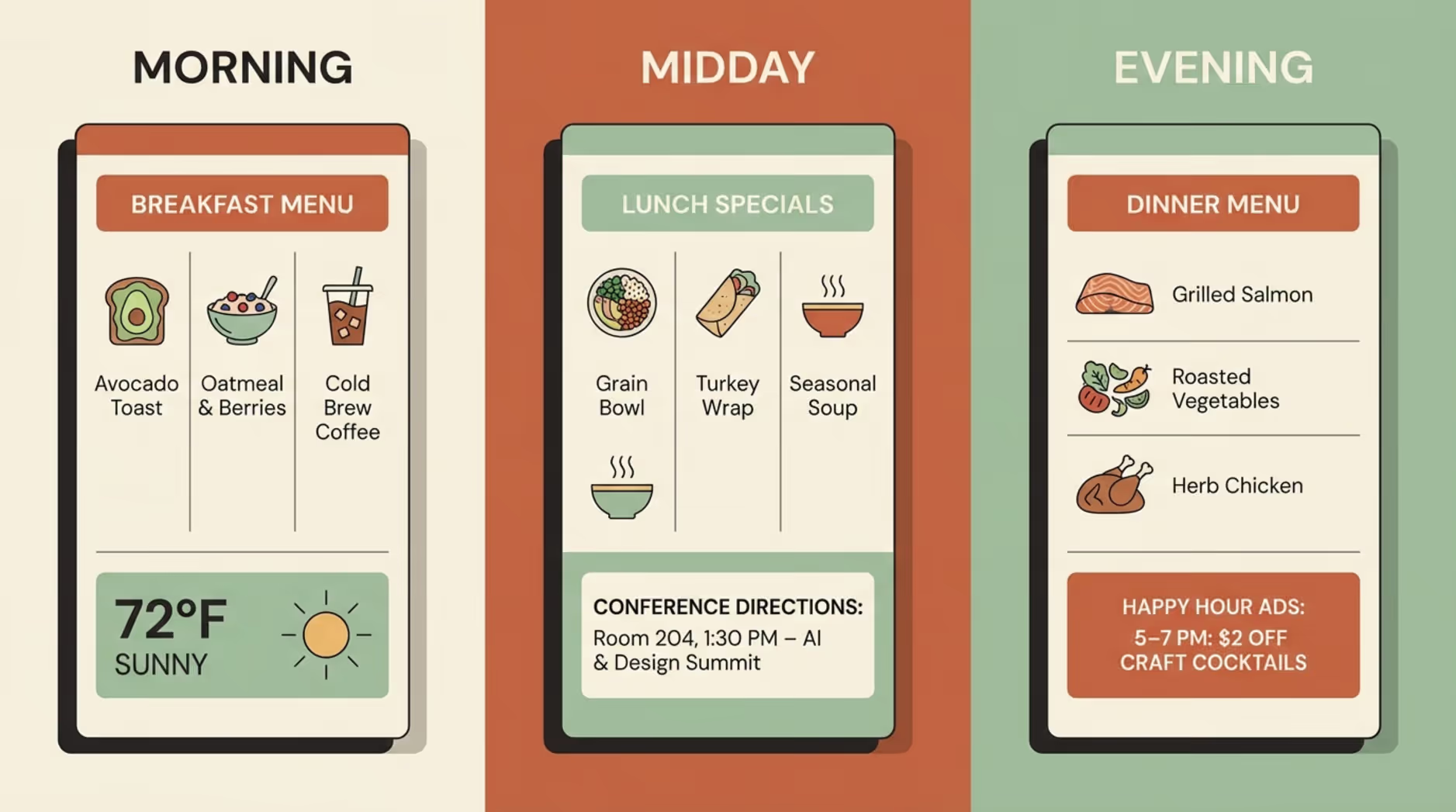
Automating these shifts guarantees your screens are always promoting the right offer at the right time.
Maintaining Brand Consistency Across Locations
If you manage a portfolio of properties, keeping the brand consistent is critical. Use centralized management tools to lock in approved templates and push unified campaigns across all locations.
This ensures that a guest visiting your hotel in one city gets the exact same premium visual experience as one visiting in another.
Monitoring Performance and Guest Feedback
Pay attention to how guests interact with your screens. Track whether promotions run on your digital signage lead to an uptick in restaurant bookings or spa visits.
You can also review Playback Analytics within your CMS to verify that the right campaigns are actually running at the right times, helping you prove ROI and optimize your ongoing strategy.
Frequently Asked Questions About Hotel Digital Signage Templates
Getting started with digital signage often brings up a few practical questions. Here is a quick look at what templates and modern signage software can handle for your hotel.
Knowing the capabilities of your platform helps you deploy your screens faster and with more confidence.
Can I use digital signage templates on any screen?
Yes, as long as you have the right hardware and software. You can run Look DS on almost any modern display by downloading the free Look App onto supported operating systems, or by connecting a dedicated Look HDMI Player to standard TVs for a simple plug-and-play setup.
Are templates updated for seasonal promotions and events?
Absolutely. A strong digital signage platform continually refreshes its library with seasonal and holiday-specific designs. This makes it effortless to launch a summer cocktail promo or a winter holiday greeting without starting from scratch.
How do templates handle multiple languages?
Templates themselves are visual layouts, so managing multiple languages is a function of your software and playlist setup. The most reliable approach is creating separate slides for different languages and adding them to your playlist, ensuring all international guests receive clear communication.
Can templates display real-time social media or news content?
Yes. Modern cloud-based software connects to live data sources easily. Using built-in integrations, you can overlay live weather, news tickers, or social media feeds directly onto your templates, keeping the content dynamic and engaging with zero extra effort from your team.







