Table of Content
How do large venues prevent visitor confusion and keep foot traffic moving smoothly? Venue wayfinding with digital signage solves this by using screens to guide people exactly where they need to go. Instead of printed maps that quickly go out of date, digital wayfinding acts as a smart, adaptable guide. It reduces stress for visitors, saves staff hours, and turns confusing building layouts into clear, manageable paths.
What Is Venue Wayfinding With Digital Signage?
Venue wayfinding with digital signage uses digital screens to guide people through physical spaces. Instead of static printed maps, you get bright displays that show live updates, step-by-step routes, and dynamic messages. The goal is simple: help visitors find their boarding gate, clinic, or event booth quickly and without frustration.
This setup blends screens, digital signage software, and smart placement. It can range from massive video walls in main lobbies to small touchscreen kiosks at busy corners. Whether you manage a small local clinic or a sprawling convention center, digital wayfinding helps visitors move with less effort.
How Does Digital Signage Improve Wayfinding in Venues?
Digital signage works better than traditional signs because it adapts in real time. A digital map can show a "you are here" marker, offer turn-by-turn directions, and even suggest faster routes when certain areas get crowded.
These screens also do more than point the way. You can use screen layouts to share event schedules, transit updates, safety alerts, and promotional content right alongside the map. This turns your wayfinding screens into an active hub for venue information.
Key Differences Between Static and Digital Wayfinding
Static wayfinding relies on printed signs that are hard to update. If a room number changes or a store moves, the printed map is instantly wrong. Static signs also cannot offer search bars, live updates, or QR codes for mobile navigation.
Digital wayfinding gives you remote management. You can update details from anywhere, keeping directions perfectly accurate. With bright visuals and interactive tools, digital displays grab attention and provide a much better visitor experience.
Why Venue Wayfinding With Digital Signage Matters
When people step into a large, unfamiliar building, they want the experience to be simple. Digital wayfinding is not just a nice bonus-it directly improves how visitors feel and how smoothly your venue runs.
Clear directions build trust, reduce crowding, and can even open up new revenue streams. It is a practical way to prove ROI while keeping operations highly efficient.
Improves Visitor Experience and Satisfaction
Visitors relax when they know exactly where to go. Clear, visual directions reduce anxiety and help people arrive on time. It also means fewer people stopping your staff to ask for directions, which often leads to better reviews and repeat visits.
When visitors are not worried about getting lost, they can focus entirely on why they came-whether that is enjoying an event, making an appointment, or shopping.
Increases Operational Efficiency for Venues
Digital wayfinding takes the pressure off your team. When screens handle the directions, staff can focus on their actual jobs. It also helps manage crowds and keeps foot traffic flowing smoothly during peak hours.
Because you can push real-time updates to your screens, your team can react instantly to unexpected changes. If a meeting moves to a different floor, a quick schedule update keeps everything organized.
Boosts Revenue and Engagement Opportunities
When people navigate easily, they explore more. Digital directories can highlight cafes, gift shops, or special exhibits visitors might otherwise walk right past. You can easily schedule promos to run on these same screens.
Venues can also display ads and sponsored content within their playlists, creating a direct return on investment. Confident visitors tend to stay longer and spend more.
Supports Accessibility and Inclusivity
Modern venues must welcome everyone. Digital wayfinding supports inclusivity by offering multiple languages, larger text, audio cues, and high-contrast visuals for those who need them.
Screens can highlight elevators, ramps, and accessible restrooms. This makes it much easier for visitors with mobility needs to navigate safely and independently.
Industries and Venues Benefiting from Digital Wayfinding
Any large space that hosts visitors can benefit from a digital wayfinding setup. These systems organize foot traffic and provide reliable communication across many different industries.
From crowded travel hubs to massive hospitals, digital guidance turns a complex maze into a clear, walkable path.
Airports and Transportation Hubs
Travelers are usually in a hurry. Digital screens can display live flight updates, gate changes, and directions to baggage claim or food courts. When delays happen, these screens keep travelers informed and calm.
Since airports serve a global audience, multilingual directories are especially valuable for reducing confusion.
Hospitals and Healthcare Facilities
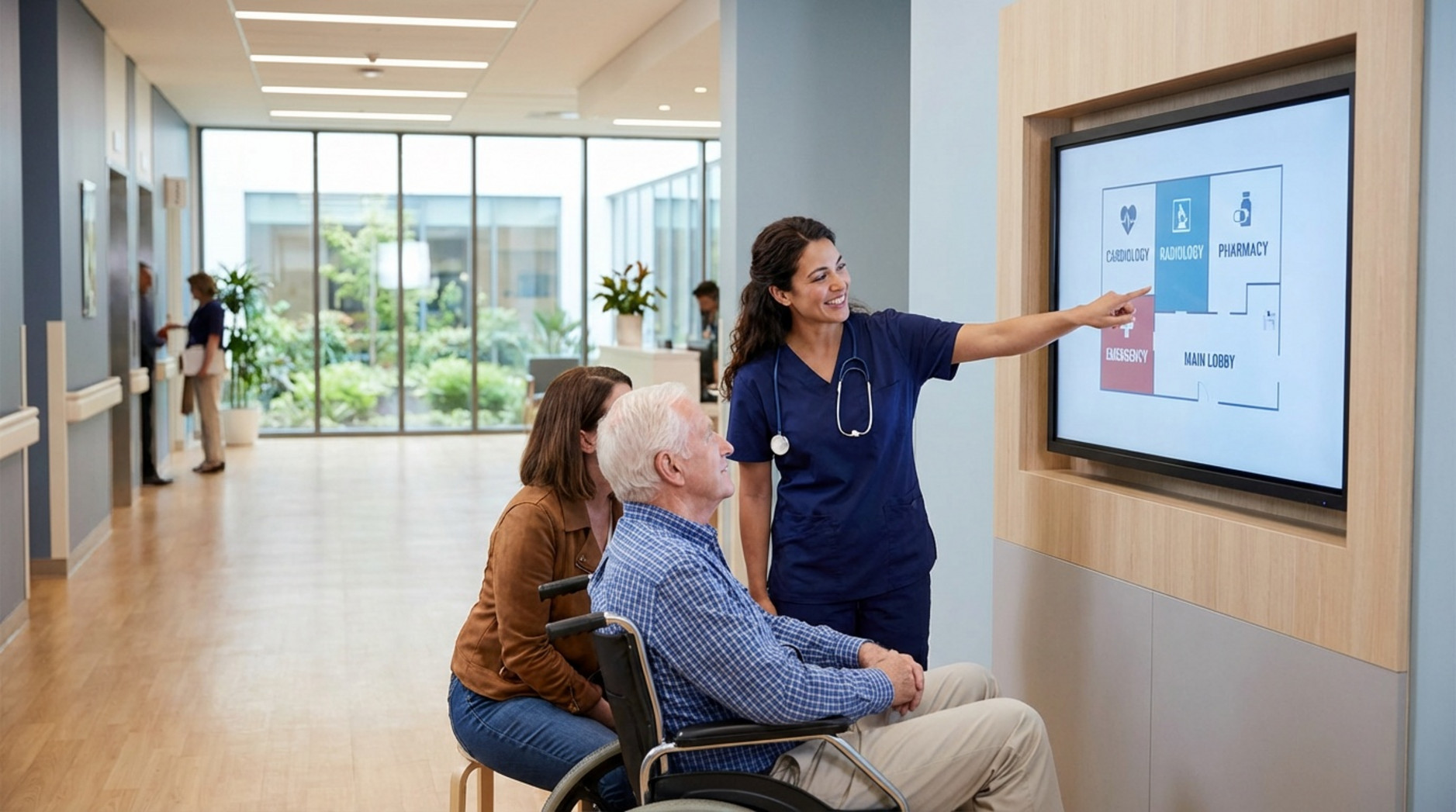
Healthcare environments can be highly stressful. Digital wayfinding helps patients find specific clinics, pharmacies, or waiting rooms fast. It reduces the fear of being late for an appointment.
Interactive kiosks provide maps and doctor directories, which lowers the number of missed appointments and frees up nurses from acting as tour guides.
Malls, Shopping Centers, and Retail
In retail spaces, a smooth trip encourages spending. Digital directories help shoppers locate stores, restrooms, and parking levels instantly.
Shopping centers can use these screens to highlight flash sales and new store openings. Being able to search by product category makes the trip much more rewarding for the buyer.
Convention Centers and Event Venues
Events change rapidly. Digital wayfinding keeps up by showing real-time session locations, booth numbers, and speaker schedules. It stops crowds from blocking hallways as they search for their next room.
Organizers can update screens from anywhere to handle last-minute schedule changes, keeping the event right on track.
Universities, Offices, and Sports Stadiums
Universities use digital signage to guide students and guests to lecture halls and libraries. Large corporate offices use them to welcome visitors and point them to the right meeting room.
In sports stadiums, wayfinding screens point fans toward their seats, concessions, and exits. They also show live scores and safety alerts, making crowd movement much safer.
Types of Digital Wayfinding Signage for Venues
Digital wayfinding comes in several formats, designed to fit different spaces and budgets. Most venues use a mix of these options to cover all their bases.
Options range from large lobby displays to small room signs and mobile tools.
Interactive Kiosks and Touchscreen Directories
Interactive kiosks usually sit at main entrances and major intersections. Visitors can search for a specific location, view a map, and get a clear path.
These touchscreens are highly effective self-service tools. A simple "you are here" marker helps visitors orient themselves, and some kiosks even generate an estimated walking time.
Digital Maps, Video Walls, and Room Signage
Large digital maps and video walls work best in open lobbies. They provide a high-level view of the building and ensure visitors can spot the main areas from a distance.
Smaller room signs sit just outside meeting rooms or clinics. They pull in schedule data to show who is using the room and when it will be free next.
Mobile Integration and QR Code Wayfinding
Mobile integration lets visitors take the map with them. Instead of memorizing a route, they can follow it directly on their phone.
QR codes are perfect for this. Visitors scan a code on the screen and the map opens in their mobile browser immediately, creating a smooth handover from the physical screen to their personal device.

Real-Time Dynamic Messaging and Alerts
The biggest advantage of a cloud-based digital signage software is speed. Screens can switch in seconds to show emergency exit routes, severe weather alerts, or closed areas.
You can send these alerts to every screen or just specific zones. This keeps your venue safe and your visitors properly informed.
Core Features of Venue Wayfinding With Digital Signage
Wayfinding software does much more than draw arrows on a map. Today’s platforms include smart features that improve the visitor journey and provide useful data.
Here is what makes a modern system so effective.
Customizable and Branded Maps
A reliable platform like Look Digital Signage helps you build an experience that matches your brand. You can use ready-made templates to start quickly, customizing the colors, fonts, and logos so the screens look professional.
Using Look CMS, you can update your maps the moment a layout changes, ensuring your screens never show outdated information.
Personalized Navigation and Route Planning
Interactive wayfinding lets visitors select exactly where they want to go. Tools like Look's Interactive Scenarios allow you to build touch-friendly menus and buttons without coding.
This helps users choose the fastest route or an accessible path, reducing anxiety in busy spaces.
Multilingual Support and Accessibility Standards
Many setups let users switch languages with a tap. This is a massive help in international transit hubs or tourist spots.
You can also design high-contrast views and larger text buttons to support visitors with vision needs, keeping your venue inclusive.
Location-Based Services and Push Notifications
Some systems use beacons or Wi-Fi to locate a user inside the building. This provides highly accurate directions based on where they are standing.
If connected to a venue app, the system can even send a push notification when a user walks near a special offer or their upcoming event session.
Data Analytics and Flow Management
Digital wayfinding acts as a valuable data source. Analytics tools show you which maps get the most clicks, what people search for, and where foot traffic bottlenecks.
By reviewing this data, you can refine your playlists, add better signage at confusing intersections, and continuously improve the visitor experience.
How to Implement Venue Wayfinding With Digital Signage
Setting up digital wayfinding takes a bit of planning. You need to pick reliable hardware, set up the right software, and build clear content.
A solid rollout also looks ahead to how the system will scale as your venue grows.
Choosing the Right Hardware and Software
Hardware choices include media players, touch kiosks, and bright displays. They need to be durable enough for public spaces.
For software, you need a cloud-based platform that makes remote management simple. Look Digital Signage is designed to be approachable for non-technical teams, letting you control one screen or a thousand from a single dashboard. Features like offline playback ensure your screens keep running even if the internet drops.
Integrating Real-Time Data and Content Management Systems
To avoid manual updates, connect your wayfinding to live data. You can link event calendars, transit feeds, or emergency alerts to update automatically.
Using flexible screen layouts, you can show a static map in one zone of the screen while a live news ticker or weather widget plays in another.
Designing for Accessibility and User Needs
Keep the design focused on the user. Text must be highly readable, and interactive buttons should be large and easy to tap.
Use clear, consistent names for landmarks. Testing the map with a few visitors first can help you spot and fix confusing routes quickly.
Ensuring Scalability and Future-Proofing
As your venue expands, your signage network should scale smoothly. You might add more screens or integrate new mobile features later on.
Choosing a platform that can scale from 1 screen to thousands helps protect your investment, so you never outgrow your software.
Planning for Maintenance and Continuous Improvement
Your screens need ongoing care to keep running perfectly. This includes checking device health, updating maps, and tracking uptime.
Use proof-of-play and monitoring tools to ensure your content is always live. Adjust your maps based on visitor feedback to keep the system helpful long-term.
Best Practices and Considerations for Digital Wayfinding Success
Where you put the screens is just as important as what they show. Following basic best practices ensures visitors actually use the tools you provide.
The ultimate goal is a space that feels completely natural to navigate.
Placing Signage at Key Decision Points in the Venue
Put screens right where people pause to figure out their next move. Entrances, intersections, and elevator banks are prime spots.
Make sure they are installed at eye level and are not blocked by plants or pillars. Avoid placing them in narrow, fast-moving walkways where stopped visitors might cause a traffic jam.

Establishing Clear Information Hierarchy and Landmarks
Keep the content scannable. Put the most critical information in large fonts at the top. Use simple icons instead of heavy blocks of text.
Include prominent landmarks in your directions. Telling someone to "turn left at the main coffee shop" is much easier to follow than just pointing to a hallway.
Optimizing for Different Devices and User Preferences
Give people choices. Touch kiosks are great for complex searches, while displaying QR codes on passive screens lets people grab a map on the go.
By supporting different preferences, you make navigation easier for tech-savvy guests and traditional visitors alike.
Testing, Measuring, and Iterating Wayfinding Solutions
Wayfinding is not a set-and-forget project. You need to test it, see what people search for, and adapt.
If a specific clinic is searched 100 times a day, you might need a clearer sign pointing to it from the lobby. Constant tweaks keep the system highly effective.
Measuring the Impact and ROI of Venue Wayfinding With Digital Signage
Wayfinding is an investment, so proving ROI matters. You can track exact metrics to see how well the screens are working.
By reviewing the data, you can prove the value of your screens and spot new ways to improve operations.
Key Metrics: Visitor Flow, Engagement, and Satisfaction
Track how often visitors tap on kiosks, scan QR codes, or search for specific locations. High engagement means the tools are useful.
You can also track satisfaction through guest surveys or by simply asking front desk staff if they are spending less time giving directions.
Using Data Insights to Refine Navigation and Operations
Without data, your screens are just decoration; with data, they become a finely tuned engine for smoother operations. If analytics show massive crowds in one area, you can schedule specific route suggestions during peak hours to clear the bottleneck.
This data-driven approach ensures your signage continues to solve real problems every day.
Frequently Asked Questions about Venue Wayfinding With Digital Signage
What is the cost of implementing digital wayfinding?
The cost depends on screen count, hardware type, and software subscriptions. Factors include:
- Number and type of displays (kiosks, video walls, room signs)
- Software and CMS licensing
- Installation and network setup
- Map and content design
- Ongoing support and maintenance
While the upfront investment involves buying screens and media players, venues quickly prove ROI by saving staff hours and boosting visitor satisfaction. With a platform like Look DS, you can start small and scale smoothly, choosing a setup that fits today and grows with you.
How does digital wayfinding improve accessibility?
Digital wayfinding supports accessibility by offering features like:
- Multiple language options for international guests
- Larger text and high-contrast layouts
- Audio guidance for visitors with vision needs
- Step-free route options highlighting elevators
- Touchscreens placed at wheelchair-accessible heights
When designed well, it helps everyone navigate safely and independently.
What are the main challenges with digital signage in venues?
Common hurdles include the initial setup, keeping content fresh, and avoiding IT-heavy systems that cause downtime. That is why choosing a reliable, cloud-based platform with simple setup is essential. A system designed with offline playback ensures your screens keep running even if the internet drops.
As spaces evolve, venue wayfinding with digital signage will connect even more deeply with mobile tools and live data. It will continue to act as a smart, adaptable guide that helps visitors at every step.
With the right setup, you can turn a confusing layout into a welcoming, organized environment from the moment a guest walks through the door.