


Table of Content
How can hospitals share critical information instantly while reducing anxiety for patients and staff? By moving from printed posters to a centrally managed digital signage network. With the right platform, you can guide visitors, display live wait times, update staff announcements, and schedule calming content from anywhere, helping your facility run more smoothly and feel more welcoming.
What Is Hospital Digital Signage?
Hospital digital signage refers to networks of digital screens that display dynamic, easily updated content. Instead of relying on static whiteboards or printed signs that take staff hours to replace, digital signage software lets your team publish real-time updates in minutes. These screens guide visitors, share helpful details, and create a more comfortable setting for patients.
Both large hospital campuses and smaller clinics use these cloud-based displays to replace outdated messaging. This ensures patients, families, and staff stay informed while keeping messaging consistent across every wing and waiting room.
How Does Digital Signage Work in Hospitals?
Most modern hospital signage runs through a single cloud-based digital signage platform. Staff can log into a central dashboard to build a playlist, schedule content, and manage screens from a distance. This remote management is essential in healthcare, where facilities' needs change quickly.
Digital signage becomes even more powerful when integrated via API with existing hospital tools. By connecting to queue management systems, anonymous patient tracking, or emergency alert tools, screens can show live updates like current wait times or urgent warnings. This clear communication reduces the number of repetitive questions asked at the front desk.
Key Types of Hospital Digital Signage
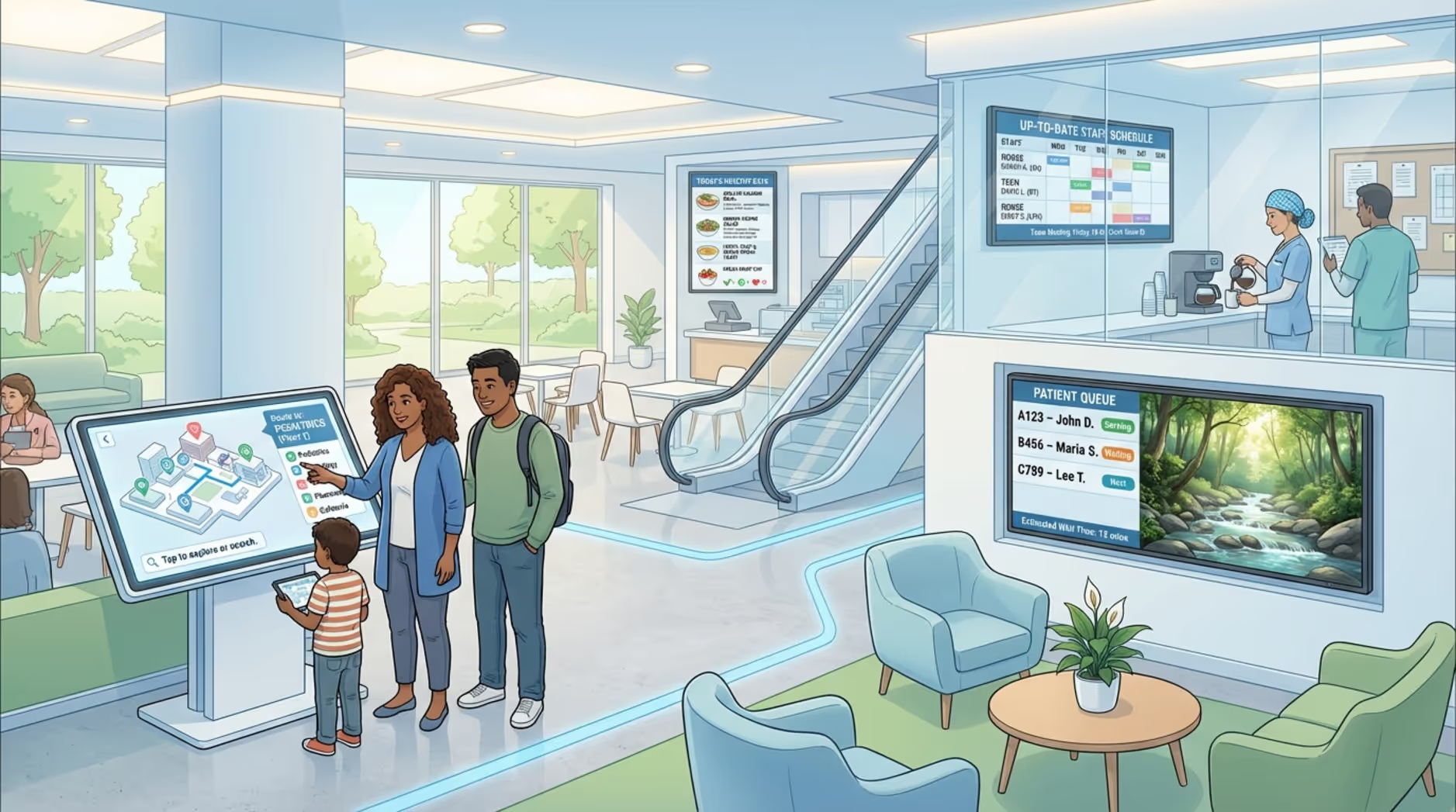
Digital signage handles many different jobs across a facility. The right screen in the right location makes navigating the building easier and less stressful for everyone.
- Wayfinding Signage: Interactive maps, directories, and clear step-by-step directions to help people find departments, cafeterias, and patient rooms.
- Waiting Room Displays: Screens showing estimated wait times, health tips, and calming videos to help people pass the time comfortably.
- Emergency Alerts: Displays configured to override normal content with urgent instructions, like evacuation steps, often tied to the facility's central alarm.
- Staff Communication Boards: Screens in breakrooms and administrative areas showing shift updates, policy changes, and internal news.
- Digital Menu Boards: Cafeteria displays listing menus, prices, and nutritional details, keeping options clear and easy to read.
- Patient Room Displays: Screens sharing daily care schedules and entertainment options for patients during their stay.
- Public Health Awareness Screens: Displays highlighting community updates, handwashing guidance, and vaccination programs.
- Queue Management Systems: Screens at check-in desks that call numbers and show wait times to manage patient flow.
- Other types: Digital door signs for meeting spaces, large video walls in main lobbies, and interactive kiosks.
What Content Works Best for Hospital Digital Signage?
Hospital signage works best when the message is clear, practical, and highly relevant to the viewer. Good content helps people feel informed, which directly supports a better patient experience. The goal is to deliver the right information at the right time.
Healthcare content usually needs to balance a few goals: reducing worry, sharing basic health guidelines, guiding people, and offering simple distractions. When you schedule content with these outcomes in mind, your screens become an active part of the care environment.
Patient Education and Clinical Information
Digital signage is highly effective for basic patient education. You can display short health tips, seasonal wellness reminders, and prevention advice. For example, screens can run brief videos on stress reduction or proper handwashing. Including QR codes on the screen allows patients to scan and read more detailed brochures on their phones.
In clinical areas, secure digital whiteboards can keep care plans clear for staff and patients without violating privacy. You can also use lobby screens to promote community health initiatives like blood drives, wellness events, and local support groups.
Wayfinding and Directories
Navigating a large hospital can be overwhelming. Digital signage solves this with clear directories and map layouts. Using simple arrows, recognizable icons, and color-coded zones makes directions easy to follow. Placing screens in parking structures or near main entrances helps visitors get oriented before they even reach the reception desk, saving time for both guests and your staff.
Safety Alerts and Emergency Messages
Hospitals require a fast, reliable way to share urgent information. Digital signage software allows you to push emergency messages, like severe weather alerts or security protocols, to every screen in seconds. You can also schedule short-term notices, such as construction detours or updated visitor hours, keeping everyone safe and aware.
Calming Ambient Content and Positive Messaging
Medical environments can feel intense. You can use digital displays to create a calmer atmosphere by scheduling quiet visuals like nature scenes, slow-moving landscapes, or underwater imagery. Giving people something peaceful to focus on can noticeably lower anxiety in waiting areas. Encouraging quotes or positive community stories can also help patients feel supported.
Staff Communication and Room Booking
Screens placed in staff-only zones are excellent for internal communication. Breakroom displays can cycle through policy updates, training reminders, shift changes, and team recognition, reducing the need to send mass emails.
Many facilities also mount small interactive screens outside meeting spaces. Connected to calendar systems, these digital door signs let staff instantly see if a room is available and book it on the spot.
Multilingual and Inclusive Content
Because hospitals serve diverse communities, offering content in multiple languages is crucial. Digital signage easily rotates through Spanish, English, or other local languages so more visitors feel comfortable. For better accessibility, always include closed captions on videos and ensure your map layouts use large, readable fonts.
How to Design Effective and Calming Hospital Signage
Signage design goes beyond basic branding. In a healthcare setting, the layout must help people absorb information quickly without adding stress. The colors, text size, and motion you choose dictate how easily a patient can read the screen from across the room.
Simple design always wins. Crowded layouts confuse viewers. Focus on clear typography, short messages, and a clean style that blends naturally into the hospital environment.
Use Soothing Color Palettes and Visuals
Colors impact mood. Soft blues, greens, and natural tones tend to feel calm and secure. Overusing bright reds or harsh yellows can accidentally cause alarm. Pair these soft colors with gentle imagery. While you should include your hospital's logo, keep the branding subtle so the screens serve as helpful tools rather than feeling like advertisements.
Prioritize Simplicity, Clarity, and Legibility
Keep your screen layouts uncluttered. Do not pack five different announcements into one slide. Use plenty of whitespace and keep sentences brief. Showing one main idea at a time allows people walking past to understand it instantly. Always ensure a strong contrast between your text and the background color.
Apply Soft Animations and Transitions
Any movement on screen should be gentle. Smooth fades and slow transitions work much better than flashy cuts or fast-scrolling tickers. Calm motion keeps the display noticeable without being distracting. In pediatric areas, you can use soft animations to share simple stories that entertain children without overstimulating the room.
Select Appropriate Typography and Audio
Use large, clean sans-serif fonts. A good rule of thumb is to keep text at 24 points or larger so it is readable from a distance. If you must use audio, keep the volume very low. In most waiting areas, silent playback with closed captions is the most respectful and accessible choice.
How to Manage Hospital Digital Signage Systems
A successful hospital digital signage network requires reliable software, the right hardware, and simple daily routines. A well-managed setup improves daily operations, keeps data secure, and proves its ROI by reducing staff interruptions.
To avoid outdated screens or confusing messages, your system must be easy for non-technical staff to update from anywhere.
Content Management and Scheduling Best Practices
To keep screens accurate, your team needs a simple content management system. Staff should be able to update playlists quickly. Build a habit of reviewing content regularly: keep queue data live, rotate ambient images weekly, and refresh health education slides monthly. Set expiration dates on temporary announcements so old news drops off the schedule automatically.
Integration with Existing Hospital Systems
Your screens provide the most value when they talk to your existing tools. Connecting your signage to queue managers or basic scheduling software allows displays to update automatically. This hands-off approach ensures your waiting room screens always show accurate times, keeping staff focused on patients rather than manual updates.
Ensuring Accessibility and Inclusivity
As mentioned in the design section, screens must work for everyone. Always enable closed captions on video files and support multiple languages. Ensure digital directories are placed at accessible heights for wheelchair users, providing a supportive environment for every visitor.
Maintaining Privacy and Data Security
Patient privacy is non-negotiable. Your digital signage platform must support privacy-first data practices and help you maintain local regulations like HIPAA. Use strong passwords, restrict user permissions, and ensure any data integrations are anonymous. Never display personally identifiable medical information on public-facing screens.
Selecting and Managing Hardware
Commercial-grade hardware provides the reliable playback a hospital needs. Look for screens with crisp 1080p or 4K resolution, typically 42 inches or larger for public lobbies. You will also need dependable media players to run the content. Dedicated plug-and-play players offer simple setup and fewer IT headaches than consumer-grade streaming sticks.
Choosing Digital Signage Software
The software is the engine of your entire network. To keep your network running smoothly without overwhelming your IT team, Look Digital Signage is a strong fit for healthcare environments. Using the cloud-based Look CMS, your team can manage screens across multiple wings or separate clinics from anywhere, with no complex setup required. You can use Smart Scheduling to automate when cafeteria menus or visiting hour guidelines appear, while Screen Layouts allow you to show a directory next to a health education video on the same display. Plus, Offline Playback ensures your critical wayfinding and informational screens keep running reliably even if the hospital's internet connection temporarily drops.
Strategies for Placement and Visibility
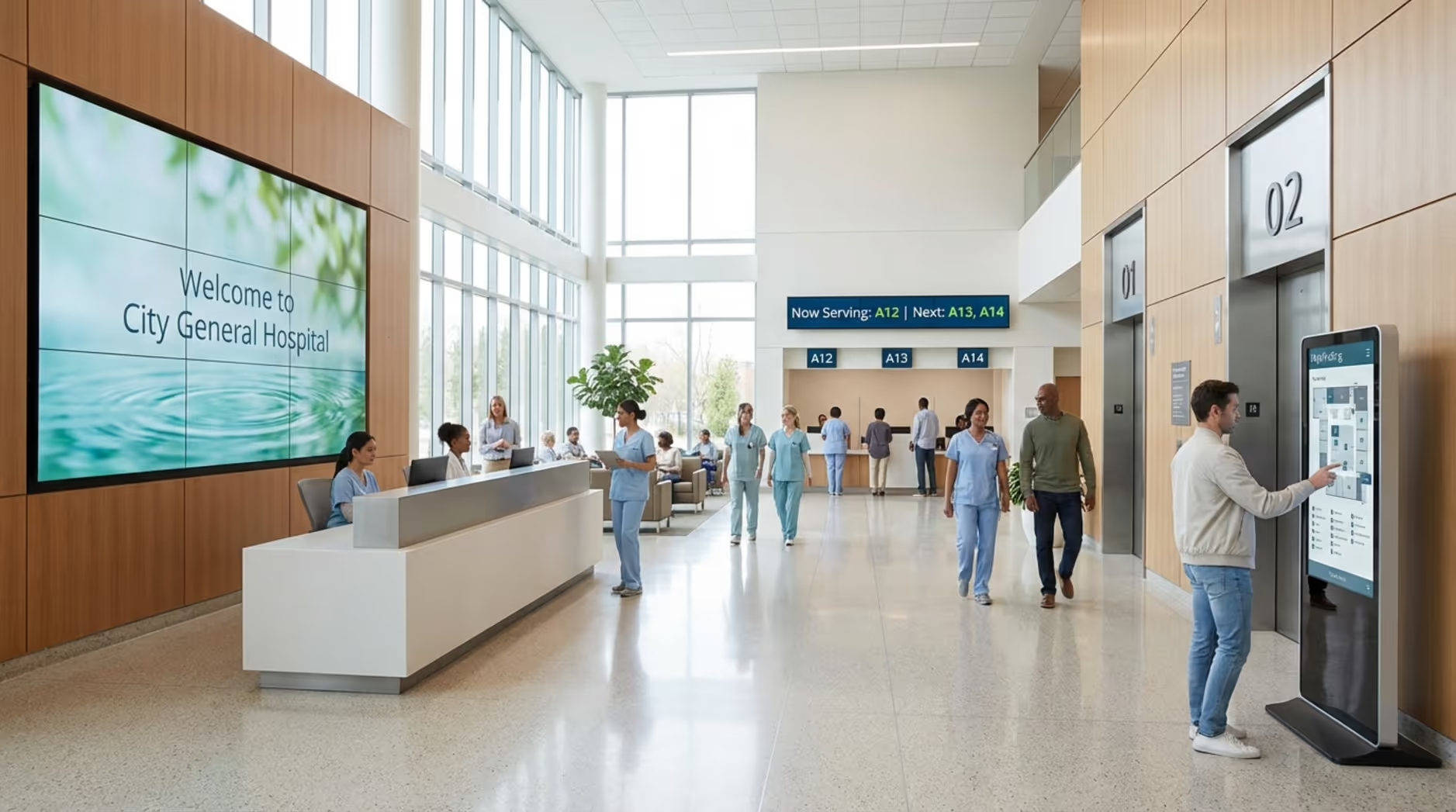
A screen is only helpful if people can see it. High-traffic areas like main entrances, elevator banks, and waiting rooms are ideal. Place the queue displays clearly above reception desks. Check the lighting to avoid screen glare, and ensure the display is mounted at a comfortable viewing height. Outdoor displays near parking entrances can also provide crucial directions before a visitor even steps inside.
Common Mistakes When Managing Hospital Digital Signage
Even the best hardware cannot fix poor content habits. Most signage issues stem from a lack of updates, cluttered designs, or forgetting the needs of the viewer.
Avoiding a few common traps ensures your screens remain a trusted resource rather than a source of frustration.
Overloading Screens with Information
Packing too much onto one screen is the fastest way to confuse a visitor. Too many zones, heavy paragraphs, and multiple moving tickers create visual stress. Keep it clean. Show one clear message at a time, use bullet points, and rely on playlists to cycle through information sequentially.
Neglecting Content Updates and Refreshes
Stale content destroys trust. If a screen shows a flu shot clinic from three months ago, visitors will ignore everything else it displays. Use scheduling tools to automatically remove old promos, and assign a specific team member to review the content calendar monthly.
Ignoring Accessibility Needs
Using tiny fonts, skipping video captions, or only displaying English messages excludes parts of your community. Always design with high contrast, large text, and inclusive language so your digital signage serves everyone effectively.
Underestimating Technical Support Requirements
Screens that display error messages or blank black squares look unprofessional. Choose a software platform that offers a simple setup and reliable remote monitoring. Train your front-desk staff on basic troubleshooting so they know exactly what to do if a screen needs a quick reset.
Frequently Asked Questions on Hospital Digital Signage
What Is the Average Cost to Set Up Digital Signage in Hospitals?
Costs depend on the number of screens, the type of commercial displays you choose, and your software subscription. A standard setup requires a display, a media player, and a monthly software license per screen. While initial hardware requires an upfront budget, facilities typically see a strong ROI by saving administrative time and reducing the cost of printing constant updates.
How Often Should Hospital Digital Content Be Updated?
Timing depends on the message. Queue status should update in real time. Calming ambient videos can rotate weekly to keep the space feeling fresh. General health tips should be swapped out monthly. Urgent alerts and policy changes should be pushed live the moment they happen.
Can Hospital Digital Signage Support Multilingual Communication?
Yes. You can easily schedule your playlists to rotate through multiple languages, or use interactive screen layouts to let visitors tap their preferred language on a directory. This reduces communication barriers at the front desk.
Is Staff Training Needed to Manage Digital Signage?
Yes, though it does not need to be complicated. A platform built for non-technical teams requires only a brief orientation. Training should cover how to log in, upload an image, build a playlist, and trigger an emergency alert, empowering your staff to keep screens accurate without calling IT.







