

Table of Content
How can healthcare facilities keep patients informed and calm while reducing perceived wait times? By replacing printed posters with digital signage screens that display real-time updates, clear wayfinding, and soothing content. Using a cloud-based platform like Look Digital Signage, you can schedule and manage every screen from anywhere, delivering accurate messaging in minutes without any complex setup.
What Are Hospital Waiting Room Screens With Digital Signage?
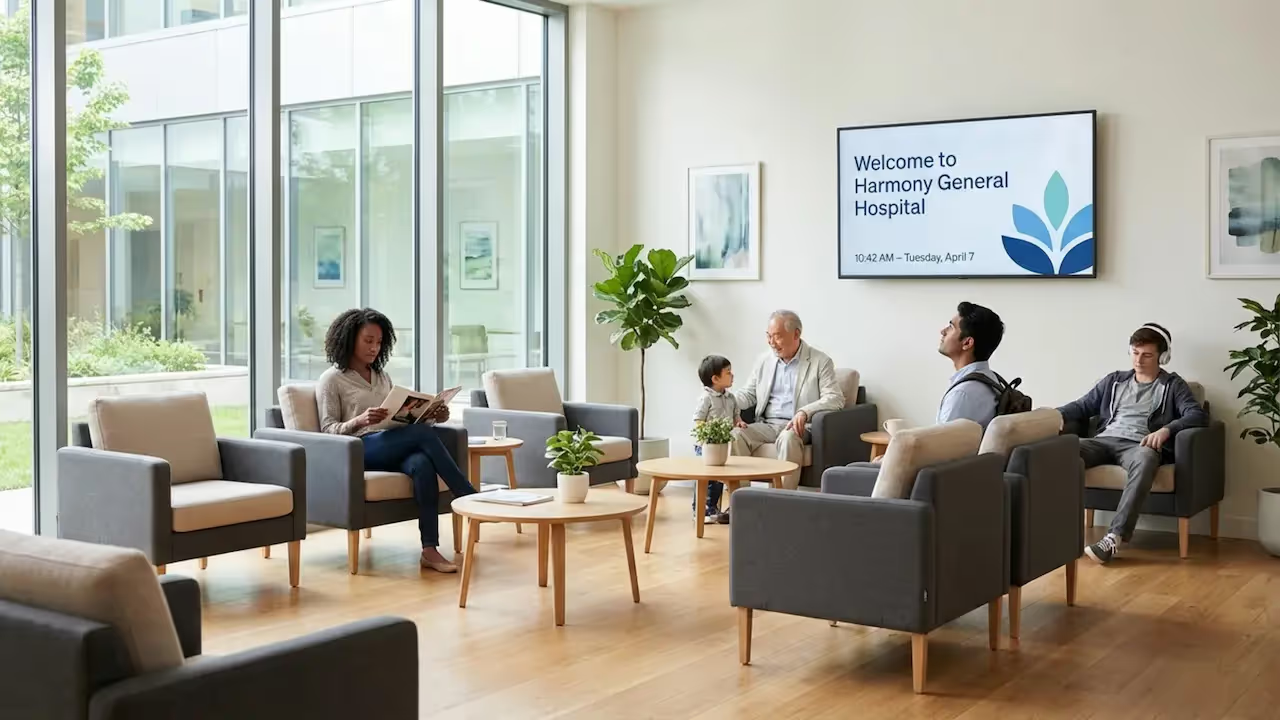
Digital signage in a hospital waiting room is a modern, data-driven way to communicate with patients, visitors, and staff. It replaces static, outdated notices with dynamic screens that can be updated remotely. You now see these systems in many healthcare settings, from busy emergency departments to small dental clinics, because they can help create a more organized and reassuring visit.
How do hospital waiting room screens work?
Hospital waiting room screens run through a digital signage system that controls the displays and feeds them content. You can build a playlist, schedule content, update it remotely, and sometimes connect it with hospital systems like patient queueing tools. With this setup, what patients see is always current, and staff can reduce printing and updates.
Most hospitals manage this through cloud-based digital signage software. Look CMS, for example, is designed to be a strong fit for healthcare teams because it includes drag-and-drop editing and Ready-made Templates. This means administrative staff can create, schedule, and publish content without relying on heavy IT support, keeping messaging consistent across locations.
Types of digital signage displays used in hospitals
Hospitals and clinics can choose from several types of digital signage hardware, depending on the space and the goal. Common options include wall-mounted screens for general waiting rooms, stand-alone kiosks for patient check-ins, and large video walls for main lobbies.
Modern digital signage setups can scale to fit different areas, such as:
- Large multi-screen video walls for a wide, seamless view in main entrances
- Interactive touch displays for wayfinding in complex corridors
- A single, standard LCD display for smaller clinic waiting rooms
Commercial-grade hardware is often recommended for the heavy 24/7 use required in healthcare. However, software like Look Digital Signage is flexible-you can use the free Look App on compatible smart TVs to pilot a program, or deploy the plug-and-play Look HDMI Player for incredibly reliable playback across hundreds of locations.
Who manages digital signage content in hospitals?
In many hospitals, digital signage content is managed centrally using cloud-based tools. This makes it simple to manage screens from anywhere, which is especially helpful when an organization operates multiple clinics or regional hospitals.
A central communications or marketing group often handles the overall brand templates, but modern software lets local staff contribute safely. With minimal training, receptionists or department nurses can log in to update urgent messages or wait times in real time. This ensures front-line teams share time-sensitive updates instantly, proving that digital signage is a practical tool for daily operations.
Benefits of Digital Signage in Hospital Waiting Rooms
A well-managed screen network can change how patients experience a visit. It can help reduce anxiety, improve communication, and allow the facility to run more efficiently.
Reduces perceived wait times for patients and families
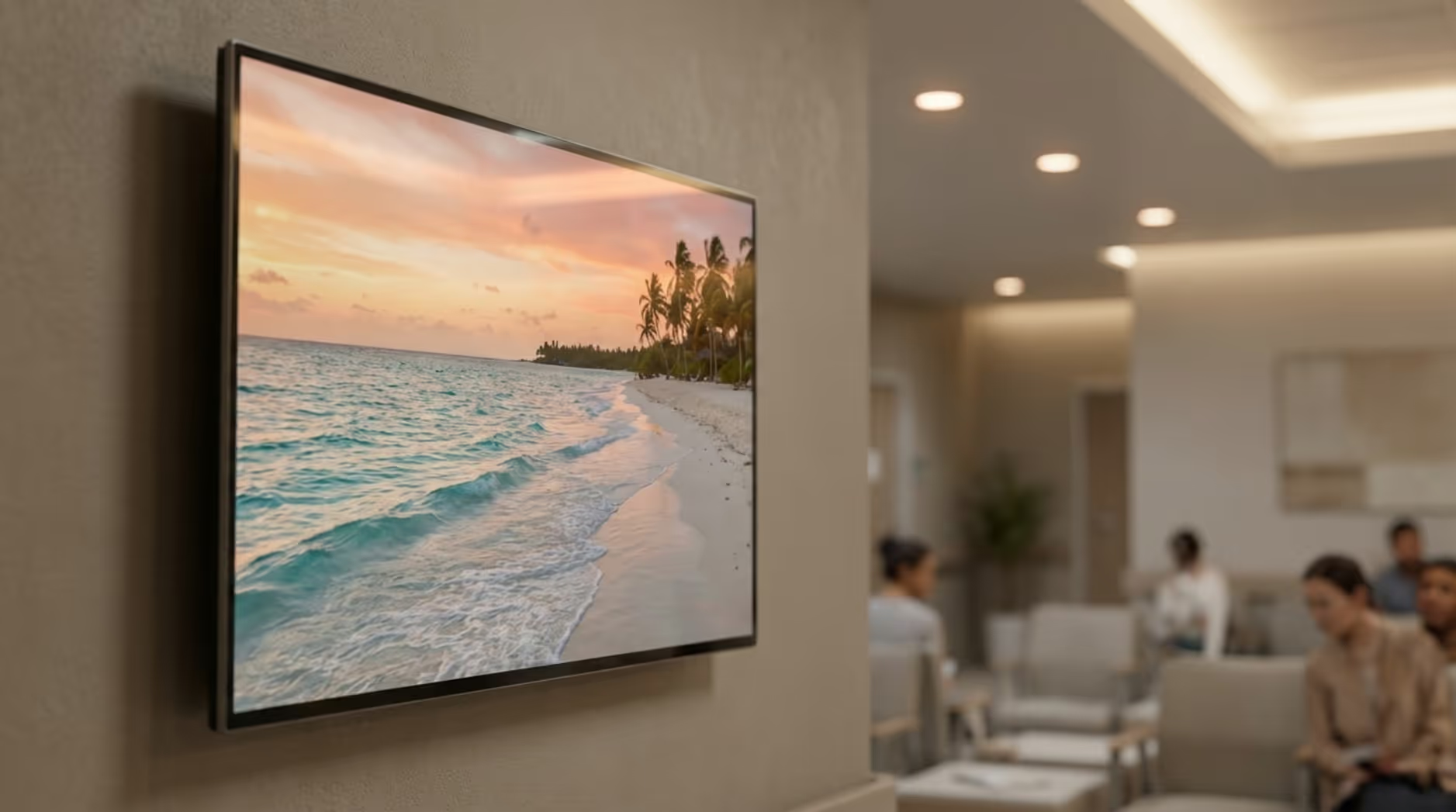
Long waits often cause stress. When screens show engaging content, such as looping nature videos with calm forests, quiet beaches, or slow-moving rivers, people focus less on the clock. Real examples, including Children’s Mercy Hospital in Kansas City, suggest that providing interactive kiosks or engaging visual content can reduce perceived wait times by up to 40%.
Sharing health tips, weather, and facility news can also give families something positive to focus on. A well-planned playlist turns idle waiting time into an informative, calming experience.
Improves communication and transparency
Digital signage serves as a highly visible communication channel. Screens can display estimated wait times, doctor availability, and department status. This helps patients know what to expect and reduces the frequency of people walking up to the front desk with questions.
Screens can also streamline intake. Using Look DS, for example, you can easily generate and display QR codes for virtual check-in, allowing patients to fill out forms on their mobile devices. This speeds up intake, giving staff more time for direct patient care.
Improves patient education and health literacy
Waiting time is an ideal moment to share helpful health information. Screens can show brief wellness tips, explanations of common procedures, medicine reminders, and preventive care guidance.
Educational content reduces repeated questions at the nursing station. Hospitals can also use these displays to introduce new clinical services or community health programs so patients know exactly what resources are available.
Helps create a calming and welcoming environment
Many people find hospitals intimidating. Calming visuals-such as nature scenes, underwater videos, or panoramic landscapes-can reduce stress during the wait. Mount Sinai Health System in NYC reported a 20% increase in patient satisfaction scores after introducing panoramic nature loop videos in lobby displays.
For younger patients, screens with kid-friendly content can help children relax. Thoughtful content choices make the environment feel less clinical and more supportive.
Streamlines hospital operations and staff workflow
When queue systems are connected to waiting room screens, patients can follow their status without constantly asking staff. St. Mary Regional Medical Center in Reno saw a 30% drop in front-desk requests after adding digital displays with live queue updates and facility maps.
Internal-facing screens in breakrooms or hallways can also share shift updates, training reminders, and safety KPIs. This internal communication reduces administrative overhead and ensures staff are always aligned.
Supports hospital branding and professionalism
Clean, regularly updated screens improve the look of a waiting room. By utilizing consistent logos, colors, and typography, hospitals build familiarity and trust.
When content is helpful and well-designed, it shows patients that the facility values clear communication. This often translates to better overall patient reviews and a stronger community reputation.
Most Effective Uses for Hospital Waiting Room Screens
Hospital waiting room screens provide flexibility, allowing you to seamlessly pivot from urgent alerts to patient education in seconds.
Sharing wait times and queue updates
Showing real-time queue progress is one of the most practical uses for your screens. Clear call numbers and estimated wait times eliminate the unknown, drastically lowering patient frustration and keeping the reception area clear.
Displaying wayfinding maps and directions
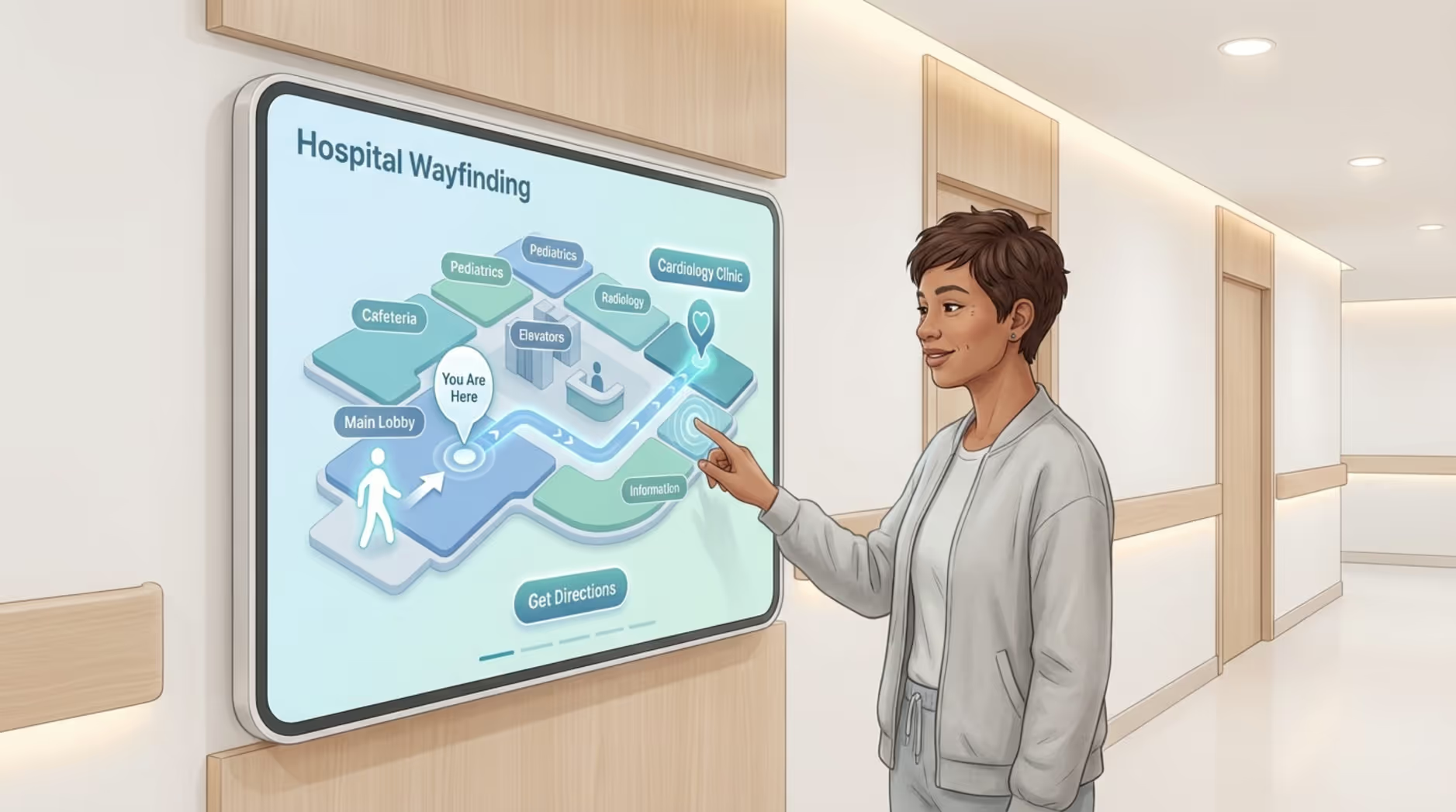
Large hospitals can be confusing to navigate. Digital signage can display directories and directions to specific clinics, pharmacies, or exam rooms. Using a feature like Screen Layouts in Look CMS, you can dedicate one zone of the screen to a permanent map while another zone rotates daily announcements. If a corridor is closed for maintenance, updates can be published in minutes.
Promoting hospital services and health campaigns
Use screens to highlight upcoming vaccine clinics, free screening events, or new medical technology. Digital signage is a highly effective way to amplify public health messaging that matters to the local community.
Providing entertainment and distraction
To reduce boredom, screens can loop news headlines, weather updates, and short videos. In pediatric areas, kid-friendly content like cartoons can help children stay calm. Nature loops often provide a universally soothing distraction for patients of all ages.
Delivering personalized or targeted messages
Digital signage allows for highly relevant messaging. Screens can display the names and specialties of doctors on duty, making care feel more personal. They can also remind patients to prepare their ID and insurance cards before reaching the desk.
Offering multilingual support for diverse patients
Hospitals serve diverse populations. Digital signage can display messages in multiple languages, either rotating through a playlist or displayed side-by-side using split-screen layouts. This ensures critical instructions are understood by everyone.
Design Tips for Engaging and Calming Hospital Digital Signage
Healthcare signage should be clear, accessible, and easy to follow. The goal is to inform and calm, never to overwhelm.
Choose soothing color palettes and calm visuals
Rely on soft colors that feel relaxing, like light blues, greens, and natural earth tones. Bright reds are best reserved strictly for critical emergencies. Calm images-forests, beaches, or wide landscapes-are proven to help people relax.
Use easy-to-read typefaces and clear messaging
Text must be legible from across the room. Stick to large, sans-serif fonts with high contrast against the background. Keep screens uncluttered. A good rule of thumb is one clear message per slide.

Balance information with entertainment
A successful playlist mixes important facility updates with lighter content. If screens only show rules and instructions, patients will tune them out. A balanced rotation keeps viewers engaged.
Incorporate soft animations and transitions
Screen movement should be gentle. Avoid rapid cuts or flashy effects that can cause sensory overload. Smooth slides and slow fades keep the environment peaceful.
Maintain consistent hospital branding
Incorporate your hospital's logo and brand colors naturally, without making the screen feel like a billboard advertisement. Ready-made Templates can help non-designers maintain a polished, professional look automatically.
How to Implement Digital Signage in Hospital Waiting Areas
A successful rollout requires a clear plan. Assess your space, choose reliable hardware and software, and train your team.
Assessing waiting room size and layout
Review the lighting, seating, and layout of each waiting room. This determines if you need a large video wall, a standard wall-mounted display, or an interactive kiosk. Screens should be positioned to reduce glare and sit at a comfortable viewing angle.
Selecting appropriate display hardware
Healthcare environments demand reliable playback. When selecting hardware, consider:
- Screen size and resolution
- Brightness levels for naturally lit lobbies
- Durability for continuous, 24/7 operation
- Interactive capabilities, if required
While consumer TVs are affordable, commercial displays paired with a dedicated plug-and-play media player-like the Look HDMI Player-often provide better long-term stability and easier remote control.
Choosing digital signage software
Your software is the engine of your screen network. Look Digital Signage is an ideal solution for healthcare facilities because it is designed to scale from 1 screen to thousands effortlessly. It allows centralized IT teams to maintain control while giving local managers the ability to update their specific clinic’s playlist. Features like Smart Scheduling ensure the right content plays automatically at the right time of day.
Planning content scheduling and updates
Content works best when kept fresh. A simple schedule strategy might look like this:
- Queue and wait time data
- How often to update (example): Real-time
- Relaxing images/nature loops
- How often to update (example): Weekly
- Health education loops
- How often to update (example): Monthly
- Facility notices (hours, closures, events)
- How often to update (example): As needed
Start with a pilot screen in one waiting area, gather feedback from staff, and then expand the rollout.
Training staff to use digital signage tools
Provide short, practical training so receptionists and nurses know how to trigger urgent announcements or update daily schedules. An intuitive platform means staff won't need to file an IT ticket for every small text change.
Challenges and Considerations for Hospital Digital Signage
Like any technology, digital signage requires mindful management to deliver the best ROI and maintain patient trust.
Common mistakes to avoid in content and deployment
The most common mistake is overcrowding the screen. Busy layouts increase stress. Another issue is outdated content last month's health clinic dates, which degrades trust.
Accessibility is also critical. Ensure text is large enough and avoid relying solely on audio, which is usually muted in waiting rooms to maintain a quiet atmosphere. Tailor the content to the audience; a pediatric wing needs a completely different tone than an oncology department.
Initial costs and long-term maintenance
Cloud-based digital signage is highly cost-effective due to predictable subscription pricing. You can estimate monthly costs based entirely on your screen count. While there is an initial investment in hardware, removing the constant cost of printing and shipping physical posters often proves a fast ROI.
Ensuring patient privacy and compliance
Patient privacy is paramount. Software used in healthcare must be designed to support privacy-first data collection and abide by local regulations like HIPAA. Look Digital Signage provides robust administrative controls, but it is always the facility's responsibility to ensure that no protected health information is inadvertently displayed on public screens.
Updating content for relevance and accuracy
To keep screens running smoothly, reliable connectivity is key. However, hospital Wi-Fi can sometimes drop. Utilizing software with an Offline Playback feature ensures that your cached health tips and nature loops continue playing without a blank screen or error message during an internet outage.
Real-World Examples of Hospital Waiting Room Digital Signage Success
Healthcare facilities worldwide use digital signage to measurably improve patient experiences and staff efficiency.
Case studies from leading hospitals
Children’s Mercy Hospital in Kansas City introduced engaging screen content to entertain children, leading to a 40% reduction in perceived wait times.
St. Mary Regional Medical Center in Reno deployed corner-mounted displays showing live queue updates and facility maps, successfully reducing front-desk interruptions by 30%.
Mount Sinai Health System in NYC utilized panoramic nature loops in their lobbies, raising patient satisfaction scores by 20%.
Other networks, like Meliva, share consistent, branded messaging across dozens of healthcare centers, proving that a centralized digital signage software can scale easily without adding to the administrative burden.

Patient and staff testimonials
Healthcare staff regularly highlight how much time cloud-based platforms save them. Directors of Health Promotions note that modern digital signage is intuitive and significantly upgrades their facility's professional image. IT and communications managers praise the ability to send emergency updates to multiple players instantly, improving how quickly a hospital can react. Property managers for medical buildings also report that clear directory screens drastically reduce constant questions about doctor locations, allowing front desk staff to focus on intake.
Frequently Asked Questions About Hospital Waiting Room Screens
When planning a digital signage rollout, healthcare teams frequently ask about content strategy and system scalability.
What types of information should be shown on waiting room screens?
A balanced playlist should inform, comfort, and distract. Common content includes:
- Live queue status and estimated wait times
- Wayfinding maps and clear facility directions
- Visiting hours and department locations
- Health tips and preventive care guidance
- Doctor availability and staff introductions
- Calming nature loops and weather updates
- Kid-friendly content in pediatric areas
- Important announcements in multiple languages
How quickly can digital signage content be updated?
With cloud-based digital signage software, content updates can be pushed to screens almost immediately. This real-time capability is crucial for emergency alerts, safety notices, or sudden schedule changes.
Can different waiting rooms have customized content?
Yes. Platforms like Look DS allow you to organize screens into groups and assign specific playlists. A pediatric waiting room can run cartoons, while the adult ER focuses on wait times and triage information.
Is digital signage suitable for small clinics as well as large hospitals?
Yes. Digital signage scales smoothly from a single screen in a local dental clinic to thousands of displays across a national healthcare network. Subscription pricing models make it highly affordable for smaller practices to modernize their waiting areas.
How does digital signage support multilingual communication?
Screens can rotate slides in different languages or use split-screen layouts to display multiple languages simultaneously, ensuring all patients feel welcome and understand critical instructions.
Next Steps for Transforming Your Waiting Area with Digital Signage
Replacing static posters with a dynamic screen network is a direct investment in patient comfort and operational efficiency.
How to get started with hospital waiting room screens
Start by identifying your primary goal: reducing front-desk questions, easing patient anxiety, or modernizing your communication. Assess your waiting rooms to choose the appropriate hardware, then select a robust, user-friendly digital signage platform like Look Digital Signage. Look CMS gives you the tools to create playlists, leverage ready-made templates, and schedule content from anywhere. Begin with a pilot screen in your busiest waiting area, gather staff feedback, and scale up as you prove the value.
Contacting digital signage providers
When you are ready to modernize your patient experience, Look Digital Signage can help you build a reliable, easy-to-manage network. Start a free trial to explore the Look CMS, or try it on a demo screen first (no hardware needed) to see exactly how quickly you can create your first playlist. If you want to discuss specific hardware needs or multi-location scaling, book a live demo and let us show you how simple digital signage can be.







