Table of Content
How can medical facilities improve patient experience and streamline staff communication without adding to the workload? Healthcare digital signage offers a practical solution by turning static walls into active information channels. By displaying real-time updates and educational content, hospitals can reduce anxiety, improve navigation, and keep teams aligned.
Patient expectations are shifting. Today, people expect the same level of digital convenience in a clinic as they find in retail or hospitality. Digital signage has moved from a "nice-to-have" to a core part of hospital infrastructure, supporting the patient journey from the parking lot to the recovery room.
What is healthcare digital signage?
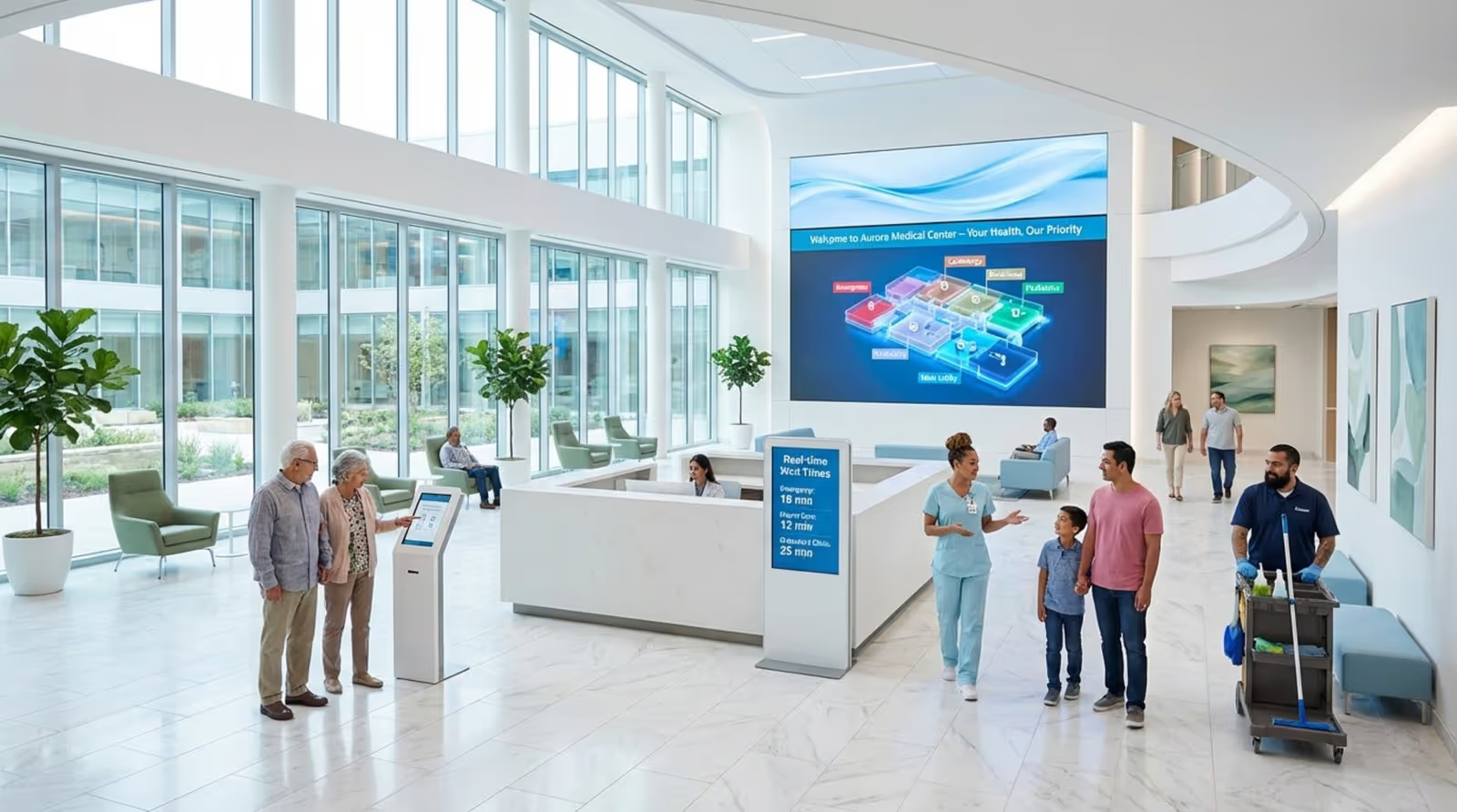
Healthcare digital signage is a network of screens-ranging from large lobby displays to bedside tablets-used to share information with patients, visitors, and staff. Unlike paper posters or whiteboards, these screens allow you to update content in minutes. Whether you need to display a clinic’s mission statement, a 3D anatomical model in an exam room, or a shift-change notice in a breakroom, digital signage provides a flexible way to communicate.
This technology signals that a facility is organized and modern. Research indicates that patients are often more likely to trust providers that utilize up-to-date technology, as it reflects a commitment to efficiency and care standards.
How does digital signage work in medical facilities?
The system runs on a centralized, cloud-based platform. This allows administrators to manage content for a single clinic or a massive hospital network from one simple dashboard. You do not need to walk around with a USB drive to update screens. Instead, you can push updates instantly from anywhere, ensuring visiting hours, safety protocols, and doctor directories are always accurate.
Many systems, like Look Digital Signage, integrate with existing hospital workflows. By connecting to internal data sources, displays can show live information-such as wait times or room status-without requiring manual data entry. This automation saves nursing staff time and reduces errors.
Types of digital displays used in healthcare environments
The hardware you choose depends on the location and the message. Large screens (65+ inches) work well in waiting areas and corridors for general announcements. In patient rooms, smaller high-resolution monitors can serve as both entertainment centers and clinical information boards, making stays more comfortable.
Interactive screens are also valuable tools. Tablets can serve as self-check-in kiosks or bedside learning devices. Some setups allow doctors to pull up medical images on a screen to explain procedures clearly. Whether you use professional displays or standard TVs with the Look App player, the goal is to match the screen to the specific needs of the space.
Why digital signage matters for healthcare organizations
In a high-pressure hospital environment, clear communication is critical. Misinformation or a lack of direction leads to stress and inefficiency. Digital signage helps manage this complexity by offering a consistent, visual way to share information. It turns passive walls into helpful tools that support the care process.
Patients also demand better access to information. If a facility relies on outdated methods, they may struggle to meet the expectations of modern patients who value transparency and service quality.
Current communication challenges in hospitals and clinics
Traditional communication methods often fail to keep up with the pace of healthcare. Paper wayfinding signs cannot update when a corridor is closed for maintenance. Dry-erase boards in patient rooms are frequently illegible or left blank during busy shifts. These gaps confuse visitors and force staff to answer the same navigational questions repeatedly.
Internal communication faces similar issues. Important policy updates or safety notices often get lost in crowded email inboxes. Frontline workers, who are rarely at a desk, may miss these messages entirely. This lack of shared information can weaken team alignment across different departments.

The role of digital signage in improving information flow
Digital signage provides a reliable channel for both internal and external messaging. By placing screens in high-traffic areas, you ensure important messages are seen. For patients, this means seeing real-time wait times or care steps, which reduces the anxiety of the unknown. For staff, screens provide a steady stream of shift details and operational updates.
The ability to automate these updates is a major advantage. When your signage software connects to your operational data, a change in the system reflects on the screen immediately. This remote management capability removes delays and ensures everyone is looking at the most current information.
Key benefits of healthcare digital signage
Implementing a strong digital signage strategy supports every part of a healthcare facility. From the reception desk to the nurses' station, these tools create a more efficient and open environment.
Better patient engagement and satisfaction
Patients feel more at ease when they are informed. Digital signage supports this by displaying condition-specific education and "what to expect" guides. When patients understand their treatment, they are more likely to follow care plans. Interactive screens can further this engagement by allowing patients to provide feedback directly.
Reduced perceived wait times in waiting areas
Waiting rooms are a primary source of frustration. While you cannot always eliminate the wait, you can make it feel shorter. Digital signage reduces perceived wait times by displaying engaging content. Health tips, news feeds, or calm visuals keep patients occupied, leading to fewer complaints at the front desk.
Improved staff communication and coordination
In breakrooms and administrative areas, digital signage keeps teams on the same page. Screens can display safety reminders, training opportunities, and recognition for good work. This visual reinforcement helps build a stronger culture and keeps staff informed without adding to their email load.
Dynamic emergency alerts and safety messaging
In an emergency, speed is essential. Digital signage platforms often include emergency alert features that allow you to override scheduled content instantly. Whether it is a severe weather warning or a fire alarm, these alerts grab attention immediately. This capability is a vital part of modern safety planning.
Wayfinding and navigation assistance for visitors
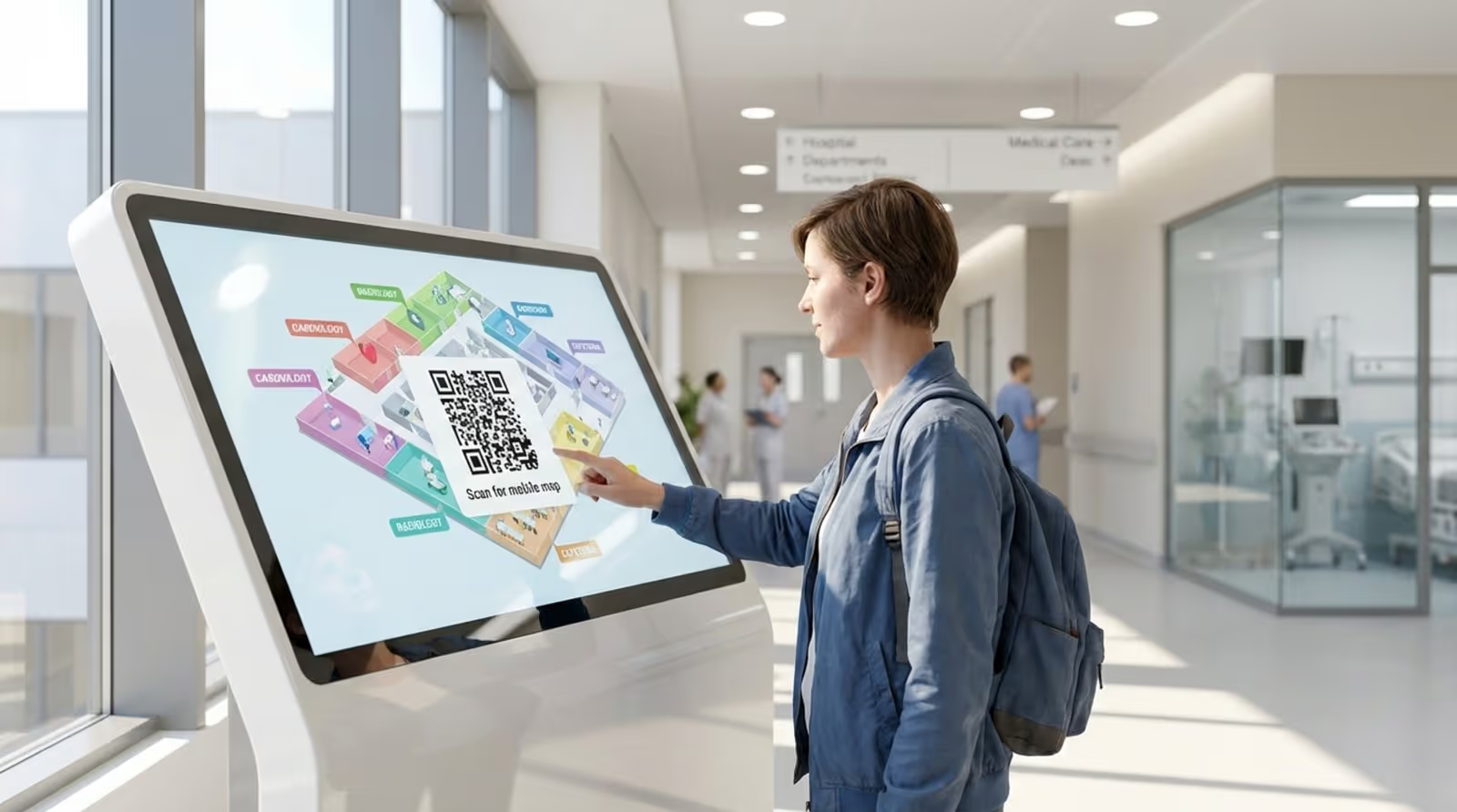
Large medical campuses can be confusing. Digital wayfinding screens provide clear maps and doctor directories at key decision points. Using QR codes on these screens allows visitors to download maps to their phones, helping them reach their destination on time and freeing up staff who would otherwise be giving directions.
Centralized content management and flexibility
Flexibility is one of the strongest operational benefits. You can tailor content for specific zones-showing pediatric health tips in the children's wing and cardiology info in the heart center. With a platform like Look Digital Signage, you can manage screen layouts and playlists for hundreds of screens from one central account, ensuring consistent branding everywhere.
Compliance with accessibility standards
Digital signage helps you communicate with a broader audience. High-contrast designs and large fonts make information readable for those with vision impairments. You can also rotate content in multiple languages to support diverse patient populations, ensuring everyone receives clear instructions.
Measuring ROI and institutional impact
The return on investment comes from both cost savings and improved scores. You save money by reducing printing costs and administrative time. Indirectly, better communication leads to higher patient satisfaction scores. When patients feel guided and informed, their overall experience improves, which reflects positively on the facility's reputation.
Where is digital signage used in healthcare settings?
To be effective, screens must be placed where they provide the most value. Different areas of a healthcare facility have unique communication needs.
Waiting rooms: turning downtime into education
The waiting room is the first touchpoint for education. Use screens here to distract and prepare patients. Entertainment content lowers stress, while short educational clips can prompt patients to ask doctors about specific services, such as vaccinations or screenings.
Exam and treatment rooms: supporting patient understanding
In the exam room, screens support the conversation between doctor and patient. Providers can use displays to show anatomical diagrams or procedure videos, making complex medical topics easier to understand. This visual support helps patients feel more confident in their care decisions.

Corridors and elevators: streamlined wayfinding
Busy hallways are ideal spots for directional signage. Screens placed near elevators or junctions act as steady guides. They reassure visitors they are on the right path and can also display practical info like cafeteria hours or gift shop locations.
Staff meeting areas: keeping teams informed
Back-of-house screens in breakrooms focus on operations. Use these displays for shift schedules, bed status summaries, and policy reminders. Placing this content where staff naturally gather ensures even busy clinicians stay updated on daily goals.
Outdoor and public-facing signage
Communication starts before the patient enters the building. Outdoor digital signage guides drivers to the correct parking lot or entrance. These screens are also useful for public health announcements, such as flu clinic dates or emergency room wait status.
Opportunities for digital signage in patient and provider experience
Beyond basic information, digital signage offers ways to personalize care and improve interactions. As technology improves, these displays are becoming smarter and more helpful.
Personalized content and targeted health messages
Some facilities use split-screen layouts in patient rooms to provide personalized details. While one zone plays entertainment, another can display the name of the nurse on duty or dietary restrictions. This simple addition helps patients feel recognized as individuals.
Multilingual and inclusive communications
Digital signage helps bridge language barriers. You can schedule content to rotate through common languages or use QR codes to link to translated documents. This ensures that non-native speakers have equal access to critical health information.
Interactive screens for feedback
Interactive kiosks allow you to collect feedback while the experience is fresh. Patients can rate their visit or report issues before they leave the building. This real-time data is often more accurate than mailed surveys and allows management to address concerns quickly.
Promoting wellness campaigns
Digital signage is an excellent tool for preventative care. By highlighting services like annual checkups or screenings, you can nudge patients toward healthier choices. Sharing success stories or health facts can motivate people to take an active role in their well-being.
Reducing missed appointments
Confusion about location is a common reason for missed appointments. When signage is clear and connected to check-in systems, patients can find their clinic easily. Screens can also display updates on doctor delays, allowing patients to manage their time better rather than leaving in frustration.
Integrating digital signage with healthcare technology
Digital signage works best when it connects with your other systems. A connected network allows for automation and smarter data use.
Connecting with electronic health records
Integrating signage with internal data allows for "digital whiteboards" in patient rooms. These screens can pull limited, non-sensitive details-like daily goals or discharge plans-directly from the system. This keeps information accurate without requiring nurses to update physical boards by hand.
Security and data considerations
Data protection is a priority. A secure, cloud-based system like Look Digital Signage ensures that your content is managed safely. It is important to configure screens so that sensitive patient health information (PHI) never appears on public-facing displays.
Automating content updates
Automation makes scaling easy. Using Integrations or API connections, you can trigger content based on data. for example, if a specific clinic has a long wait time, the screen can automatically display a message directing non-urgent patients to a different location.
Steps to implement digital signage in healthcare facilities
Rolling out a network requires planning. It is not just about hanging screens; it is about establishing a clear flow of communication.
Analyzing facility needs and choosing displays
Start by identifying where communication breaks down. Are patients getting lost? Is staff missing announcements? Once you know the problems, select the right hardware. You might need Look HDMI Players for existing TVs in waiting rooms or specialized tablets for patient check-ins.
Developing effective content strategies
Content must be clear and readable. A mix of short text, images, and video usually works best. If you do not have a design team, you can use Ready-made Templates within the Look CMS to create professional slides quickly. Establishing a schedule for how often content rotates keeps the messaging fresh.
Making accessibility a priority
Design your content with everyone in mind. Use high-contrast colors and large text. Ensure screens are mounted at heights that are visible to wheelchair users. Accessibility ensures your message reaches every patient effectively.
Training staff for adoption
Involve your team early. Show nurses and staff how the screens can help them by answering common questions or speeding up processes. When staff understand the benefits, they become champions of the technology.
Healthcare digital signage: long-term trends
The role of digital signage in healthcare will continue to grow. We are moving toward environments where screens are even more responsive to patient needs.
Future setups may use location services to change content based on who enters a room, providing clinical data to doctors and entertainment to patients. AI tools, such as the Look AI Wizard, are already making it faster to generate relevant content layouts without design skills.
Emerging technologies: touchless solutions
Hygiene remains critical. Touchless interfaces and voice controls allow patients to interact with screens without physical contact. This reduces infection risks while maintaining interactivity.
Expanding roles in telehealth
As telehealth grows, screens in patient rooms may double as virtual visit portals. This allows specialists to "drop in" for consultations remotely, saving time and expanding access to care.
Sustainability and scalability
Cloud-based platforms support sustainability by reducing the need for on-site server maintenance and travel for updates. As healthcare networks expand, scalable solutions like Look Digital Signage allow you to grow from one screen to thousands seamlessly. By adopting these tools today, healthcare facilities can build a foundation for more efficient, patient-focused communication.