

Table of Content
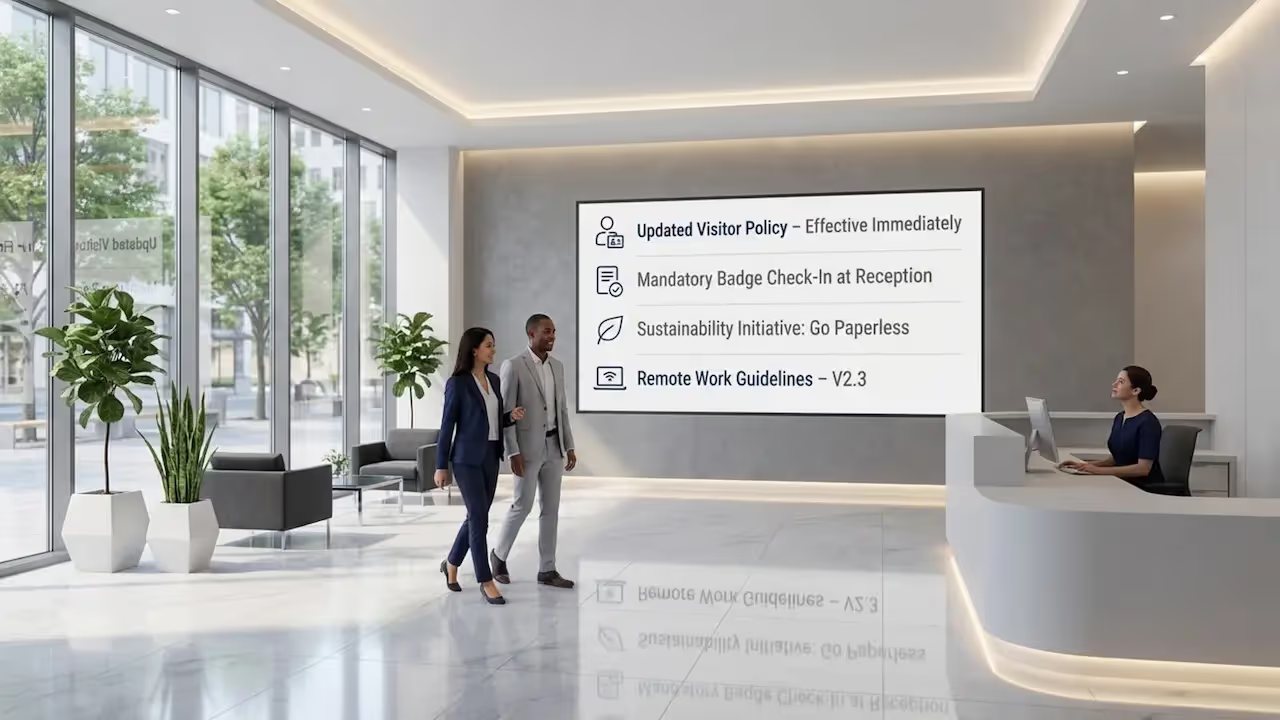
How do you ensure staff and visitors actually see new rules or safety updates? Policy updates shared through digital signage turn easy-to-miss paper memos into bright, clear messages that appear on screens in minutes. By moving from bulletin boards to a central, screen-based system, you can ensure critical information reaches the right people at the right time.
Old-style notices and buried emails often cause information gaps. Digital signage solves this by acting as a live communication channel. Whether you are a hospital manager posting hygiene rules or a store owner sharing staff guidelines, these screens help keep your teams and visitors informed, safe, and aligned with your current standards.
What Are Policy Updates Shared Through Digital Signage?
How Does Digital Signage Distribute Policy Information?
Digital signage shares policy information through a central platform, like Look Digital Signage. You simply log in to the Look CMS (Content Management System), upload your text or images, and publish them to one or many screens instantly. Unlike paper posters that you must replace by hand, digital messages can be updated from anywhere.
You can also use Screen Layouts to show multiple pieces of information at once. For example, a lobby screen might show a welcome message in one zone, a new building rule in another, and a live weather widget in a third. This keeps the screen interesting while ensuring your policy updates get noticed.
Which Organizations Use Digital Signage for Policy Updates?
Both public and private organizations use digital signage to keep operations running smoothly. Government offices use screens to display new service hours or legal updates. This helps modernise the space and answers common questions before visitors reach the front desk.
Hospitals, schools, and retail chains also rely on this technology. A hospital might display patient safety protocols, while a retail store uses the back-office TV to show staff the latest return policy. With the Look App, organizations can even turn existing smart TVs into digital signs, ensuring every location receives the same guidance.

Why Use Digital Signage for Policy Updates?
Improves Staff and Public Communication
Visuals work better than plain text. A bright screen with a clear icon is harder to miss than a typed memo on a wall. By using digital signage, you can turn complex policies into simple, visual reminders that people actually remember.
Clear communication builds trust. When employees or visitors see up-to-date directions, it reduces confusion. It shows that you are active and transparent, which helps daily operations run with fewer interruptions.
Delivers Real-Time Updates and Emergency Notifications
Speed matters when rules change. With Look Digital Signage, you can update content in seconds. If a safety procedure changes, you can push the new info to every screen immediately. This is far faster than printing and distributing physical signs.
This speed is vital for safety. In an emergency, you can override standard playlists to show exit routes or urgent instructions. Even for standard updates, like a change in opening hours, real-time control ensures no one acts on old information.

Increases Accessibility and Multilingual Support
Digital signage helps you reach everyone. You can create playlists that rotate messages in different languages. This ensures that non-English speakers still get the same critical policy information as everyone else.
Digital screens are also easier to read. You can use high-contrast text and large fonts to help people with low vision. Unlike a printed paper that might fade or tear, a digital screen remains bright and legible for all visitors.
Reduces Printing Costs and Environmental Impact
Switching to digital reduces waste. Every time a policy changes, you avoid re-printing hundreds of flyers or posters. This saves paper, ink, and the staff time required to walk around and replace old notices.
While screens require an initial setup, the long-term maintenance is low. You can change a policy ten times a day without spending a penny on print materials. This makes your communication strategy more sustainable and cost-effective.
Facilitates Policy Awareness in High-Traffic Areas
Place your screens where people wait or walk. Entrances, breakrooms, and elevators are perfect spots for policy updates. Because people are already pausing in these areas, they are more likely to read the screen.
Motion attracts the eye. A static paper sign blends into the background after a few days. A digital screen with changing content grabs attention every time, keeping your community aware of new rules.
Where Can Policy Updates Shared Through Digital Signage Be Displayed?
Government Buildings and City Halls
City halls use screens to guide the public. A display in the lobby can list office numbers and new permit rules. This helps visitors find what they need without queuing to ask staff simple questions.
In staff-only areas, screens help with internal communication. You can use Look CMS to manage screens in breakrooms, showing HR updates or new internal procedures to keep government employees aligned.
Healthcare Facilities and Hospitals
Hospitals need clear rules for safety. Digital signage works well for displaying visiting hours, mask policies, or hygiene reminders. In waiting rooms, these screens can also share health tips to help patients feel more at ease.
For staff, screens at nurses' stations provide instant access to new operational guidelines. This keeps medical teams informed without cluttering the workspace with paper notes.

Educational Institutions and Campuses
Schools and universities cover large areas. Screens in hallways and student centers can show registration deadlines, code of conduct reminders, or library rules. This ensures students see important dates without checking their email constantly.
Campus safety is also a priority. Administrators can use the network to send alerts or safety reminders across all buildings at once, ensuring the whole campus stays informed.
Public Transportation Hubs
Airports and stations use screens to manage crowds. Alongside schedules, you can display baggage rules, security check procedures, or fare changes. Clear visuals help travelers move through the hub faster.
By mixing travel data with policy reminders, you ensure passengers look at the screens. A traveler checking for their train time will naturally see the safety notice displayed next to it.
Libraries, Community Centers, and Other Civic Spaces
Libraries use digital screens to share community rules. You can post changes to computer usage limits, borrowing policies, or event behavior guidelines. These screens often serve as a digital noticeboard for the neighborhood.
In smaller branches, a digital kiosk can answer questions when staff are busy. This self-service approach helps people access government forms or policy details on their own terms.
What Types of Policy Updates Are Best Shared Through Digital Signage?
Health and Safety Protocols
Health rules often change. Use digital signage to show handwashing steps, distancing guidelines, or PPE requirements. Ready-made Templates in the Look CMS can help you get these messages up quickly without needing a graphic designer.
Visual aids make these rules easier to follow. A simple icon showing "Safety Glasses Required" is understood instantly, even from a distance.

Administrative Regulations and Deadlines
Deadlines are easy to forget. Use screens to remind people about tax filings, permit renewals, or registration dates. Smart Scheduling allows you to set these messages to stop playing automatically once the deadline passes.
Clear calls to action help people comply. A message like "Renew Permit by Friday" is direct and helpful. It reduces the number of people who miss dates simply because they didn't know.
Public Service Announcements
Share community efforts like recycling rules or water usage limits. These announcements help align public behavior with city goals. Placing them on screens in high-traffic areas ensures broad awareness.
Context matters. A screen near a park entrance can show "Leash Laws," while a screen in a business district might show parking rules. Tailoring the message to the location makes it more effective.
Emergency Procedures and Crisis Alerts
During a crisis, you need to be loud and clear. Digital signage can display evacuation maps or "Shelter in Place" orders. The high visibility of a bright screen helps cut through panic and provides authority.
You can prepare these visuals in advance. When an incident occurs, you can switch the playlist instantly to the emergency layout, ensuring everyone knows exactly what to do.
Uniform and Conduct Rules
Keep standards high in the workplace. Screens in employee areas can remind staff about dress codes or safety gear requirements. This reinforces the rules without managers needing to repeat them daily.
You can also highlight positive examples. Recognizing a team for following safety protocols perfectly is a great way to encourage others to do the same.
Event-Based Policy Changes
Special events often bring temporary rules. If a street is closed for a parade or a building has extended hours for a festival, digital signage is the best way to share this. You can schedule these changes to appear only during the event dates.
Once the event is over, the screens automatically return to their standard content. This keeps your messaging accurate without manual cleanup.
How Does Digital Signage Integrate with Policy Management Systems?
Content Management and Automated Scheduling
The CMS is your command center. With Look Digital Signage, you can use Smart Scheduling to automate your policy updates. You can set a winter safety message to run only from November to February, or a lunch-break policy to appear only between 11 AM and 2 PM.
This automation saves time. You create the plan once, and the system handles the rest. This ensures the right policies are always visible without daily management.

Synchronizing Policy Updates Across Multiple Sites
Managing policies across different locations can be hard. With a cloud-based solution like Look, you can push a single update to hundreds of screens at once. Whether you have offices in one city or across the country, everyone gets the same info at the same time.
This consistency protects your organization. You avoid the risk of one branch following old rules because they missed an email or didn't receive a new poster.
Integrating with Emergency Alert Systems
You can connect digital signage to other data sources. Through Integrations, screens can be triggered to display alerts from external safety systems. If a fire alarm system is connected, the screens can automatically switch to show emergency exits.
This automated response saves critical seconds. It removes the need for human action to update screens during a high-stress event.
Ensuring Data Security and Privacy Compliance
Security is essential when managing a network of screens. The Look CMS uses secure cloud technology to protect your content. This ensures that only authorized staff can change the policies displayed on your screens.
For organizations with strict IT requirements, on-premise digital signage options are available. This allows you to host the system on your own local servers, giving you full control over your data and infrastructure.
What Are Best Practices for Sharing Policy Updates on Digital Signage?
Designing Clear and Engaging Content
Keep it simple. Use short headlines and bullet points. If you don't have a designer, tools like the Look AI Wizard can help you generate professional layouts in seconds. Just enter your topic, and the tool creates a slide for you.
Use high contrast. White text on a dark background is often easiest to read. Avoid cluttering the screen with too much text; the goal is to be understood at a glance.

Regularly Reviewing and Updating Displayed Policies
Old news is bad news. If your screens show expired deadlines, people stop looking at them. Use the scheduling features to set end dates for your content so that outdated notices disappear automatically.
Assign a team member to review the playlist monthly. This keeps the content fresh and ensures the screens remain a trusted source of truth for your staff and visitors.
Ensuring Accessibility for People with Disabilities
Design for everyone. Use large, legible fonts and ensure color choices are clear for those with color blindness. If you use video, include captions so the message is clear even without sound.
Screen placement is also key. Mount screens at heights that are visible to people standing or sitting in wheelchairs. Inclusive design ensures your policies reach the entire community.
Customizing Messages by Audience and Location
Target your messages. A screen in the warehouse should show safety gear reminders, while the lobby screen shows visitor rules. With Look CMS, you can group screens by location and send specific playlists to each group.
This relevance improves engagement. When people see information that applies directly to their current task or location, they pay more attention.
Monitoring Effectiveness and Gathering Feedback
How do you know it is working? Use Playback Analytics to see how often your messages are playing. You can also add QR codes to your slides to let viewers scan and provide feedback or read the full policy on their phone.
If you see fewer questions at the help desk after posting a policy on the screen, you know the signage is doing its job. Use this data to refine your content over time.
What Are the Challenges and Solutions When Sharing Policy Updates via Digital Signage?
Maintaining Consistency Across Multiple Displays
It is easy to lose track of what is playing where. A centralized CMS solves this. By managing all screens from one dashboard, you ensure that every display in your network is showing the correct version of a policy.
Establish a simple approval process. Limit who can publish to the screens so that all content meets your standards before it goes live.
Addressing Network and Hardware Reliability
Internet connections can drop. You need a system that keeps working even when offline. Look Digital Signage features Offline Playback, which stores content locally on the player. This means your policy updates keep running even if the internet fails.
For hardware, using a dedicated device like the Look HDMI Player ensures stability. These plug-and-play devices are built to run 24/7, minimizing the risk of black screens or errors.
Protecting Sensitive Information
Be careful with what you share. Public screens should only show general information. Avoid displaying personal names or sensitive internal data in public-facing zones.
Use user roles in your CMS to control access. Give department heads access only to their specific screens to prevent accidental publishing of sensitive info to the wrong place.
Overcoming Language Barriers
Visuals are universal. Use icons and symbols to support your text. A "No Entry" sign is understood in almost any language. Combine this with multi-language playlists to ensure maximum understanding.
Simple language is best. Avoid jargon. Plain English combined with clear translations helps ensure your policy updates are accessible to a diverse audience.
Key Takeaways for Using Digital Signage to Share Policy Updates
As workplaces and public spaces become smarter, digital signage is the most efficient way to keep everyone on the same page. It moves policy updates from static, ignored paper to dynamic, attention-grabbing screens. By using tools like Look Digital Signage, you can ensure your important messages are seen, understood, and acted upon.
From automated scheduling to offline reliability, modern digital signage software takes the manual work out of compliance. It helps you build a safer, more informed environment where the right information is always just a glance away.







