

Table of Content
How can you turn in-store screens into sales magnets for your pet business? From highlighting high-margin treats to displaying real-time grooming slots, effective digital signage content educates pet parents and drives impulse buys without adding to your staff's workload. By mixing promotional offers with community-focused messaging, you can create a modern shopping experience that keeps customers coming back.
With the pet care market growing rapidly, independent shops and chains alike need to stand out. Digital signage helps you move beyond static printed posters, offering a dynamic way to communicate. Whether you are running a single location or a franchise network, a solid content strategy turns your screens from simple displays into active tools for increasing basket size and loyalty.
Effective Content Ideas for Pet Store Digital Signage
Showcase Featured Pet Products and New Arrivals
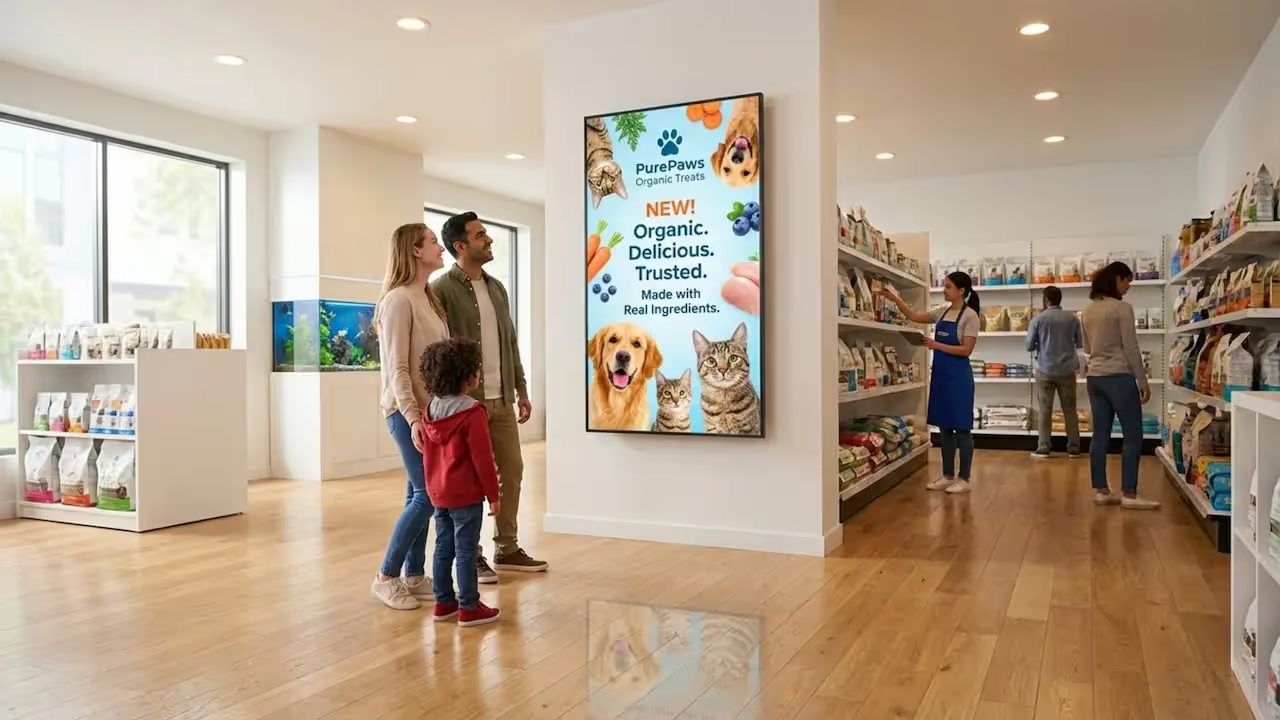
Use your screens as a dynamic catalog to lift sales on specific items. Instead of letting new arrivals sit unnoticed, feature them with high-definition images and clear text explaining their benefits. For example, if you are introducing a sustainably sourced salmon treat, use the screen to highlight the ingredients and health benefits. Digital displays can help increase awareness and conversion rates by catching the eye of shoppers who might otherwise miss a new product on the shelf.
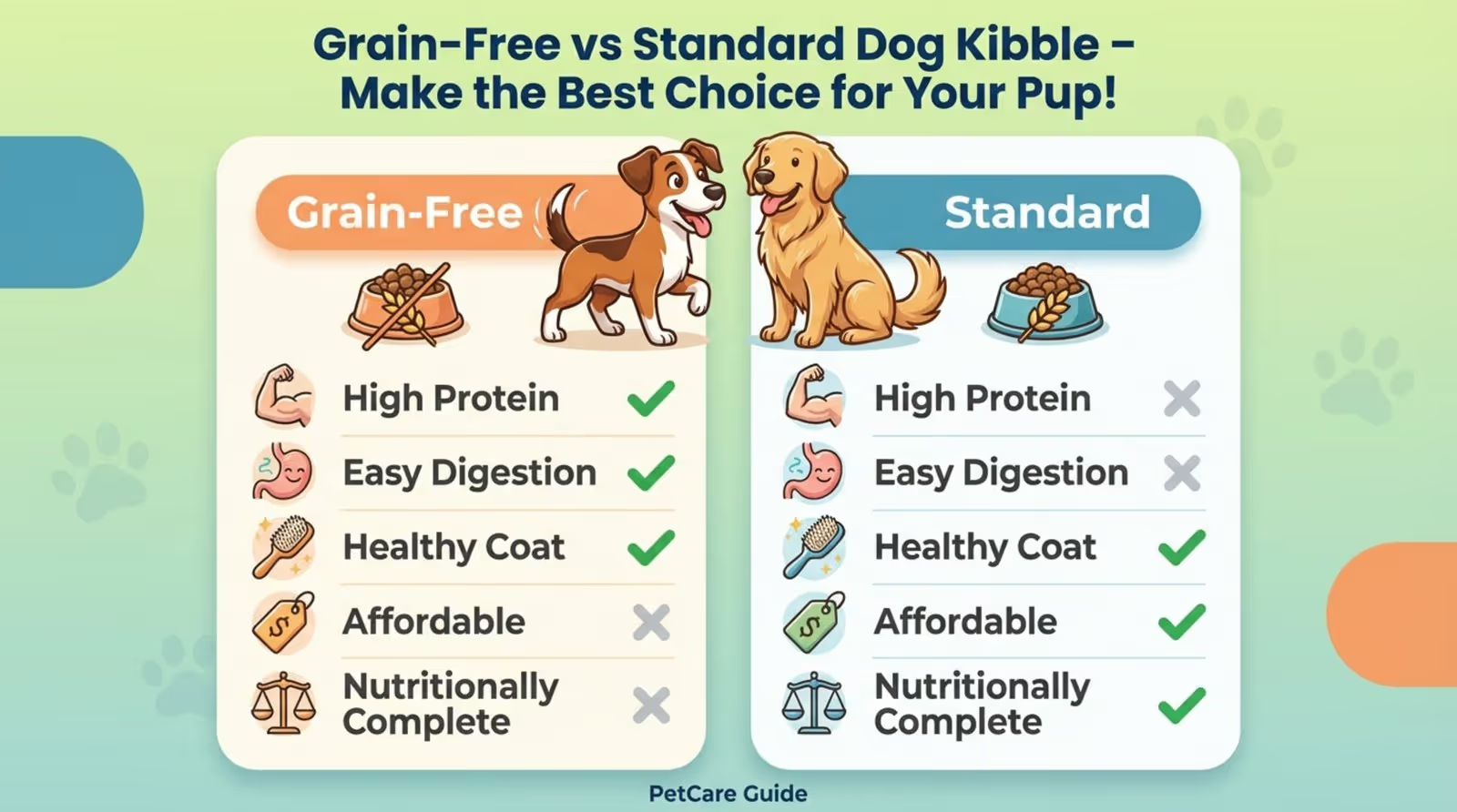
You can also use screens to simplify complex purchasing decisions. A display in the cat aisle could show a comparison chart of litter types, or explain the nutritional differences between grain-free and standard kibble. Providing this information at the point of decision builds trust and acts as a silent salesperson, helping customers choose the right product without waiting for staff assistance.
Announce Sales, Deals, and Loyalty Programs
Digital signage is ideal for running time-sensitive promotions. Unlike printed materials, which require lead time and manual replacement, digital content can be updated in minutes. You can run "Flash Sales" during slow hours or promote "Buy 2, Get 1 Free" deals on bulk items. This flexibility allows you to influence inventory movement instantly.
Loyalty programs also gain visibility when featured prominently. Display member-only pricing or a QR code that allows shoppers to sign up immediately via their phones. highlighting referral bonuses-such as a discount for bringing a friend-can also drive repeat visits and expand your customer base effectively.

Promote Pet Adoption and Local Animal Events
Pet stores are community hubs. Use your digital signage to foster that connection by running "Adoptable Pet of the Week" slides featuring animals from local shelters. This not only supports rescue efforts but also strengthens the emotional bond customers feel with your brand.
Your screens can serve as a community noticeboard. Promote puppy training classes, charity walks, or low-cost vaccination clinics. Keeping this information visible positions your store as a helpful resource for pet owners, rather than just a place to buy supplies.

Share Pet Care Tips, Training Videos, and Nutrition Advice
Educational content engages customers while they shop. Share short, practical tips on topics like dental hygiene, seasonal coat care, or portion control. When you position your store as a source of expertise, customers are more likely to trust your product recommendations.
Video content is particularly effective for demonstrating value. A short clip showing how to use a de-shedding tool or how to fit a harness correctly can reduce return rates and encourage purchases. You can also integrate RSS feeds to display current pet health news, keeping content fresh automatically.

Display Seasonal Content and Holiday Specials
Aligning content with the seasons keeps your messaging relevant. In summer, promote cooling mats and hydration solutions; in winter, switch to paw balms and reflective gear. This timeliness makes your ads feel like helpful reminders rather than generic noise.
Holidays offer opportunities for themed engagement. Create segments for "Spooky Species" at Halloween or "Santa Paws" gift guides in December. Look Digital Signage software creates a distinct advantage here, allowing you to use Smart Scheduling to automate these changes. You can set holiday content to start and stop on specific dates, ensuring your screens are always current without manual intervention on the day of the event.

Highlight Customer Reviews and Pet Photos
Social proof builds trust. Display positive reviews or testimonials on your screens to validate product quality. Seeing that a local pet owner recommends a specific food brand or toy can be the nudge a shopper needs to buy.
To increase engagement, encourage customers to tag your store in photos of their pets. Using Look Apps or integration features within your CMS, you can display a moderated feed of these social posts. Seeing local pets on the "big screen" adds personality to the store and validates the customer community.

Share Real-Time Updates on Stock and Product Availability
Avoid customer frustration by managing expectations regarding stock. If a popular item is back in stock, announce it clearly on entrance screens. Conversely, if an item is low, suggesting alternatives via signage can save a sale.
This transparency helps shoppers feel informed. Using remote management tools, you can update these messages from anywhere, ensuring that the information on the screen matches the reality on the shelf.
Promote Services Like Grooming, Boarding, or Vet Clinics
If your business offers services, ensure retail customers know about them. Show "before and after" grooming photos or a video tour of your boarding facilities. Many retail shoppers may not be aware of your full service menu.
Cross-promotion increases customer lifetime value. For instance, display a promotion for a discount on grooming when a customer purchases premium shampoo. This connects your retail and service offerings seamlessly.
Feature Interactive Content and Social Media Feeds
Interactive elements can increase dwell time. Displaying live social media feeds creates visual movement that draws attention. For stores with touch-enabled screens, offering simple quizzes like "Find the Perfect Toy for Your Breed" can guide customers to specific products while collecting preference data.
Design Best Practices for Pet Store Digital Signage Content
Use Visually Appealing Imagery and Video
High-quality visuals are essential. Use bright, high-contrast images of healthy, happy animals to grab attention. Your screens should be a visual anchor in the store, clean and colorful.
Motion captures the eye better than static images. A video of a dog playing with a durable toy is more convincing than a photo of the packaging. Ensure all videos are high-resolution to maintain a professional brand image.
Choose Readable Fonts and Clear Messaging
Content must be readable at a glance. Stick to bold, sans-serif fonts and avoid clutter. Use strong headlines and bullet points rather than paragraphs.
Hierarchy is key. The main offer (e.g., "20% OFF AQUARIUMS") should be the largest element, followed by essential details. Shoppers moving through aisles should understand the message instantly.
Keep Content Short, Dynamic, and Looping
Shoppers have short attention spans. Keep individual slides to 15-30 seconds to ensure the playlist rotates frequently enough to show multiple messages during a typical visit.
Regular transitions prevent "screen blindness." Avoid jarring flashes; use smooth fades or slides. The goal is to catch the eye without causing distraction or annoyance.
Incorporate Call-to-Action Elements
Every slide needs a clear next step. Use Call-to-Action (CTA) phrases like "Ask us for a sample," "Scan to buy," or "Book online." A screen without a CTA is just decoration; with a CTA, it drives results.
Place the CTA clearly, often at the bottom or center, after the value proposition. Action verbs like "Save," "Join," or "Discover" work best.
How to Plan and Schedule Pet Store Signage Content
Create Playlists for Different Times and Store Zones
Relevance depends on location. Create specific playlists for different zones:
- Fish section: Tank maintenance tips and filter promotions.
- Dog aisle: Food comparisons and chew toy durability ratings.
- Checkout: Impulse items and loyalty program sign-ups.
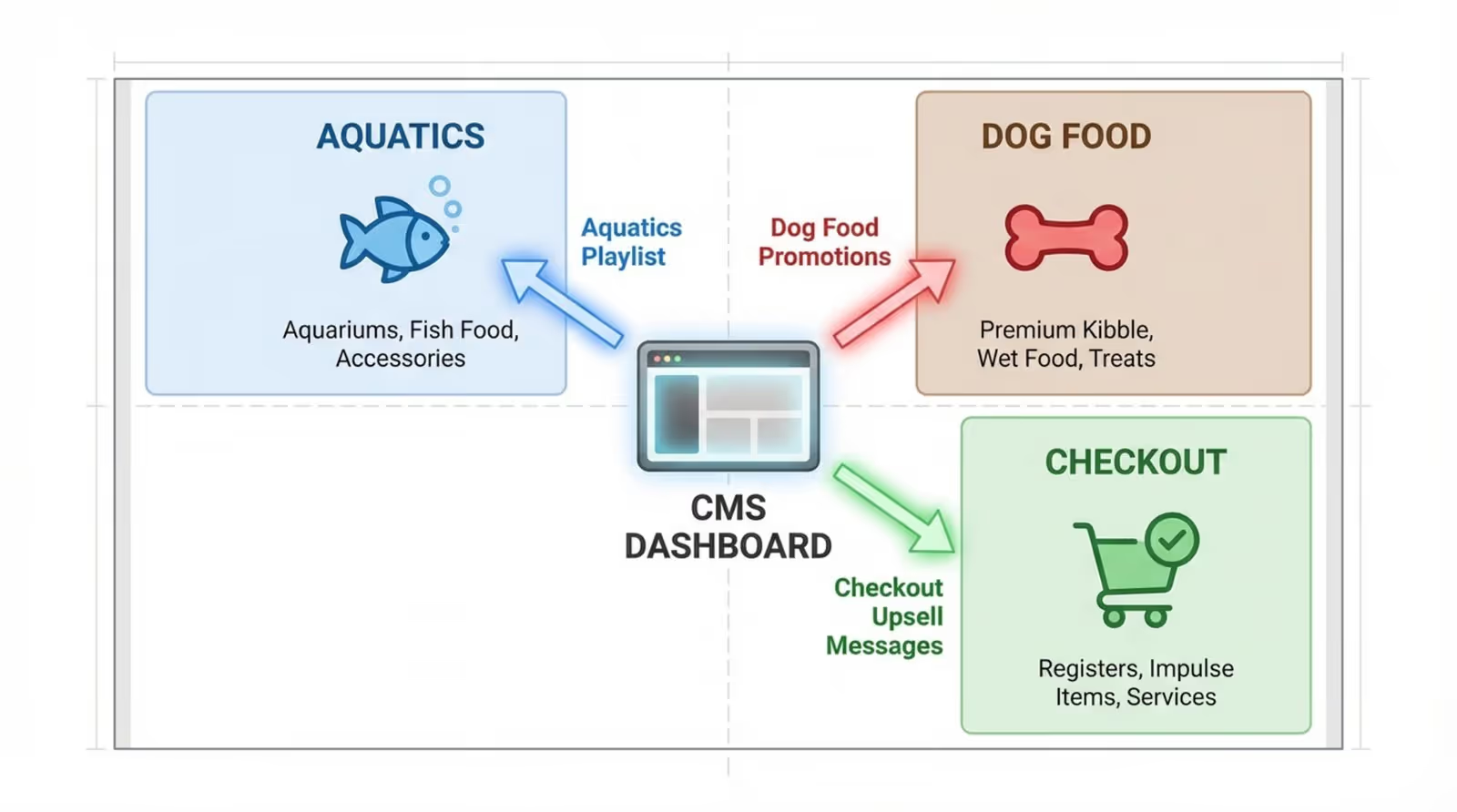
Look CMS allows you to manage these distinct playlists from a single dashboard. You can also adjust content by time of day, playing educational content during quiet mornings and high-energy promotions during busy weekends.
Update Content for Seasonality and Local Events
Refresh content frequently to maintain engagement. Plan ahead for "National Puppy Day" or local weather changes. If a heatwave is forecast, your screens should immediately promote hydration and cooling gear.
This responsiveness shows customers you are attentive to their pets' immediate needs.
Automate Content Rotation for Maximum Engagement
Automation saves time and ensures consistency. You can schedule content to expire automatically after a promotion ends, preventing outdated offers from frustrating customers.
Using Look Digital Signage, you can utilize Ready-made Templates to create professional slides quickly, then use Smart Scheduling to ensure they play exactly when needed. This allows store staff to focus on customers rather than managing TV screens.
Tips to Maximize Customer Engagement with Pet Store Digital Signage
Encourage Interaction via QR Codes or Mobile Apps
Bridge the gap between physical and digital. Include QR codes on your slides to link directly to product specs, adoption applications, or your mobile app download page. The Content Creator in Look CMS makes it simple to generate and insert these codes directly into your layouts.
This allows customers to take information with them, increasing the likelihood of future engagement or online orders.
Personalize Content Based on Store Location and Demographics
If you manage multiple locations, tailor content to local demographics. A city center store might focus on apartment living accessories, while a suburban location highlights backyard gear. Look CMS simplifies this by allowing you to push specific content to specific groups of screens from one central account.
Data-driven decisions improve ROI. If analytics show a location has high cat ownership, adjust the playlist ratios to feature more feline products.
Frequently Asked Questions about Pet Store Digital Signage Content Ideas
What Content Works Best for Small vs Large Pet Stores?
Small stores should use screens as an "endless aisle," showcasing products available for order that aren't physically stocked. They also benefit from community-focused content that emphasizes personal service.
Large stores should prioritize wayfinding and department-specific promotions. Screens can guide customers through large floor plans and break up long aisles with engaging trivia or tips.
How Often Should Content Be Updated?
Promotional content should align with your sales cycle, typically changing monthly. However, dynamic elements like "Pet of the Week" or social feeds should update weekly or daily to keep regular visitors interested.
Are Templates Available for Pet Retail Digital Signage?
Yes. Look Digital Signage offers a library of Ready-made Templates designed for retail environments. You can select a template, customize the text and images to match your brand, and publish it in minutes. This eliminates the need for professional design skills while ensuring your screens look polished and professional.
Looking ahead, integrating digital signage is a practical step toward a more efficient, engaging retail environment. By using tools like Look Digital Signage to manage playlists, schedule campaigns, and display real-time information, you can ensure your messaging is always on target. Whether you are using a Look HDMI Player or the Look App on existing screens, the right platform helps you build a stronger connection with pet parents and drive measurable business growth.







