


Table of Content
How can resorts keep guests informed without relying on messy paper flyers? Digital activity boards allow you to update schedules, events, and weather instantly across your entire property from a single dashboard.
Travel moves fast. A sudden storm might push the pool party indoors, or a snorkeling tour might have a last-minute opening. With digital signage, you can push these updates to every screen in seconds. This keeps guests happy, reduces confusion at the front desk, and helps your team focus on service rather than swapping out printed posters.
What Are Resort Activities Boards With Digital Signage?
A digital activity board is a communication tool that pairs a screen (like a TV or commercial display) with a media player and software. Unlike corkboards, these displays show dynamic content like videos, scrolling text, live social feeds, and maps. They serve as a central hub for information, guiding guests from the moment they arrive.
Most systems run on a cloud-based Content Management System (CMS). This acts as the "brain" of your network. It allows you to manage screens remotely from your laptop. You can control a single screen in the lobby or hundreds of displays across different buildings, ensuring the right message hits the right spot at the right time.
Key Features of Digital Activities Boards
One major advantage is the use of dynamic widgets. You can easily add live data like local weather, world clocks, or news feeds to your layout. This turns a simple schedule into a useful resource that guests look at frequently.
Modern platforms often support multiple user roles. For example, your spa manager can update treatment availability, while the restaurant manager updates daily specials. This shares the workload and keeps content accurate without bottling everything up in the IT department.

Types of Information Displayed on Resort Digital Boards
Resorts use these screens to share a mix of practical info and promotional content:
- Activity schedules: Times and locations for yoga, kids' clubs, and tours.
- Transport info: Shuttle times and airport transfer updates.
- Amenities: Photos and videos of the pool, gym, or restaurants to drive foot traffic.
- Local guide: Tips on nearby hiking trails or shopping districts.
How Digital Signage Differs From Traditional Activity Boards
The main difference is flexibility. With paper, a typo or a schedule change means re-printing and physically replacing signs. This wastes paper, ink, and staff time. Digital signage lets you fix mistakes or change times in minutes.
Digital screens also grab attention better than paper. Bright colors, motion, and video draw the eye. Guests are far more likely to stop and read a screen showing a video of a sunset cruise than a static flyer pinned to a wall.
What Are the Benefits of Digital Signage for Resort Activities Boards?
Moving to digital screens improves the guest experience and streamlines operations. It creates a modern atmosphere that fits a high-end brand while giving you a powerful tool to share your story.
Improving Guest Experience and Wayfinding
Large resorts can be confusing. Digital screens act as wayfinding stations, showing clear maps and arrows to key locations like the pool or conference center. Interactive screens can even let guests scan QR codes to take directions with them on their phones.
These boards also answer common questions before guests ask. Displaying pool hours, checkout times, and dress codes reduces the load on your front desk staff and helps guests find answers on their own terms.
Real-Time Updates and Emergency Alerts
In an emergency, speed matters. Digital signage allows you to override regular content instantly. Whether it is a severe weather alert or a fire alarm, you can display clear safety instructions and evacuation routes on every screen.

Visual alerts are especially helpful in noisy areas or for guests who may miss audio announcements. You can split the screen to show a map alongside text instructions, keeping everyone calm and informed.
Boosting Revenue With Targeted Promotions
Screens are excellent for upselling. You can schedule promotions to appear when they are most relevant. For example, show a "post-workout smoothie" ad on the gym screen in the morning, or a "happy hour" promo in the lobby at 5 PM.
Creating urgency works well here. Messages like "Only 2 spots left for the island tour" encourage impulse bookings. This helps you fill empty slots in classes or events that might otherwise go to waste.

Operational Efficiency and Reduced Printing Costs
Going digital saves time. Staff no longer need to design, print, and walk around the property to hang notices. Updates happen with a few clicks from the office.
While there is an upfront cost for screens, you eliminate the ongoing expense of paper and ink. For many properties, reducing these consumables and saving staff hours results in a solid return on investment over time.
Branding and Visual Appeal
Digital screens look clean and professional. They remove the visual clutter of taped-up flyers. You can keep your branding consistent by using the same fonts, colors, and logo across all displays, which strengthens your resort's identity.
When not showing schedules, screens can display ambient content, like calming nature loops or local art, to enhance the mood of your lobby or lounge.
Sustainability Advantages
Many travelers prefer eco-friendly hotels. Digital signage reduces paper waste significantly. By removing daily printed schedules and brochures, you demonstrate a commitment to sustainability. Modern commercial screens also feature energy-saving modes, such as dimming automatically in dark rooms or turning off when not in use.
How Do Resorts Use Digital Activities Boards?
You can place screens anywhere, but the content should match the location. A lobby screen needs to show the "big picture," while a screen near the elevator might focus on dining options on the upper floors.
Popular Resort Areas for Digital Signage Placement
Place screens in "dwell zones"-areas where people naturally stop or wait.
Lobby and Reception
This is your first impression. Use screens to welcome guests, show stunning property photos, and list major daily events. Interactive kiosks can handle check-in tasks to shorten queues.
Restaurants and Dining Spaces
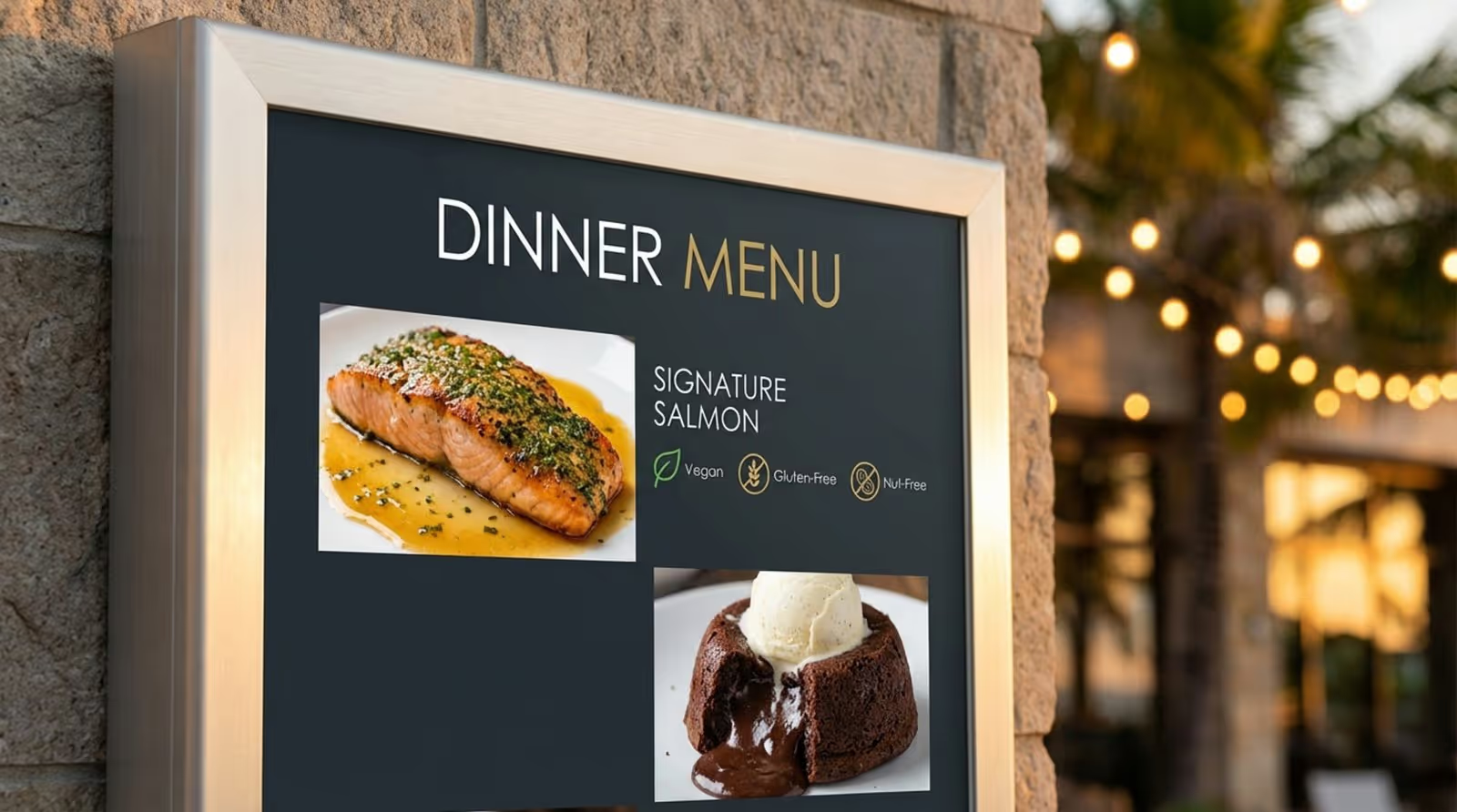
Digital menu boards make it simple to switch from breakfast to lunch menus automatically. You can also hide sold-out items instantly so guests aren't disappointed.
Poolside and Recreational Zones
Outdoor-rated screens can display water safety rules, temperature, and activity schedules. They are also perfect for promoting poolside drink specials.
Event and Meeting Venues
Small screens outside meeting rooms can show the current event name and schedule. Larger video walls in halls can run sponsor loops or presentation slides.
Fitness Centers and Spa
Gym screens can display class times and trainer profiles. In the spa, use calming visuals and list available appointment slots to fill gaps in the schedule.
In-Room Displays
TVs in guest rooms can serve as digital concierges. Guests can check the weather, view restaurant menus, or see the daily activity schedule from the comfort of their bed.

Examples of Activities and Amenities Showcased
- Fitness: Yoga, pilates, spin classes.
- Recreation: Tennis bookings, bike rentals, golf tee times.
- Kids: Craft workshops, treasure hunts, movie nights.
- Entertainment: Live bands, DJ sets, cultural shows.
Interactive Features for Guest Engagement
Touchscreens allow guests to explore at their own pace. They can tap through excursion lists, view restaurant menus, or browse spa packages. Simple feedback buttons (like smiley faces) let guests rate their experience instantly, giving you valuable data.
Which Content Works Best on Resort Activities Boards With Digital Signage?
Screens need to offer value, not just ads. The best content mixes helpful information with inspiring visuals. Keep text short and easy to read from a distance.
Daily Activity Schedules and Event Calendars
Present schedules clearly with times, locations, and icons. A "Week at a Glance" view helps guests plan their stay so they don't miss major events like a Friday night luau.
Dining Menus and Specials
Use high-quality photos of your food. Video clips of a chef plating a dish can be very tempting. Always mark dietary info clearly and keep prices up to date.
Weather, News, and Travel Information
Live weather widgets help guests plan their outfits and activities. If your resort is near a transit hub, showing live flight or train status is a huge convenience for departing guests.
Safety Information and Emergency Instructions
Rotate safety tips-like swim safety or sun protection-into your playlist. Ensure you have emergency templates ready to launch if needed.
Promoting Amenities and Upgrades
Highlight underused amenities. If the tennis courts are empty in the afternoon, run a promo for free equipment rental. Promote room upgrades or late checkout packages to guests during their stay.
Loyalty Programs and Guest Testimonials
Showcase positive reviews or guest photos (with permission) to build community. Display QR codes that link to your loyalty program sign-up page, highlighting perks like free Wi-Fi or room upgrades.
Social Media Feeds
A live social wall displaying posts with your resort's hashtag encourages guests to share their own photos. It adds a fun, real-time element to your screens.
How to Design Effective Resort Activities Boards With Digital Signage
Cluttered screens get ignored. Good design is simple, bold, and consistent.
Aligning Visuals With Resort Branding
Your screens should look like they belong to your brand. Use your official colors and fonts. Avoid generic templates that don't match your resort's vibe.
Improving Readability
Use high-contrast colors, like white text on a dark background. Keep headlines large. Use bullet points and icons instead of long paragraphs.
Balancing Informational and Promotional Content
Follow the "give and take" rule. For every promotional slide, show two or three informational slides (weather, schedule, map). This keeps guests looking at the screens because they find them useful.

Scheduling and Automating Content Updates
Use smart scheduling features in your software. Set breakfast menus to disappear at 11 AM and happy hour ads to start at 4 PM. Set start and end dates for seasonal promos so you never display outdated offers.
Providing Multilingual Support
If you have many international guests, rotate key messages in different languages or use universal icons to bridge the language gap.
Avoiding Common Mistakes
Don't put screens too high where people can't see them. Keep your content loop fresh; if guests see the same five slides all week, they will stop looking.
What Hardware and Software Do Resorts Need?
To run a reliable network, you need commercial-grade hardware and intuitive software.
Recommended Display Types
Commercial displays are designed to run 16 to 24 hours a day and are brighter than standard TVs, making them easier to read in sunny lobbies. For outdoor areas, ensure you buy weatherproof, high-brightness screens.
Software: The Look Digital Signage Advantage
For a system that balances power with ease of use, Look Digital Signage is a strong choice for resorts. It is designed for teams that need to manage screens remotely without complex IT setups.
With Look CMS, you can manage one screen or a thousand from a simple web dashboard. Features like Ready-made Templates help you create professional activity boards in minutes, even if you don't have a designer. Smart Scheduling ensures your yoga class info appears exactly when it should, and the Look HDMI Player provides a plug-and-play hardware solution that turns any HDMI screen into a digital sign. Plus, Offline Playback keeps your content running even if the resort Wi-Fi dips.
Integration With Resort Systems
Connecting your signage to your event management system can automate room schedules, removing the need for manual updates when meeting times change.
Remote Updates and Security
Choose cloud-based software that lets you update content from anywhere. Security features like two-factor authentication and user permissions keep your screens safe from unauthorized access.
How Can Resorts Measure the Impact of Digital Activities Boards?
Tracking performance helps you understand what works and justify the investment.
Guest Engagement and Feedback
If you use touchscreens, track which buttons get tapped the most. High engagement on the "Excursions" page tells you that guests are looking for things to do.
Tracking Promotions
Use unique promo codes on your digital signs (e.g., "LOBBY10" for a spa discount). When guests use that code, you know exactly where the sale came from.
Analyzing Content Effectiveness
Tools like Playback Analytics in Look DS show you proof-of-play reports, helping you verify that your content ran as scheduled. This data is crucial for optimizing your playlists over time.
What Are the Future Trends in Resort Digital Signage?
The future is about personalization and connection.
Personalization With AI
AI will soon help tailor content to specific audiences. Screens might change content based on who is standing in front of them, offering relevant suggestions based on demographics.
Mobile Integration
Guests will increasingly interact with screens via their mobile phones, "taking" maps or schedules with them instantly.
Touchless Interaction
Voice control and gesture recognition will allow guests to interact with screens without touching them, improving hygiene and convenience.
Frequently Asked Questions About Resort Activities Boards
Is Digital Signage Difficult to Implement?
No. Cloud-based solutions like Look Digital Signage are designed for a simple setup. You often just need a screen, a small player, and an internet connection. No complex servers are required.
Can Content Be Updated Remotely?
Yes. You can update any screen on your network from any computer with internet access. Changes appear on screen in minutes.
How Do I Handle International Guests?
You can schedule content to play in multiple languages or use interactive layouts that let users select their preferred language.
What Maintenance Is Required?
Commercial screens need little maintenance beyond cleaning. Software updates are usually handled remotely via the cloud.
How Is ROI Calculated?
ROI is measured by savings on printing/staff time and increases in revenue from upsells promoted on the screens. Improved guest satisfaction scores also contribute to long-term value.







