Table of Content
How can you make navigating a busy facility less stressful for visitors and staff? Waiting room wayfinding with digital signage solves this by using strategically placed screens to provide clear, real-time directions the moment people arrive, helping them find their way in minutes without complicated setup or constant questions at the front desk.
What Is Waiting Room Wayfinding With Digital Signage?
Waiting room wayfinding with digital signage means using cloud-based digital signage software to display directions, maps, and helpful information on screens in your reception areas. It moves you away from static, printed boards and gives you a flexible way to manage messaging. Instead of just pointing to a hallway, it helps visitors feel confident about where to go and what to do next.
How Does Digital Signage Improve Navigation in Waiting Rooms?
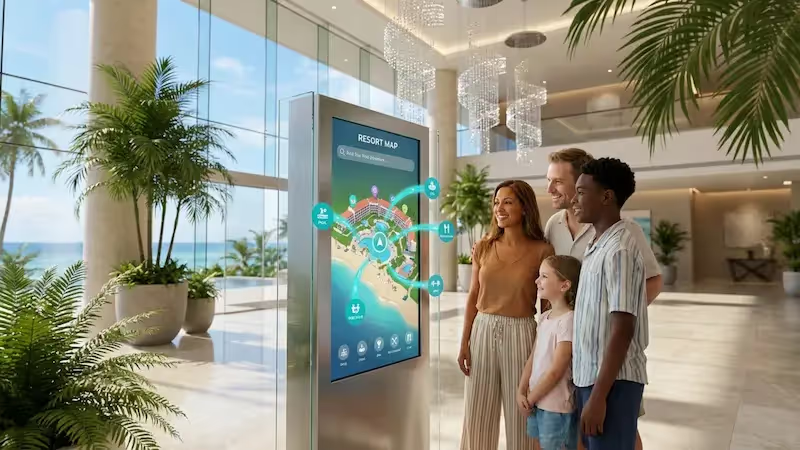
Digital screens improve navigation by presenting clear, readable information that you can update from anywhere. If you run a large medical building with multiple departments, a digital wayfinding screen offers an immediate visual guide. Interactive maps allow visitors to search for their exact destination and follow simple step-by-step directions, often starting with a helpful "You Are Here" marker.
Because the system is managed remotely, routes can change the moment your facility does. If a hallway is closed for maintenance or a meeting room shifts, you can update the signage instantly. This keeps foot traffic moving, reduces late arrivals, and maintains a calmer environment.
Common Types of Digital Wayfinding Solutions
Different spaces require different setups. A highly effective choice is the interactive directory or touchscreen kiosk. Visitors can search for a specific clinic, office, or staff member and instantly get the right path.
Other reliable options include:
- Directional screens: Wall-mounted displays showing arrows, floor plans, and schedules.
- Digital room signs: Smaller screens outside doors indicating occupancy, current meetings, or staff assignments.
- Strategic hallway displays: Screens placed at intersections or near elevators where people typically get turned around.

Key Benefits of Digital Signage for Waiting Room Wayfinding
Moving to a digital system does more than point people in the right direction. It fundamentally improves the visitor experience, provides clear next steps, and helps your team stay focused on their actual jobs.
Improving Visitor Experience and Lowering Anxiety
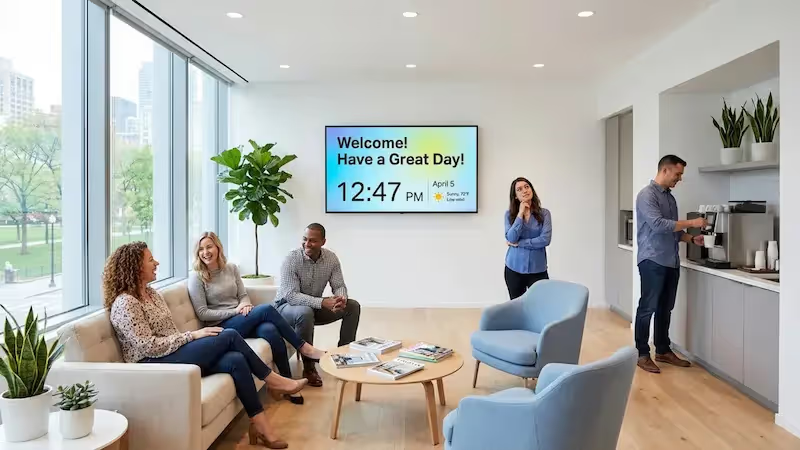
Waiting rooms naturally generate uncertainty. Visitors often wonder how long they will wait or if they are in the right place. Screens can ease this tension by displaying clear, up-to-date information. By using flexible Screen Layouts, you can divide a single display to show estimated wait times on one side and calming content, news, or health tips on the other, making the wait feel shorter.
Increasing Efficiency in Facility Navigation
When visitors are confused, it creates traffic jams in busy areas and leads to missed appointments. Digital signage provides a reliable self-service option. Up-to-date directions make it simple for people to reach their destination on their own, smoothing out the flow of traffic throughout the building.
Supporting Staff by Reducing Directional Inquiries
Every time a visitor asks, "Where do I go?", it pulls your staff away from their primary work. Over a single day, these repetitive questions waste hours of staff time. Self-service wayfinding handles these basic inquiries automatically, giving your team more time to focus on patient care, customer service, and keeping operations running smoothly.

Improving Communication with Real-Time Updates
Printed signs become inaccurate the moment a schedule shifts. Digital screens allow you to push real-time updates instantly across one screen or thousands.
This is especially critical for:
- emergency alerts
- elevator outages
- appointment changes
- temporary room closures
Branding and Educational Opportunities
Your screens are also a powerful communication channel. You can display your logo, use your brand colors, and reinforce your commitment to care, which builds trust with visitors.
They are also ideal for sharing educational content, such as:
- health and wellness tips
- information on common conditions
- preventive care reminders
- details about wellness programs
- patient success stories
Applications of Digital Wayfinding in Waiting Rooms
While often associated with healthcare, digital wayfinding improves navigation in any large facility.
Healthcare and Hospital Environments
Hospitals can be overwhelming for first-time visitors. Digital wayfinding guides patients to specific wings like pediatrics or radiology, streamlines the check-in process, and displays live queue times, reducing friction in high-stress environments.
Corporate Offices and Business Centers
A clear, modern wayfinding system in a corporate lobby makes a strong first impression. Digital directories direct guests to specific meeting rooms or tenant floors, and can easily be updated when companies move in or out.

Public Buildings and Government Facilities
Airports, transit hubs, and government centers serve large, diverse crowds. Digital screens provide easily readable directions to gates, service counters, and restrooms.
For public spaces, these systems often utilize:
- multiple languages
- large, readable text
- ADA-friendly design features
- live schedule and announcement updates
Features to Look for in Waiting Room Digital Wayfinding Solutions
If you need to implement a solution without a heavy IT burden, Look Digital Signage is an ideal fit. It is designed to help operations and facility managers easily manage content and keep screens running smoothly. When evaluating a system, look for these specific capabilities.
Interactive Directories and Touchscreen Maps
Touchscreens let visitors control their own navigation. Using Interactive Scenarios within Look CMS, you can build custom, touch-friendly directories, complete with clickable buttons and QR codes, without writing a single line of code.
Customizable Content and Templates
You shouldn't have to start from scratch. A strong platform provides ready-made templates that you can easily adapt to match your facility's branding and layout, helping you get your first screen live in minutes.
Live Feeds and Real-Time Notifications
Your screens should reflect what is happening right now. The software needs to support dynamic widgets and live data so you can push queue updates, wait times, and safety alerts to displays instantly.
Accessibility and Language Options
Effective wayfinding works for everyone. Prioritize high-contrast designs, large text options, and multi-language support so all visitors can navigate your facility safely.
Integration with Queue Management Systems
If your location uses a ticketing or queue system, integration is vital. Connecting your signage allows screens to automatically display current queue statuses or call-forward messages, such as "Patient X, please proceed to Room 3."
How to Get Started With Digital Signage for Wayfinding
Deploying a digital wayfinding system is a straightforward process when you break it down into practical steps.
Assessing Your Waiting Room Needs
Start by identifying the friction points. Are visitors consistently getting lost? Is your front desk overwhelmed with questions? Define your scope: a single clinic lobby requires a different setup than a multi-building campus. Understanding the problem reveals exactly what your screens need to display.
Choosing the Right Digital Signage Vendor
Select a platform that balances powerful features with a simple setup. Look Digital Signage provides both the intuitive cloud-based software and reliable hardware (like the plug-and-play Look HDMI Player) to get you started fast. This approach ensures you can scale smoothly from a single lobby display to a fully connected facility network.
Customizing and Deploying Your Digital Solution
Once you select your hardware, build your layouts and maps. Use Smart Scheduling to automate what information displays during morning rushes versus evening hours. Then, connect your screens, publish your first playlist, and your wayfinding is live.

Ongoing Support and Content Updates
Facilities evolve, and your signage must keep up. A cloud-based CMS allows your team to log in from anywhere and make real-time updates.
Ensure your provider offers:
- reliable software updates
- accessible technical support
- resources for staff training
Frequently Asked Questions About Waiting Room Wayfinding With Digital Signage
What Are the Advantages Over Traditional Signage?
Digital signage provides three major practical advantages:
- Fast updates: Route changes, queue times, and alerts can be updated in seconds from any location.
- Better visibility: Bright screens naturally draw attention, ensuring visitors actually see the directions.
- Reduced printing and updates: You eliminate the ongoing cost and manual labor of replacing physical signs.
Can Digital Signage Be Customized for My Facility?
Yes. You have full control over templates, screen layouts, and interactive elements. You can tailor everything to match your specific floor plans, brand colors, and operational needs.
What Is the Installation Process?
Deployment can be incredibly simple. If you have existing supported TVs, you can often just install a free player app. For dedicated setups, plug-and-play media players connect to your screens via HDMI, allowing you to link the display to your cloud dashboard in minutes.
How Is Content Managed and Updated?
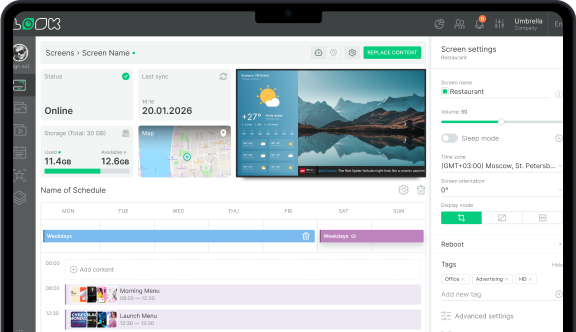
Everything is handled through a cloud-based dashboard. Approved team members can log in from anywhere, drag and drop new content, update schedules, and publish changes to one or all screens instantly.
What Support Is Offered After Installation?
Reliable platforms offer ongoing assistance to keep your screens running. This typically includes software updates, extensive help centers, and direct chat support within your dashboard so your team can get help right when they need it.