
Table of Content
How can HR teams ensure every employee sees critical enrollment deadlines? Benefits enrollment messaging with digital signage moves essential updates out of crowded inboxes and onto shared screens in breakrooms and lobbies. This approach ensures your workforce stays informed and takes action on time, regardless of whether they sit at a desk or work on the production floor.
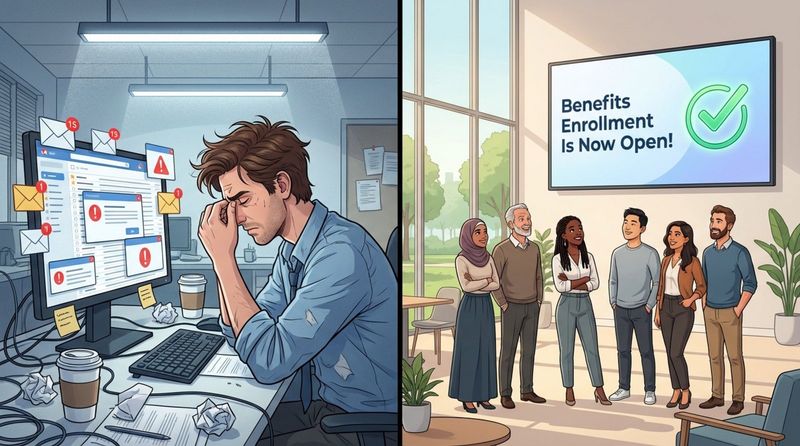
In a fast-paced workplace, relying on emails or paper flyers often leads to missed deadlines and confused employees. Digital signage acts as a clear, visual guide, turning complex benefits information into simple, digestible content. By using bold graphics and clear calls to action, you can make the enrollment process easier for your team, leading to better participation and fewer last-minute questions.
What is Benefits Enrollment Messaging With Digital Signage?
Benefits enrollment messaging with digital signage bridges the gap between detailed HR plans and the quick summaries employees actually read. While old methods like bulletin boards often get ignored, digital signage uses bright screens to centralize key messages. With a cloud-based platform, HR can publish policy changes, plan comparisons, and event reminders to screens across multiple locations instantly.
This technology does more than just display text; it creates an environment where information is hard to miss. Whether you are managing screens in a corporate office or a remote warehouse, digital signage supports various content formats-from simple slides to explainer videos-ensuring your message is seen, understood, and remembered.
Key Concepts of Digital Signage in Employee Communications
Digital signage succeeds because it meets employees where they already are. Unlike an intranet that requires a login, digital screens provide passive, frequent communication in high-traffic areas. This "glanceable" media works like a modern, dynamic bulletin board that is cleaner, easier to update, and far more engaging than static paper notices.
Another core concept is centralized control. A single dashboard allows you to rotate content between health plan details, 401(k) deadlines, and wellness tips without cluttering your walls. This lets HR teams update content in minutes, ensuring that what appears on screen is always relevant to the current stage of the enrollment period.
How Digital Displays Are Used for Benefits Messaging
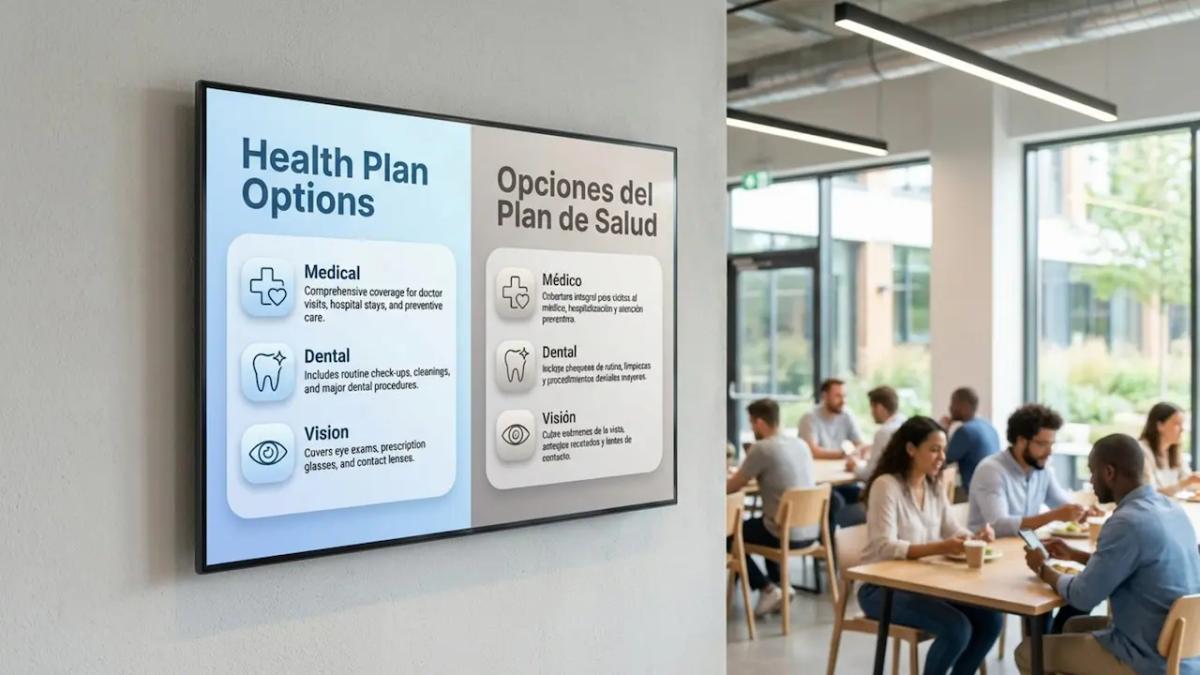
During open enrollment, digital screens serve as a tool for quick education. HR teams can use them to simplify complex options into visual comparisons. For example, using Screen Layouts, you can display a side-by-side table of health plans next to a QR code that links directly to the enrollment portal. This reduces friction and helps employees take the next step immediately.
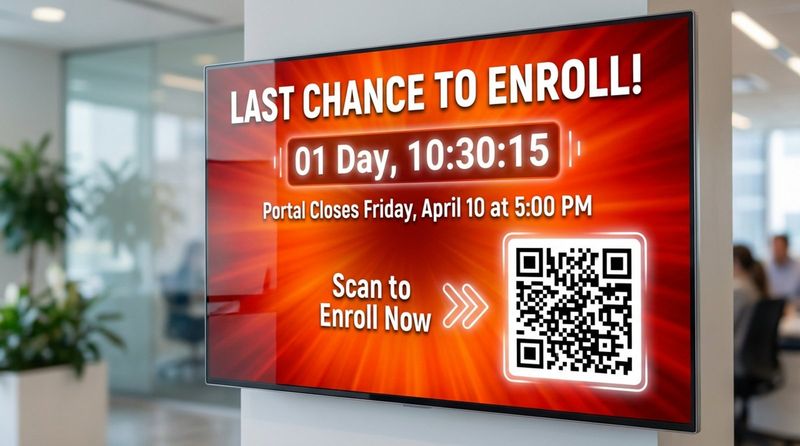
Digital displays also keep deadlines top of mind. Displaying countdown clocks creates a healthy sense of urgency, while promo slides can highlight Q&A sessions or financial wellness seminars. By keeping these messages visible, you give your benefits package the attention it deserves.
Why Businesses Use Digital Signage for Benefits Enrollment
Today’s workforce is often distributed, with many employees working away from computers. This makes email ineffective for reaching everyone. Businesses use digital signage because it connects with frontline and deskless workers just as effectively as office staff. When information is accessible to everyone, engagement naturally improves.
Furthermore, employees are often overloaded with information. Digital signage cuts through the noise by presenting key points in a visual, easy-to-digest format. By pushing messages to screens in common areas, you ensure that critical details about health and financial security are seen by the entire team, fostering a culture of transparency.
Increases Employee Awareness About Benefits Enrollment
A primary goal of using digital signage is to eliminate the “I didn’t know” excuse. By placing screens in breakrooms and hallways, you reduce the chance that updates are missed. This is crucial for complex topics like retirement planning or new health savings accounts. Visual prompts keep these benefits top-of-mind and encourage employees to consider their options early.
Increased awareness leads to better decision-making. When employees see consistent reminders, they are more likely to investigate the details. Screens can spotlight specific, often overlooked perks, like fertility support or mental health resources, that might otherwise be buried in a handbook.
Encourages Timely Action and Participation
Procrastination is common during open enrollment. Digital signage combats this by providing a constant visual nudge. As deadlines approach, you can switch content from educational slides to urgent reminders. This steady visual pressure helps drive completions before time runs out.
Participation also improves when the path to action is clear. If a screen displays “Scan to enroll in 2 minutes” alongside a large QR code, employees can act instantly on their mobile devices. Removing barriers to entry helps your team take full advantage of their benefits without administrative headaches.
Reduces Communication Gaps in Large or Hybrid Teams
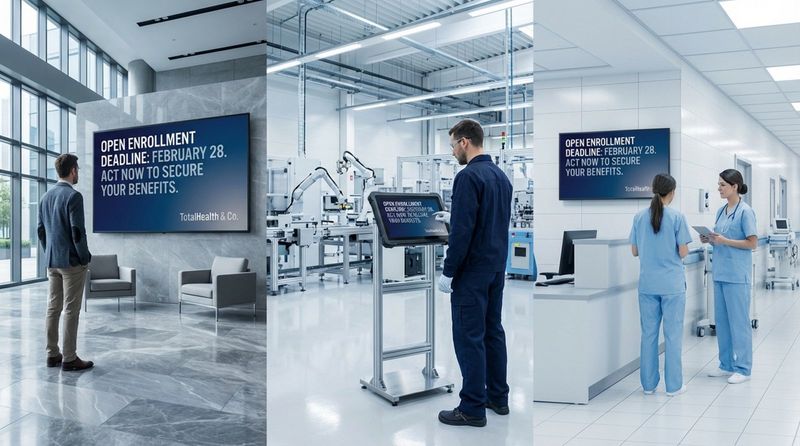
For organizations with multiple sites, digital signage ensures consistency. An employee in a distribution center sees the same critical updates as someone at headquarters. This unified messaging strengthens the connection between different teams and ensures everyone feels included in important company conversations.
In hybrid environments, physical screens bridge the gap for those who come into the office. They reinforce messages that might be missed in digital chat channels, ensuring that the in-office experience aligns with your digital communication strategy.
What Are the Advantages of Digital Signage for Benefits Enrollment Messaging?
Beyond visibility, digital signage offers unmatched flexibility. Unlike printed posters, which are costly and slow to replace, digital content can be updated in minutes from anywhere. If a deadline is extended or a plan detail changes, you can correct every screen in your network instantly. This speed is essential for keeping HR communications accurate.
It is also a more sustainable option. Digital signage reduces the need for printed booklets and flyers that often end up in the trash. By shifting to digital displays, companies save on printing and distribution costs while supporting their environmental goals.
Delivers Real-Time Updates on Enrollment Deadlines
Real-time capability is a major advantage. During the final days of enrollment, you can display live progress updates, such as “85% of the team is enrolled-are you?” This social proof encourages action. If technical issues arise with the portal, screens can instantly inform employees, preventing frustration.
Day-of reminders are equally powerful. On the final day, screens can switch to high-contrast alerts that are impossible to ignore, significantly reducing the need for HR teams to chase down stragglers via email or phone.
Improves Visibility and Accessibility of Information
Digital signage naturally democratizes information. Screens in cafeterias and entryways reach staff who may not have corporate email addresses. This ensures fairness, giving every employee the same opportunity to understand and enroll in benefits programs.
The visual nature of digital signage also aids comprehension. Icons, simple charts, and bold headlines make complex insurance concepts easier to understand than dense text. This supports visual learners and ensures your message lands effectively across the board.
Supports Multilingual and Inclusive Messaging
In diverse workplaces, presenting information in an employee's primary language is vital. Digital signage software allows you to rotate content in multiple languages or display translations side-by-side using split-screen layouts. This helps employees make informed decisions about sensitive topics like medical coverage.
Inclusivity also means targeting different life stages. You can schedule content loops that alternate between childcare benefits and retirement planning. Tailoring messages in this way makes the information feel personal and relevant to a wider range of employees.
Keeps Messages Consistent Across Multiple Locations
Aligning messaging across a large organization can be a struggle. Digital signage solves this through central management. An HR manager can control screens across dozens of locations from a single cloud-based dashboard. This ensures the core message remains consistent and eliminates outdated paper notices from cluttering bulletin boards.
Consistency builds trust. When employees see professional, up-to-date information, it reinforces that the company is organized and cares about their well-being. This contributes to a positive and transparent workplace culture.
Automates Reminders and Key Announcements
Automation is a time-saver for busy HR teams. With features like Smart Scheduling, you can plan your entire enrollment campaign in advance. You can set specific slides to appear only during the final week or schedule "Enrollment Closed" messages to trigger automatically once the deadline passes.
This "set and forget" capability frees you to focus on employee questions rather than managing screens daily. Automation ensures a steady rhythm of communication, helping messages stick without requiring constant manual intervention.
How to Create Effective Benefits Enrollment Messages for Digital Signage
Writing for screens is different from writing emails. Messages must be concise and visual, designed to be read in just a few seconds as people walk by. Use large fonts, high contrast, and minimal text. If a slide takes more than a few seconds to read, it is too long.
Effective content connects facts with motivation. Instead of just listing plan details, remind employees why these benefits matter. Use images of families or active lifestyles to connect abstract benefits to real life, making enrollment feel less like paperwork and more like investing in their future.
Best Practices for Visual and Text-Based Content
Keep it simple: one idea per slide. If you have multiple updates, break them into a playlist of separate slides. Use high-quality images and avoid clutter. Tools like ready-made digital signage templates can help you create professional layouts quickly without needing a graphic designer.
Use active, friendly language. Instead of "Enrollment is mandatory," try "Secure your benefits today." Always include a clear next step, such as "Scan to start" or "Visit the HR portal."
Examples of Impactful Benefits Enrollment Messages
Combine data with clear benefits. A slide might say "New Vision Plan: $0 Copay for Exams" accompanied by a relevant icon. Another might spotlight a specific perk: "Did you know? We offer 24/7 Mental Health Support."
Short testimonials or facts can also be powerful. A simple quote about how a Health Savings Account (HSA) helped a colleague save money makes the benefit tangible. These examples cut through jargon and highlight real-world value.
Incorporating Enrollment Timelines and Deadlines
Visual timelines help employees track where they are in the process. Use a progress bar graphic to show the enrollment window. Start with "Coming Soon" teasers, move to "Open Now" announcements, and finish with urgent deadline alerts.
As the deadline nears, change your color scheme to signal urgency, moving from cool blues to attention-grabbing oranges or reds. Be specific with times, such as "Portal closes Friday at 5:00 PM," to avoid any last-minute confusion.
Personalizing Messages for Different Employee Groups
If your signage network supports it, tailor content by location. Screens in a production area might focus on safety and medical benefits, while office screens highlight commuter perks or tuition reimbursement.
You can also rotate content based on demographics or life events. Creating playlists that mix maternity leave info with 401(k) match details ensures that different segments of your workforce see messages that apply to them.
Maintaining Compliance and Accuracy in Messaging
Accuracy is non-negotiable. Ensure all claims about coverage are verified by your benefits team. Avoid giving specific medical advice on screens; instead, direct employees to official plan documents. Features like Content Creator allow you to make quick text edits if you spot an error.
Timeliness is also part of accuracy. Ensure your scheduling settings are correct so that deadline messages do not persist after enrollment has closed. Keeping content fresh and accurate maintains trust in your communication channels.
Recommended Frequency and Timing for Enrollment Communications
Timing is critical. A phased campaign that builds urgency works best. Start early to build awareness, then increase frequency as the deadline approaches. This ensures the message is seen multiple times, which is often necessary for it to sink in.
Consider the flow of the work week. Launch new information early in the week when attention is closer, rather than late on a Friday. Use scheduling tools to align messages with shift changes or lunch breaks for maximum visibility.
Pre-Enrollment Awareness Campaigns
Two weeks before enrollment, use screens to tease what is coming. Highlight new plan features or changes to limits. This preparation phase reduces anxiety and encourages employees to start thinking about their needs before the portal opens.
Use this time to promote educational resources. If you are hosting webinars or have new guidebooks available, use the screens to direct employees to them. The goal is to have a prepared workforce ready to act on day one.
Key Dates and Midway Reminders
Once enrollment opens, shift your tone to "Action Required." Use energetic visuals to announce that the window is open. Midway through, switch to reminders and FAQs to address common sticking points or promote under-utilized benefits.
If participation is lagging in certain areas, such as wellness program sign-ups, a targeted set of slides can help boost numbers before the window closes.
Last-Chance Alerts and Final Deadlines
In the final 48 hours, urgency is key. Use bold "LAST CHANCE" headers. Keep instructions incredibly simple-focus solely on the login link or QR code. This is aimed at those who have put off the task until the very end.
After the deadline, switch to a "Thank You" message or instructions for those who missed the window. This provides a clean conclusion to the campaign and keeps the screens relevant.
Integrating Digital Signage With Other Communication Channels
Digital signage should support, not replace, your other channels. Use screens to reinforce emails and intranet posts. When the visuals and key phrases match across all platforms, your campaign feels cohesive and professional.
This multi-channel approach ensures you reach everyone. A desk worker might see the email, while a floor supervisor notices the screen. By layering these channels, you minimize the risk of anyone saying they were not informed.
Combining Signage With Email, Intranet, and Print
Coordinate your content releases. When a detailed email goes out, update the screens to highlight the main takeaway and direct people to their inbox. You can also use screens to host QR codes that link to printable PDF guides, bridging the digital and physical divide.
Connecting these dots creates a seamless experience, guiding employees from awareness (screen) to deep understanding (email/doc) to action (portal).
Reinforcing Messages for Maximum Reach
Repetition reinforces memory. Use digital signage to recap points made in town hall meetings or leadership videos. A short quote from a leader displayed on screen can lend weight to the importance of enrollment.
Celebrating milestones, such as hitting a company-wide enrollment target, can also build momentum and encourage others to finish their sign-up.
Measuring the Impact of Digital Signage on Benefits Enrollment
To improve your strategy, you need data. Using unique tracking URLs or specific QR codes on your screens allows you to see exactly how much traffic the displays are driving to your enrollment portal. This helps prove the ROI of your internal communication efforts.
Gathering qualitative feedback is also valuable. Asking employees which channels they found most helpful can guide your strategy for the following year.
Tracking Participation and Engagement Rates
Monitor enrollment spikes that correlate with specific signage campaigns. Modern platforms often include Playback Analytics, which provides reports on how often content is played and on which screens. This data confirms that your messages were delivered as planned.
If you use interactive screens, tracking touch interactions can reveal which benefit information pages were most popular, offering insight into what your employees value most.
Gathering Employee Feedback on Communication Effectiveness
Post-enrollment surveys should include questions about communication clarity. Ask specifically if the digital signage helped remind them of deadlines. This direct feedback helps you refine your content strategy.
You can also use the screens themselves to solicit feedback via a QR code link to a quick survey, keeping the loop continuous and easy for employees.
Tips for Getting Started With Digital Signage for HR Enrollment Needs
If you are ready to modernize your internal communications, start by identifying high-traffic areas where screens will have the most impact. You do not need a massive network to see results; a few well-placed displays can make a significant difference. Collaborate with your IT team to ensure a smooth setup that is secure and reliable.
When selecting a solution, prioritize ease of use and flexibility. Look Digital Signage is designed to help HR teams manage content across any number of screens without complex IT hurdles. It is a strong fit for businesses that need to get messages live quickly and reliably.
Selecting the Right Digital Signage Software and Hardware
For a solution that scales from a single breakroom TV to a global network, Look DS offers the tools you need. With the Look App, you can turn existing screens into digital signage in minutes, or use the Look HDMI Player for a simple plug-and-play experience. Features like Smart Scheduling ensure deadlines appear exactly when needed, while Playback Analytics help you verify that your messages are actually running.
Choosing the right hardware depends on your environment. Whether you use consumer TVs or professional displays, Look Digital Signage works with the hardware you already have or helps you deploy new players easily.
Planning Content for an Enrollment Period Calendar
Success lies in planning. Map out your content calendar from the initial announcement to the final deadline. Use tools like Ready-made Templates to keep visuals fresh without constant design work. Regular updates keep employees engaged and ensure the screens remain a trusted source of information.
By moving to a digital-first communication strategy, you can turn a typically stressful enrollment period into a streamlined, efficient process. With clear visuals and smart scheduling, digital signage helps your team make informed decisions about their health and future.


