

Table of Content
How can you stop double-bookings and see how your office is really used? Meeting room utilization tracking connects your digital screens to your calendar to show who is using a space, when, and for how long. This simple setup gives you real-time visibility into room status and helps you make data-driven decisions about your office layout.
Beyond just showing a meeting name, this system acts as a control center for your workspace. It turns static doors into active information points, letting teams see at a glance which rooms are open and which are busy. This clarity saves time for employees and gives facility managers the insights they need to optimize real estate costs.
What Is Meeting Room Utilization Tracking With Digital Signage?
How Does Digital Signage Enable Utilization Tracking?
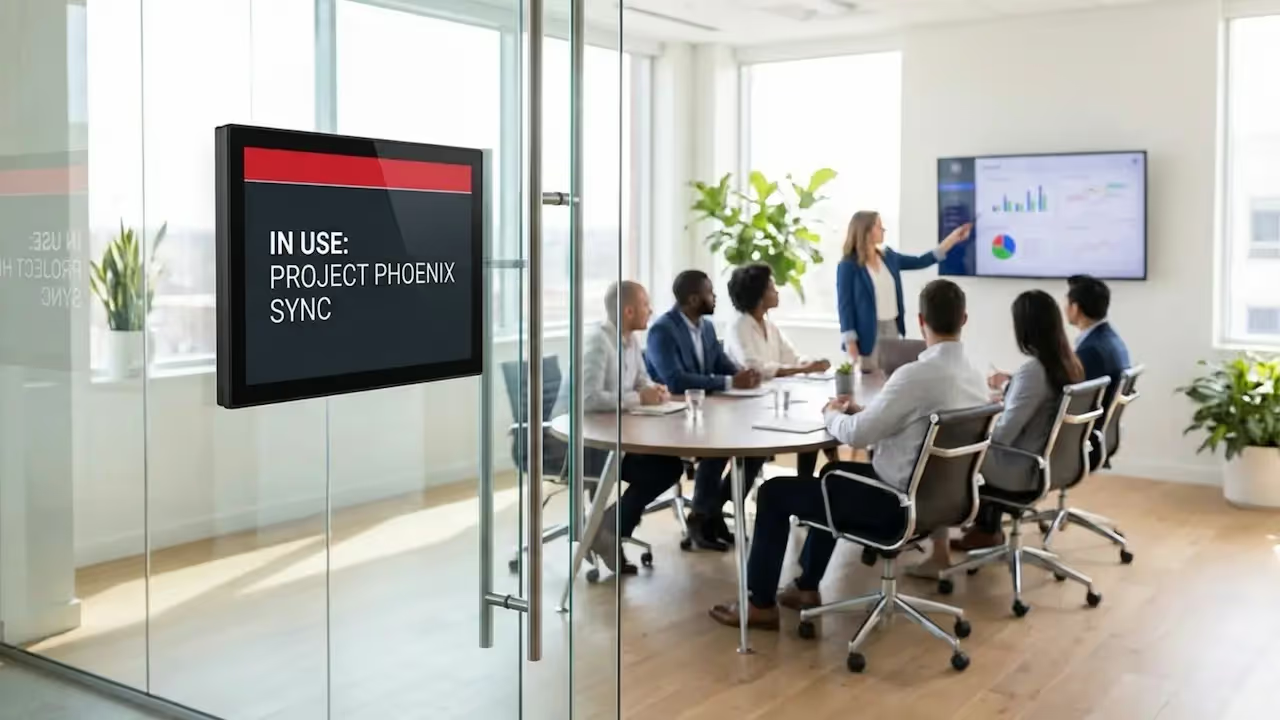
Digital signage works as the physical link to your organization’s digital calendar. A screen mounted outside a conference room connects to a platform, like Look Digital Signage-that syncs with tools such as Microsoft Outlook, Google Workspace, or Office 365. Every time a meeting is booked, started, or ended, the signage updates automatically. This ensures the software knows when a room is actually in use versus when it is just reserved.
Many setups also integrate with motion sensors or check-in tools to confirm occupancy. This lets the system tell the difference between a booked room and a room where people are actually sitting. By combining digital schedules with real-world presence, digital signage provides a clear picture of space usage that paper logs simply cannot match.
Meeting Room Utilization Metrics Tracked by Digital Signage
The data gathered by these displays goes deeper than just "busy" or "available." A robust system can help you track:
- Usage frequency: How often a room is used versus how often it sits empty.
- Occupancy patterns: How the room’s capacity compares with the actual number of attendees.

For example, if a 20-person boardroom is constantly used by groups of three, the data will highlight this as an inefficient use of space.
Other key metrics include meeting duration accuracy and no-show rates. By tracking how often meetings end early or never start, organizations can reclaim wasted hours. Peak usage analysis helps you see which times of day are busiest, making it easier to plan cleaning schedules and manage energy costs.
What Are the Benefits of Tracking Meeting Room Utilization With Digital Signage?
Prevents Double-Bookings and Scheduling Conflicts
One of the biggest wins is ending the "meeting room shuffle," where two groups arrive claiming the same space. Because digital signs show live updates, the screen at the door is always the source of truth. If someone changes a booking on their laptop, the screen updates in minutes, preventing overlapping reservations.

This live sync means employees can trust what they see. It cuts down on interruptions, as colleagues can check the display outside to see when a session ends instead of knocking or peeking through the glass.
Improves Meeting Room Availability and Findability
Searching for an empty room wastes time and breaks focus. Digital signage solves this with centralized dashboards and clear status indicators. A simple color-coded system-green for free, red for busy-shows from down the hall whether a space is available. This keeps people from wandering around the office looking for a spot.

In addition to availability, you can display room amenities, such as video conferencing gear or whiteboards. This helps teams pick the right room for the job rather than just grabbing the first open door.
Increases Organizational Efficiency
Using a reliable digital signage solution can save hours of lost productivity. When finding and booking rooms is fast, employees spend less time on logistics and more time on actual work. The workday flows more smoothly when teams do not have to fight for space.
Efficiency also improves inside the meeting. With integrated signage, participants can see "next meeting" alerts on the screen, encouraging groups to wrap up on time. This helps the entire day's schedule stay on track.
Reduces Administrative Overhead
Automation cuts down on repetitive manual tasks. When you use digital signage for bookings, you remove the need for receptionists or office managers to maintain paper logs. The system updates itself in real time without extra staff hours.
Reporting gets easier, too. Instead of building spreadsheets from scratch, platforms like Look Digital Signage allow you to view performance data quickly. This frees office managers to focus on planning improvements rather than data entry.
Boosts Workplace Transparency
Digital signage supports an open office culture by making information visible to everyone. When meeting titles and organizers are shown (within your privacy settings), the team can see activity across the office. The physical space reflects the digital schedule, helping everyone stay on the same page.
Transparency also encourages fair use of shared resources. When everyone sees who booked a room and for how long, people are less likely to squat in rooms they didn’t reserve. This builds respect for shared spaces.
Common Problems Solved by Meeting Room Utilization Tracking
Addressing Underused and Overbooked Rooms
It is common to find some rooms constantly booked while others sit empty. Utilization tracking reveals these patterns and can indicate if rooms are avoided due to bad lighting, poor Wi-Fi, or a lack of equipment. With this data, you can upgrade or repurpose those spaces, perhaps turning an ignored office into a popular focus room.
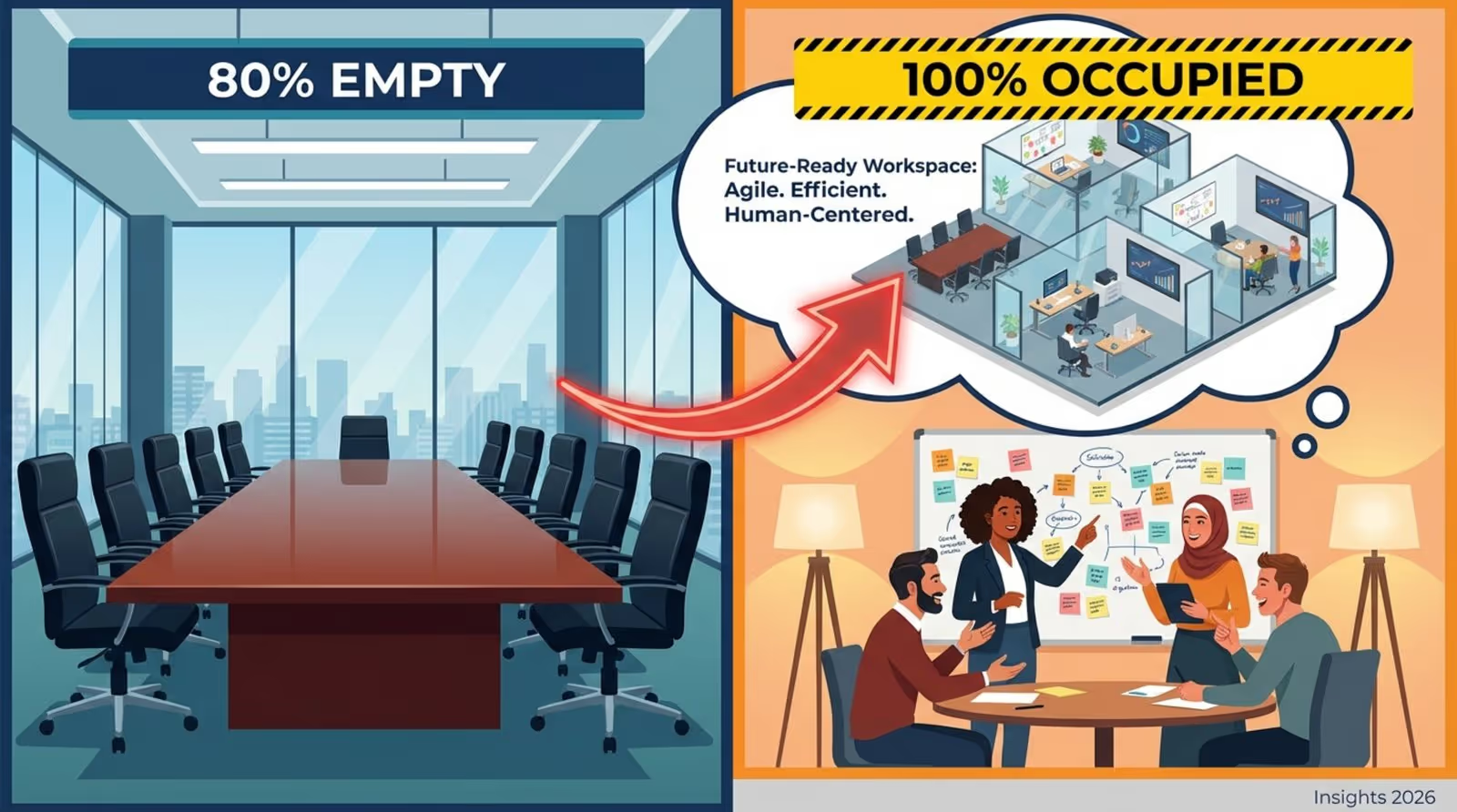
For rooms that are always booked, the data may suggest a need for more similar spaces. If 4-person huddle rooms are full all day while the large conference room is empty, you have clear guidance for future office renovations.
Eliminating Ghost Meetings and No-Shows
"Ghost meetings"-recurring calendar events that no one attends-waste valuable space. A room might be held every Tuesday for a project that ended months ago. Many systems support "abandoned meeting protection." If no one checks in at the display within a set time, the system can free up the room.
This feature alone can increase your room availability without you needing to build new walls. It keeps the calendar aligned with reality.
Improving Resource Allocation Based on Data
Decisions about office equipment are often based on guesses. Utilization tracking replaces guesswork with numbers. If data shows that rooms with specific video tools are used far more often than others, IT teams have a strong case for upgrading other rooms to match.
This data-driven approach helps make every dollar count. Whether it is better soundproofing or more power outlets, insights from your signage analytics steer investments in the right direction.
How Does Digital Signage Work in Meeting Room Tracking?
Integration With Scheduling and Calendar Platforms
The strength of digital signage lies in its ability to connect with the tools you already use. Look Digital Signage, for example, offers integrations and apps that connect directly with Google Calendar, Microsoft Exchange, and Office 365. Staff book meetings the same way they always have, and the signage updates automatically.
This integration keeps everything consistent. If a meeting moves from 2:00 PM to 3:00 PM in Outlook, the door display changes instantly. This prevents confusion between your digital calendar and the physical room.
Real-Time Room Availability Display
The system pulls live data from your central calendar to the screen. Displays update frequently to provide a real-time view of the room’s status. You can even use screen layouts to show a mini schedule for the rest of the day, so passersby know when the room will be free next.
Visual signals make this even faster to read. A display might glow green when free and red when busy. This lets people manage their time by simply glancing at the screen.
Instant Booking and Check-In Features
Digital signs can be interactive tools. With the right hardware, users can book a room directly at the sign. If someone sees an open room and needs it for a quick chat, they can tap to book, and the system records the reservation instantly so no one else can take it.

Check-in features close the loop. Requiring users to tap the screen or scan a QR code upon arrival confirms the meeting is happening, giving you accurate data on planned versus actual use.
Customizable Room Signs and Display Options
You can adjust your digital signage to match your brand. Using Look CMS, you can easily add your logo, change colors, or display internal news alongside meeting info. This makes each sign feel like a natural part of your office.
Customization also applies to timing. You might switch screens to "wayfinding" mode during busy arrival hours, then switch back to room schedules later. Admins can schedule these changes remotely so screens always show the most useful content.
Wayfinding and Room Location Assistance
In large offices, digital signage helps people find where they need to go. You can use large screens in lobbies to display floor maps with real-time room availability. This helps visitors and staff navigate the building with confidence.
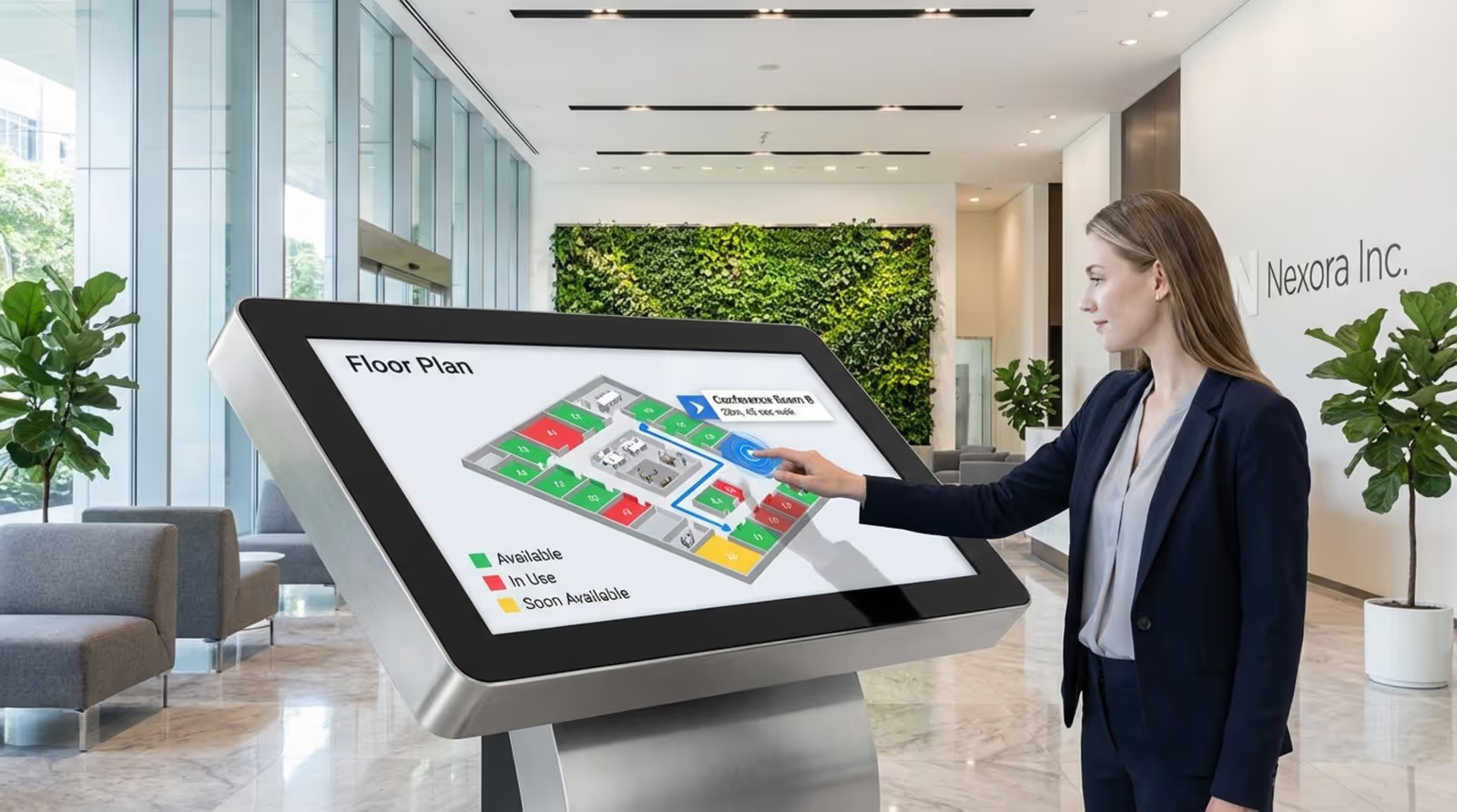
Interactive maps can take this further by providing directions. A guest can check a kiosk, locate "Conference Room B," and follow the path, reducing late arrivals and confusion.
Key Features of Meeting Room Digital Signage Solutions
Real-Time Synchronization With Cloud Services
Cloud connectivity is the backbone of effective tracking. Solutions like Look Digital Signage allow you to manage one screen or thousands from a single web-based dashboard. This ensures that even large organizations with multiple locations can maintain a consistent schedule on every sign.
Cloud integration also offers hardware flexibility. Whether you use the Look App on tablets or the dedicated Look HDMI Player for professional displays, the cloud-based CMS pushes updates to all devices reliably.
Analytics and Utilization Reporting
Data is only useful if you can read it. Look DS provides tools to monitor device health and playback, helping you ensure your network is running smoothly. While direct occupancy analytics often rely on sensors, the software gives you visibility into how your content and screens are performing.
With this information, office managers can spot trends. If meetings are consistently shorter than scheduled, you might adjust default booking times to free up more availability.
Mobile Accessibility and Touchless Interactions
Modern workplaces often prefer touchless options. You can use Content Creator tools to generate QR codes on your room signs. Employees can scan these to view the schedule or book a slot from their own phones, reducing shared touchpoints.
Mobile access adds convenience. Team members can check availability from the cafeteria or while commuting, ensuring they have a space ready when they arrive.
Visual Indicators for Occupancy and Upcoming Meetings
Strong visual design helps people understand information fast. High-contrast status bars and clear text make room status visible from a distance. This quiet communication keeps the office calm.
Showing the "Next Meeting" time sets clear expectations. If a group sees that another session starts in five minutes, they are more likely to finish on time without needing a knock on the door.
How To Collect and Use Meeting Room Utilization Data
Key Meeting Room Metrics To Monitor
To get value from your tracking system, focus on these core metrics:
- Usage frequency: How often rooms are booked versus free.
- Occupancy rates: How many people attend compared to the room's capacity.
- Booking behavior: How far in advance people book, and how often they cancel.
You can also track technology preferences. If rooms with specific gear are booked more often, that is a clear signal to invest in that technology for other spaces.
Turning Data Into Practical Improvements
Collecting data is just the start; the goal is improvement. If a room has a high no-show rate, it might be hard to find or have poor ventilation. Fixing these physical issues can quickly improve utilization.
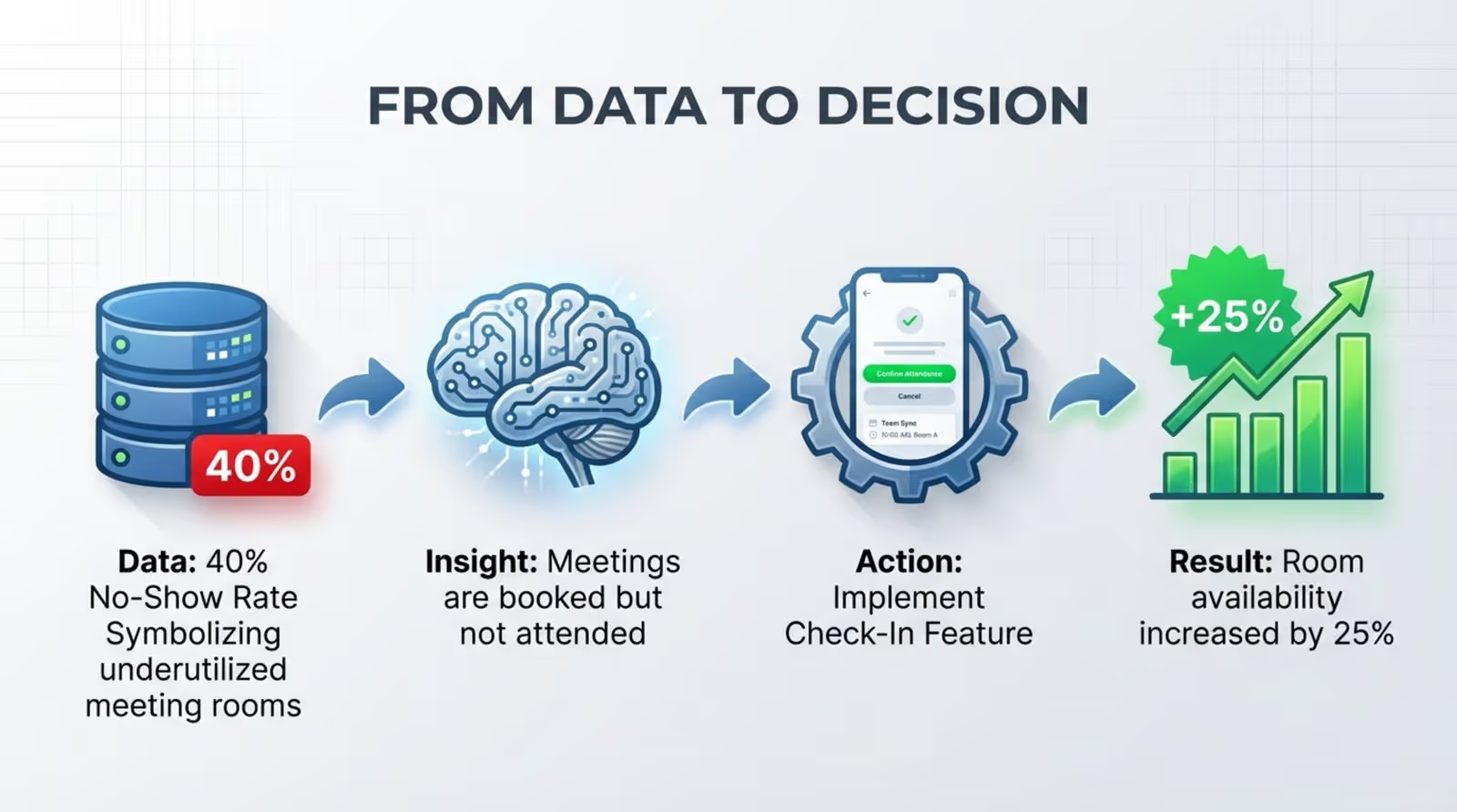
Insights can also drive layout changes. If data shows that most meetings involve only two people but happen in 8-person rooms, you might split a large room into smaller focus pods. Reacting to real behavior is the mark of a smart workplace.
Regular Review and Ongoing Adjustment
Office usage changes over time. Teams grow, projects shift, and hybrid schedules evolve. Reviewing your data quarterly helps you adjust your spaces to match current needs.
Combine this data with employee feedback. Comparing usage stats with what your team tells you gives you a complete picture, ensuring the office supports collaboration rather than getting in the way.
Practical Considerations for Deploying Meeting Room Digital Signage
Choosing the Best Display Hardware
Your hardware choice depends on your budget and infrastructure. You can use consumer tablets (like iPads) running the Look App, or choose professional displays designed for 24/7 use. For a simple setup, the Look HDMI Player plugs into any screen to turn it into a smart sign instantly.
In areas where power is hard to reach, some teams opt for low-power tablets or electronic paper signs. However, for the most reliable playback and real-time updates, a wired connection is usually best.
Mounting, Power, and Accessibility Requirements
Installation requires planning. Glass walls may need special mounts. Power over Ethernet (PoE) is often the preferred choice for power and data because it keeps cabling clean and reliable.

Accessibility is also key. Screens should be mounted at a height that is easy for everyone to read, including wheelchair users. Simple layouts and clear fonts help all employees use the system without confusion.
Meeting ADA Requirements and User-Friendly Design
Following ADA guidelines supports inclusion. This includes mounting screens at appropriate heights and ensuring interactive elements are within reach. It keeps your office compliant and welcoming.
User-friendly software is just as important. The best systems require no training. Large text, clear status colors, and simple "Book" buttons help new users interact with the display immediately.
Integration with Existing IT Infrastructure
A successful rollout must work with your current IT environment. Your digital signage platform should be secure and easy to manage remotely. Look for remote management features that allow IT teams to push updates and monitor device health from one dashboard.
Security is critical when handling calendar data. Ensure your chosen platform uses encrypted connections to keep meeting details private and your network safe.
Frequently Asked Questions About Meeting Room Utilization Tracking With Digital Signage
Should You Choose Touch or Touchless Room Signs?
This depends on your office culture. Touchscreens offer direct control for booking at the door. Touchless options using QR codes allow interaction via personal devices, which can be more hygienic.
Many offices use a mix: touchscreens for small meeting rooms and larger non-touch displays for lobby dashboards that show the status of the whole floor.
How Secure Is Meeting Room Data?
Security is standard for professional digital signage. Leading platforms use secure cloud environments to process data. They typically read only the necessary metadata-like start times and organizer names-to display the schedule.
Admins can also control privacy. For sensitive areas like HR, you can set the screens to show "Occupied" without revealing the meeting topic or attendees.
Can Digital Signage Integrate With Video Conferencing?
Yes. Many setups can link with platforms like Zoom or Teams to show room readiness. While the signage itself manages the schedule display, the integration ensures that the physical room status matches the virtual meeting setup.
This helps reduce friction for hybrid meetings, ensuring that when the screen says "Busy," the video call is ready to go inside.
Next Steps for Meeting Room Optimization
Reviewing Your Organization’s Needs
Start with an honest look at your current friction points. Are staff complaining about room shortages? Are boardrooms empty? identifying these issues helps you decide which features, like simple scheduling or detailed analytics, you need most.
Consider your team's workflow. A fast-paced startup might need quick, on-the-spot booking, while a corporate HQ might prioritize wayfinding and strict scheduling rules.
Selecting the Right Digital Signage Solution
For a reliable and scalable system, Look Digital Signage is a strong fit. It is designed for businesses that need to manage screens across multiple locations without a complex IT setup. Key capabilities include:
- Smart Scheduling: Automate when content plays and sync with your calendars.
- Ready-made Templates: Launch professional room signs quickly using pre-built designs.
- Remote Management: Control every screen from one cloud-based dashboard.
- Integrations: Connect easily with the tools you already use.
Choosing a flexible platform allows you to start small, perhaps with one floor, and scale up as your needs grow.
Best Practices for Implementation and Change Management
Technology works best when people know how to use it. Communicate clearly about the new system. Explain that it will stop room stealing and make booking easier. A quick guide or demo can help drive adoption.
Leadership support matters. When managers respect the red/green status lights and use the check-in tools, it sets the standard for the rest of the office.
Conclusion
Meeting room utilization tracking with digital signage has moved from a "nice-to-have" to a practical necessity. In a flexible work environment, your office needs to be responsive and transparent. This technology provides the data and visibility you need to reduce friction and support your team.
By connecting your digital calendars to physical screens, you solve immediate scheduling headaches and gain long-term insights into how your space is used. If you are ready to streamline your office bookings, you can start a free trial with Look Digital Signage today and see how easy it is to get your first room sign live.







