
Table of Content
To put college campus digital signage in place in a useful way, schools need a central network of high-definition screens that show live safety alerts, interactive maps, and departmental messages, all while following brand and accessibility rules. By moving away from paper flyers and using bright, dynamic digital screens, universities can make sure important information reaches students, staff, and visitors at the right place and time. Success depends on smart screen placement, a single content management system, and a steady focus on clear, accessible, and visually appealing design.
Modern campuses are busy, active places full of ideas and innovation, yet many still rely on outdated communication tools. A strong digital signage plan lets a university replace cluttered bulletin boards and ignored email blasts with a cleaner, smarter way to share information. From highlighting a research milestone to helping a first-time visitor find parking, these screens become a central part of campus communication in 2026.
What Is College Campus Digital Signage?
College campus digital signage is a connected system of flat-screen displays, interactive kiosks, and electronic boards placed in key locations across university grounds. Central software controls these screens and lets administrators send content-anything from marketing messages to emergency alerts-to every screen or to specific buildings. It acts as a single, unified solution for the school’s information, promotion, and branding needs.
Beyond the physical screens, digital signage is a shift in how a campus chooses to communicate. It is more than a poster on a screen; it is a flexible tool that can show motion graphics, live social media, and real-time data. With a central management system, the university can keep every display-from the student union to distant parking areas-aligned with a consistent, professional view of daily campus life.
Key Functions and Applications on Campus
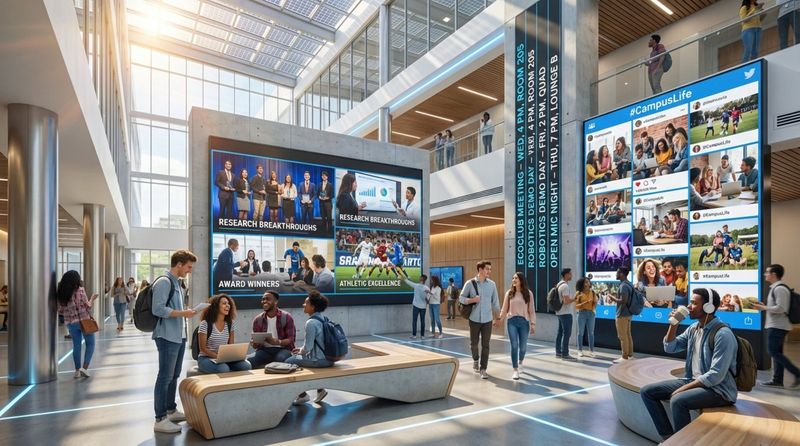
Campus digital signage handles many jobs and supports several areas of university operations. A major use is sharing timely, relevant information such as updated class schedules, faculty notices, and upcoming club events. In dining halls, screens work as digital menu boards, listing nutritional details and sustainability messages, while in libraries, they may show quiet hours, study tips, or workshop calendars.
Digital signage also plays a big part in branding and entertainment. Large LED walls and projection setups can celebrate student accomplishments, display art, or show live statistics for D1 athletes. This helps create an immersive environment where students feel recognized and connected, building long-lasting school pride.
How Digital Signage Differs from Traditional Communication
Traditional tools like paper flyers and mass emails often cause “communication fatigue.” Students may walk past a messy bulletin board without reading a single notice. Digital signage stands out by using bold, high-contrast visuals that draw attention quickly. Unlike a paper poster, digital content can change in seconds, so information stays current and useful.
Digital signage also offers interaction that paper cannot. Touch-screen kiosks can give personalized directions, helping users find exact locations with step-by-step mapping. While printed signs are static, digital displays can react to time of day, the type of audience in a building, or an emergency situation, making them active partners in the campus experience.
Who Benefits from Campus Digital Signage?
Students are the main group that benefits from a strong signage network. Digital screens give students a stage to share their voices and creativity. When they see their research, art, or projects featured on campus displays, it validates their effort and invites them to take part in campus life. Screens also keep them informed about deadlines, events, and support services without forcing them to search through packed email inboxes.
Students also enjoy the modern feel that technology brings. Immersive displays and interactive tools help the campus feel current and in step with the digital world they live in every day. This tech-focused setup helps the university stay competitive and appealing to a generation that expects smooth, integrated technology.
Faculty and Staff
For faculty and staff, digital signage can make daily operations smoother. It allows quick changes to messages like room switches or departmental updates without printing or posting paper notices. Staff manage content from one system, which breaks down silos between departments and keeps all messaging aligned with university branding.
The system also cuts down on repeated questions. A digital directory in a lobby means staff spend less time giving directions and more time on teaching, research, and office work. This raises efficiency and helps keep internal communication clear and consistent.
Visitors and Prospective Students
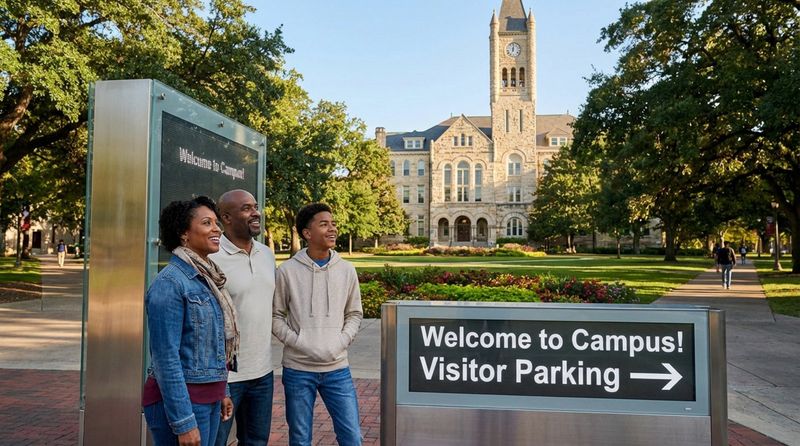
First impressions matter. For visitors and prospective students, digital signage acts as a high-tech welcome. Large “monument signs” at campus entrances greet guests and point them to parking and event locations. During large events like commencement, when visitor numbers can jump from 60,000 to 100,000 or more, these signs help keep traffic flowing and experiences positive.
Future students and their families often see campus technology as a sign of the school’s overall quality. Modern screens, interactive maps, and rich displays of campus life can strongly influence their decision to enroll. It shows that the university is forward-looking and invests in the student experience.
Campus Safety and Emergency Teams
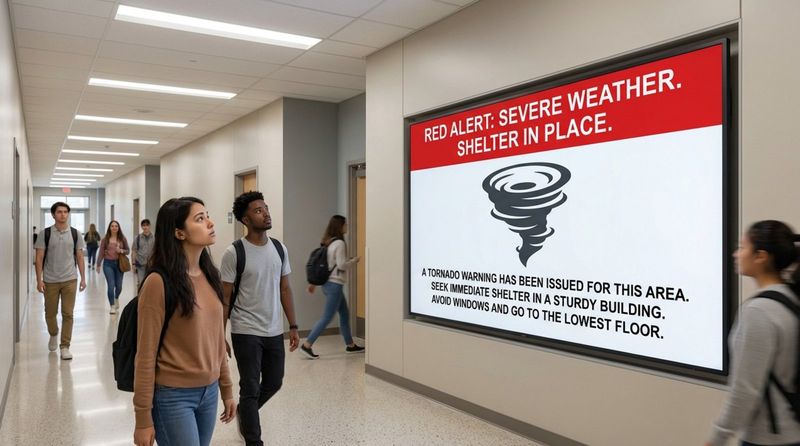
Campus safety and emergency management teams may gain the most from digital signage. In an emergency, every second matters. Digital signs serve as live safety channels that can reach people even when phones are silenced or alerts go unread. Safety staff can instantly override all regular content and use every screen to post clear, color-coded directions for evacuations, lockdowns, or severe weather.
On normal days, these screens also support safety by showing shuttle times, security contacts, and health services. When digital signage is linked to the existing emergency alert system, the campus becomes more responsive and protective, backing up the school’s focus on the safety and well-being of everyone on site.
Types of Digital Signage Displays for College Campus Use
Good implementation calls for different types of screens. Indoor information displays are the main workhorses, usually installed in busy locations like student unions, residence halls, lobbies, and classroom buildings. These screens often show a repeating playlist of slides that change every 6 to 10 seconds, giving passing viewers a constant flow of new information.
Indoor screens are often grouped into “readerboards” or schedule boards that show daily events and meetings. They help keep the campus community on the same page and are often the first place students check for news and last-minute changes.
Outdoor Electronic Boards
Outdoor digital signs sit in prominent locations to promote the university to the surrounding community and assist people entering campus. Because many drivers and pedestrians see them, content is typically limited to major university events and public-facing messages. These signs act as a public window into campus culture and activity.
Outdoor boards must be sturdy and easy to see in bright sunlight. They are often used for broad branding, public service messages, and greetings during big games, concerts, and community events.
Wayfinding Kiosks and Interactive Maps
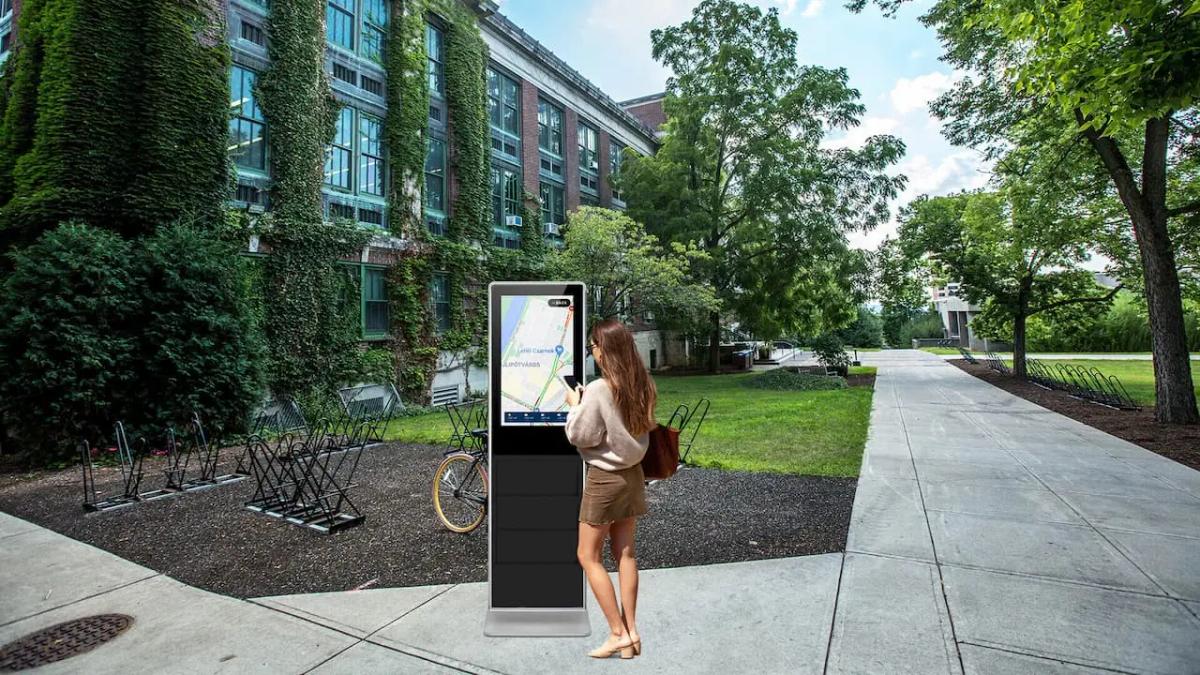
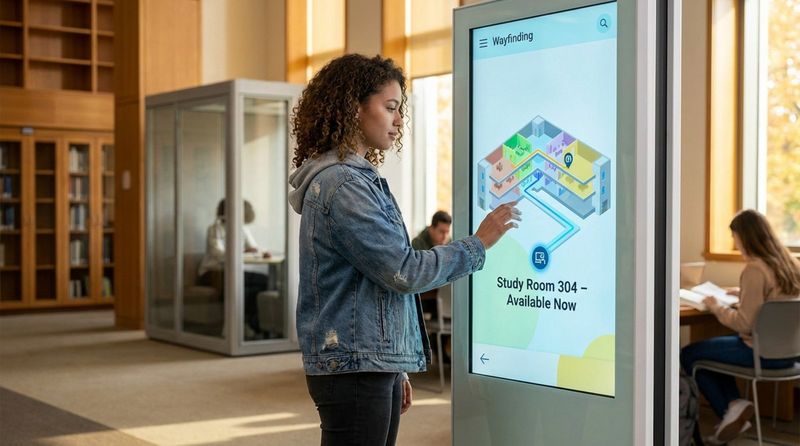
Wayfinding kiosks are like on-campus GPS stations. Many offer touch screens that let users search building maps, staff directories, and room locations. They can give accurate, step-by-step directions to dorms, classrooms, labs, and event spaces, making it easier for people to move around a large campus.
These kiosks can also share live updates on shuttle routes and accessible paths. By focusing on accessibility, interactive wayfinding helps everyone-including people with mobility challenges-get around campus safely and confidently.
Pedestrian and Vehicular Monument Signs
Monument signs are large digital signs built for specific audiences. Pedestrian monument signs sit along sidewalks and plazas to reach people on foot, sharing items like due dates, student spotlights, and campus highlight reels. Many are double-sided so they can be seen from both directions.
Vehicular monument signs are placed at entry points and major campus roads. Their main job is to guide drivers to parking lots, garages, and key buildings. These signs help reduce confusion and congestion and make sure visitors can find their way without circling aimlessly.
Wall-Mounted Displays and Directory Boards
Wall-mounted signs are common in parking garages, narrow hallways, and areas where floor space is tight. In garages, they can show live parking availability, rerouting during construction, and safety reminders. Inside buildings, they act as digital directories that can be updated quickly as office assignments and departments change.
These displays are often smaller than main lobby screens but still play a key role. They provide that final level of detail so that once someone enters a building, they can locate the exact office or room they need.
What Content to Display: Types, Guidelines, and Restrictions
The most frequent content types are event ads and campus news. To work well, each item must matter to the campus audience-students, faculty, staff, or visitors. The best slides highlight a single clear message or action, using strong visuals to catch attention during the short viewing window, usually under 10 seconds.
When creating event slides, include the “who, what, when, and where.” Because text should be short (around 25 words or less), many campuses add short URLs or QR codes so viewers can get more details on their phones or laptops.
Safety Alerts and Emergency Messaging
Safety content is a must-have category. This includes emergency alerts and public service notices about construction, health services, and security contacts. In a crisis, messages switch from general information to direct instructions about what people should do.
The system is built for “fast delivery” so emergency staff can cut through other media clutter. By keeping safety messages clear and easy to spot, the university supports a strong culture of awareness and readiness.
Wayfinding and Interactive Maps
Wayfinding content has to be extremely accurate. This includes building maps, room and office lists, and live shuttle tracking. For interactive displays, content is driven by the user, who might zoom in on a part of campus or search for a specific office or classroom.
These screens often tie in “live agendas,” listing what is happening in that building right now. This helps students find their classes and lets visitors get to their meetings and events without asking for help.
Academic and Administrative Information
Academic and administrative content keeps major processes on track. This includes registration dates, financial aid deadlines, tuition payment reminders, and graduation timelines. Placing these reminders in high-traffic spots lowers the risk of missed deadlines and supports better student outcomes.
Faculty may also use signage to share research news, publications, and upcoming talks or panels. This makes the academic side of campus life more visible and encourages engagement with scholarship and events.
Advertising and Sponsorship Policies
Most schools have clear rules about what can be advertised. In general, ads for outside businesses or services with no connection to the university are blocked. Some corporate sponsors may be allowed if they fit with the school’s values and receive approval from the Marketing and Communications office.
Political, commercial, or personal messages are usually not allowed to keep the network professional, neutral, and welcoming. The main goal is to keep screens focused on content that directly serves the campus community.
Content Submission Eligibility and Requirements
To keep high quality across all screens, universities set specific rules for who can submit content and how it should be designed. This keeps slides visually consistent, on-brand, and compatible with the system’s technical limits.
Who Can Submit Content for Display?
Content submission is usually limited to official university departments, offices, registered student organizations, and recognized affiliates. Outside vendors or community partners typically must work with an internal unit if they want their content shown. This keeps the network focused on messages that support the university mission.
Content Design Specifications and Templates
Standard specs help keep the network clean and professional. Most systems use landscape layouts with sizes such as 1920 x 928 pixels or 1920 x 1080 pixels (16:9). Common formats are JPEG or PNG for still images and MP4 for motion content. To help non-designers, many universities provide ready-made templates in tools like PowerPoint.
Brand Guidelines and Compliance
Consistency is central to a professional look. Content should follow brand rules and use official logos, approved fonts (often sans-serif for readability), and strong color contrast. Slides that do not follow these rules may be sent back for edits or rejected to protect the school’s visual identity.
Content Scheduling, Duration, and Timing
Timing is a key part of digital signage. Most slides run 10 to 15 seconds within a playlist loop. Display runs are often 1 to 2 weeks, followed by a break period to prevent viewers from tuning out repeated content. Many campuses require submissions at least 5 business days before the requested start date so there is time for review and scheduling.
Content Restrictions and Prohibited Topics
Beyond blocking political and commercial messages, many universities forbid copyrighted content without permission and promotions related to expressive activities. All programming must follow campus policies and standards. Designers are also urged to avoid low-resolution images or basic clipart, which can weaken the professional look of campus screens.
Safety Messaging and Emergency Alerts with Digital Signage
A special Department of Emergency Management or similar office usually supervises safety messaging. The signage system links to a central control hub that can quickly override all regular content. During a serious incident, every screen on campus can switch at once to a clear emergency message with direct instructions.
This rapid “takeover” function is tested regularly to keep it reliable. Because many signs are mounted above eye level in common areas, they stay visible even in crowds or confusion, acting as clear points of guidance when people need help the most.
Standard Messaging Levels and Triggers
Many campuses use a color-coded alert bar to show how serious a situation is. A Yellow Alert Bar usually points to general safety tips or minor updates. An Orange Alert Bar signals a safety concern that needs attention. A Red Alert Bar is saved for serious emergencies that require immediate action.
Authorized staff control these alerts and select the correct level for each situation. This consistent system lets people judge the urgency of a message at a glance, without reading every line of text.
Real-Time Updates for Campus Safety
The main strength of digital signage for safety is its ability to update in real time. During an evacuation, severe storm, or similar issue, screens can show live maps of safe areas, closed routes, and “all clear” notices. This helps limit rumors and confusion and supports orderly behavior.
The same system also helps promote everyday safety. Screens can show campus security phone numbers, locations of emergency phones, and basic safety tips, like walking in groups at night. The constant presence of these reminders strengthens an ongoing culture of safety.
Best Practices for Implementing Campus Digital Signage
For better results, designers often follow the 3x5 rule: either three lines of five words each or five lines of three words each. Since most people are walking by, the text must be large and simple enough to read quickly from a distance. Bold, sans-serif fonts work best. Strong contrast between text and background supports both readability and accessibility for people with low vision.
Designers should use clear, high-quality images that support the main message. One strong photo usually works better than several small ones. Keeping layouts simple helps the primary call to action stand out and reduces confusion.
User Experience and Accessibility
Under the Americans with Disabilities Act (ADA), all campus technology, including digital signage, must be accessible. This means using high-contrast color schemes, readable fonts, and placements that work for people of different heights and mobility levels. For interactive kiosks, touch areas and controls must be reachable for people who use wheelchairs.
Good user experience also considers viewing angle. Since many screens sit high on walls, designs should use large font sizes and clear layouts that can be read from several yards away and from below. A 72-point font is roughly one inch tall and can help maintain legibility at a distance.
Dynamic and Interactive Content for Engagement
Static slides are just one option. To better connect with a tech-savvy campus, schools can use live content such as social media feeds, event countdowns, and live dashboards. Interactive elements-like “scan to register” QR codes or touch-driven building directories-turn viewers from passive watchers into active users.
However, interactive tools should be planned with care. QR codes should back up, not replace, simple URLs or short instructions. That way, people who cannot or do not want to scan a code still get the key information.
Audience Targeting and Scheduling Strategies
Not every message needs campus-wide exposure. A smart strategy uses targeted placements. For example, a notice about a chemistry lab schedule change should appear mainly in science buildings, while a major campus-wide deadline, like graduation application day, should appear across many more locations. Working with University Marketing and Communications helps match each message to the right locations and times.
Scheduling also plays a big part. Automated schedules let time-sensitive content appear and disappear exactly when needed. This prevents outdated events from lingering on screens and helps keep the network trusted as a timely source of information.
Maintaining System Reliability and Uptime
A campus digital signage system is a long-term project that needs regular care. IT teams manage network security to block hacking or unauthorized access and keep systems running smoothly. Staff should also perform regular hardware checks to spot screens that are off, damaged, or showing errors.
Clear reporting paths make this easier. Many campuses provide an online form where people can report issues like “Screen is not on,” “Physical damage,” or “Inappropriate content.” Fast responses help keep the system dependable and useful.
Measuring Success: Key Performance Indicators (KPIs)
To show the value of digital signage, universities track several KPIs. Common examples include Audience Reach (how many people pass by or can see each screen), Engagement (time spent looking at a screen, link or QR code scans, and interaction counts), and Operational Savings (time and printing costs reduced compared to paper-based methods).
Feedback from students, faculty, visitors, and event organizers also matters. Surveys and informal comments can reveal whether messages are clear, useful, and visually appealing. Increased turnout for events after promoting them on digital signage is another strong sign that the system is working.
Submission Process and Getting Started with Campus Digital Signage
For content submissions, many universities ask users to email graphics or videos to a dedicated “Digital Media Services” address. The email should list the start and end dates, the sponsoring unit, and a contact person. Submitting at least 5 business days ahead leaves time for review, corrections, and scheduling.
Once submitted, content is checked for branding, clarity, and technical specs. Approved slides are then added to the main playlist. If there are issues like poor contrast, wrong size, or missing information, the submitter is contacted with requests for edits.
Requesting New Signage for a Department or Area
When a department wants its own digital sign, the process often follows four stages: Intake, Strategy, Design, and Implementation. In the intake stage, staff meet with the Web and Digital or Media Services team to talk through goals and the best hardware and software. The team may help gather quotes and plan how the new sign will connect to the larger campus system.
All key groups, including IT and Facilities Management, should be involved early. Adding a display involves more than mounting a TV-it needs power, network access, cabling, and safe, secure installation. Good coordination helps the new sign fit into the existing campus infrastructure both visually and technically.
Design Help and Support Resources
Many departments do not have an in-house designer. To help, Marketing and Communications offices often offer design support. By submitting a “Project Request Form,” departments can get professional help with slides that meet brand and technical standards. Universities may also post downloadable templates and style guides on their branding websites.
These resources help everyone on campus create strong, consistent content. With the right tools and support, the digital signage network stays active, visually appealing, and aligned with the university’s identity.
Reporting Issues or Problems with Digital Signage
On a campus with many screens, community feedback is important. If someone spots a problem, they are usually encouraged to fill out a problem report form. Typical fields include the screen’s exact location (building and room) and the type of issue, such as “screen off,” “hardware damage,” or “content error.”
A simple, quick reporting system helps the tech team respond faster, cut downtime, and keep the network reliable and up to date.
Campus Digital Signage Implementation FAQs
Frequently Asked Questions about Content and Display
Many questions focus on formats and timing. “Can I use video?” In most cases, yes. MP4 video clips are allowed, usually kept to about 15 seconds, and often without audio to avoid noise in quiet spaces. “How long will my slide run?” The usual run is 1 to 2 weeks, though campaigns that affect the entire campus may stay up longer.
Another common topic is the “two-weeks on / two-weeks off” cycle. This pattern helps keep content fresh, prevents screens from being dominated by one group, and makes room for a variety of messages from across campus.
How to Reach Technical Assistance and Support
For technical help, the main contact is typically campus IT Support or Digital Media Services. They can advise on recommended screens and media players and help troubleshoot connectivity or software issues. If a unit wants to refresh or expand its current signage, the Marketing and Communications division often supplies “how-to” guides, training, and best practices.
Regular communication between technical teams and content creators keeps the network stable and effective. This shared effort turns individual screens into a coordinated system that supports communication across the entire campus.
Conclusion
Long-term success for a campus digital signage network depends on its ability to keep up with new technologies. Looking ahead, universities are testing AI-based tools that change messages based on live foot traffic, time of day, or weather conditions. Some are also exploring blockchain tools to protect content records and confirm that emergency alerts are authentic, helping the network stay a trusted source of accurate information.
Beyond the hardware and software, the deepest value of digital signage is its impact on campus culture and emotion. When alumni return and see their class history or major milestones on large digital displays, it strengthens their emotional link to the school. That connection can lead to more mentoring, advocacy, and giving. By viewing digital signage not as a one-time purchase but as a lasting investment in community and communication, universities can build campuses that are better connected, safer, and more inspiring for many years to come.


