


Table of Content
How can grocery stores keep pricing accurate, promote perishables instantly, and guide shoppers without constant printing costs? Modern grocery store signage answers this by combining digital screens with strategic visual tools. It links what the store sells with what customers need-answering "where is it," "what is it," and "how much is it"-in real time. With cloud-based software and dynamic displays, you can turn a routine stop for milk and eggs into a smoother, more efficient shopping trip.
Signage has evolved far beyond cardboard "Sale" tags. Today, it includes interactive wayfinding, video walls, and smart shelf labels. These tools help reduce shopper frustration, highlight key products, and allow store managers to update messaging across one or one thousand locations in minutes.

What Is Modern Grocery Store Signage?
Key Functions of Grocery Store Signage
Modern supermarket signage supports a stress-free shopping environment. It acts as silent support staff, providing product details, daily specials, and meal ideas without requiring a team member's presence. Clear communication reduces mental effort for shoppers, making the visit feel like a guided experience rather than a chore.
Signage also drives operational efficiency. Store teams use it to manage stock levels and communicate with staff during off-hours. If a perishable item is overstocked, Look Digital Signage software allows you to instantly publish a "flash sale" to specific screens, helping move inventory before it spoils. This mix of customer assistance and operational speed makes modern signage a vital part of grocery management.
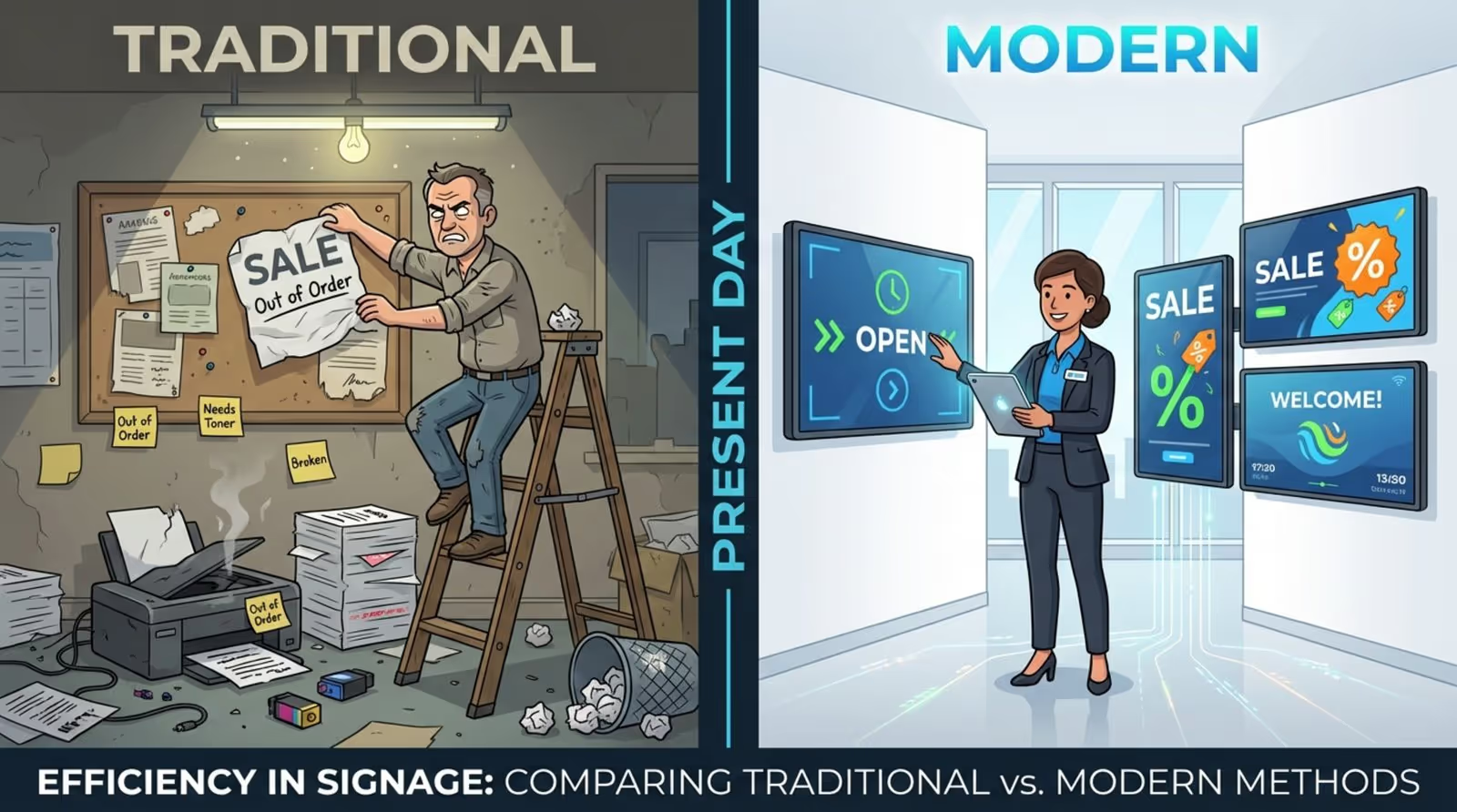
Traditional Versus Modern Signage in Grocery Retail
Traditional signage relies on printed posters and banners. These take time to design, print, ship, and hang. The process is labor-intensive and slow to react to price changes. If a price updates or an item sells out, the old sign often remains, leading to customer confusion.
Modern signage, by contrast, is quick and flexible. Look CMS allows you to update content in seconds from anywhere, ensuring prices and offers stay accurate. Unlike static images, digital signs use motion and color to catch attention. This dynamic approach helps keep shoppers engaged and supports impulse buying more effectively than print alone.
What Types of Signage Are Used in Grocery Stores?
Digital Signage Displays
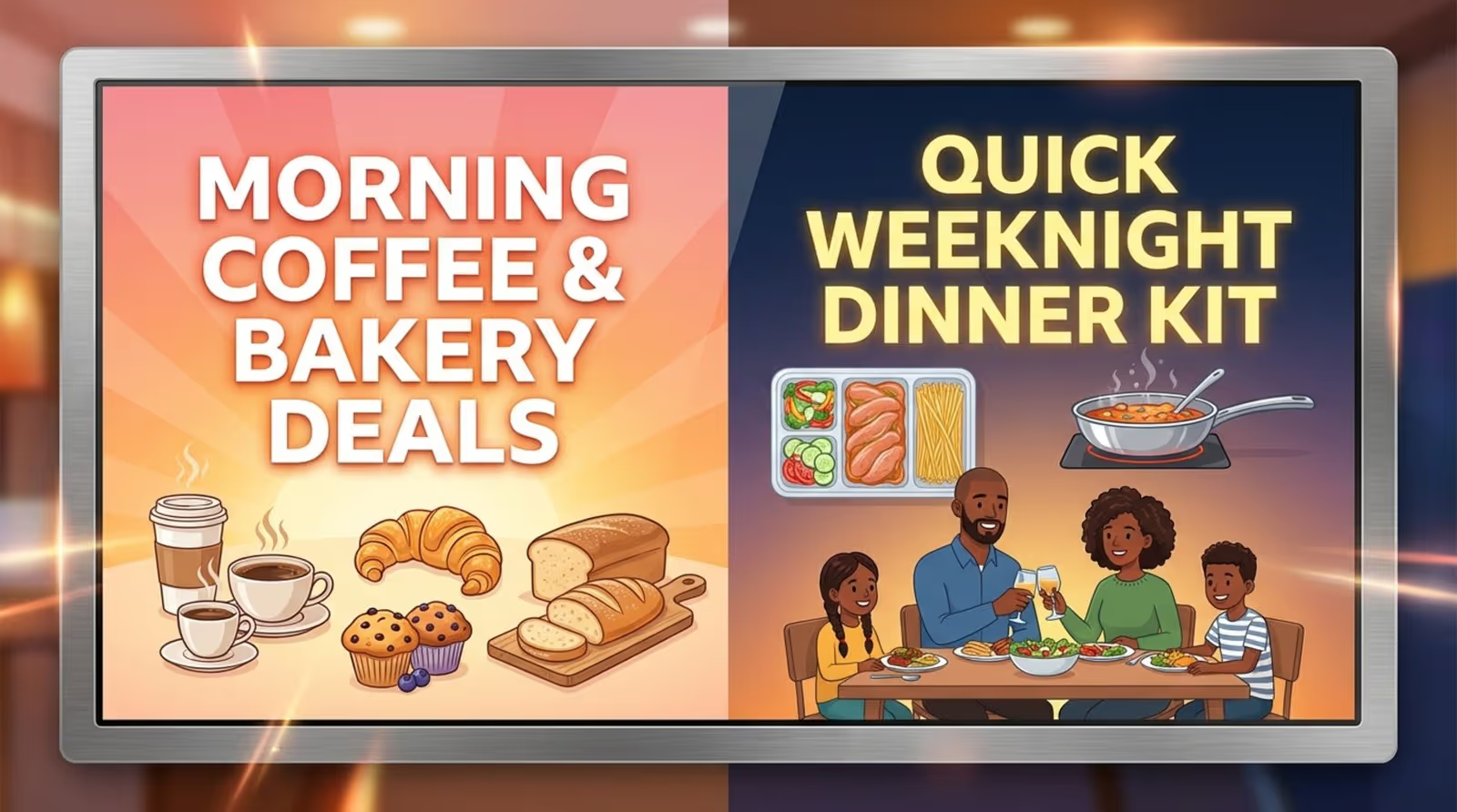
High-definition screens are now standard in entrances, aisle ends, and high-traffic walkways. They display brand videos, featured items, and current advertisements. Because they handle moving images and bright colors, they stand out in crowded environments.
Stores use these screens for "dayparting"-changing content based on the time of day. Morning playlists might feature coffee and bakery items, while evening schedules switch to dinner solutions. Using Smart Scheduling in Look DS, you can automate these transitions to ensure the right message plays at the right time.
Static Printed Signs
Printed signs still play a role. Stores often use them for permanent directions like "Restrooms" or "Customer Service." They provide stability and are cost-effective for messages that rarely change.
However, static signs work best when paired with digital solutions. While print handles the permanent fixtures, digital screens handle the dynamic, changing content, creating a balanced visual environment.
Interactive Kiosks and Touchscreens
Interactive kiosks help shoppers search for products, check nutrition facts, or find items that fit specific diets. Using Interactive Scenarios within the Look platform, you can build touch-based experiences that allow customers to browse catalogs or sign up for loyalty programs without needing custom coding.
"Lift-and-learn" technology is another innovation. When a shopper picks up an item, a nearby screen plays a short video or review. This delivers information exactly when the customer is making a decision.
Wayfinding and Directional Signs
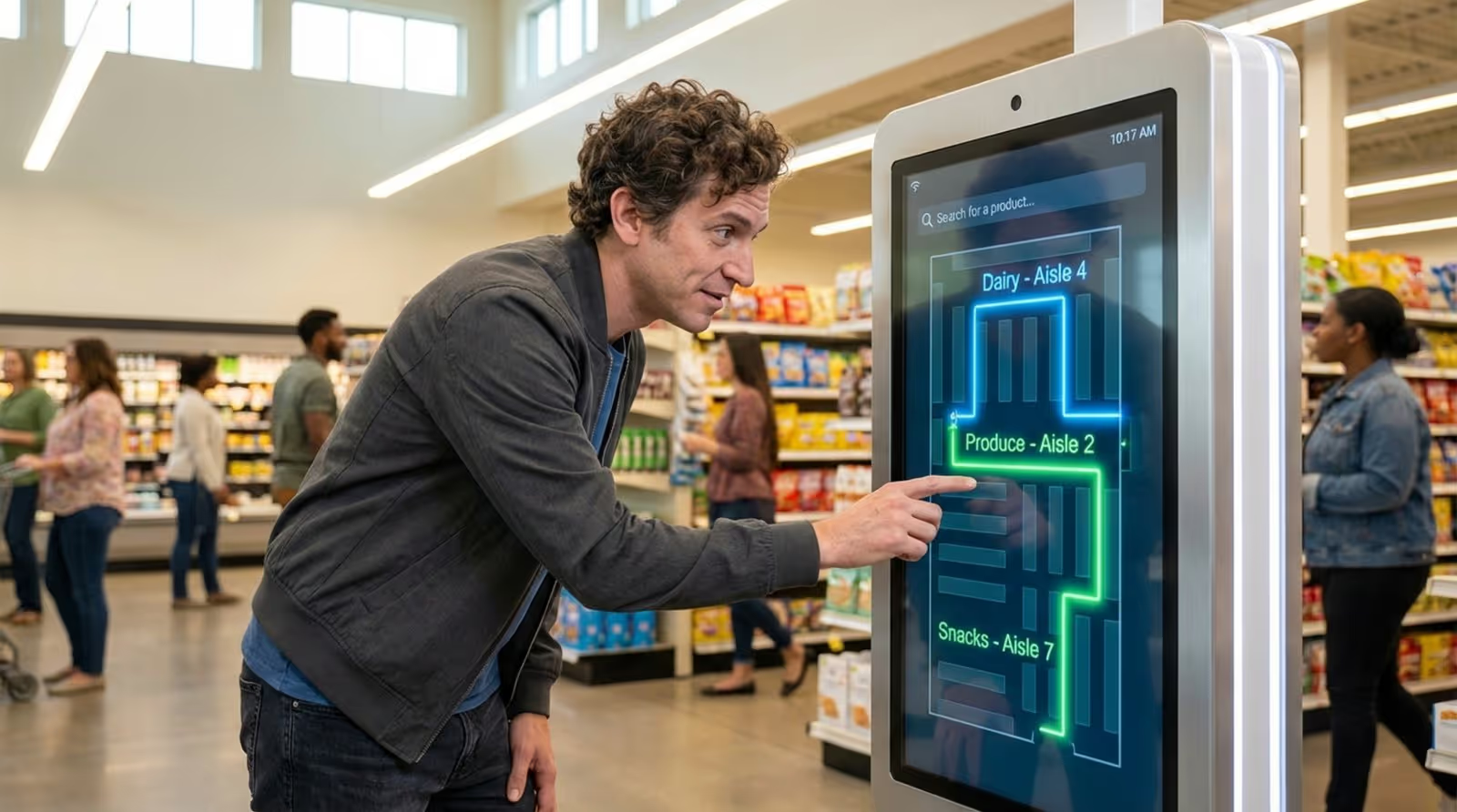
Navigating a large supermarket can be overwhelming. Digital wayfinding tools make it easier by showing exactly where products are located. These directories can appear on large lobby screens or interactive kiosks.
Effective wayfinding can also guide traffic flow. You might use Screen Layouts to display a map on one zone of the screen while promoting a seasonal "Summer BBQ" section in another zone, gently guiding customers toward high-margin items.
Shelf-Edge Labels and Dynamic Pricing
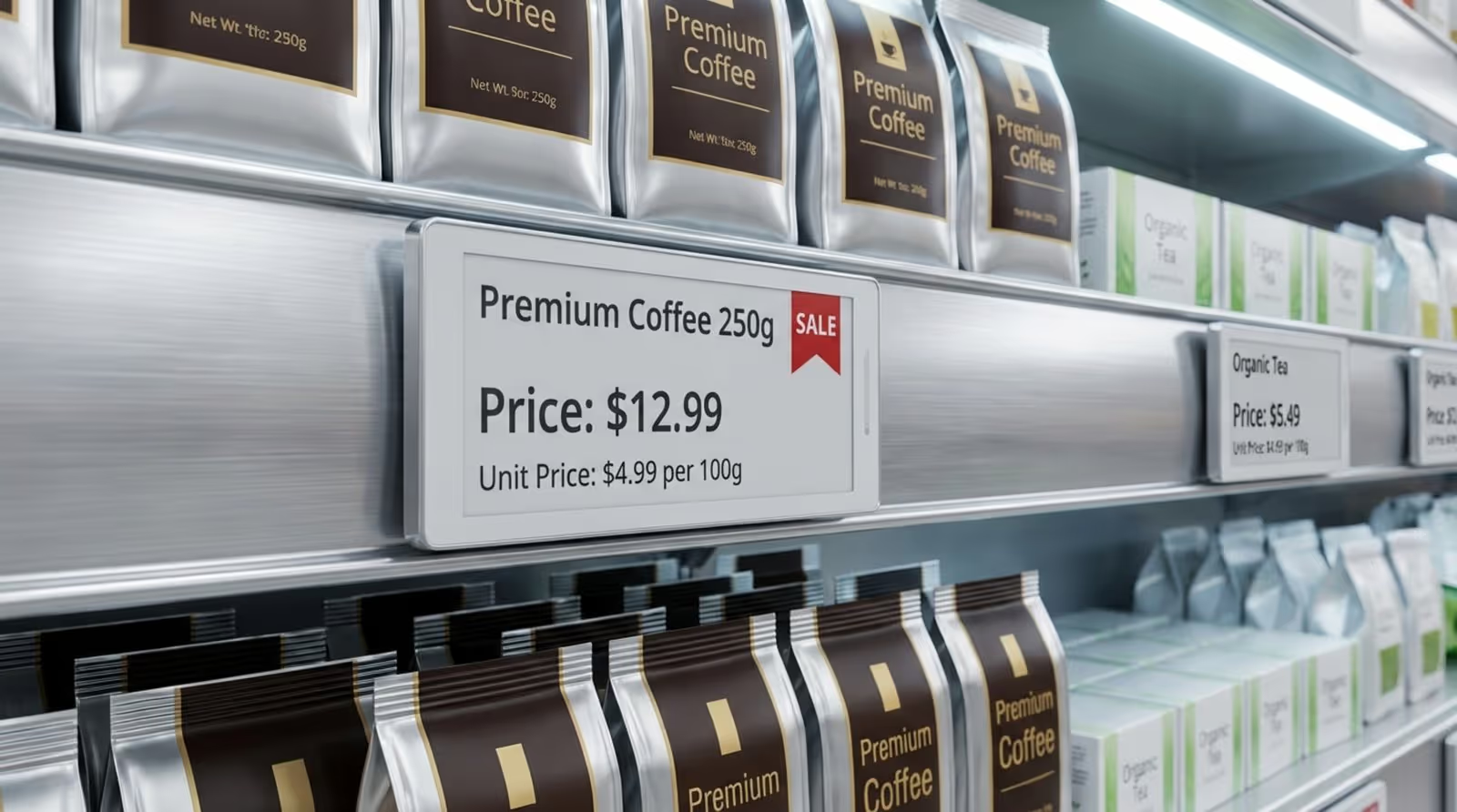
Buying decisions happen at the shelf. Electronic Shelf Labels (ESLs) allow prices to change instantly across the store to match competitors or reflect promotions. This eliminates the manual labor of replacing paper tags.
These smart labels often integrate with broader digital signage networks, ensuring that the price on the shelf always matches the price on the digital promo screen and at the register.
Menu Boards and Deli Counters
Digital menu boards are essential for delis, bakeries, and in-store cafés. They allow staff to remove out-of-stock items immediately to avoid customer disappointment. With Look Digital Signage, you can manage these boards remotely, ensuring consistency across all deli counters in a chain.
High-quality visuals of soups, sandwiches, or desserts can trigger cravings. By scheduling content to highlight high-margin items or lunch specials, store managers can influence purchasing behavior directly at the point of sale.
Outdoor and Storefront Displays
The shopping trip starts before the customer enters. Outdoor video walls and window displays attract passing traffic. These are ideal for showcasing seasonal themes or weekly loss leaders.
Reliability is key for outdoor screens. Features like Offline Playback ensure that even if the internet connection drops, your storefront content keeps playing smoothly without showing blank screens or error messages.

How Modern Signage Improves the Grocery Shopping Experience
Improving Navigation with Wayfinding
Shoppers value speed. Clear wayfinding reduces the time spent searching for aisles. By displaying digital directories, you help customers find what they need faster, which improves their overall perception of the store.
Digital wayfinding can be updated instantly if store layouts change or during seasonal resets, ensuring the information is always current without reprinting physical maps.
Promoting Products and In-Store Offers
Digital signage is highly effective for in-store promotions. Unlike fixed posters, digital screens can run countdowns for flash sales. This is particularly useful for reducing waste by promoting perishables like fresh bread or seafood right before peak shopping hours.
Targeted messaging helps increase basket size. A screen in the pasta aisle can suggest a specific sauce, while a meat counter display can offer a pairing tip. Using Look CMS, you can deploy these targeted playlists to specific screens to maximize relevance.
Personalization and Targeted Messaging
Relevance drives engagement. Modern signage allows for smarter content delivery. For example, screens can display QR codes that link to personalized loyalty deals or digital coupons.
With the help of tools like Look Analytics, store owners can understand which content performs best at different times, allowing them to refine playlists to better match the demographics shopping during morning rushes versus weekend afternoons.
Self-Service and Reduced Wait Times
Checkout lines are a friction point. Signage supports self-checkout areas by guiding customers through the scanning process. This reduces confusion and keeps the line moving.
At standard registers, screens can reduce perceived wait time by displaying news, weather, or entertainment. You can use Look Apps to easily add dynamic widgets like weather forecasts or RSS feeds to your checkout screens, keeping customers occupied while they wait.
What Are the Benefits of Digital Signage in Grocery Stores?
Flexibility and Real-Time Updates
The ability to update content in real time is the primary advantage of digital signage. Prices and stock levels fluctuate; your signage should keep up. With a cloud-based solution like Look DS, you can update every screen in your network from a single dashboard.
This speed supports reactive marketing. If a sudden rainstorm hits, entrance screens can immediately switch to promote umbrellas and hot soup. This responsiveness helps the store connect with the immediate needs of the shopper.
Improved Visual Appeal and Engagement
Screens capture attention more effectively than print. Bright, high-definition images make fresh food look appealing and give the store a modern atmosphere. You can use the Content Creator built into Look CMS to design professional, on-brand visuals without needing external software.
Stores can also mix promotional content with community messaging, such as highlighting local suppliers or sharing staff recommendations. This builds a connection with the local community.
Cost Efficiency Over Time
While digital signage requires an initial investment, it saves money in the long run by eliminating printing, shipping, and installation costs for paper signs. Screens allow you to launch new campaigns instantly with zero material waste.
Additionally, stores can generate revenue by selling ad space to suppliers. This "retail media" network can help offset the cost of the system. Proof-of-Play reports provide the data needed to show advertisers exactly when and how often their ads were shown.

Data Collection and Customer Insights
Modern platforms provide valuable data. Playback Analytics show the uptime and frequency of your content, helping you verify that campaigns are running as planned. When combined with sales data, this helps store leaders understand which messages drive actual revenue.
What Are the Key Features to Look for in Grocery Store Signage Solutions?
Customizable Templates and Content
A robust platform should allow teams to create content quickly. Look Digital Signage offers a library of Ready-made Templates designed for retail and food service. This allows staff to produce professional-looking menus and promos in minutes.
For even faster creation, the Look AI Wizard can help generate headlines and image layouts, ensuring your screens never look stale, even if you don't have a dedicated designer.
Integration with Inventory and Pricing Systems
Signage should talk to your other systems. Look DS supports Integrations via API and Zapier, allowing you to connect your screens to other data sources. This automation ensures that when a product is out of stock in your system, it can be automatically removed from the screen.
Remote Management and Scheduling
For chains, remote management is non-negotiable. Cloud-based tools allow a central marketing team to control brand messaging across all locations while giving local managers permission to update specific zones. Smart Scheduling allows you to plan campaigns weeks in advance, setting content to play on specific days or times.
Support for QR Codes and Mobile Interactivity
Shoppers are accustomed to using their phones. Your signage should bridge the gap between physical and digital. Using the Content Creator, you can easily add QR codes to your slides, directing shoppers to recipes, loyalty sign-ups, or detailed ingredient lists.
How to Design Effective Grocery Store Signage
Clarity and Readability
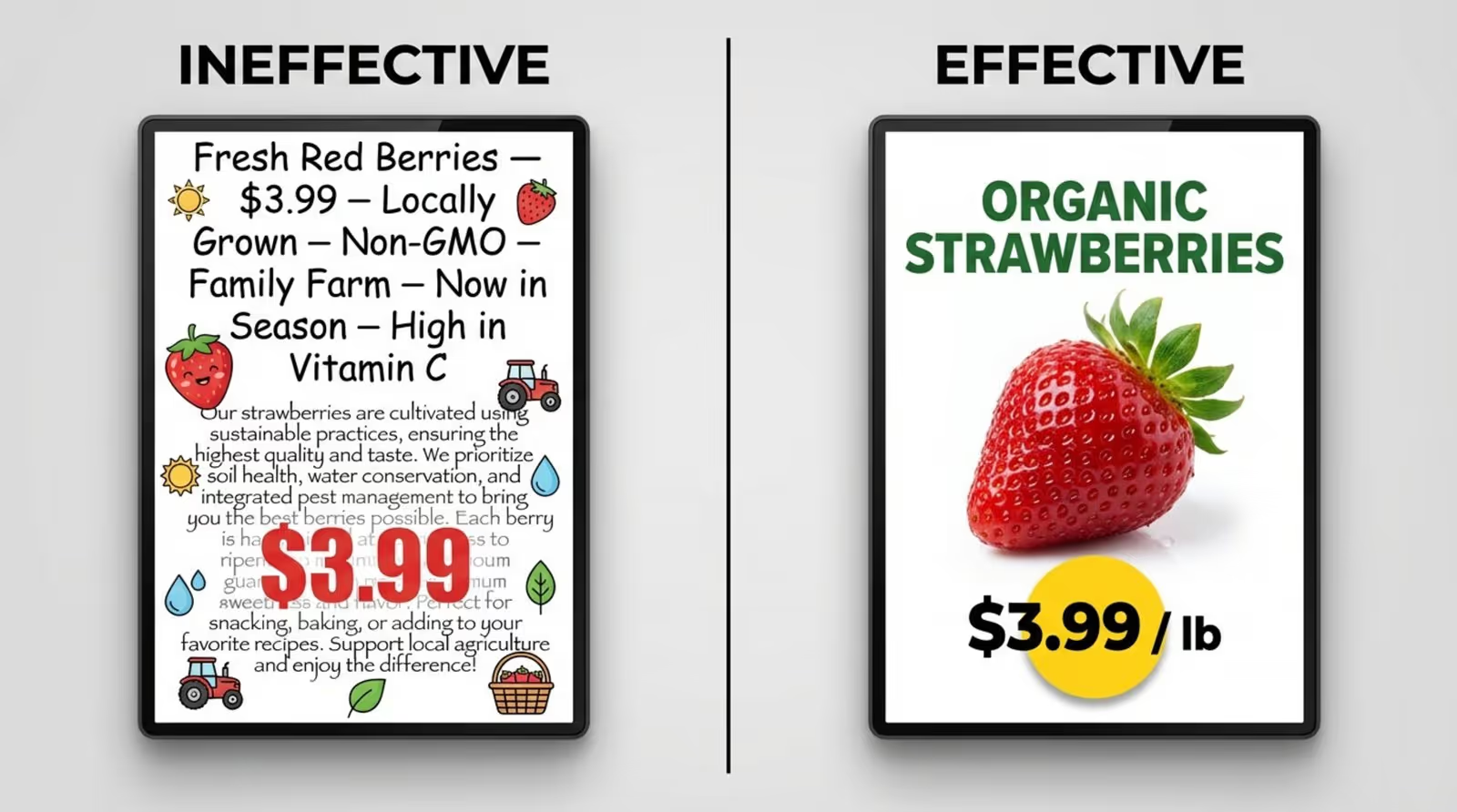
Shoppers are often moving quickly. Signs must be readable from a distance. Use high-contrast colors and clean fonts. The core message-such as price or product name-should be the dominant element. Avoid clutter; a clear image and a bold price point are often all you need.
Strategic Placement for Maximum Impact
Place screens where decisions are made. Promotional messages work best at eye level on end-caps or near service counters. Use Screen Layouts to display promotions alongside useful information, like queue status or news, to keep eyes on the screen longer.
Consistent Branding Across Signage
Your digital screens should feel like a natural extension of your store's brand. Use consistent colors, fonts, and tone of voice. Look CMS allows you to save brand assets, making it easy to maintain a cohesive look across all templates and playlists.
Accessibility and Multilingual Considerations
Grocery stores serve diverse communities. Digital signage can easily rotate between languages, ensuring key information reaches everyone. High contrast and clear typography help those with visual impairments navigate the store safely.
What Are the Latest Innovations and Trends in Grocery Store Signage?
AI-Driven Content Creation
AI is making content creation faster and more relevant. Tools like the Look AI Wizard assist in generating fresh visuals and copy, reducing the workload for store managers who need to get a message up quickly.
Smart Triggers and Sensors
Stores are increasingly using sensors to trigger content. A screen might display a specific promo when a customer approaches an aisle. This interactive element draws attention effectively and saves energy when no one is around.
Sustainability in Signage Materials
Digital signage supports sustainability goals by reducing paper waste. Switching to digital labels and screens significantly lowers the carbon footprint associated with printing and shipping physical marketing materials.
Physical and Digital Integration
The "phygital" trend continues to grow. By integrating social media feeds using Look Apps, stores can display user-generated content, such as customer photos or reviews, creating a sense of community and social proof right in the aisle.
What Are the Costs Associated with Adopting Modern Signage?
Initial Investment and Installation
Adopting digital signage involves upfront costs for hardware and installation. However, options like the Look HDMI Player offer a plug-and-play solution that is cost-effective and easy to set up. You can also use the Look App on compatible smart TVs or Android devices you may already own, lowering the barrier to entry.
Software and Content Subscription Fees
Most modern platforms operate on a SaaS (Software as a Service) model. Look Digital Signage offers transparent, scalable pricing per screen. This subscription covers cloud hosting, software updates, and support, ensuring the system remains secure and functional.
Potential ROI and Ongoing Maintenance
The ROI comes from increased sales uplift, ad revenue, and operational savings. With reliable hardware and remote troubleshooting capabilities, maintenance costs are often lower than the recurring labor costs of managing printed signs. Many stores find the system pays for itself through efficiency gains and reduced waste.
Frequently Asked Questions about Grocery Store Signage
Is Digital Signage Easy to Use for Supermarkets?
Yes. Platforms like Look Digital Signage are designed for non-technical users. With drag-and-drop layouts and simple scheduling tools, store managers can manage content without IT support. The interface is intuitive, allowing you to publish your first playlist in minutes.
How Can Signage Be Updated Across Multiple Locations?
Cloud-based management makes this simple. You can group screens by region or store type and push updates to hundreds of locations instantly. This ensures brand consistency while allowing for local customization where needed.
Are There Affordable Options for Small Independent Stores?
Absolutely. Small stores can start with a single screen using a standard TV and the Look App. The scalable pricing model means you only pay for the screens you use, making it accessible for independent grocers to access the same powerful tools as major chains.
The shift to modern grocery store signage is about more than just technology; it is about better communication. Whether you are running a single neighborhood market or a large chain, digital signage helps you keep content fresh, consistent, and helpful. By investing in a reliable platform like Look Digital Signage, you can streamline operations and create a shopping environment that customers enjoy returning to. Ready to see how it works? You can start a free trial today and get your first screen live in minutes.





