

Table of Content
To increase engagement of deskless workers with digital signage, companies need to close the communication gap by turning static spaces into active information hubs that focus on real-time updates, public recognition, and easy access to training. By placing bright visual displays in busy areas, organizations can share personalized content-such as shift schedules, safety rules, and performance metrics-that helps frontline staff feel appreciated and connected to the company’s larger goals. This approach replaces old tools like paper memos with a lively digital channel that builds inclusion and raises productivity across all teams.
The modern workforce is no longer tied to a desk; about 80% to 85% of workers worldwide are “deskless,” working in the field, in factories, or on shop floors. Keeping them engaged is a business necessity, not just a nice bonus. Digital signage is a key tool for this, making sure that workers who are always on the move still stay informed about company priorities, results, and safety expectations.
Who Are Deskless Workers and Why Does Engagement Matter?
Deskless workers power industries like healthcare, manufacturing, retail, construction, and transportation. Unlike office workers, they are not sitting at a computer or checking email all day. They are nurses on long shifts, drivers on delivery routes, and technicians working with advanced equipment. Because they do not have a fixed desk or workstation, they are often left out of regular corporate communication.
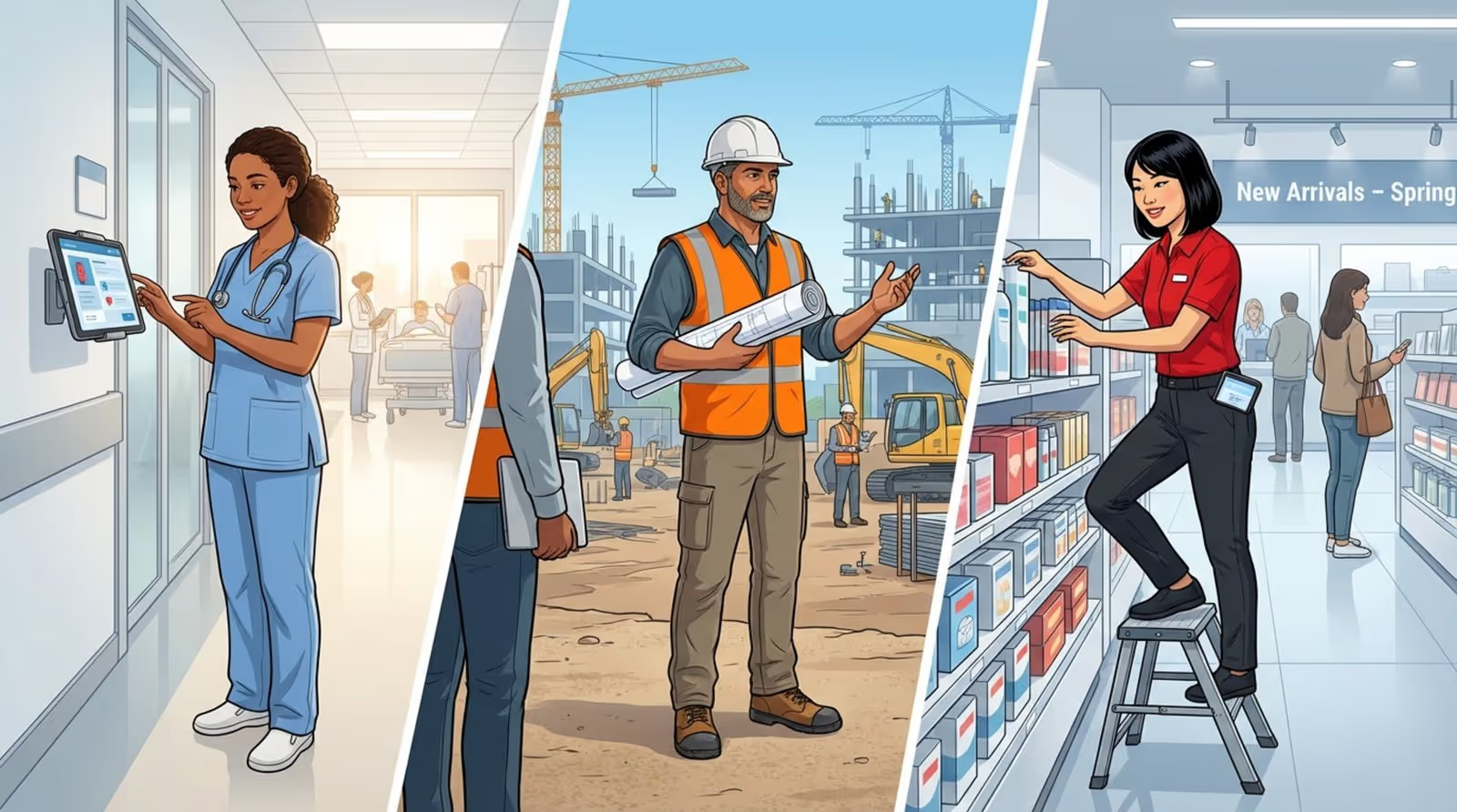
Engagement matters because these workers often interact directly with customers and keep operations running. When they are engaged, they work more efficiently, give better service, and are more likely to stay with the company. When they are not engaged, turnover goes up, safety issues increase, and company culture breaks down, leaving frontline workers feeling distant from head office.
What Challenges Do Deskless Workers Face in Engagement?
One of the biggest problems for deskless workers is the “information gap.” Without regular access to computers or internal tools, they miss both everyday updates and major announcements that office staff see on email or chat platforms. This can make them feel less important or forgotten, which harms motivation and loyalty.
On top of this, deskless jobs are often fast-moving and physically demanding. Workers may not have the time or energy to search for information. If communication is not placed directly in their field of view in a quick, clear format, they simply won’t receive it. This leads to confusion about new policies, lost chances for growth, and weak alignment with company values.
Why Traditional Communication Falls Short for Deskless Teams
For many years, managers used printed notices, bulletin boards, and handwritten notes to share information. While this used to be standard, it no longer works well in a digital-focused workplace. Paper messages are easy to miss, quickly outdated, and give no insight into who has actually read or understood them. They are static and uninteresting, and they don’t hold the attention of workers who are used to digital screens and video content.
Standard meetings and short “toolbox talks” have limits as well. They take time, are hard to organize across multiple locations and shifts, and messages often change as they pass through layers of management. This leads to inconsistent messaging. Digital signage helps by offering a single version of each message, shared across all screens at the same time, in the same format, for everyone.
How Does Digital Signage Improve Engagement for Deskless Workers?
Digital signage acts as a strong link between leaders and frontline staff. Using colorful screens, companies can turn complex data into simple, visual information that workers can act on. It does more than show messages; it builds a feeling of openness and inclusion. When workers see team results or progress charts on a big screen, they quickly see how their efforts affect the business.
Digital signage also adds a human touch back into workplaces that can feel purely task-focused. It can share personal stories, successes, and social updates that are often missing in industrial or retail settings. By celebrating wins and providing shared spaces for positive messages, it can turn a cold environment into a more social one where people feel seen and heard.
Enables Instant and Accessible Communication
Fast communication is key for frontline operations. Digital signage lets managers share urgent messages-like emergency alerts, weather issues, or sudden schedule changes-right away. This speed keeps workers up to date, which supports both safe practices and smooth operations.
Accessibility is just as important. By placing screens in break areas, near time clocks, and on the production floor, information comes to the worker instead of the worker having to search for it. This passive way of staying informed fits naturally into their day and doesn’t require logging into systems they rarely use.
Delivers Relevant, Targeted Updates and Recognition
Generic messaging rarely keeps attention. Digital signage tools let you set up different playlists for different locations or teams. Warehouse staff can see different content than store staff. When workers feel that on-screen content speaks directly to their job and site, they are much more likely to watch and remember it.
Public recognition is one of the strongest ways to build engagement. Screens can feature “Employee of the Month,” safety achievements, or customer praise for a team. When workers see their names and faces celebrated in real time, it encourages pride, teamwork, and a stronger sense of belonging.

Supports On-the-Job Learning and Training
Training should be part of everyday work, not just an annual session. Digital signage supports “microlearning” by showing short training clips, tips, and reminders throughout the day. This could be a one-minute how-to video, a safety tip, or an explanation of a new product. Learning happens right where the work takes place, which helps people remember and apply it.
Public dashboards and data displays can also spark useful conversations between junior and senior staff. When key numbers and trends are visible to everyone, workers start to discuss and solve problems together. Over time, this on-the-job learning helps staff build new skills and see a clearer path for their career growth.
Boosts Motivation and Morale
Simple, warm messages can change how a shift feels. A “Welcome, have a great shift” message as workers clock in can boost mood at the start of the day. Digital signage makes it easy to share positive quotes, health tips, or light content like fun facts or local sports results.
Breaking up physically hard work with short, engaging visuals can help reduce mental strain and support better energy levels. When staff feel the company cares about their day-to-day experience, relationships improve and people are more likely to stay.
Improves Workplace Safety and Compliance
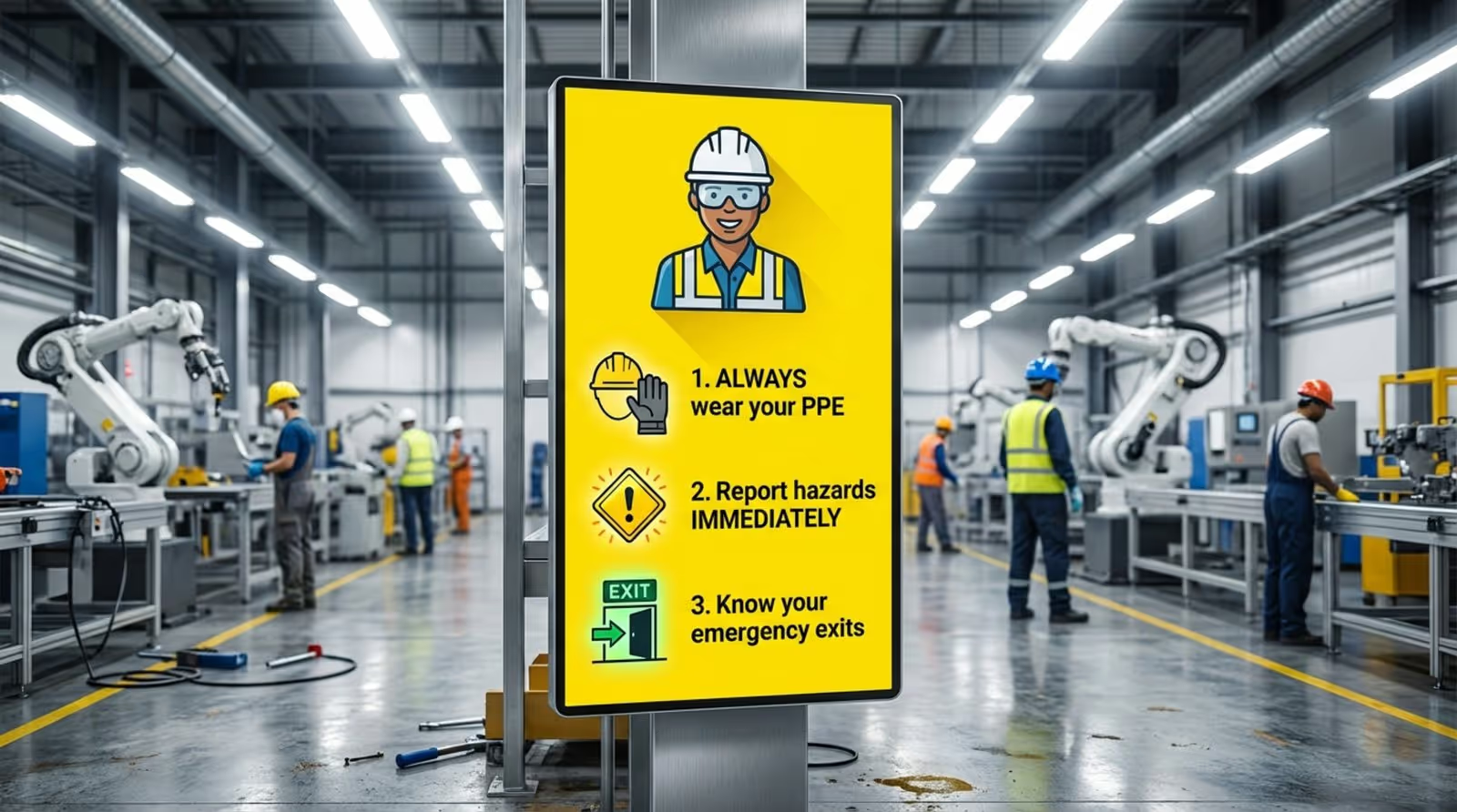
In high-risk workplaces, safety comes first. Digital signage keeps safety rules constant and visible by cycling messages about PPE use, safe lifting, lockout/tagout, and emergency exits. Showing “days since last incident” can build shared responsibility and pride in safe performance.
Compliance updates can also be shared quickly. Instead of giving everyone a full manual, important changes can be turned into clear visuals and short bullet points on screens. This helps spread key rules and procedures without long meetings or extra paperwork.
Fosters a Sense of Connection among Workers
Digital signage can act as an internal social wall. Employees can submit photos and short updates from team events, charity work, or daily wins. These posts bring people together across shifts, sites, and departments that might rarely meet face to face.
This shared content is especially helpful for deskless workers who may spend long hours away from their wider team. Seeing familiar faces, team stories, and shared successes on screen helps people feel part of something larger than their immediate task list.
What Types of Content Best Engage Deskless Workers through Digital Signage?
To keep interest high, digital signage content should be varied, visually strong, and refreshed often. If the same slide stays up for weeks, people will stop noticing it. A good content plan mixes essential operational information with culture-building and social updates.
The goal is to make screens feel like a quick “digital magazine” for the workplace. Each message should be easy to absorb in 15-30 seconds-the time it takes to walk past or grab a drink. Strong images, short videos, and clear text help catch attention in noisy, busy areas.
Company News and Announcements
Open communication from leadership keeps everyone aligned. Use digital signage to share big wins, new contracts, key company changes, or short messages from senior leaders. When deskless workers see how their work fits into overall results, they feel more like true partners in the business.
This also includes updates on town halls, benefit changes, or new tools being introduced. Sharing this information on screens helps keep everyone informed, including those without regular email access.
Shift Schedules and Real-Time Operational Updates
Useful, practical content is the fastest way to earn attention. Posting shift schedules, rotation details, open overtime slots, and coverage needs on screens saves time and reduces confusion. Staff no longer need to chase supervisors or check paper schedules as often.
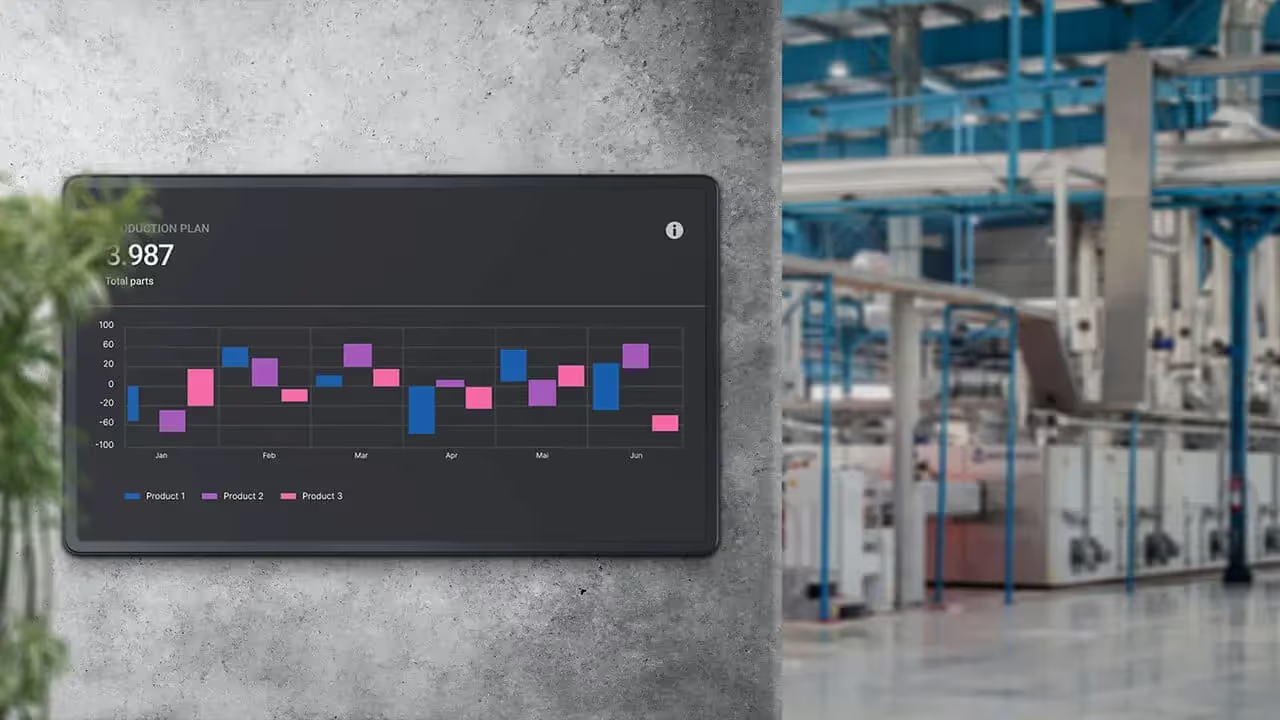
Real-time performance data can also be very motivating. For example, production lines can see current output, progress against daily targets, or downtime stats. This instant feedback helps teams adjust their efforts and reach goals faster.
Recognition Programs and Employee Milestones
Content that highlights individuals always draws eyes. Celebrate birthdays, work anniversaries, customer thank-you notes, or examples of great teamwork on digital signs. Public recognition makes these milestones feel special and worth remembering.
Share results of incentive programs, too. If a team hits a big goal, highlight their success on screens. This builds friendly competition and encourages others to aim for similar outcomes.
Safety Alerts, Health, and Compliance Reminders
Safety should appear often in any content mix. Show live safety alerts, reminders to drink water in hot weather, or seasonal health advice like flu shot reminders. Use bright colors and simple icons so workers can understand the message in a quick glance.
Compliance reminders about labor rules, policy changes, or inspection prep can be scheduled to repeat more often during change periods. Repeat exposure helps workers remember and follow new standards.
Training Videos and Microlearning Modules
Short, silent videos with captions are ideal in loud workplaces. They can show a quick process tip, a maintenance check, or the right way to use a piece of equipment. Because each video is brief, workers can watch them during short breaks or downtime without feeling overloaded.
You can also add simple interactive elements. A “Question of the Day” related to safety or quality, with the answer revealed later, keeps workers thinking and reinforces training in a more playful way.
Wellness, Motivational, and Social Content
To support a healthy workplace, include content focused on workers’ physical and mental well-being. Show stretching routines, nutrition advice, stress management tips, or information about wellness programs and support services.
Social content like photos from company events, local community news, or upcoming activities helps build relationships. Even small touches like local weather, traffic, or sports scores can turn the screen into a place staff check often during the day.
How to Successfully Implement Digital Signage for Deskless Workforce Engagement
Rolling out digital signage is more than hanging screens. It needs a clear plan that takes into account the space, the work style, and the mindset of deskless employees. Success depends on choosing the right equipment, putting it in the right spots, and sending the right messages.
It is often best to begin with a pilot in a single site or department. This trial gives early feedback on screen placement, content types, and technical issues. After making improvements based on that feedback, you can roll out to more locations in stages, making the process smoother.
Set Clear Communication Objectives
Before buying or installing screens, decide what you want to achieve. Do you want to cut safety incidents by a specific percentage? Raise retention? Increase attendance at training? Or simply make sure all workers see monthly leadership updates? Clear goals will guide what you show and how you measure success.
Clear targets also help win support from leadership. When digital signage ties to specific KPIs, it is easier to justify the investment. Review these goals regularly and adjust them as worker needs and business conditions change.
Choose Strategic Locations for Maximum Visibility
Placement matters a lot. Put screens in areas where workers naturally pause or gather-break rooms, canteens, near coffee machines, entrances and exits, and locker areas. In these places, people have a moment to look at the screen without interrupting their main tasks.
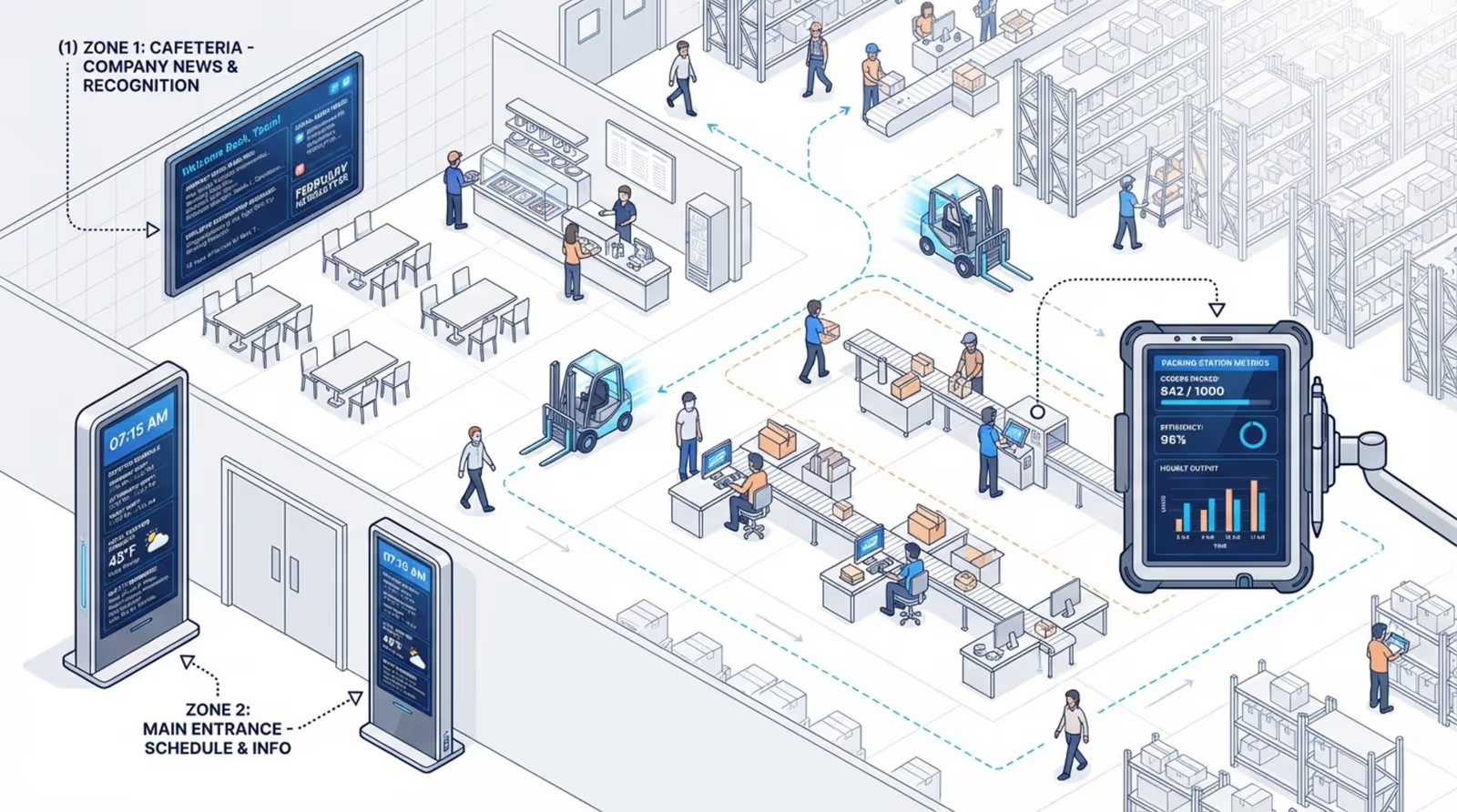
Also think about stations where work is done. In factories or warehouses, smaller, tough screens can be mounted near lines or packing stations to show safety reminders or live performance data. Screens should be at eye level, easy to see, and positioned to avoid glare or physical blockages.
Personalize Content for Different Teams or Roles
Sending the same content everywhere can weaken impact. Use your signage software to assign different content to different screens or groups. Loading docks might see truck arrival times and weather conditions, while production teams see quality stats and maintenance notices.
Language is another key area for personalization. For multilingual teams, show content in the main languages spoken on site. Offering information in workers’ first languages shows respect and helps everyone stay equally informed.
Incorporate Interactive and Feedback Features
Good communication goes both ways. Modern digital signage can use QR codes to link workers to quick surveys, sign-up forms, or detailed training material on their own phones. This connects public screens with personal devices in a simple way.
Where possible, touch screens or simple response options (like quick polls) can gather instant feedback. Workers might rate how their day is going or vote on topics they want more training on. These small interactions give employees a voice and provide managers with real-time insight into worker mood and needs.
Monitor Effectiveness and Adapt Content
Use the reporting tools in your signage platform to see which content gets the most interaction. Track things like QR scans, survey responses, or changes in behavior after a campaign-such as fewer safety violations after a focused series of safety messages.
Be ready to change course. If some content is ignored, ask workers why and adjust. Engagement is an ongoing process. Continually update your approach using both data and direct worker feedback so your screens stay useful and relevant.
How to Choose the Right Digital Signage Platform for Deskless Workers
The software running your screens is as important as the screens themselves. Deskless teams need a system that is strong, reliable, and easy to manage. When comparing tools, think beyond initial cost and focus on future growth, ease of use, and fit with your current systems.
The best platforms allow managers with no design background to build clear, attractive content in minutes. The system must be stable, especially for operations that run 24/7, so messages stay live during shift changes and busy periods.
Key Features that Support Deskless Workforce Needs
Key features include offline playback, so screens keep showing content even if the internet drops-common in large plants or remote sites. Multilingual support is also important for diverse teams, allowing quick translation and display of content in different languages.
An “emergency override” feature is very important. In serious events like fires, spills, or security threats, you need to push alerts to every screen at once, overriding regular schedules. This can support faster, safer responses.
Ease of Content Management and Updates
If the software is difficult, content will become outdated. Choose a platform with a simple, intuitive content manager, templates, and drag-and-drop tools. This lets local managers update messages quickly without waiting for IT support.
Cloud-based systems work well for deskless environments. They allow central teams to manage content across many locations and screens from one place, while still giving local leaders the ability to add regional content where needed.
Integrations with HR and Operations Systems
For maximum benefit, digital signage should connect with existing HR and operations tools. Linking with HR systems can automate birthday and anniversary shout-outs, or show staffing and training info with little manual effort.
Connecting to ERP or warehouse systems can pull live KPIs, stock levels, or order status directly to screens. These links turn your signage into a live operations tool rather than just a notice board.
Scalability and Security Considerations
As your company grows, you may need to add many more screens and locations. Pick a platform that can easily grow from a few screens to hundreds, while still being simple to manage. It should support different types of hardware, from big wall displays to smaller tablets or kiosks.
Security must be strong, especially if you show sensitive internal data. Look for features like encryption, secure login (such as SSO), and user roles with different permission levels. This helps keep your content safe and prevents unauthorized changes.
Maximizing Engagement: Practical Tips and Best Practices
To get full value from digital signage, treat it as an active part of your workplace culture. It is a communication channel that needs care and attention, not a one-time install. The most successful programs are inclusive, flexible, and open to change.
Consistency builds trust, but small surprises keep interest. Workers should know where to look for key updates, while also seeing fun or unexpected content now and then, such as a customer thank-you video or a short story about a coworker’s success. This mix keeps people checking the screens often.
Rotate and Refresh Content Regularly
Repetition without change will cause workers to stop looking. If the same slide stays up for weeks, it fades into the background. Aim to change at least a quarter of your content every week. Even slight changes in images, layout, or wording can renew attention.
Use scheduling features to match content to time of day. Early shifts may benefit from news, weather, and shift-start reminders; later shifts might need production summaries, handover notes, or closing checklists. Matching content to daily routines makes screens feel more useful and less like background noise.
Gather Feedback from Deskless Workers
Instead of guessing what workers want, ask them directly. Use short surveys (linked via QR codes on screens), suggestion boxes, or quick polls to find out which topics they like and which they ignore. Ask what would make the screens more useful in their daily work.
Group discussions or short feedback sessions can also help. When teams see that their ideas lead to real changes on the screens, they feel more ownership and trust in the system.
Involve Teams in Content Creation
Some of the best content comes from workers themselves. Invite employees to share photos, tips, and short stories from their workday, home life, or community activities. You can also run contests where teams create safety posters, short training clips, or fun team-intro videos to display.
When teams help create content, they move from being passive viewers to active partners. This bottom-up approach builds pride and makes sure the content reflects the real voices and experiences of those doing the work.
What Are the Benefits and Measurable Outcomes of Digital Signage for Deskless Worker Engagement?
Moving to digital signage brings more than a culture boost; it also supports better financial and operational results. With the right setup, companies can track clear improvements and link them to signage efforts, showing strong ROI.
Benefits often include lower training costs, higher retention, better safety records, and smoother operations. Most of all, a more informed and connected frontline is better able to handle change and support long-term company goals.
Increases Productivity and Information Retention
Workers who have quick access to the right information can do their jobs faster and with fewer errors. When key details-like targets, instructions, or updates-are visible at a glance, staff spend less time searching and more time doing.
Visual content is also easier to remember. People tend to recall images, diagrams, and short videos more clearly than text-heavy emails or printed memos. By repeating key messages visually over time, you help important information stay in workers’ minds.
Reduces Safety Incidents and Compliance Issues
Seeing safety tips and warnings throughout the day helps build a “safety always” mindset. Regular visual reminders make it less likely that people will forget procedures or take risky shortcuts. Many companies see fewer reportable incidents after rolling out safety-focused digital signage.
Compliance also becomes easier to manage. In heavily regulated sectors, being able to show that messages were shared on screens across all sites and shifts can support audits and inspections. It helps remove blind spots where rules might otherwise be missed.
Strengthens Employee Loyalty and Reduces Turnover
High turnover is expensive and disruptive, especially in deskless roles. Digital signage can help reduce it by building a sense of appreciation and connection. When workers see that the company communicates clearly, shares results, and recognizes effort, they are more likely to stay.
People tend to remain longer where they feel they belong. Screens that highlight team successes, personal milestones, and shared goals help build that feeling and create stronger ties between workers and the company.
Streamlines Internal Communication Across Shifts
Passing information between shifts is a common challenge. Messages shared verbally at the end of one shift may not fully reach the next. Digital signage offers a steady channel that all shifts can see. A message posted in the morning stays visible through the evening and night, keeping everyone aligned.
This reduces pressure on supervisors, who no longer need to repeat the same updates over and over. They can then focus on coaching, problem-solving, and other higher-value tasks.
Next Steps to Boost Deskless Worker Engagement with Digital Signage
As we move deeper into 2026, digital signage technology continues to improve, giving companies more ways to connect with frontline staff. Many organizations will start using AI-based tools that adjust content automatically based on live conditions or ongoing feedback. For example, a system might switch to more motivating content when it detects lower performance, or deliver custom training tips based on a worker’s recent error patterns or strengths.
To stay ahead, companies should treat digital signage as an ongoing innovation platform. This means exploring new features like AR overlays, better mobile links, or smarter data dashboards, while keeping deskless workers’ needs at the center of every decision. Organizations that do this well will find it easier to hire, retain, and support high-performing frontline teams.
At its core, engagement is about respect. It is about respecting deskless workers’ time, their effort, and their need to feel included. By investing in strong digital signage, you send a clear message: “You matter here, and we want you to succeed.” Aligning everyday tools and messages with that belief is a key step toward building a strong, modern workforce.







