

Table of Content
What is warehouse digital signage? At its core, it is a network of carefully placed electronic screens that act as the digital “heartbeat” of a facility. These displays share real-time data, safety alerts, and work instructions with everyone on the floor. Unlike posters or handwritten whiteboards, these changing screens work as a central communication hub that turns a warehouse from a simple storage area into a fast, responsive “nerve center” for the supply chain. When connected directly to warehouse management systems (WMS), digital signage gives every employee-from the loading dock to the picking aisle-instant access to the information they need to work safely and efficiently.
In today’s fast logistics environment, with the global digital signage market expected to reach $27.8 billion by 2026, using these tools is quickly becoming normal practice. This technology does more than show text. It uses visuals, live data feeds, and sometimes interactive tools to make complex back-end data clear for the people on the floor. Whether it is warning a team about a sudden stock shortage or recognizing a shift that beat productivity targets, digital signage turns every screen into a strong driver of better operations.
What is Warehouse Digital Signage?
How Warehouse Digital Signage Works
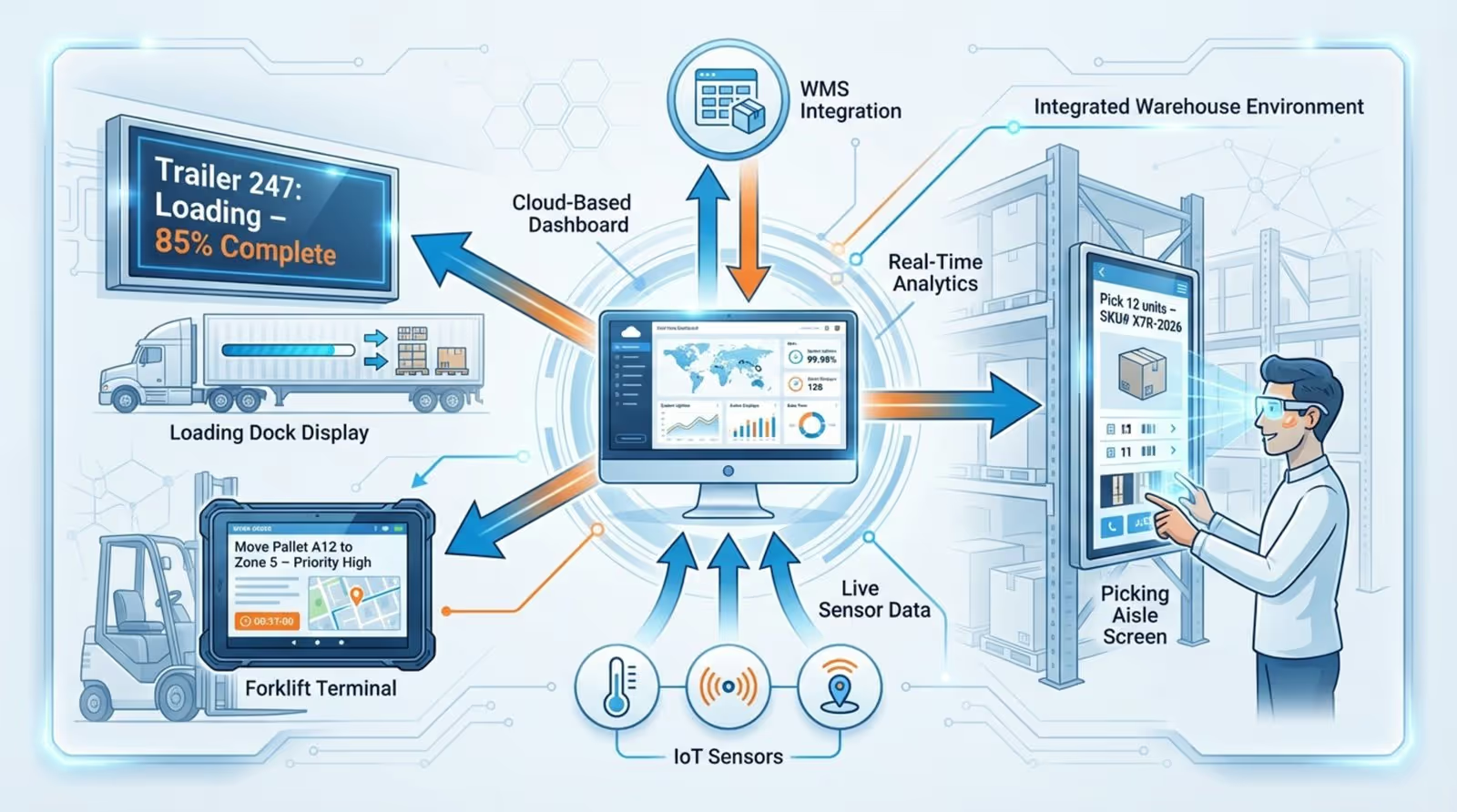
Warehouse digital signage runs on a simple but powerful setup of connected hardware and central software. Each screen-whether a large LED display at a loading bay or a rugged tablet at a picking station-connects to a main dashboard. From this dashboard, managers can schedule, change, and send content to many screens at once from a single secure control panel. The system becomes especially effective when it links to a WMS or IoT sensors, so screens can pull live data automatically without manual updates.
For example, if a sensor detects a temperature rise in a cold storage area, the system can instantly show a visual warning on nearby screens. As orders move through the system, displays can update picking lists or shipment statuses in real time. This automatic flow of information keeps content current and accurate in an environment where conditions can change in seconds. By using triggers and automatic schedules, warehouses can show morning crews their top orders while night shifts see safety reminders specific to their work conditions.
Common Challenges Addressed by Digital Signage in Warehouses
Traditional tools in warehouses-paper memos, loudspeaker announcements, or personal phones-often fail in large, noisy spaces. A big issue is delay; by the time someone prints and posts a notice, the information may already be out of date. Digital signage cuts this delay by about 32%, according to industry data. It also reduces the need for long meetings and can cut internal emails by up to 40%, as IBM reports, when visual communication tools are used.
Digital signage also reduces mistakes linked to manual updates. In a busy facility, a lost whiteboard note or unread email can cause stock errors, late shipments, or even safety problems. High-visibility screens give a single clear source of truth, so teams can fix bottlenecks before they grow. These systems also help with language barriers by using simple icons and multilingual content, so a diverse workforce stays on the same page with less risk of misunderstanding.
What Are the Main Types of Warehouse Digital Signage?
Informational and KPI Displays
Informational displays are the most common type and act as the main place for company news and performance metrics. These screens often show live KPI dashboards with data like units packed per hour, order fill rates, and picking accuracy. By sharing these numbers openly, warehouses build a culture of transparency and healthy competition, helping teams stay focused on shared targets all shift long.
These displays also replace the old bulletin board. They can show company news, upcoming events, or urgent alerts that need fast action. When employees can see in real time how their work supports the warehouse’s goals, they feel more connected to the bigger picture and the company’s success.
Wayfinding and Navigation Screens
In large, maze-like facilities, simply finding the right place can waste a lot of time. Wayfinding screens use clear maps and arrows to guide workers through layouts like U-shaped, I-shaped, or grid-style warehouses. These displays help staff-especially new employees or seasonal workers-quickly find specific aisles, docks, or storage zones, cutting down time spent wandering or searching.
Digital wayfinding also helps manage traffic in busy areas. Screens at intersections can warn forklift drivers about pedestrian-heavy zones or suggest different routes to avoid crowding. By improving movement across the floor, these displays raise efficiency and reduce physical strain by limiting unnecessary walking and driving.
Safety and Compliance Digital Signage
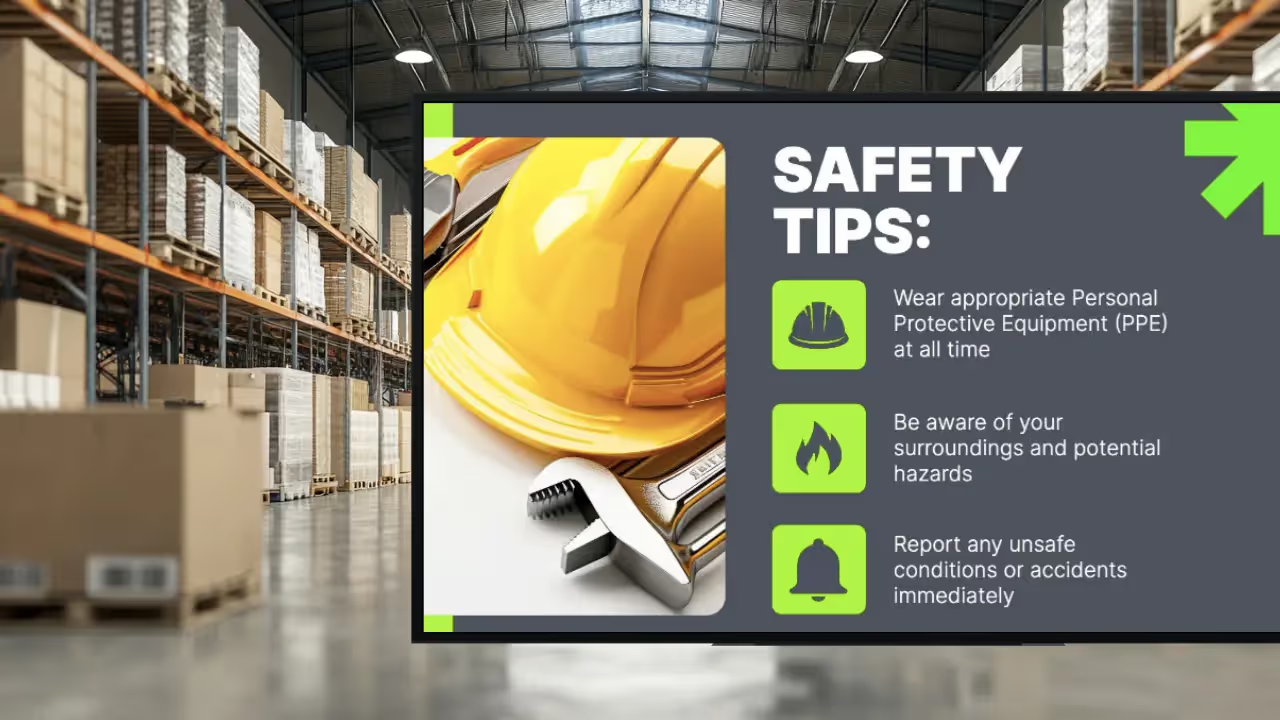
Safety is non-negotiable in logistics, and digital signage acts like an always-on safety officer. Screens can mark danger zones, list required PPE for certain tasks, and show step-by-step steps for handling hazardous materials. Because messages are digital, they can be changed instantly to reflect temporary risks, like a spill or a machine under repair.
In an emergency, screens can override regular content and show evacuation routes, first-aid steps, or emergency contacts. Studies show that companies that actively share safety rules in this visible way see about 30% fewer incidents, which shows the life-saving potential of this technology.
Task Management and Productivity Boards
Task-focused displays are usually placed in specific areas like picking, packing, or shipping. These boards show current deadlines, priorities, and open orders in real time. By giving workers a clear “roadmap,” the system lets them manage their own work better without constant supervisor input. Managers can also shift priorities on the fly, so high-priority shipments move first during busy times.
These boards are especially helpful during shift changes. By showing the status of open tasks and current staffing levels, the incoming team can see exactly where the previous shift stopped. This smooth handoff keeps output steady no matter the time of day.
Training and Instructional Displays
Ongoing training is key for high standards, but formal training sessions can be hard to schedule. Digital signage helps by showing short, repeatable training clips or “micro-learning” content during downtime or in breakrooms. These visuals can show proper lifting, machine use, or new software steps through short videos and diagrams.
Visual training helps people remember information much better. By repeating key skills quietly in the background on the warehouse floor, companies can cut back on expensive in-person trainers and keep everyone current on best practices and rules.
Inventory Management Signage
Inventory management screens give a clear view of stock levels and demand swings. With WMS integration, these displays can show live updates on stockouts, replenishment needs, and high-demand SKUs. When a stockout appears, restock instructions can go straight to screens in the picking zone so teams can act right away.
This extra visibility cuts time spent on manual stock checks and helps avoid the high cost of overstocking or running out. For cross-docking or high-volume teams, seeing inventory flow visually is key for keeping both accuracy and speed during peak periods.
What Are the Key Features of Warehouse Digital Signage?
Real-Time Data and Automated Content Updates
The standout feature of modern digital signage is its ability to show live data. Direct API links with WMS tools and IoT devices make this possible. When a shipment status changes to “shipped” in the system, the update appears on displays across the building right away. Automation removes the need for managers to constantly build and update content by hand, so what’s on the screen is never outdated.
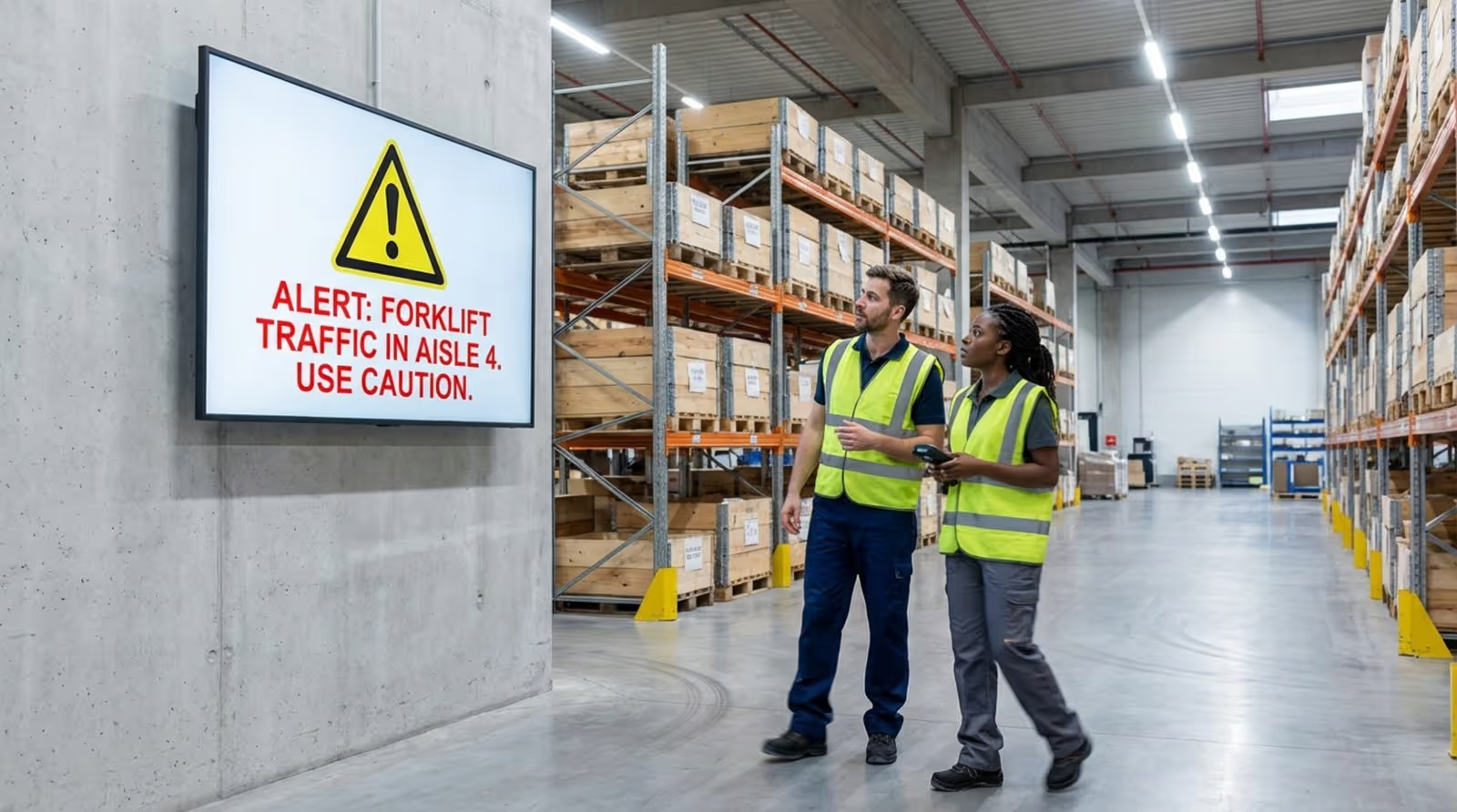
Conditional triggers also let the system react to changes. If a sensor detects a forklift entering an area meant only for pedestrians, the nearest screen can flash a warning. This proactive behavior turns signage from a passive notice board into an active part of the warehouse’s safety and operations setup.
Customizability and Integration with Warehouse Systems
Each warehouse has its own layout and goals. Digital signage platforms usually offer flexible settings so managers can adjust layouts, colors, and content to match local needs. Zoned messaging is a big part of this. It lets you show different content at the receiving dock than at the packing line, so each role-forklift driver, inventory controller, packer-only sees what matters to them.
These systems often connect to more than just the WMS. Many can link to tools like Zapier, Slack, or analytics platforms such as Power BI and Tableau. This makes it easy to turn long lists of numbers into simple charts and graphs that help staff make quick, data-based decisions on the floor.
Interactive Touchscreen Capabilities
Interactive kiosks and touchscreens are becoming more common and give employees more control. Workers can use them to look up inventory, scan barcodes to check order status, or report damaged goods and equipment issues right from the floor. This “self-service” access can cut decision delays by up to 20%.
These touchpoints also provide a way for staff to share feedback. Workers can answer short surveys or send improvement ideas through the screens. This two-way communication improves processes and helps people feel listened to, which supports a more engaged workplace.
Cloud-Based Control and Remote Management
Cloud-based signage software lets you manage screens across many sites from one place. Whether a manager is in the warehouse or at a distant office, they can update safety rules, adjust shift goals, or send emergency alerts at once. Central control keeps messages and branding consistent across all locations.
Using the cloud also removes the need for local servers and lowers maintenance costs. Media files, templates, and schedules sit in secure cloud storage, making rollout and growth much easier. If a company opens a new warehouse, adding it to the network is as simple as installing new devices and connecting them to the main dashboard.
Visibility, Placement, and Compliance
Digital signage only works if people can see it clearly. High-resolution displays with automatic brightness control keep content readable in all light conditions, from bright docks to dim storage aisles. Large screens help people see important messages from far away, which is especially important in busy traffic areas.
Many signage tools also support rules and safety standards like OSHA and ANSI. Built-in templates use the right colors, icons, and placements to match legal guidelines. This keeps the warehouse ready for audits and helps make sure all safety warnings follow official standards that protect both staff and the business.
What Are the Benefits of Using Digital Signage in Warehouses?
Increased Operational Efficiency
One of the main benefits of digital signage is a clear rise in efficiency. By giving employees real-time direction and helping optimize picking paths, warehouses can increase productivity by up to 25%, according to McKinsey. Cutting “search time”-the time spent looking for products or instructions-leads to faster order handling and higher throughput.
Automation also plays a big role. Replacing manual tasks like rewriting whiteboards or printing shift schedules with automated digital updates saves many hours of labor. Supervisors can spend less time on admin work and more time on managing the floor and solving problems.
Better Safety and Regulatory Compliance
Digital signage works as an active tool to reduce risk. By sharing constant safety reminders and hazard alerts, it keeps safety visible for workers throughout the day. In high-risk areas, being able to update safety notices instantly helps keep staff aligned with the latest OSHA rules or fire codes and reduces the chance of fines or injuries.
Moving visuals and bright colors grab attention much better than static signs that people may stop noticing over time. Animated content and timely alerts draw the eye and encourage action, supporting a strong safety culture that protects workers.
Improved Communication and Collaboration
In facilities with multiple shifts, poor communication often leads to mistakes. Digital signage standardizes messages for all shifts so every team gets the same instructions and updates, no matter the hour. This steady flow of information improves cooperation between departments like receiving and storage by giving everyone a shared view of workflows and inventory changes.
As a central communication point, digital signage spreads key information-like process changes or rush orders-across the entire facility. This reduces the need for word-of-mouth or long meetings, which are slower and more likely to cause misunderstandings, and helps build a more informed, flexible workforce.
Boosted Employee Engagement and Recognition
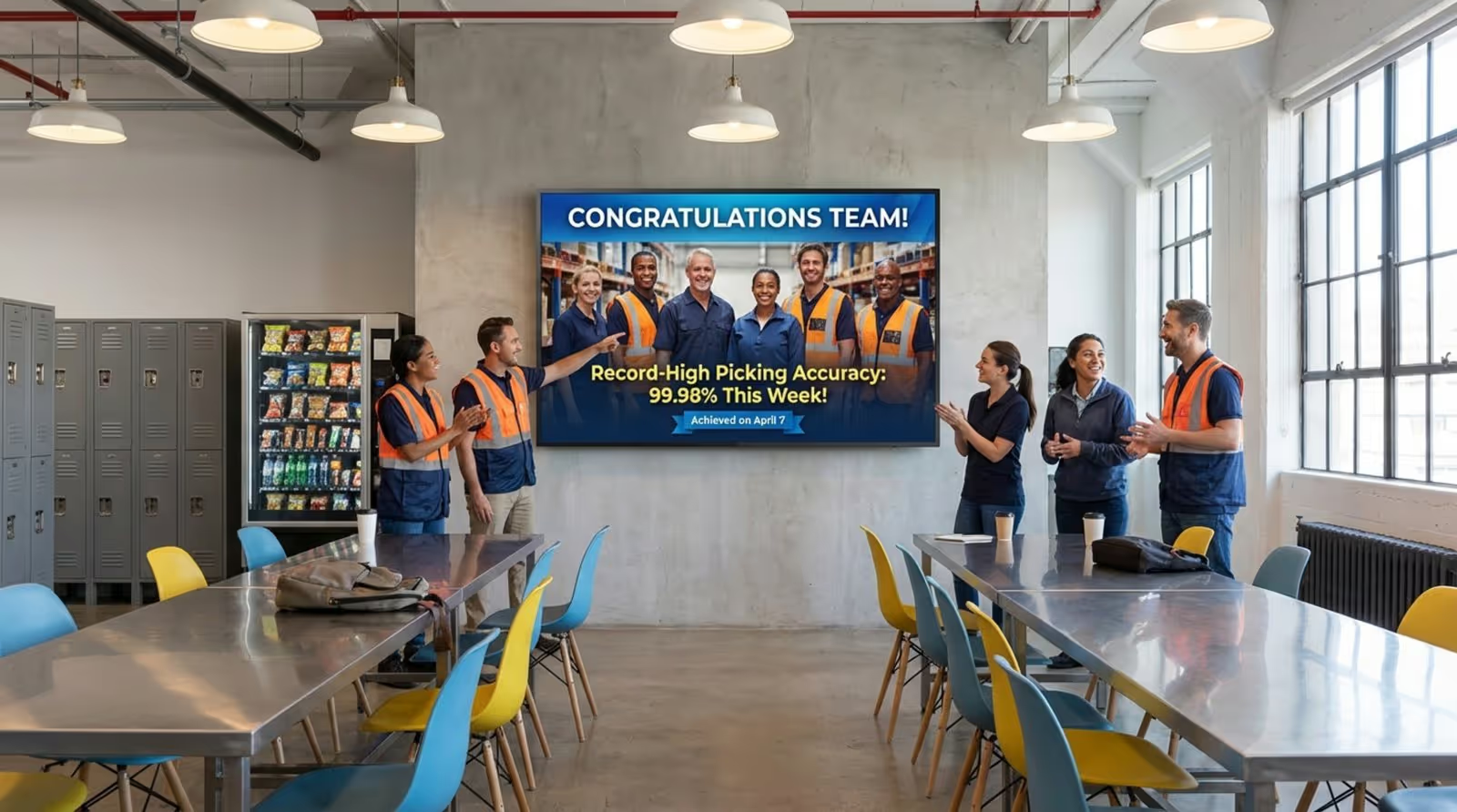
Recognizing effort is key for morale, and digital signage offers a public way to do that. Screens can show top performers, birthdays, work anniversaries, team wins, and productivity records. SHRM reports that organizations using public recognition can see a 21% lift in morale and retention.
When people feel noticed, they are up to four times more likely to be engaged in their jobs. Screens can also display motivational messages or break-time countdowns, helping create a more positive and connected workplace. This human side of digital signage is just as important as the technical side for building a strong, high-performing team.
Adaptability and Scalability for Warehouse Growth
As a warehouse grows, its communication needs change. Digital signage is flexible enough to keep up without major new builds. Adding more screens or new content zones is usually straightforward. Modern hardware is often plug-and-play, so screens can be moved as layouts shift, giving the agility needed in fast-moving logistics.
This ability to grow with the business means the communication system can expand along with the facility. Whether you are increasing floor space or adding automation tools like AGVs (Automated Guided Vehicles), digital signage can be updated to support new processes, giving a future-ready solution for long-term growth.
Best Practices and Tips for Effective Warehouse Digital Signage
Strategic Placement for Maximum Visibility
The impact of digital signage depends heavily on where the screens go. High-traffic spots such as intersections, entrances, and breakrooms work well for general information. For safety and task-based messages, place screens at eye level near relevant areas like heavy machinery or packing stations. Good placement lets employees see key information quickly without breaking their workflow.
Screen size and viewing angles also matter. Use large screens in big open spaces and smaller tablets or kiosks at individual workstations. Position screens to avoid glare from overhead lights or windows, which improves readability and keeps people engaged.
Aligning Signage with Critical KPIs
To truly drive performance, what you show on screens should match the facility’s most important KPIs. Instead of filling displays with many numbers, focus on a few metrics that have the greatest impact on shift success-such as order speed, error rates, or on-time shipments. Simple charts, gauges, or progress bars make these metrics easy to understand.
When workers can watch their progress in real time, it builds urgency and purpose. Color-coded alerts-green for on track, yellow for slightly behind, red for off track-give quick feedback so teams can adjust their pace or focus throughout the day.
Regular Content Refresh and Automation
A common mistake with digital signage is letting content sit unchanged for too long. If staff see the same safety tip or message for weeks, they eventually tune it out. To keep attention high, content should be updated often. Automation helps here: shift-based schedules and live data feeds keep content relevant to the current time and tasks.
Mixing content types also matters. Combine video, images, and live text to keep screens interesting. Managers should balance hard operational data with lighter items like weather updates or employee shout-outs so displays stay both useful and engaging.
Integrating with Existing Warehouse Management Systems
To get full value from digital signage, it should connect directly to your WMS and inventory tools. This link lets screens act as live windows into operations-showing accurate stock levels, task priorities, and shipment deadlines. Integration cuts manual data entry and helps teams work from the latest information.
When choosing a digital signage platform, pick one with built-in integrations or a strong API. That makes setup easier and allows more advanced automation, such as showing special content when a high-priority order arrives or when stock drops below a set level.
Providing Emergency and Safety Alerts
Safety should be a core use case for warehouse signage. Make sure your system has an “emergency override” mode that can switch all screens at once during a fire, power loss, or other crisis. These alerts should be clear, high-contrast, and give direct instructions, like pointing to the nearest exit or emergency gear.
Beyond emergencies, use screens for regular safety education. Short “safety minute” clips or PPE reminders help keep rules top of mind. Keeping safety visible all day long lowers the chance of accidents and supports a culture of awareness.
Measuring Performance and Gathering Feedback
To see if your digital signage is working, track its impact. Watch KPIs like order cycle time and safety incidents before and after rollout to measure gains. You can also use the screens to collect feedback. Quick polls or QR codes linking to surveys help you learn what content workers find most useful.
Review this data and feedback on a regular basis and adjust your strategy. If staff see the same screen is hard to read or that certain data is confusing, tweak the layout, wording, or placement. This ongoing improvement keeps signage a strong tool for better warehouse performance.
What Are the Challenges in Implementing Warehouse Digital Signage?
Initial Investment and Ongoing Maintenance
Switching to digital signage requires upfront spending, which can be a hurdle. Costs include displays, mounts, media players, software licenses, and installation labor. While long-term returns in efficiency and safety often outweigh these costs, careful budgeting is needed for a smooth rollout.
Ongoing upkeep is another factor. Like any tech, digital signage needs software updates and occasional hardware repair or replacement. Setting a maintenance plan and using durable, industrial-grade devices helps reduce downtime and extend the system’s life in tough warehouse conditions.
Integration with Legacy Systems
Many warehouses still run on older systems that may not easily connect with modern signage software. Linking these older tools with new platforms can bring technical challenges, delays, and extra costs. Sometimes, custom middleware or special APIs are required to keep data flowing smoothly between systems.
Careful planning and a full review of current IT systems before starting the project reduce these risks. Choosing a flexible signage solution supports step-by-step integration, so you can modernize communication without stopping daily operations.
Managing User Training and Adoption
New technology often meets some pushback. Workers might be unsure about the screens at first or find them distracting. Managing this change means clearly explaining the benefits and showing staff how to use interactive features. When people see that screens help make their jobs easier and safer, they are more likely to use them.
Content design also matters. If information is not helpful or is too hard to read quickly, workers will ignore it. Simple layouts, large fonts, strong contrast, and clear visuals keep mental load low and help employees accept screens as a useful part of their daily tools.
Frequently Asked Questions About Warehouse Digital Signage
Should Warehouses Use Interactive Digital Displays?
Yes. Interactive displays bring clear value in warehouse settings. By letting workers scan barcodes, report issues, or check stock and order status at a kiosk, these screens reduce trips to supervisors or office computers. Fast access to information cuts delays and lets staff solve problems at the source, which raises overall productivity.
How Does Digital Signage Affect Warehouse Safety Protocols?
Digital signage changes safety rules from static posters into live, active messages. It shows hazards right away, reminds staff about PPE, and serves as an emergency alarm system. Because content is highly visible and updated often, people are less likely to miss it, which supports stronger compliance and a safer workplace.
How Quickly Can Digital Signage Be Updated in Real-Time?
Updates are almost instant. When signage links to a WMS or IoT sensors, the system can send changes to screens in milliseconds. For manual updates, a manager can change content in the central dashboard and have it appear on all displays within seconds. This speed is especially important for emergency alerts, rush orders, or sudden changes in operations.
Looking ahead, digital signage will play an even bigger role in “smart warehouses.” New tools like 3D layout modeling and AI-driven predictions will feed into these screens, offering even deeper insight into performance. By adopting digital signage now, facilities not only solve today’s communication problems, but also build a solid base for a more automated, data-driven, and efficient future across the supply chain.





