
Table of Content
Plants and factories use digital signage to close the ongoing communication gap between management and the production floor, so every worker can see real-time data, safety rules, and operational goals without checking email or a phone. To use it well, industrial sites need tough, industrial-grade screens that can handle harsh conditions, cloud-based content software that connects with systems like MES or ERP, and displays placed in busy areas to create one live, shared source of truth for all staff.
In modern manufacturing, where time directly affects profit, passing messages through supervisors and multiple shifts often leads to delays and mistakes. Digital signage replaces these scattered methods with a visual network that keeps everyone aligned, from receiving to final assembly. By turning raw data into clear information on large, bright screens, factories can build a culture of transparency and fast response.
Why Plants and Factories Use Digital Signage
Improves real-time communication on the production floor
On a busy factory floor, announcements over a PA system or two-way radios can be lost in machine noise. Digital signage offers a quiet but highly visible option, sharing important updates across the area right away. Every team member sees the same message at the same time, which reduces confusion during shift handovers or urgent situations.
Many production workers do not have easy access to computers or email during their shift, so digital screens act as a key link to the rest of the company. Whether it’s a schedule change or a major customer visit, these displays keep deskless workers connected to what is happening in the business so nobody is left out.
Increases visibility of KPIs, output, and performance metrics
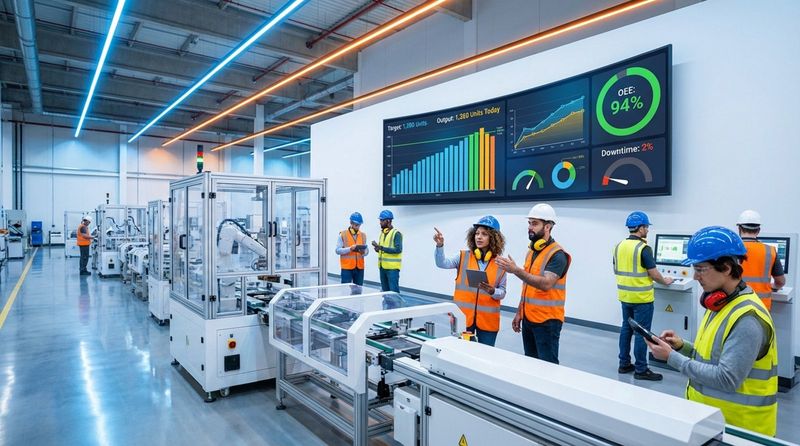
Manufacturing runs on data, but data only helps if the people doing the work can see it. Digital signage turns detailed metrics from an ERP or MES into simple charts and graphs. When operators see live counts and progress against daily targets, they can adjust their pace on the spot instead of waiting for an end-of-day update.
This visibility does more than inform; it gives teams control. Showing uptime vs. downtime or defect rates in real time helps teams spot bottlenecks right away. The brain processes images far faster than text, so a quick glance at a screen can show a worker how their line is performing at that moment.
Improves safety with quick alerts and emergency messages
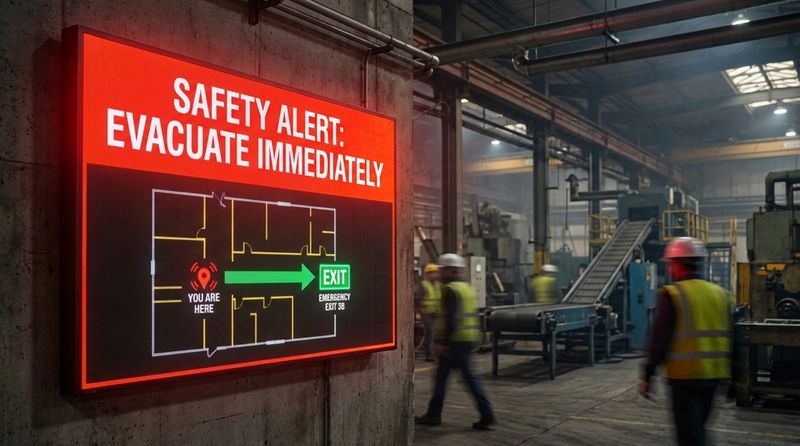
Safety is the top priority in any plant, and digital signage is a strong tool for managing risk. Sirens and horns can signal that something is wrong, but they do not say what is happening or what to do next. When linked to fire or gas systems, digital displays can instantly show flashing evacuation maps and clear instructions as soon as a hazard appears.
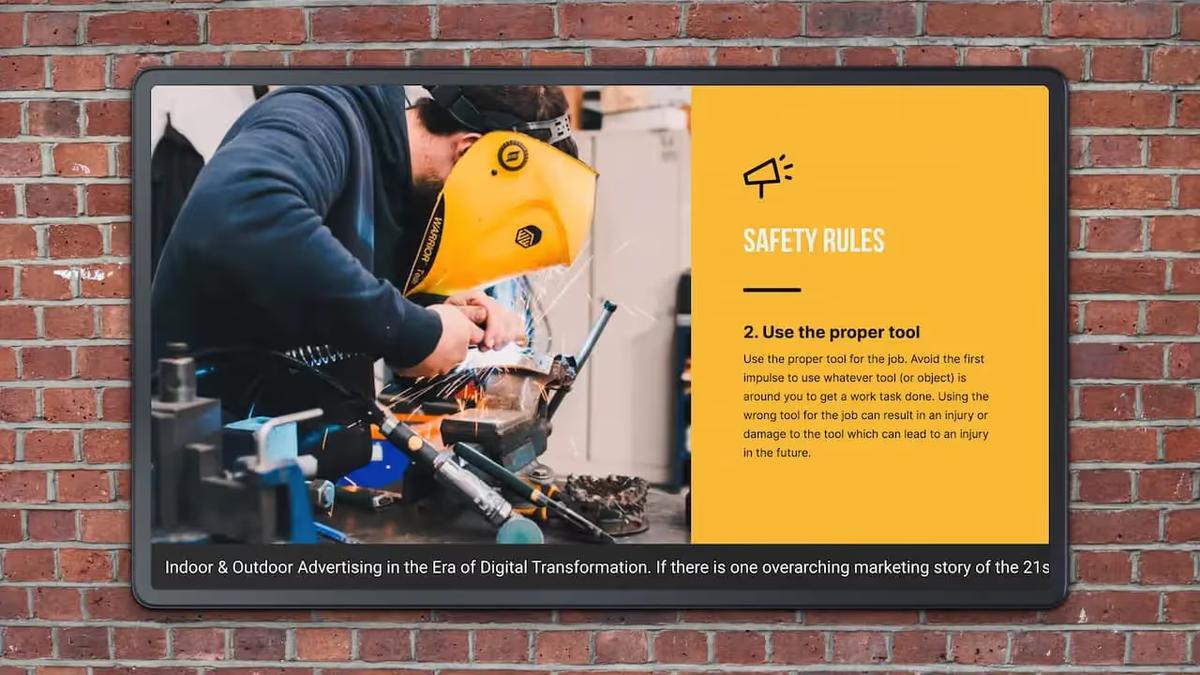
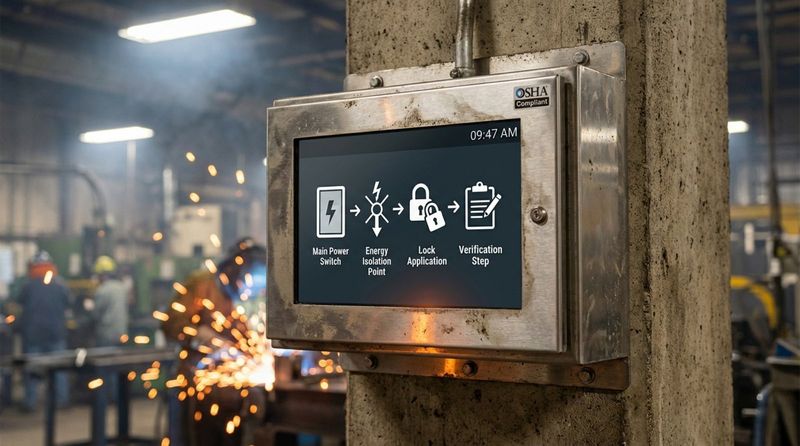
Outside of emergencies, these screens remind staff about daily safety practices. They can cycle messages about correct PPE, lockout-tagout steps, and current accident-free days. This keeps safety in front of workers all day, helping cut the costs of injuries and, more importantly, protecting people.
Reduces reliance on outdated paper or bulletin board systems
Pinning paper notices to a bulletin board is becoming less useful. Paper is static, easy to ignore, and often out of date soon after posting. With digital signage, you can update information on hundreds of screens at once, so what people see is current and accurate.
Moving away from paper also supports a cleaner, leaner workplace. It cuts clutter and waste and makes sure that only the latest version of a policy or schedule is visible. This lowers the chance that someone will follow old instructions from a forgotten sheet taped to a machine.
Motivates staff with recognition and incentive programs
Factory work can be repetitive, so morale has a big impact on output. Digital signage gives you a stage to celebrate wins, such as meeting a big production target or reaching a safety milestone. Showing “Employee of the Month,” work anniversaries, or birthdays helps create a friendlier and more human workplace.
Leaderboards can also encourage friendly competition between shifts or departments. When teams see their performance recognized publicly, they tend to be more engaged and feel more responsible for the plant’s results.
Supports branding and workplace culture
Digital signage is a strong way to reinforce company values and culture. Sharing updates about charity projects, sustainability work, or company events helps build unity beyond day-to-day tasks. The message is not just about numbers; it’s about being part of a shared purpose.
For visitors and job candidates, these screens are natural talking points during tours. They show that the facility uses modern tools, values transparency, and invests in its people. This can help with hiring and when hosting customers or investors.
Key Benefits of Digital Signage in Industrial Environments
Boosts productivity with live dashboards and clear data
If data stays in a manager’s office, the floor is working on guesswork. Digital signage brings live dashboards onto the floor so everyone sees what is happening right now. When a machine starts to underperform, the red alert on the display tells the team to act before it causes major delays.
This real-time feedback loop supports lean manufacturing. By making waste visible-like overproduction or excess movement-workers can help improve the process. This leads to smoother operations and better margins.
Improves safety compliance and awareness
Meeting OSHA or other safety rules is easier when key messages are impossible to miss. Digital screens can show targeted reminders based on time of day or local risks. For example, a screen near chemical storage can run special handling tips through the shift.
Seeing these reminders often helps make safety part of everyday behavior. Instead of a once-a-year topic, safety becomes something people see every few minutes, which improves audit results and lowers the chance of serious incidents.
Supports consistent workforce communication
In a 24/7 operation, one big challenge is giving all shifts the same information. Digital signage works as a single, reliable source of truth, sharing the same messages across shifts, buildings, and locations. This reduces confusion and mixed messages.
Whether the topic is benefits, new policies, or company events, digital screens help reach everyone. Over time, this steady flow of clear information supports trust between workers and management.
Helps with training and SOP reinforcement
Training should not end after onboarding. Digital signage allows short “micro-learning” sessions by looping quick videos and animations of SOPs near the place where work happens. These visual prompts help people follow the right steps and remind even long-time workers to avoid shortcuts.
When a new machine arrives or a process changes, screens can show short guides right away. This shortens the time it takes to learn new tasks and cuts down on mistakes that come from relying on memory or old manuals.
Improves logistics and supply chain flow
In logistics zones, digital signage helps control the movement of goods and people. Real-time dock assignments and truck queues on screens reduce traffic jams and long wait times. Drivers see where to go as soon as they arrive, which speeds up both inbound and outbound activity.
Material handlers inside the plant benefit too. When they can see current inventory and line demand, they can send parts where they’re needed most, lowering the risk of stock-outs that stop production.
Supports sustainability by showing resource use
Many plants want to cut their impact on the environment. Digital signage can show live data for energy, water, and gas use. When staff see how their actions affect these numbers, they are more likely to support energy-saving efforts.
Screens can also display recycling goals or carbon reduction results, turning corporate sustainability targets into a shared project. Short weekly tips-like reporting compressed air leaks-can appear next to live energy graphs to show how daily actions help.
Common Use Cases of Digital Signage in Plants and Factories
Production line performance dashboards
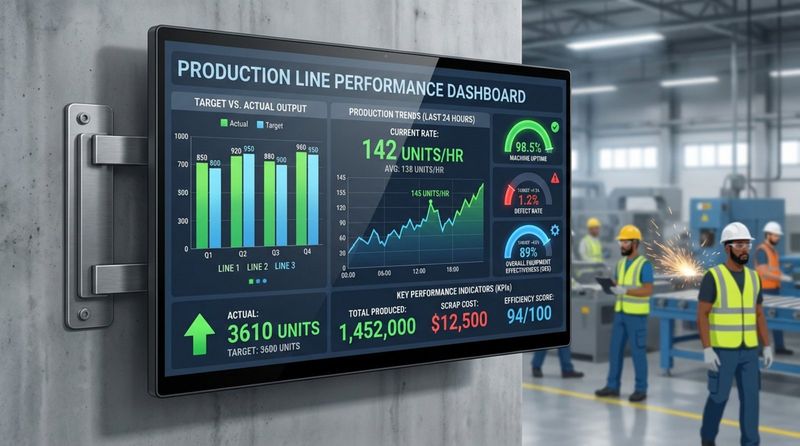
The most common use is the production dashboard. These screens are usually placed above or beside the line and show real-time KPIs, such as Target vs. Actual output. Color codes-green for on target, red for behind-let operators see status instantly and react quickly.
Dashboards can also show machine health, like temperature or cycle speed. This supports preventive maintenance; if a machine starts to show stress, the maintenance team can respond before it fails.
Safety alerts and emergency notifications
During a fire, spill, or gas leak, digital signage becomes part of the emergency system. A Priority Override feature can switch all screens to urgent alerts right away. These can include exit maps and clear instructions on where to meet.
During normal operation, the same screens can show a safety ticker or days since the last lost-time incident. Keeping this visible all the time supports a strong safety mindset.
Shift schedules and HR communications
Screens in break rooms and near entrances are ideal for shift schedules, team lists, and rotation plans. Workers can quickly confirm where they need to be. HR can post benefits news, open enrollment dates, or training reminders.
You can also add welcome messages for new hires or greetings for visiting partners. This helps connect the administrative side of the company with the people on the floor.
Training materials and instructional loops
By placing displays in common areas or at workstations, plants can play training loops. These might include daily safety tips or short refreshers on quality checks. Visual guides hold attention better than long written manuals and are easier to remember.
During shift changes, break room screens can run brief, 5-minute playlists on topics like lifting techniques or ISO updates. This keeps training ongoing and built into the normal workday.
Quality control and compliance updates
Quality screens can show defect trends as they appear. If one part starts failing inspection more often, a quality alert can flash across the screens, telling teams to review their settings. This real-time view helps stop small problems from turning into large scrap runs.
Compliance status, such as the share of staff who have finished mandatory training, can also be shown. A visible progress bar moving toward 100% encourages people to complete their tasks on time.
Logistics coordination at loading docks
Large outdoor LEDs and indoor monitors help manage the truck queue. They guide drivers to assigned bays and list parking rules and PPE needs. Inside, warehouse screens show priority shipments so teams can focus on the right work first.
This coordination cuts the confusion often seen at docks. It helps send the right load to the right truck at the right time and reduces shipping errors and delays.
Energy use, emissions, and sustainability dashboards
Sustainability dashboards are now common in modern plants. These displays show live data from the Energy Management System (EMS), such as current power draw vs. daily target, which promotes careful use of resources.
They can also show recycling results or solar power generated on-site. This gives staff and visitors a clear view of the company’s environmental efforts.
Steps to Deploy Digital Signage in Industrial Settings
Identify communication gaps and set clear goals
Before buying hardware, start by defining which problems you want to fix. Are you trying to cut accidents, raise output, or improve shift handovers? Clear goals help you pick the right content, screens, and software.
Talk to the people on the floor first. Ask them what information they are missing and where they would naturally look for updates. This early input helps you build a system that workers will actually use and value.
Select hardware suited for harsh environments
Regular consumer TVs usually fail quickly on a factory floor. Dust, heat, vibration, and moisture all take a toll. Choose industrial-grade screens or add protective enclosures to shield electronics.
Look for high-brightness displays that are easy to see under strong lighting. Also, choose mounts that can handle vibration and still keep the screen stable and readable from a distance.
Choose digital signage software that integrates with plant systems
The software controls what appears on your screens. In a factory, you need a cloud-based platform with strong security that can connect to tools like Power BI, MES, or ERP.
Pick a system that non-technical staff-like safety or HR-can update easily. Features such as Priority Override for emergencies and scheduling different content by shift are especially helpful in industrial settings.
Place displays where people will actually see them
Location matters a lot. Mount screens in natural gathering spots such as break rooms, cafeterias, and near time clocks. On the floor, place screens at eye level or at the right angle so workers can read them without effort.
Avoid putting screens behind equipment or along forklift paths where they might be hit. Test sightlines so staff can see needed information without walking away from their stations or stopping their tasks.
Connect real-time data sources (MES, ERP, sensors)
To get real value from digital signage, move beyond static images and slides. Link screens to live systems so KPIs, stock levels, and machine status update automatically. This removes manual data entry and keeps information current.
Connecting IoT sensors allows automatic alerts as well. If a sensor detects abnormal vibration or temperature, the nearest screen can show a warning immediately so teams can act within seconds.
Schedule and manage dynamic content
If a sign shows the same thing for days or weeks, people will stop looking at it. Use scheduling features to rotate content. For example, show production metrics during shifts, safety tips at break times, and company news during changeovers.
Use automation where possible. Smart playlists that pull in the latest data and cycle through templates keep screens fresh and help time-sensitive messages stay visible.
Best Practices for Managing Digital Signage in Plants and Factories
Build a focused content plan for each audience
Not every worker needs the same information. Divide your factory into zones. The warehouse team doesn’t need detailed assembly-line defect charts, and office staff don’t need dock queue data. Match content to each group.
Keep messages brief and action-focused. Workers only have a few seconds to glance at a screen. Use large fonts, strong contrast, and clear icons so the main point is obvious at a glance.
Keep screens updated with fresh and relevant information
Fresh content keeps people paying attention. If a birthday message stays up long after the date, staff may stop trusting the screens. Set a routine to review and update content at least weekly.
Mix light content with operational data. Trivia, weather, or sports scores can appear alongside KPIs so people keep checking the displays often.
Track performance and collect feedback from staff
Digital signage is a tool for employees, so their opinions matter. Regularly ask team leaders and operators if the screens are useful. Are charts readable? Is text big enough? Is any content distracting?
You can also track how quickly teams react to alerts shown on screens. If it takes too long to respond, rethink placement, message style, or sound cues to improve response times.
Support accessibility, including multiple languages
Many factories employ workers who speak different languages. Digital signage makes it easy to offer the same message in several languages. You can rotate languages or show them side by side on the same screen.
Accessibility also includes color and visibility. Use high contrast and avoid relying only on color to carry meaning-combine color with icons or text for alerts and status messages.
Protect security and safeguard signage hardware
Because digital signage runs on your network, security matters. Use encrypted connections and lock down media players. Set them to kiosk mode so nobody can change settings from the screen.
Protect the hardware itself as well. Install guards or bollards in high-traffic areas to prevent forklift damage. Clean screens and enclosures regularly to remove dust and grease that can block visibility.
Plan for growth and new technology
Start with a small pilot on one line, but think ahead. Choose software that can grow from a few screens to hundreds across multiple plants. This protects your early investment as you expand.
As new tech appears, consider adding AI, touchscreens, or other interactive tools. Planning for growth now will save time and cost later when you want to add more features.
Challenges and Solutions in Industrial Digital Signage Adoption
Reducing internal communication resistance
Some resistance comes from culture. Certain managers may worry about sharing real-time data with everyone. One way forward is to show how open data helps performance and engagement. You can start with simple, low-risk metrics and add more over time.
Another concern is that screens might distract workers. To address this, keep content relevant to the work area and place screens where they are visible but do not interfere with safe operation. Done well, signage supports focus instead of reducing it.
Connecting to legacy systems and older data sources
Many factories still use older software that doesn’t connect easily to modern web tools. You can bridge this gap with middleware or signage platforms that offer custom APIs and built-in connectors for common industrial apps.
If direct links are not possible, export data into a shared file or database that the signage system can read. It may add an extra step, but having fresh, automated data on screens is usually worth the effort.
Limiting downtime during installation and changeover
Installing equipment in a 24/7 plant needs careful planning. Schedule installs during maintenance stops or holidays to avoid production loss. Use pre-configured media players so technicians can plug them in and be ready fast.
A phased rollout also helps. Start with one area, solve issues, then expand to more lines and buildings. This reduces risk and prevents major communication gaps while you move to the new system.
Building workforce engagement and buy-in
If workers think screens are just another way to watch them, they may ignore them. Make sure content clearly helps them: schedules, recognition, pay or benefits news, and safety tips. Invite operators to suggest topics or help create content so they feel involved.
Interactive kiosks can raise interest too. Let workers check their own training records, PTO balances, or internal job postings. This turns signage from a one-way broadcast into a helpful self-service station.
Frequently Asked Questions About Digital Signage for Plants and Factories
What types of content work best on manufacturing digital signage?
The most effective content is live, visual, and relevant. Real-time KPIs, safety messages, and schedules are key. Adding employee recognition, plant news, and short weather or headline updates helps keep screens interesting day after day.
Short videos and bold charts work better than long paragraphs. Aim to communicate the main idea within a few seconds, since workers are usually on the move or focused on a task.
How does digital signage improve safety results?
Digital signage supports safety by keeping risks and safe behaviors highly visible. It gives clear, instant instructions during emergencies instead of relying only on alarms. Constant safety tips and public recognition of accident-free streaks help build a proactive safety culture.
It also helps with compliance by reminding workers about training deadlines, certifications, and new rules, which keeps skills and knowledge up to date.
Should digital signage be networked or standalone?
In most factories, networked systems are the better choice. They let you control all screens from one place, keep messages consistent, and support real-time data feeds, which is where the real value lies.
Standalone setups, like USB sticks in TVs, are slow to update and fall out of date quickly. In a fast-moving plant, you need to be able to push emergency alerts and schedule changes to all screens at once, which calls for a networked system.
Can digital signage be customized by department or shift?
Yes-and it usually should be. Modern signage platforms let you group screens by area and schedule content by time of day. The morning shift can see their targets and messages, while the night shift sees their own. Logistics, maintenance, and assembly can each have their own view.
This approach keeps information relevant to whoever is looking at the screen and avoids cluttering displays with data that does not matter to that group.
The Future of Digital Signage in Industrial Communication
Trends: IoT integration and smart factories
As Industry 4.0 grows, digital signage will tie in more closely with IoT. Screens will not just show data; they will react to it automatically. For example, if a sensor detects a temperature spike, the nearest screen can show “High Temperature” warnings and a QR code linking to the service guide.
These connected systems will help plants respond faster and operate more smoothly. Digital signage will act like a visual nervous system, signaling issues and guiding responses in real time.
Automation progress and faster real-time alerts
Automation will make signage management easier. More processing will move to the “edge,” where media players can read data and decide what to show without waiting on a central server. This cuts network load and keeps critical alerts working even if the main system has problems.
Alerts will also link more with wearables. A safety message on a screen might be matched with a buzz on a smartwatch, so workers get warnings even if they’re facing away from the display.
The role of digital signage in workforce change
As manufacturing jobs shift and require more digital skills, digital signage will support training and retention. With smarter plants, workers need ongoing learning, and screens provide a simple way to offer constant, visual training right where work happens.
Digital signage is more than a notice board; it helps reshape plant culture. By supporting transparency, recognizing achievements, and highlighting safety, it helps move factories toward modern, data-driven, people-focused workplaces. Plants that fully use these visual networks will be better placed to compete and succeed in the years ahead.


